Nachrichten löschen

SINC Support Team
SINC Support Team
Mar 10th, 2023

Um eine Nachricht in der mobilen App zu löschen: Halte die Nachricht lange gedrückt.
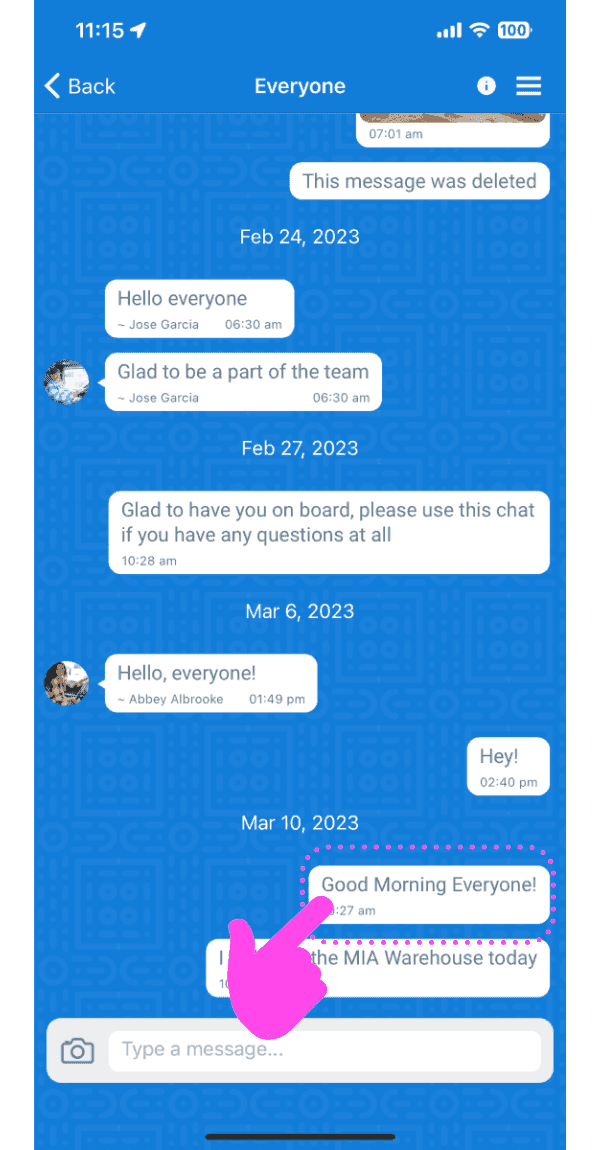
Group chat conversation screen with a pink arrow pointing to a message to long-press and delete

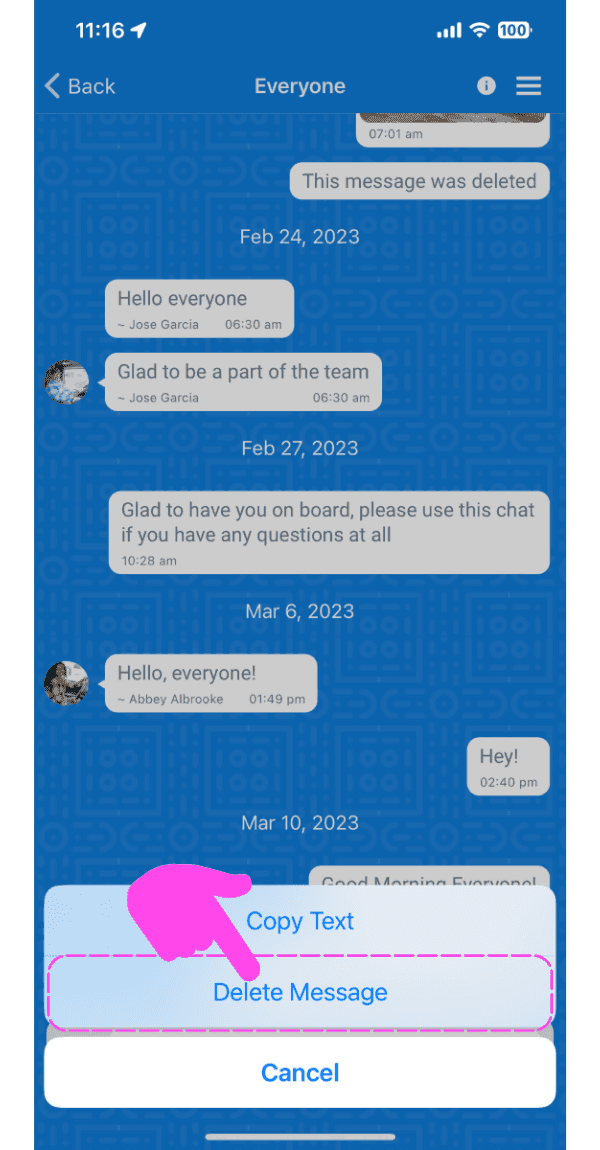
Tippe auf „Nachricht löschen“

SINC mobile chat conversation with a message options menu open and the Delete Message option highlighted

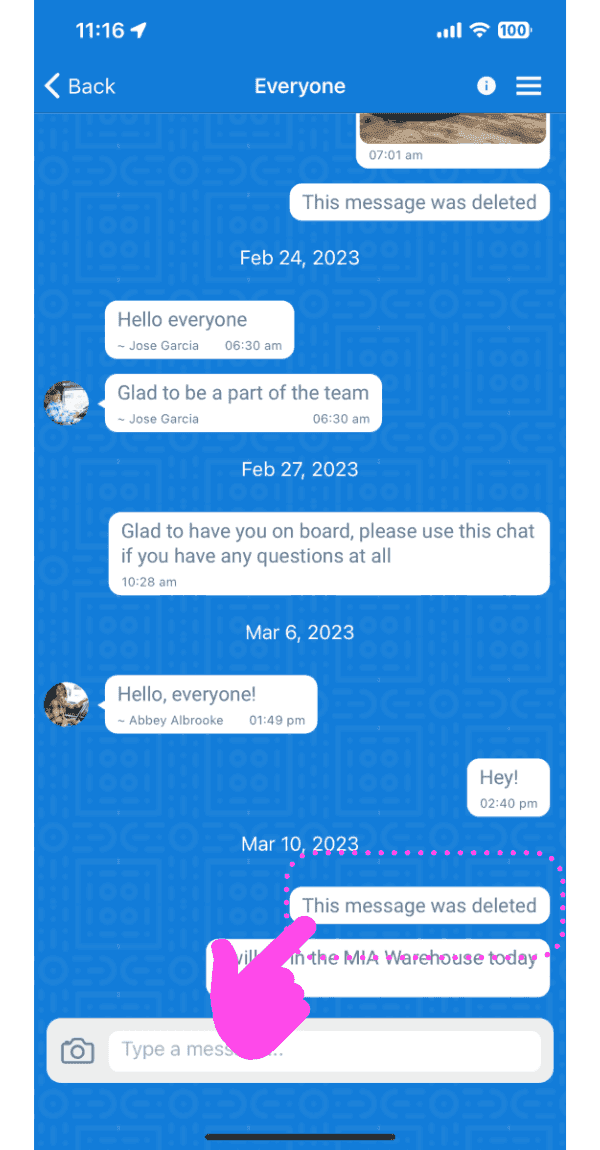
Die Nachricht wird gelöscht.

Mobile group chat thread with a deleted message outlined in pink and a finger tapping it

Im Web: Bewegen Sie den Mauszeiger über eine Nachricht und klicken Sie auf das Papierkorb-Symbol
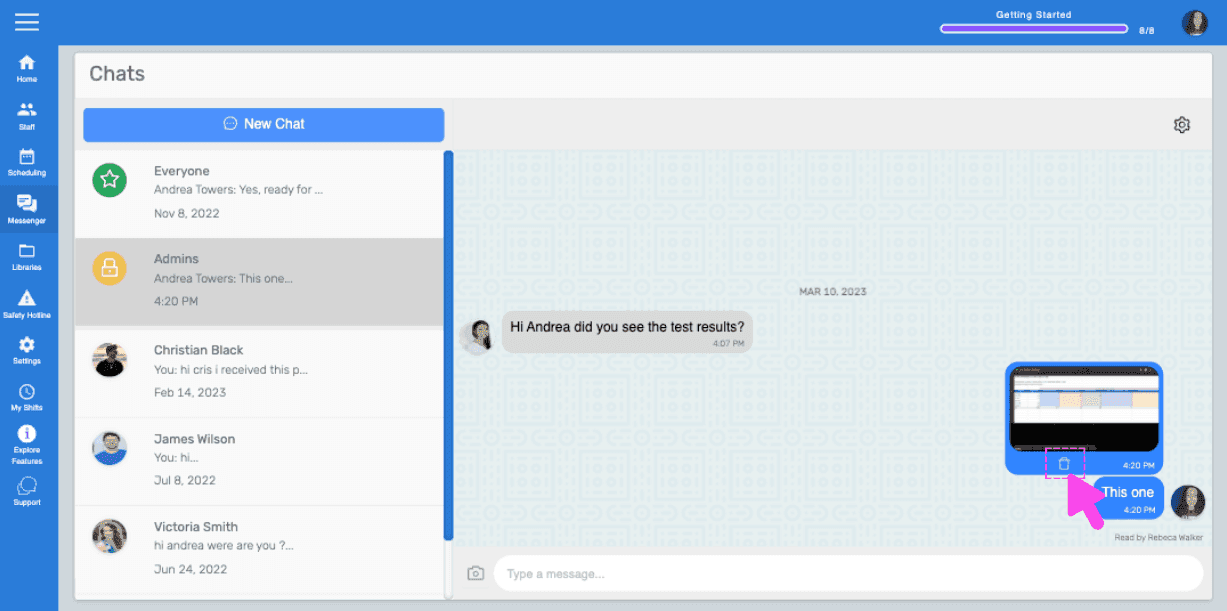
SINC web chat conversation with a pink hand pointing to the trash icon on a hovered message

Klicken Sie bei der Aufforderung auf Ja.
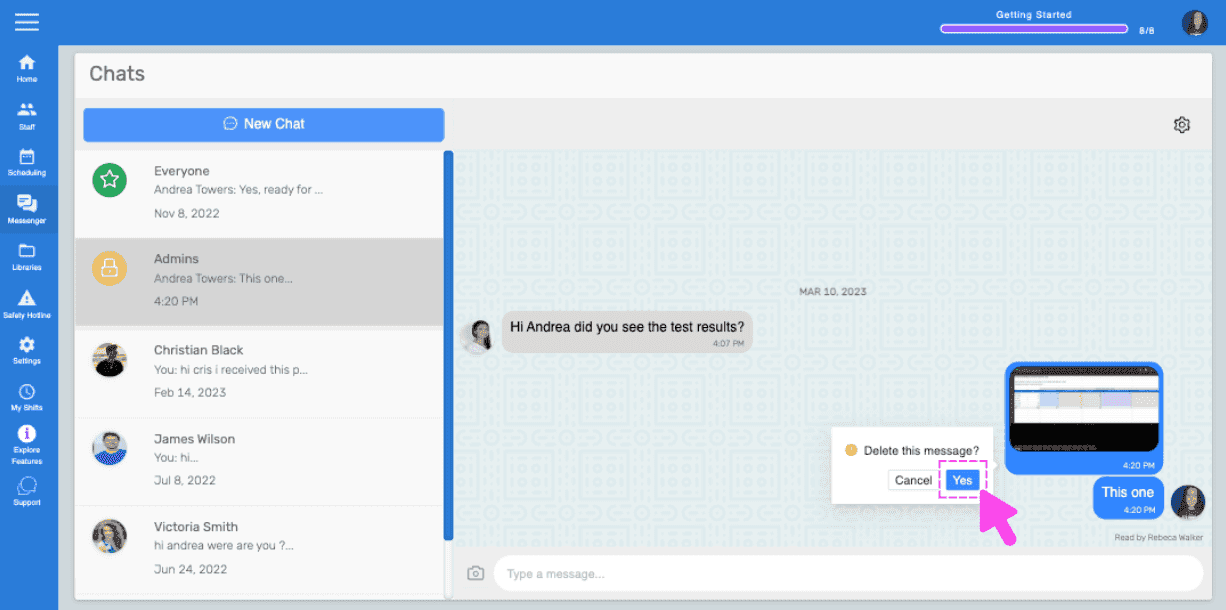
Chats screen showing a delete message confirmation popup with a pink arrow on the Yes button

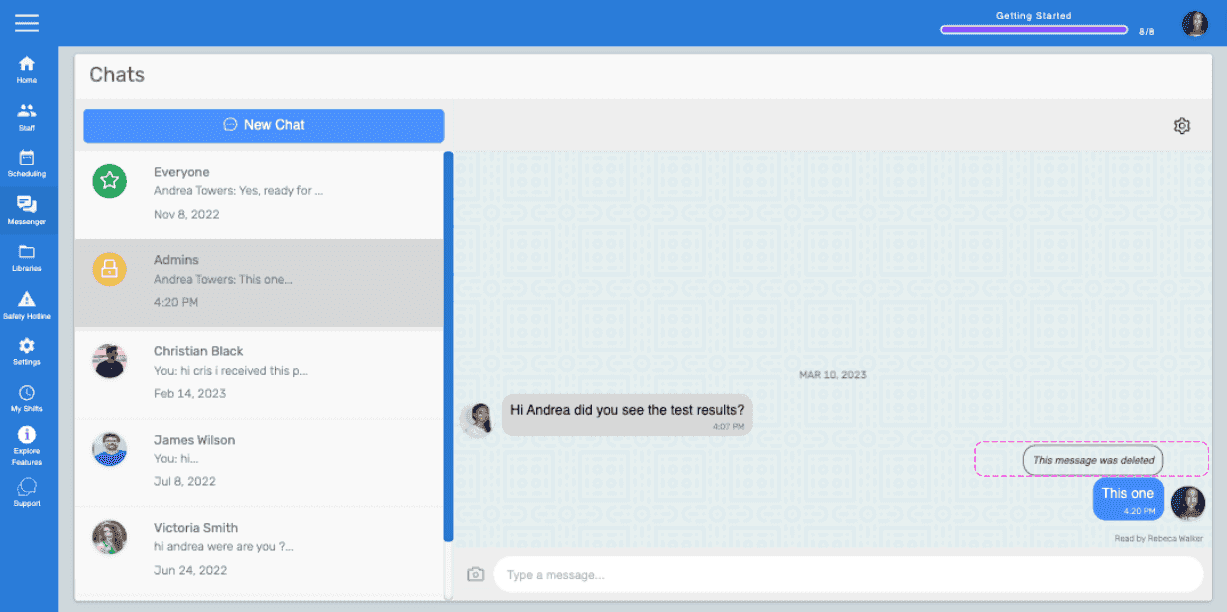
Die Nachricht wird gelöscht.

Web Chats screen showing a message marked 'This message was deleted' highlighted in pink

Hat das Ihre Frage beantwortet?