
Neuen Chat starten

Dieser Artikel zeigt, wie Sie einen neuen Chat mit einem Teammitglied starten.

SINC Support Team
SINC Support Team
Mar 10th, 2023

Um einen privaten 1:1-Chat mit einem Teammitglied zu starten: Tippe in der mobilen App auf die Schaltfläche Neuen Chat erstellen (das Stift-und-Notizblock-Symbol).
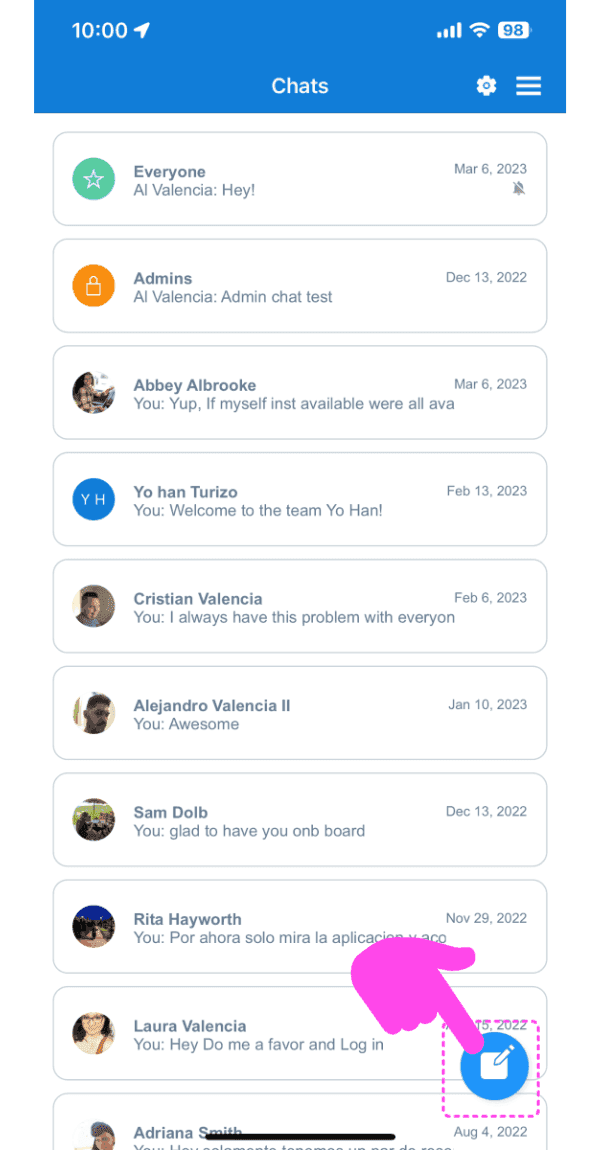
SINC mobile Chats list with a pink arrow pointing to the new chat pen-and-pad icon in the bottom right

Tippe in der Liste auf einen Mitarbeiter
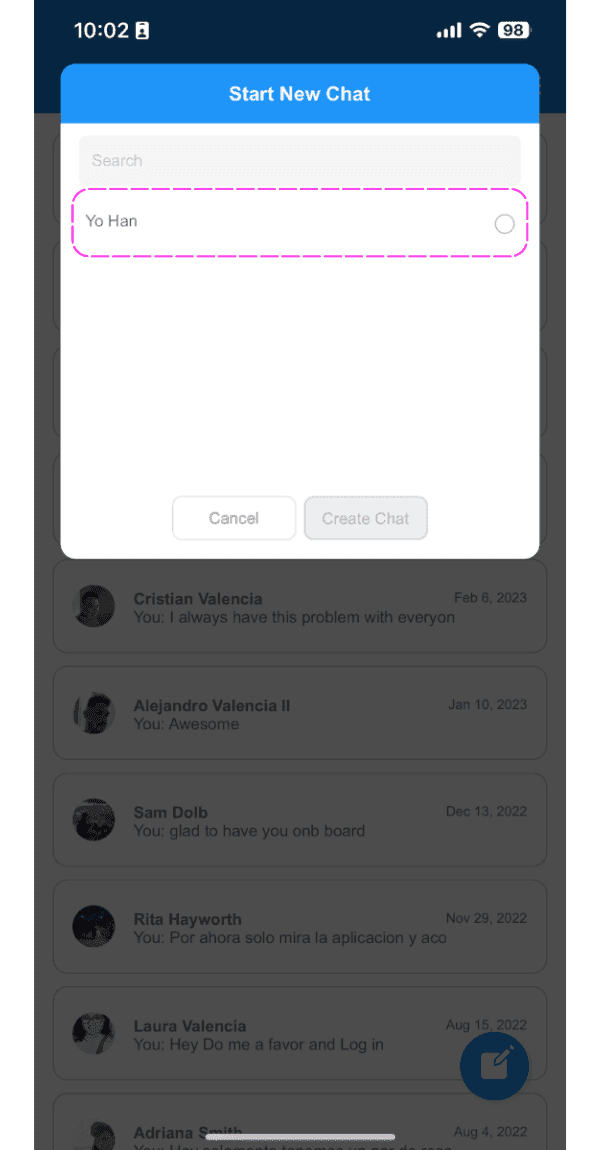
Start New Chat screen with the employee search field highlighted showing a typed name

Tippe auf die Schaltfläche Chat erstellen
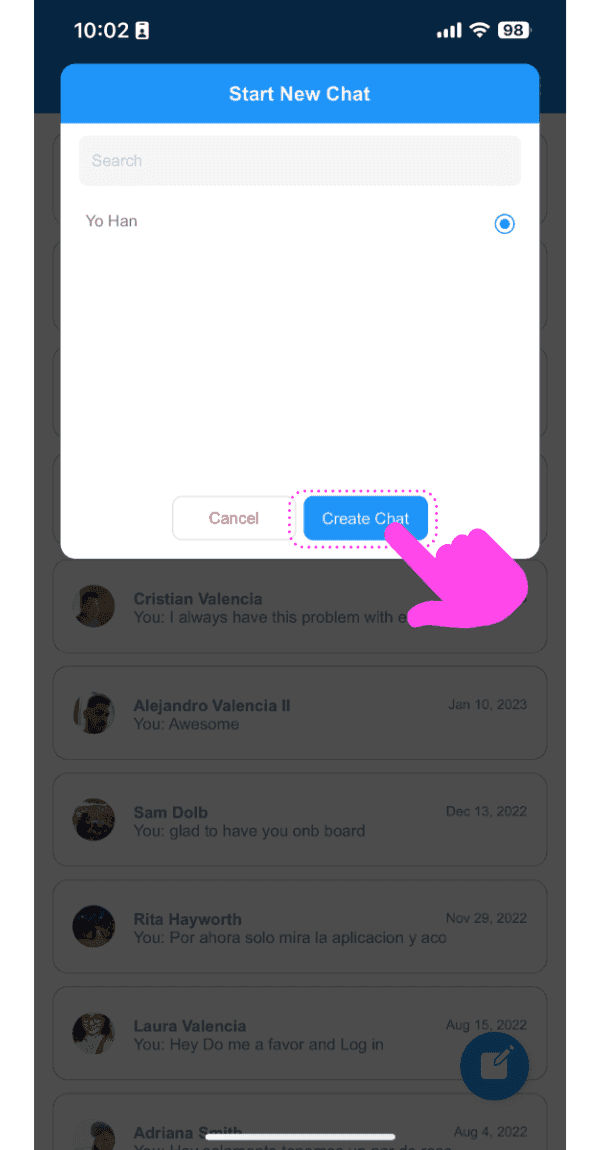
Mobile Start New Chat popup with a pink arrow pointing to the Create Chat button

Die App führt Sie zum neu erstellten Chat.
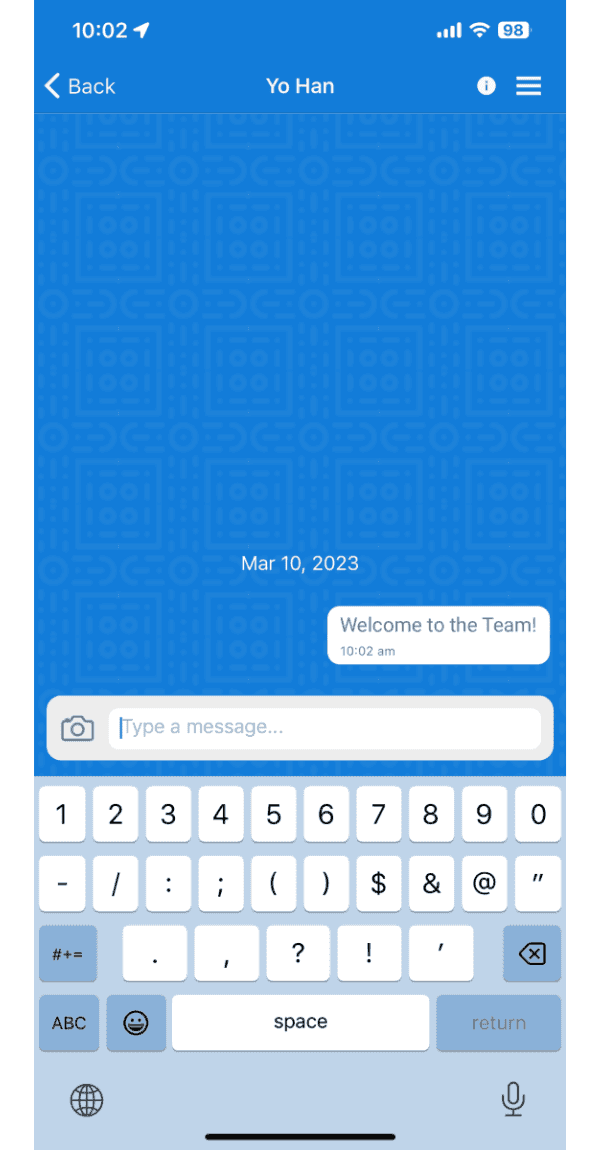
SINC mobile chat conversation screen showing a sent message reading Welcome to the Team

Im Web: Klicken Sie auf die Schaltfläche Neuer Chat.
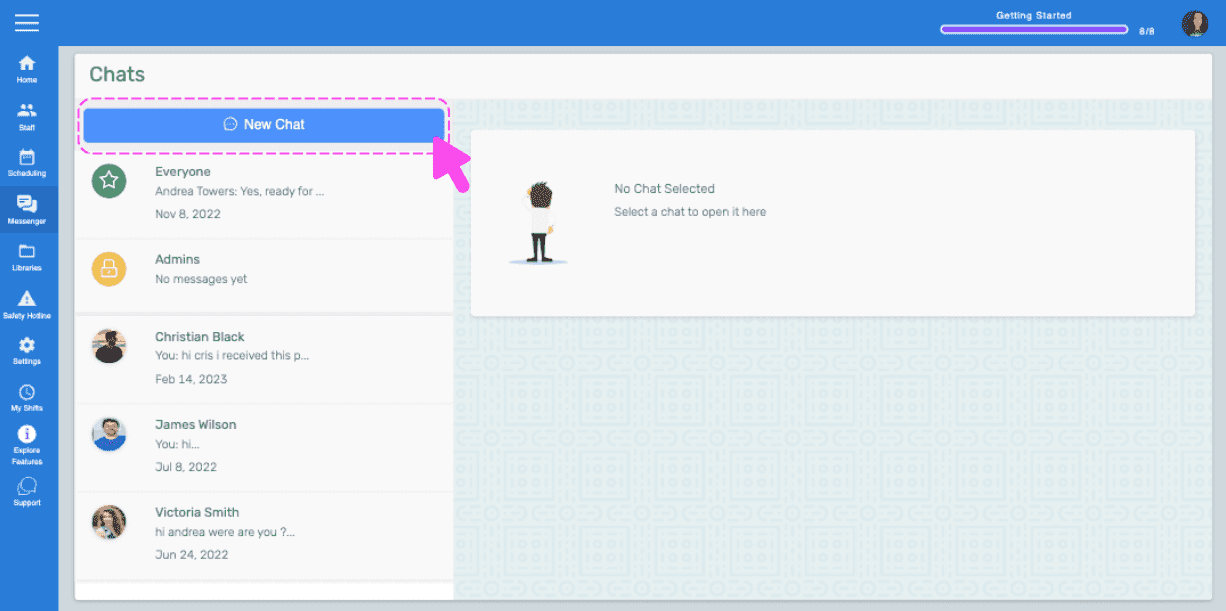
SINC web Chats screen with a pink arrow pointing to the New Chat button

Klicken Sie in der Liste auf einen Mitarbeiter
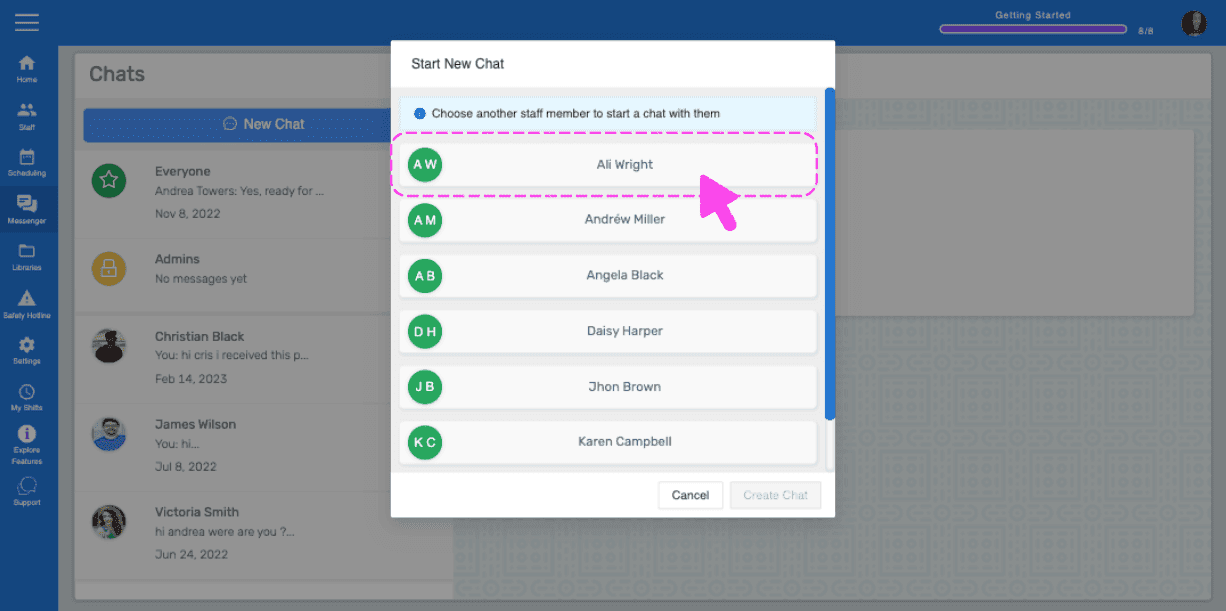
Start New Chat popup listing staff members with a pink arrow pointing to a selected employee name

Klicken Sie auf die Schaltfläche Chat erstellen.
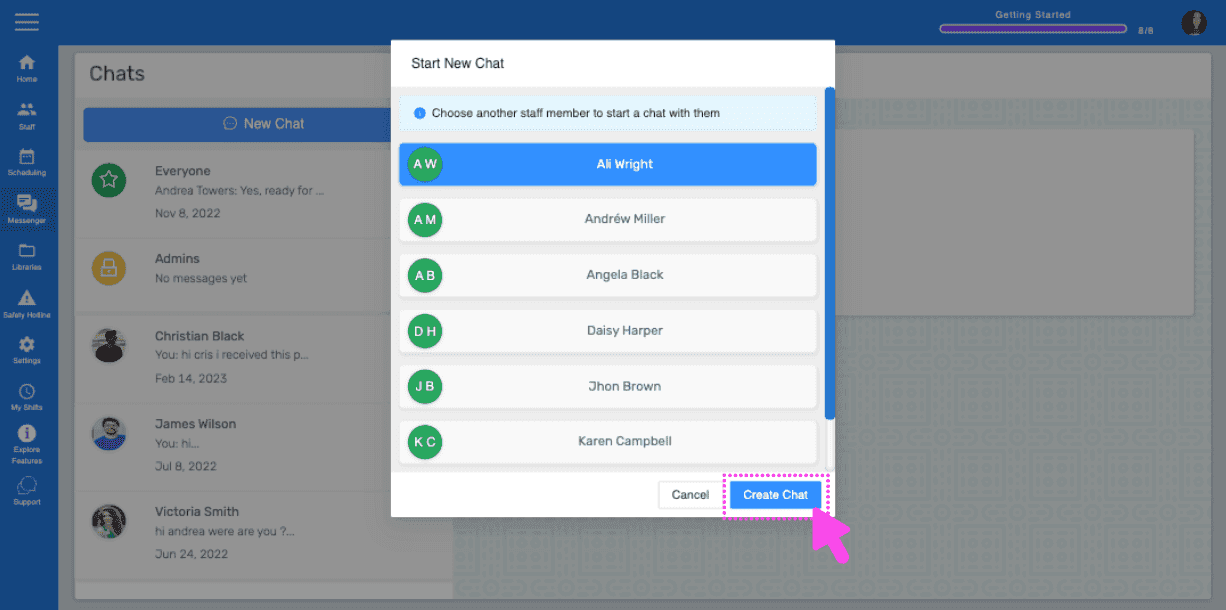
SINC web Start New Chat popup listing staff members with a pink arrow pointing to the Create Chat button

Das Web führt dich zum neu erstellten Chatroom
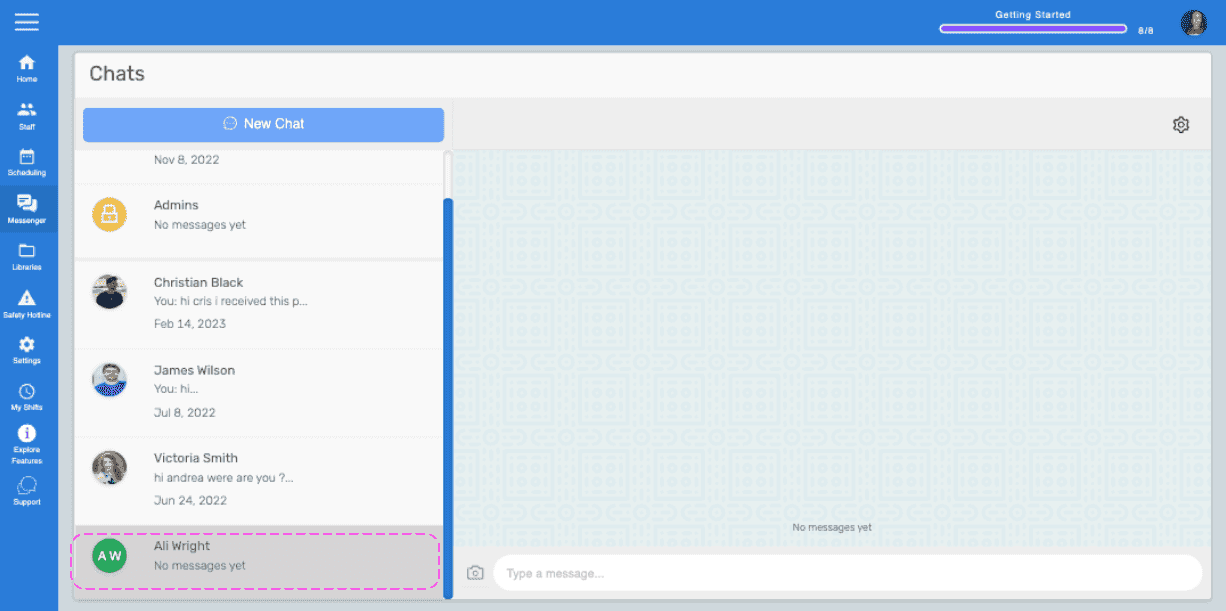
Web Chats list showing a newly created chat with a contact, outlined in pink

Hat das Ihre Frage beantwortet?