
Einstellungen für die Mitarbeiterzuweisung zu Aufträgen
In diesem Tutorial zeigen wir, wie Sie Mitarbeitende oder Teams Aufträgen zuweisen können.

SINC Support Team
Feb 24th, 2023
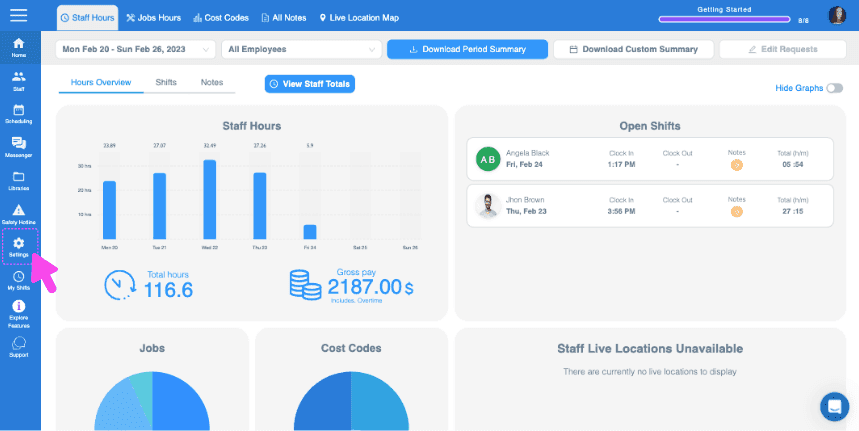
Diese Funktion setzt voraus, dass die Auftragsverfolgung aktiviert ist. Im Web: Klicken Sie auf Menü Einstellungen Organisation.
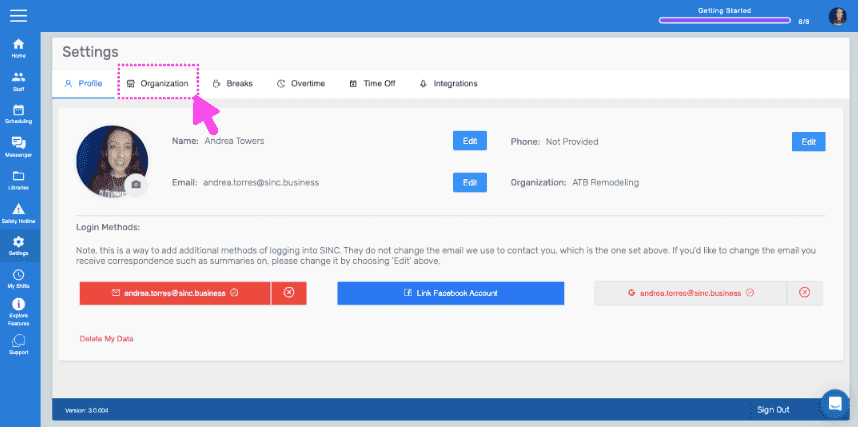
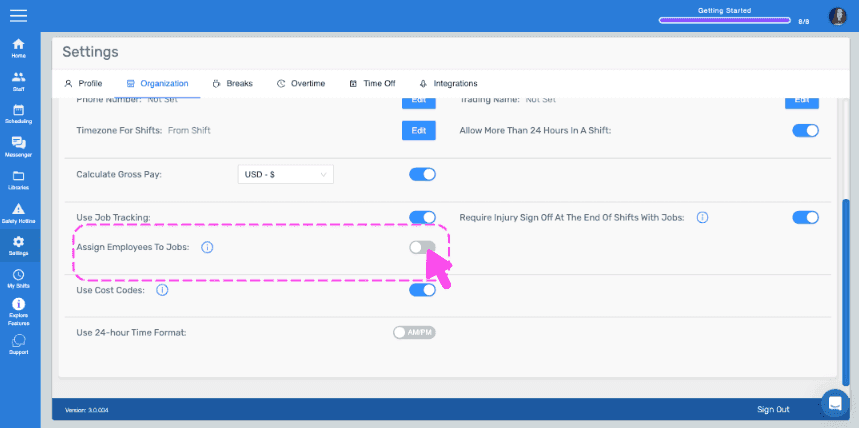
Aktivieren Sie Mitarbeiter Aufträgen zuweisen.
Auf Mobilgeräten: Tippen Sie auf Menü Einstellungen.
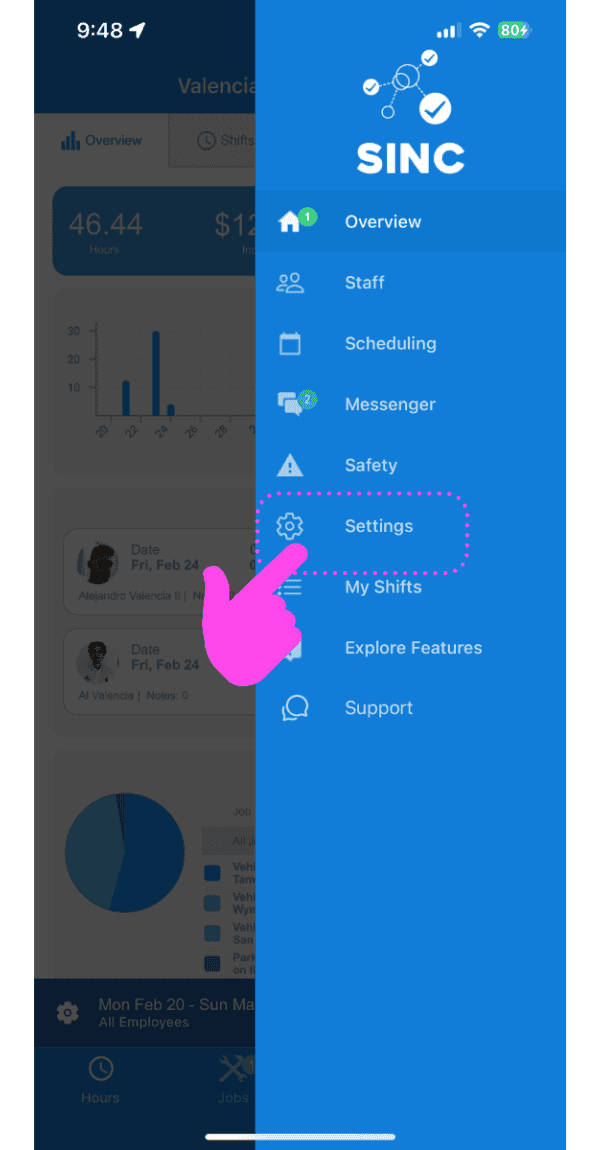
Tippen Sie auf Organisation Info.
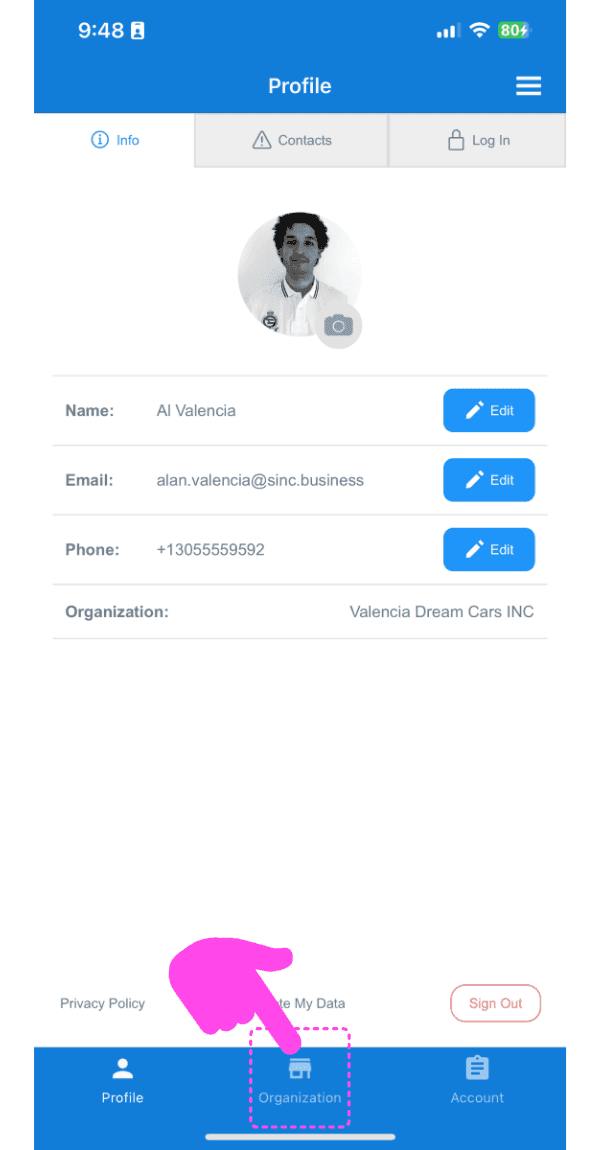
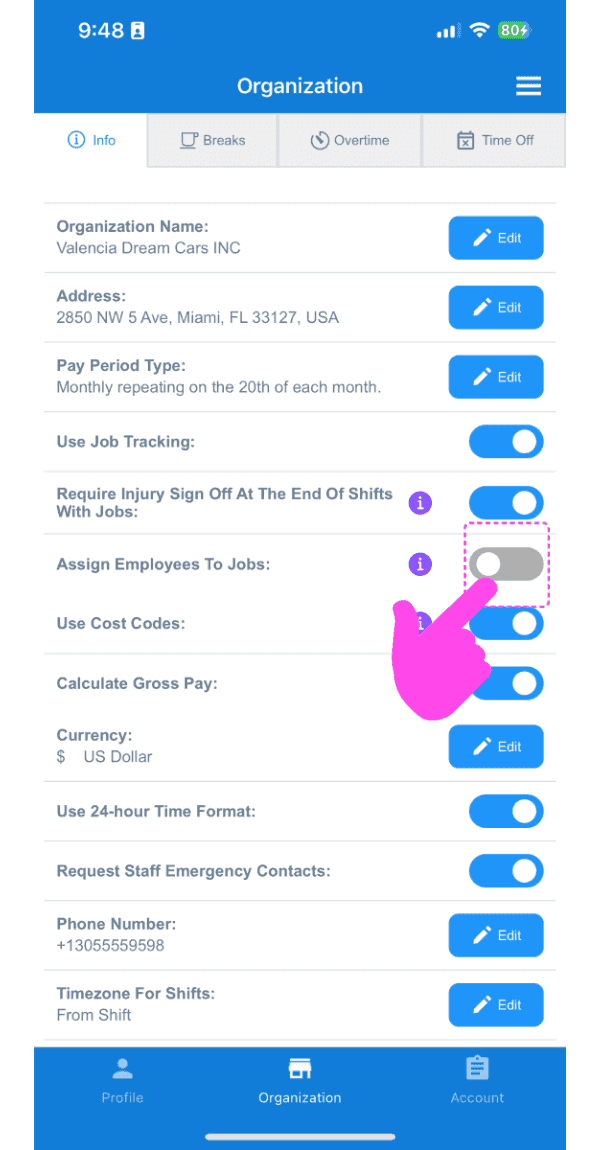
Aktivieren Sie Mitarbeiter Jobs zuweisen. Bitte beachten Sie: Sobald diese Funktion aktiviert ist, können Mitarbeiter nur bei Jobs ein- und ausstempeln, denen sie zugewiesen wurden.
Hat das Ihre Frage beantwortet?