Jobs: Job erstellen

Sehen wir uns an, wie Sie in SINC einen Auftrag erstellen, dem Ihre Mitarbeitenden ihre Arbeitszeit zuordnen können.

SINC Support Team
SINC Support Team
Feb 23rd, 2023

Im Web: Um einen Auftrag hinzuzufügen, klicken Sie einfach auf Home Arbeitszeiten
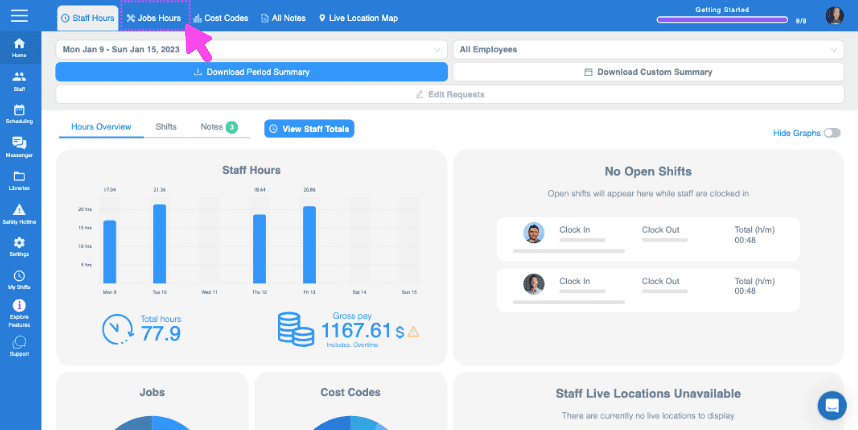
SINC web dashboard top toolbar with a pink arrow pointing to the Jobs Hours tab

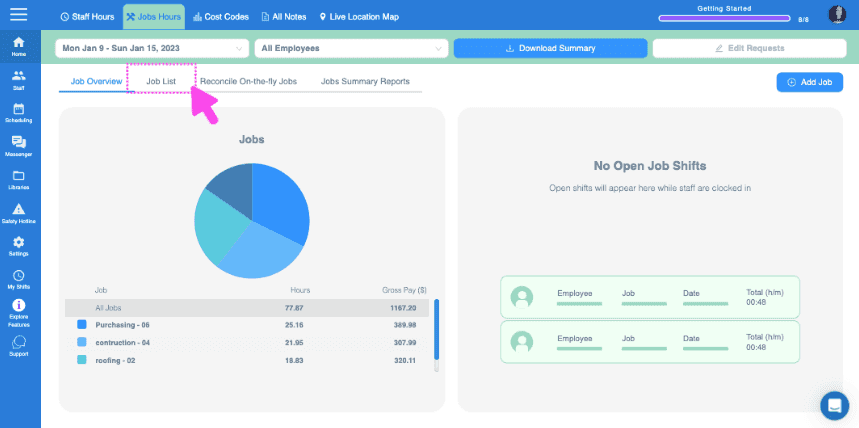
Klicken Sie auf Jobliste

Web Jobs Hours dashboard with the Job List tab highlighted in a pink box near the top

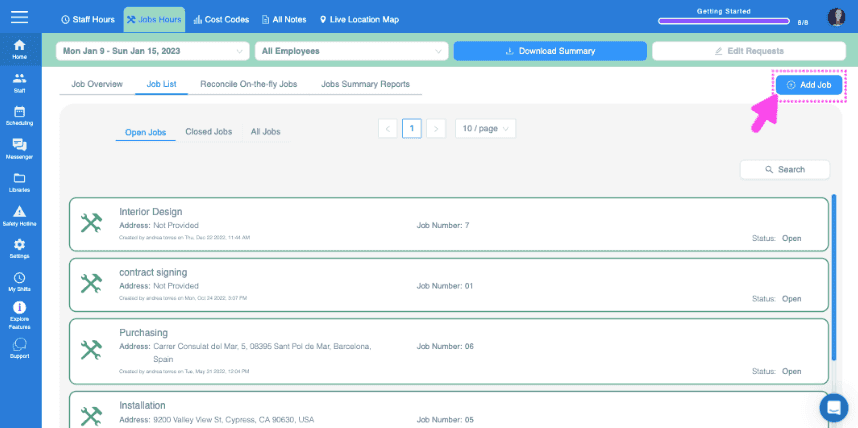
Klicken Sie auf Job hinzufügen

SINC web Job List screen with a pink arrow pointing to the Add Job button in the top right corner

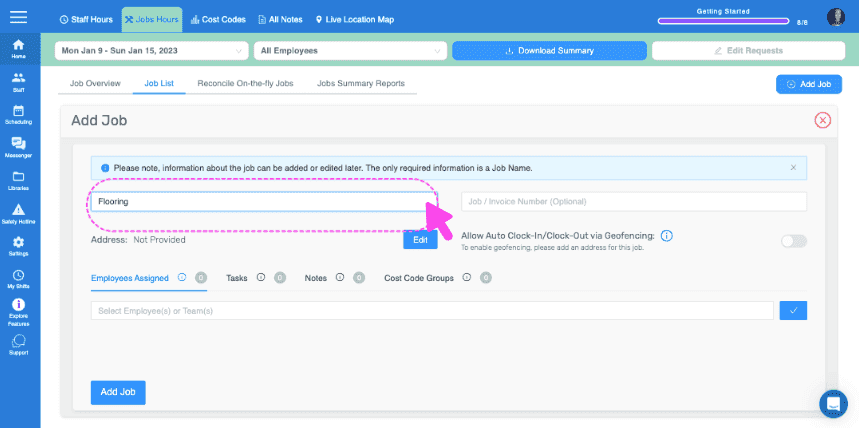
Jobnamen vergeben

Add Job form with a pink arrow pointing to the Job Name field showing Flooring

Optionale Auftrags-/Rechnungsnummer hinzufügen
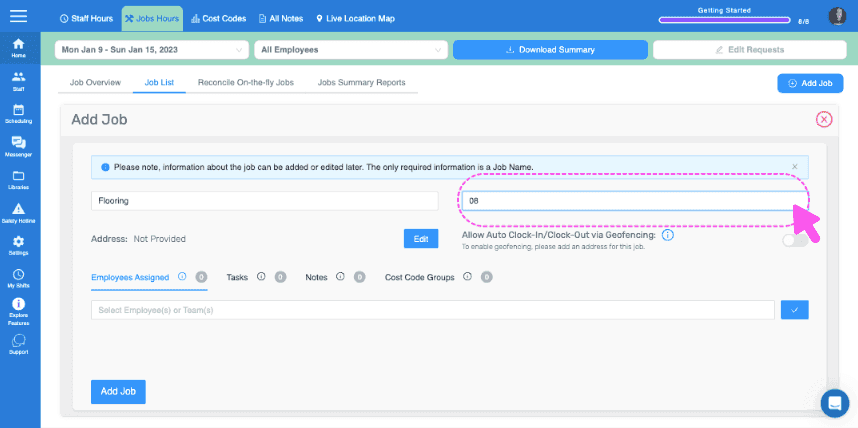
Web Add Job form with the Job Name field circled and a pink cursor pointing to it

Fügen Sie eine Adresse für den Auftrag hinzu. Das ist wichtig, wenn Sie Geofencing für das automatische Ein- und Ausstempeln nutzen möchten.
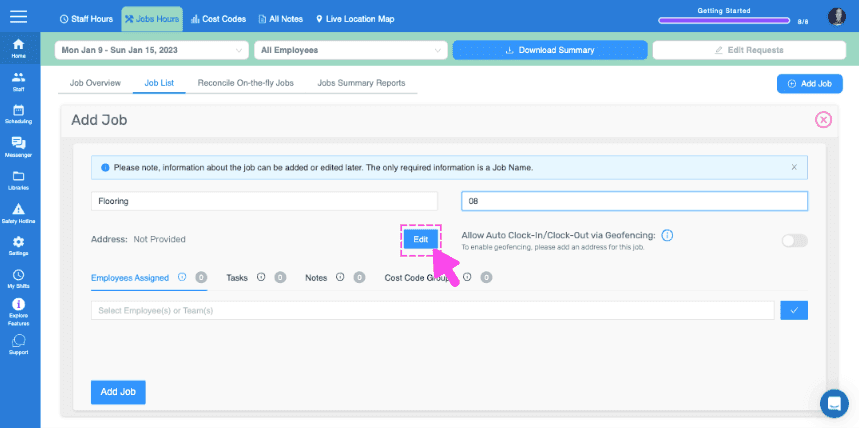
SINC web Add Job panel with a pink arrow pointing to the Edit button next to the Address field

Mitarbeiter oder Teams diesem Auftrag zuweisen (Dafür muss die Funktion Mitarbeiter Aufträgen zuweisen aktiviert sein)
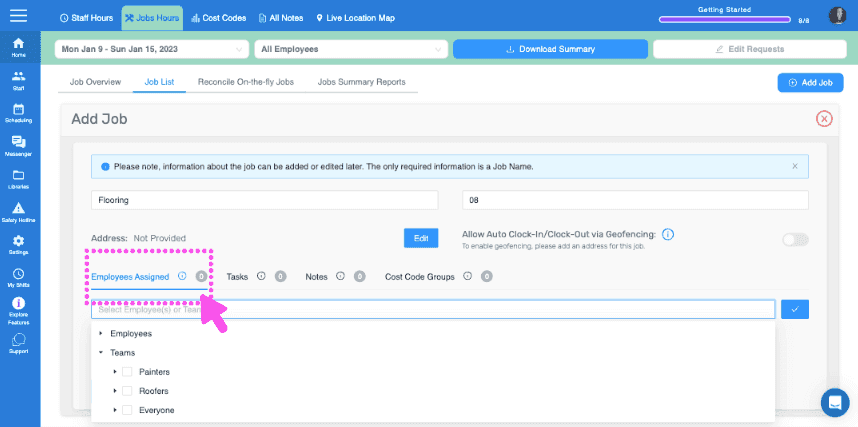
SINC web Add Job screen with the Employees Assigned section circled in pink

Fügen Sie beliebige Aufgaben oder Aufgabengruppen hinzu, die diesem Auftrag zugeordnet werden sollen.
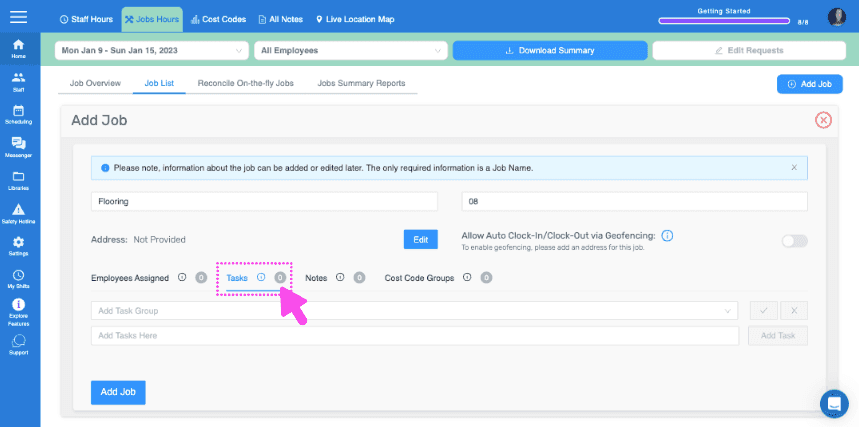
Add Job form showing Tasks and Notes fields with a pink arrow pointing to the Tasks section

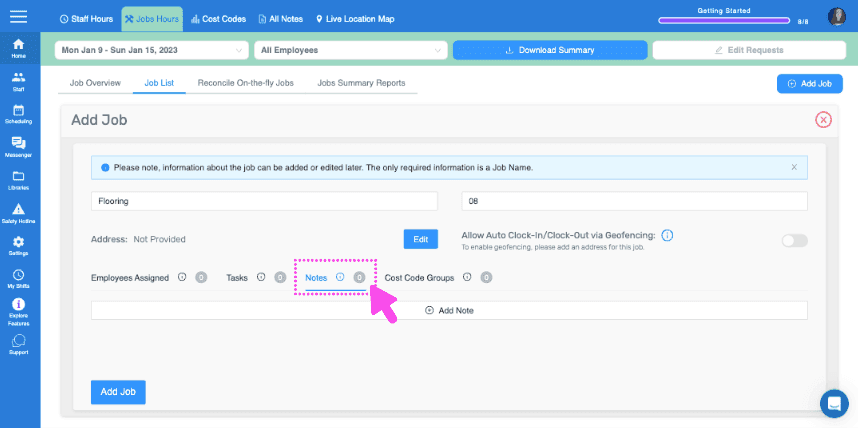
Hinterlassen Sie wichtige Hinweise

SINC web Add Job form showing the Notes field highlighted with a pink dashed box and arrow

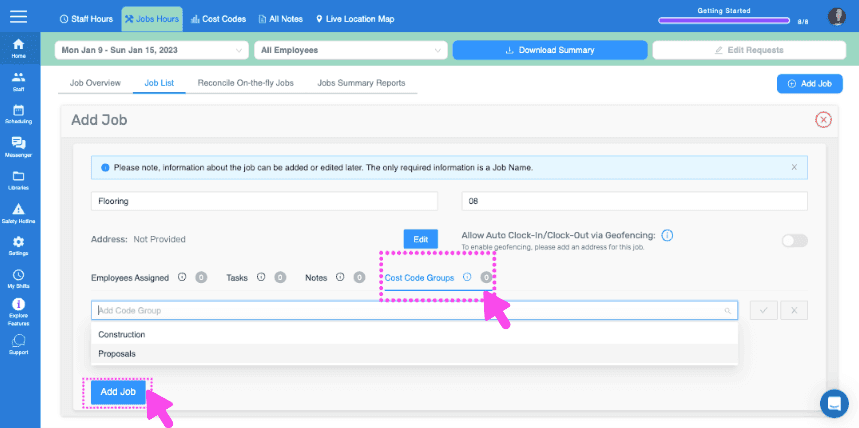
Hier

Web dashboard Add Job form with Cost Code Groups field and Add Job button pointed out by pink arrows
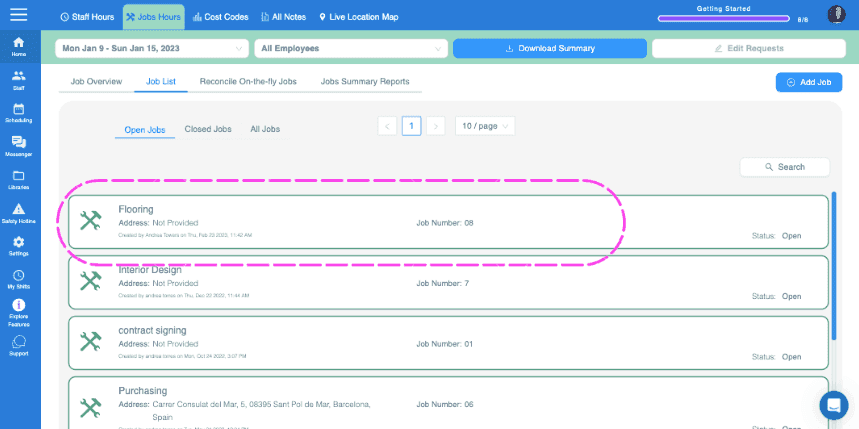
SINC web Jobs List tab showing open jobs with the Flooring job entry circled in pink

Auf dem Smartphone: Tippen Sie auf Menü Übersicht Jobs
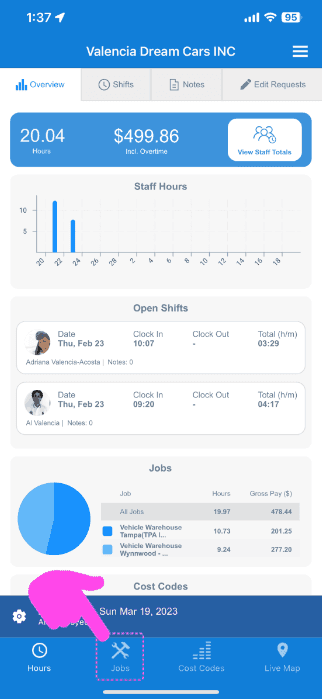
SINC mobile Overview screen with a pink arrow pointing to the Jobs icon in the bottom navigation bar

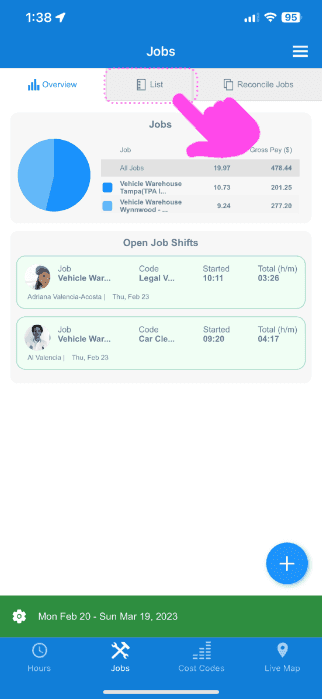
Tippen Sie auf Liste

Mobile Jobs screen with the List tab highlighted by a pink arrow above a job pie chart and open job shifts

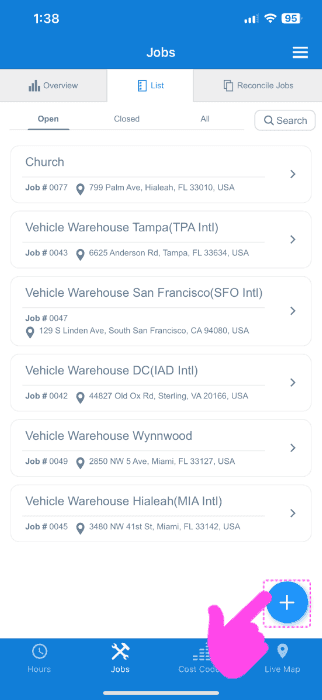
Tippe unten rechts auf das +-Symbol

SINC web Jobs List screen with a pink arrow pointing to the blue plus icon for adding a job

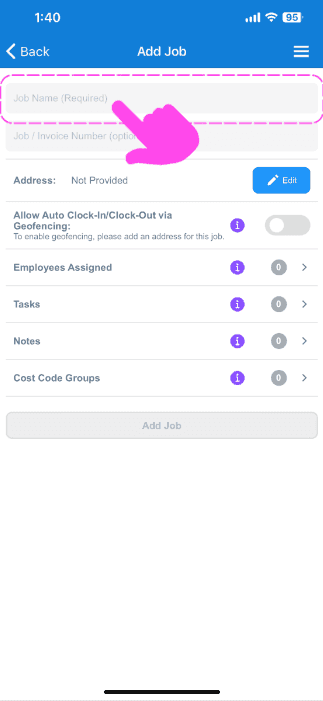
Jobnamen vergeben

Add Job screen with a pink arrow pointing to the empty Job Name field at the top

Optionale Auftrags-/Rechnungsnummer hinzufügen
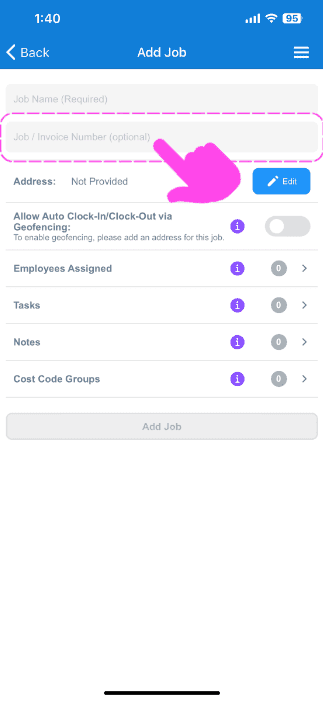
SINC mobile Add Job screen with a pink arrow highlighting the optional Job / Invoice Number field

Füge eine Adresse für den Auftrag hinzu. Das ist wichtig, wenn du Geofencing für das automatische Ein- und Ausstempeln nutzen möchtest.
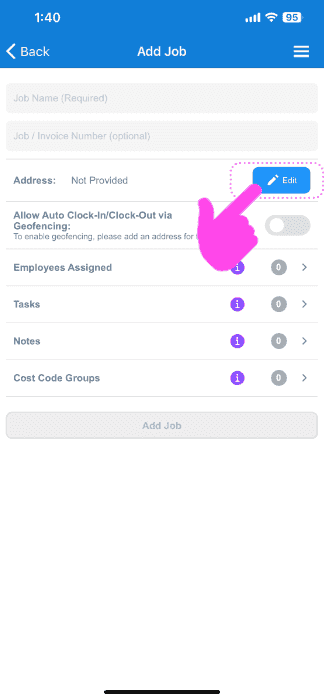
Mobile Add Job screen with the Address field's Edit button circled and a pink arrow pointing to it

Mitarbeiter oder Teams diesem Auftrag zuweisen (hierfür muss die Funktion zur Zuweisung von Mitarbeitern zu Aufträgen aktiviert sein)
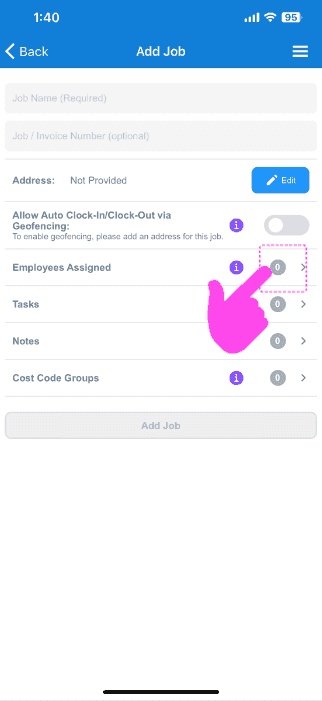
SINC mobile Add Job screen with a pink hand pointing to the Employees Assigned row

Fügen Sie diesem Auftrag beliebige Aufgaben oder Aufgabengruppen hinzu
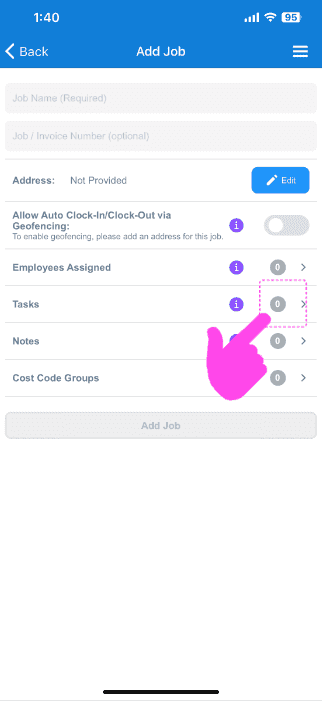
Add Job screen with a pink arrow pointing to the Tasks row in the job menu

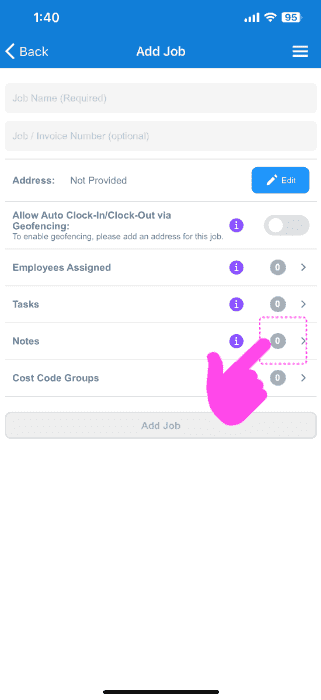
Hinterlassen Sie wichtige Hinweise

Mobile Add Job screen with a pink arrow pointing to the Notes row

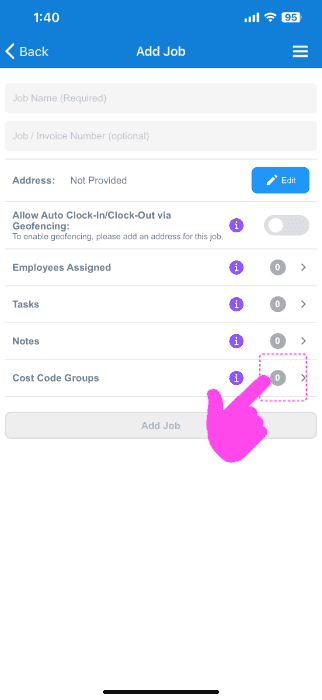
Hier

SINC mobile Add Job screen with a pink hand pointing to the Cost Code Groups option

Hat das Ihre Frage beantwortet?