Jobs: Aufgaben und Aufgabengruppen erstellen

Sam Dolbel
Sam Dolbel
Feb 24th, 2023

Klicken Sie auf Startseite Arbeitszeiten
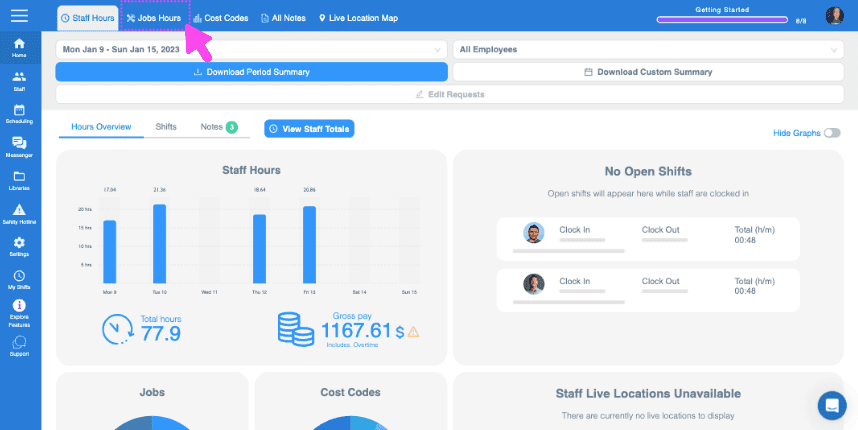
SINC web Staff Hours dashboard with the Jobs Hours tab highlighted in pink at the top

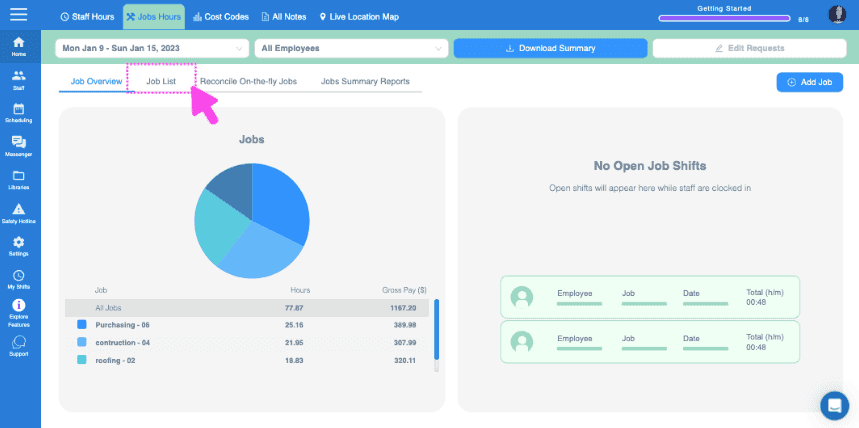
Klicken Sie auf Jobliste

Web Jobs Hours dashboard with a pie chart of job hours and the Job List tab highlighted at the top

Klicken Sie auf den Auftrag, dem Sie Aufgaben hinzufügen möchten
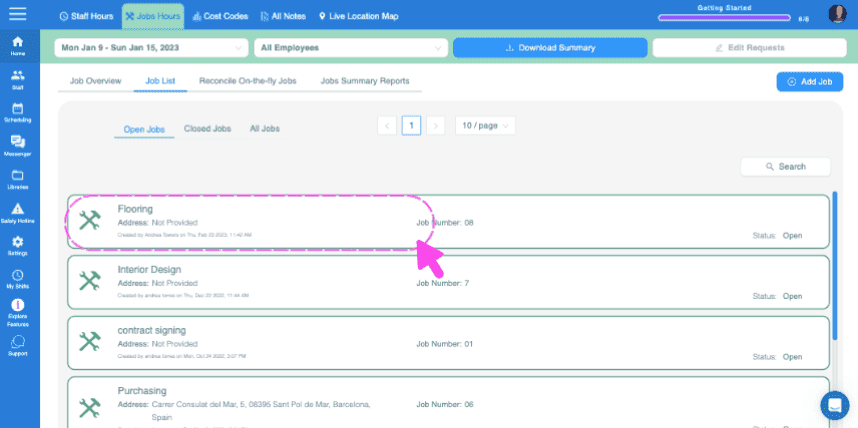
SINC web Jobs List screen with a pink dashed box and arrow highlighting the Flooring job entry

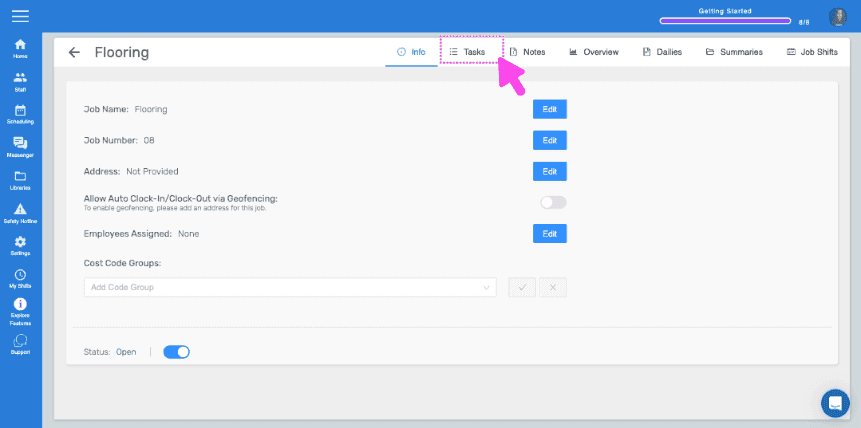
Klicke auf Aufgaben

Job detail Info screen with the Tasks tab highlighted by a pink arrow

Um eine einmalige Aufgabe anzulegen, geben Sie den Aufgabennamen ein und klicken Sie auf Aufgabe hinzufügen
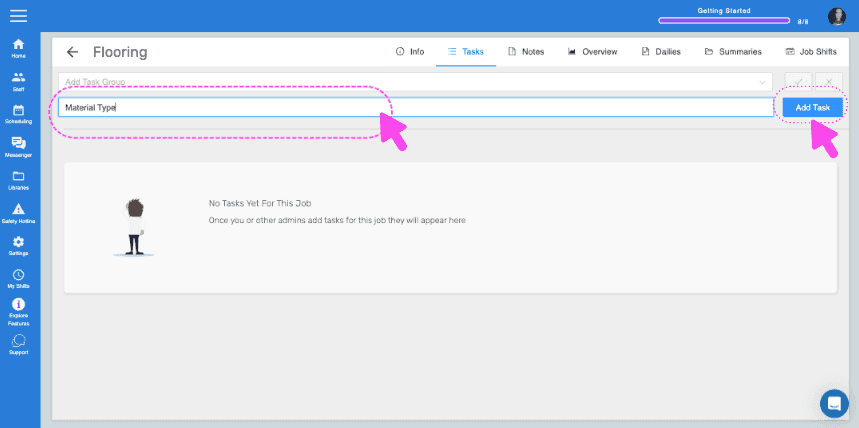
SINC web Job Tasks screen with the task name field and Add Task button highlighted by pink arrows

Geben Sie bei Bedarf eine Beschreibung ein und klicken Sie auf OK.
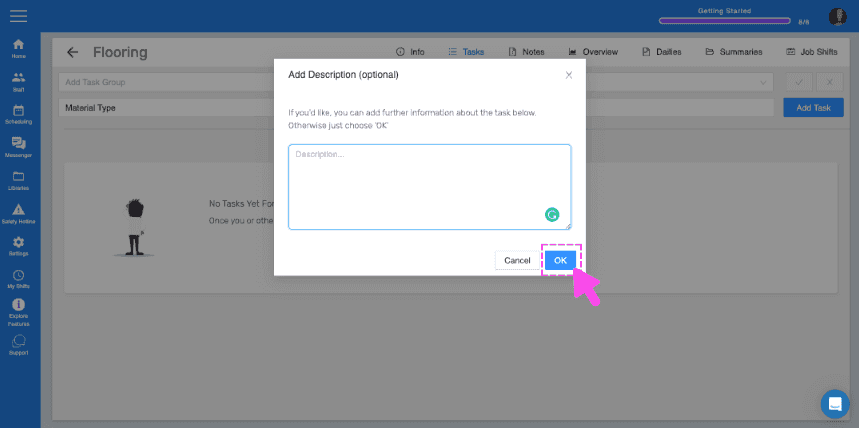
SINC web Tasks screen showing an Add Description popup with the OK button highlighted in pink

Wenn Sie Aufgabensätze für mehrere Aufträge einfach wiederverwenden möchten, können Sie dafür Aufgabengruppen erstellen. Um eine Aufgabengruppe zu erstellen, klicken Sie auf Bibliotheken
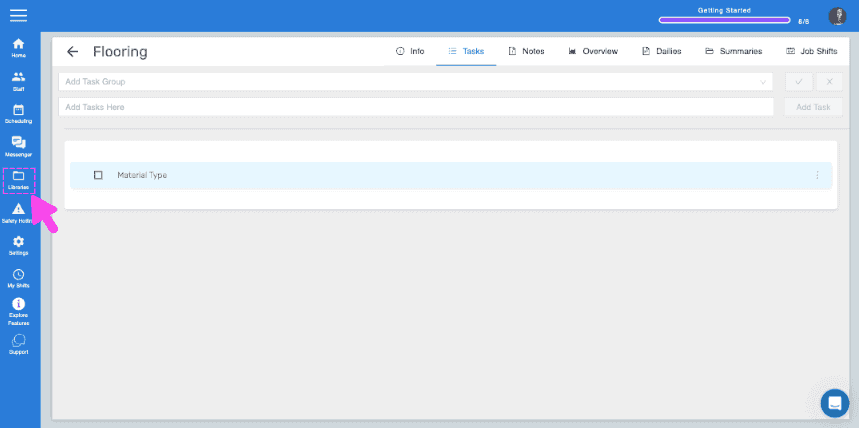
SINC web Flooring job Tasks tab with a pink arrow pointing to the Libraries icon in the sidebar

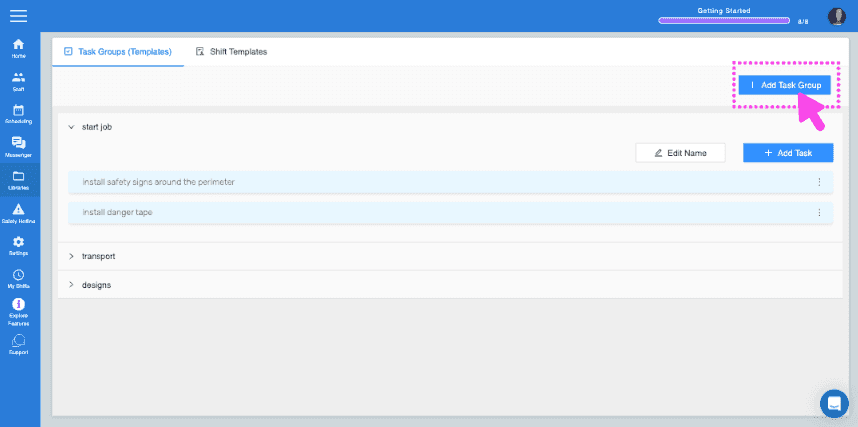
Klicke auf Aufgabengruppe hinzufügen

SINC web Task Groups screen with the Add Task Group button highlighted in the top right

Geben Sie den Namen der Aufgabengruppe ein und fügen Sie Ihre erste Aufgabe zur Gruppe hinzu
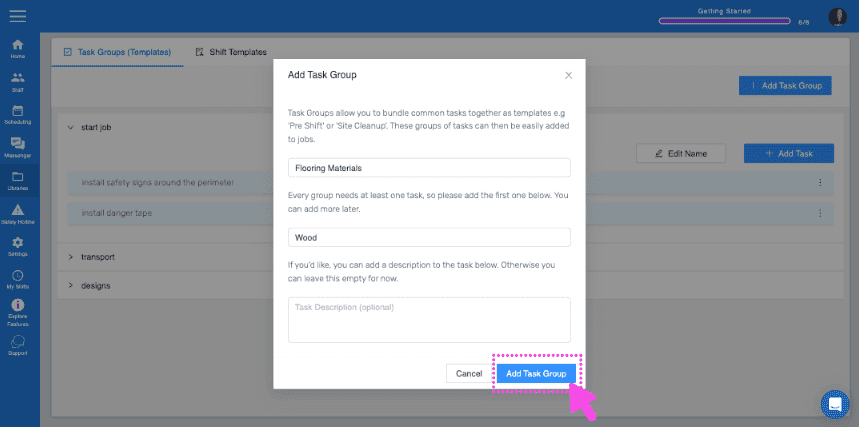
Add Task Group popup showing group name "Flooring Materials" and first task "Wood" with the Add Task Group button highlighted

Um der Gruppe weitere Aufgaben hinzuzufügen, klicken Sie auf den Namen der Aufgabengruppe
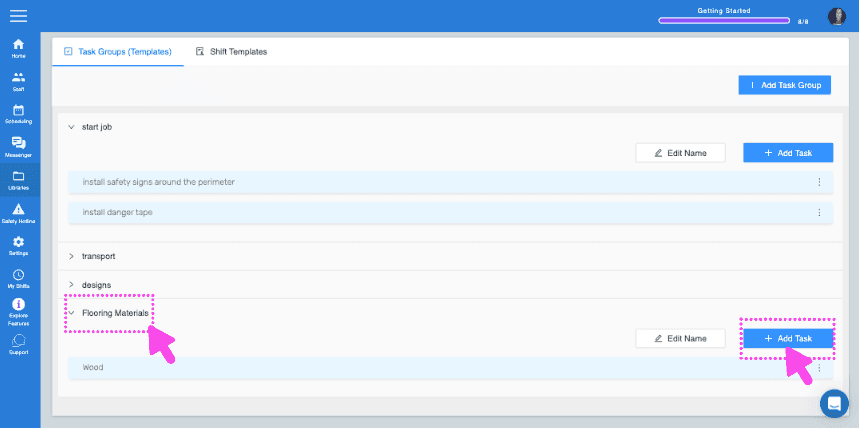
SINC web Task Groups screen with pink arrows pointing to a task group name and the Add Task button

Klicke auf Aufgabe hinzufügen Aufgabendetails eingeben
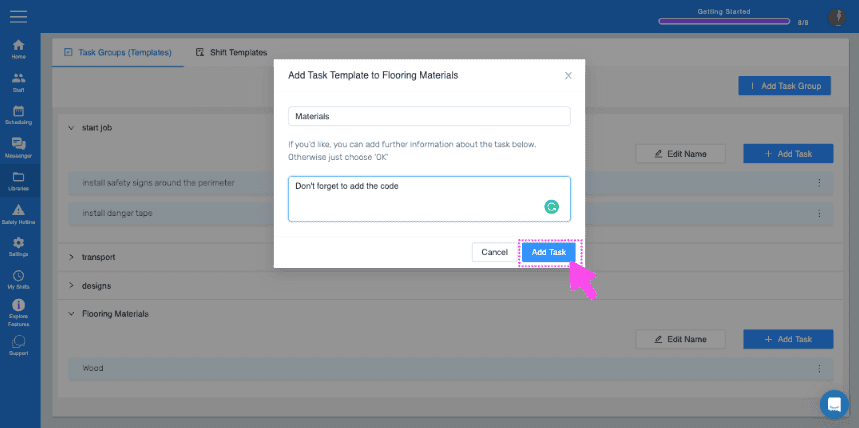
Web Add Task Template dialog with a task description field and the Add Task button highlighted by a pink arrow

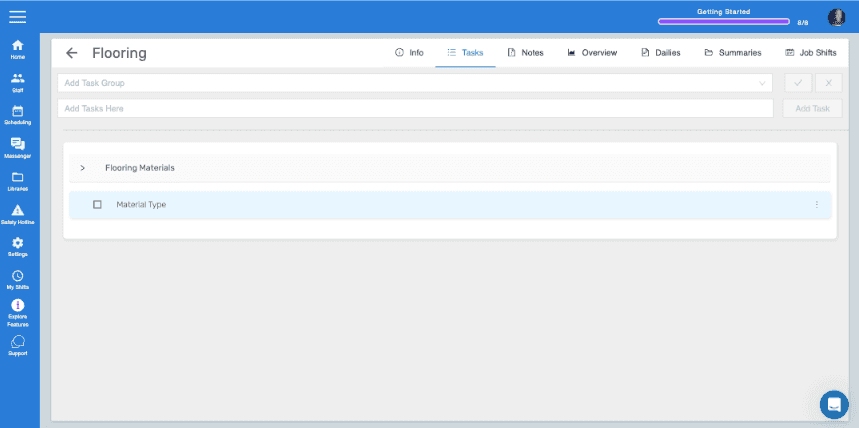
Kehren Sie nun zum Aufgabenbereich des Auftrags zurück, dem Sie die Aufgabengruppe hinzufügen möchten. Wählen Sie die Aufgabengruppe aus dem Dropdown-Menü aus und klicken Sie anschließend auf den blauen Haken .
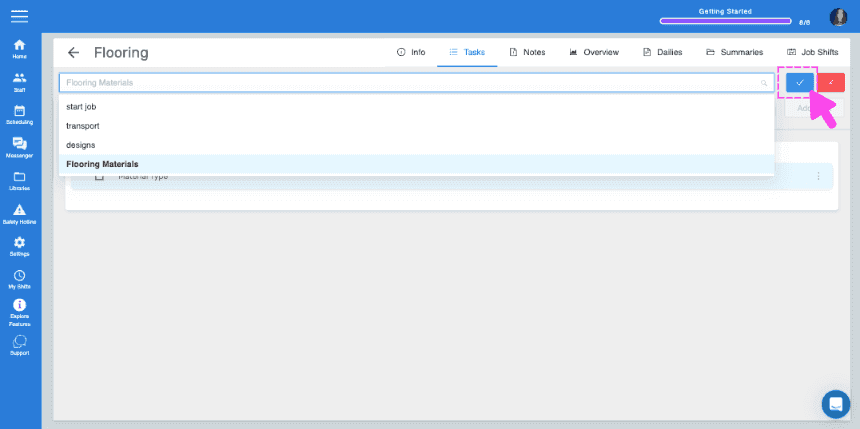
SINC web job Tasks panel with a task group dropdown open and a pink arrow pointing to the blue checkmark confirm button
Job Tasks tab showing the Flooring Materials task group with a Material Type task listed

Hat das Ihre Frage beantwortet?