So aktualisieren Sie Ihr Google-Abonnement über die SINC-Android-App

SINC Support Team
SINC Support Team
Sep 1st, 2022

Tippe auf Menü Einstellungen
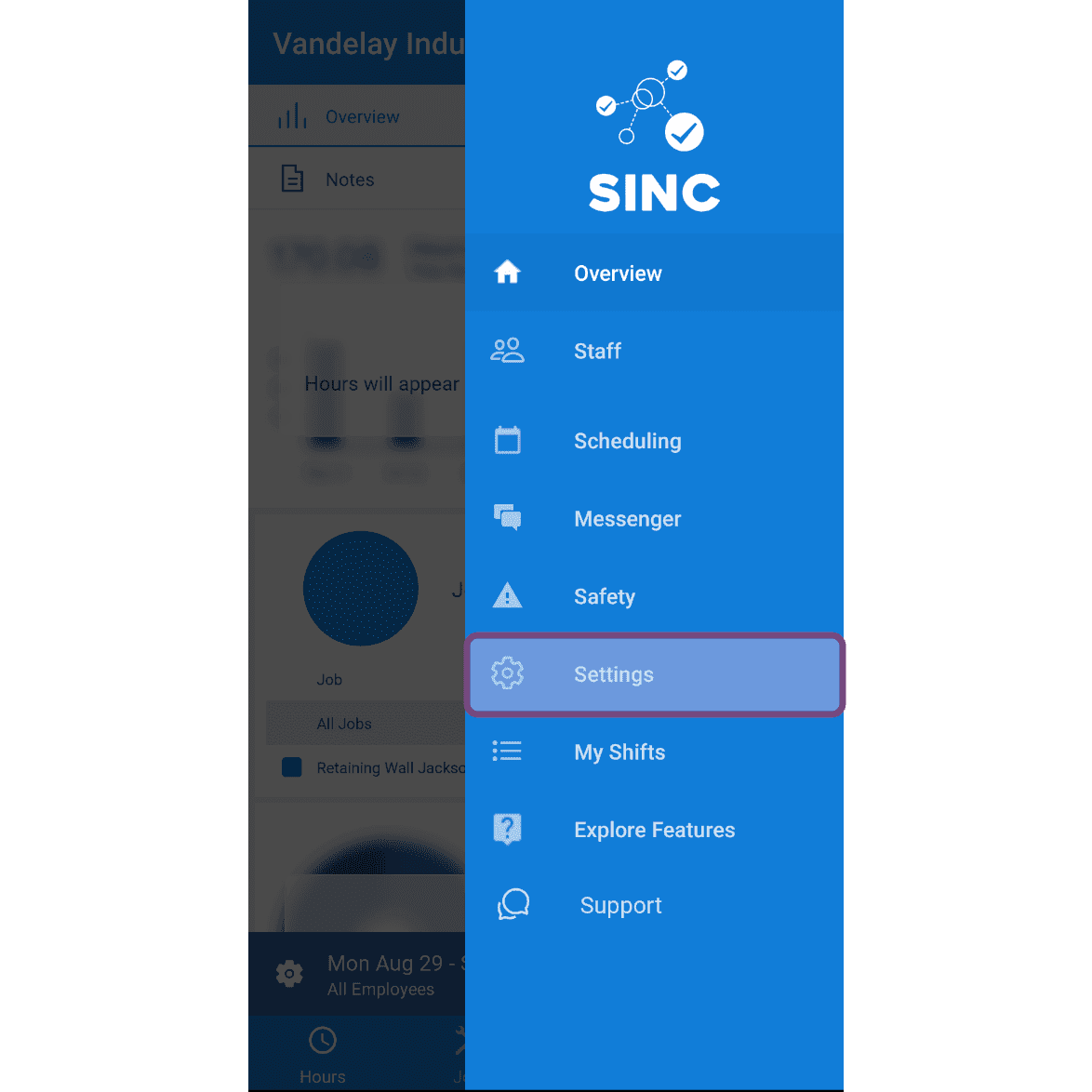
SINC mobile side menu with the Settings option highlighted in a pink box

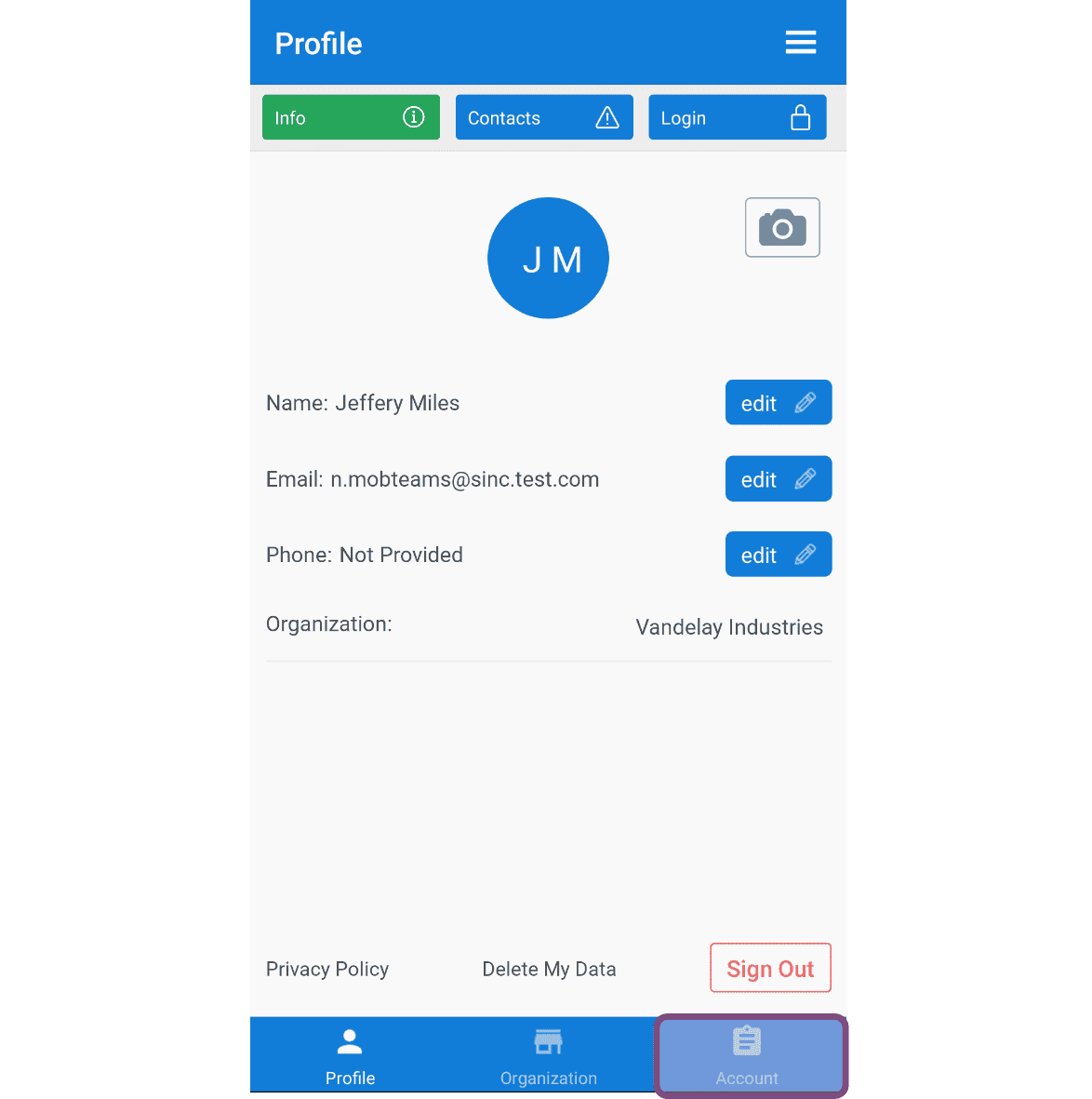
Tippe auf Konto

Mobile app Profile screen with the Account tab highlighted, showing name, email, and phone fields

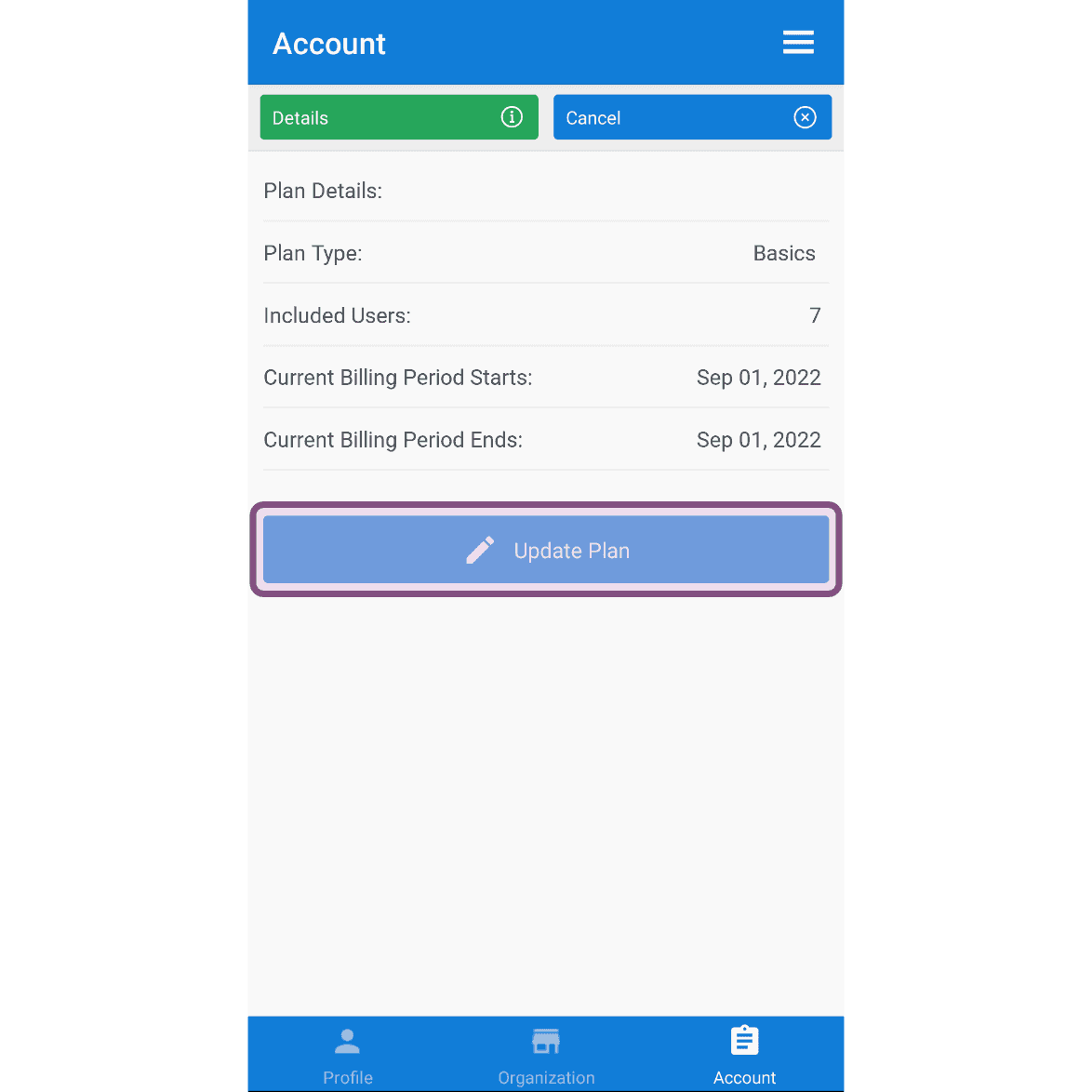
Tippe auf Tarif aktualisieren

SINC mobile Account screen showing plan details with the Update Plan button highlighted

Tippe unter dem Tarif, der am besten zu deinem Unternehmen passt, auf Details.
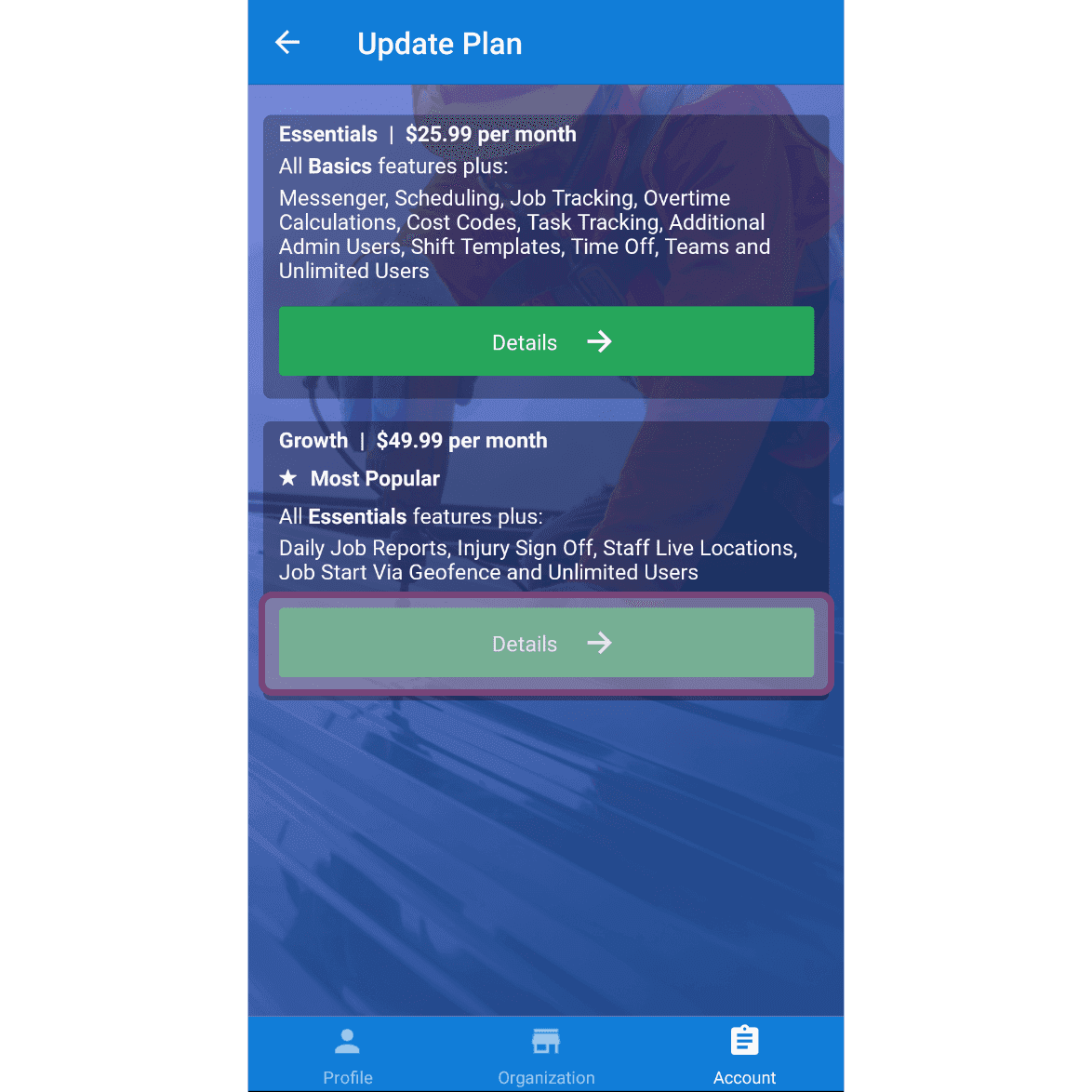
Update Plan screen with the Details button highlighted under the Growth $49.99 per month plan

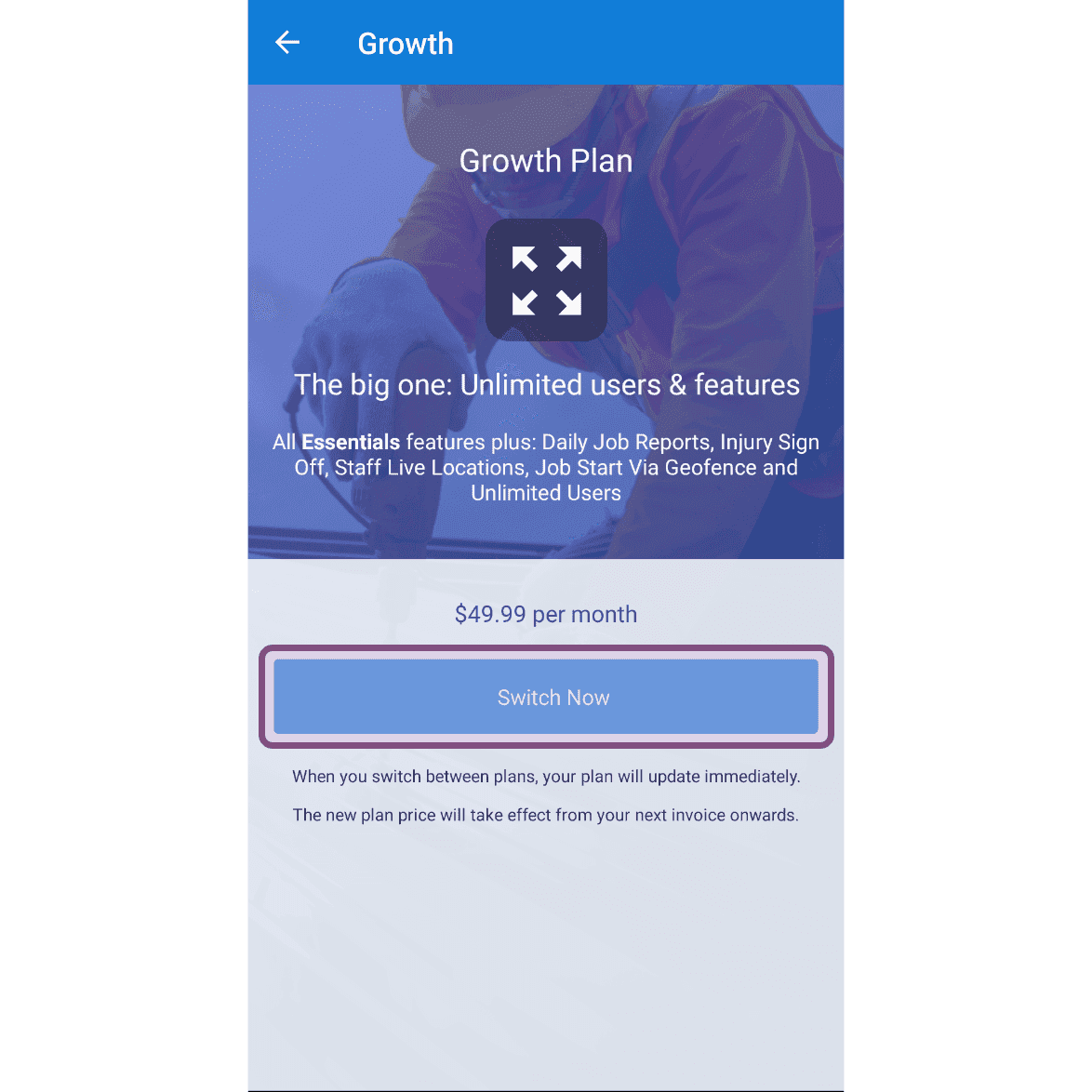
Tippe auf Jetzt wechseln

SINC mobile Growth Plan upgrade screen with the Switch Now button highlighted

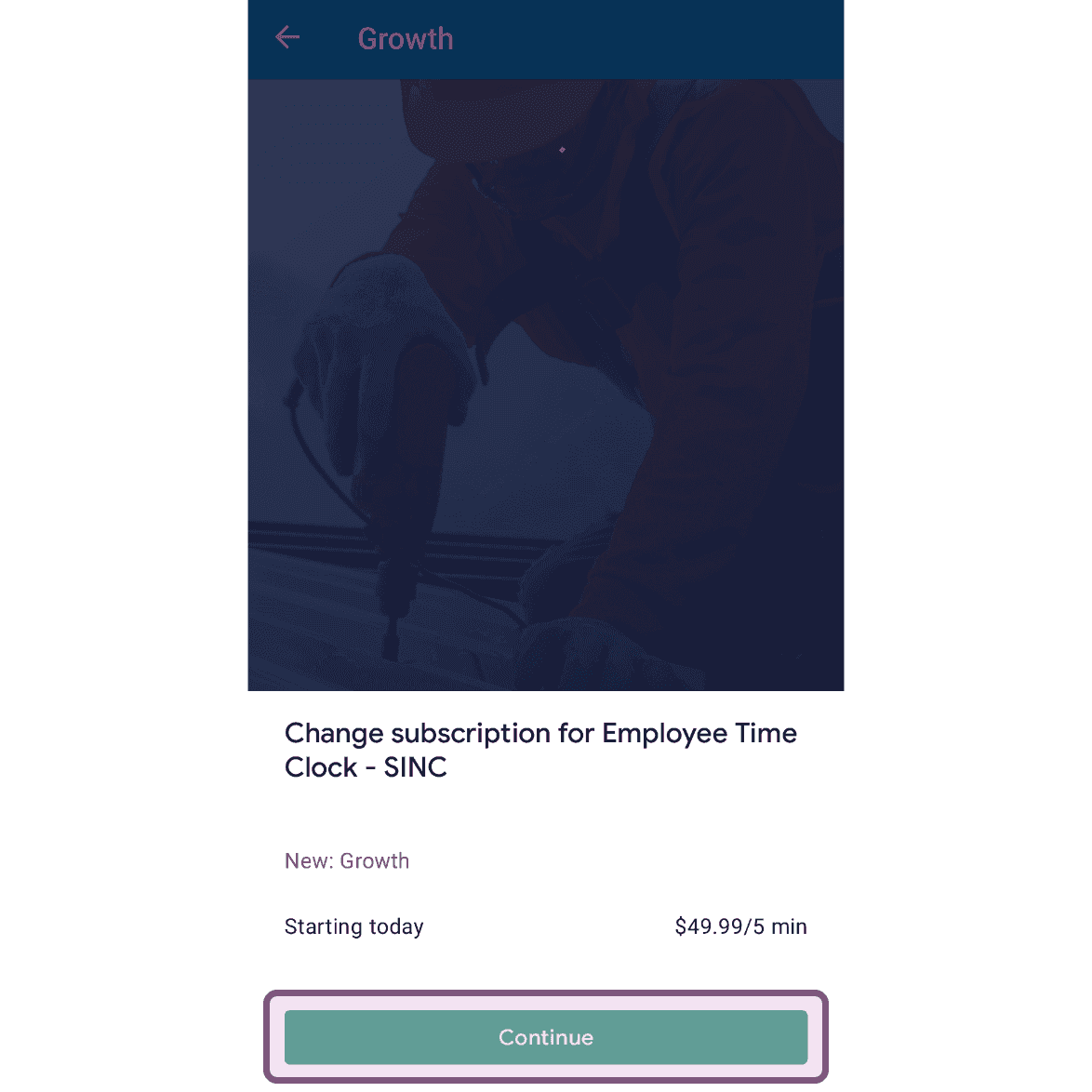
Auf Weiter tippen

Mobile subscription change screen for the Growth plan with the Continue button outlined in pink

Hat das Ihre Frage beantwortet?