So aktivieren Sie Benachrichtigungen beim Einstempeln

Wenn du benachrichtigt werden möchtest, sobald sich ein Mitarbeiter zur Arbeit ein- oder ausstempelt, zeigt dir dieses Tutorial, wie es geht.

Sam Dolbel
Sam Dolbel
Mar 1st, 2023

Tippe auf Menü Personal
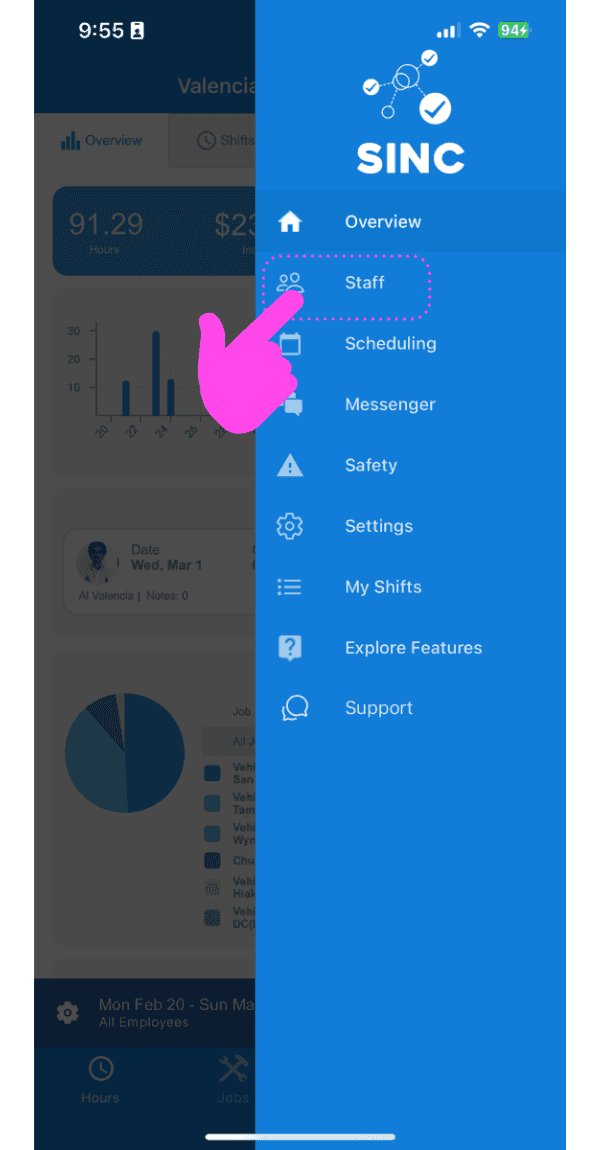
SINC mobile app side menu with a pink hand pointing to the Staff menu item

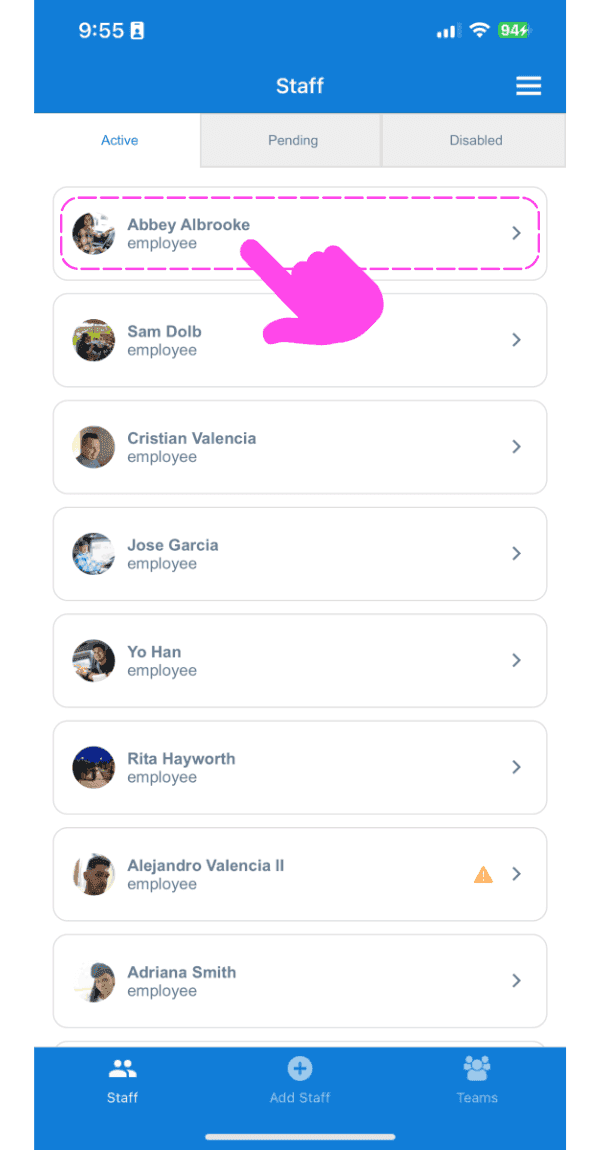
Tippen Sie auf Name des Mitarbeiters

Staff list screen with a pink arrow pointing to an employee's name

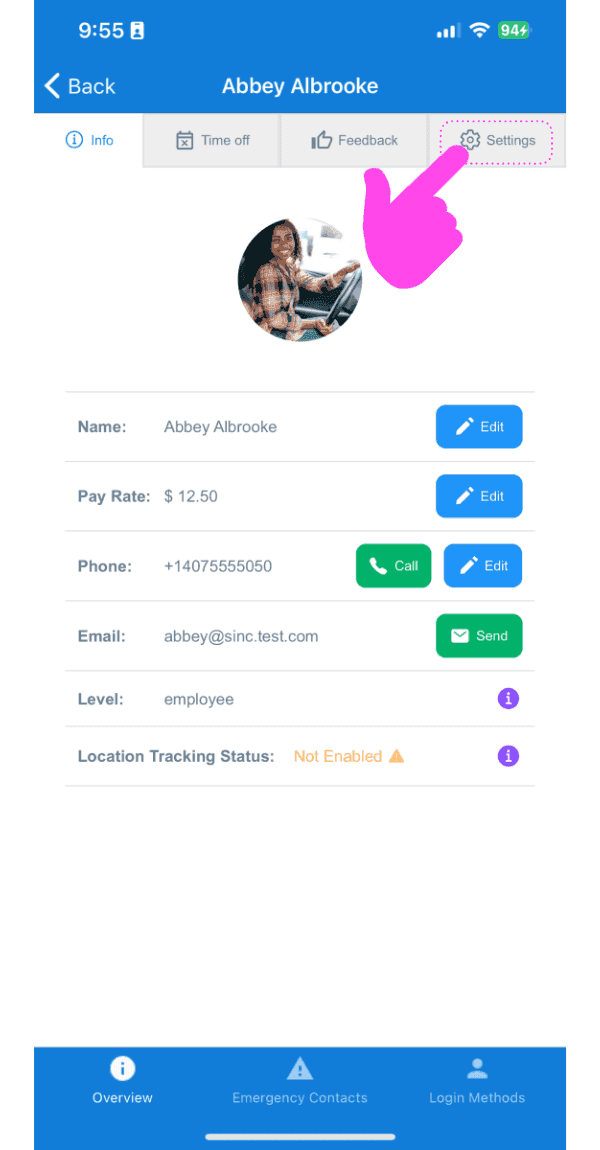
Tippe auf Einstellungen

Staff member Info screen showing profile photo and contact fields, with a pink arrow pointing to the Settings tab

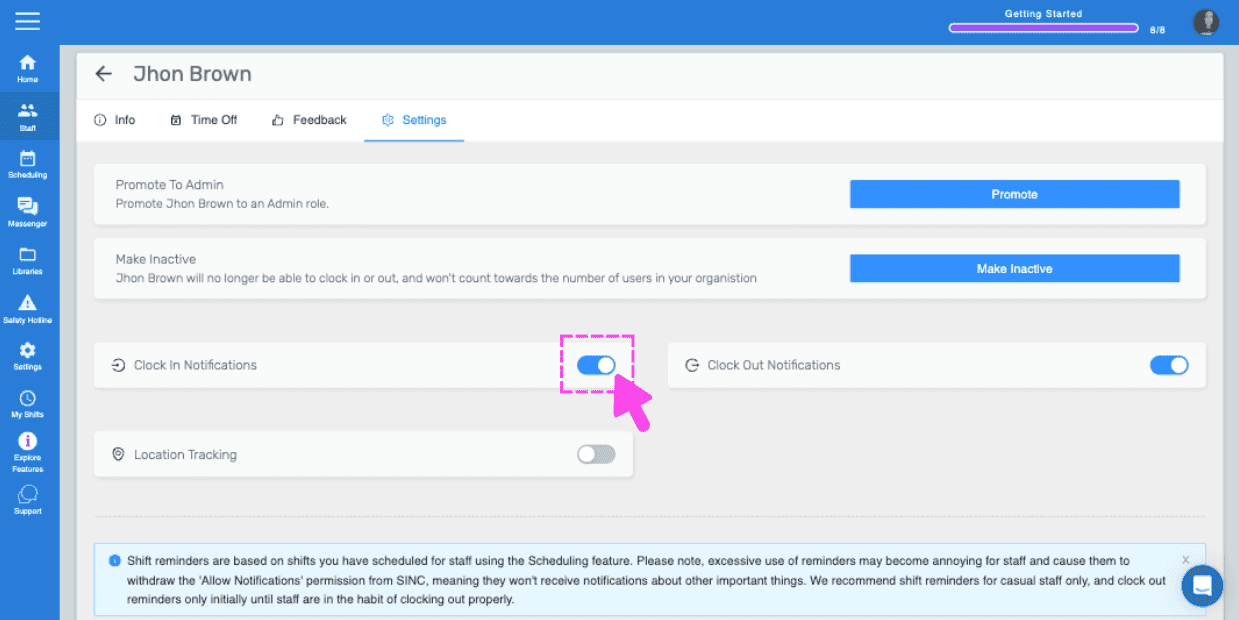
Tippe auf Benachrichtigungen zum Einstempeln
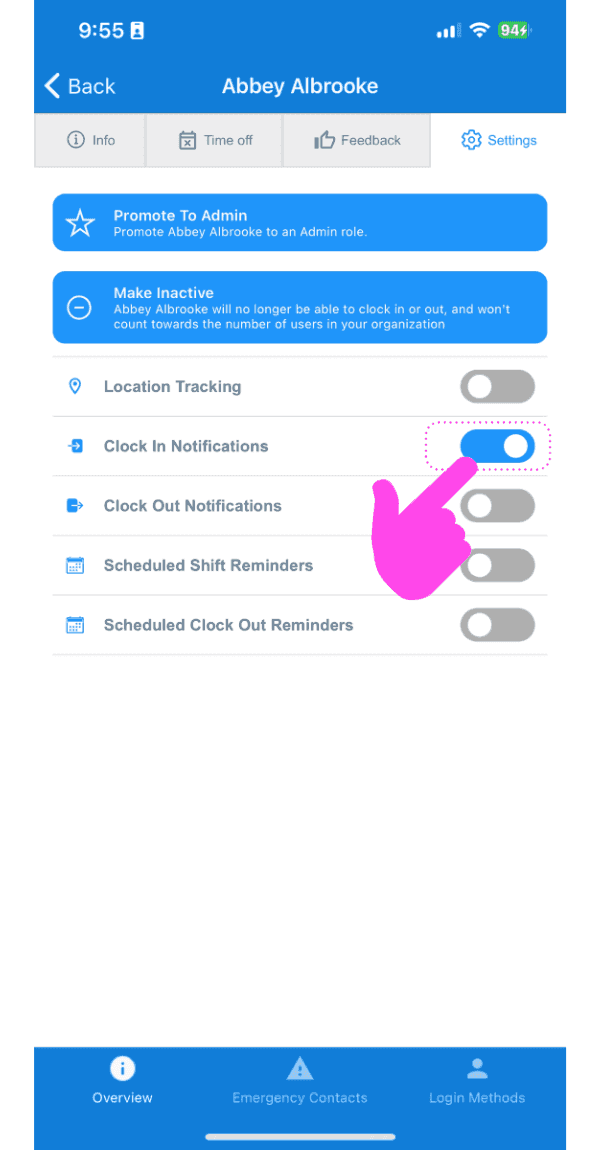
SINC mobile staff Settings screen with a pink hand pointing to the Clock In Notifications toggle

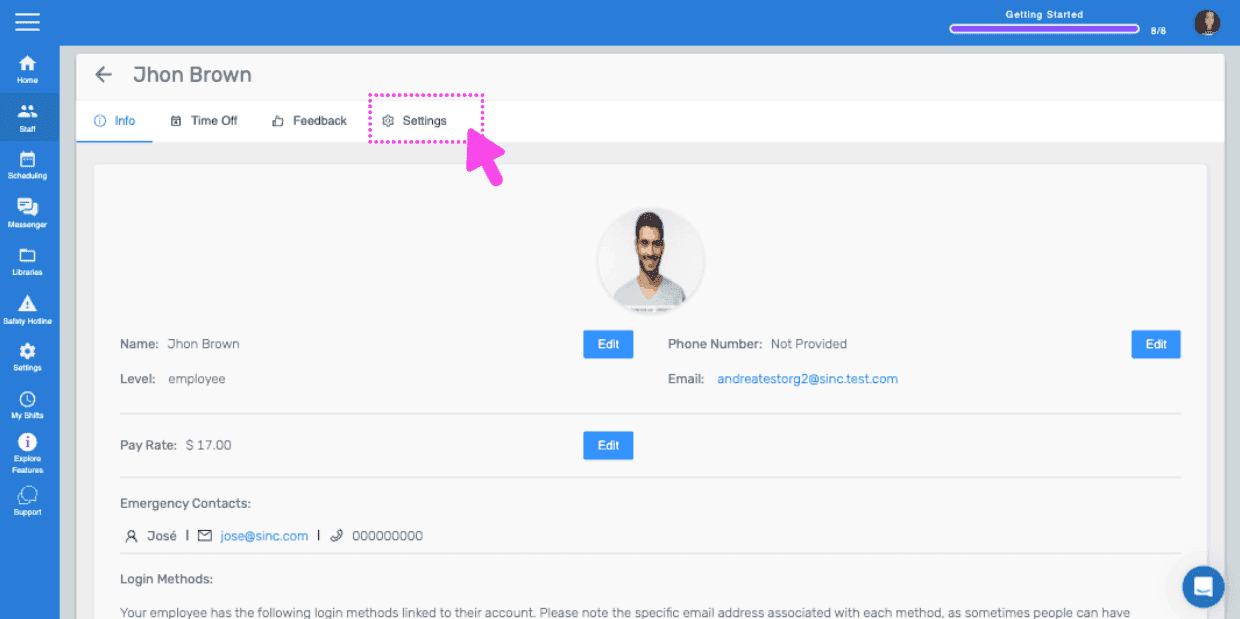
Wenn Sie die Webversion verwenden, sieht sie so aus:
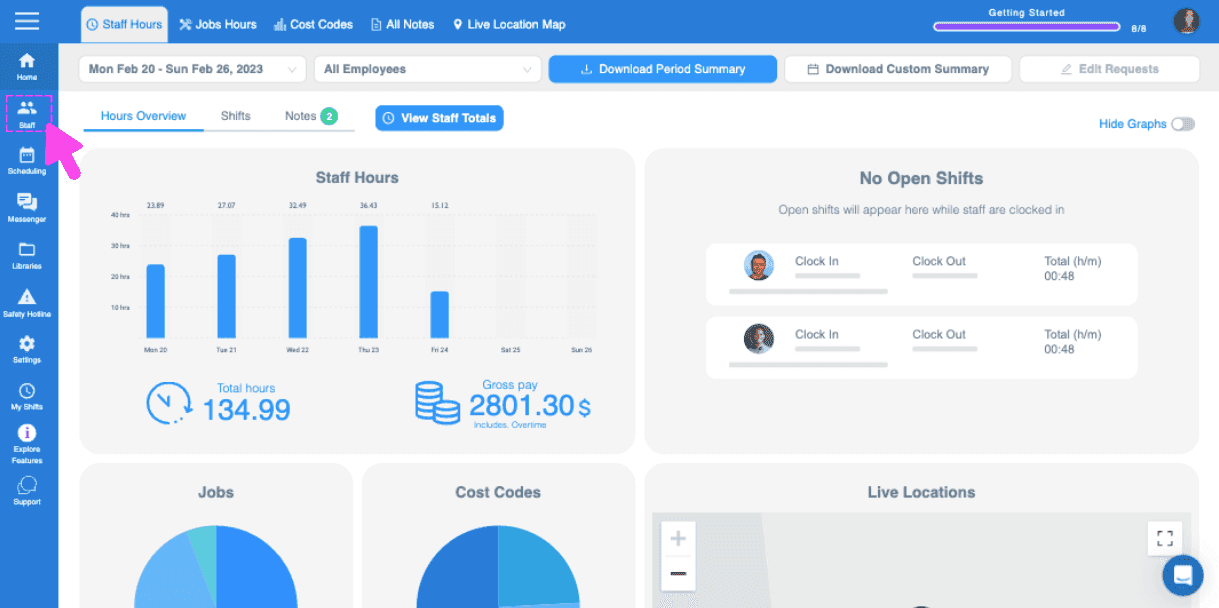
Web dashboard Hours Overview screen with a pink arrow pointing to the sidebar menu icon
SINC web staff profile screen with the Settings tab highlighted in pink
Staff settings screen for an employee with a pink arrow pointing to the Clock In Notifications toggle switch

Hat das Ihre Frage beantwortet?