Ein- und Ausstempeln für Admins

In diesem Leitfaden zeigen wir, wie du dich als Admin für Schichten ein- und ausstempelst.

Sam Dolbel
Sam Dolbel
Mar 3rd, 2023

Tippe auf Meine Schichten
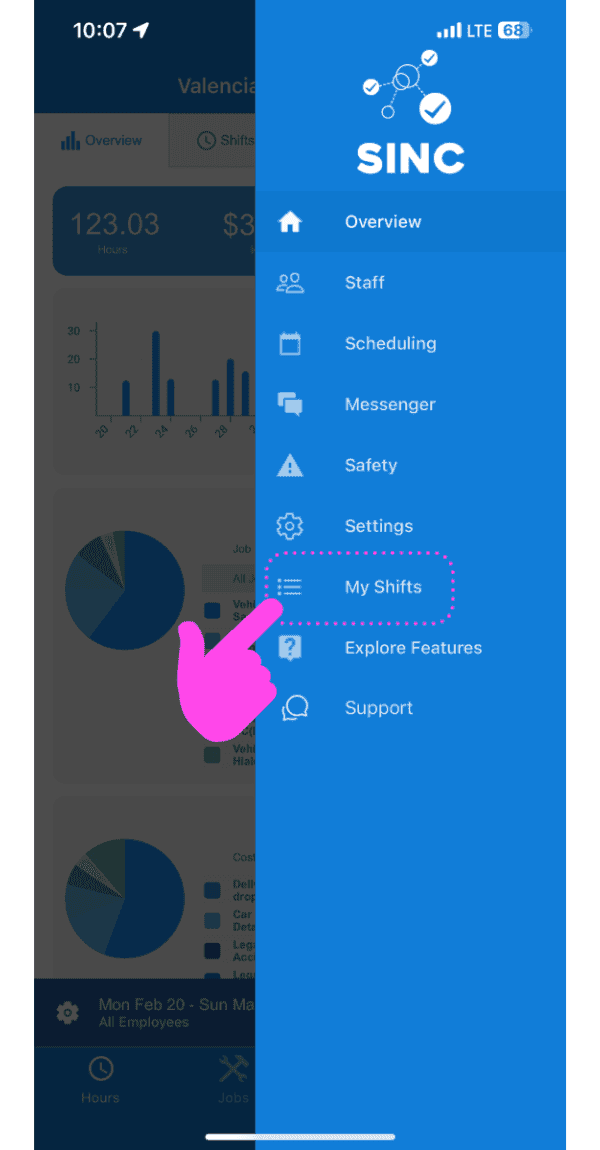
SINC mobile app side menu with a pink arrow pointing to the My Shifts menu item

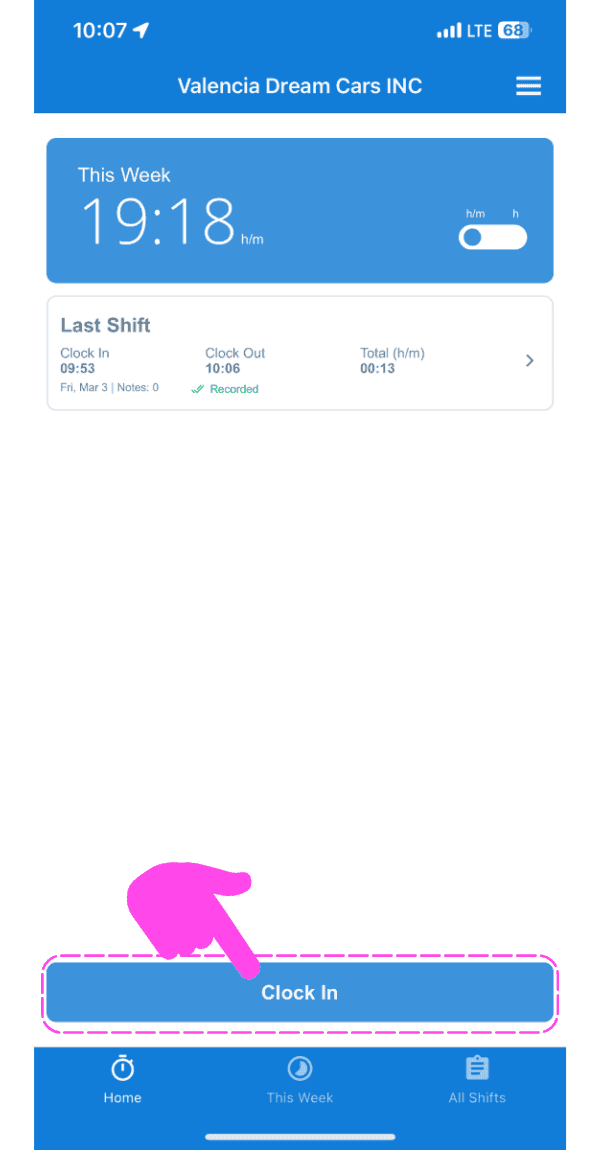
Auf Einstempeln tippen

SINC mobile app home screen with a pink hand pointing to the Clock In button

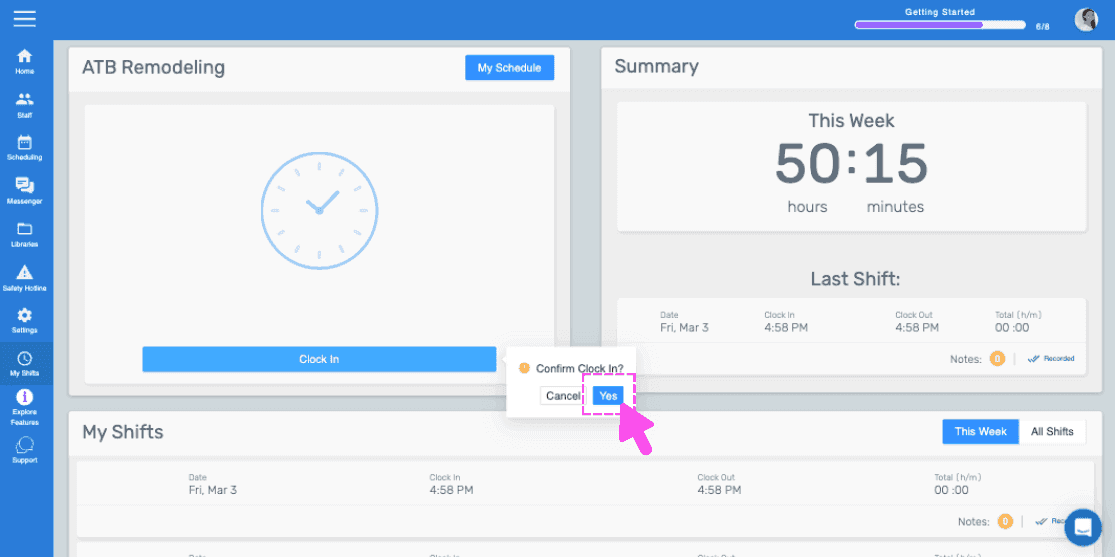
Nach rechts wischen, um sich einzustempeln (Webversion). Klicken Sie auf Ja.
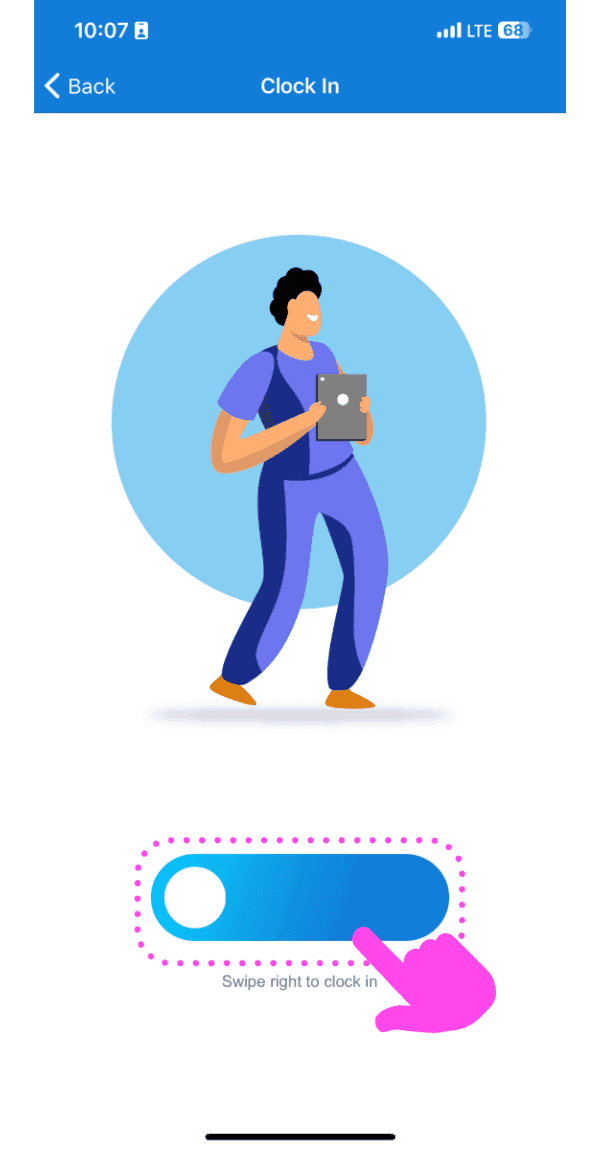
Illustrated Clock In screen with a pink arrow showing how to swipe the slider right

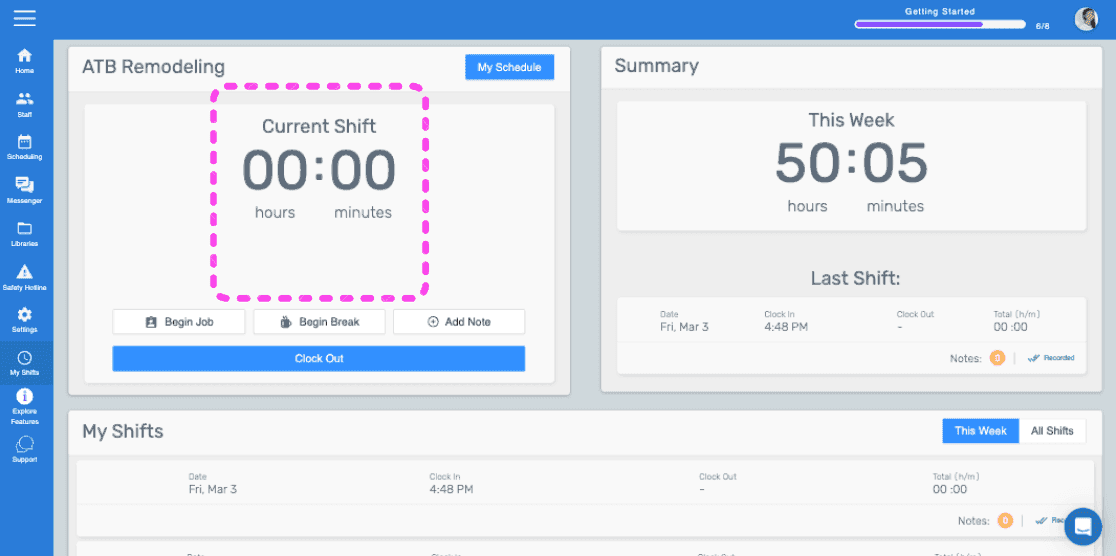
Auf diesem Bildschirm sehen Sie, dass Sie jetzt zu einer Schicht eingestempelt sind.
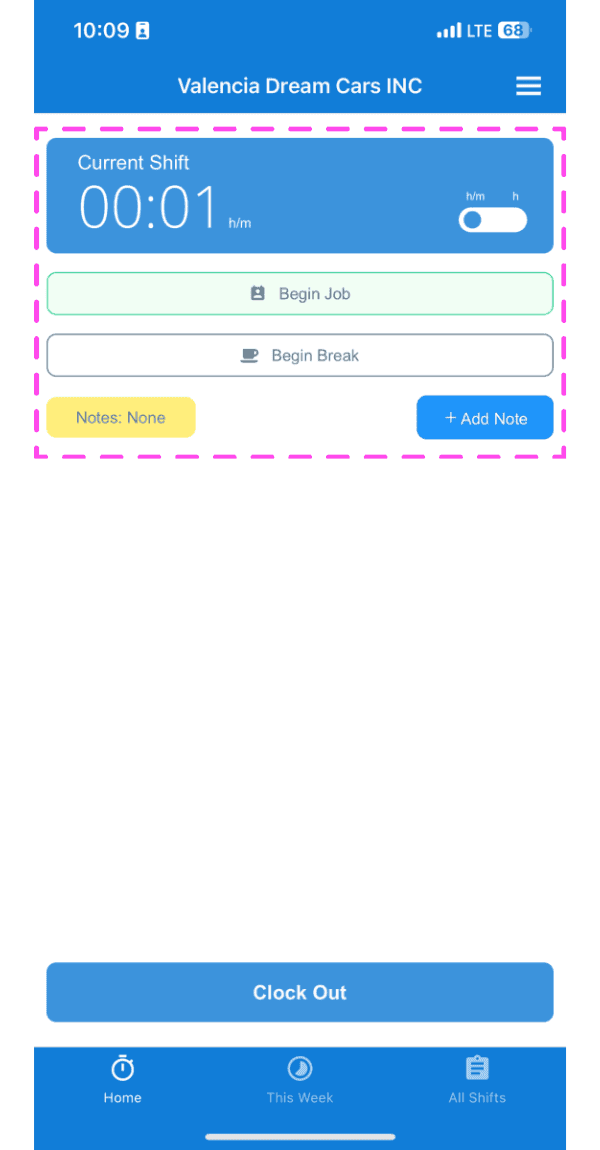
SINC mobile Current Shift screen highlighted showing clocked-in timer with Begin Job and Begin Break buttons

Wenn du die Webversion verwendest, sieht es so aus:
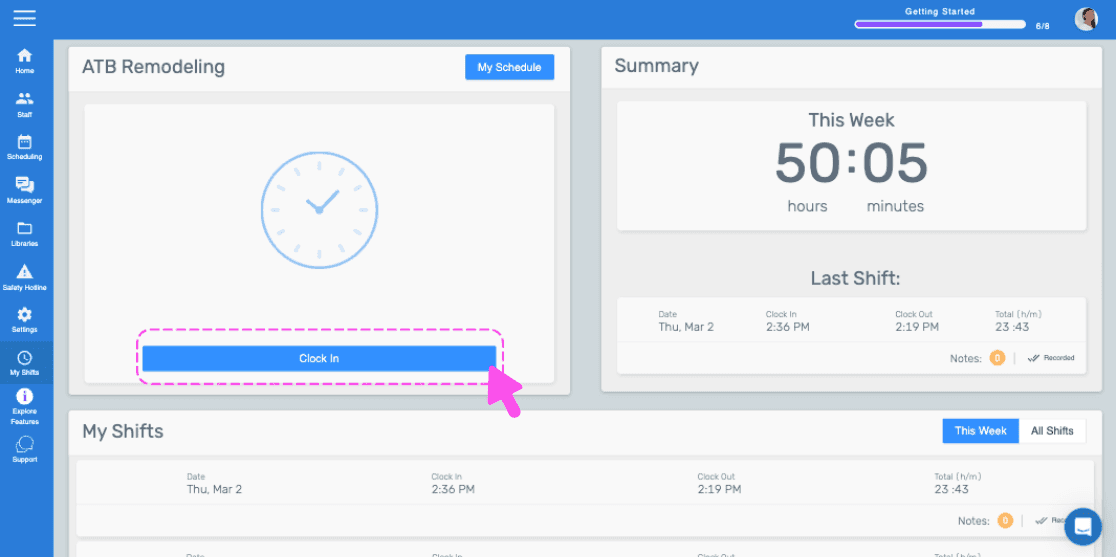
SINC web dashboard with a pink arrow pointing to the Clock In button
Web dashboard clock-in confirmation popup with the Yes button highlighted by a pink arrow
SINC web admin dashboard with the Current Shift timer box outlined in pink

Hat das Ihre Frage beantwortet?