Supprimer des messages

SINC Support Team
SINC Support Team
Mar 10th, 2023

Pour supprimer un message dans l’application mobile : appuyez longuement sur le message
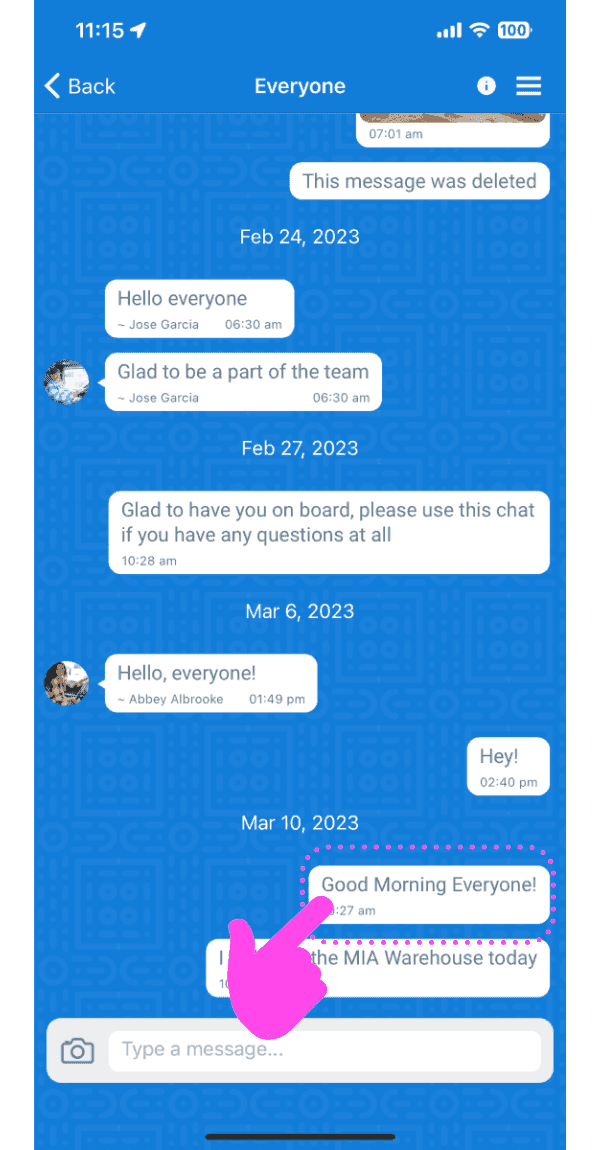
Group chat conversation screen with a pink arrow pointing to a message to long-press and delete

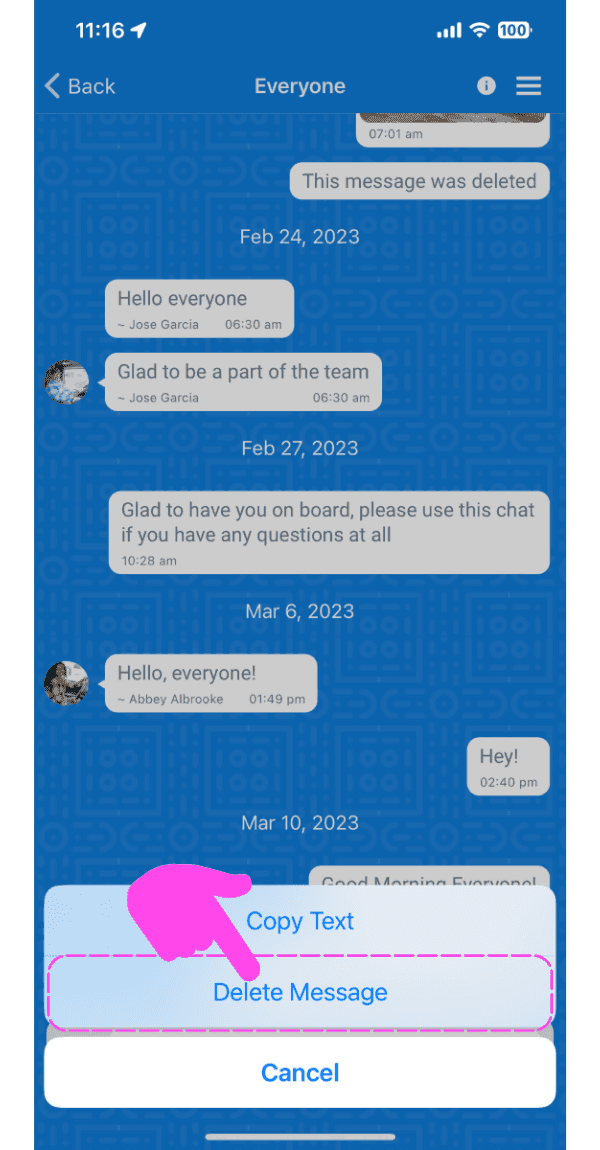
Appuyez sur Supprimer le message

SINC mobile chat conversation with a message options menu open and the Delete Message option highlighted

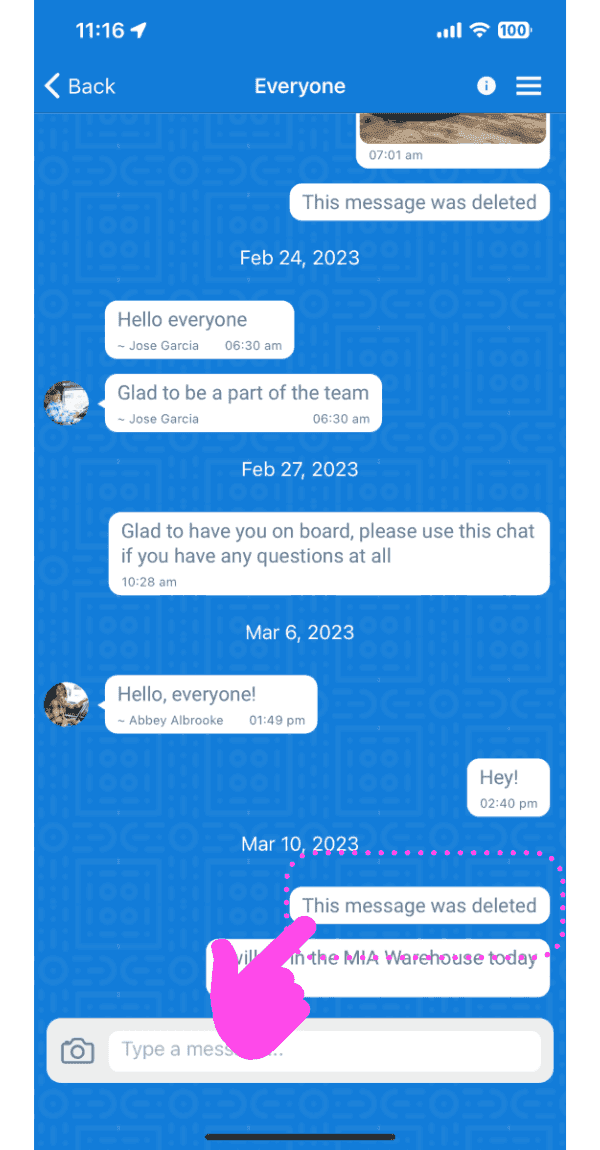
Le message sera supprimé.

Mobile group chat thread with a deleted message outlined in pink and a finger tapping it

Sur le web : survolez un message et cliquez sur l’icône Corbeille
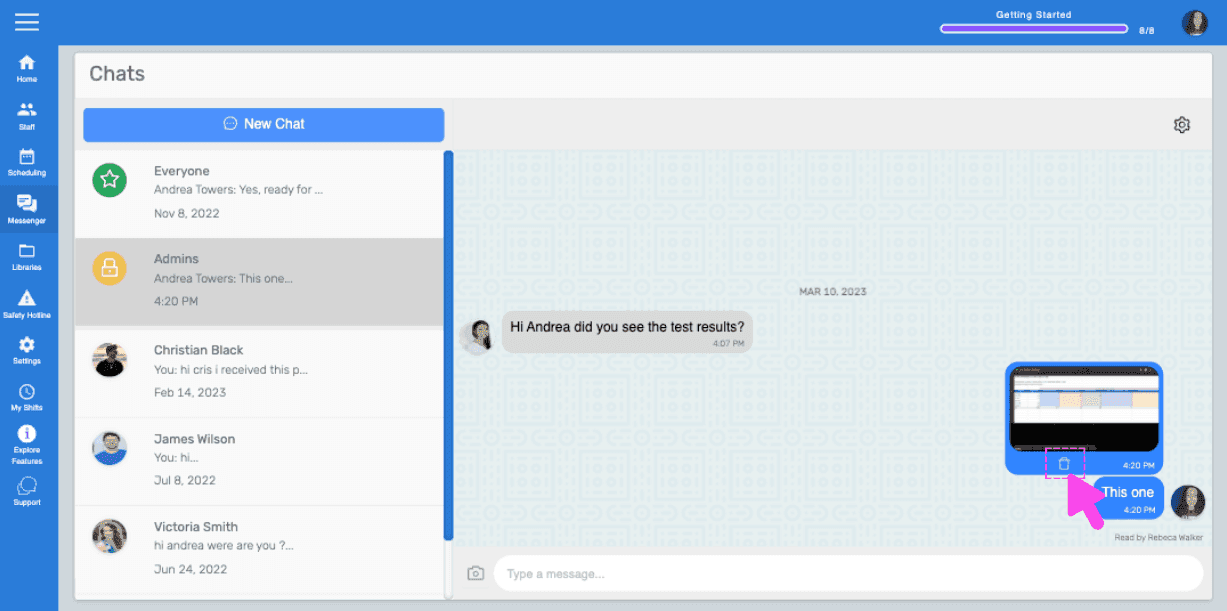
SINC web chat conversation with a pink hand pointing to the trash icon on a hovered message

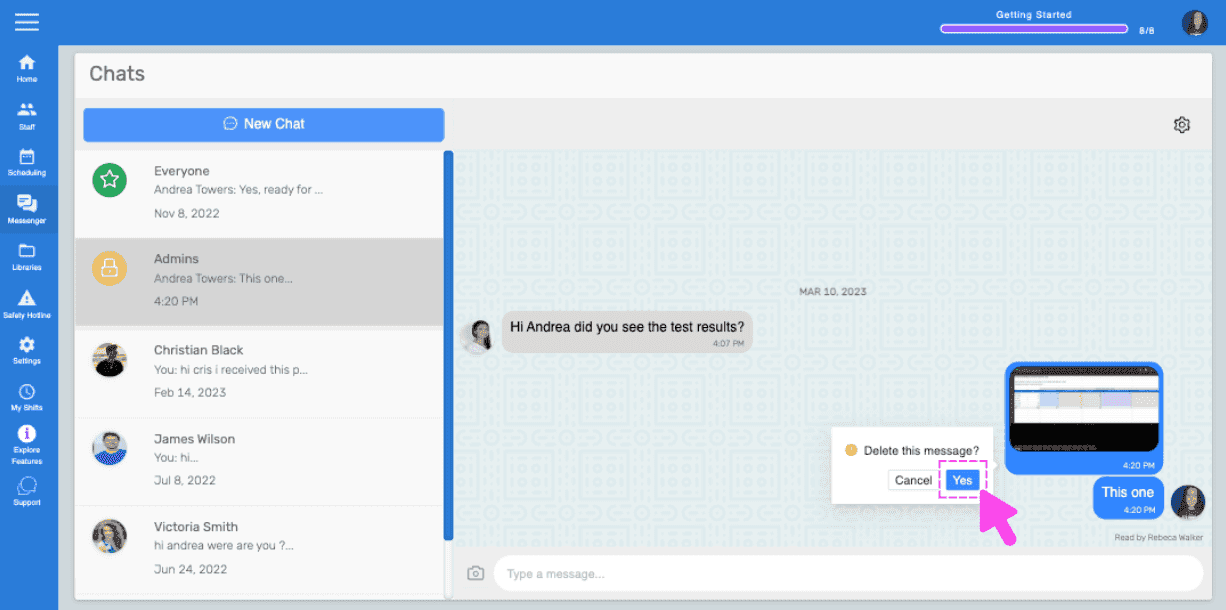
Cliquez sur Oui dans l’invite.

Chats screen showing a delete message confirmation popup with a pink arrow on the Yes button

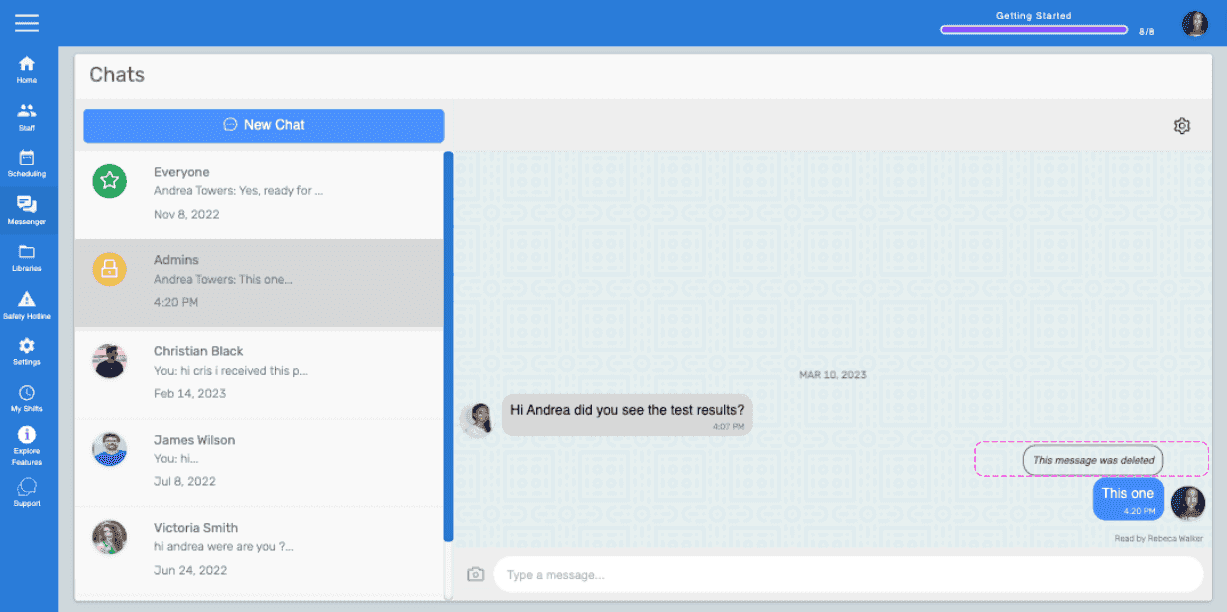
Le message sera supprimé.

Web Chats screen showing a message marked 'This message was deleted' highlighted in pink

Cela a-t-il répondu à votre question ?