
Désactiver les notifications du chat
Ce guide explique comment désactiver les notifications d’une conversation.

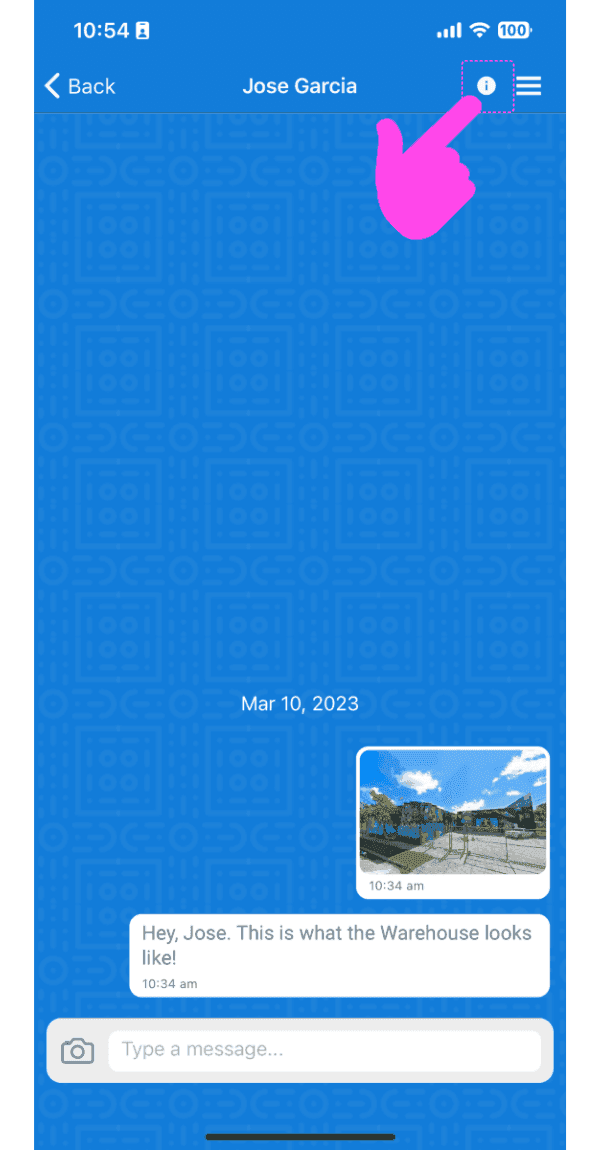
Sur l’application mobile : sélectionnez une conversation dans la liste, puis appuyez sur l’icône Infos dans la barre d’application (en haut).
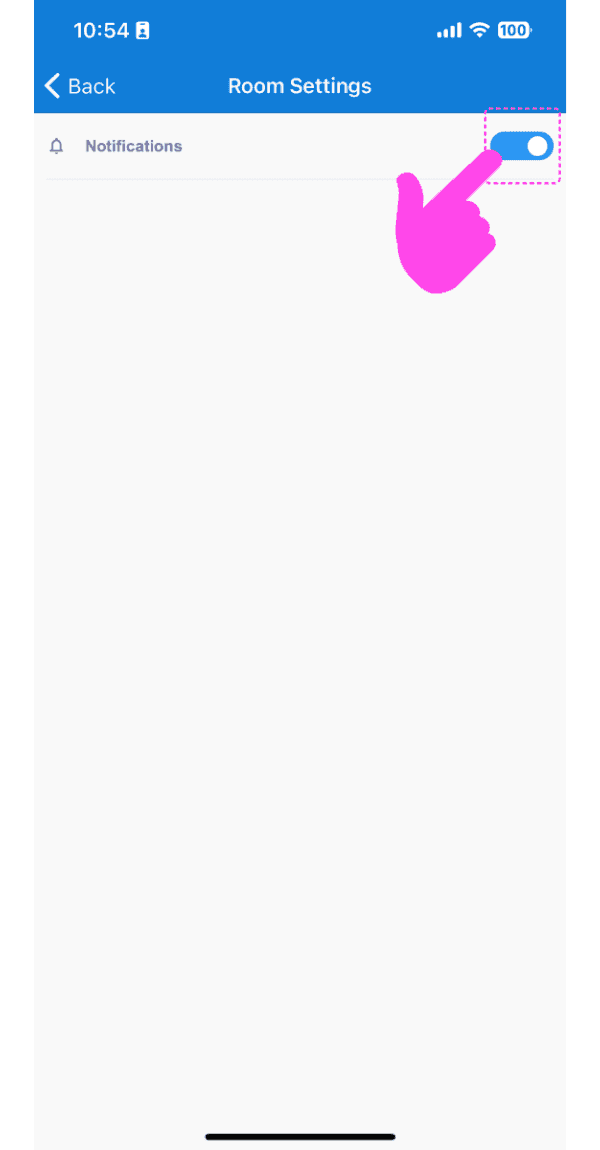
Appuyez sur Interrupteur pour activer ou désactiver les notifications
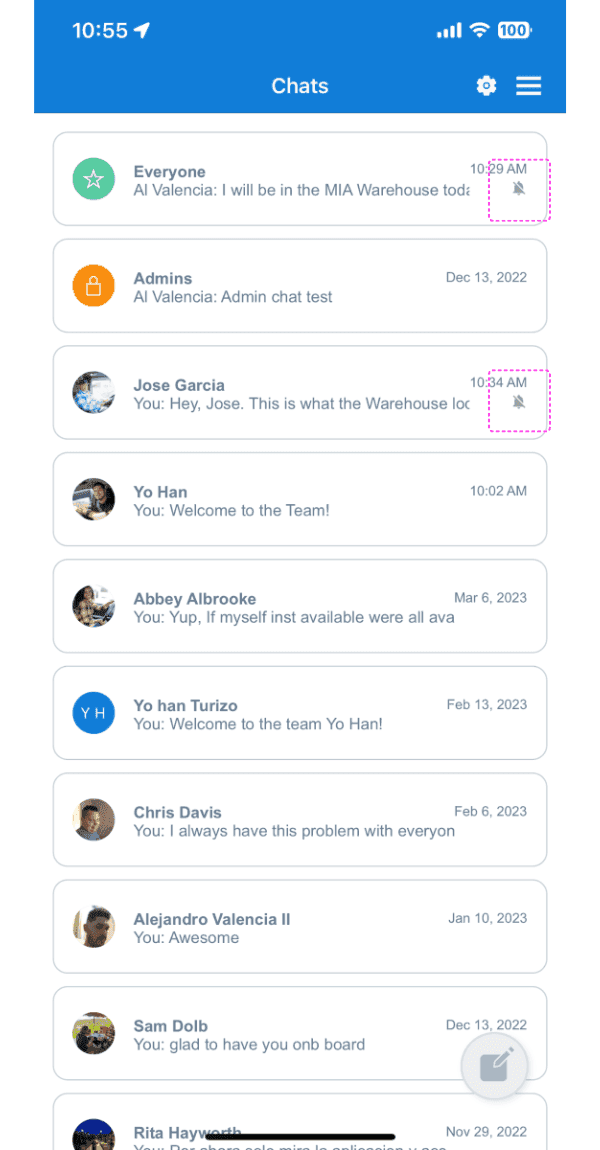
Si les notifications d’une conversation sont désactivées, une icône de cloche barrée s’affiche dans la liste des conversations.
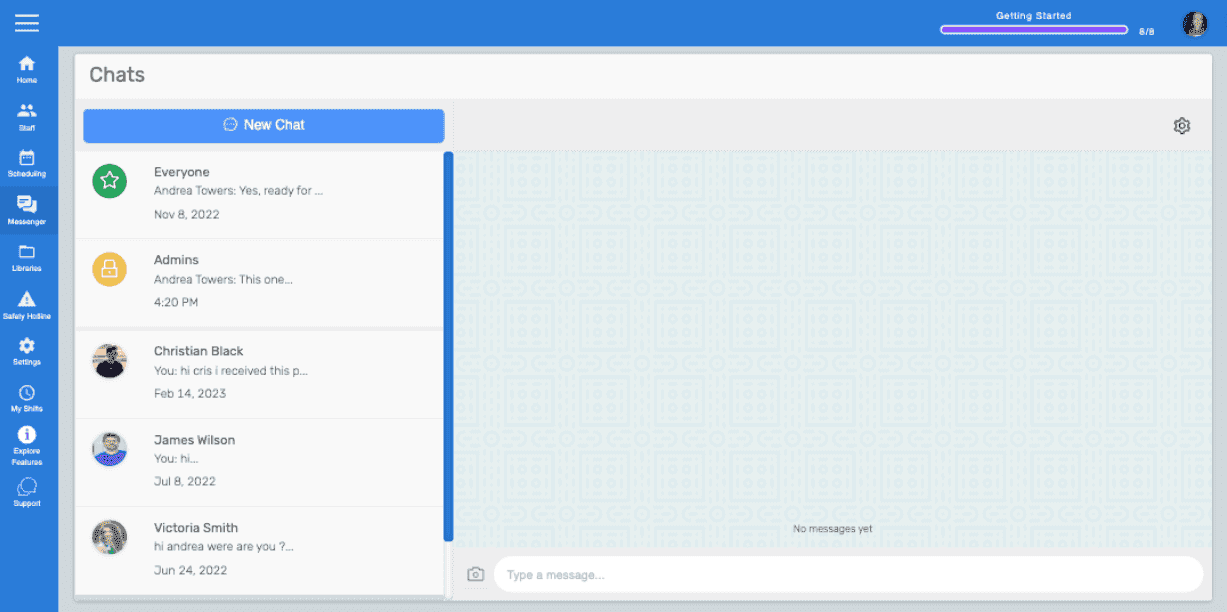
Sur la version web : sélectionnez une conversation en cliquant dessus dans la liste des conversations, puis cliquez sur l’icône en forme d’engrenage.
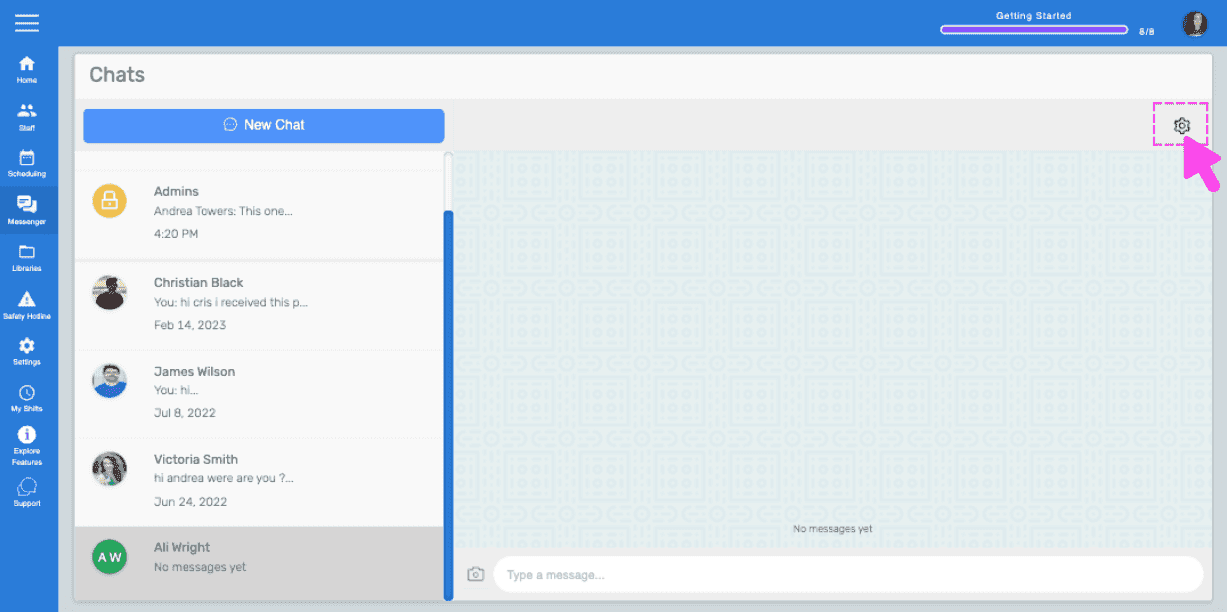
Cliquez sur Switch pour activer ou désactiver les notifications.
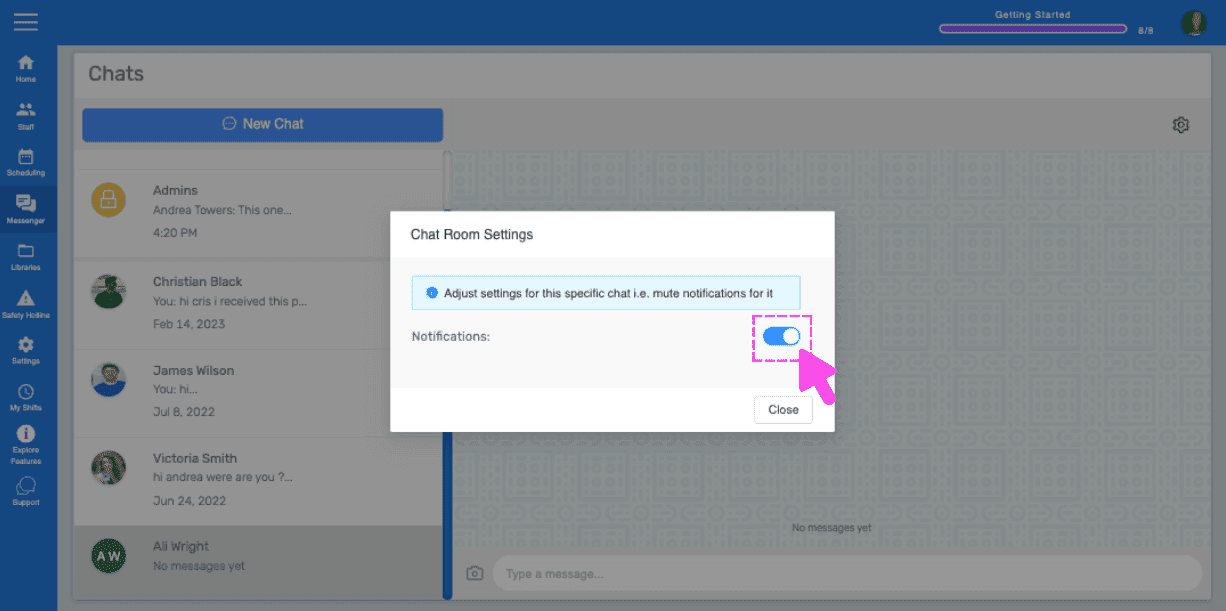
Si les notifications d’une conversation spécifique sont désactivées sur le web, une icône de cloche barrée s’affiche dans la liste des conversations de cette fenêtre de chat. Remarque : par défaut, les notifications sont activées. L’utilisateur doit les désactiver ou les mettre en sourdine manuellement.
Cela a-t-il répondu à votre question ?