
Démarrer une nouvelle conversation
Cet article explique comment démarrer une nouvelle conversation avec un membre du personnel.

SINC Support Team
Mar 10th, 2023
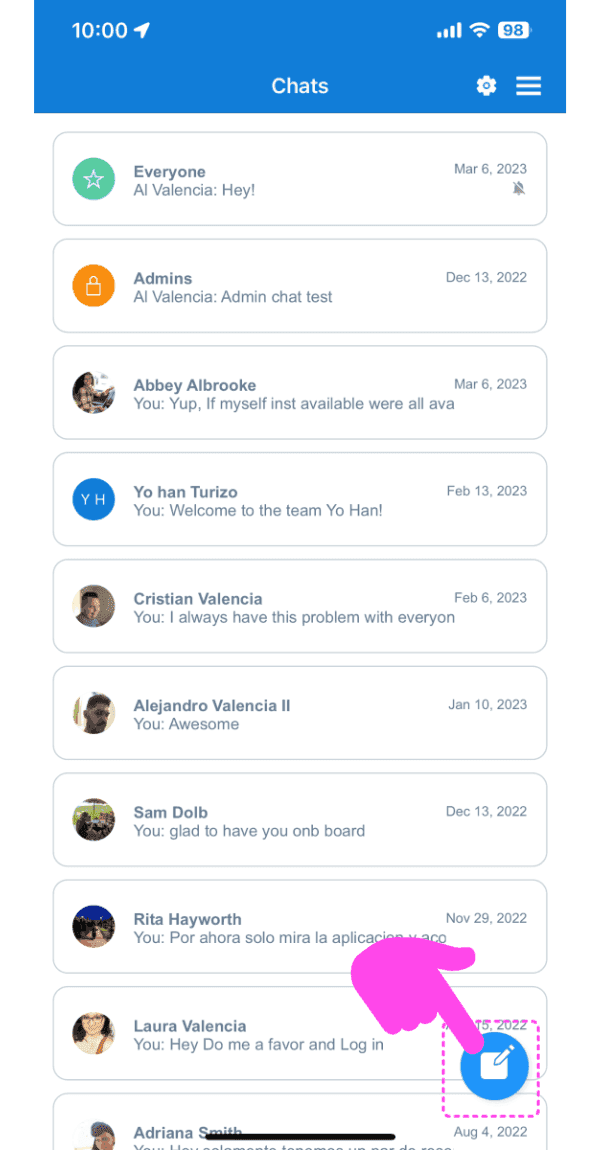
Pour démarrer une conversation privée en tête-à-tête avec un membre de l’équipe : dans l’application mobile, appuyez sur le bouton Créer une nouvelle conversation (icône représentant un crayon et un bloc-notes).
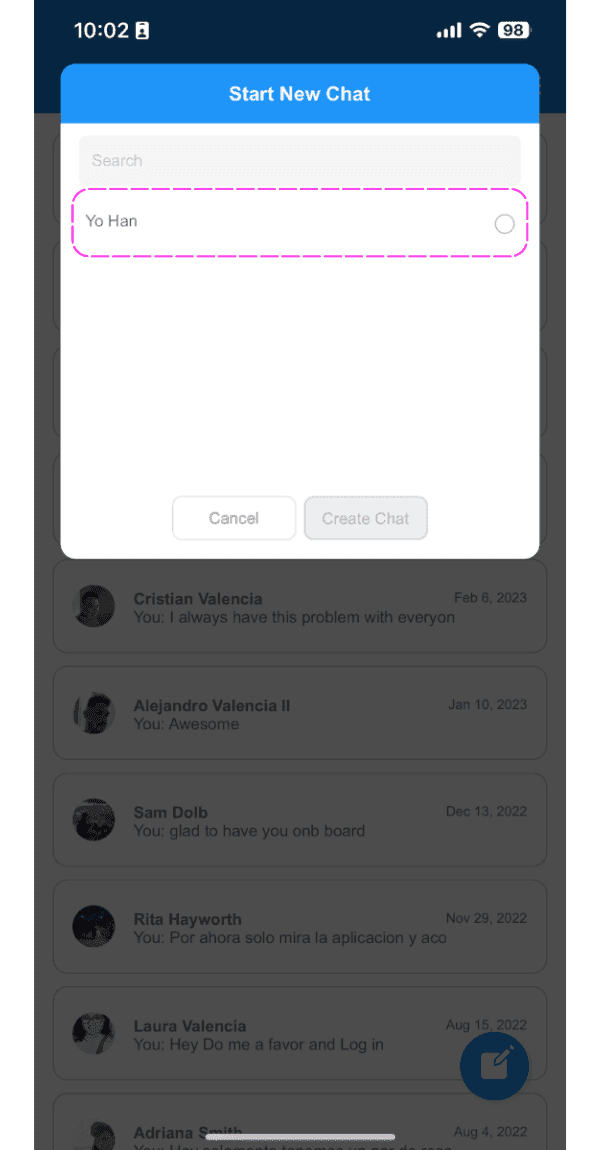
Appuyez sur un employé dans la liste
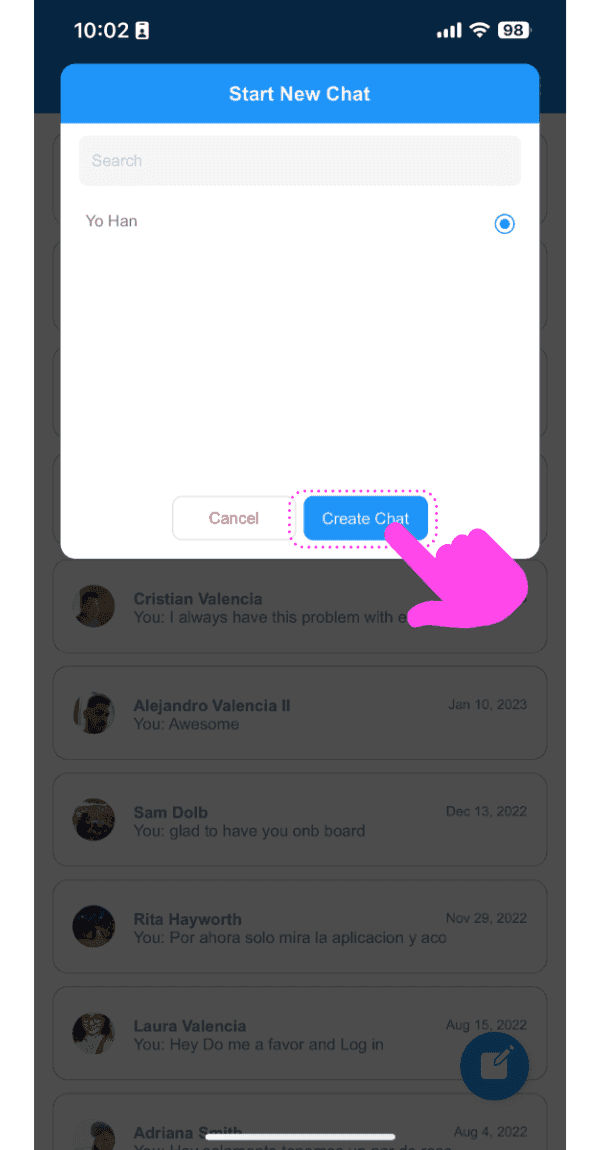
Appuyez sur le bouton Créer une conversation
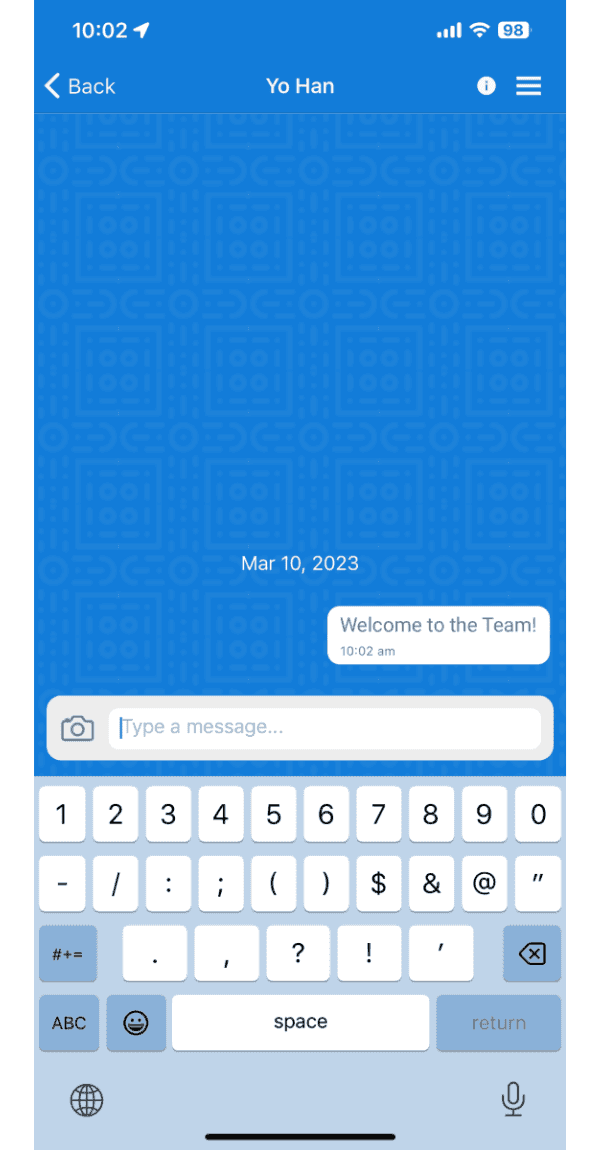
L’application vous redirigera vers la conversation que vous venez de créer.
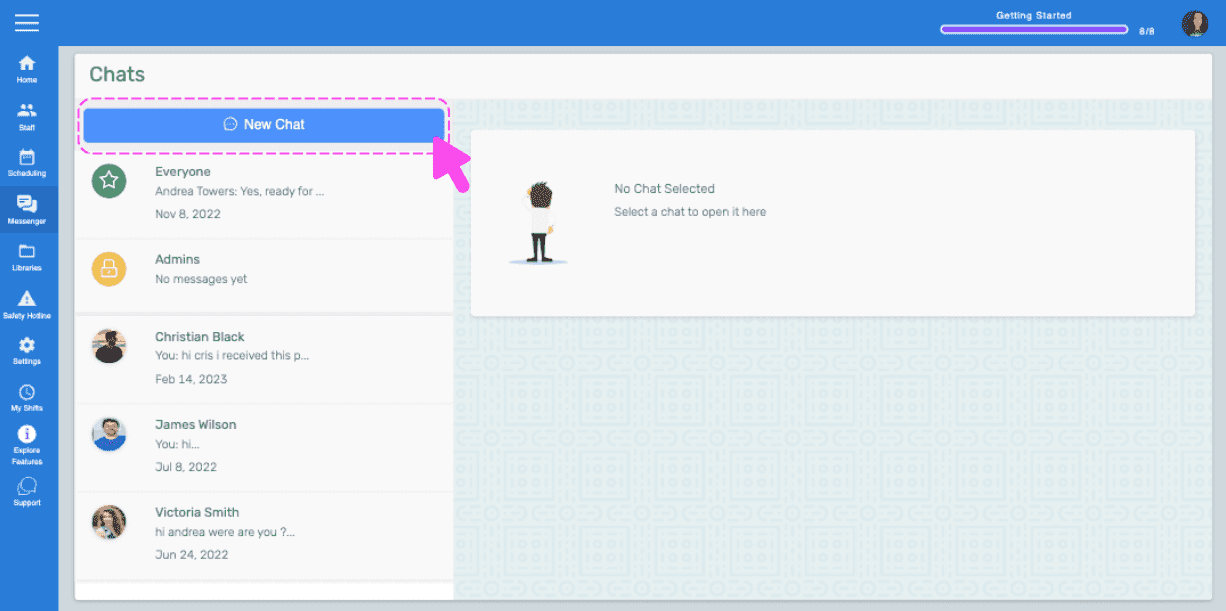
Sur le Web : cliquez sur le bouton Nouvelle discussion
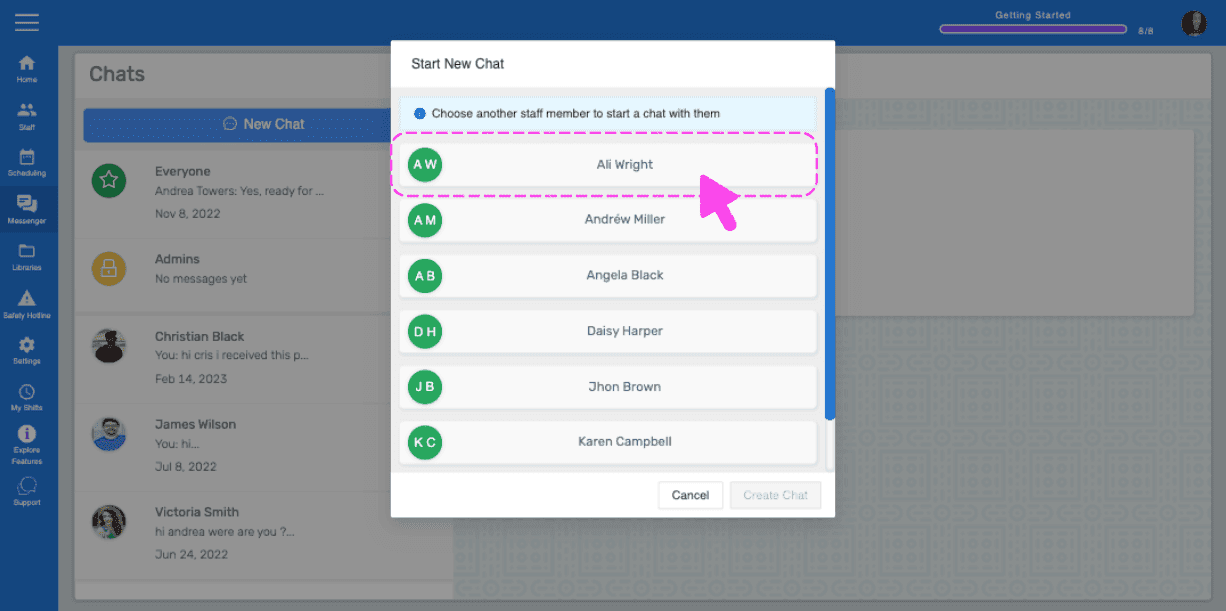
Cliquez sur un employé dans la liste
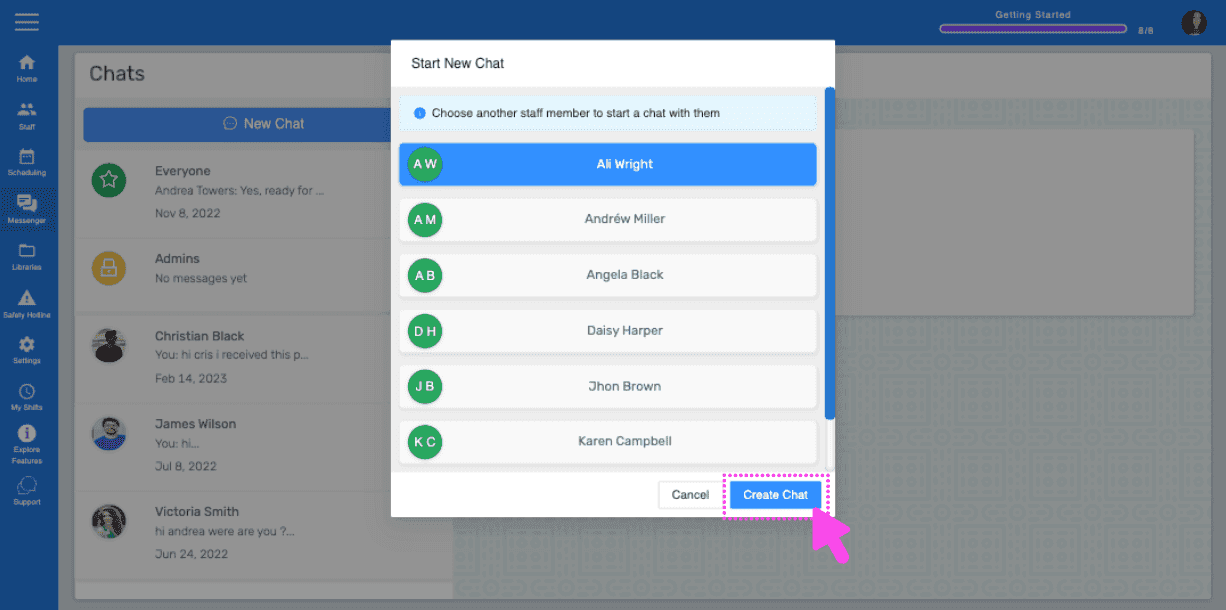
Cliquez sur le bouton Créer une conversation
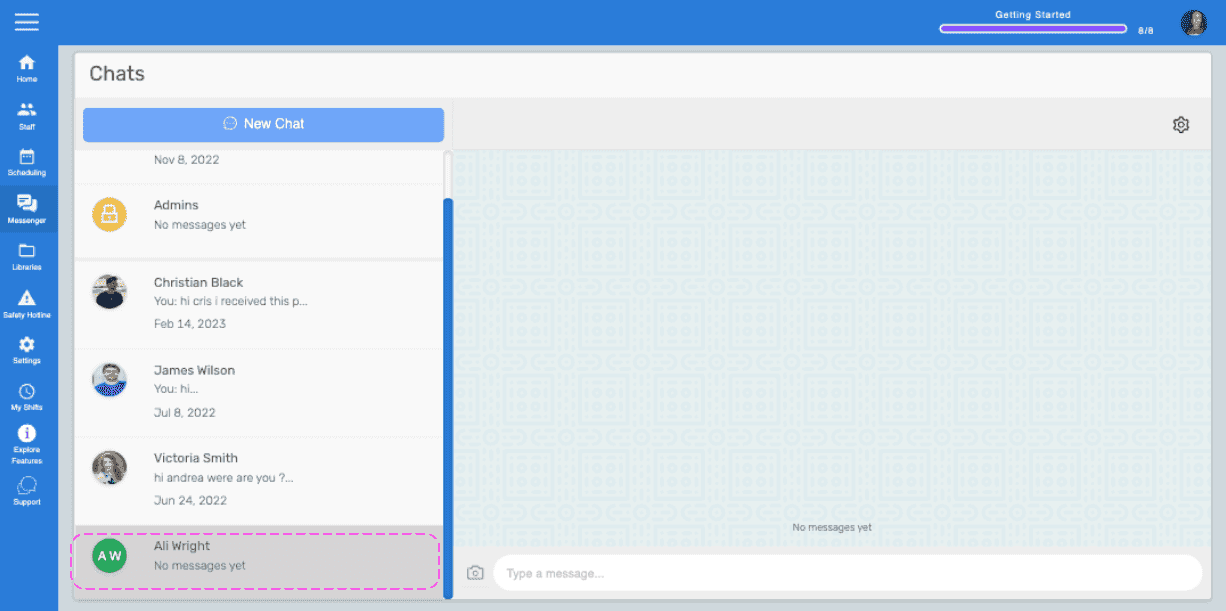
Le site vous redirigera vers le nouveau salon de discussion.
Cela a-t-il répondu à votre question ?