
Comment consulter les shifts des périodes de paie précédentes ?

Sam Dolbel
Mar 21st, 2023
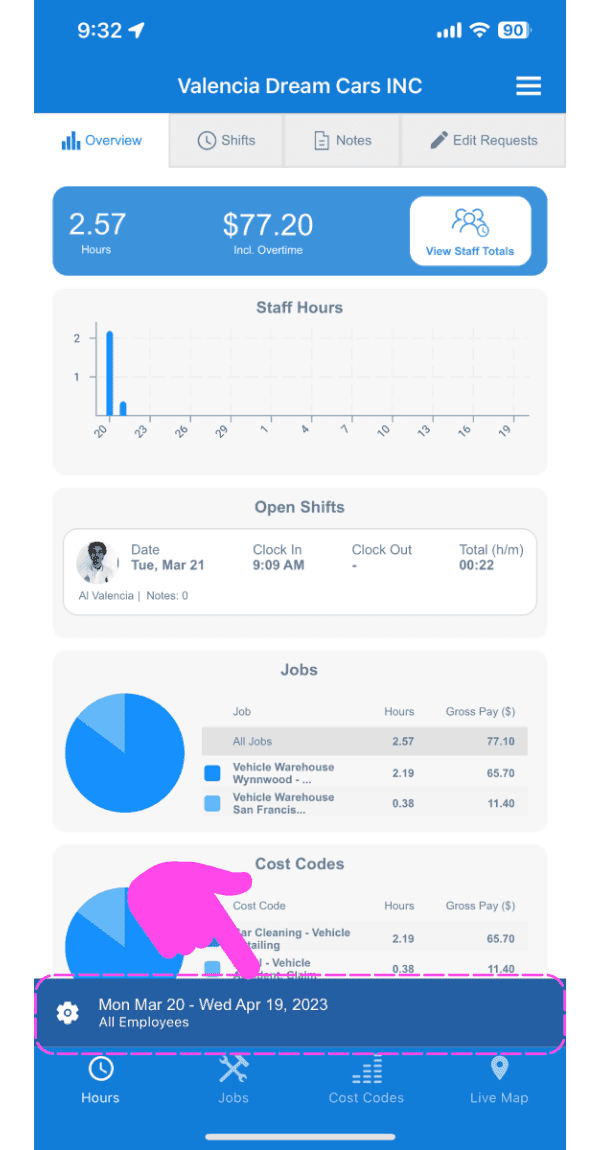
Appuyez simplement sur l’icône en forme d’engrenage sur l’écran d’accueil de l’interface d’administration
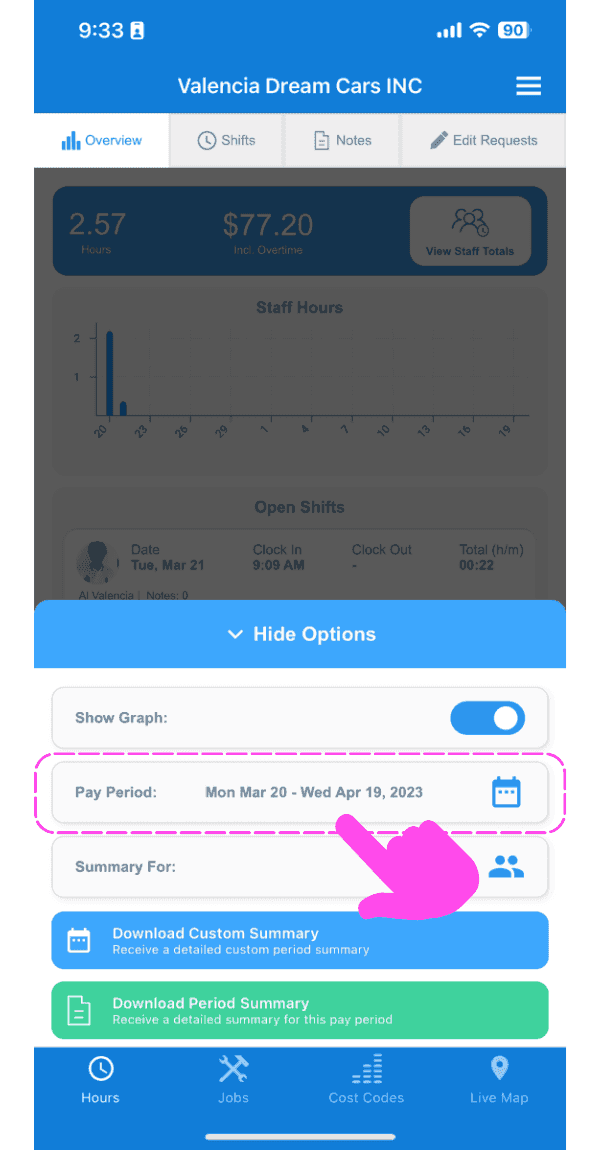
Appuyez sur l’icône du calendrier à côté de Période de paie.
Sélectionnez la période à afficher.
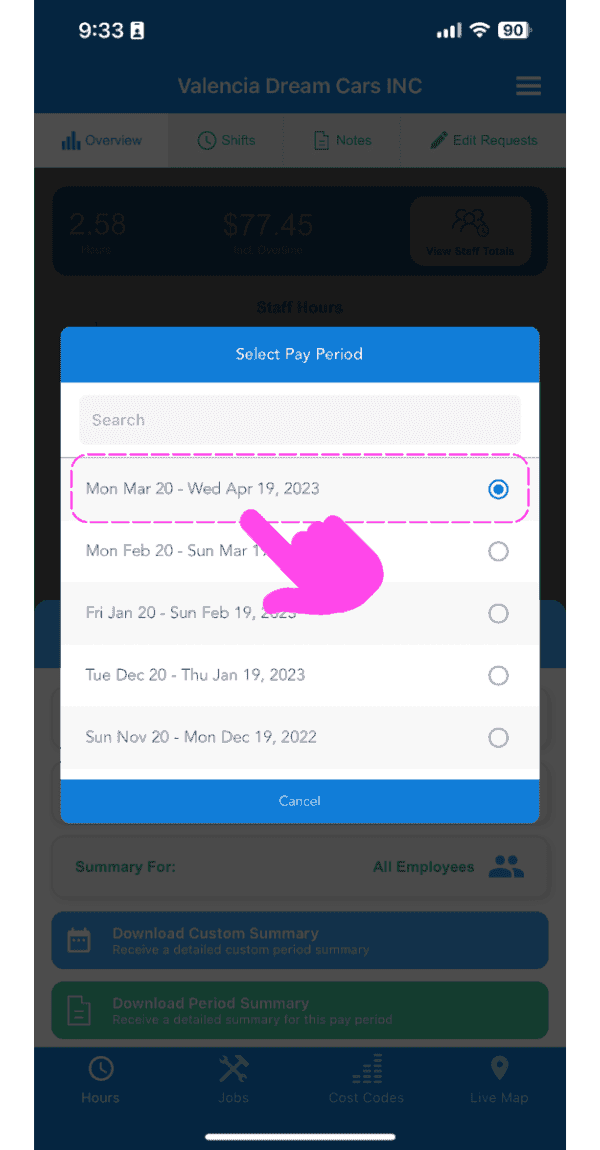
Désormais, vos shifts, vos exports de périodes de paie et vos notes seront tous filtrés en fonction de votre sélection.
Cela a-t-il répondu à votre question ?