
Comment modifier mon profil
Ce guide explique comment modifier votre profil en tant qu’employé.

SINC Support Team
May 7th, 2021
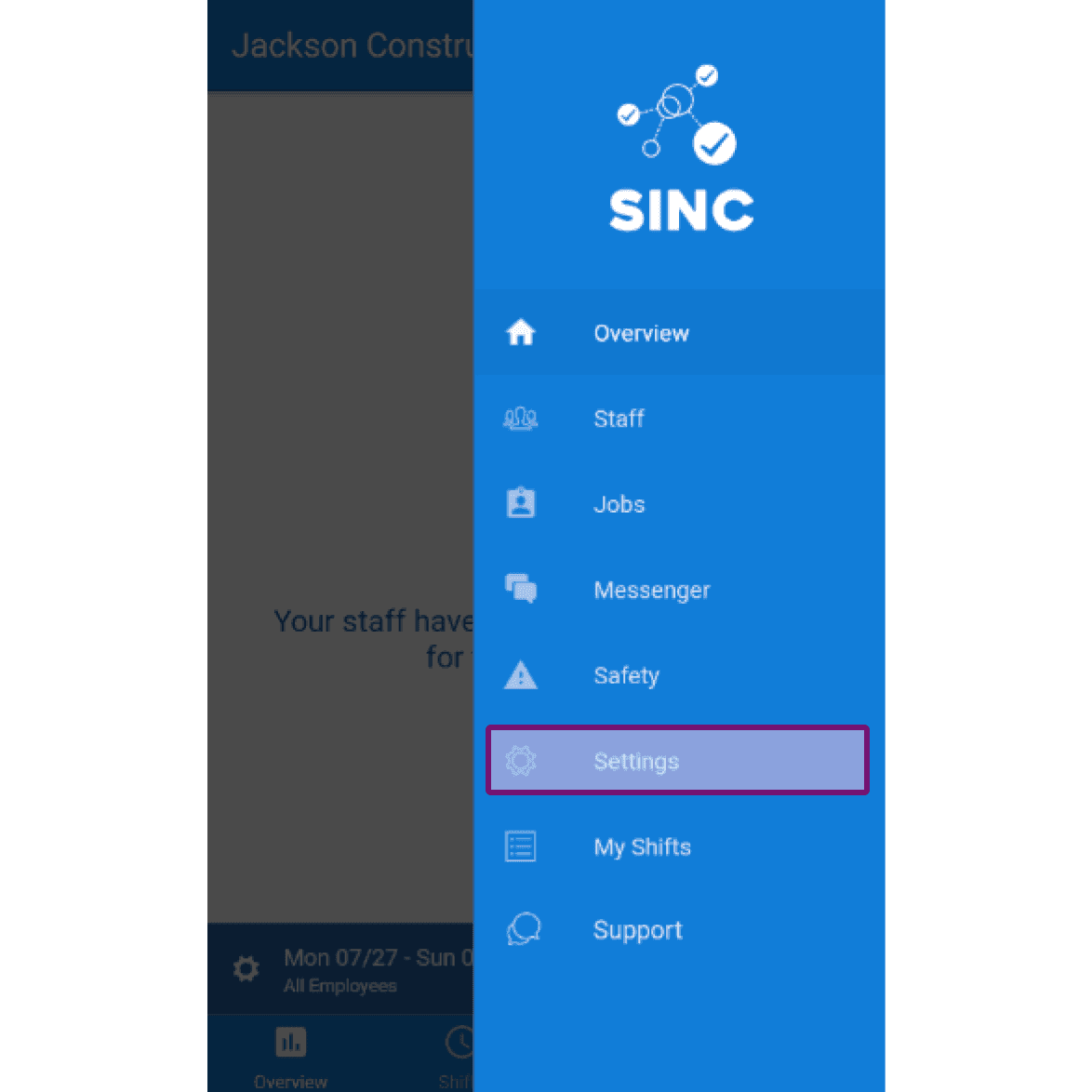
Les captures d’écran suivantes illustrent comment modifier les informations de votre profil. Sur mobile : appuyez sur Menu Paramètres
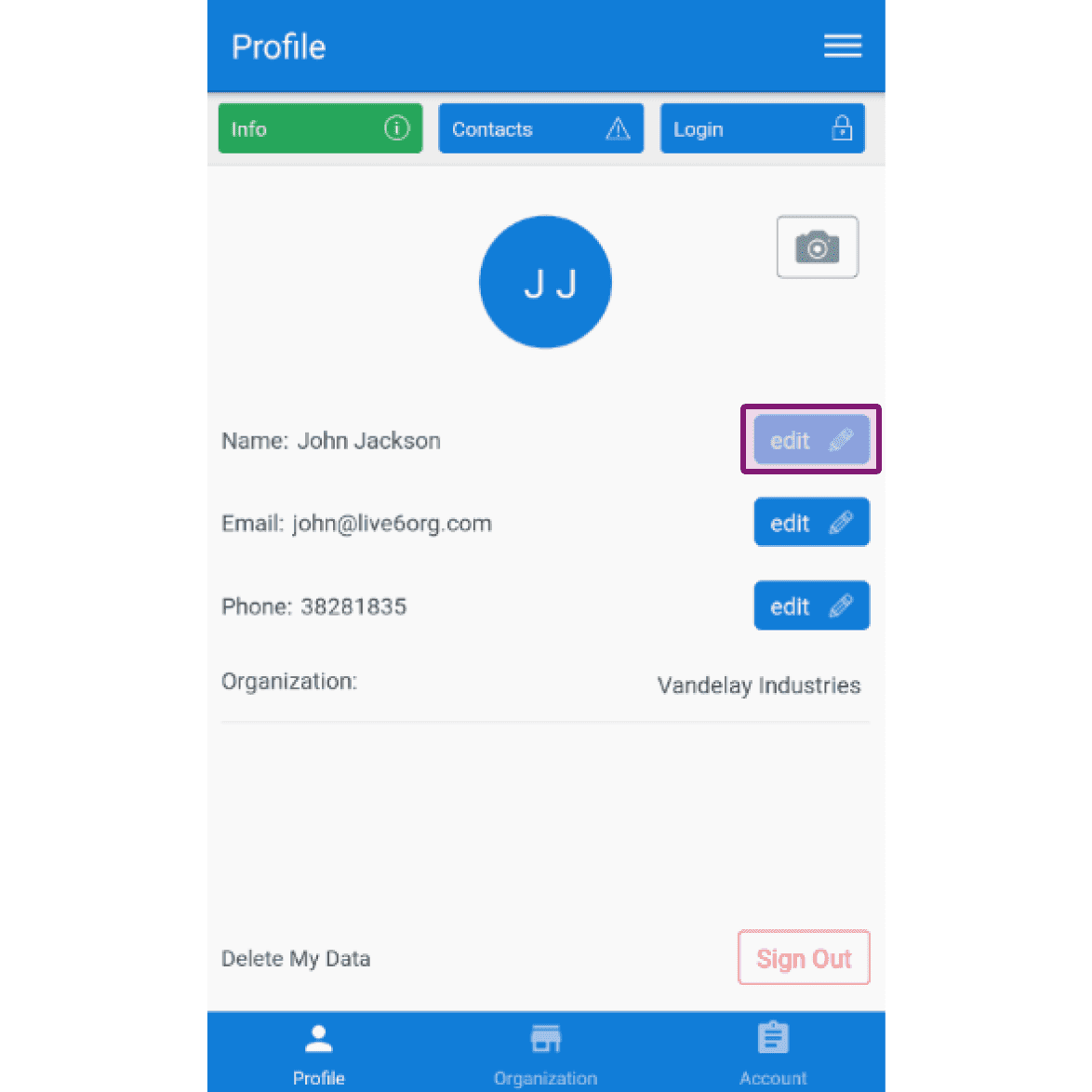
Dans l’onglet Profil Infos, pour modifier votre nom : appuyez sur Modifier (à côté de Nom)
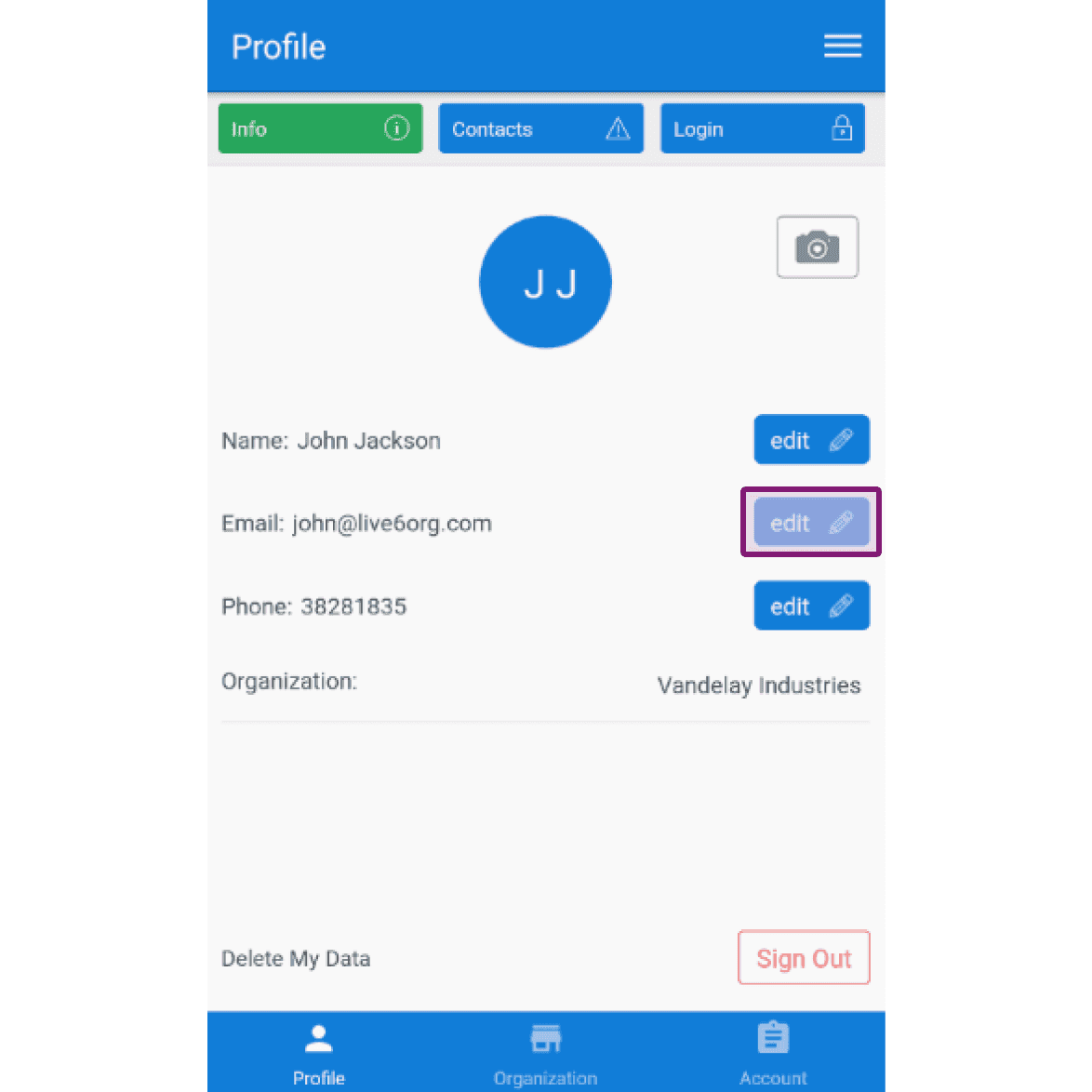
Pour modifier votre adresse e-mail : appuyez sur Modifier (à côté de E-mail)
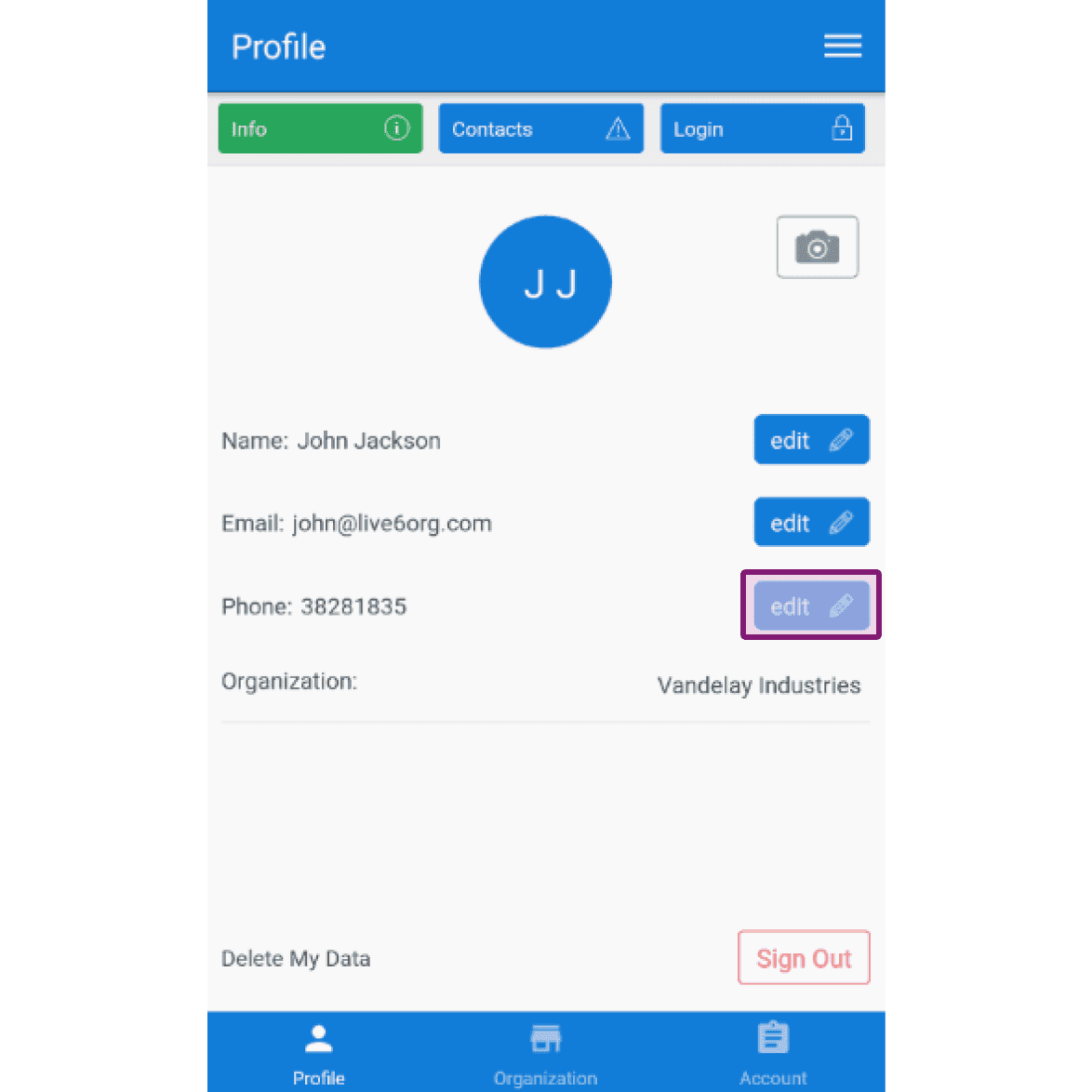
Pour modifier votre numéro de téléphone : appuyez sur Modifier (à côté de Téléphone)
Cela a-t-il répondu à votre question ?