Demander une modification de feuille de temps

Dans ce guide, nous vous expliquons comment demander des modifications de vos shifts en tant qu’employé.

Sam Dolbel
Sam Dolbel
May 26th, 2023

Sur mobile : appuyez sur Menu Mes shifts
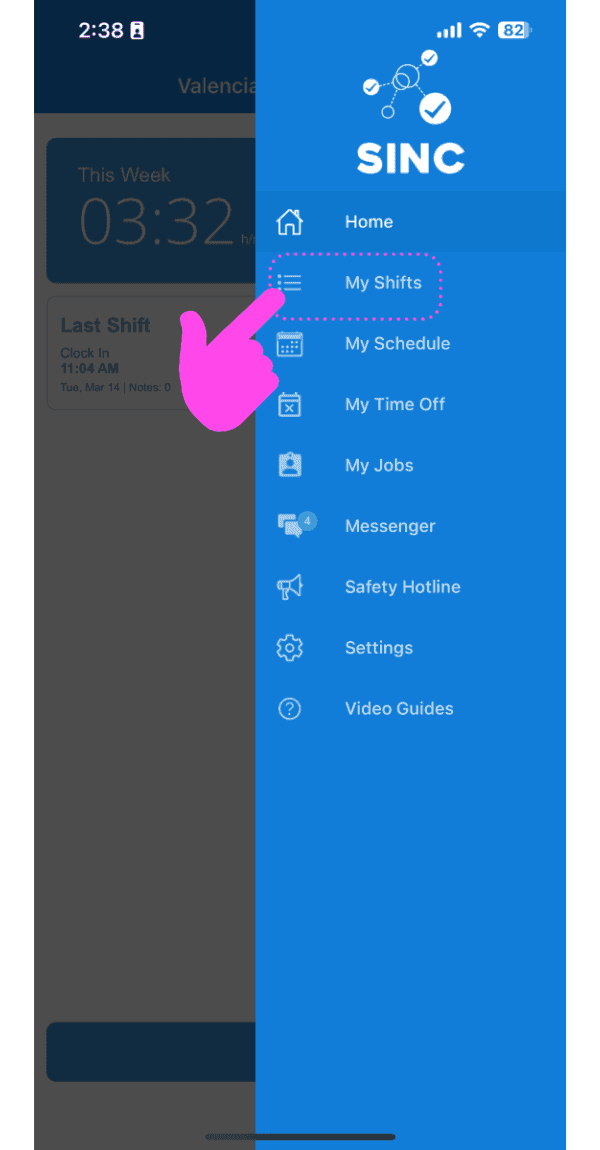
SINC mobile app side menu with a pink hand pointing to the My Shifts menu item

Appuyez sur Le changement en question
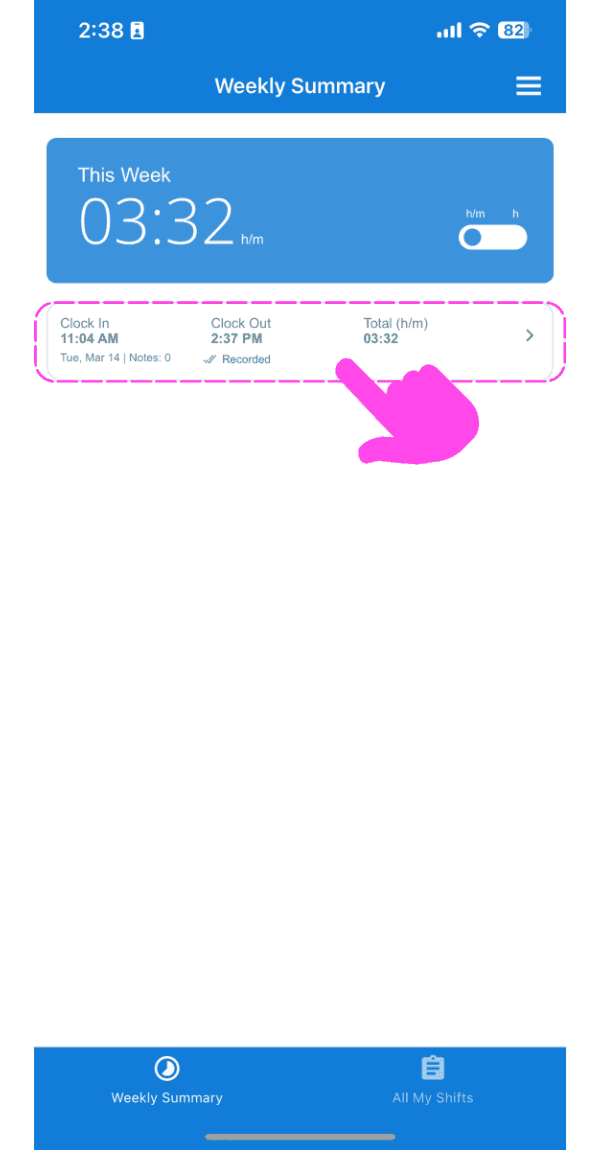
Weekly Summary screen with a clock-in/clock-out shift entry outlined in pink

Sous l’onglet Infos, appuyez sur Modifier (à côté de l’heure d’arrivée ou de départ que vous souhaitez modifier).
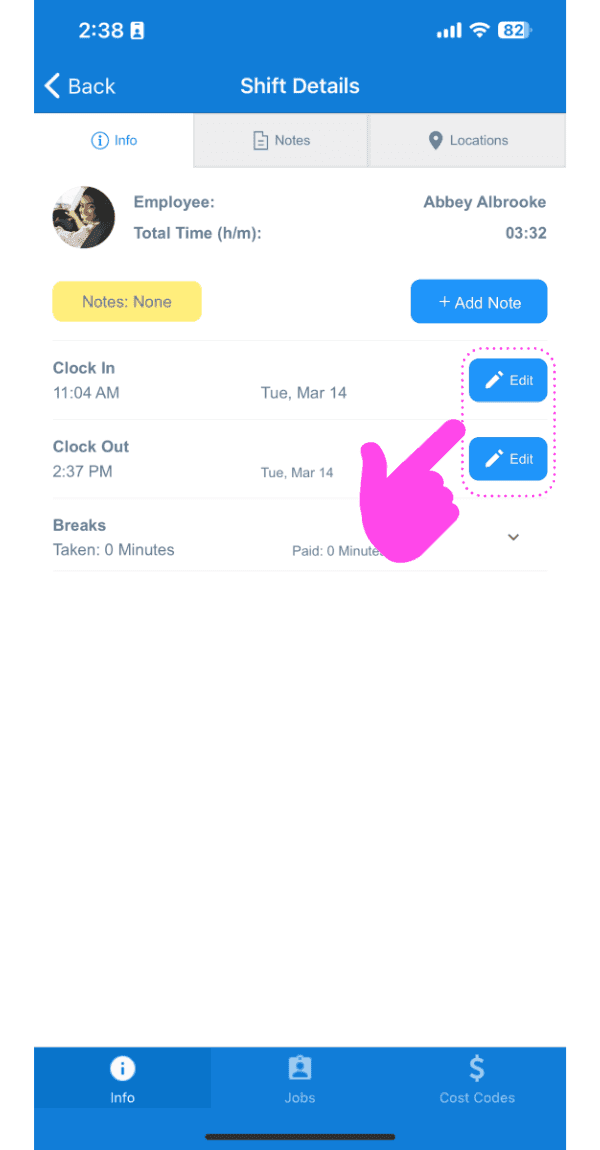
Shift Details screen showing Clock In and Clock Out times with their Edit buttons highlighted in pink

Ajoutez un motif à votre demande de modification.
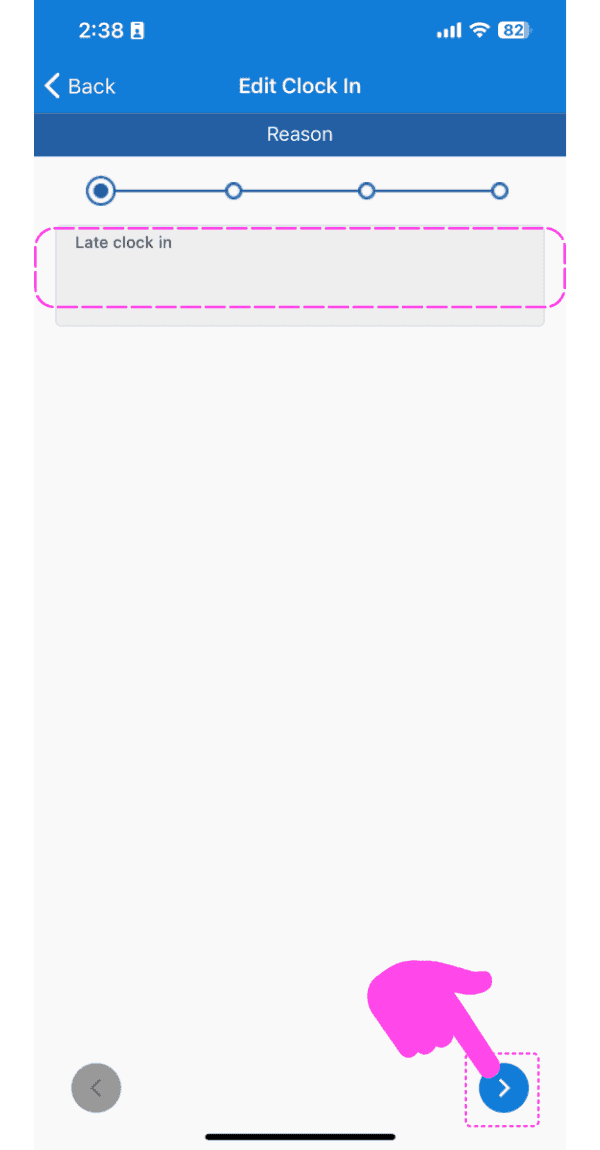
SINC mobile Edit Clock In reason screen with a pink hand pointing to the next arrow button

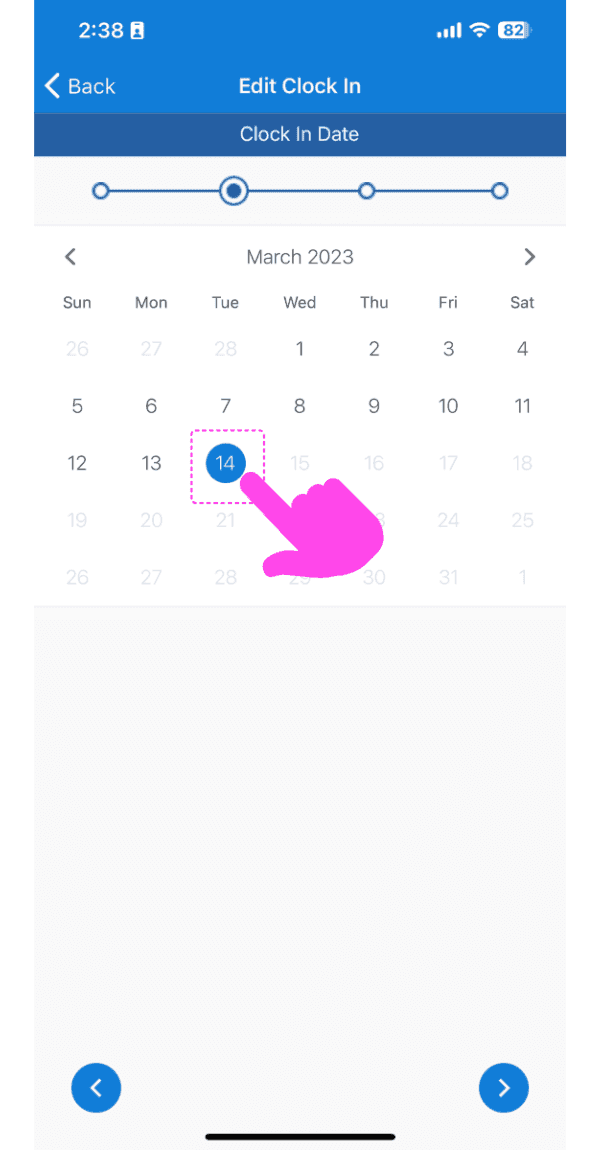
Sélectionnez la nouvelle date.

Edit Clock In date picker calendar with March 14 selected and highlighted by a pink arrow

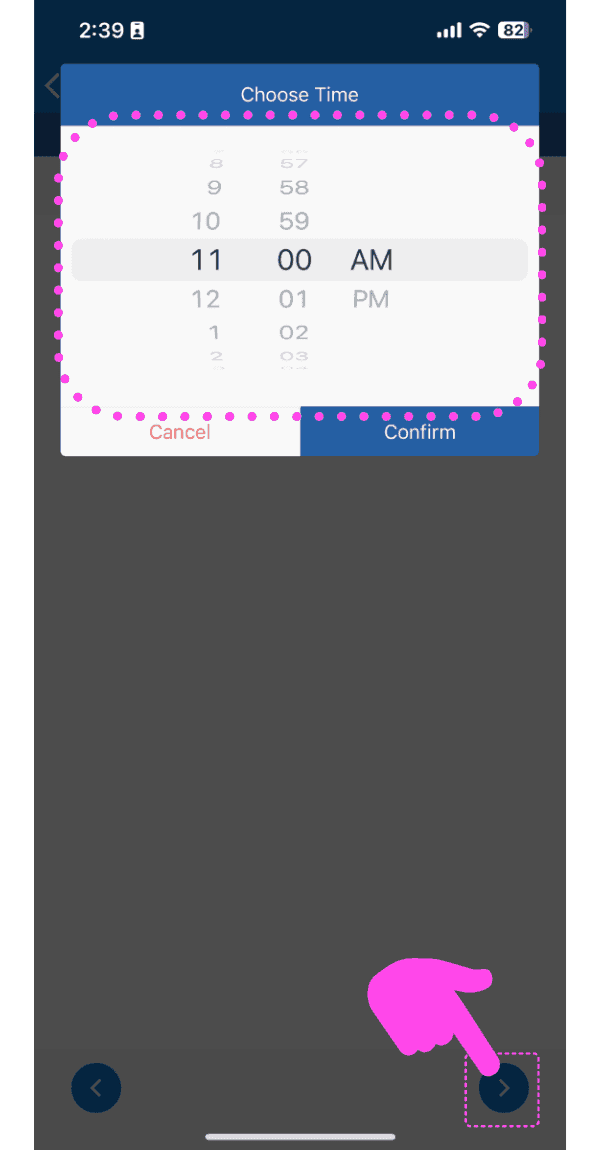
Sélectionnez la nouvelle heure.

SINC mobile time picker wheel set to 11:00 AM with the next-step arrow highlighted in pink

Appuyez sur Demander une modification
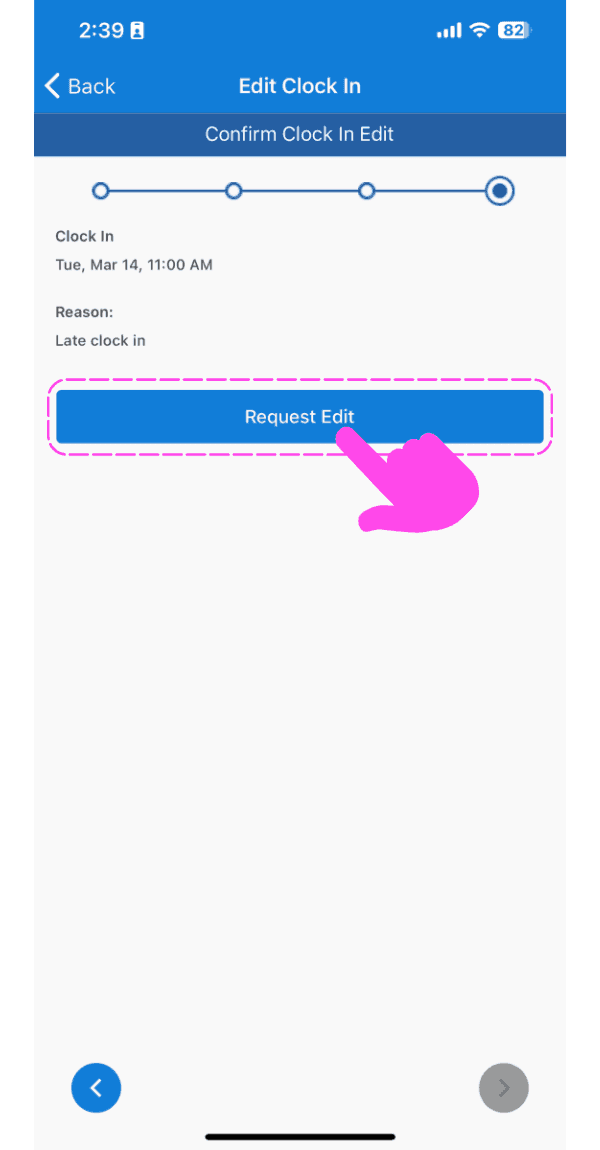
Confirm Clock In Edit screen with a pink arrow pointing to the Request Edit button

Sur le Web : cliquez sur Mes shifts
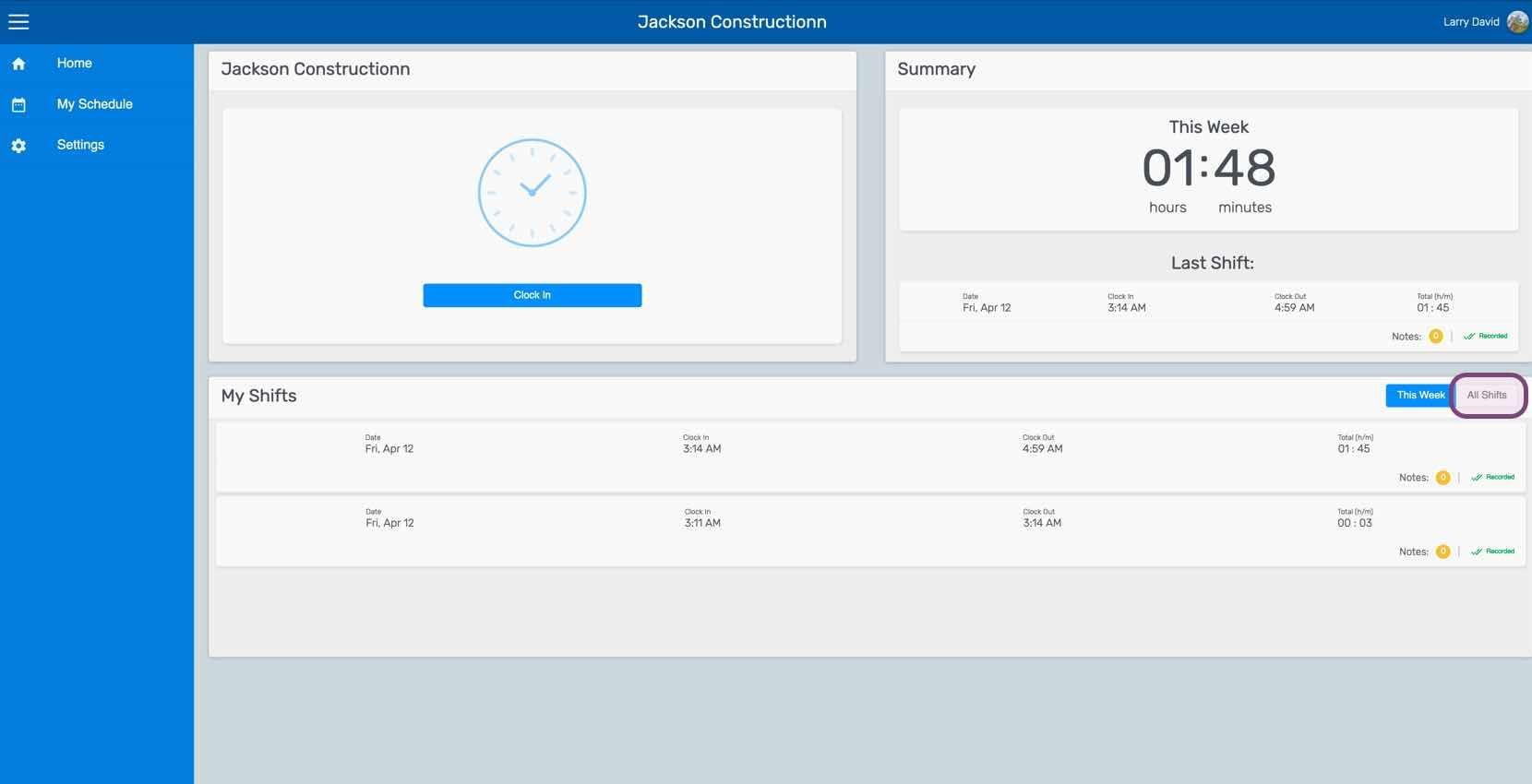
SINC web dashboard with the All Shifts tab circled next to the My Shifts list

Cliquez sur Le changement en question
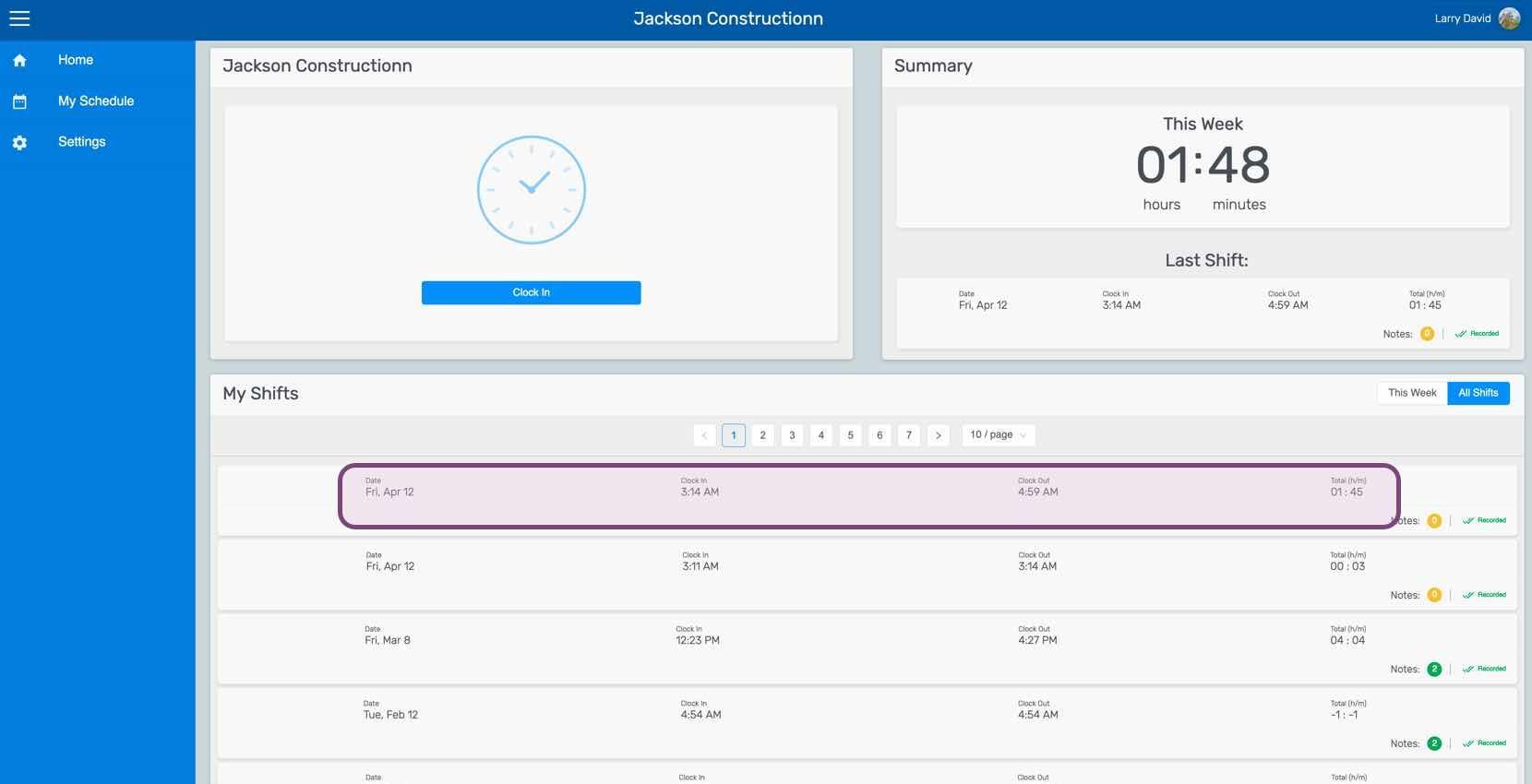
Web employee dashboard with a specific shift row in the My Shifts table outlined in pink

Sous l’onglet Shift, cliquez sur Modifier (à côté de l’heure d’arrivée ou de départ que vous souhaitez modifier).
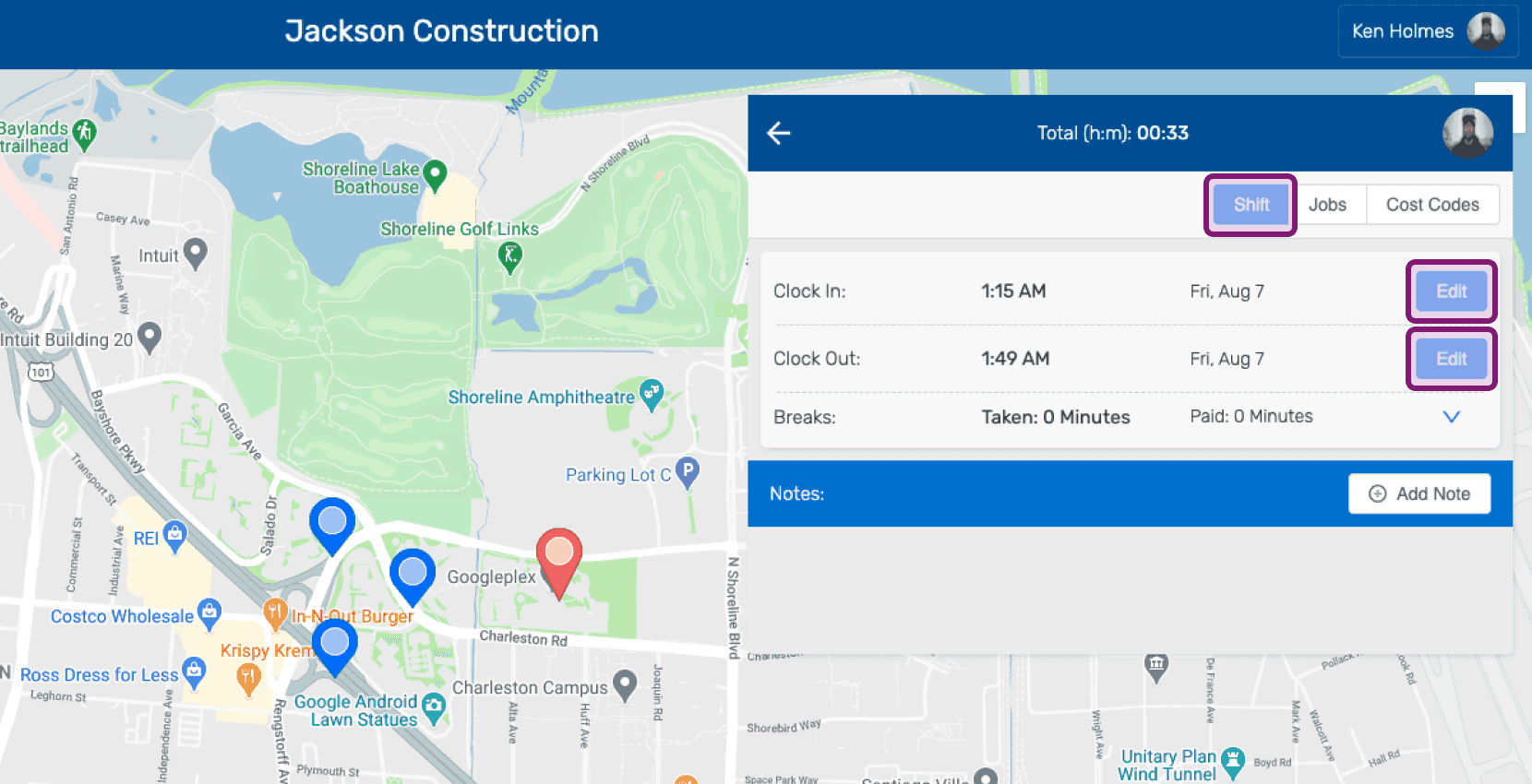
SINC web shift detail panel showing Clock In and Clock Out times with the Edit buttons circled

Indiquez le motif de la demande de modification.
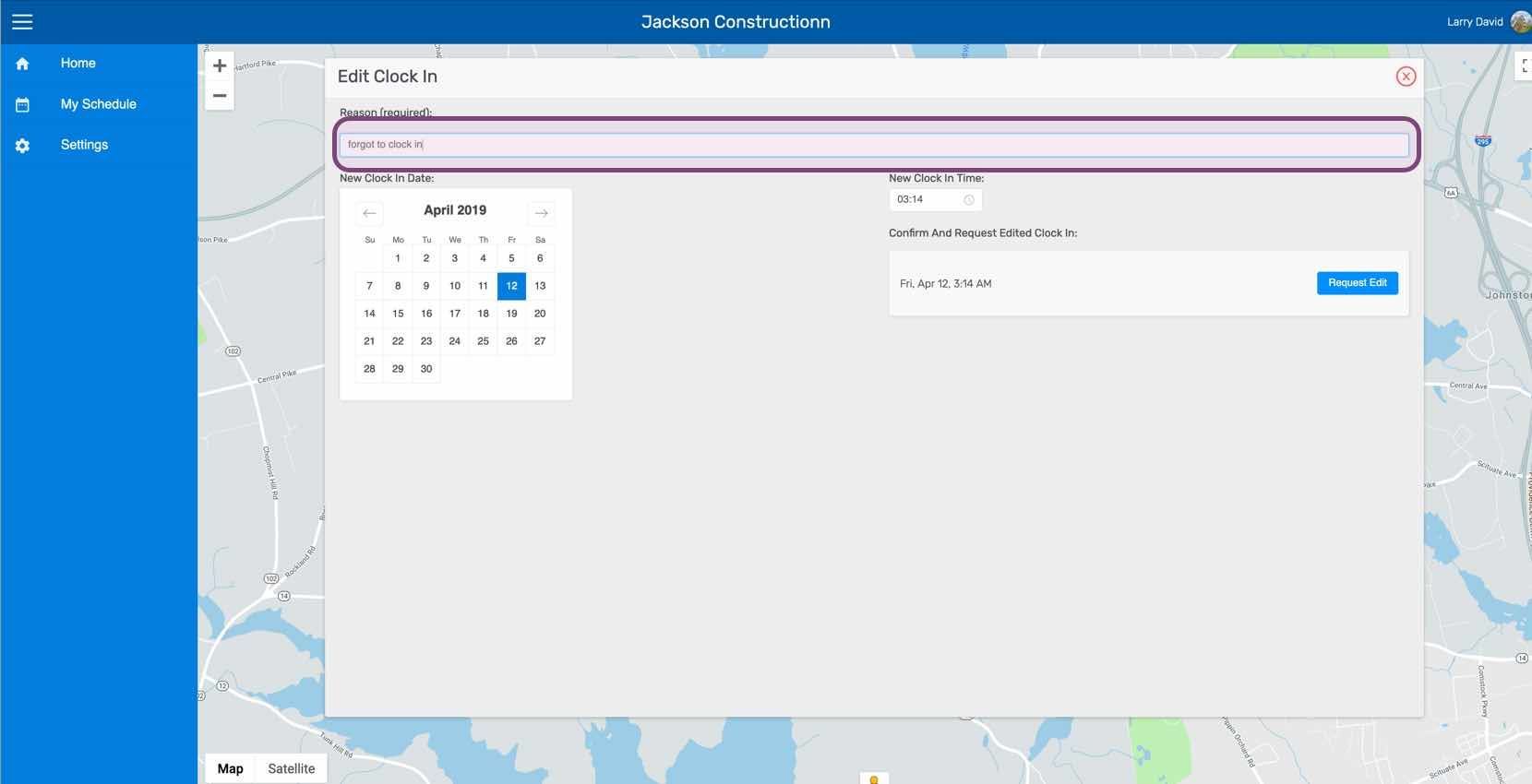
Edit Clock In screen with the reason text field highlighted above a map

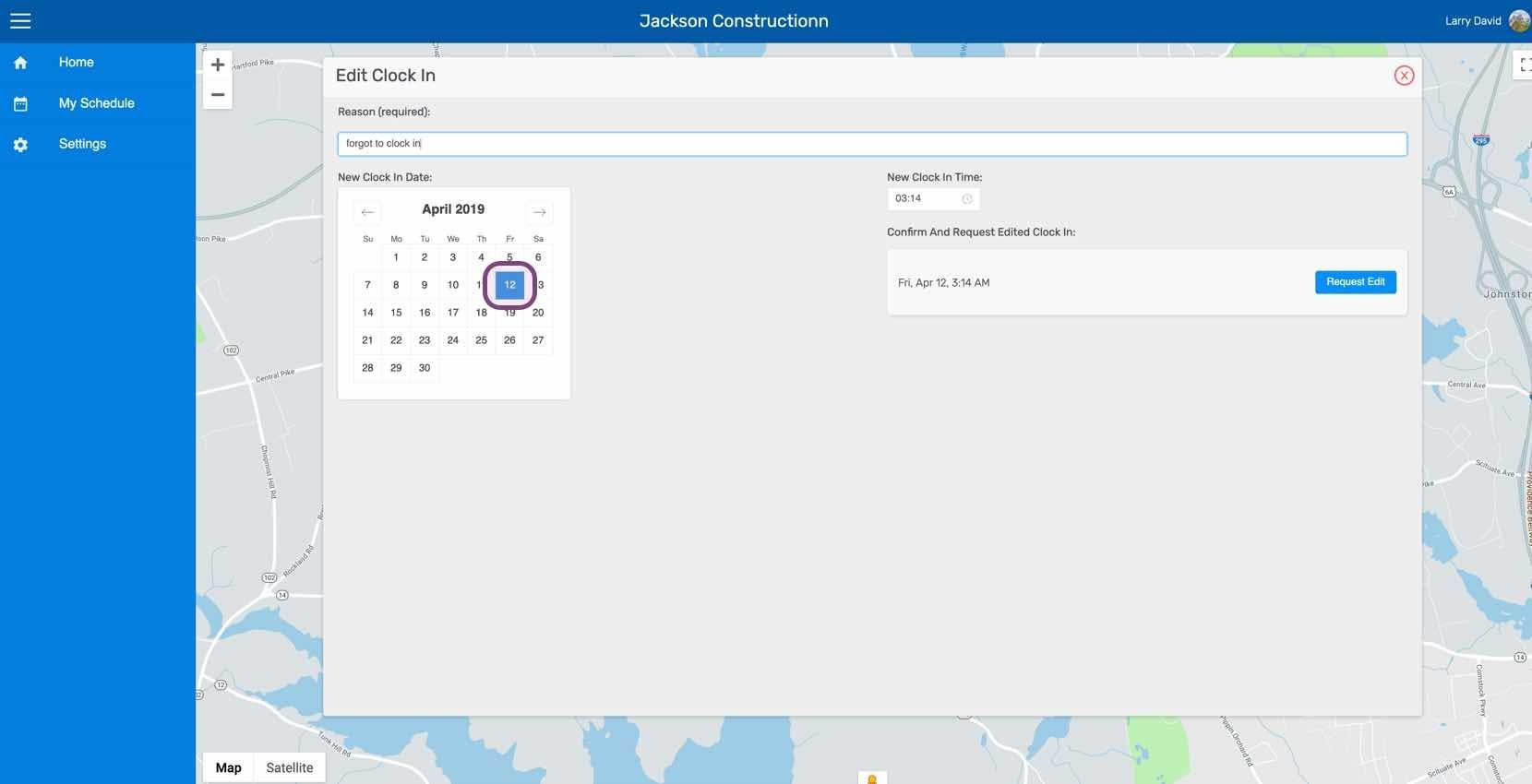
Sélectionnez la nouvelle date.

Web Edit Clock In screen with a date selected on the calendar and Request Edit button

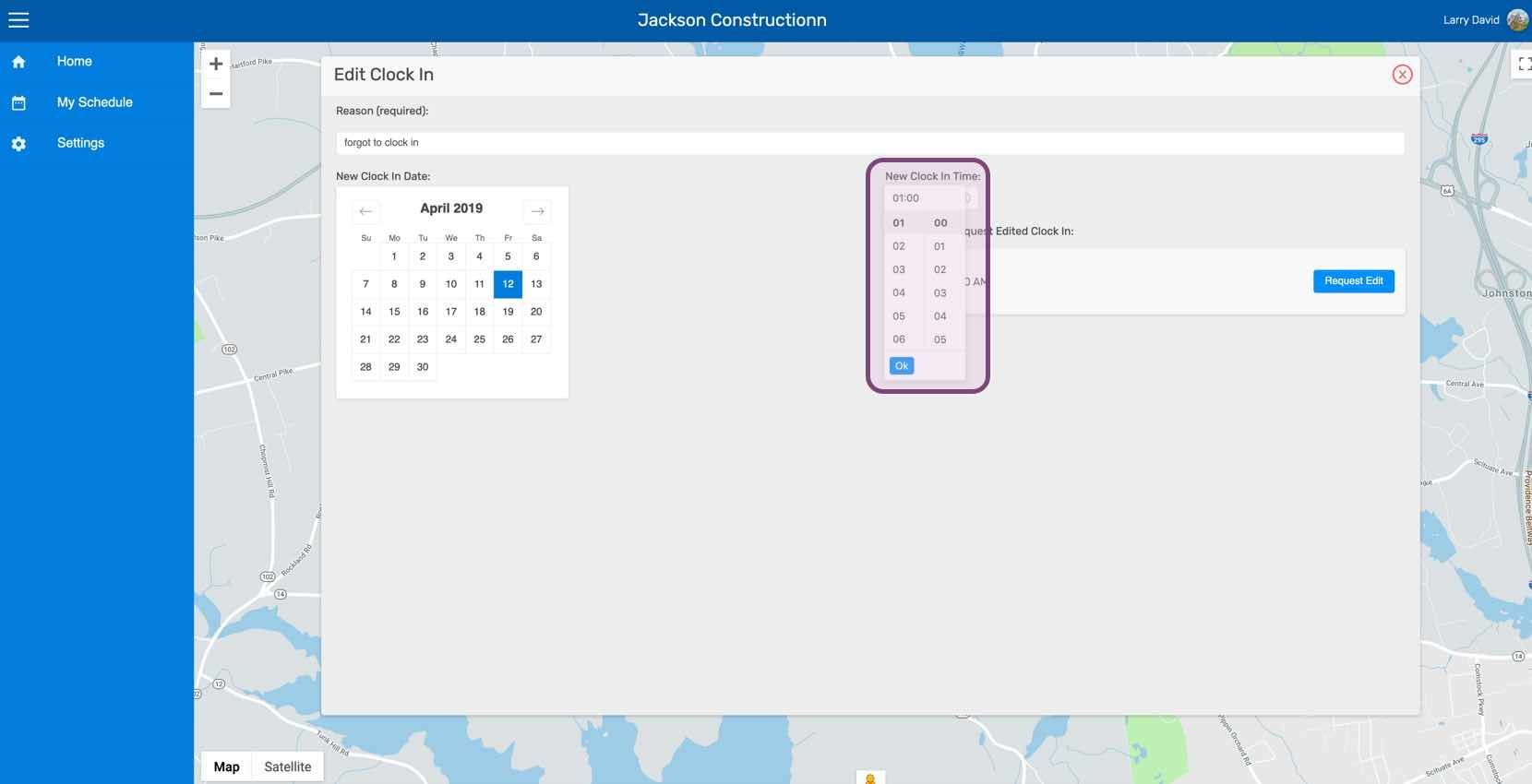
Sélectionnez la nouvelle heure.

SINC web Edit Clock In screen with the New Clock In Time picker outlined in purple

Cliquez sur Demander une modification
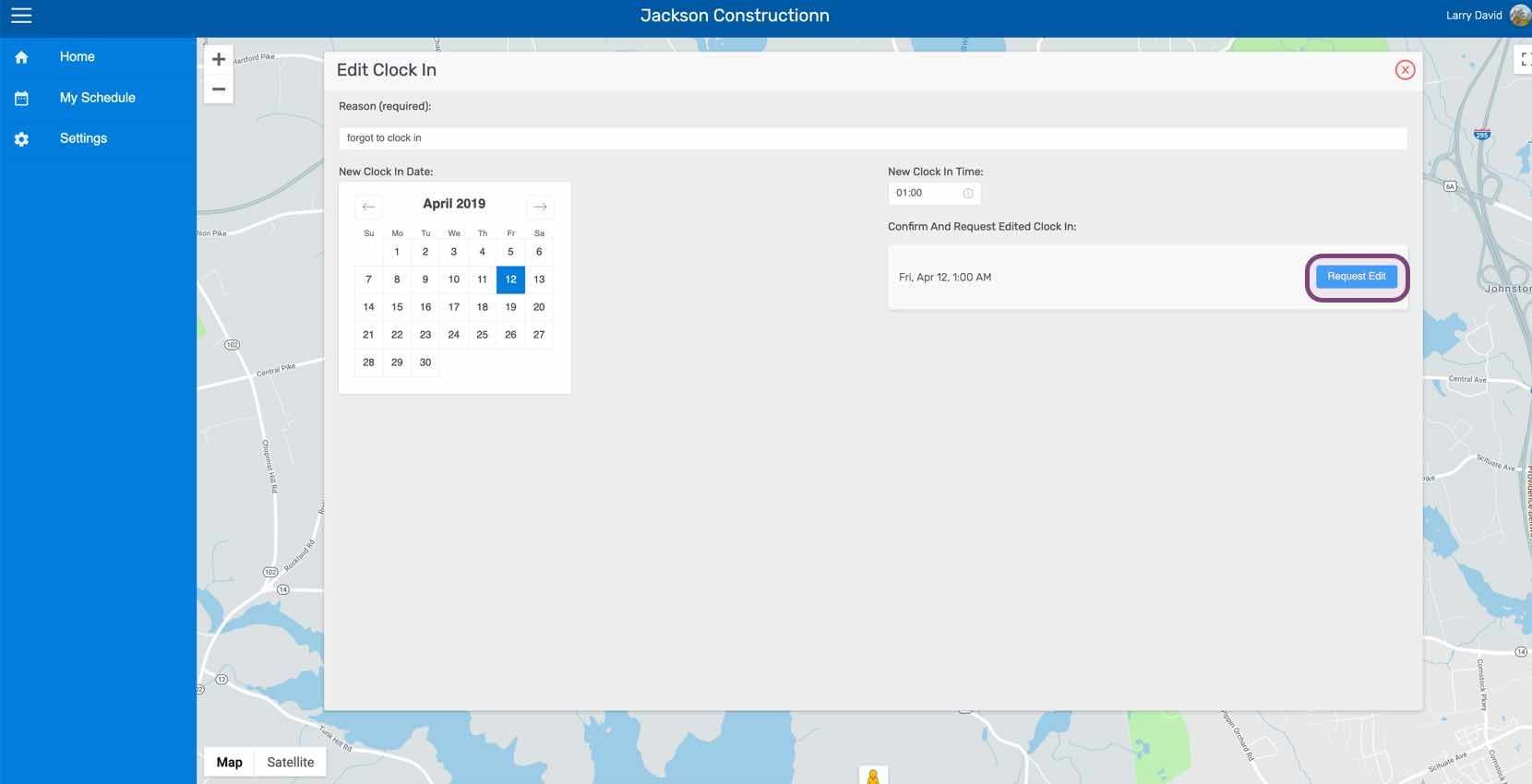
SINC web Edit Clock In screen with the Request Edit button outlined in purple

Cela a-t-il répondu à votre question ?