
Paramètres d’affectation des employés aux missions
Dans ce tutoriel, nous vous montrons comment affecter des employés ou des équipes à des missions.

SINC Support Team
Feb 24th, 2023
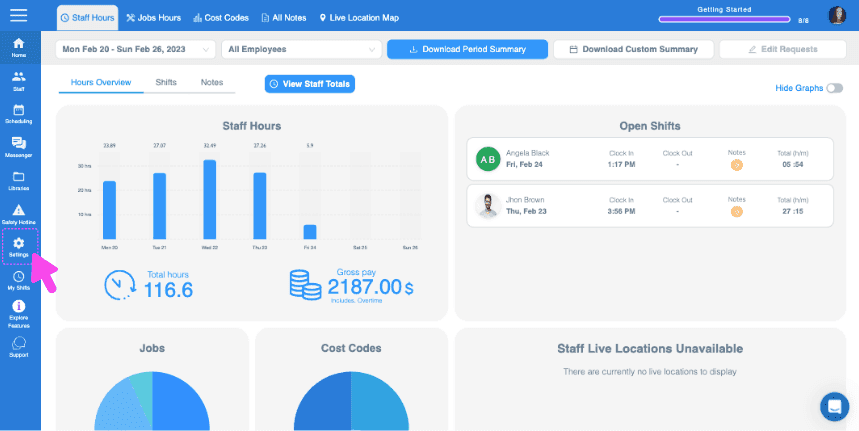
Cette fonctionnalité nécessite l’activation du suivi des missions. Sur le Web : cliquez sur Menu Paramètres Organisation.
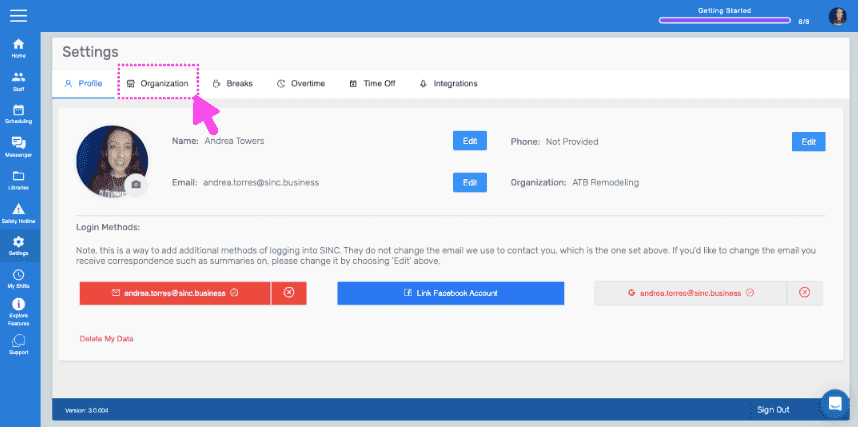
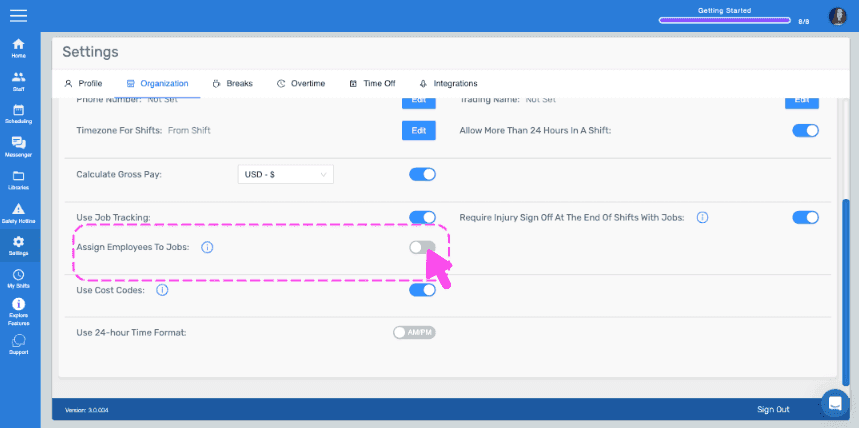
Activez Affecter des employés aux postes.
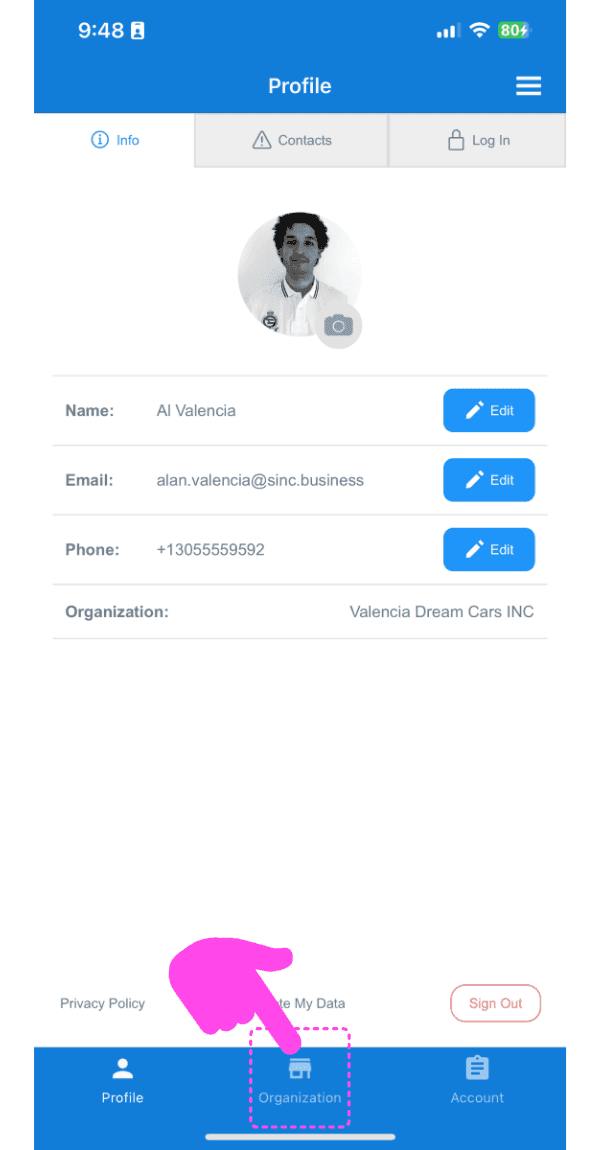
Sur mobile : appuyez sur Menu Paramètres.
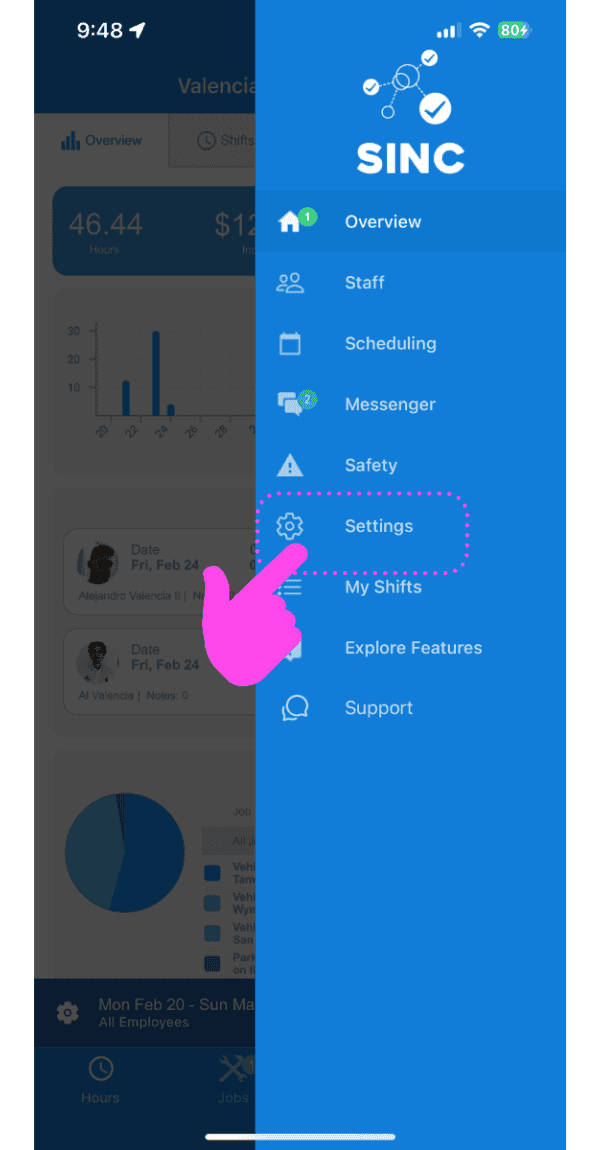
Appuyez sur Organisation Informations.
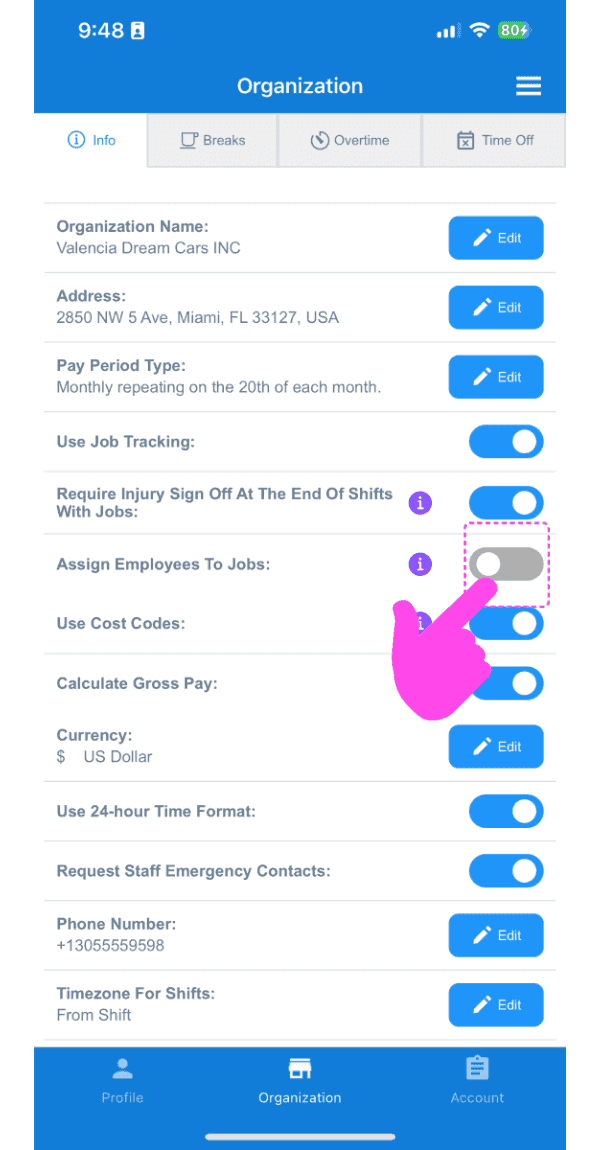
Activez Affecter des employés aux tâches. À noter : une fois cette option activée, un employé pourra uniquement pointer son arrivée et son départ pour une tâche qui lui a été affectée.
Cela a-t-il répondu à votre question ?