Jobs : créer un job

Voyons comment créer un projet dans SINC afin que votre équipe puisse y affecter son temps.

SINC Support Team
SINC Support Team
Feb 23rd, 2023

Sur le Web : pour ajouter un poste, cliquez simplement sur Accueil Heures de travail
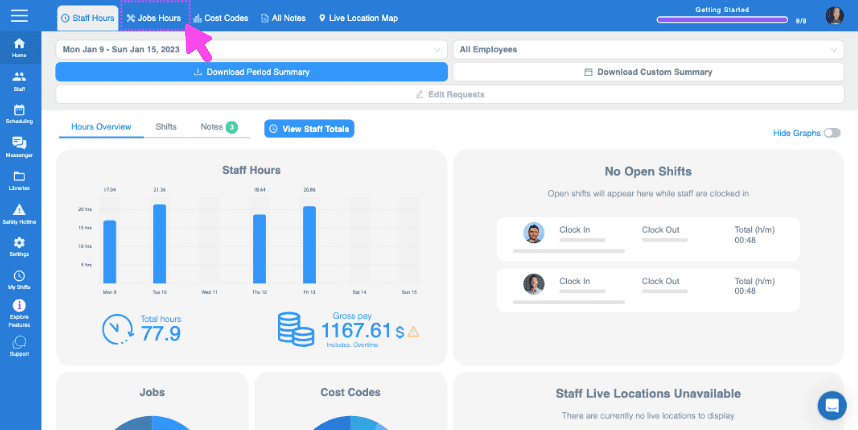
SINC web dashboard top toolbar with a pink arrow pointing to the Jobs Hours tab

Cliquez sur Liste des offres d’emploi
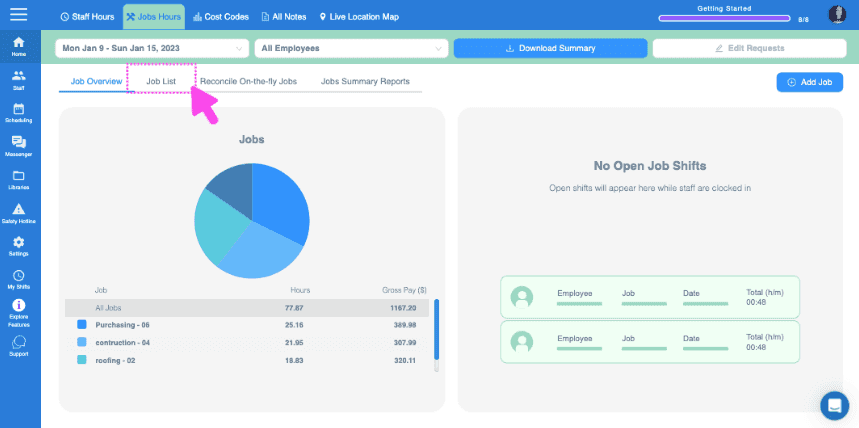
Web Jobs Hours dashboard with the Job List tab highlighted in a pink box near the top

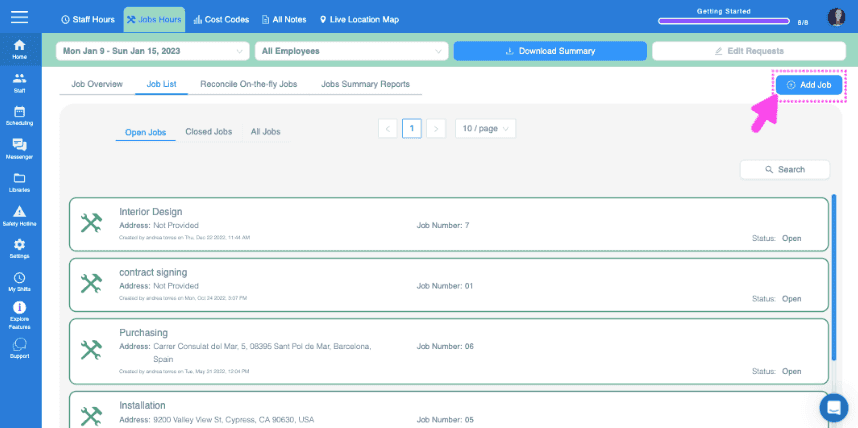
Cliquez sur Ajouter un poste

SINC web Job List screen with a pink arrow pointing to the Add Job button in the top right corner

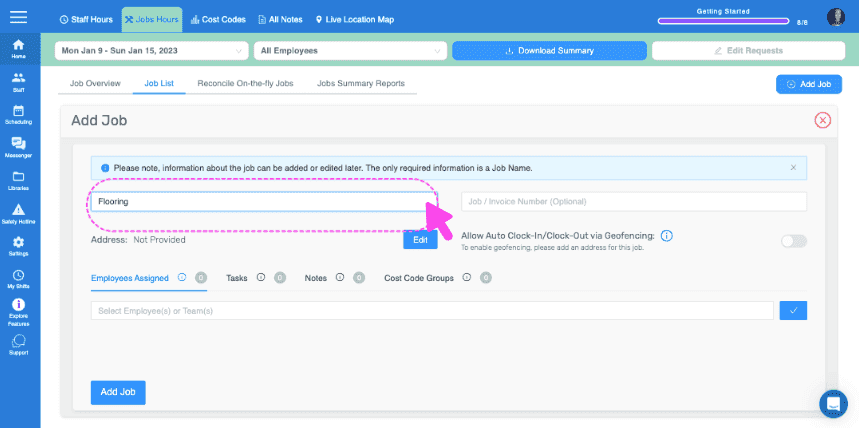
Attribuer un nom à la tâche

Add Job form with a pink arrow pointing to the Job Name field showing Flooring

Ajoutez un numéro de mission ou de facture (facultatif)
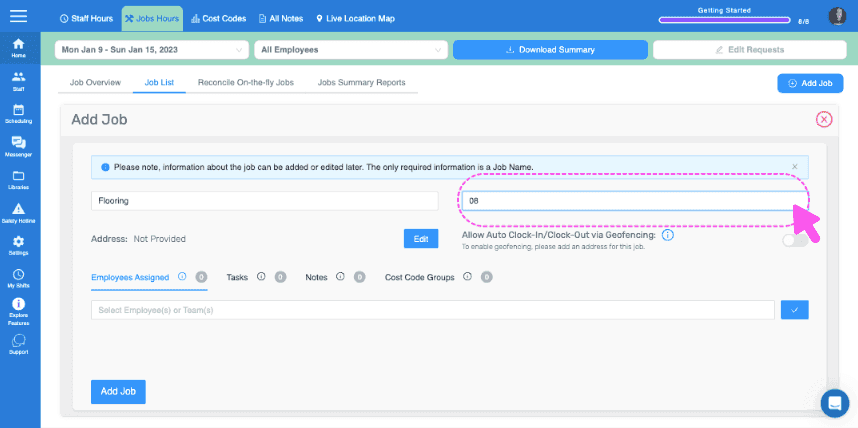
Web Add Job form with the Job Name field circled and a pink cursor pointing to it

Ajoutez une adresse pour le chantier. Cette étape est indispensable si vous souhaitez utiliser la géolocalisation pour pointer automatiquement à l’arrivée et au départ.
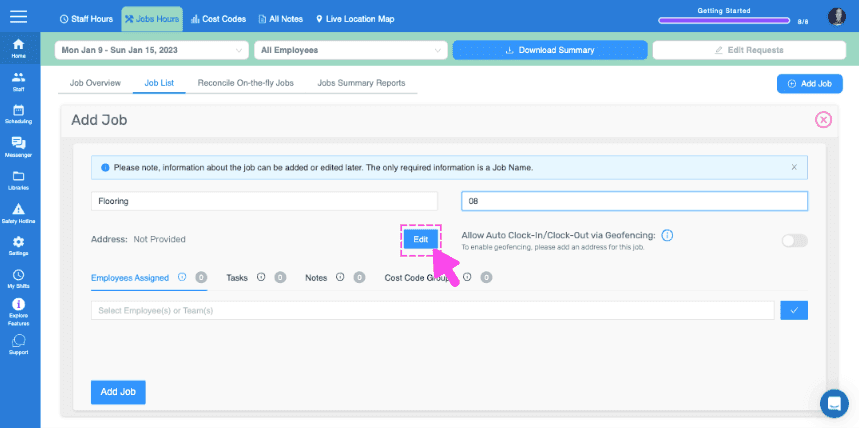
SINC web Add Job panel with a pink arrow pointing to the Edit button next to the Address field

Affecter des employés ou des équipes à ce poste (nécessite l’activation de la fonctionnalité d’affectation d’employés aux postes)
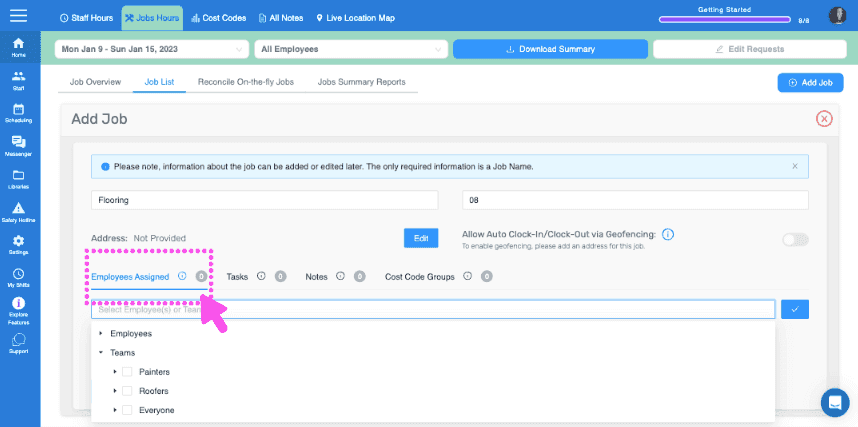
SINC web Add Job screen with the Employees Assigned section circled in pink

Ajoutez les tâches ou groupes de tâches que vous souhaitez associer à ce poste.
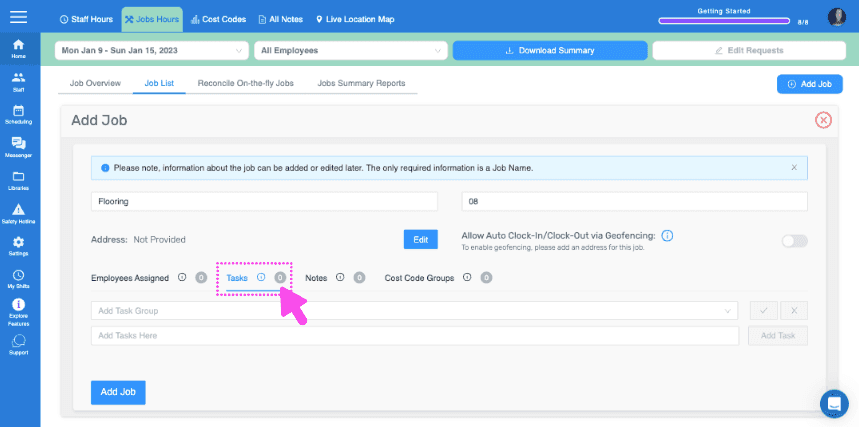
Add Job form showing Tasks and Notes fields with a pink arrow pointing to the Tasks section

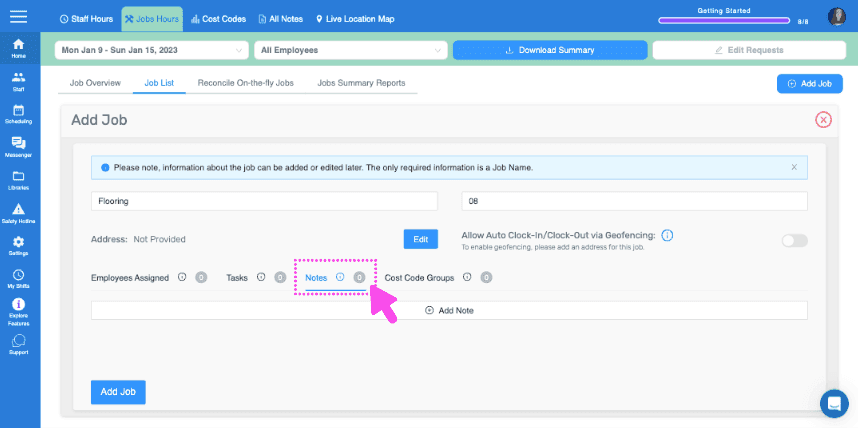
Ajoutez toute remarque importante

SINC web Add Job form showing the Notes field highlighted with a pink dashed box and arrow

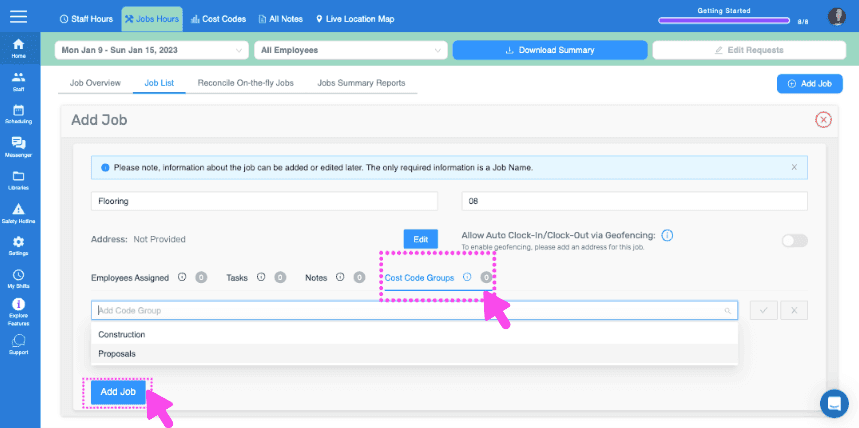
Ici

Web dashboard Add Job form with Cost Code Groups field and Add Job button pointed out by pink arrows
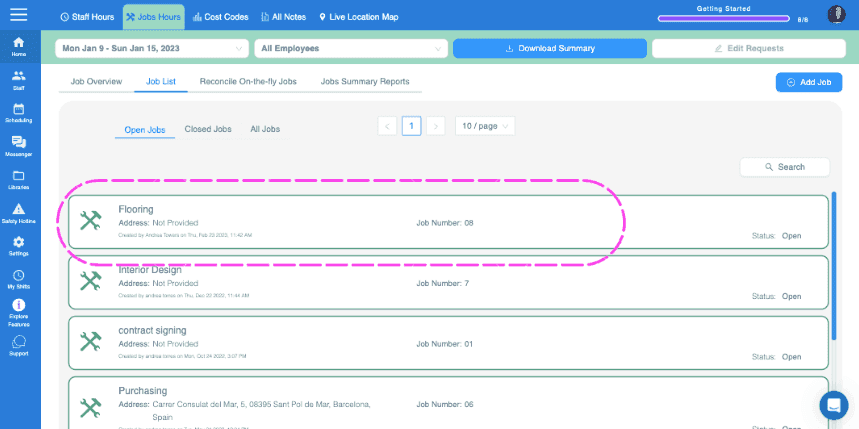
SINC web Jobs List tab showing open jobs with the Flooring job entry circled in pink

Sur mobile : appuyez sur Menu Vue d’ensemble Emplois
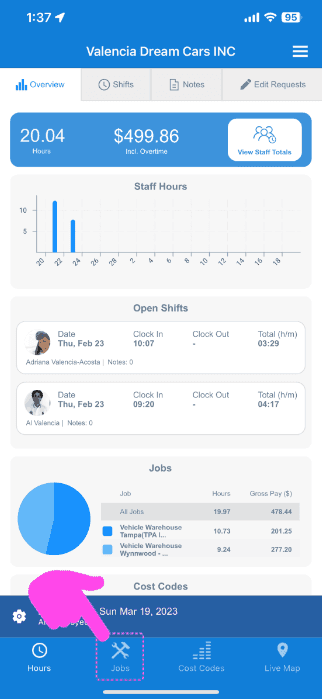
SINC mobile Overview screen with a pink arrow pointing to the Jobs icon in the bottom navigation bar

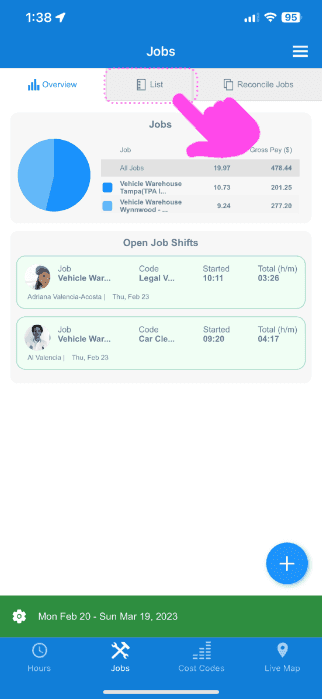
Appuyez sur Liste

Mobile Jobs screen with the List tab highlighted by a pink arrow above a job pie chart and open job shifts

Appuyez sur l’icône + en bas à droite
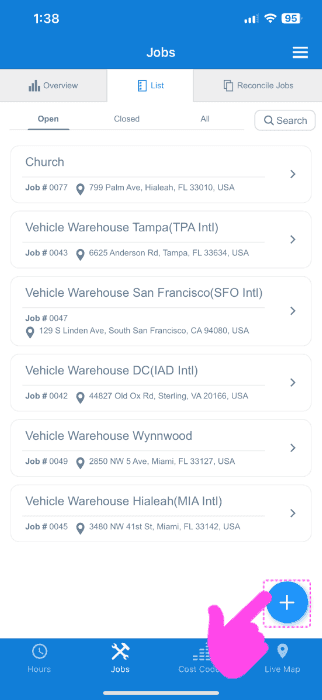
SINC web Jobs List screen with a pink arrow pointing to the blue plus icon for adding a job

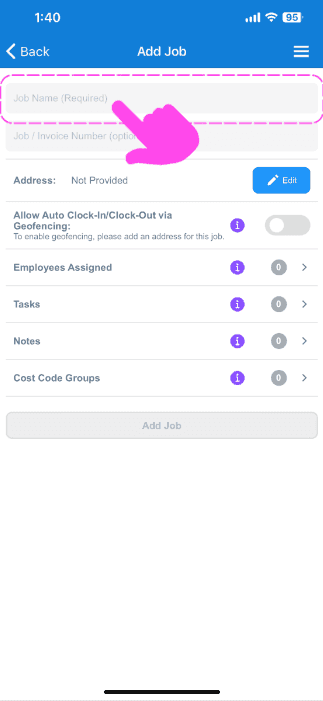
Attribuer un nom au poste

Add Job screen with a pink arrow pointing to the empty Job Name field at the top

Ajoutez un numéro de tâche ou de facture (facultatif)
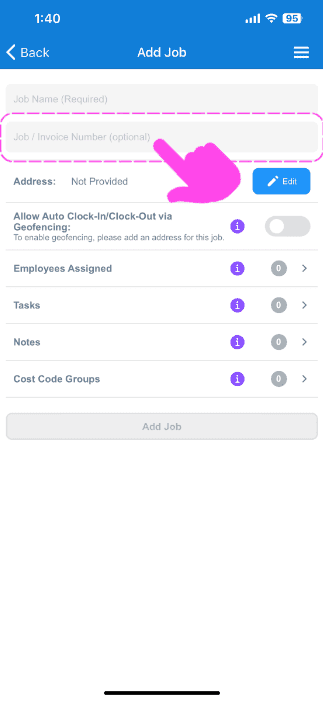
SINC mobile Add Job screen with a pink arrow highlighting the optional Job / Invoice Number field

Ajoutez une adresse pour le chantier. Cette information est indispensable si vous souhaitez utiliser la géolocalisation pour pointer automatiquement à l’arrivée et au départ.
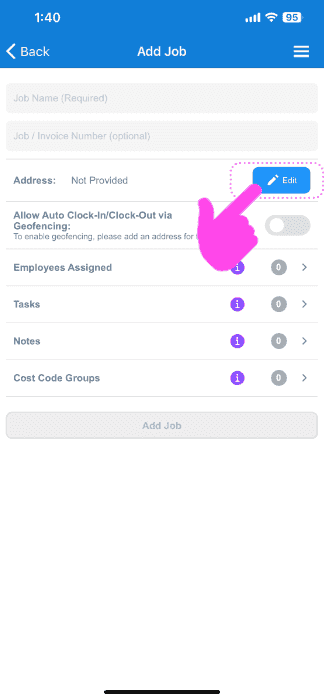
Mobile Add Job screen with the Address field's Edit button circled and a pink arrow pointing to it

Affectez des employés ou des équipes à ce chantier (nécessite l’activation de la fonctionnalité d’affectation des employés aux chantiers)
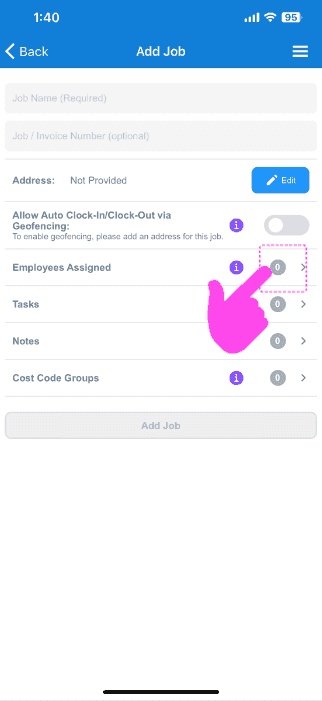
SINC mobile Add Job screen with a pink hand pointing to the Employees Assigned row

Ajoutez les tâches ou groupes de tâches de votre choix à ce poste
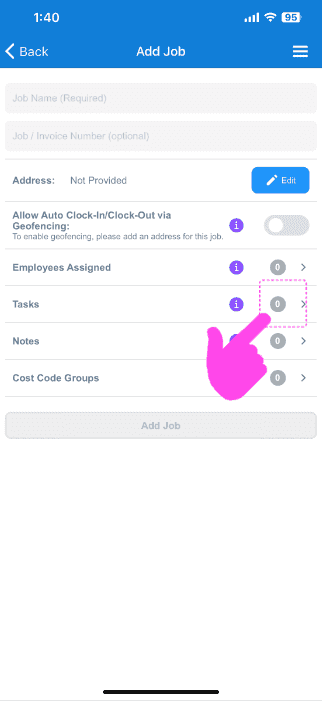
Add Job screen with a pink arrow pointing to the Tasks row in the job menu

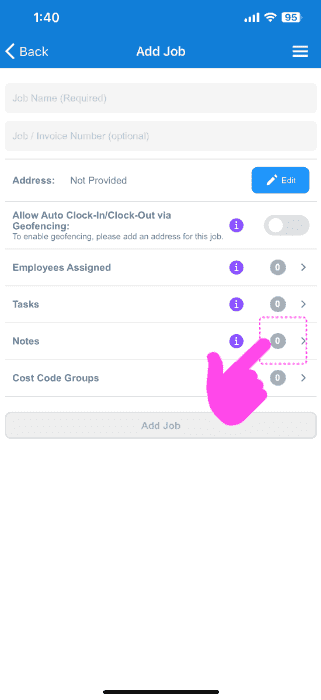
Laissez toute remarque importante

Mobile Add Job screen with a pink arrow pointing to the Notes row

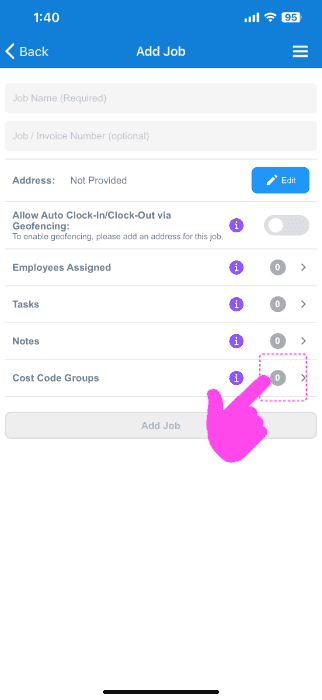
Ici

SINC mobile Add Job screen with a pink hand pointing to the Cost Code Groups option

Cela a-t-il répondu à votre question ?