Jobs : créer des tâches et des groupes de tâches

Sam Dolbel
Sam Dolbel
Feb 24th, 2023

Cliquez sur Accueil Heures de travail
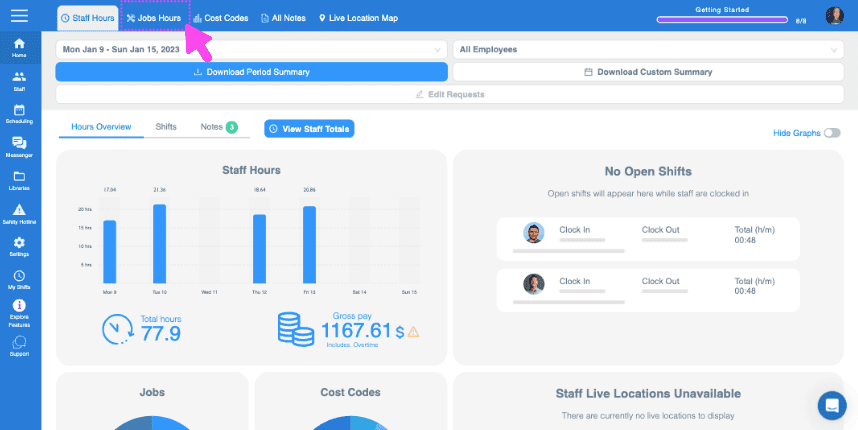
SINC web Staff Hours dashboard with the Jobs Hours tab highlighted in pink at the top

Cliquez sur Liste des offres d’emploi
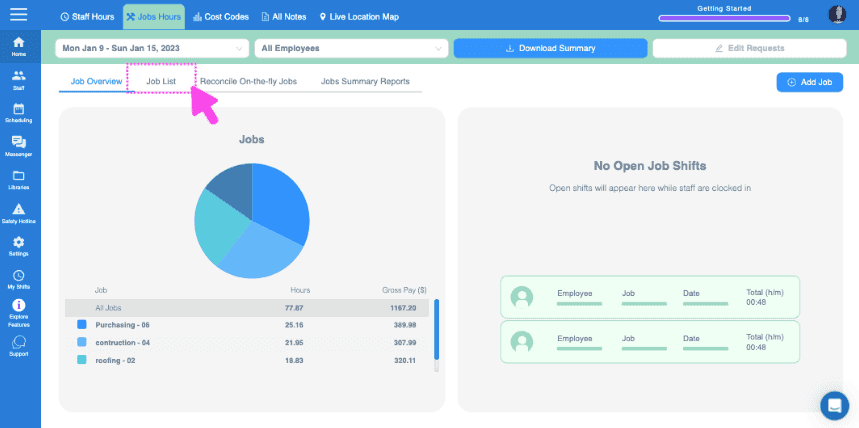
Web Jobs Hours dashboard with a pie chart of job hours and the Job List tab highlighted at the top

Cliquez sur le job auquel vous souhaitez ajouter des tâches
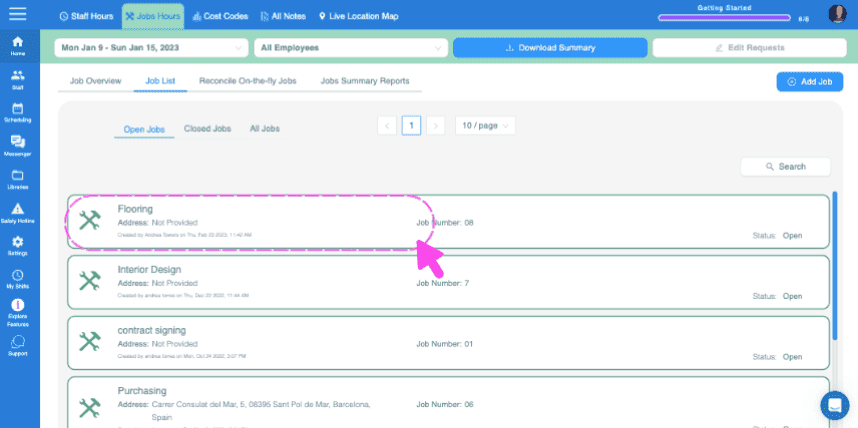
SINC web Jobs List screen with a pink dashed box and arrow highlighting the Flooring job entry

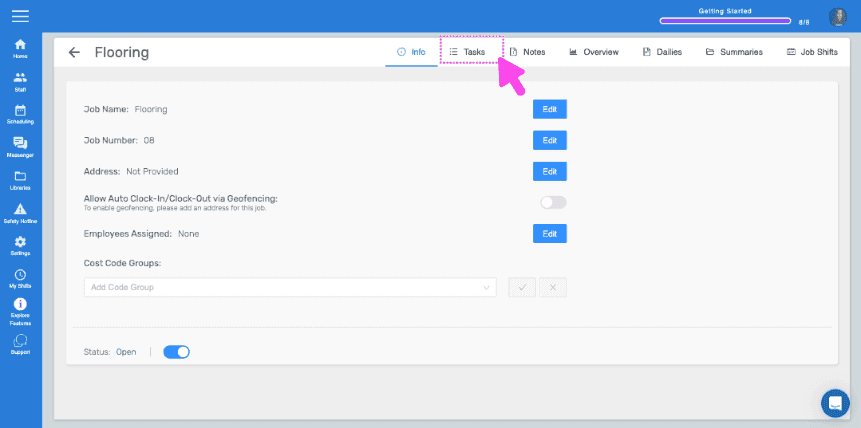
Cliquez sur Tâches

Job detail Info screen with the Tasks tab highlighted by a pink arrow

Pour ajouter une tâche ponctuelle, saisissez son nom, puis cliquez sur Ajouter une tâche
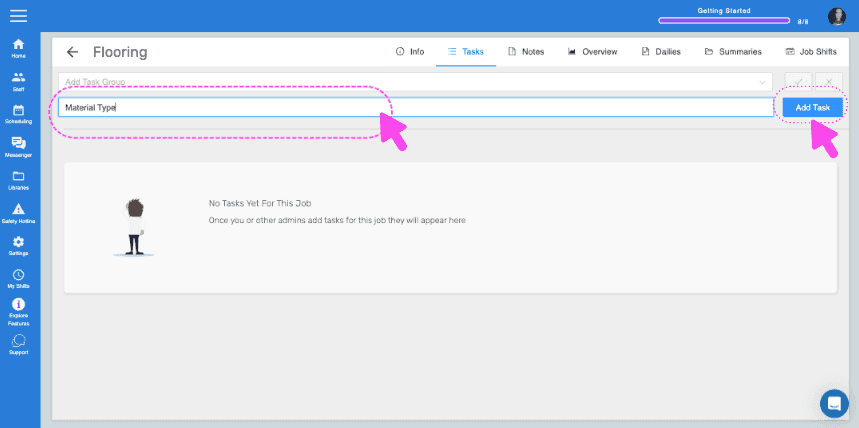
SINC web Job Tasks screen with the task name field and Add Task button highlighted by pink arrows

Saisissez une description si vous le souhaitez, puis cliquez sur OK.
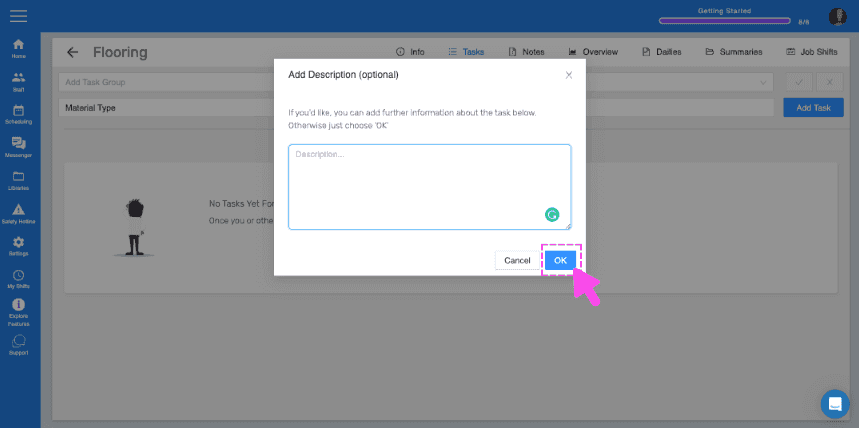
SINC web Tasks screen showing an Add Description popup with the OK button highlighted in pink

Si vous disposez d’ensembles de tâches que vous souhaitez réutiliser facilement pour plusieurs missions, créez des groupes de tâches. Pour créer un groupe de tâches, cliquez sur Bibliothèques
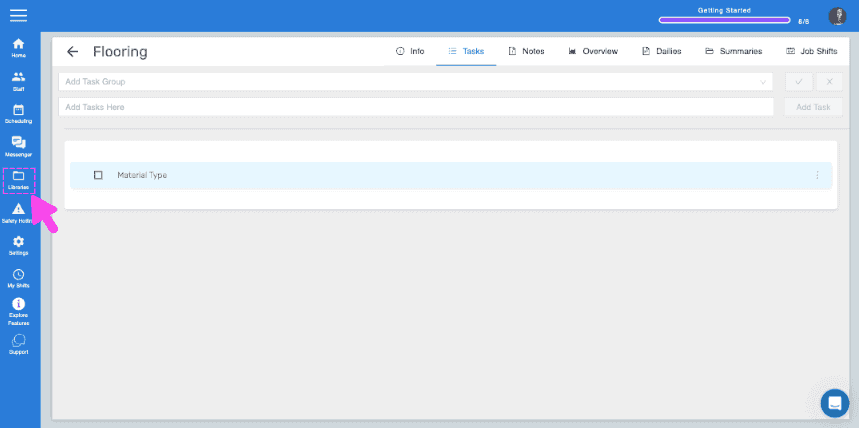
SINC web Flooring job Tasks tab with a pink arrow pointing to the Libraries icon in the sidebar

Cliquez sur Ajouter un groupe de tâches
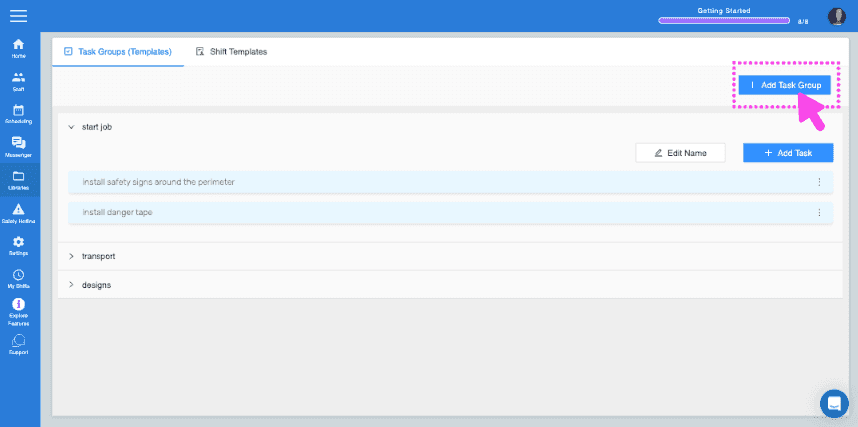
SINC web Task Groups screen with the Add Task Group button highlighted in the top right

Saisissez le nom du groupe de tâches et ajoutez votre première tâche au groupe
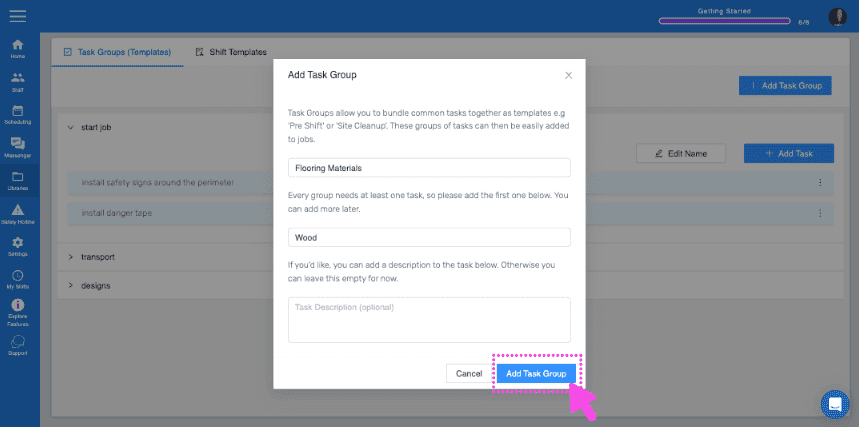
Add Task Group popup showing group name "Flooring Materials" and first task "Wood" with the Add Task Group button highlighted

Pour ajouter d’autres tâches au groupe, cliquez sur le nom du groupe de tâches
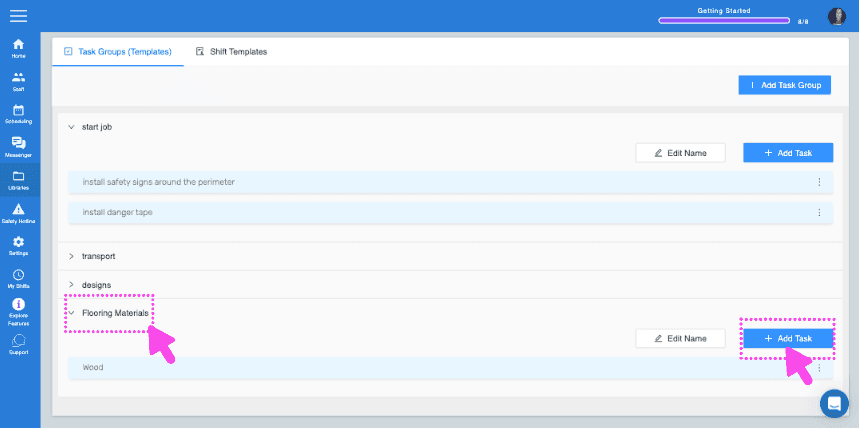
SINC web Task Groups screen with pink arrows pointing to a task group name and the Add Task button

Cliquez sur Ajouter une tâche Saisissez les détails de la tâche
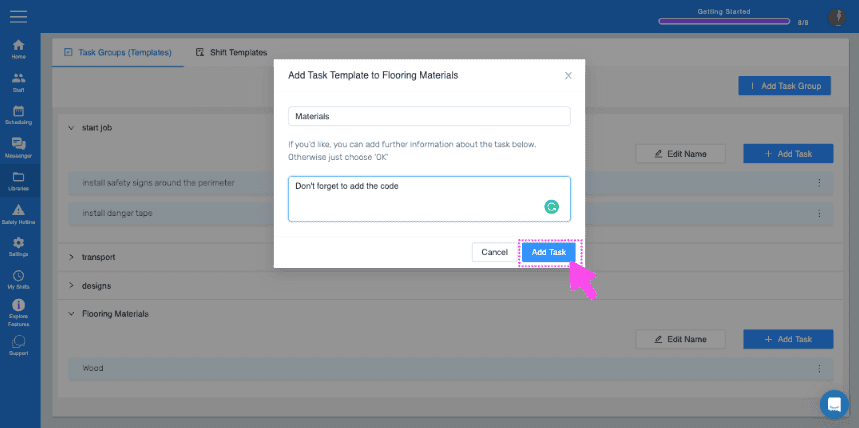
Web Add Task Template dialog with a task description field and the Add Task button highlighted by a pink arrow

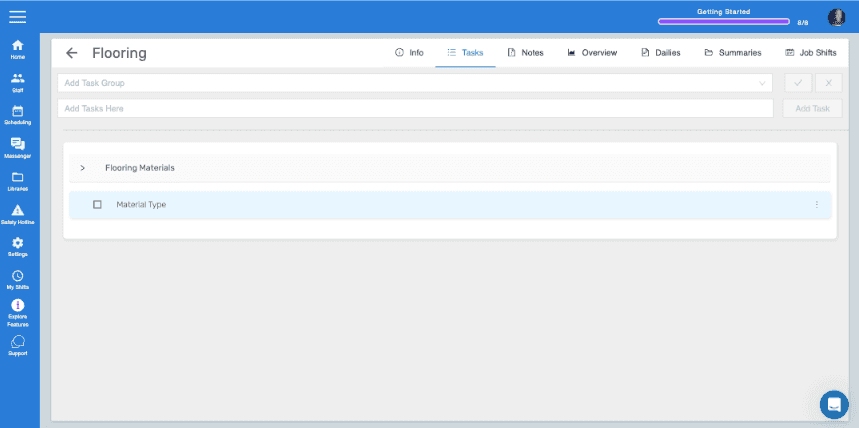
À présent, pour ajouter le groupe de tâches à votre intervention, retournez dans la section Tâches de l’intervention à laquelle vous souhaitez ajouter ce groupe. Sélectionnez le groupe de tâches dans le menu déroulant, puis cliquez sur la coche bleue.
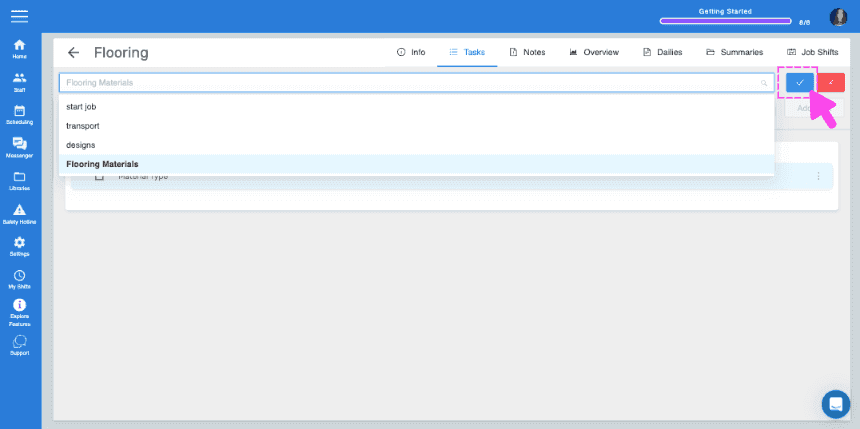
SINC web job Tasks panel with a task group dropdown open and a pink arrow pointing to the blue checkmark confirm button
Job Tasks tab showing the Flooring Materials task group with a Material Type task listed

Cela a-t-il répondu à votre question ?