Chantiers : bien démarrer

Avant de commencer à suivre vos interventions dans SINC, vous devez modifier certains paramètres. Ce guide vous explique comment faire.

Sam Dolbel
Sam Dolbel
Feb 23rd, 2023

Sur le web : depuis votre écran d’accueil, cliquez sur Paramètres.
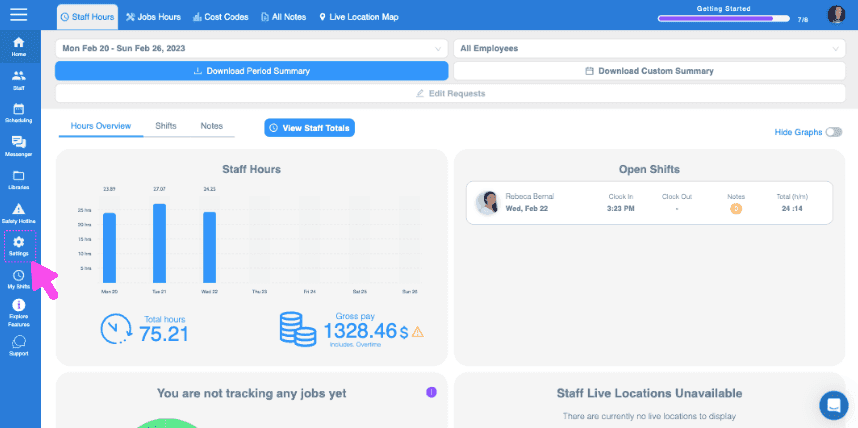
SINC web dashboard Staff Hours overview with a pink arrow pointing to the Jobs Hours tab in the top menu

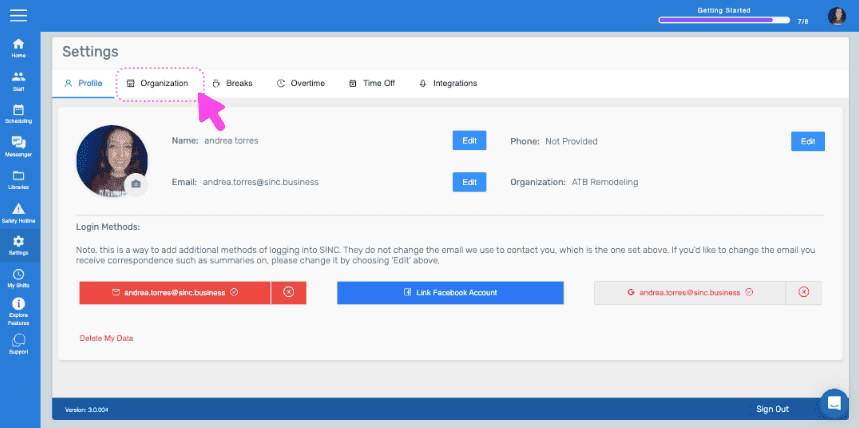
Cliquez sur Organisation.

SINC web Settings screen with a pink arrow pointing to the Organization tab
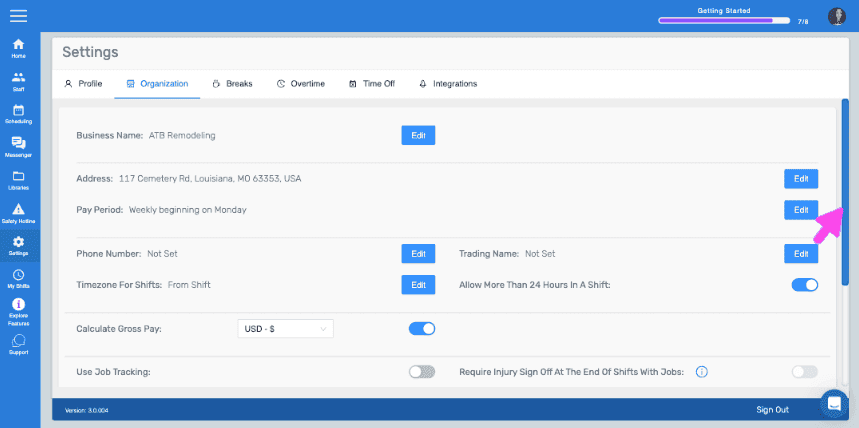
Web Settings Organization tab with a pink arrow pointing to the Edit button next to Pay Period

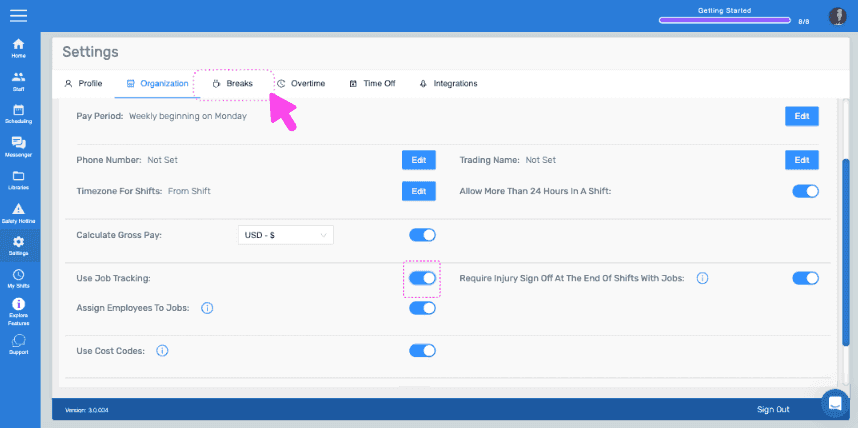
Activez Utiliser le suivi des tâches.
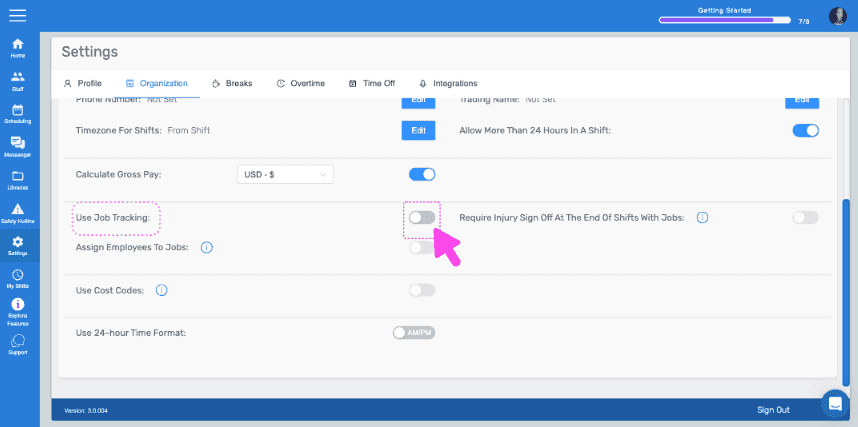
SINC web Settings Organization tab with a pink arrow pointing to the Use Job Tracking toggle switch

Cliquez ensuite sur Sauts.

SINC web Settings page with a pink arrow pointing to the Breaks tab

Cliquez sur Modifier (à côté du type de pause).
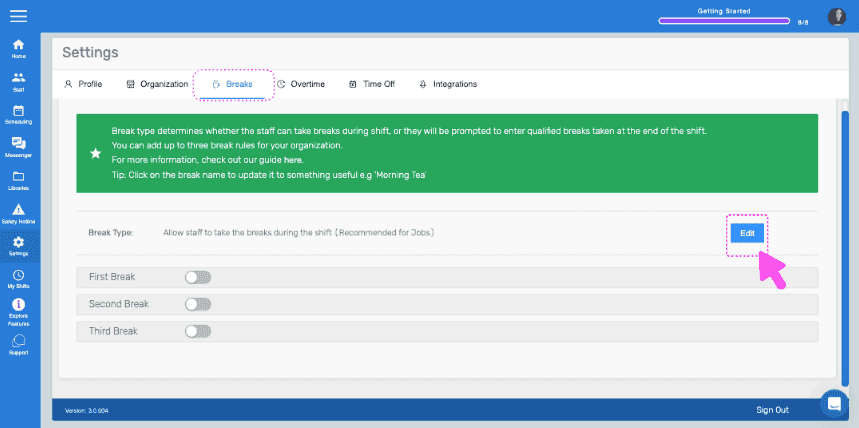
Settings Breaks tab showing break type toggles with the Edit button highlighted next to Break Type

Sélectionnez l’option « Autoriser le personnel à prendre des pauses pendant son service » et confirmez la modification.
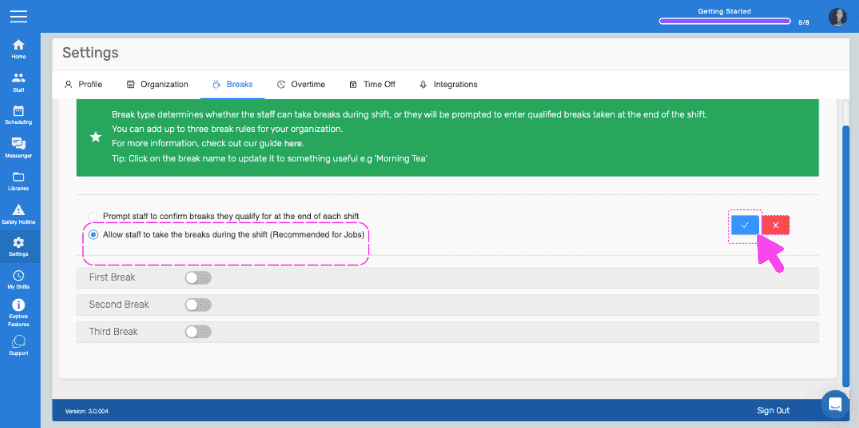
SINC web Settings Breaks tab with the 'Allow staff to take breaks during shift' option outlined in pink and an arrow pointing to the confirm button

Sur mobile : ouvrez le menu, puis appuyez sur Paramètres.
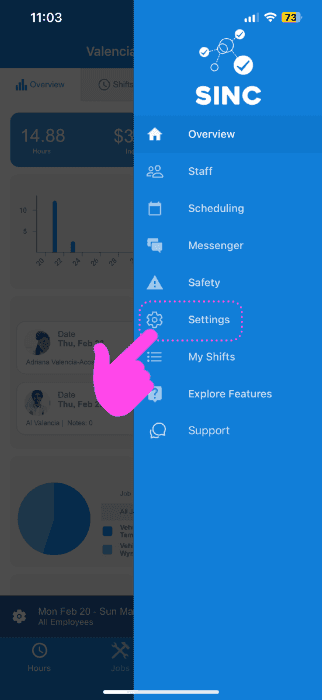
SINC mobile app menu with a pink arrow pointing to the Settings icon

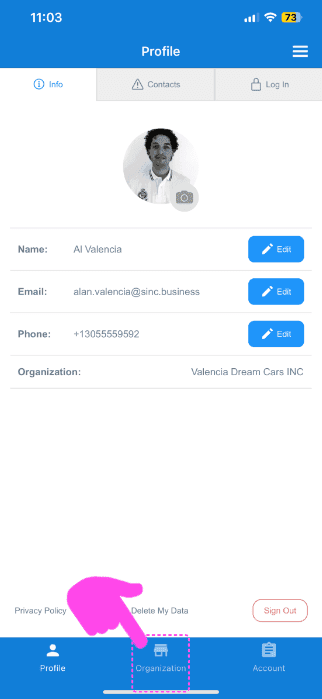
Appuyez sur Organisation.

SINC mobile Profile screen with a pink arrow pointing to the Organization tab in the bottom navigation bar

Activez Utiliser le suivi des tâches.
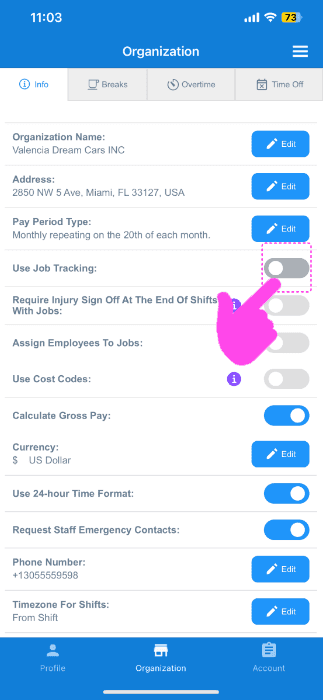
SINC mobile Organization info screen with a pink hand pointing to the Use Job Tracking toggle switch

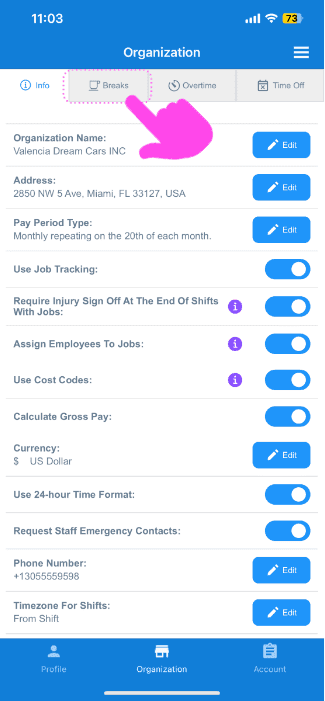
Sélectionnez breaks.

Organization settings screen with the Breaks tab highlighted by a pink arrow next to Info, Overtime, and Time Off

Sélectionnez Modifier (à côté du type de pause).
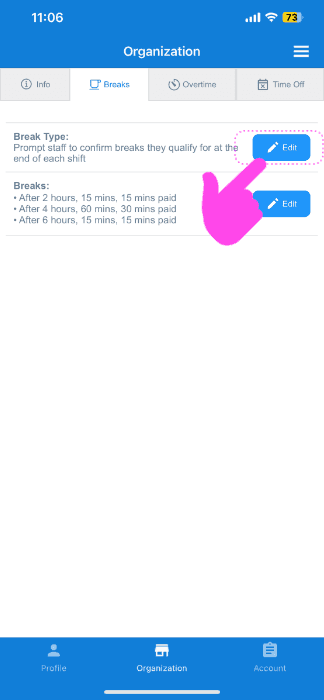
SINC app Organization Breaks tab with a pink arrow pointing to the Edit button next to break types

Appuyez sur l’option « Autoriser le personnel à prendre des pauses pendant son service ».
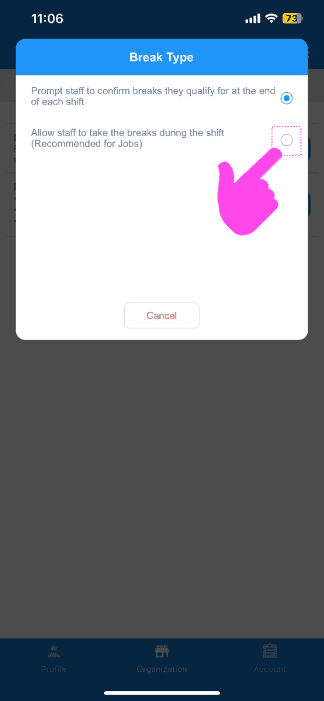
Break Type popup with a pink arrow pointing to the "Allow staff to take breaks during the shift" radio option

Vous êtes maintenant prêt à créer votre premier job ! Le guide suivant vous explique comment faire.

Cela a-t-il répondu à votre question ?