Paramètres des congés

Dans ce tutoriel, nous vous expliquons comment définir les paramètres par défaut des congés.

SINC Support Team
SINC Support Team
Jun 13th, 2022

Sur le Web : cliquez sur Menu Paramètres Congés
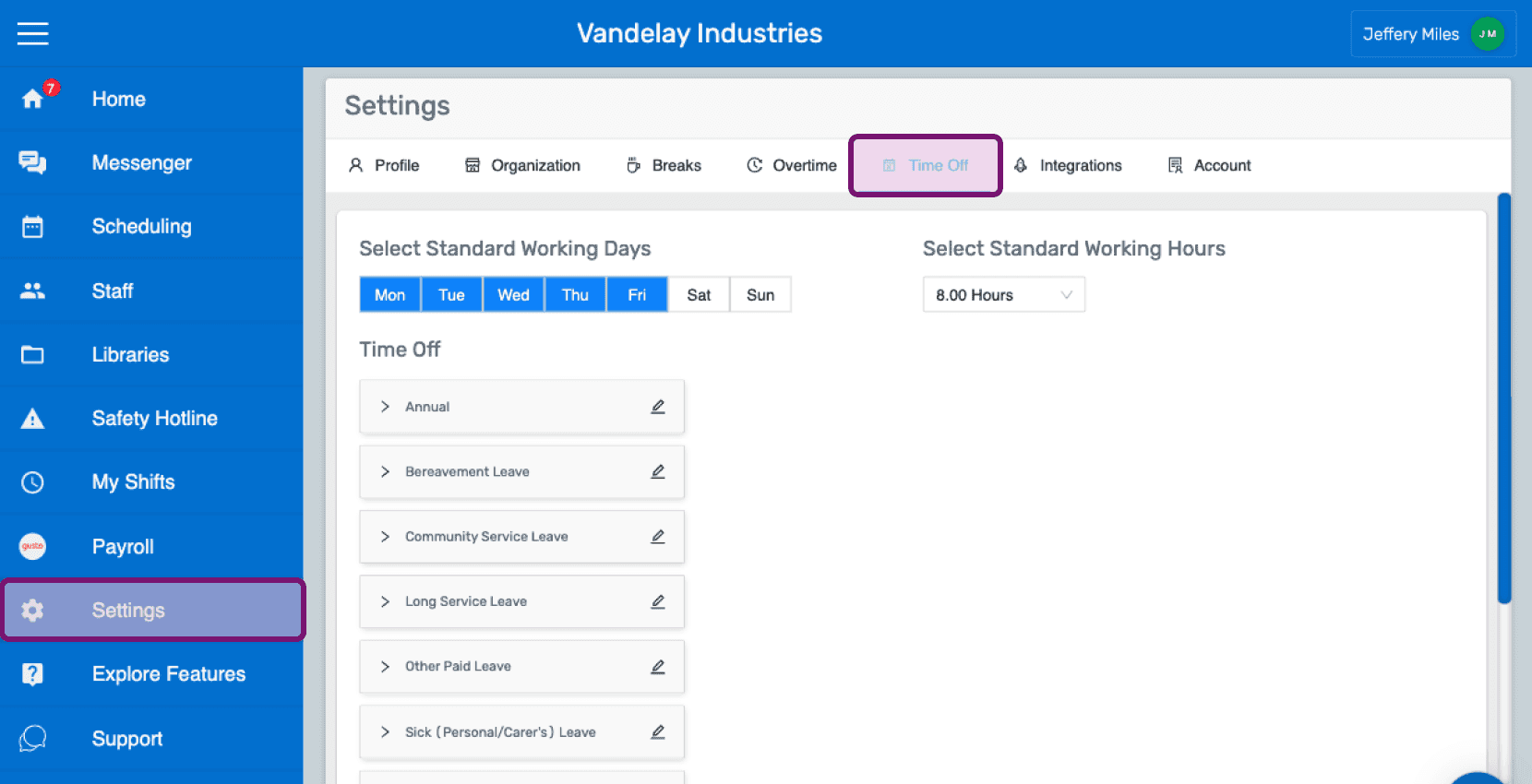
SINC web Settings screen with the Time Off tab highlighted in the top navigation

Par défaut, du lundi au vendredi sont les jours ouvrés habituels. Cliquez sur un jour pour le retirer des jours ouvrés habituels ou l’y ajouter.
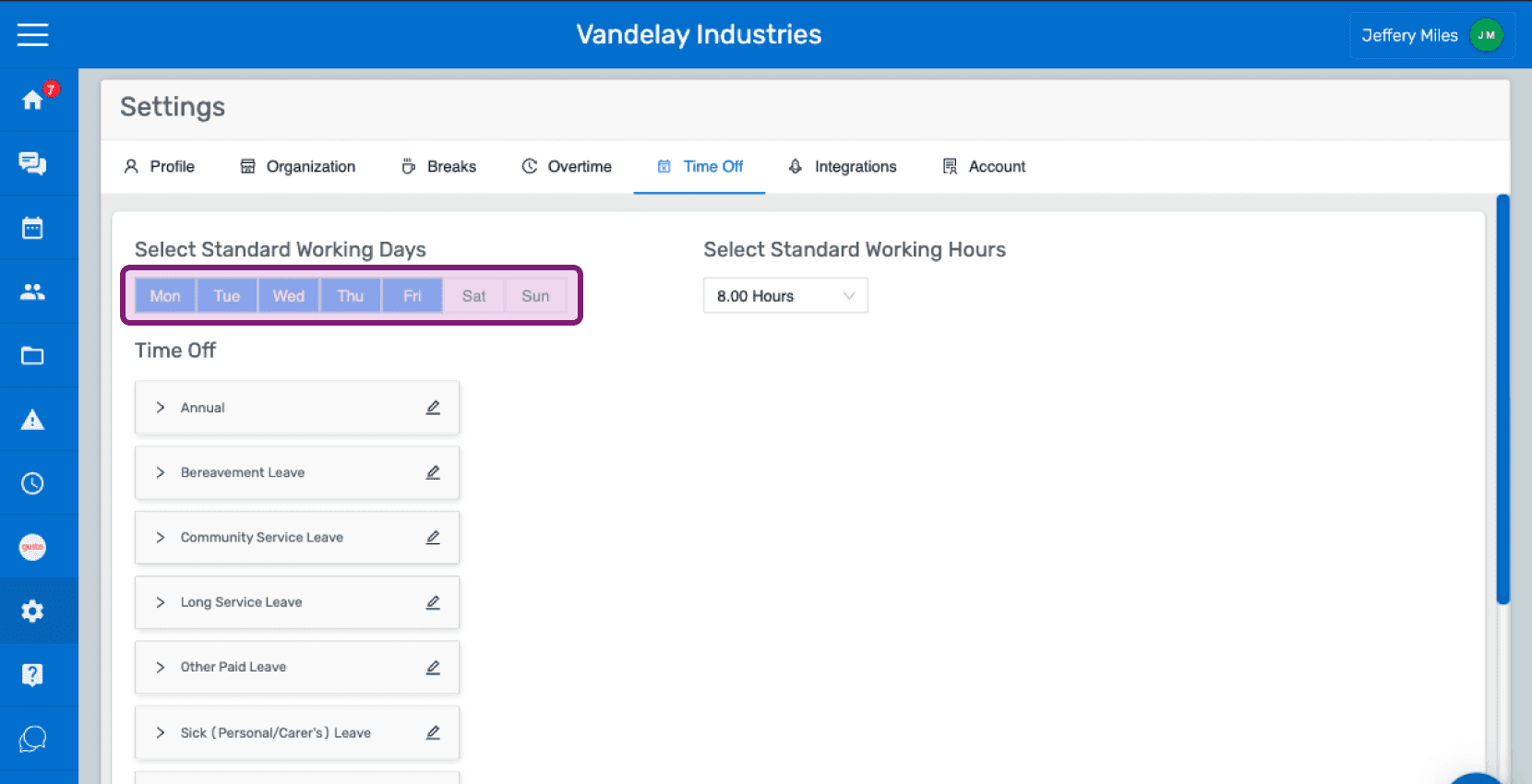
SINC web Time Off settings tab with the Select Standard Working Days row highlighted in purple

Par défaut, la durée standard de travail est de 8 heures. Sélectionnez la durée standard de travail souhaitée dans le menu déroulant.
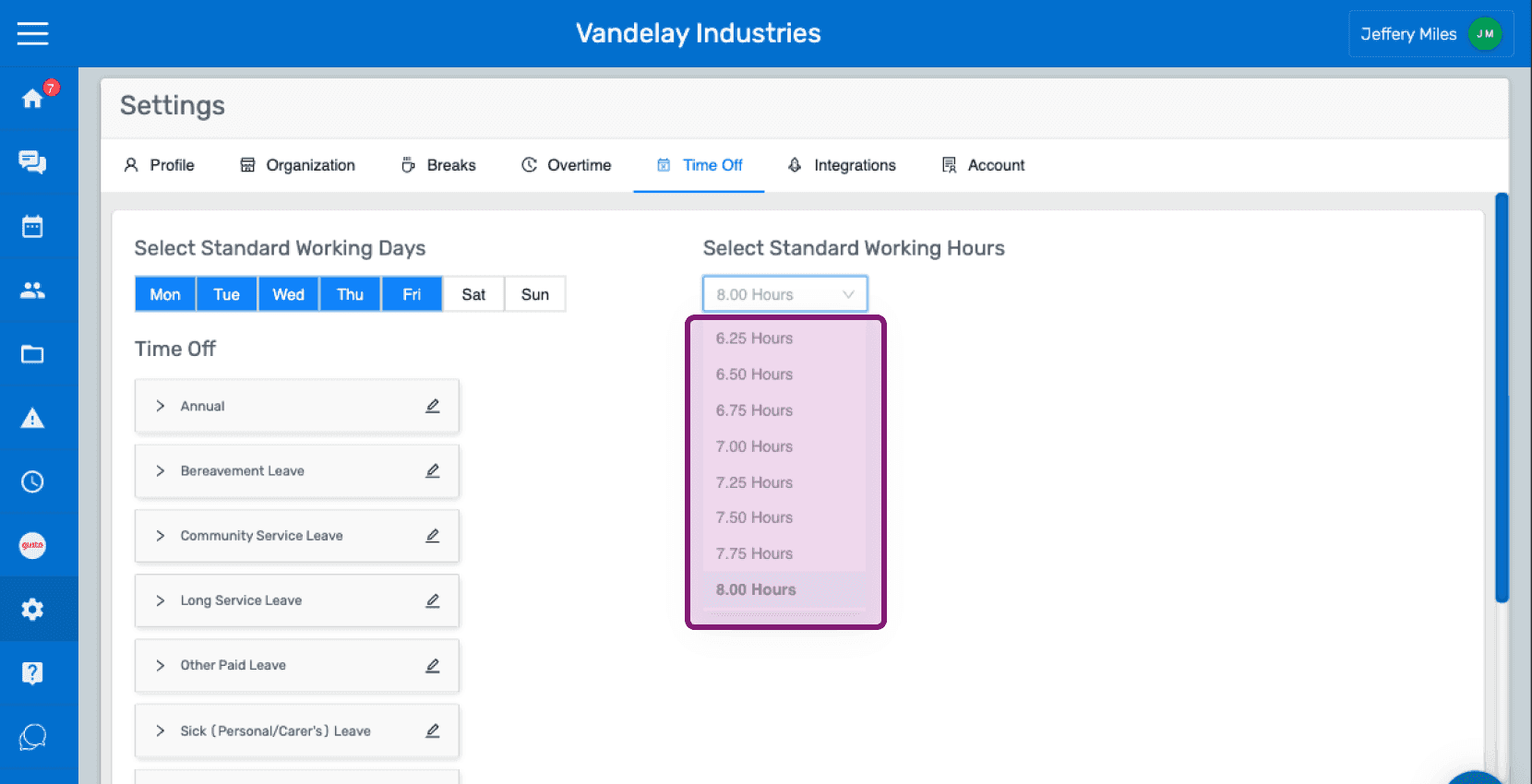
Web Settings Time Off tab with the Standard Working Hours dropdown outlined in pink showing hour options

Dans la section Congés, vous trouverez une liste de catégories de congés prédéfinies.
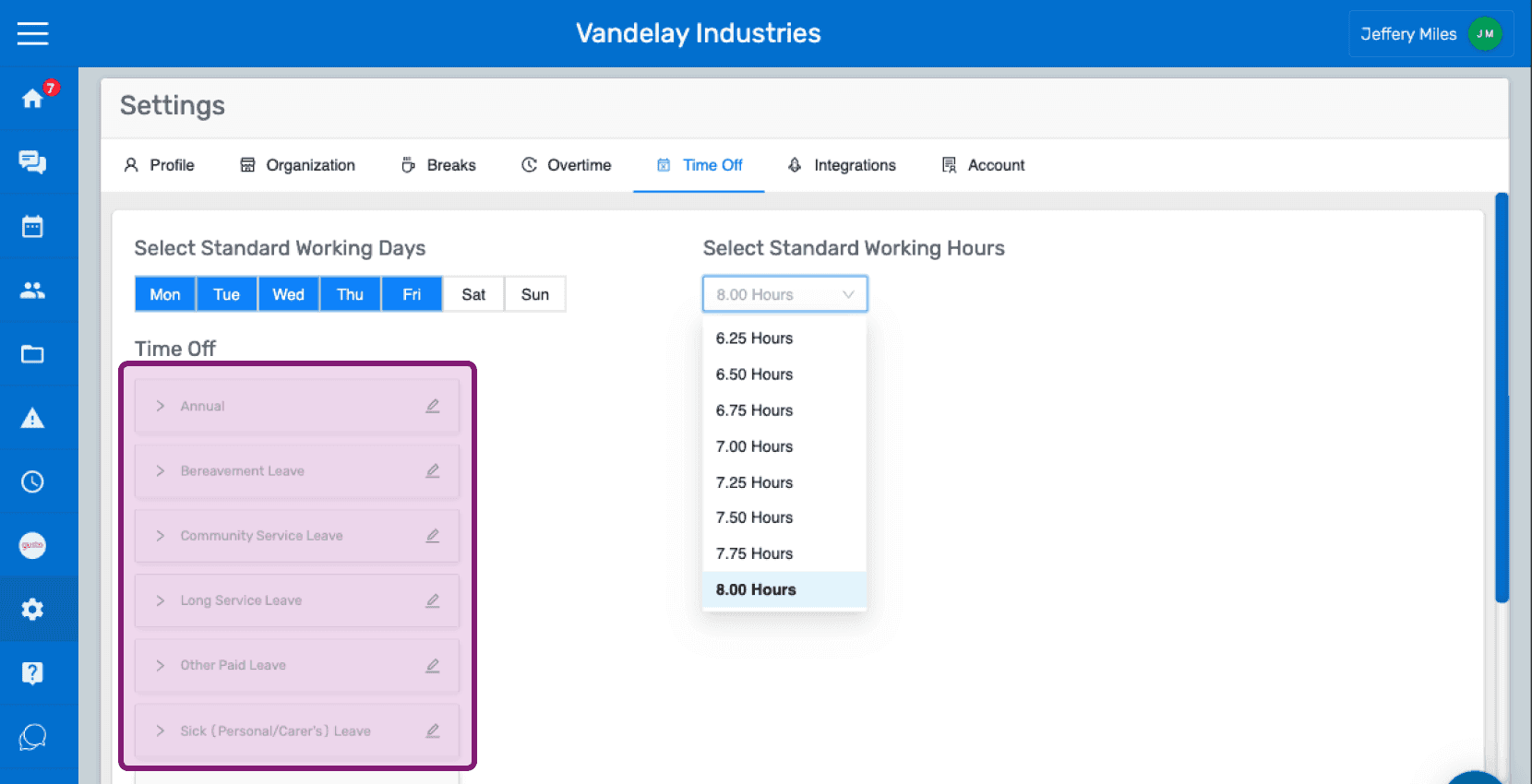
SINC web Settings Time Off tab listing predefined time off categories outlined in pink

Cliquez sur l’icône en forme de crayon pour modifier le nom d’une catégorie d’absence.
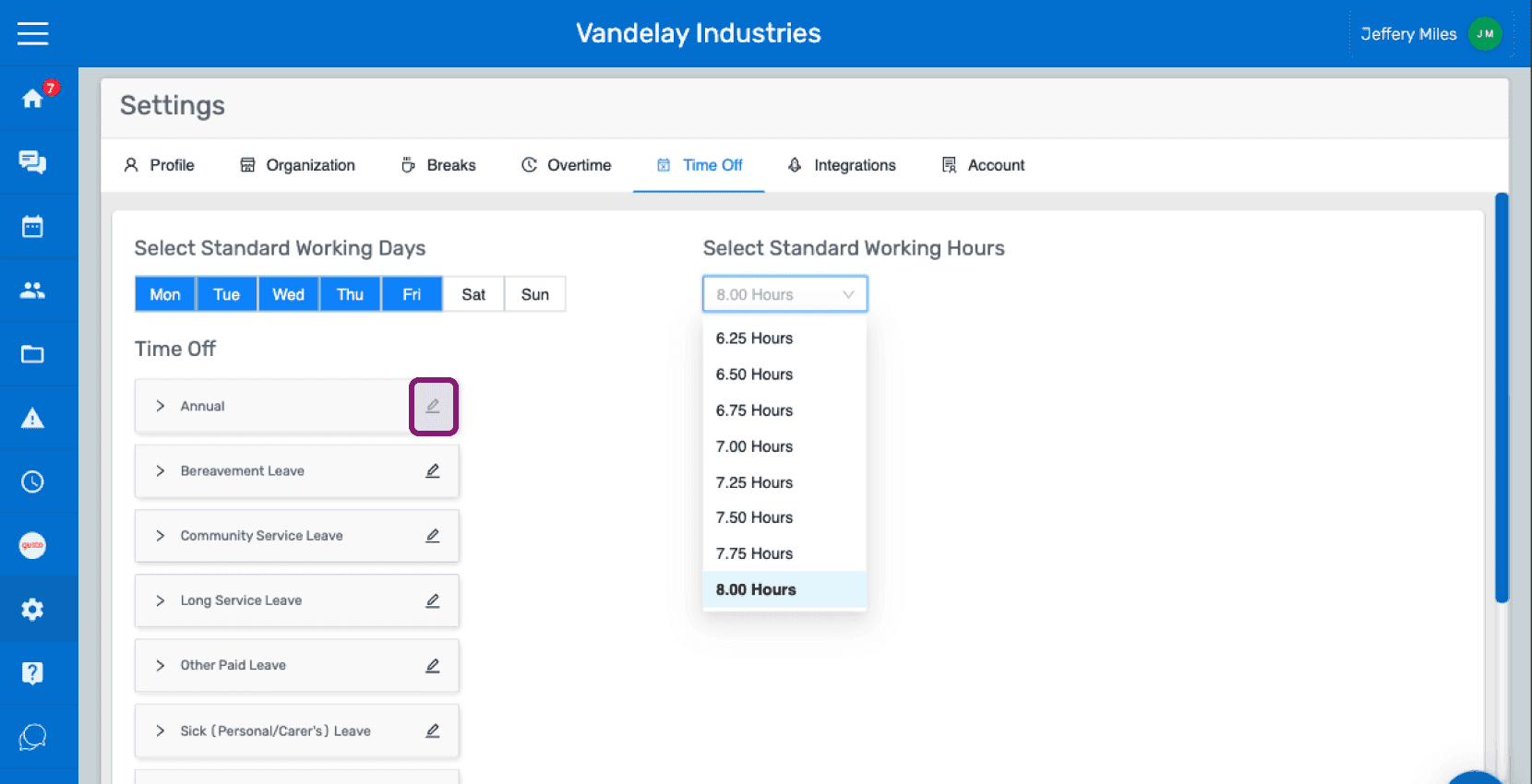
Time Off settings screen with the pencil edit icon next to the "Annual" category circled in pink

Saisissez le nom de la catégorie d’absence souhaitée Cliquez sur Confirmer
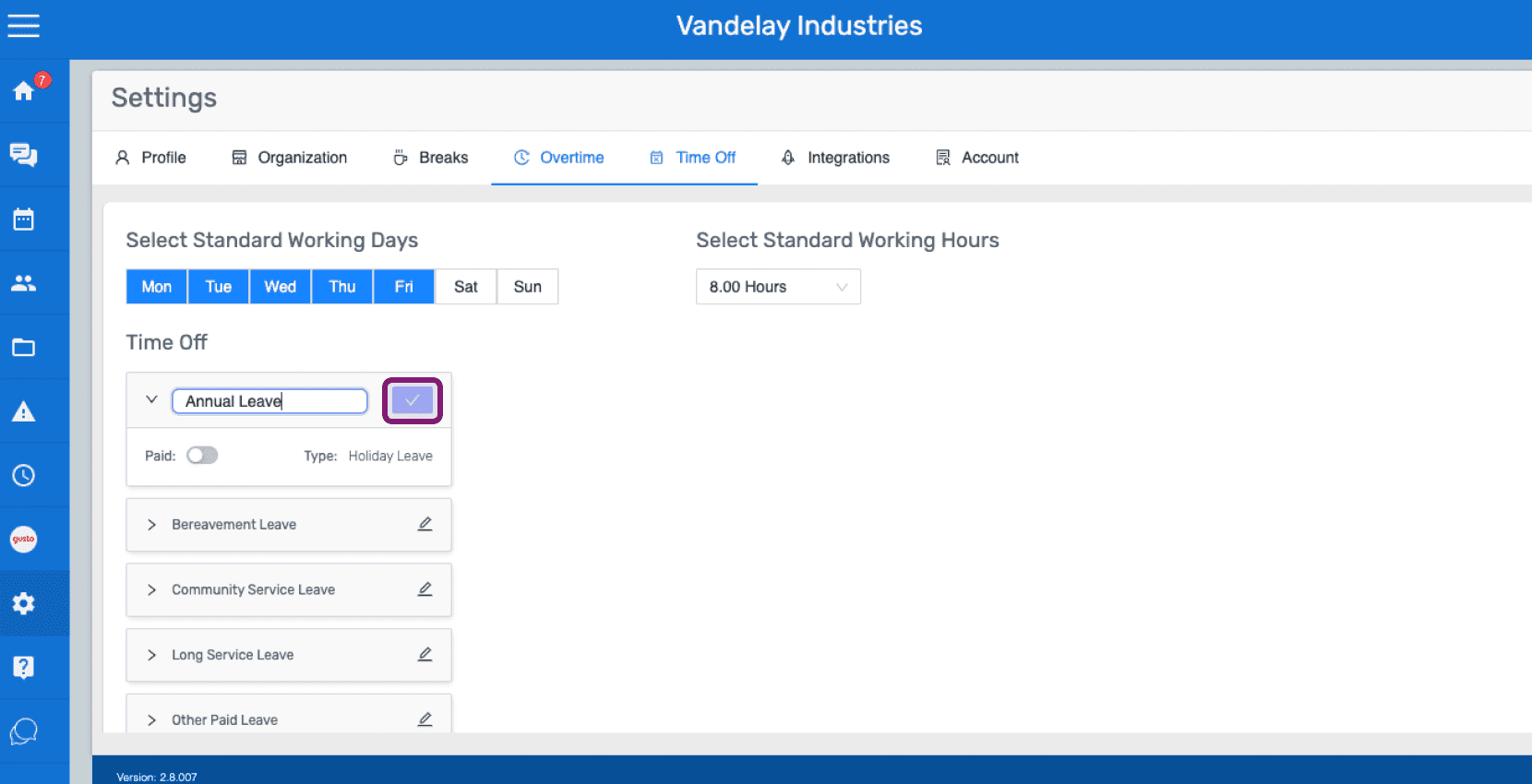
SINC web Time Off settings tab with the edit icon highlighted next to the Annual Leave category

Pour définir la catégorie comme payante ou gratuite, activez le bouton situé à côté de Payante.
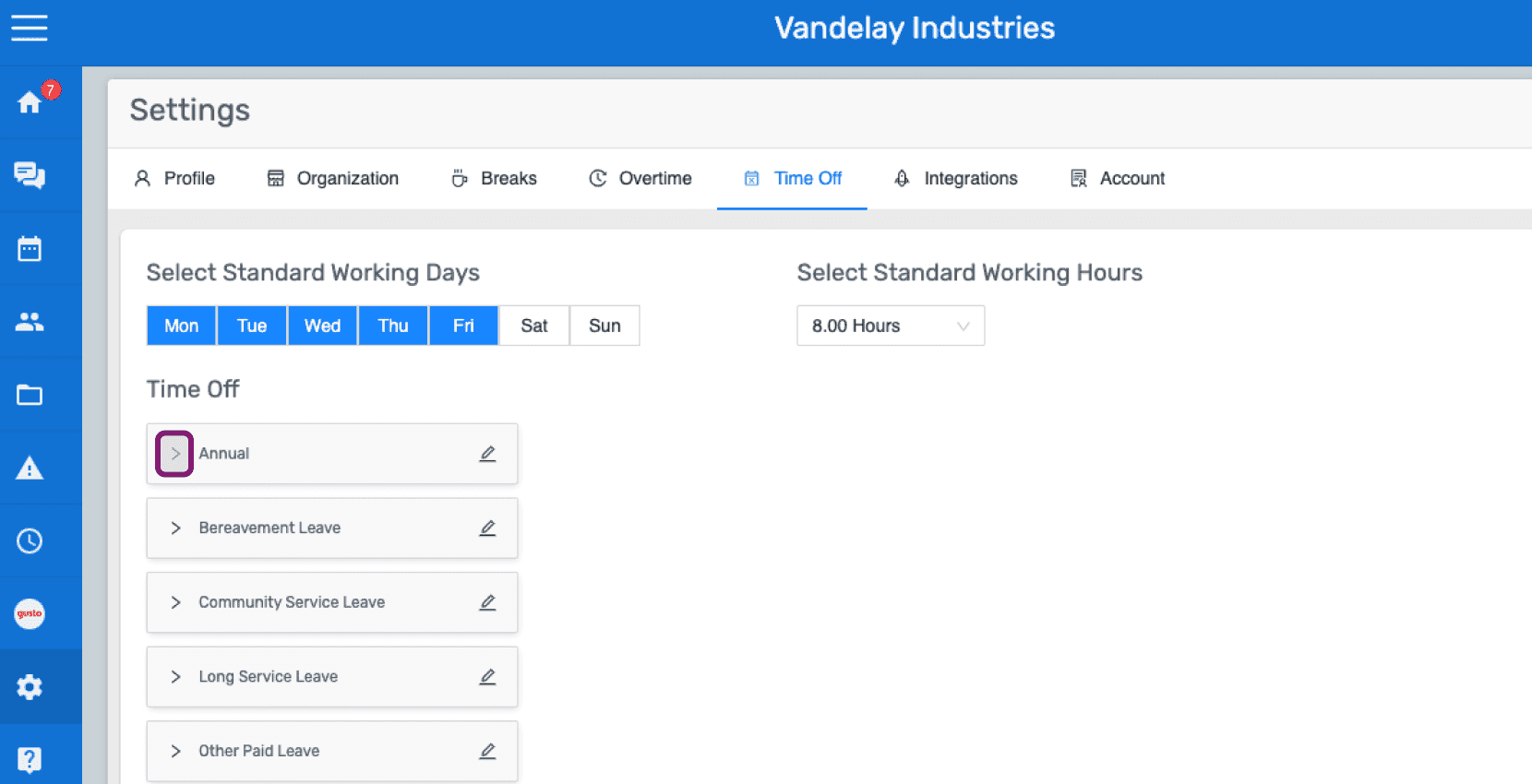
Web Settings Time Off tab with the Annual leave category outlined in pink among the list of leave types

Activez ou désactivez l’option payante selon vos besoins.
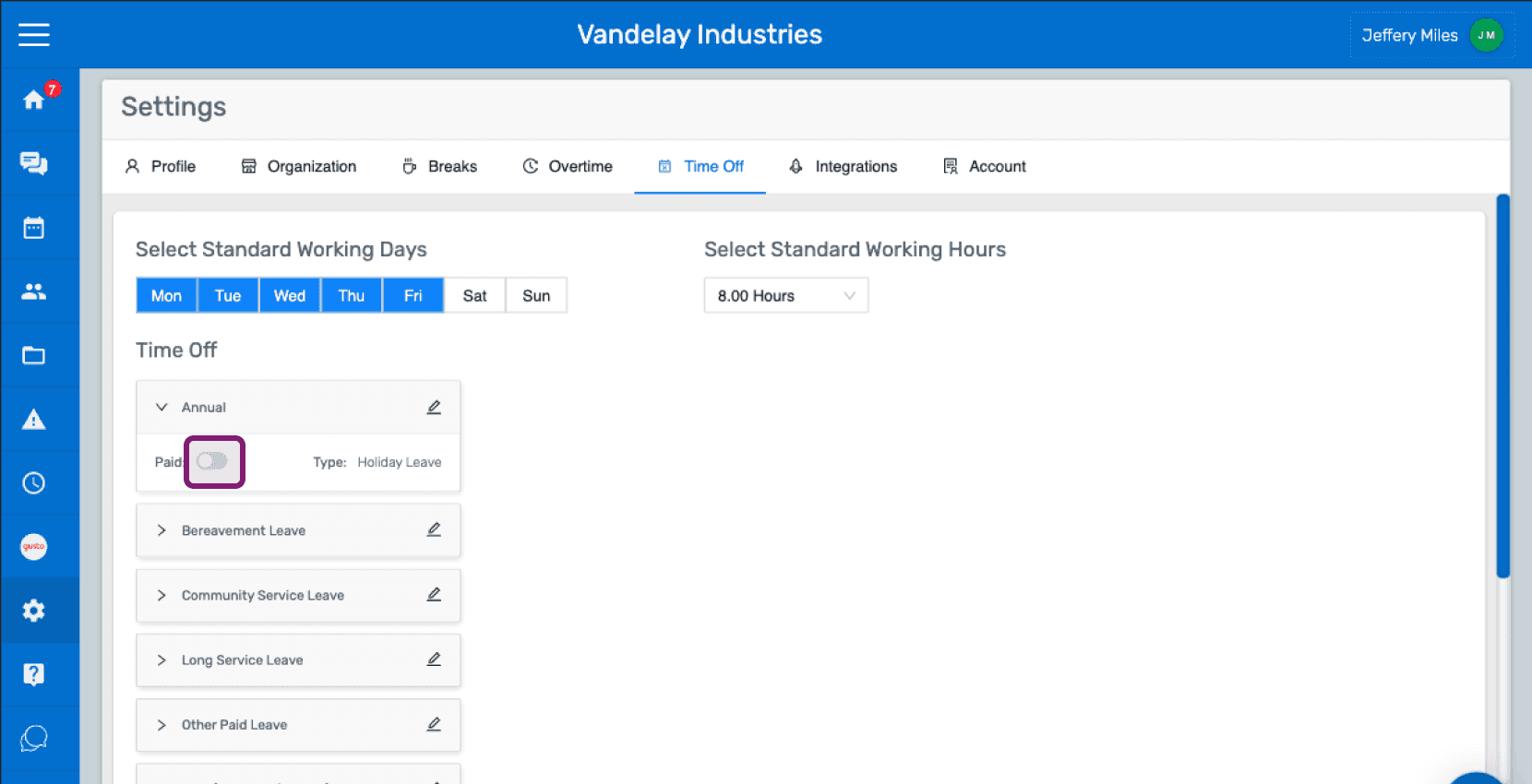
SINC web Settings Time Off tab showing leave categories with the Paid toggle circled next to Annual leave

Sur mobile : appuyez sur Menu Paramètres
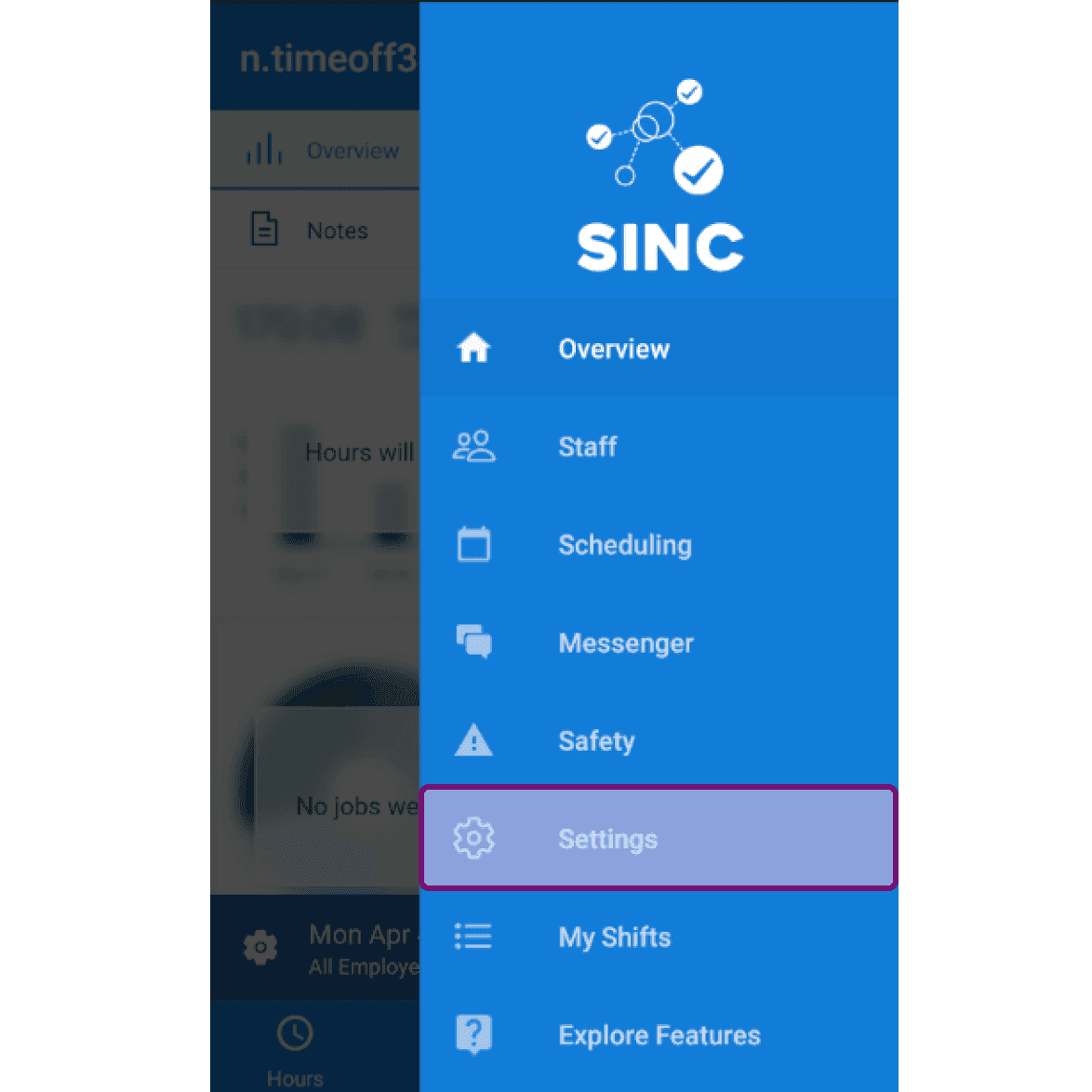
Mobile side menu open with the Settings menu item highlighted

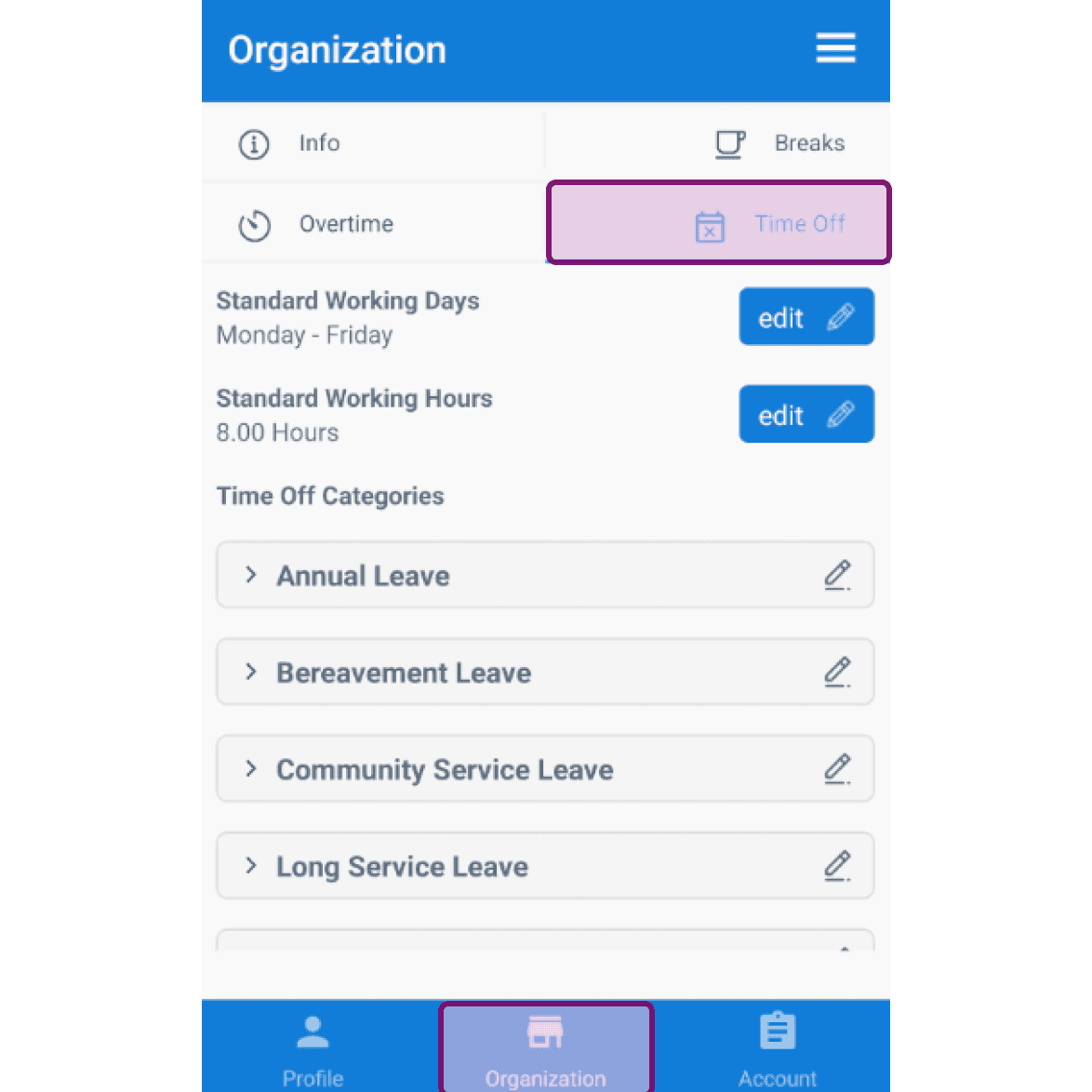
Appuyez sur Organisation Congés

Mobile Organization screen with the Time Off tab outlined in purple

Par défaut, du lundi au vendredi sont les jours ouvrés standard. Pour modifier ce réglage, appuyez sur Modifier à côté de Jours ouvrés standard.
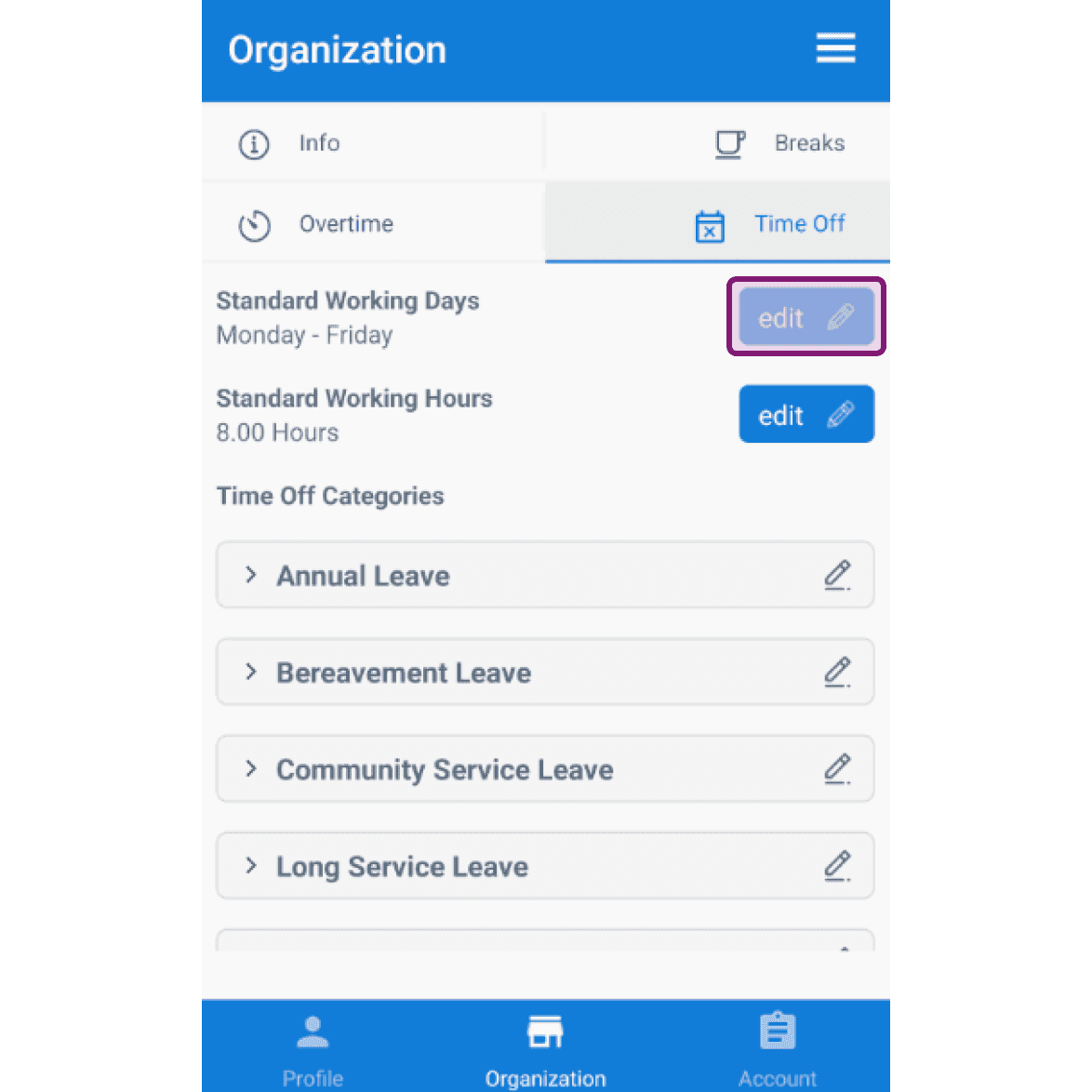
SINC mobile Organization Time Off tab with the edit button next to Standard Working Days outlined

Appuyez sur un jour pour le sélectionner ou le désélectionner.
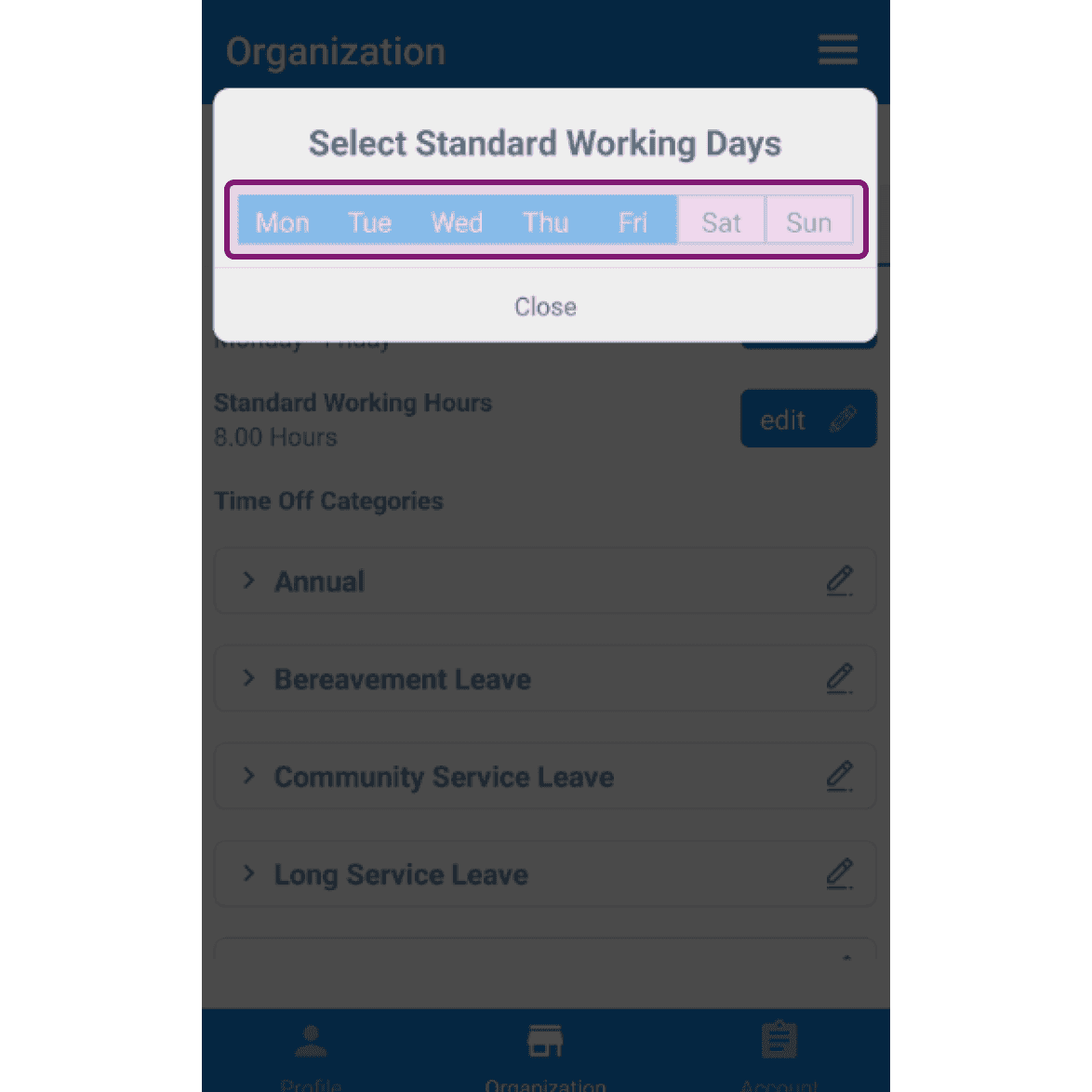
SINC mobile Select Standard Working Days dialog with Monday through Friday highlighted and outlined in pink

Par défaut, la durée standard de travail est de 8 heures. Pour la modifier, appuyez sur Modifier à côté de Durée standard de travail.
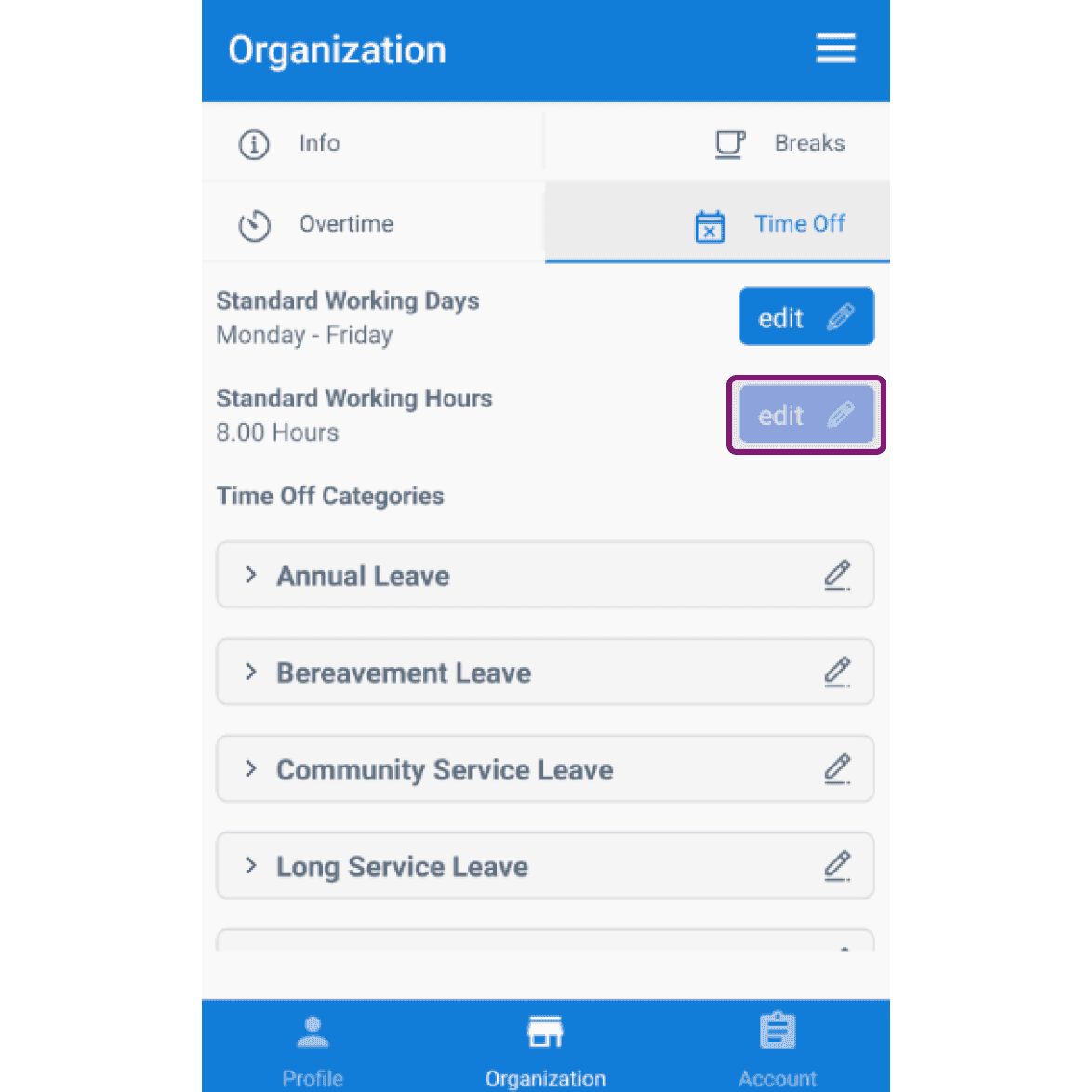
Organization Time Off tab with the Edit button next to Standard Working Hours outlined

Sélectionnez les heures de travail standard souhaitées dans le menu déroulant.
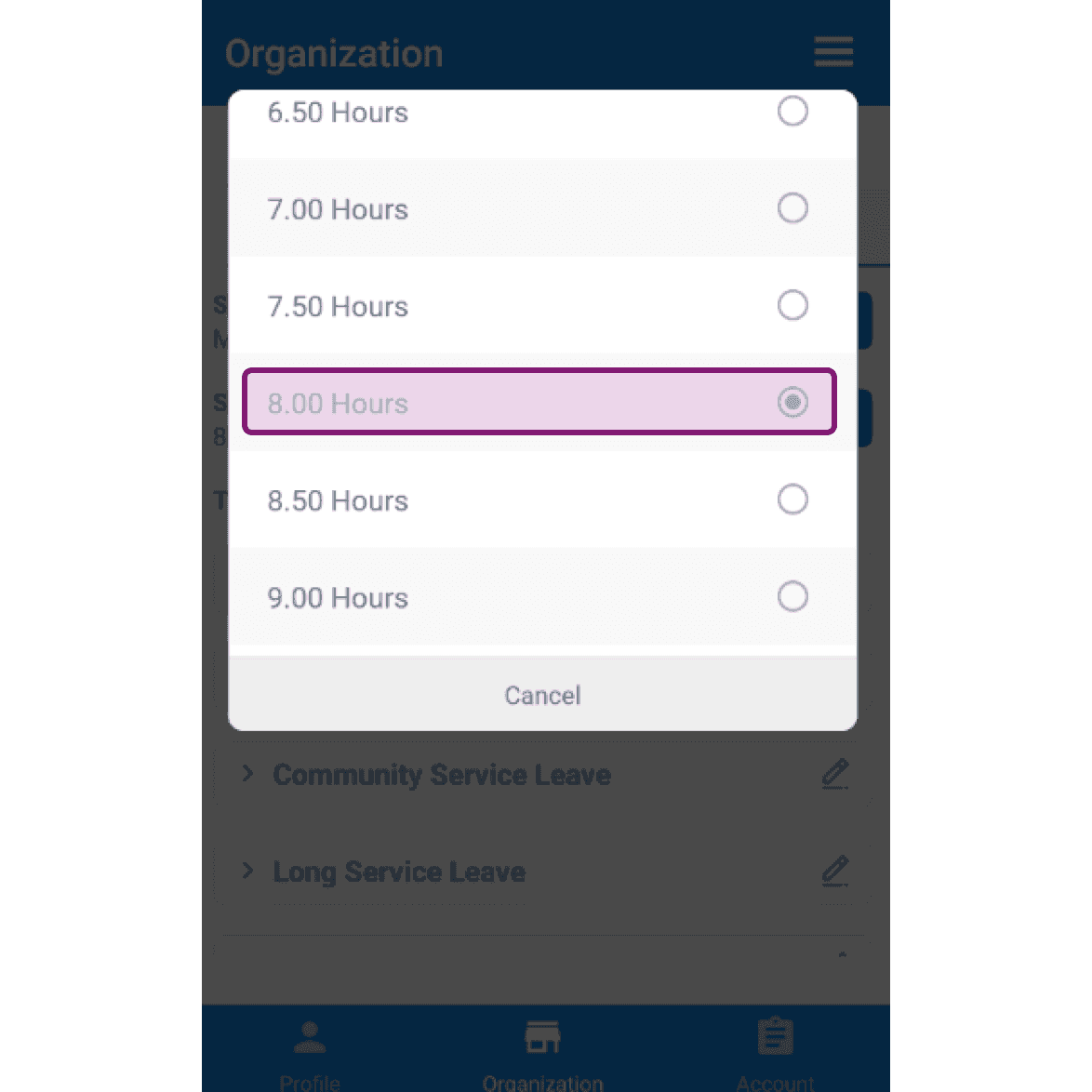
SINC mobile app Standard Working Hours dropdown with the 8.00 Hours option highlighted in pink

Dans la section Catégories de congés, vous trouverez une liste de catégories de congés prédéfinies.
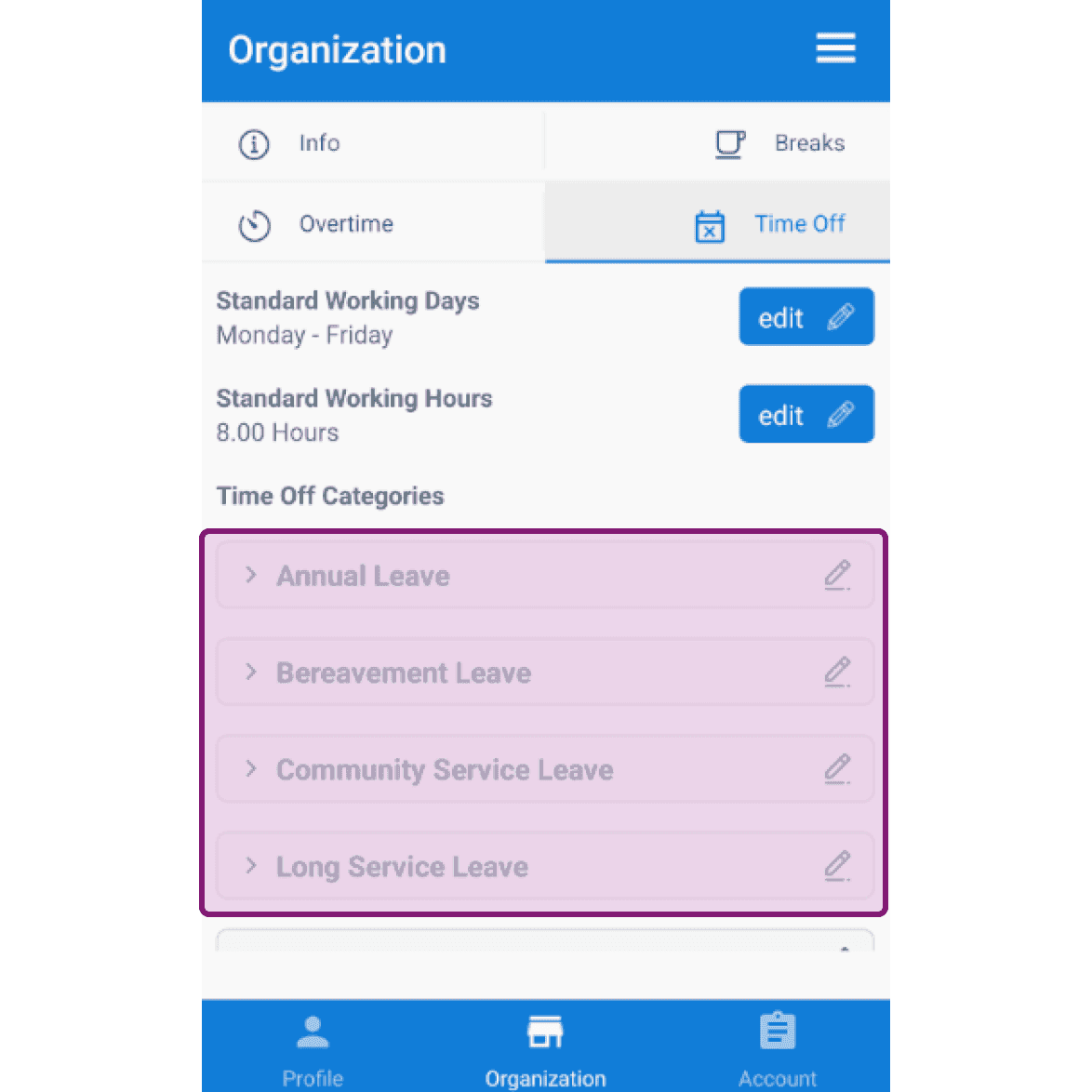
Organization Time Off settings screen with the Time Off Categories list outlined in purple

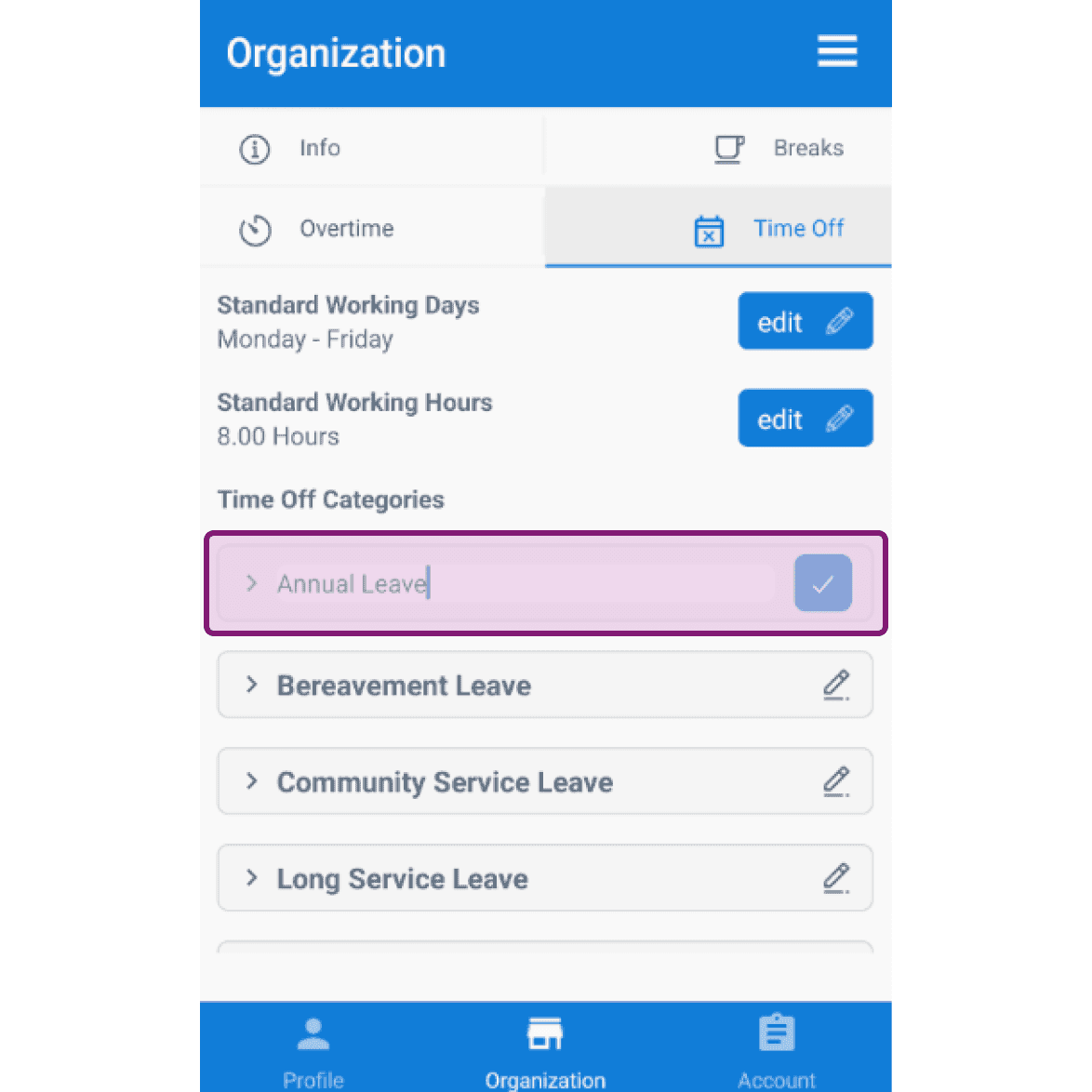
Cliquez sur l’icône en forme de crayon pour modifier le nom d’une catégorie d’absence.
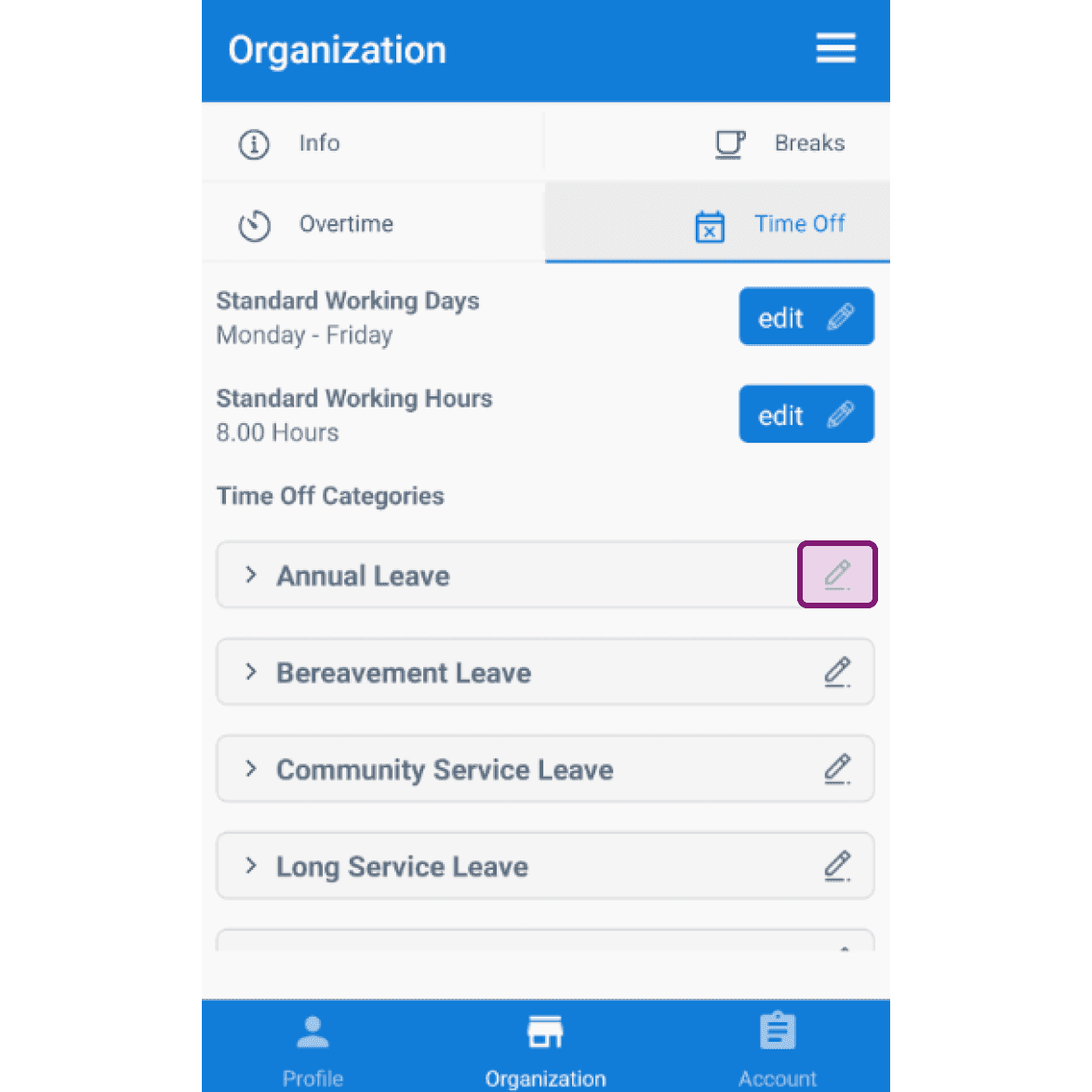
Organization Time Off screen listing leave categories with the Annual Leave edit pencil icon highlighted
SINC mobile Organization Time Off screen with the Annual Leave category highlighted for editing

Cliquez sur la flèche pour ouvrir la catégorie de congés à modifier.
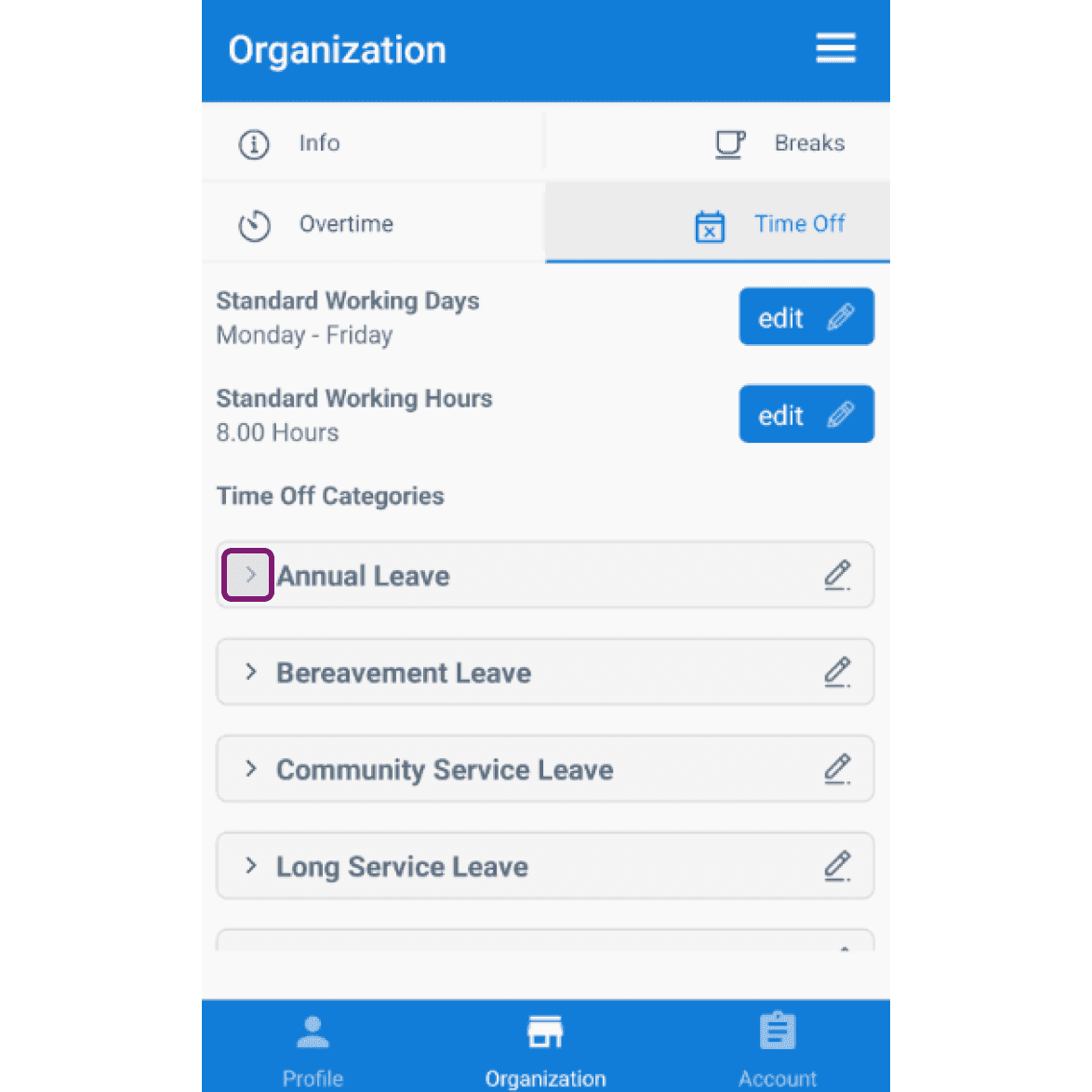
Mobile app Organization Time Off tab with the Annual Leave category row outlined in pink

Activez ou désactivez l’option payante selon vos besoins.
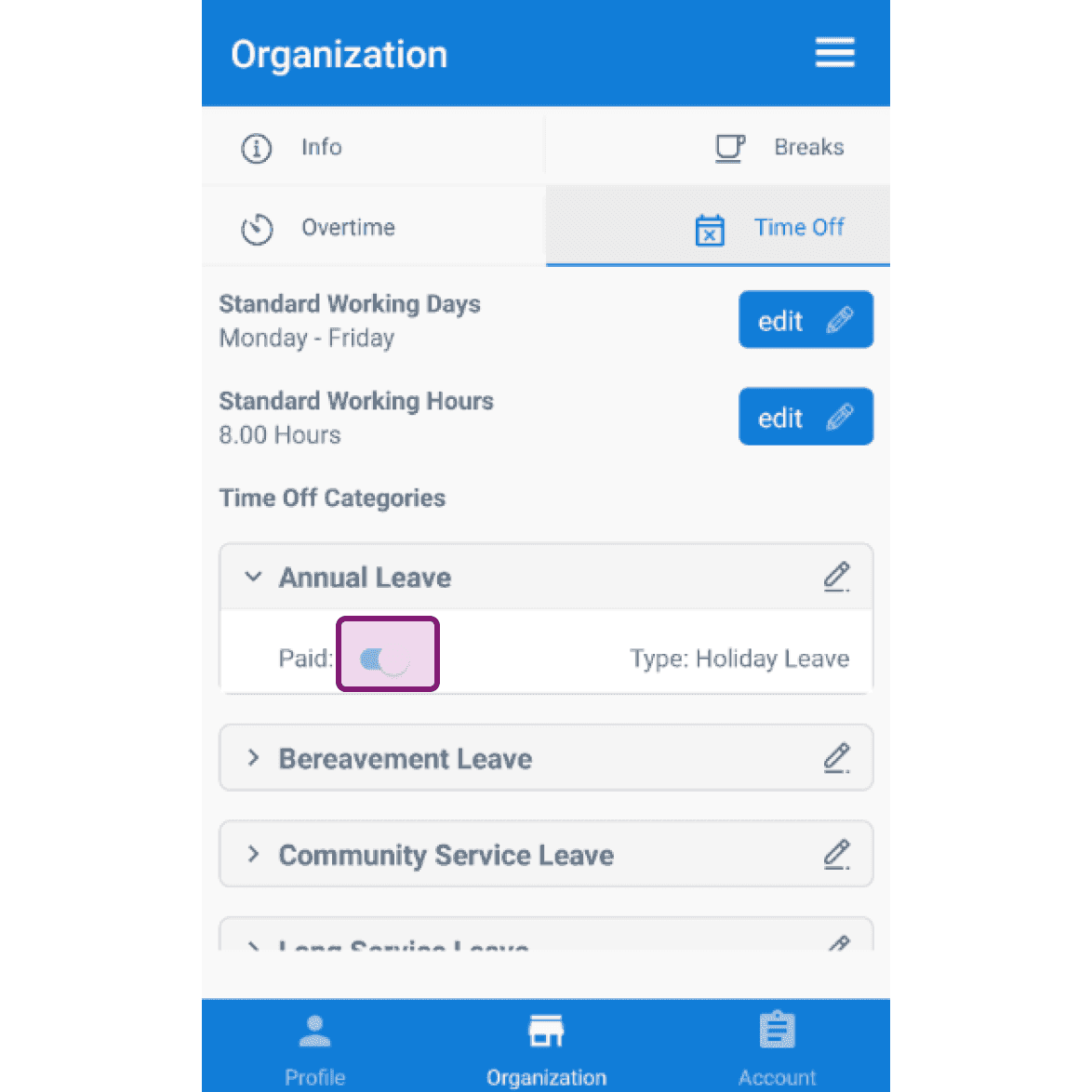
SINC mobile Organization Time Off tab with the Annual Leave paid toggle outlined in pink

Cela a-t-il répondu à votre question ?