Pointage des arrivées et des départs pour les administrateurs

Dans ce guide, nous verrons comment pointer à votre arrivée et à votre départ en tant qu’administrateur.

Sam Dolbel
Sam Dolbel
Mar 3rd, 2023

Appuyez sur Mes shifts
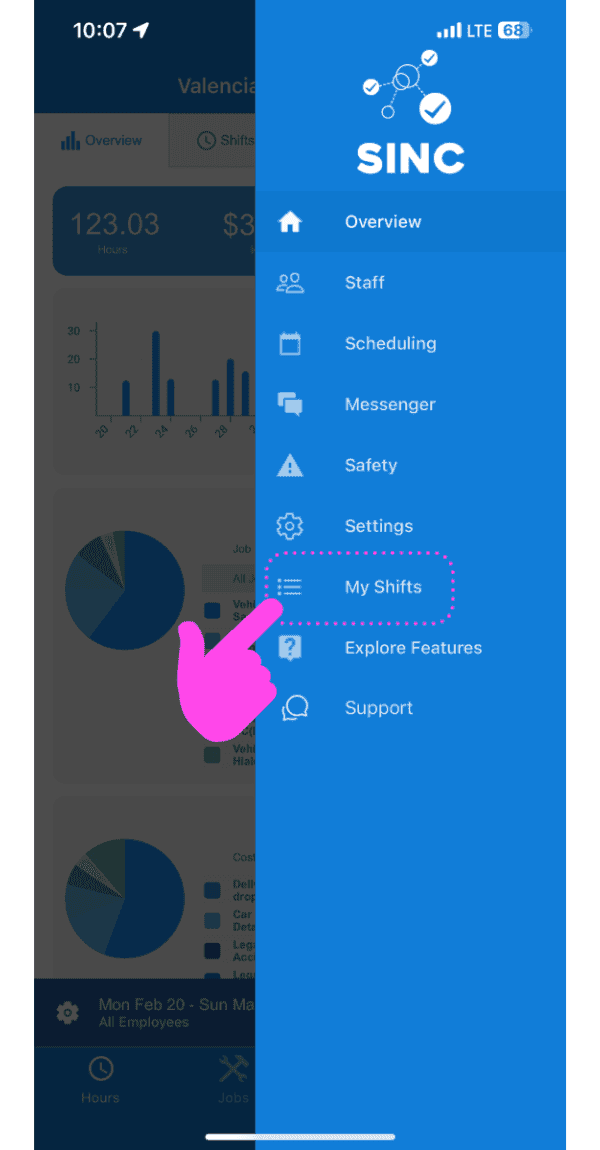
SINC mobile app side menu with a pink arrow pointing to the My Shifts menu item

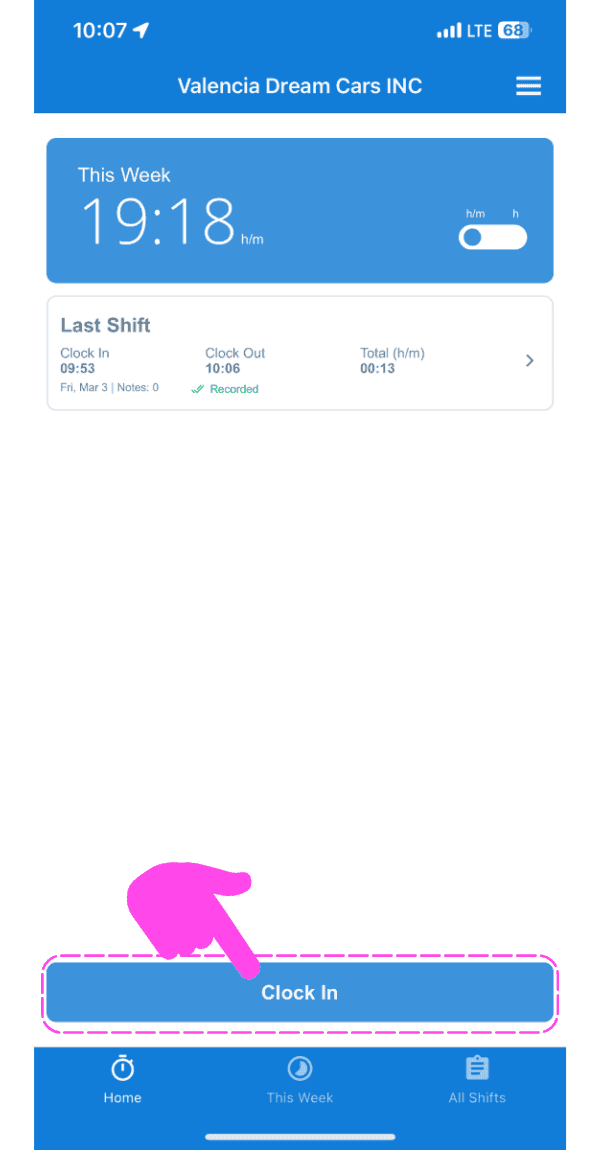
Appuyez sur Pointer l’arrivée

SINC mobile app home screen with a pink hand pointing to the Clock In button

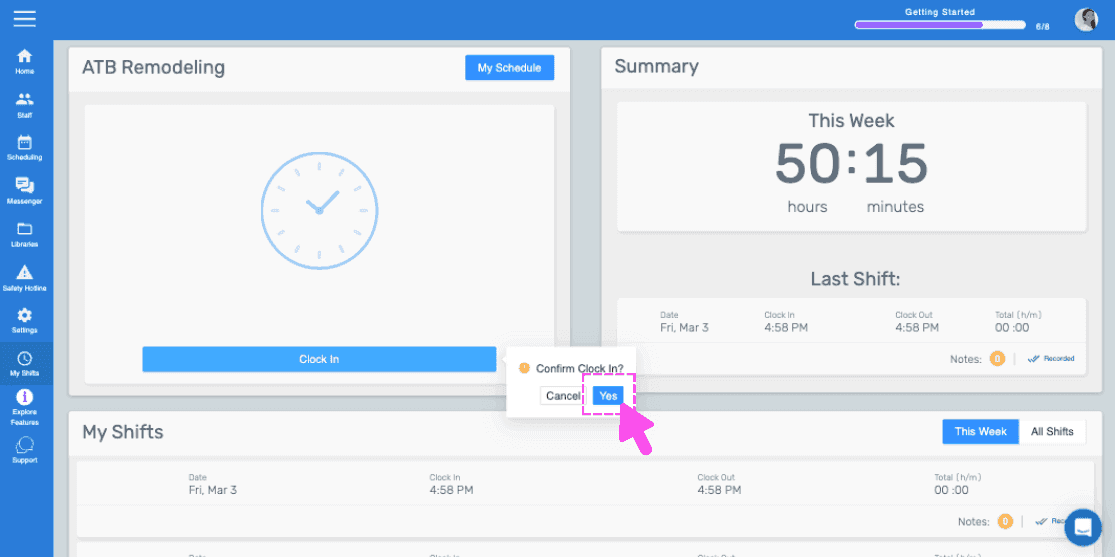
Faites glisser vers la droite pour pointer (version Web) Cliquez sur Oui
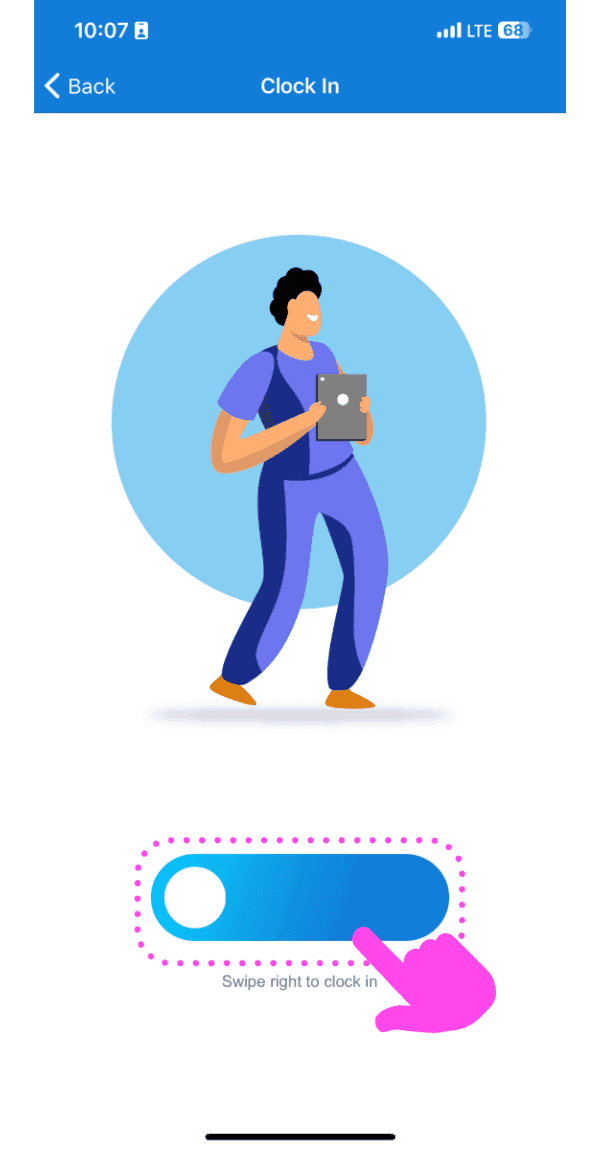
Illustrated Clock In screen with a pink arrow showing how to swipe the slider right

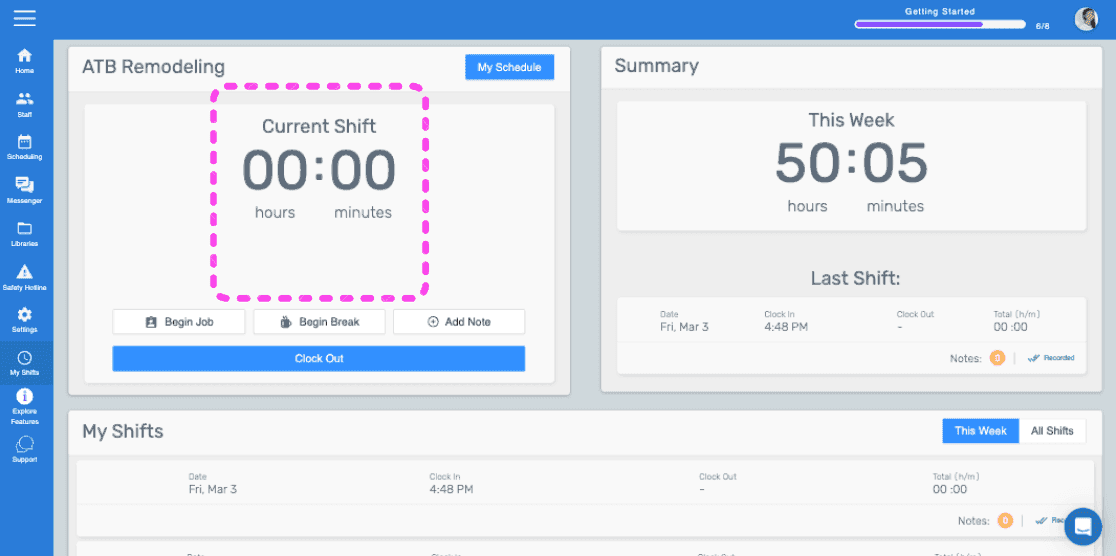
Cet écran indique que vous avez commencé votre service.
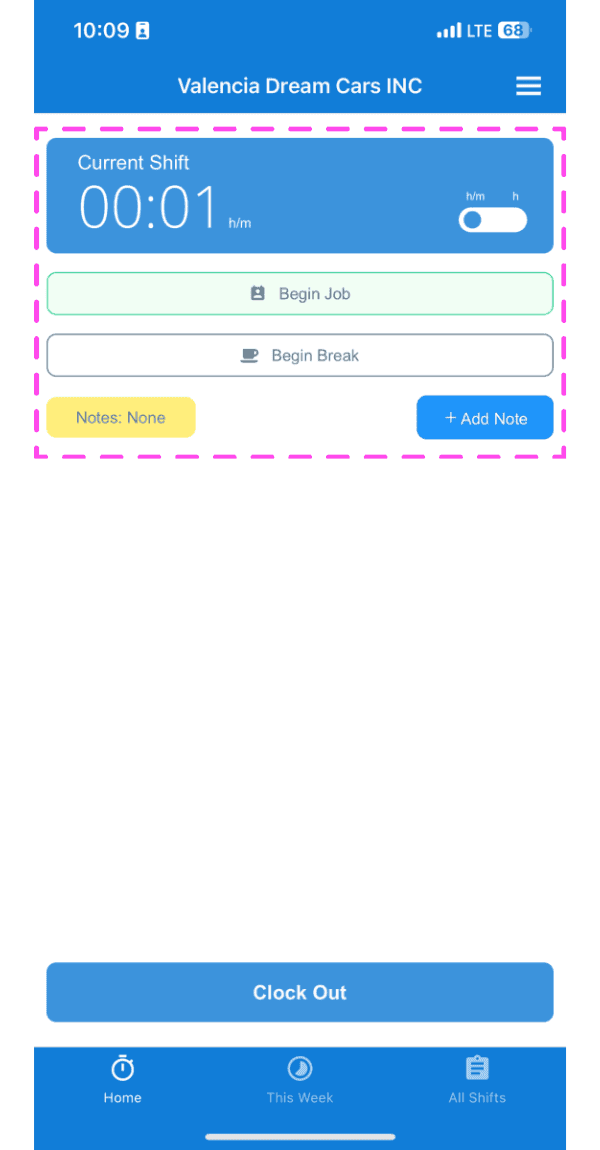
SINC mobile Current Shift screen highlighted showing clocked-in timer with Begin Job and Begin Break buttons

Si vous utilisez la version web, voici à quoi cela ressemblera :
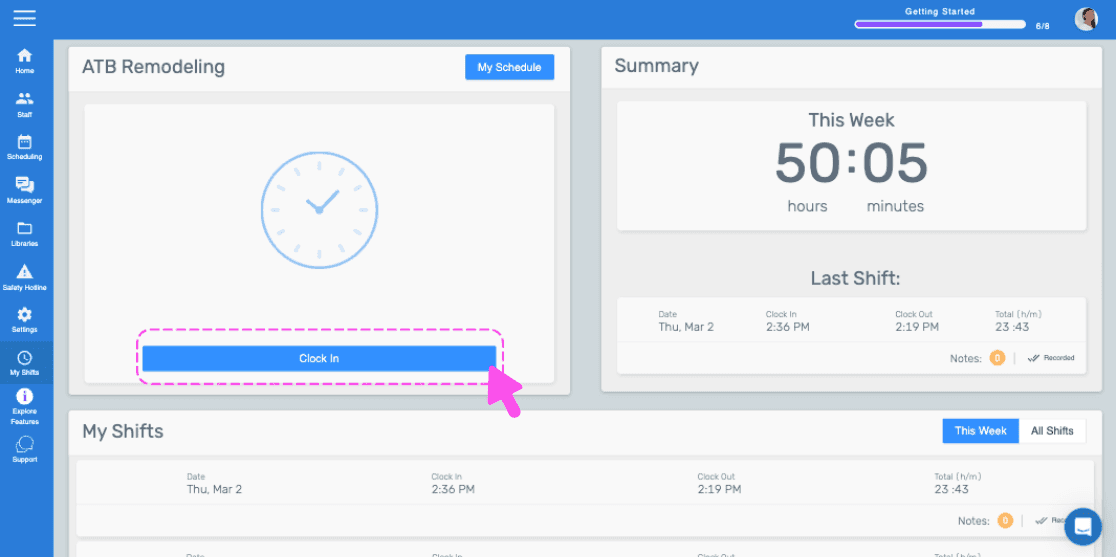
SINC web dashboard with a pink arrow pointing to the Clock In button
Web dashboard clock-in confirmation popup with the Yes button highlighted by a pink arrow
SINC web admin dashboard with the Current Shift timer box outlined in pink

Cela a-t-il répondu à votre question ?