
Exporter des récapitulatifs personnalisés par date
Dans ce guide, nous expliquerons comment exporter des récapitulatifs pour des périodes différentes des périodes de paie.

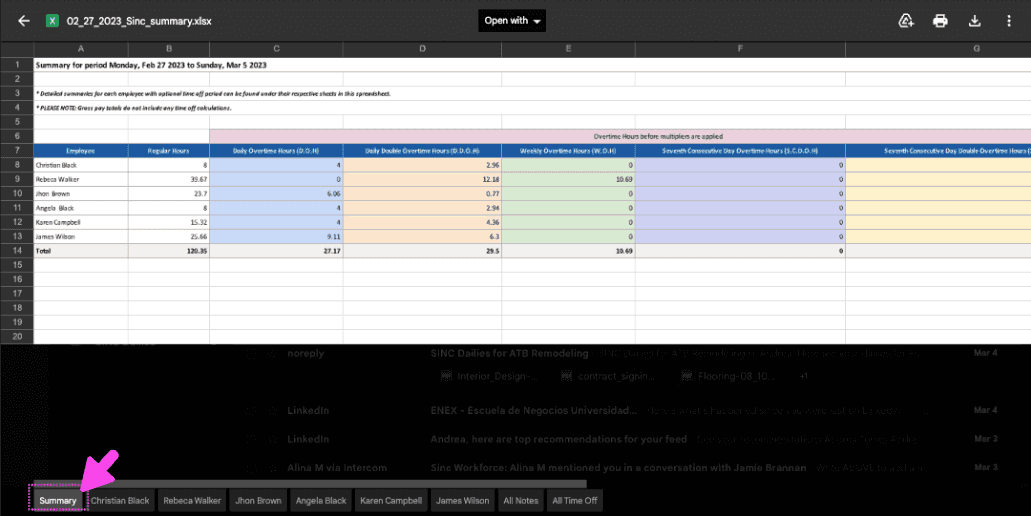
Lorsque vous générez un rapport récapitulatif personnalisé, vous recevrez par e-mail un fichier Excel contenant un récapitulatif complet de la période sélectionnée. Le fichier Excel comporte plusieurs onglets, dont un récapitulatif du nombre total d’heures travaillées.
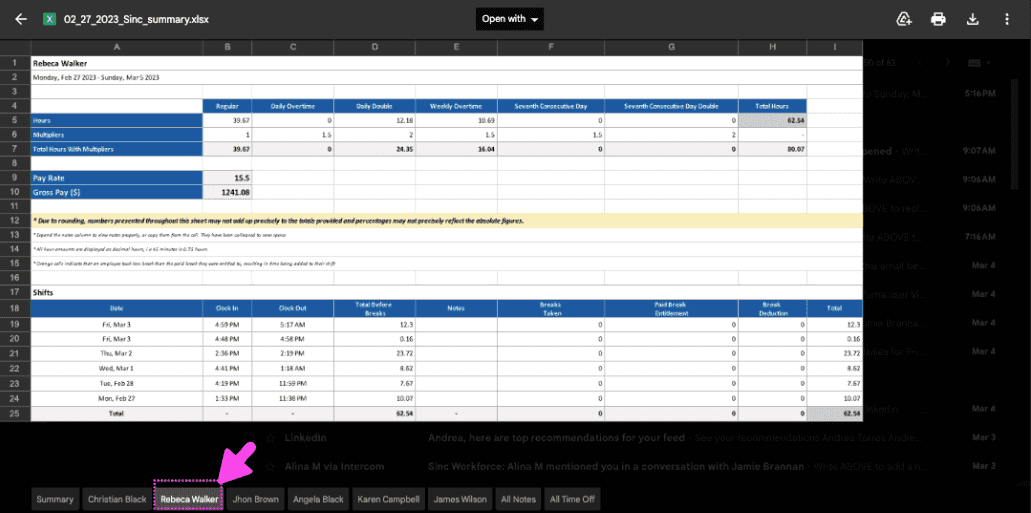
Un onglet distinct pour chaque employé, contenant les données liées à ses créneaux de travail
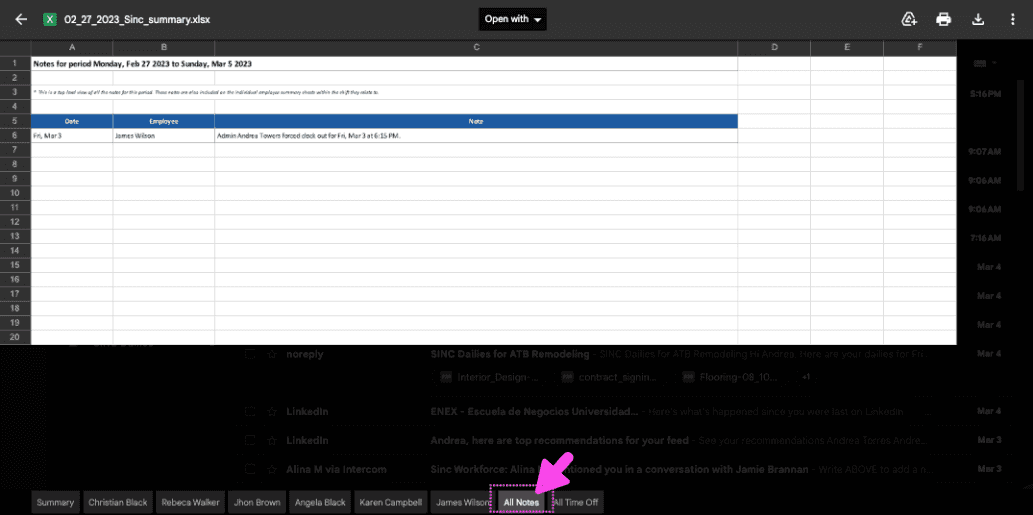
Et un onglet Notes contenant toutes les notes de la période personnalisée
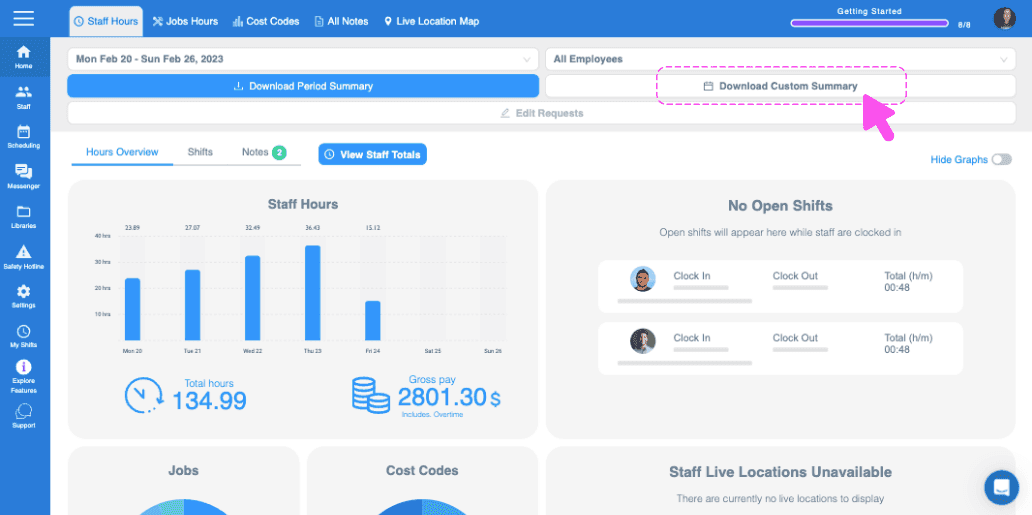
Sur le Web : accédez à Menu Accueil, puis cliquez sur Télécharger le récapitulatif personnalisé.
Accédez au mois souhaité en cliquant sur la flèche de gauche ou de droite.
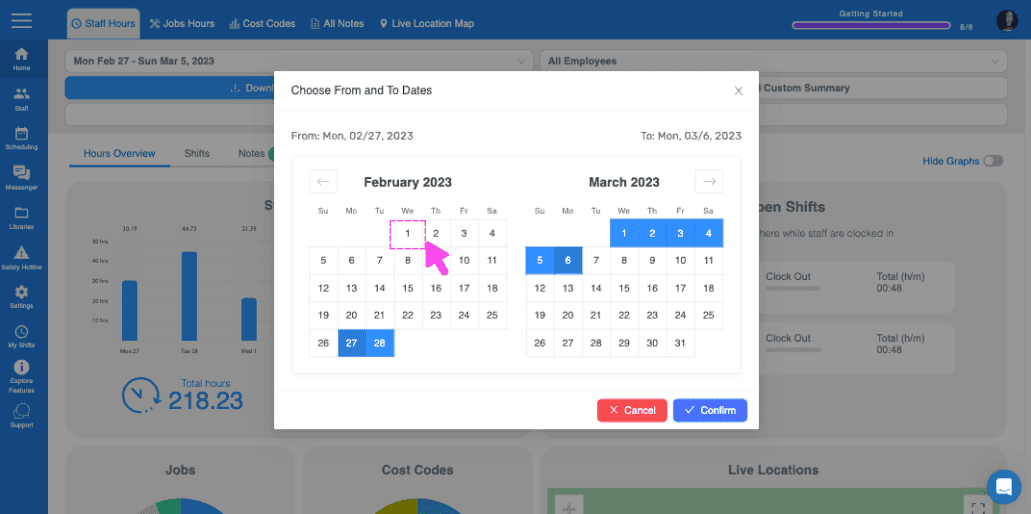
Sélectionnez les dates en cliquant sur les jours de début et de fin correspondants.
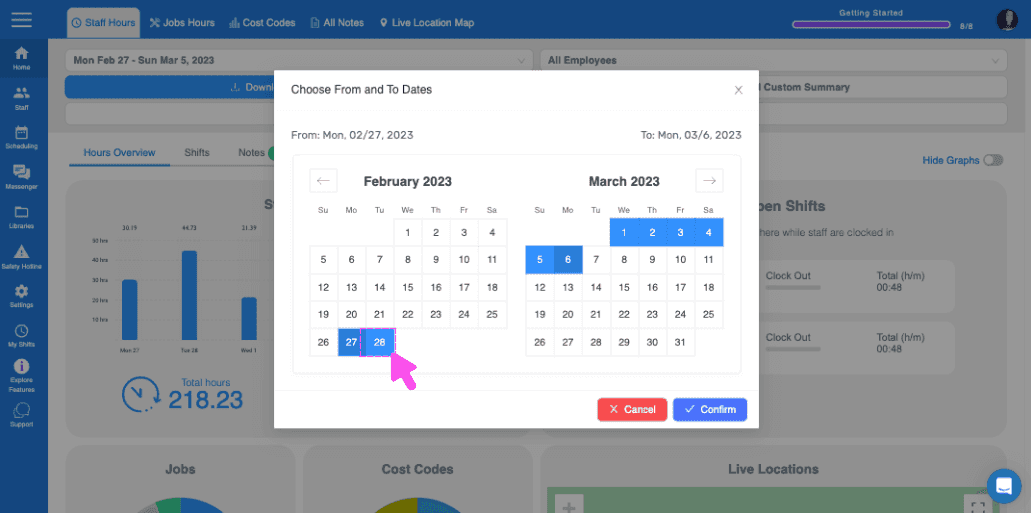
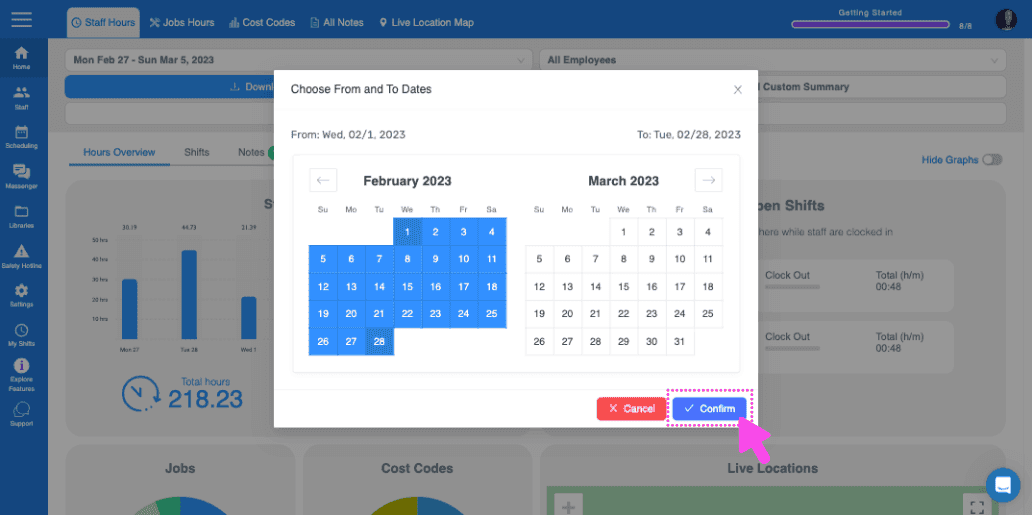
Après avoir sélectionné les dates, cliquez sur Confirmer.
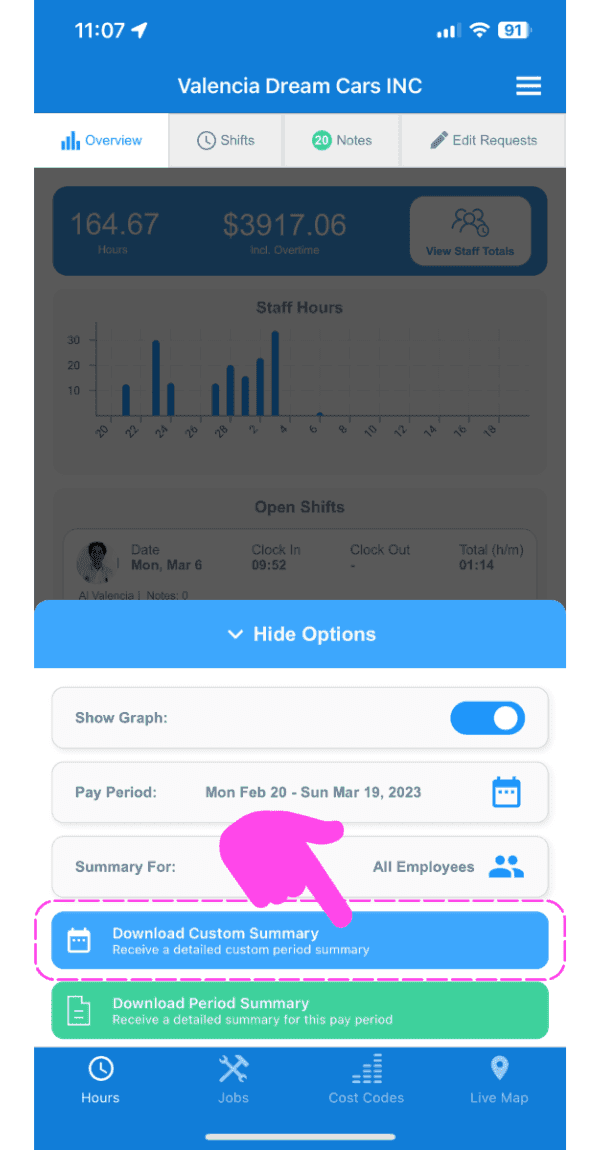
Sur mobile : accédez à Menu Aperçu Horaires (onglet en bas), puis appuyez sur l’icône en forme d’engrenage.
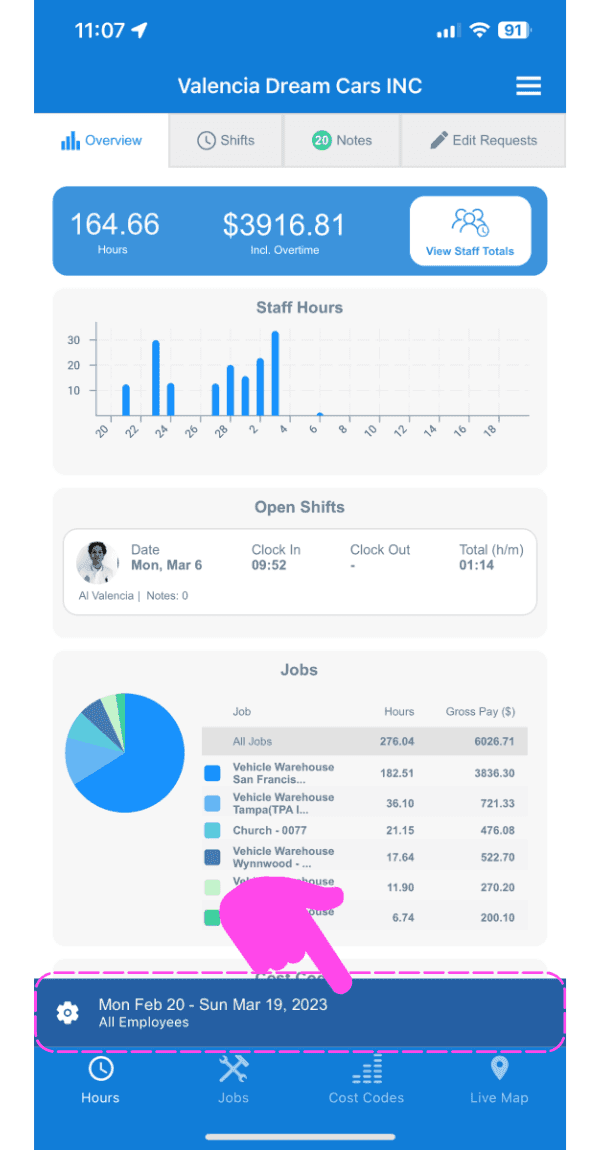
Appuyez sur Télécharger le récapitulatif personnalisé.
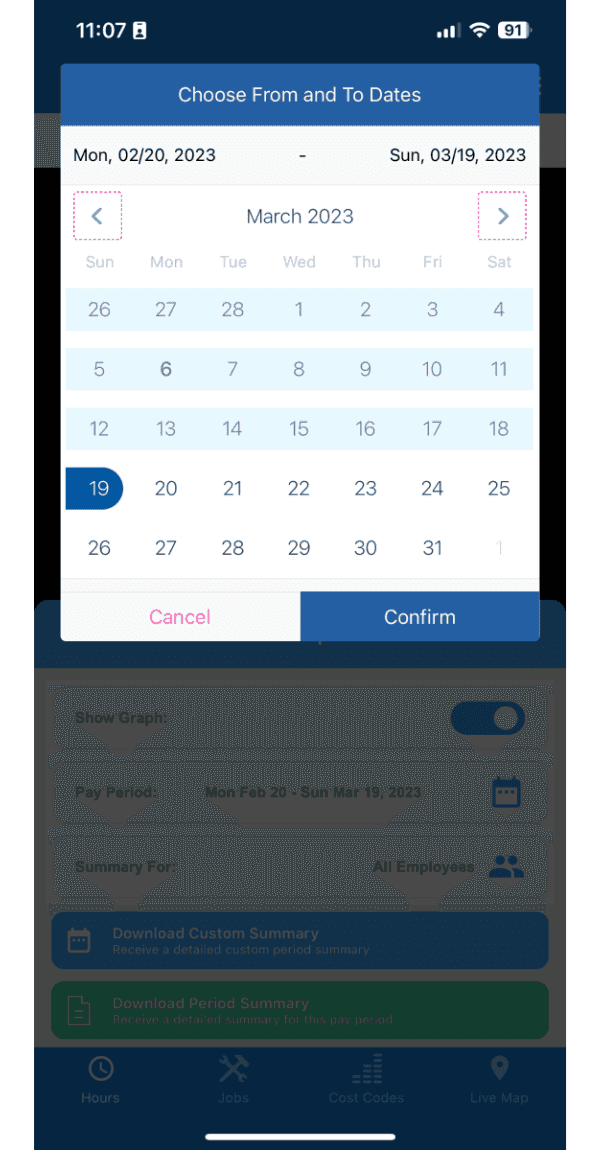
Accédez au mois souhaité en appuyant sur la flèche gauche ou droite.
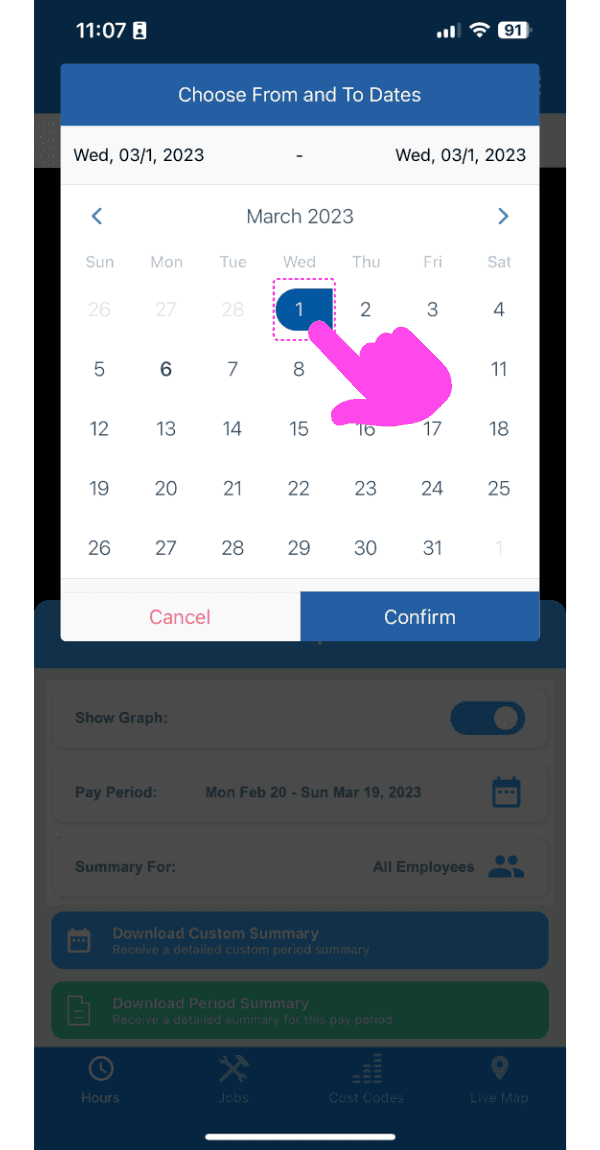
Sélectionnez les dates en appuyant sur les jours de début et de fin correspondants.
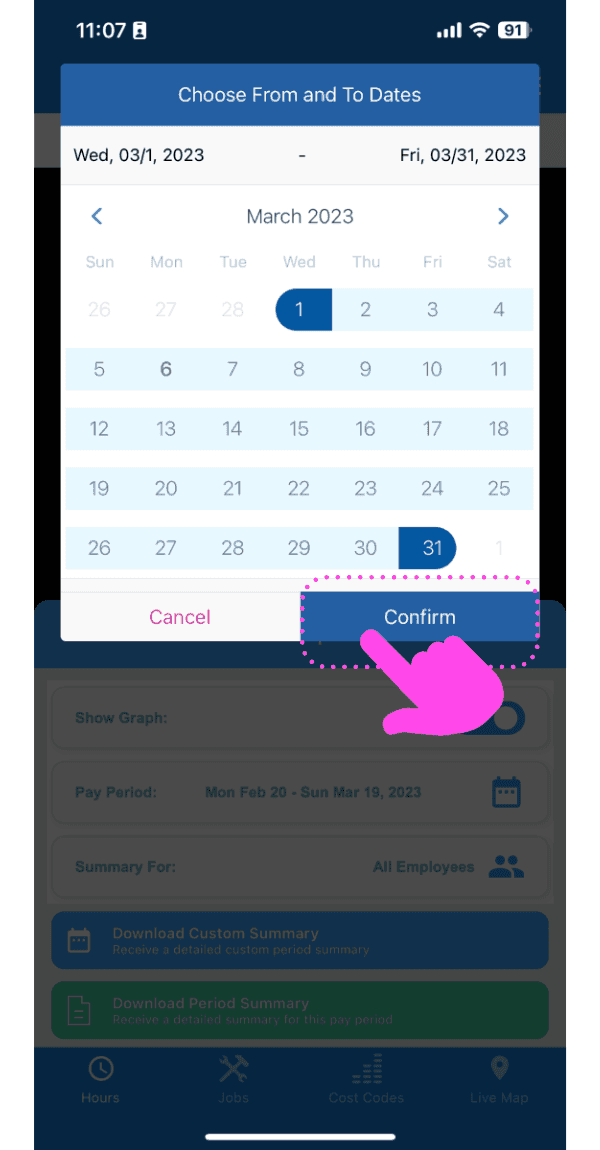
Après avoir sélectionné les dates, appuyez sur Confirmer.
Cela a-t-il répondu à votre question ?