
Disattiva le notifiche della chat
Questa guida spiega come silenziare le notifiche di una chat.

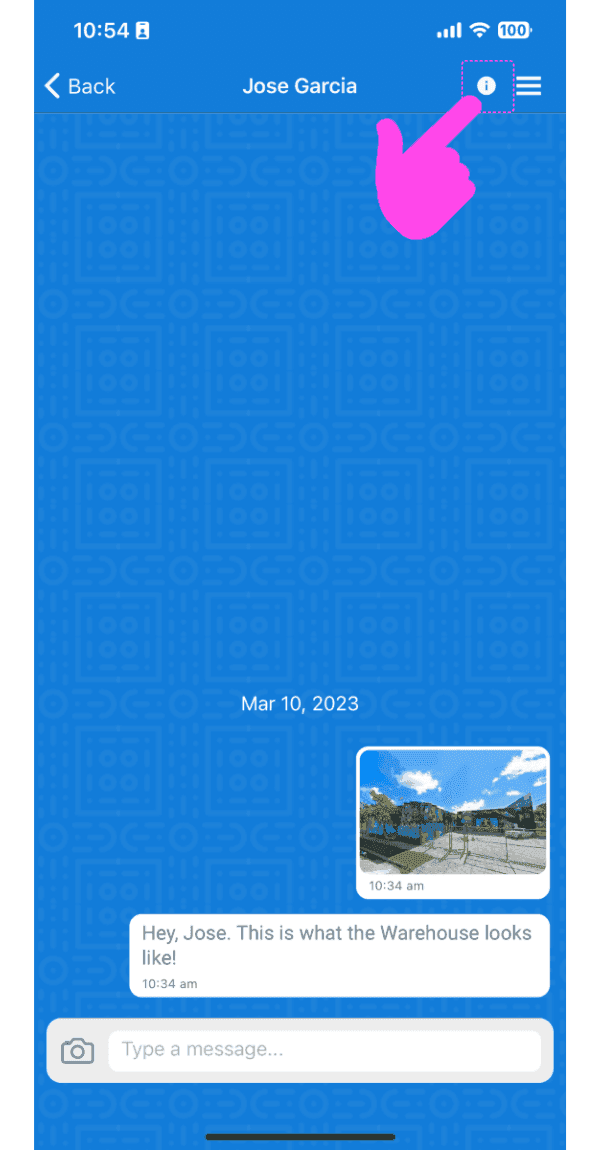
Nell’app mobile: seleziona una chat dall’elenco e tocca l’icona Info nella barra superiore.
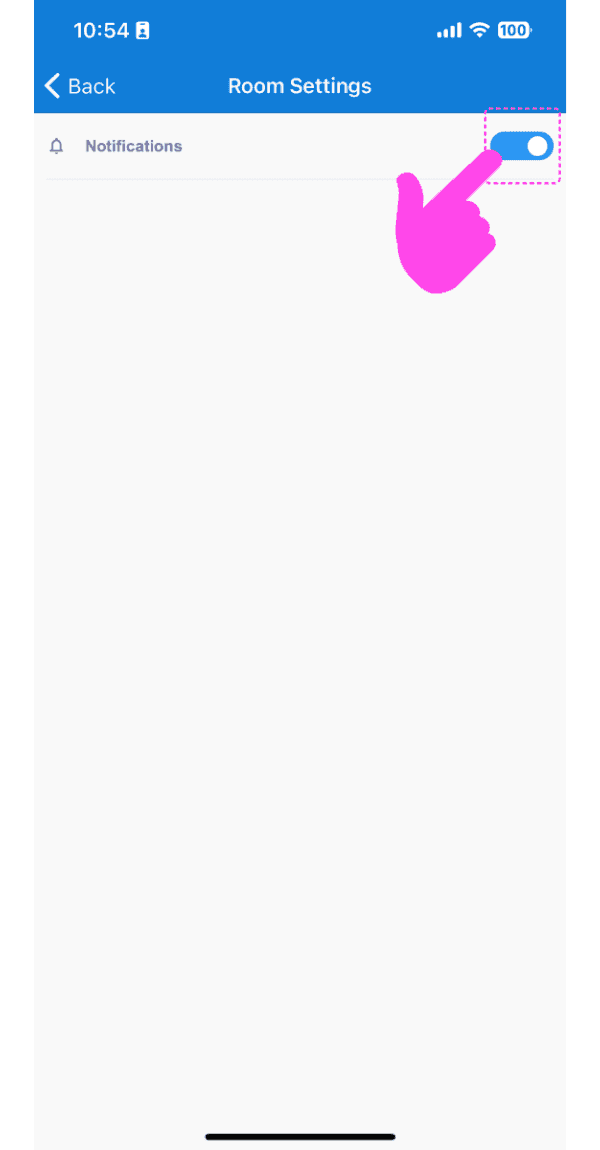
Tocca Interruttore per attivare o disattivare le notifiche
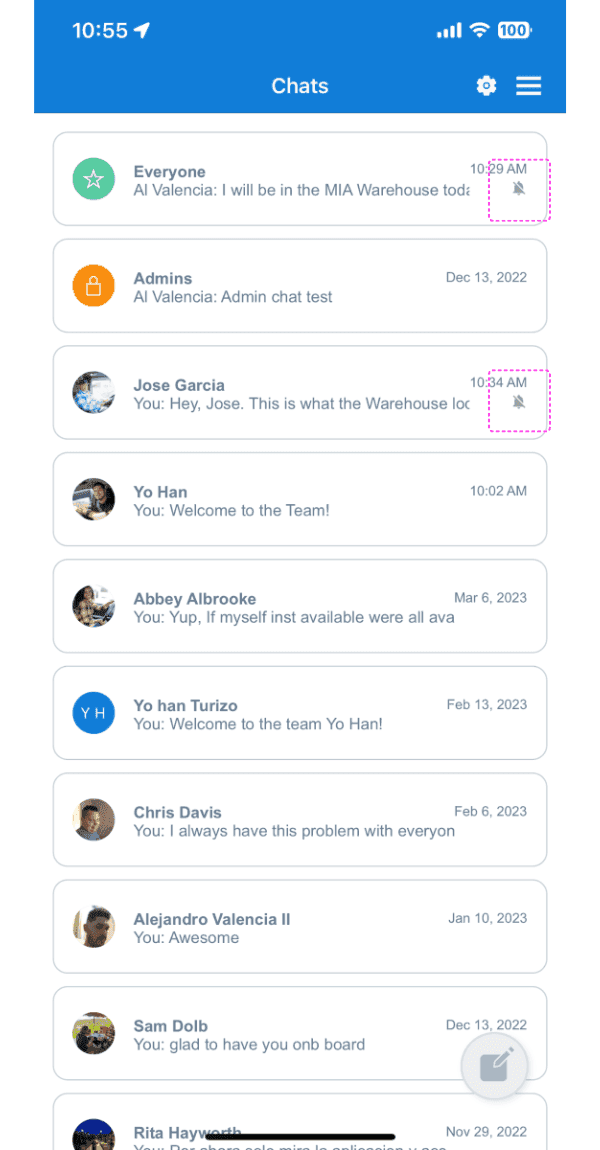
Se le notifiche di una chat specifica sono disattivate, nell’elenco delle chat verrà visualizzata un’icona a forma di campanella barrata.
Nella versione web: seleziona una chat facendo clic su una voce nell’elenco delle chat, quindi fai clic sull’icona a forma di ingranaggio.
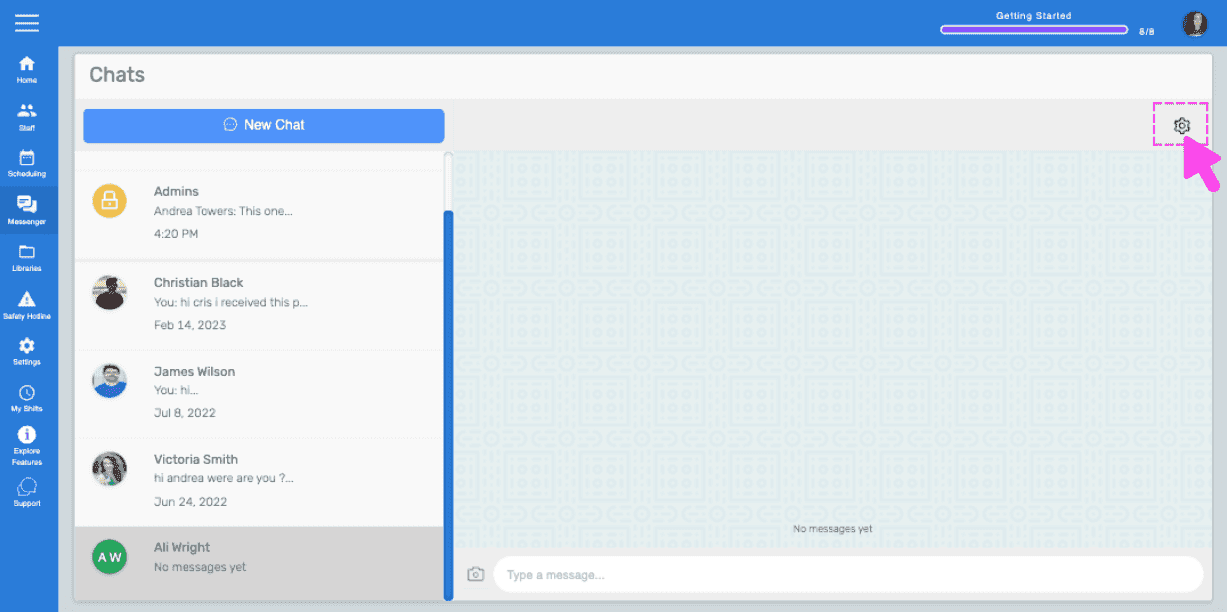
Fai clic su Interruttore per attivare o disattivare le notifiche.
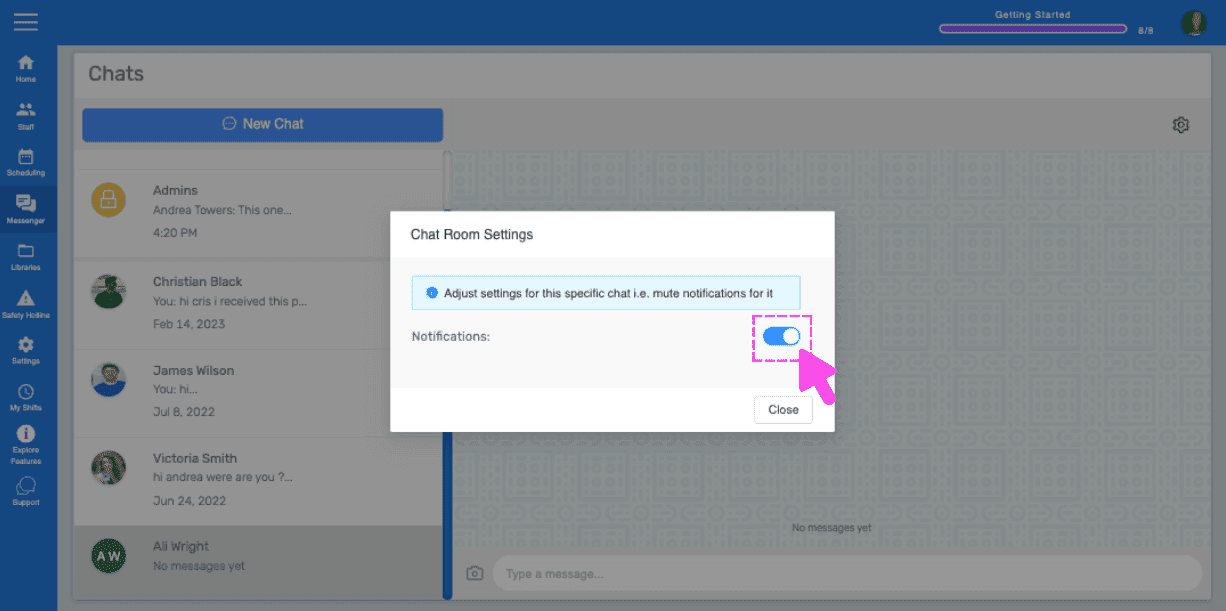
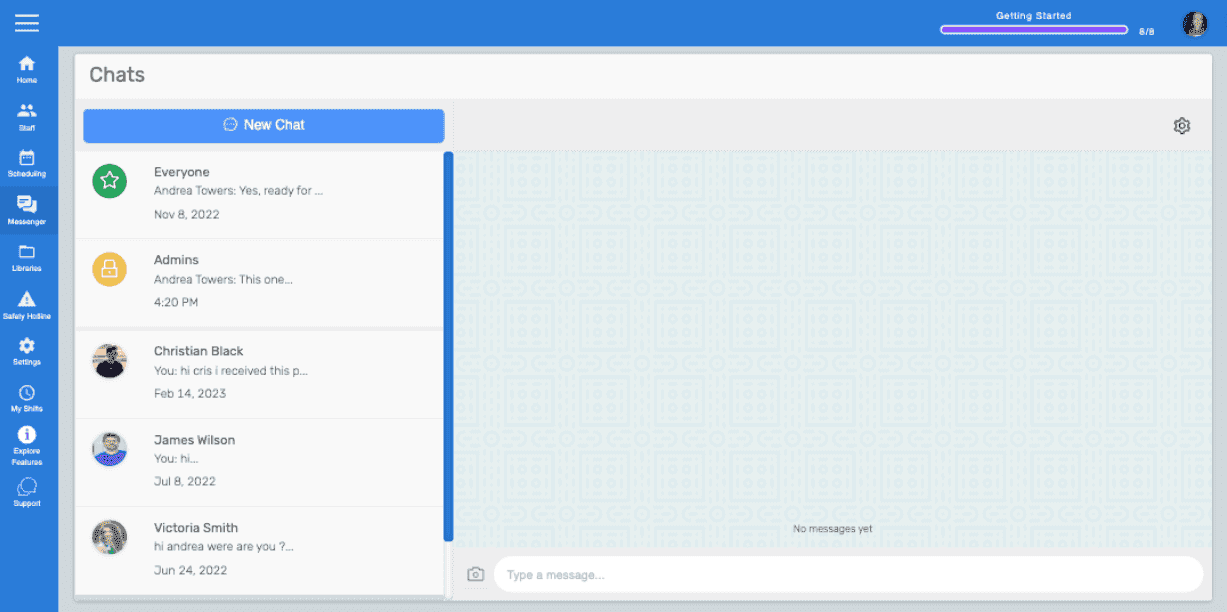
Se le notifiche di una chat specifica sono disattivate sul web, nell’elenco delle conversazioni della chat verrà visualizzata un’icona a forma di campanella barrata. Nota: per impostazione predefinita, le notifiche sono attive. L’utente deve disattivarle o silenziarle manualmente.
Questa risposta ti è stata utile?