Inizia una nuova chat

Questo articolo spiega come avviare una nuova chat con un membro dello staff.

SINC Support Team
SINC Support Team
Mar 10th, 2023

Per avviare una chat privata 1:1 con un membro dello staff: nell’app mobile, tocca il pulsante Crea nuova chat (l’icona della penna e del blocco note).
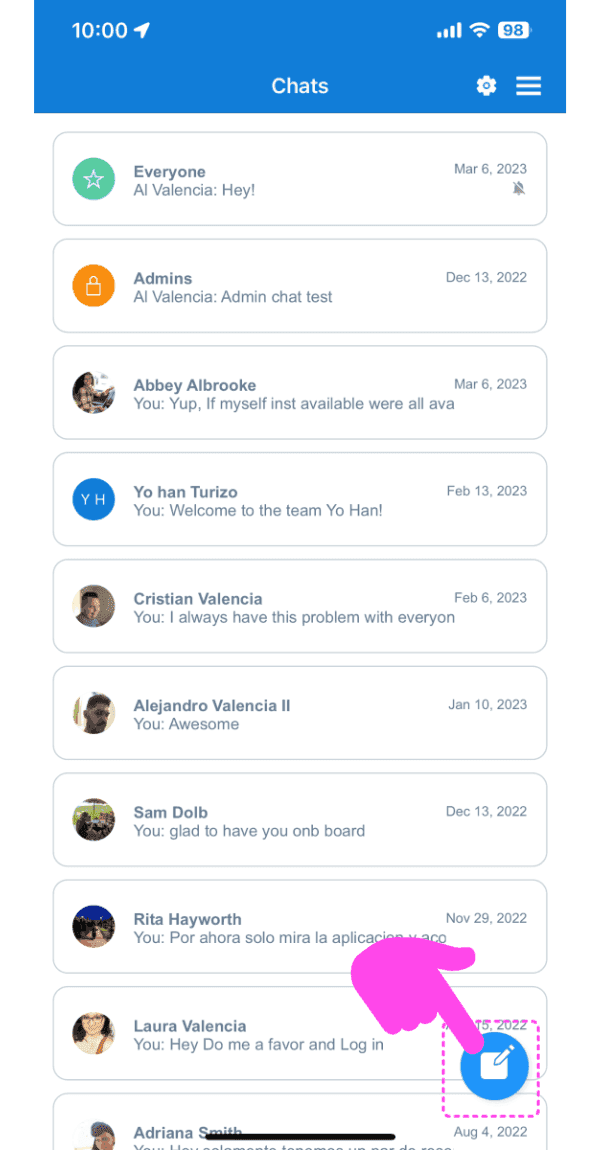
SINC mobile Chats list with a pink arrow pointing to the new chat pen-and-pad icon in the bottom right

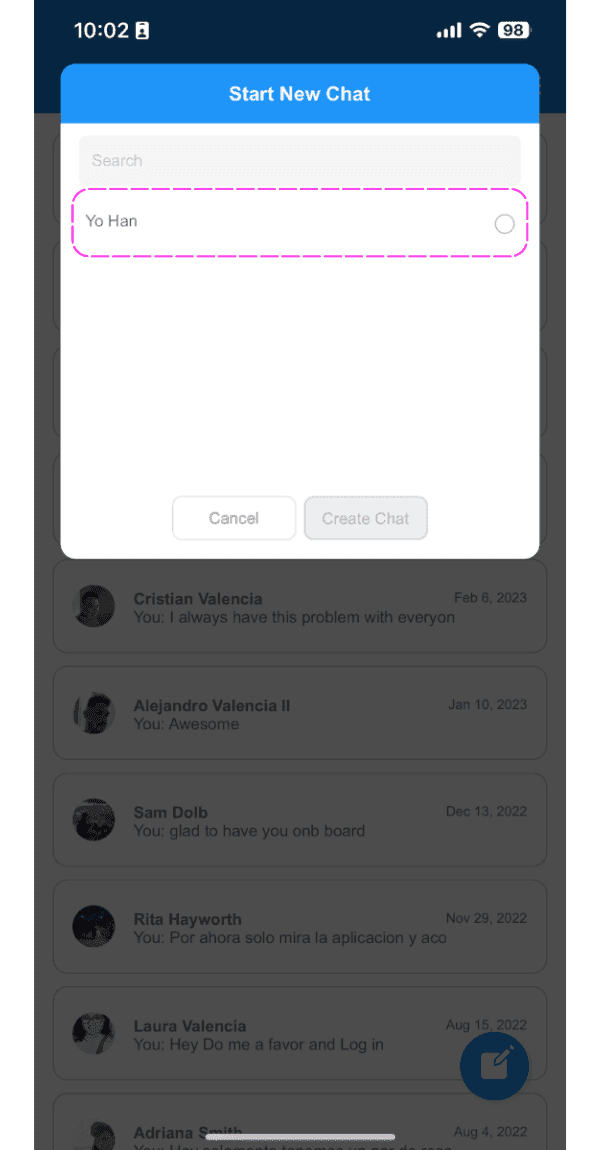
Tocca un dipendente dall’elenco

Start New Chat screen with the employee search field highlighted showing a typed name

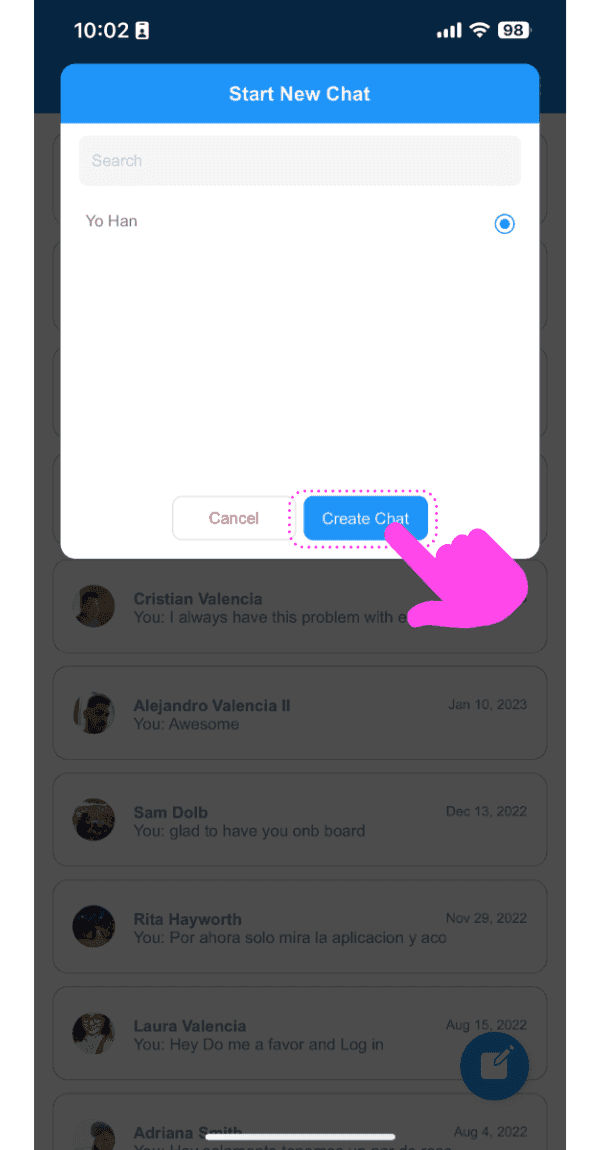
Tocca il pulsante «Crea chat»

Mobile Start New Chat popup with a pink arrow pointing to the Create Chat button

L’app ti porterà alla chat appena creata
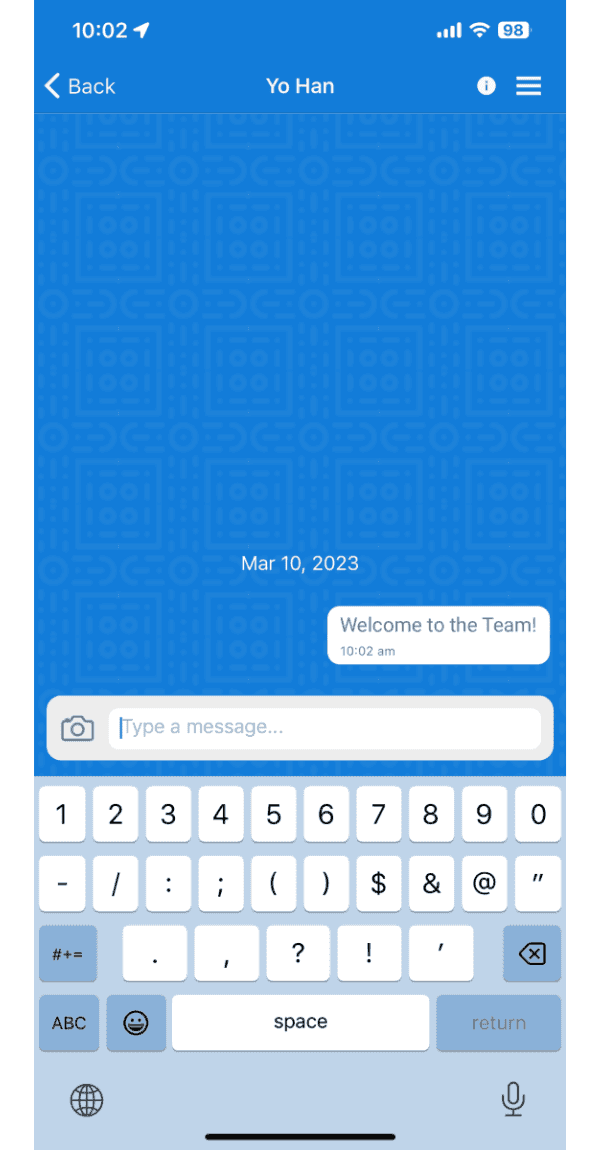
SINC mobile chat conversation screen showing a sent message reading Welcome to the Team

Sul web: fai clic sul pulsante «Nuova chat»
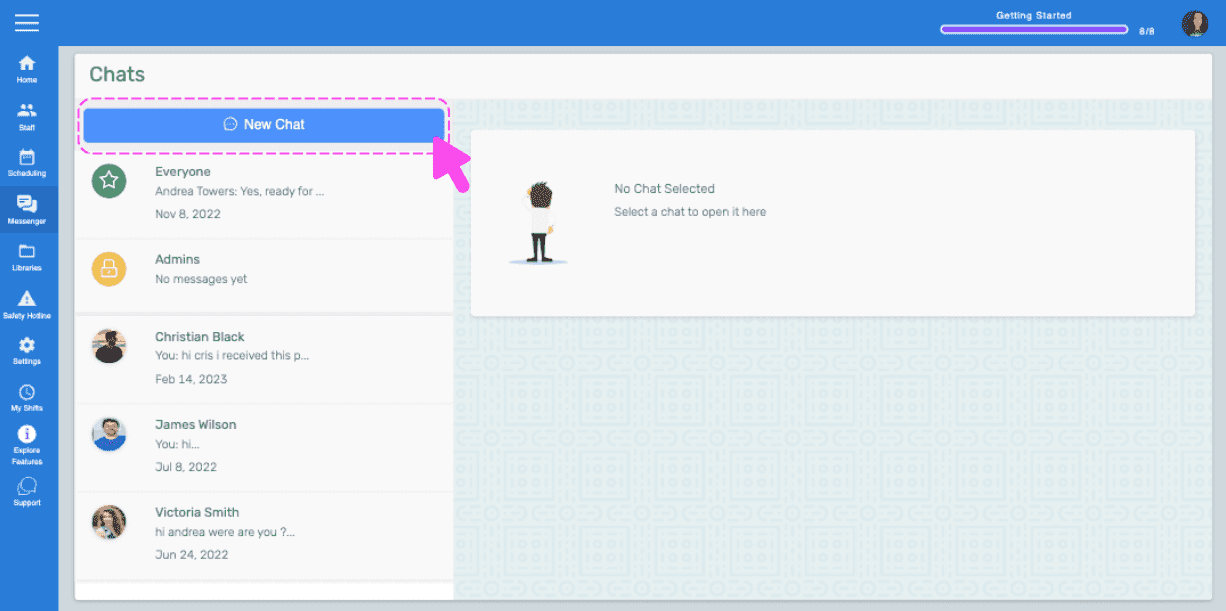
SINC web Chats screen with a pink arrow pointing to the New Chat button

Fai clic su un dipendente dall’elenco
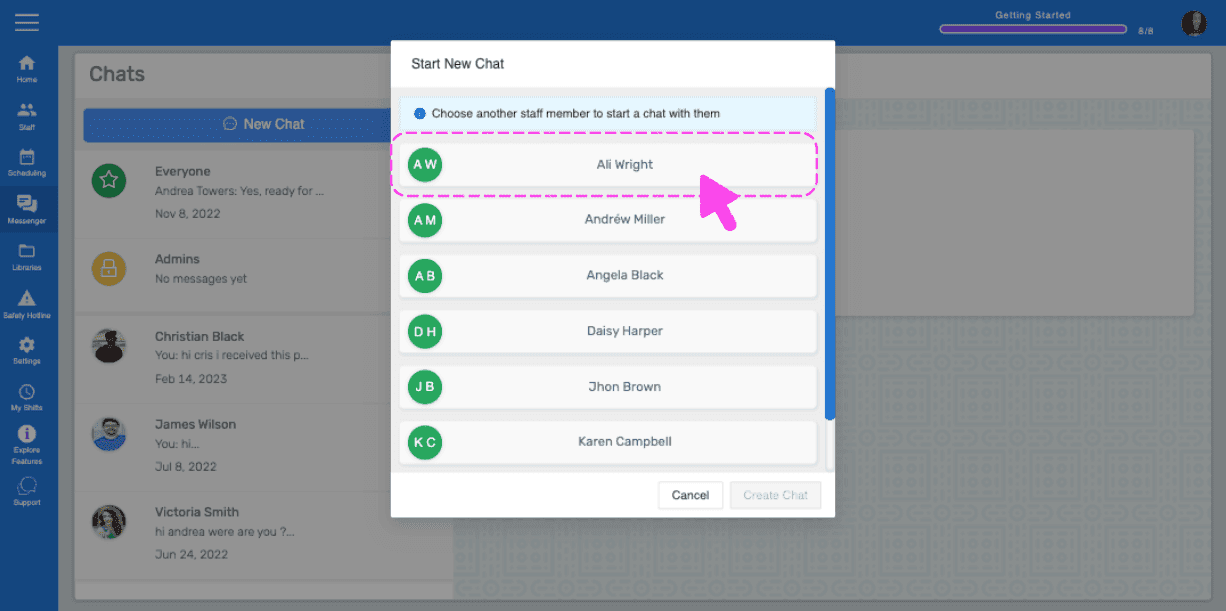
Start New Chat popup listing staff members with a pink arrow pointing to a selected employee name

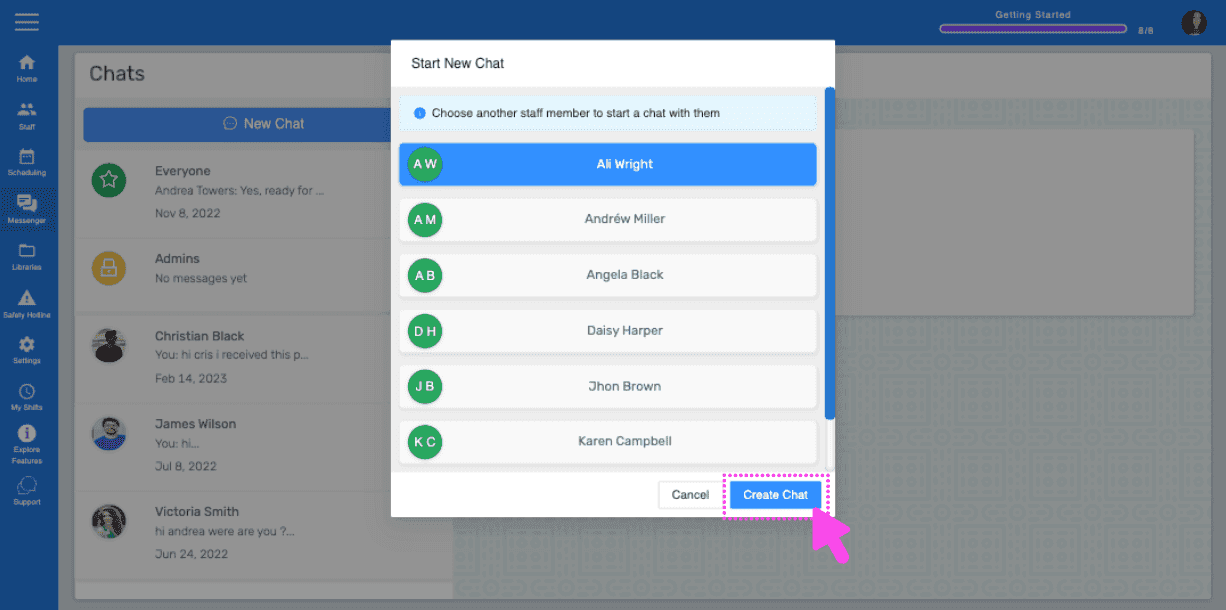
Fai clic sul pulsante “Crea chat”

SINC web Start New Chat popup listing staff members with a pink arrow pointing to the Create Chat button

Il web ti condurrà alla chat appena creata
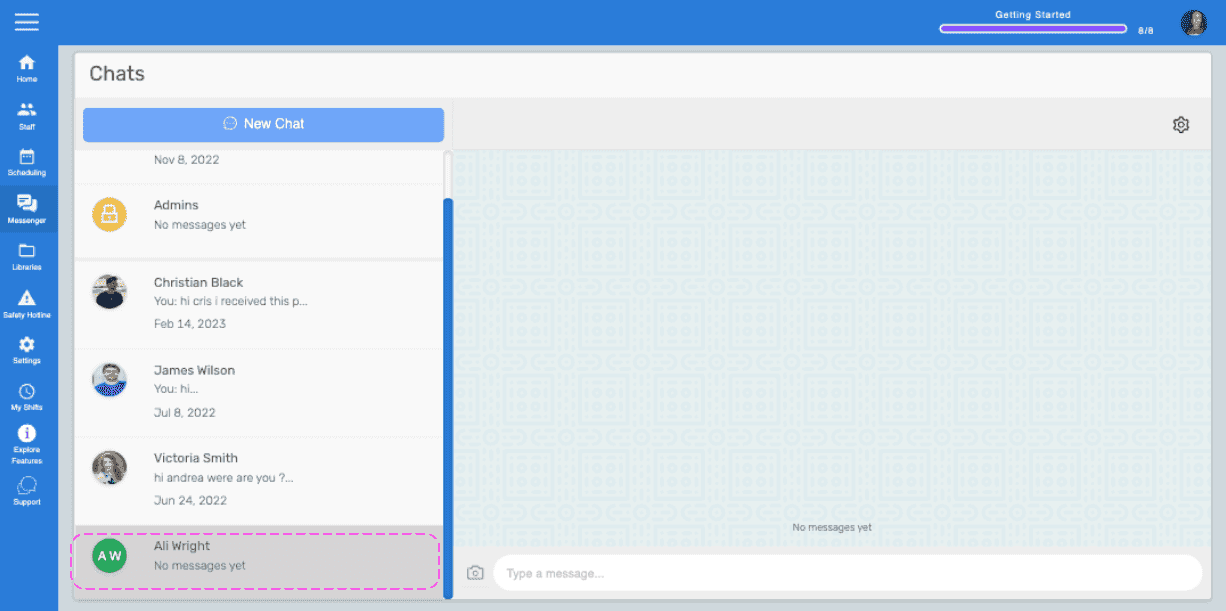
Web Chats list showing a newly created chat with a contact, outlined in pink

Questa risposta ti è stata utile?