Aggiungi note al tuo turno di lavoro

In questa guida vedremo come aggiungere note ai tuoi turni di lavoro come dipendente in SINC

SINC Support Team
SINC Support Team
Mar 10th, 2023

Puoi aggiungere una nota durante un turno di lavoro seguendo le schermate riportate di seguito. Sul cellulare, per aggiungere una nota a un turno di lavoro aperto: tocca Aggiungi nota
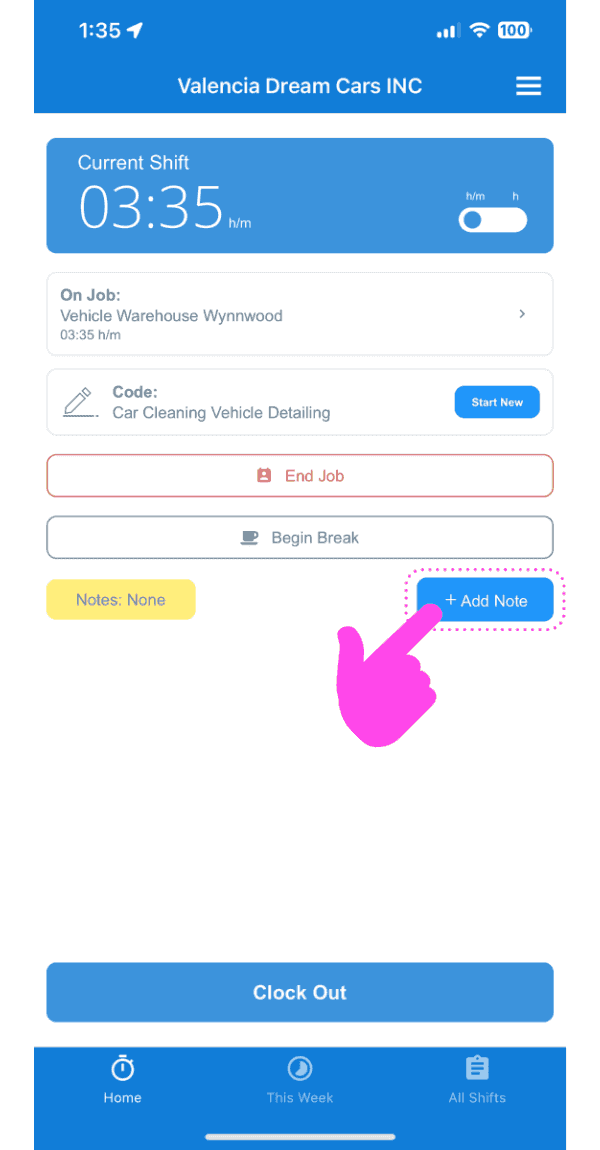
SINC mobile current shift screen with a pink arrow pointing to the Add Note button

Tocca Aggiungi nota al turno di lavoro
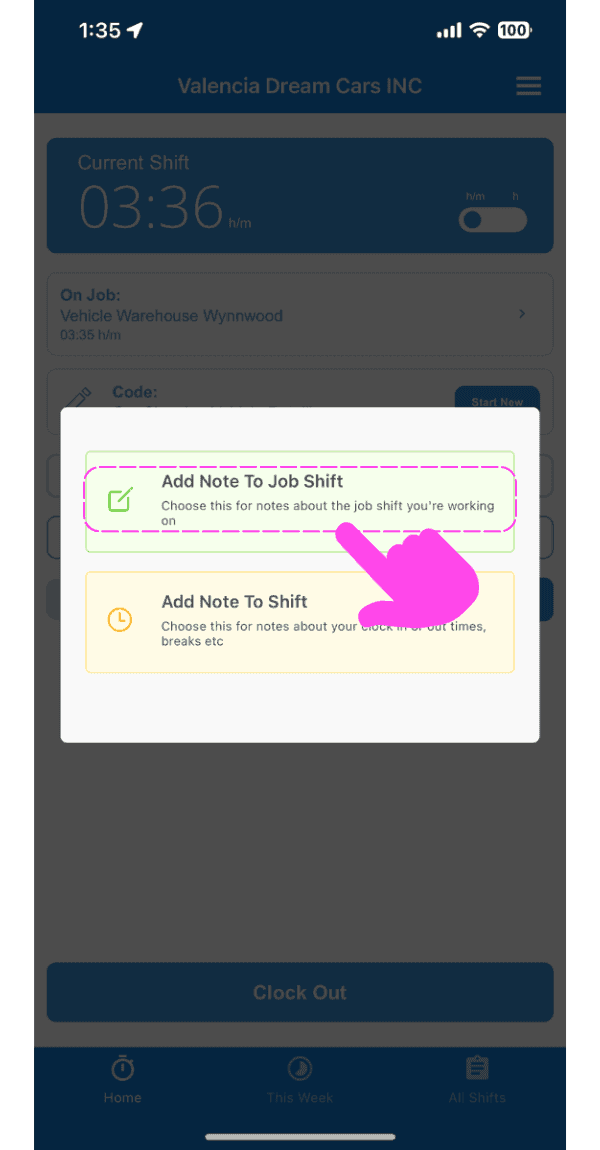
Add Note popup with a pink arrow pointing to the "Add Note To Job Shift" option above "Add Note To Shift"

Inserisci una descrizione della nota.
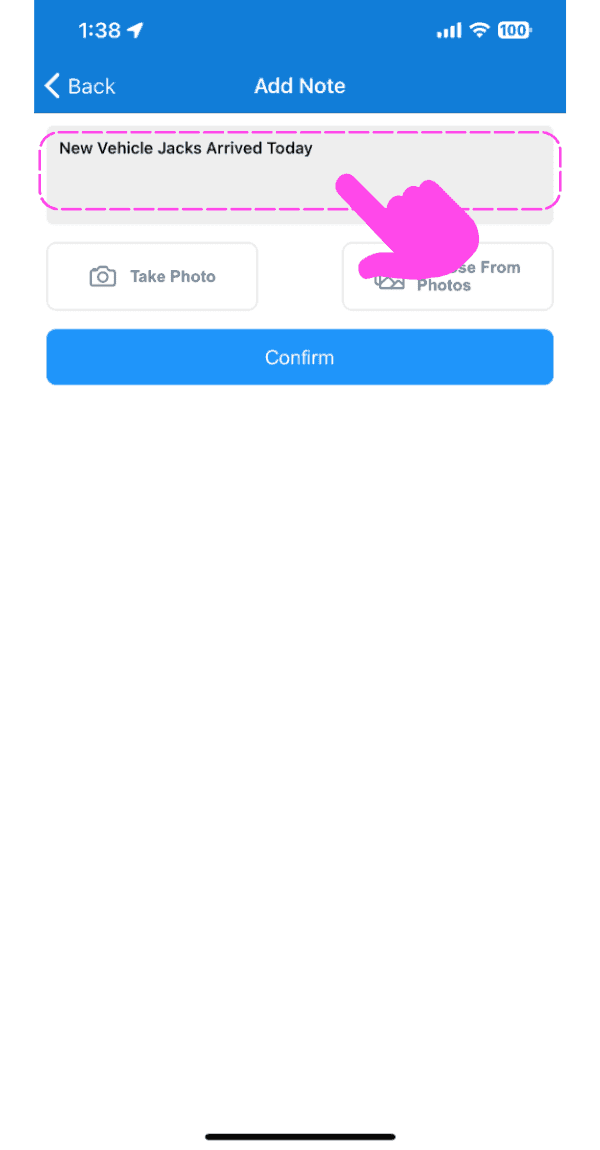
SINC mobile Add Note screen with a pink arrow pointing to the note description text field

Carica un’immagine relativa alla nota, se lo desideri.
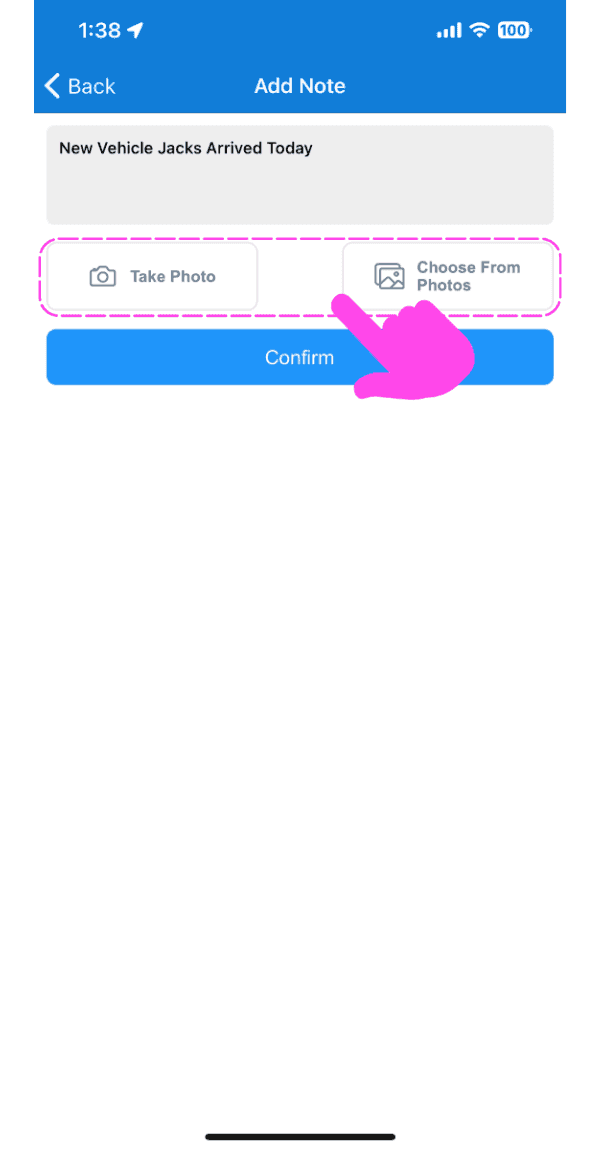
Mobile Add Note screen with Take Photo and Choose From Photos options outlined in pink

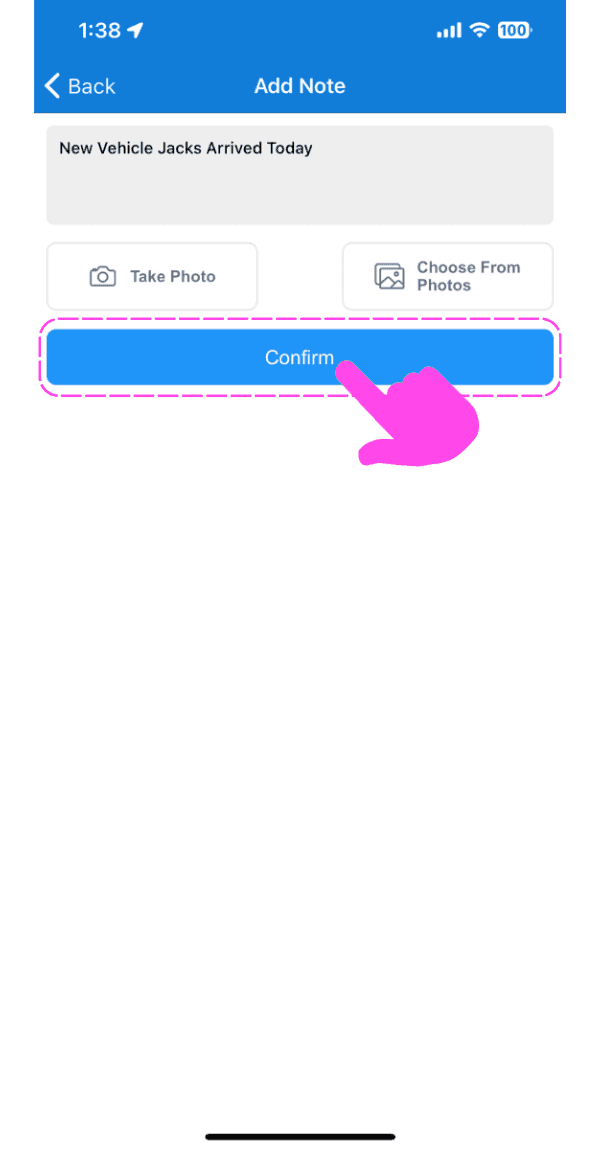
Tocca Conferma

SINC mobile Add Note screen with typed note text and a pink hand pointing to the Confirm button

Sul Web, per aggiungere una nota a un turno aperto: fai clic su Aggiungi nota
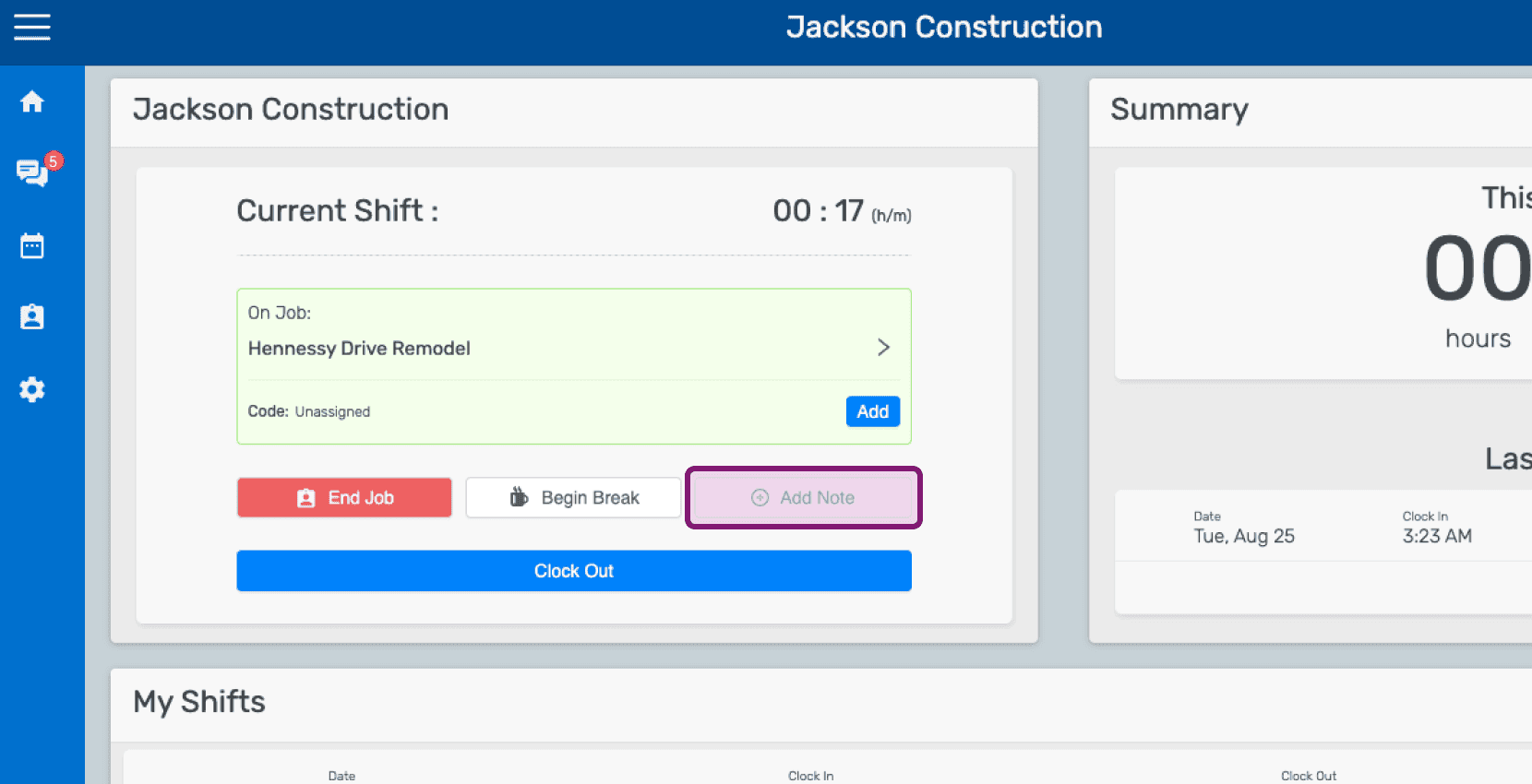
Mobile home dashboard showing an open job shift with the Add Note button highlighted

Fai clic su Aggiungi nota al turno di lavoro
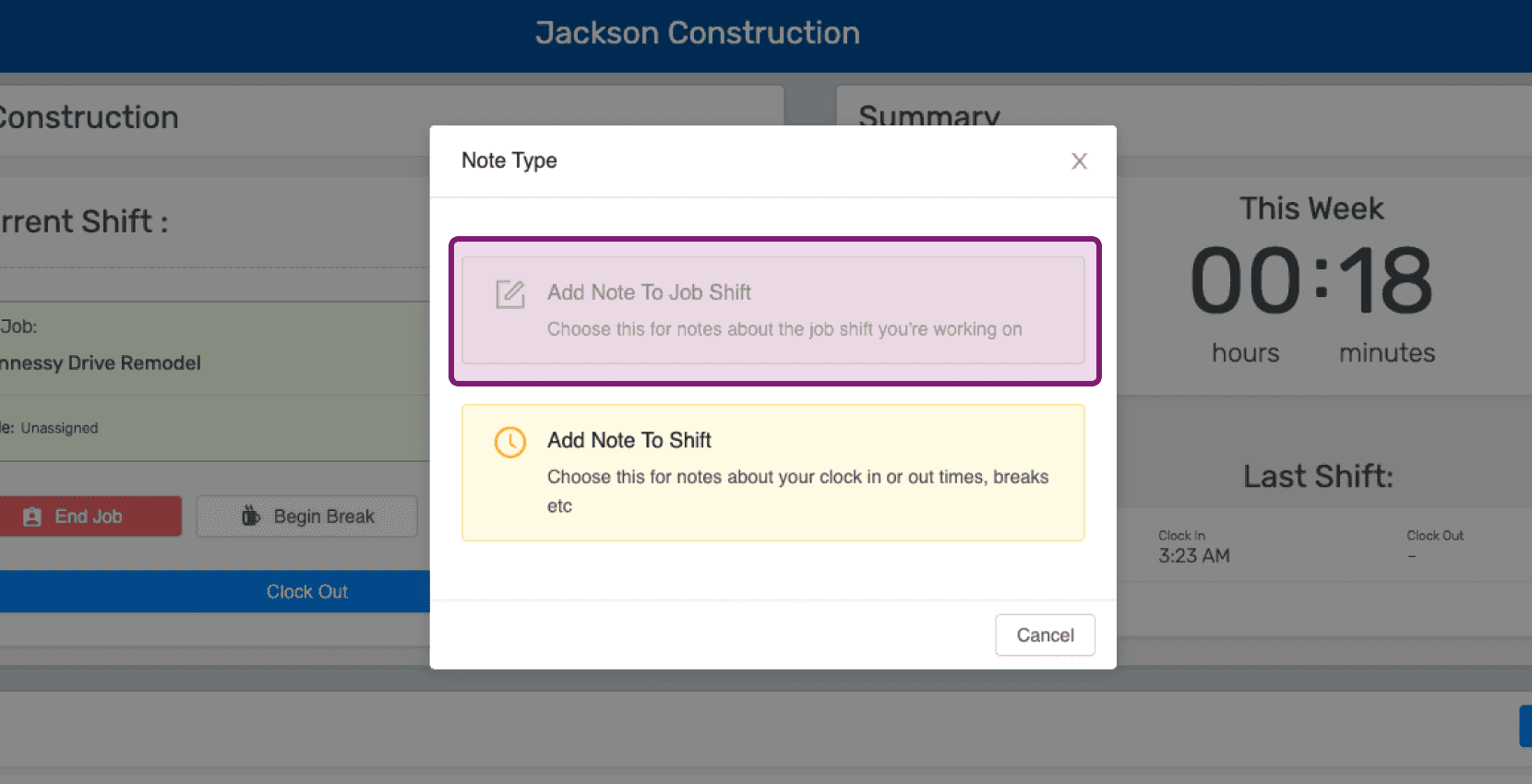
Mobile Note Type popup with the 'Add Note To Job Shift' option outlined in purple

Inserisci una descrizione della nota.
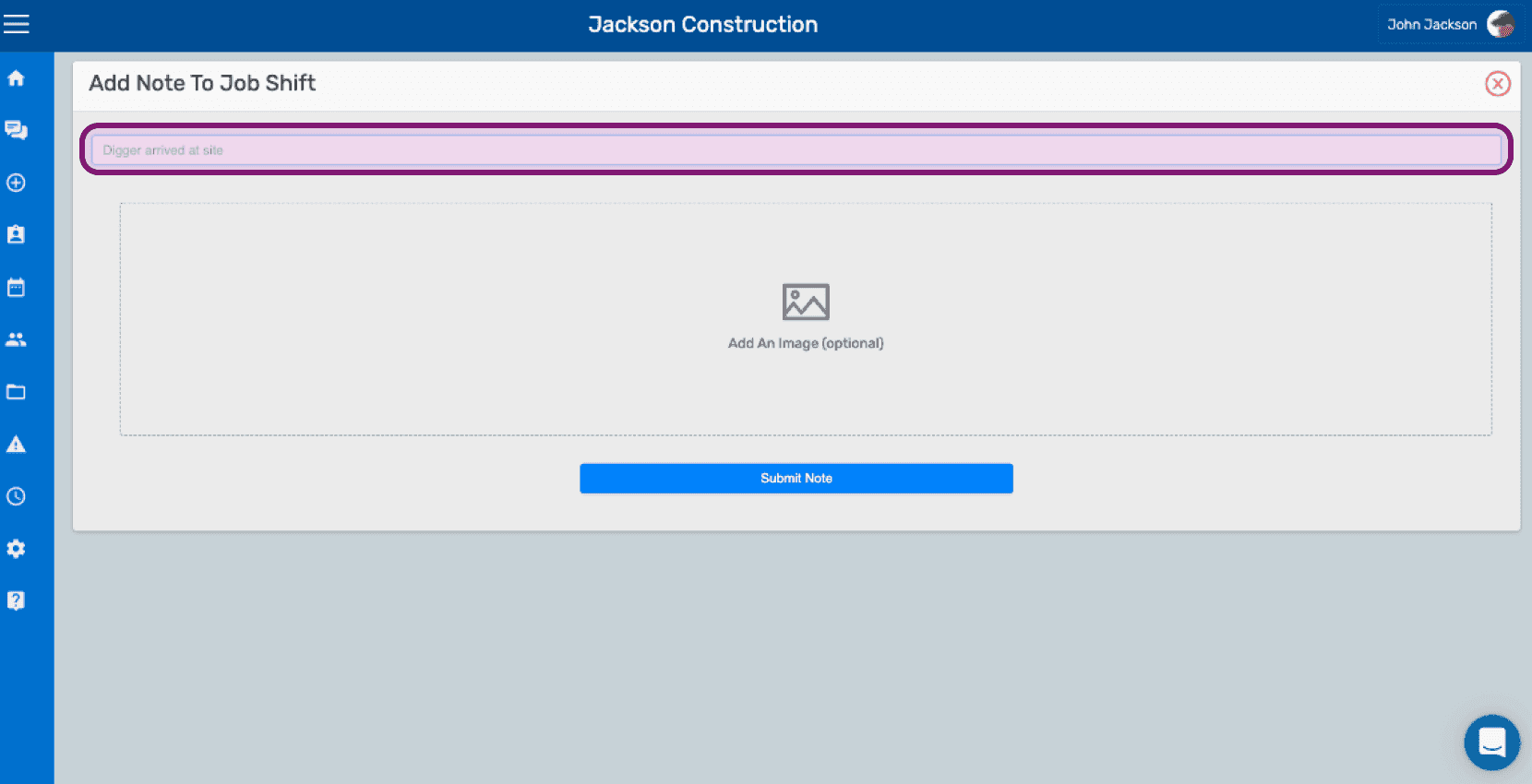
SINC web Add Note To Job Shift screen with the note text field outlined above the image upload area

Se vuoi, carica un’immagine relativa alla nota.
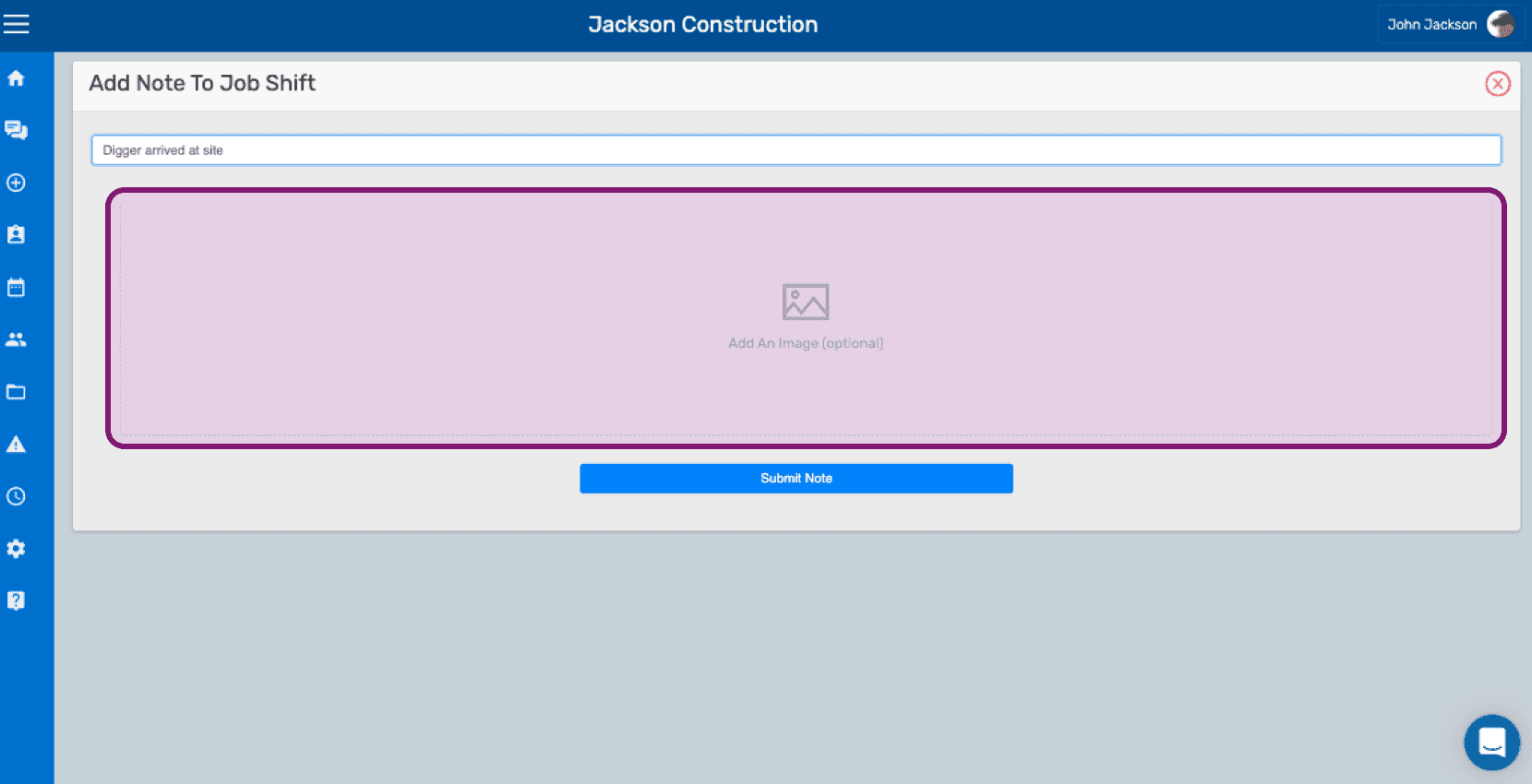
SINC web Add Note To Job Shift screen with the optional image upload area outlined in pink

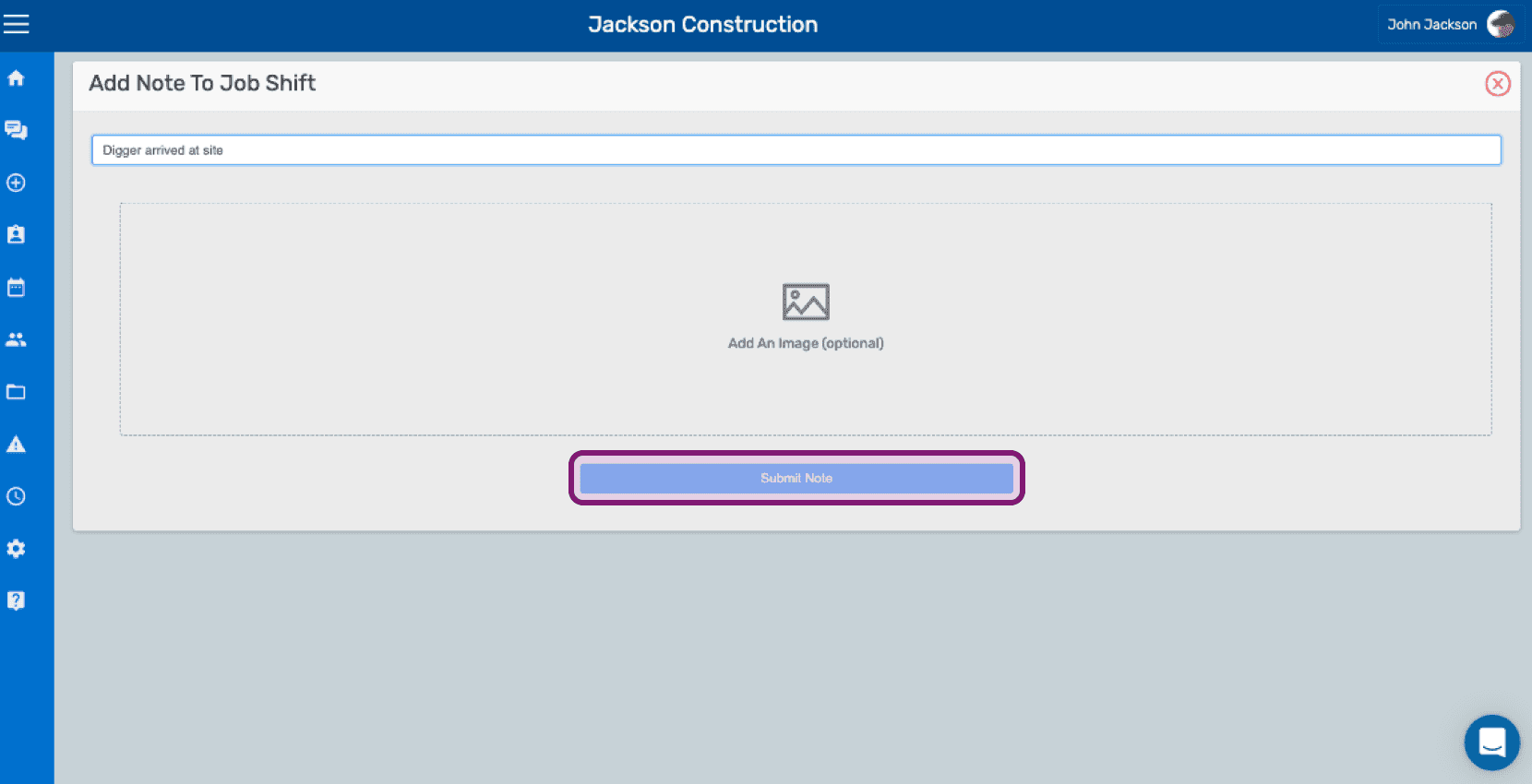
Clicca su Invia nota

Add Note To Job Shift screen with a text field, optional image upload, and the Submit Note button outlined

Questa risposta ti è stata utile?