
Timbratura entrata e uscita dei dipendenti
In questa guida vedremo come registrare l’inizio e la fine di un turno in qualità di dipendente.

SINC Support Team
May 26th, 2023
Questa sezione spiega come timbrare l’ingresso e l’uscita da un turno in qualità di dipendente. Tuttavia, se un amministratore aggiunge un periodo di assenza per un dipendente, quest’ultimo non potrà timbrare l’ingresso durante tale periodo.
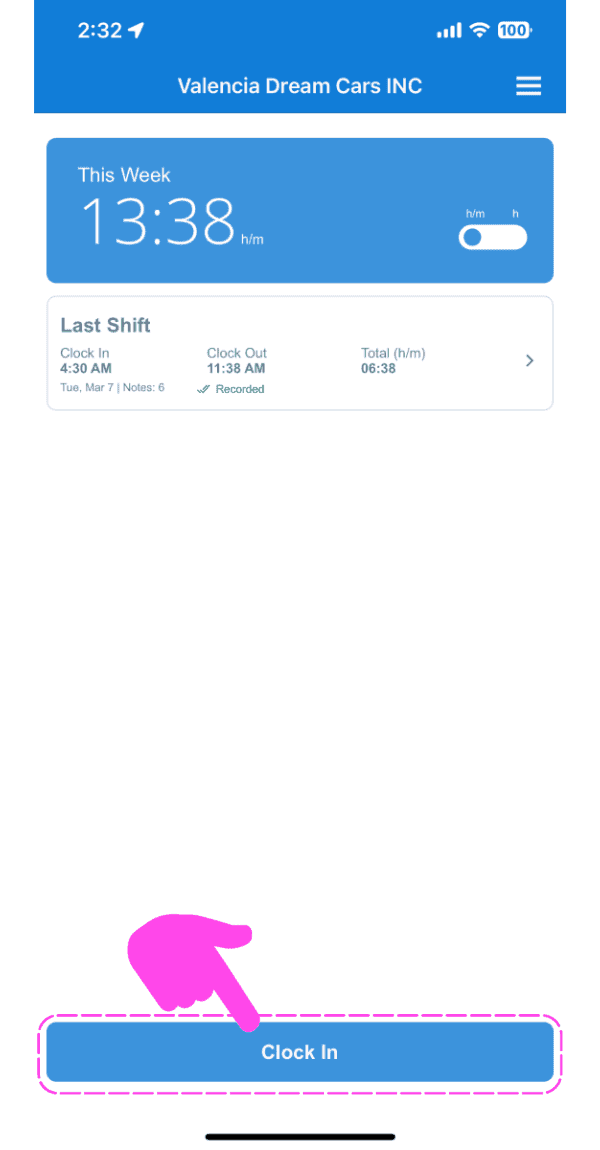
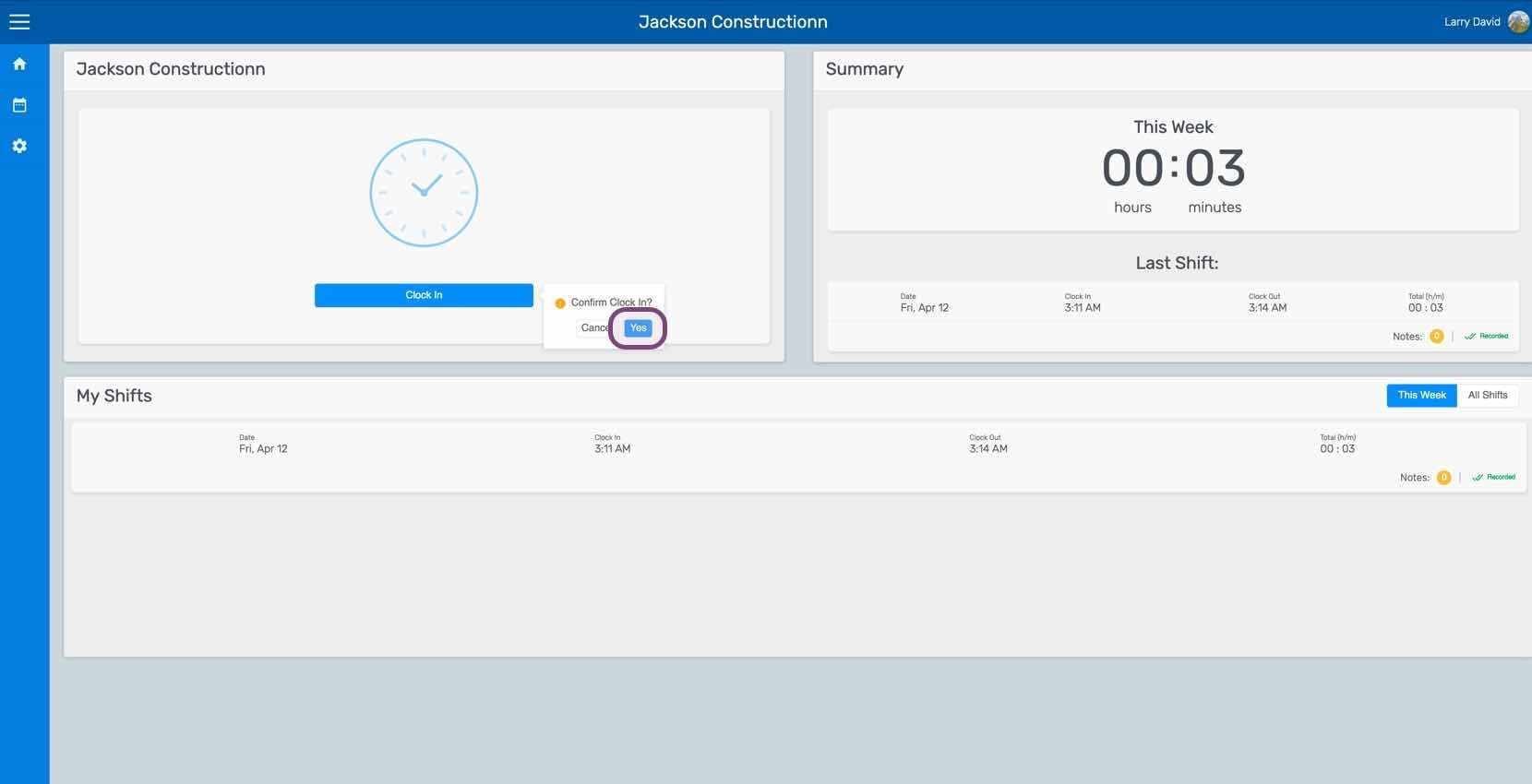
Tocca Timbratura d’ingresso
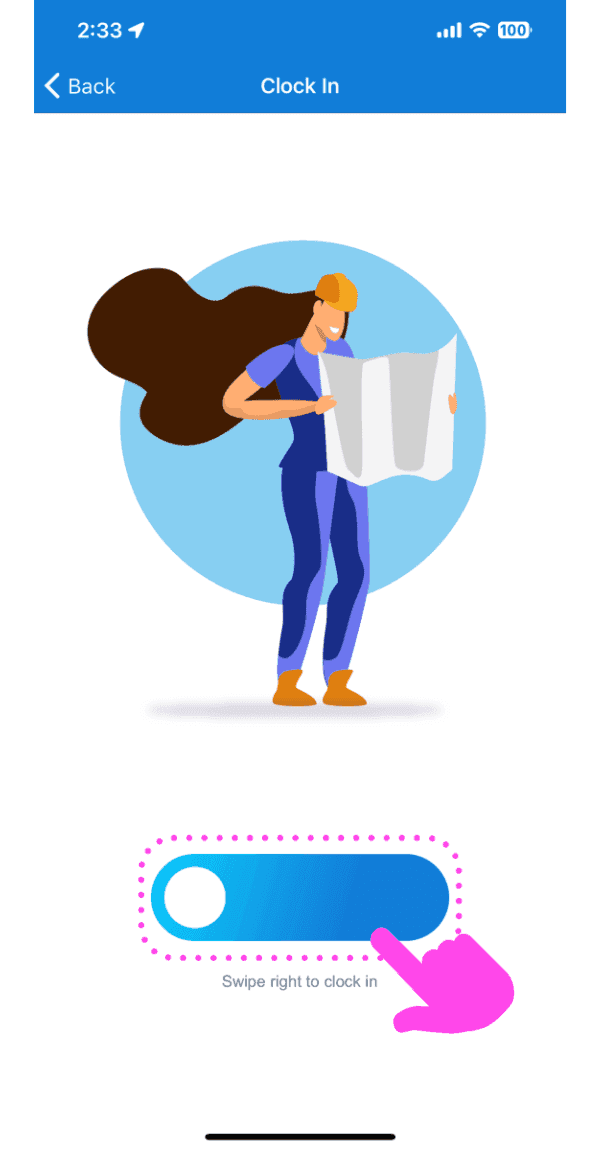
Tocca Scorri verso destra per timbrare l’ingresso (versione web: fai clic su Sì)
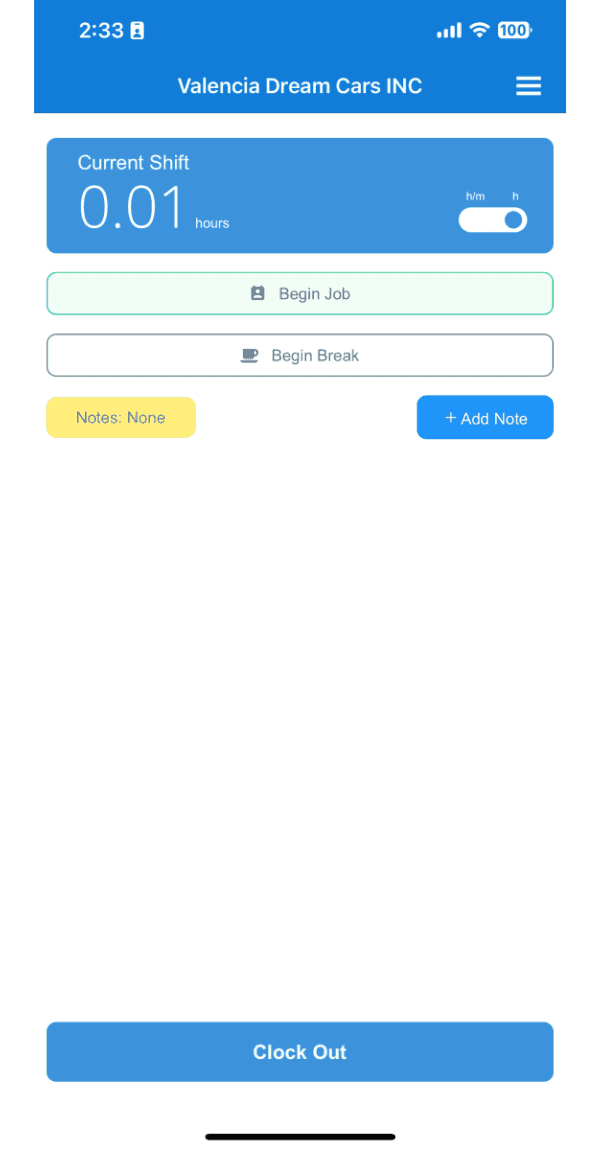
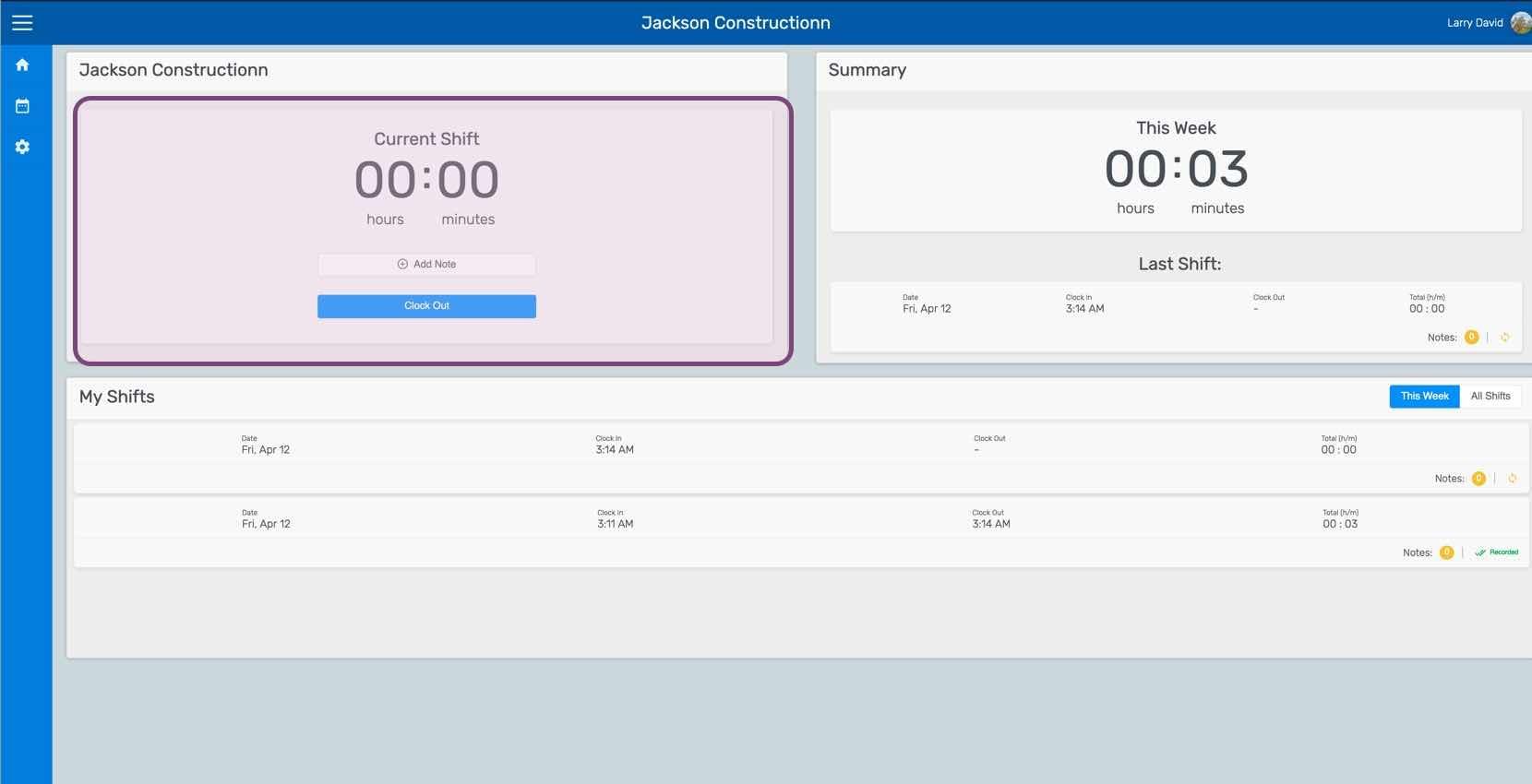
Questa schermata indica che hai iniziato il turno. Da qui puoi aggiungere note sul turno.
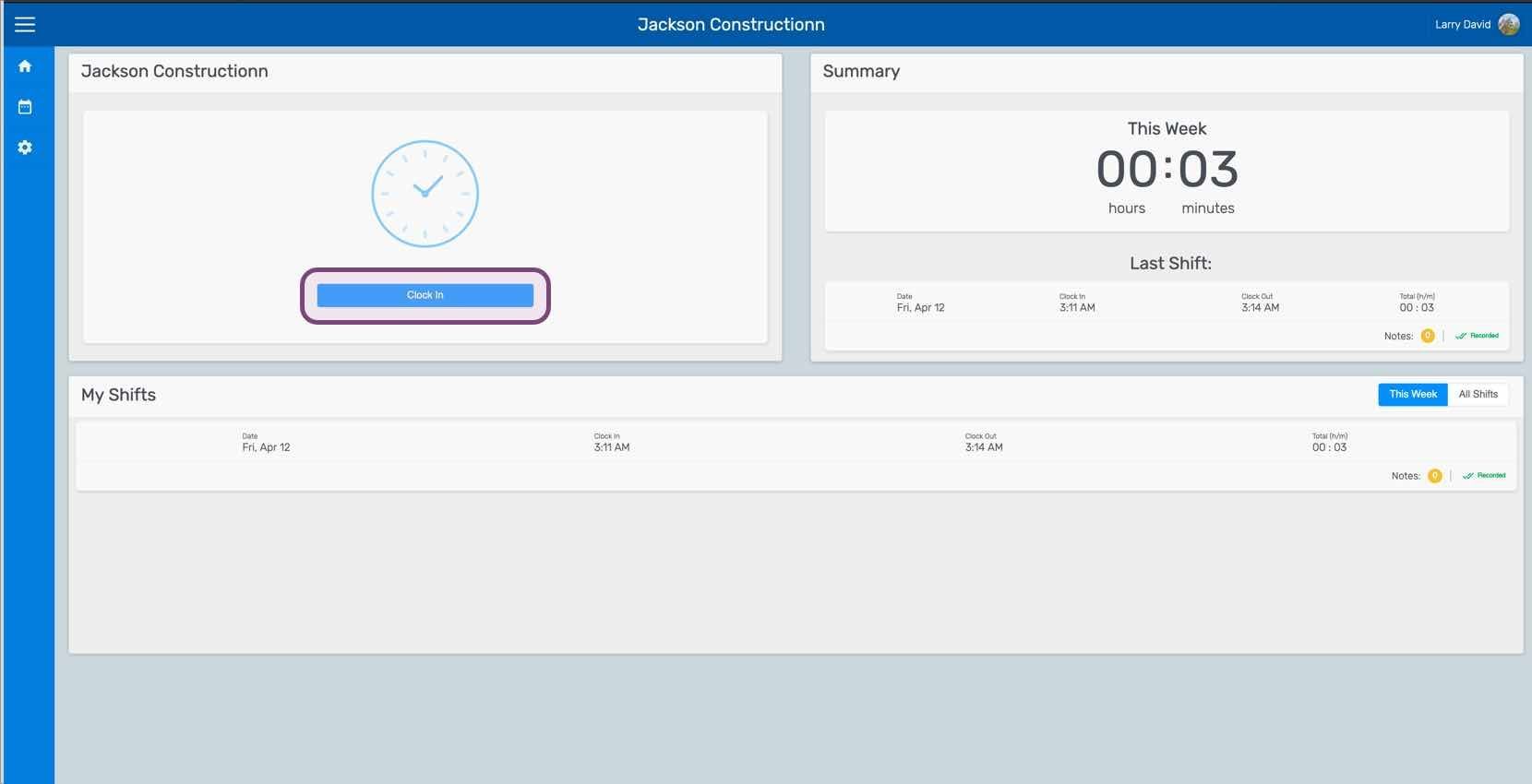
Se stai utilizzando la versione web, avrà questo aspetto:
Questa risposta ti è stata utile?