Job: Crea un job

Vediamo come creare un lavoro in SINC a cui il tuo personale possa assegnare le proprie ore

SINC Support Team
SINC Support Team
Feb 23rd, 2023

Sul web: per aggiungere un lavoro, basta fare clic su Home Ore di lavoro
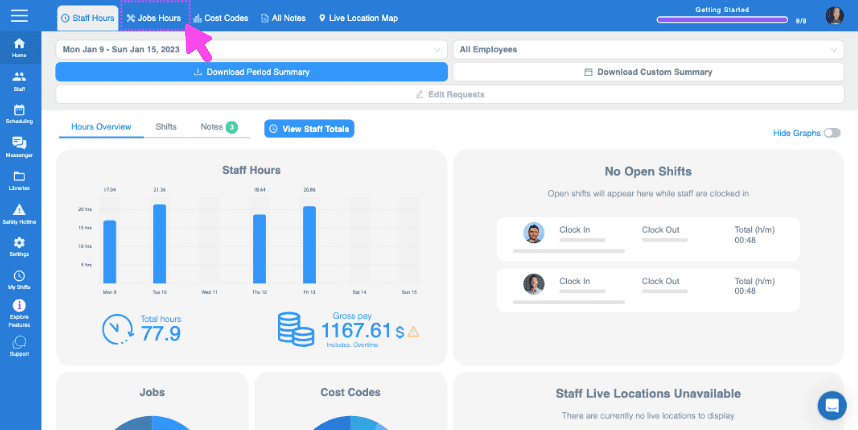
SINC web dashboard top toolbar with a pink arrow pointing to the Jobs Hours tab

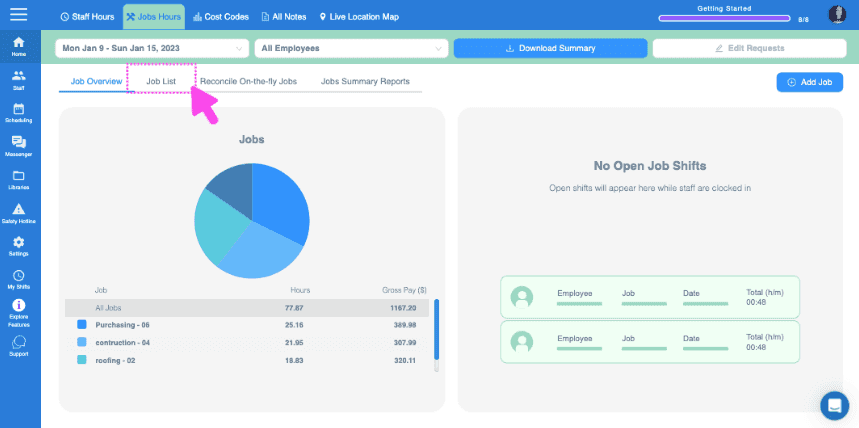
Fai clic su Elenco lavori

Web Jobs Hours dashboard with the Job List tab highlighted in a pink box near the top

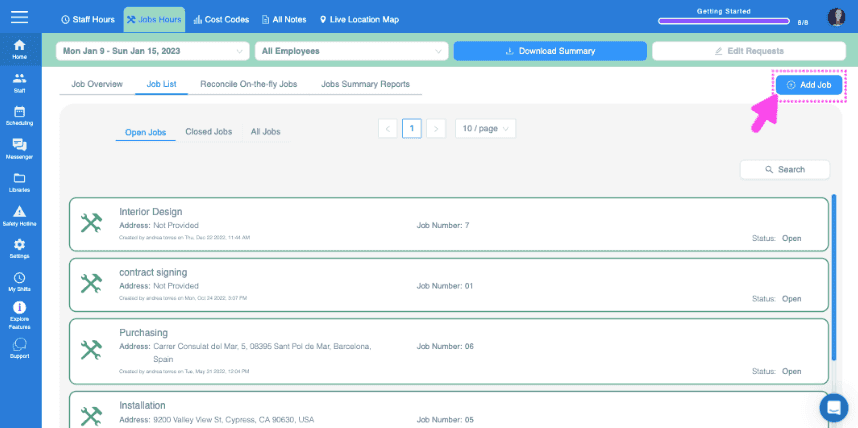
Fai clic su Aggiungi lavoro

SINC web Job List screen with a pink arrow pointing to the Add Job button in the top right corner

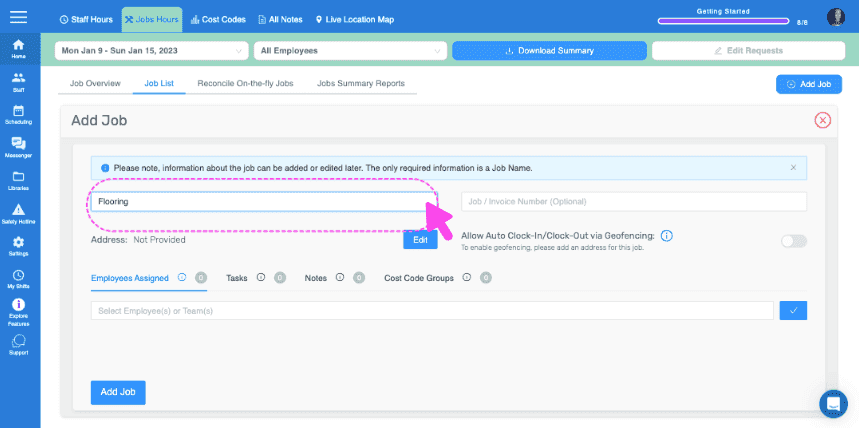
Assegna un nome al lavoro

Add Job form with a pink arrow pointing to the Job Name field showing Flooring

Aggiungi un numero di commessa/fattura (facoltativo)
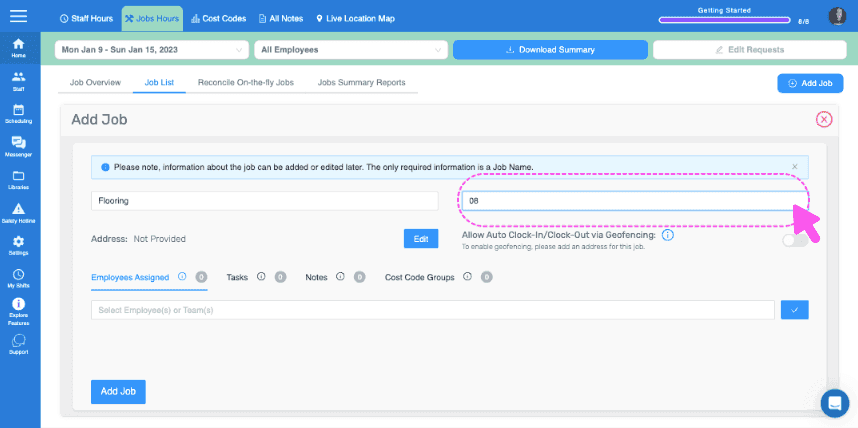
Web Add Job form with the Job Name field circled and a pink cursor pointing to it

Aggiungi un indirizzo per il lavoro. È importante se vuoi utilizzare il geofencing per registrare automaticamente l’entrata e l’uscita dal lavoro.
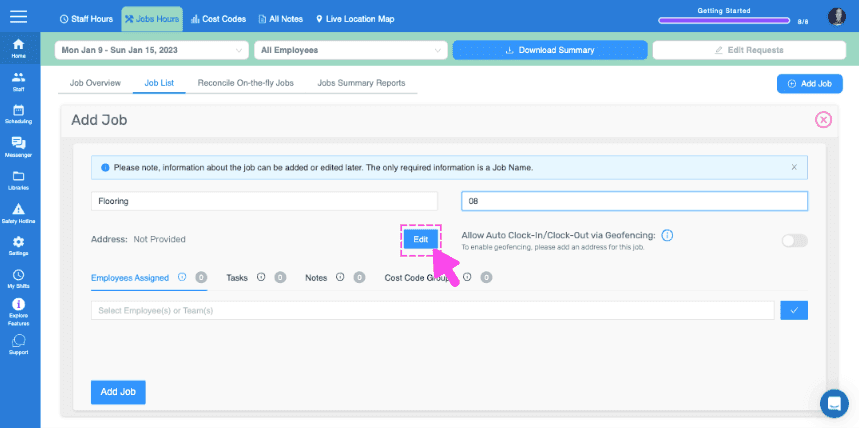
SINC web Add Job panel with a pink arrow pointing to the Edit button next to the Address field

Assegna dipendenti o team a questo lavoro (è necessario attivare la funzionalità di assegnazione dei dipendenti ai lavori)
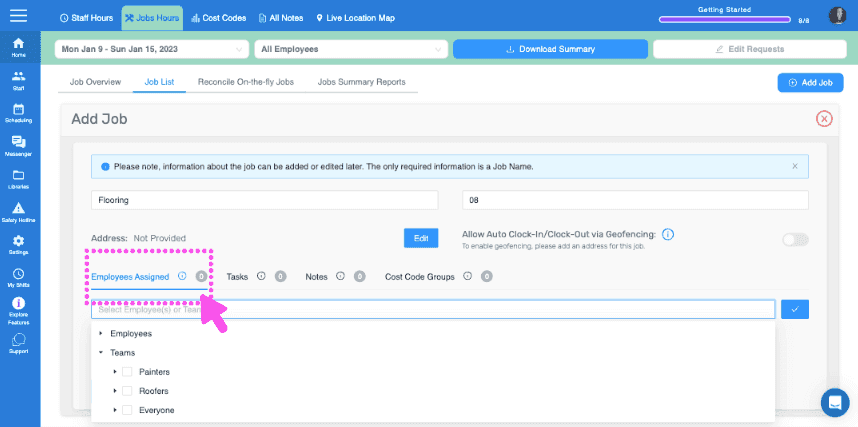
SINC web Add Job screen with the Employees Assigned section circled in pink

Aggiungi le attività o i gruppi di attività che desideri associare a questo lavoro
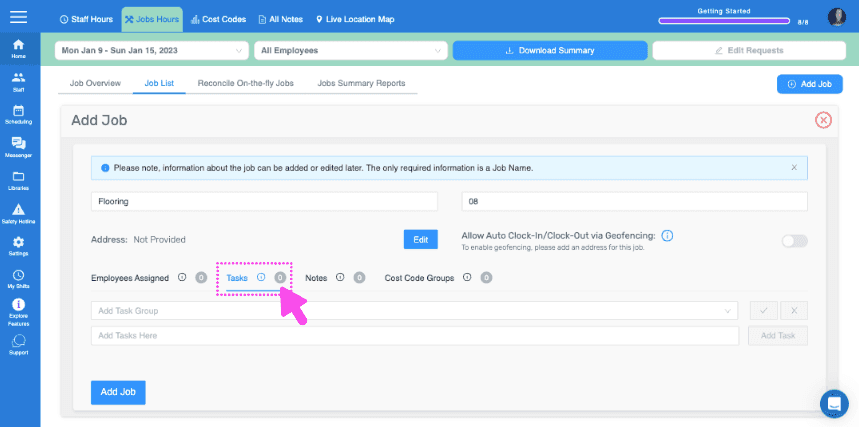
Add Job form showing Tasks and Notes fields with a pink arrow pointing to the Tasks section

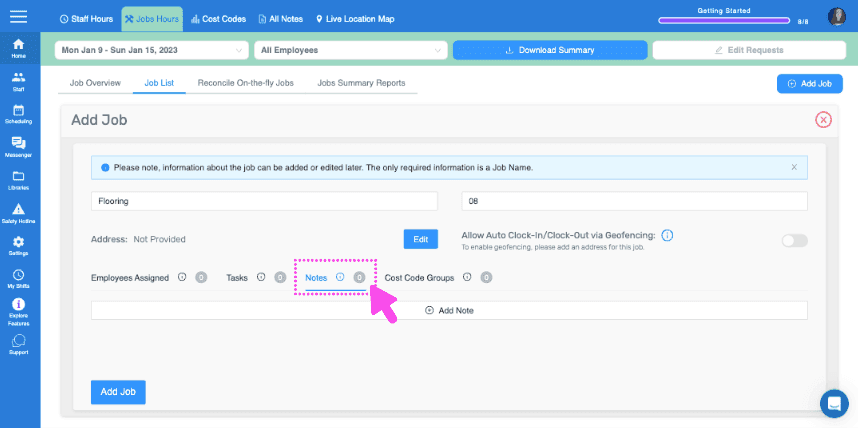
Lascia eventuali note importanti

SINC web Add Job form showing the Notes field highlighted with a pink dashed box and arrow

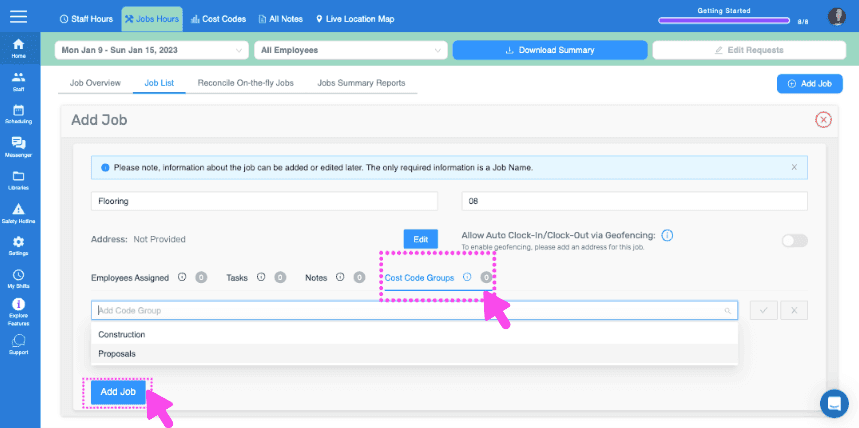
Ecco

Web dashboard Add Job form with Cost Code Groups field and Add Job button pointed out by pink arrows
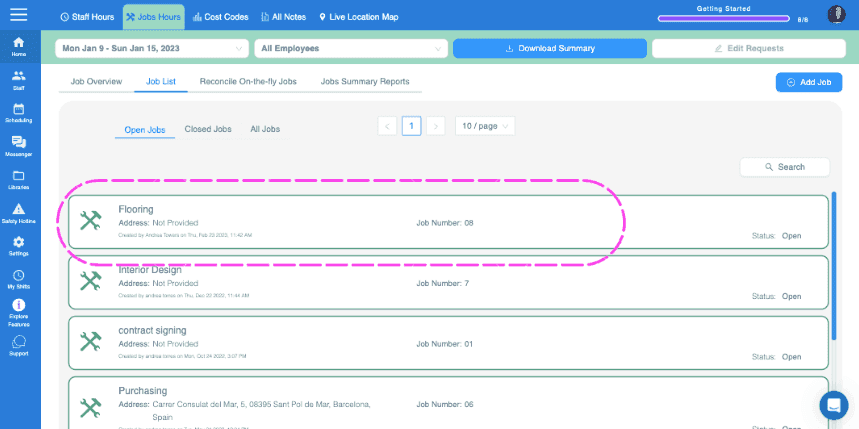
SINC web Jobs List tab showing open jobs with the Flooring job entry circled in pink

Su mobile: tocca Menu Panoramica Lavori
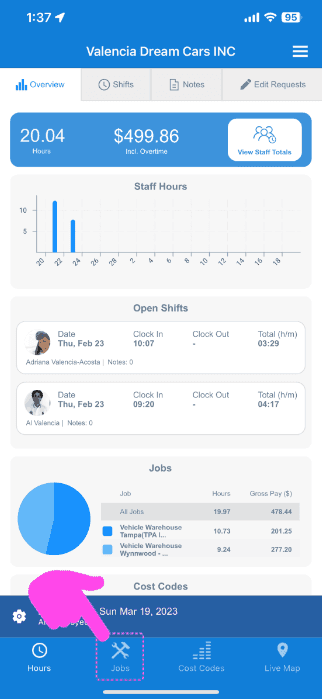
SINC mobile Overview screen with a pink arrow pointing to the Jobs icon in the bottom navigation bar

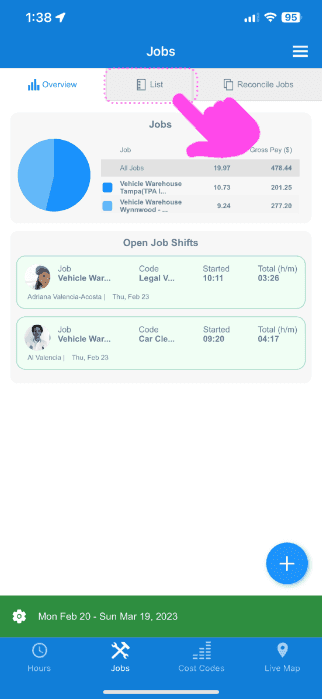
Tocca Elenco

Mobile Jobs screen with the List tab highlighted by a pink arrow above a job pie chart and open job shifts

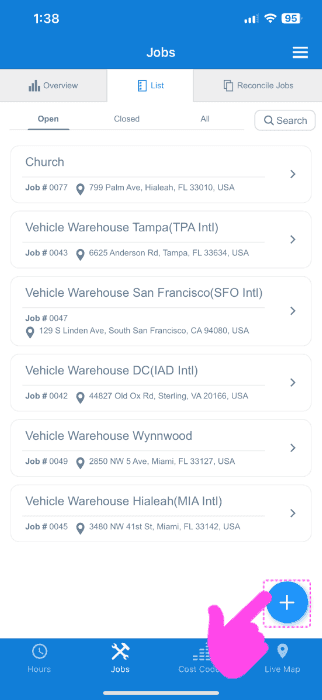
Tocca l’icona + in basso a destra

SINC web Jobs List screen with a pink arrow pointing to the blue plus icon for adding a job

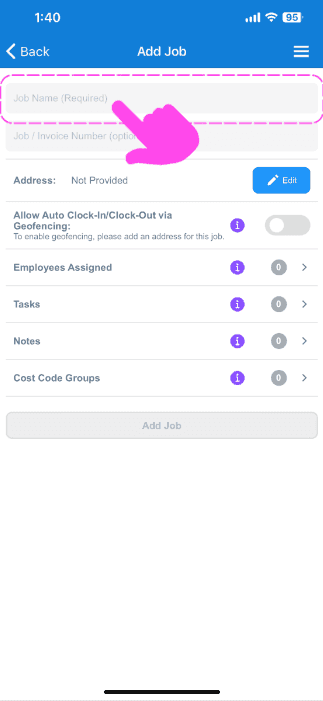
Assegna un nome al lavoro

Add Job screen with a pink arrow pointing to the empty Job Name field at the top

Aggiungi un numero di commessa/fattura (facoltativo)
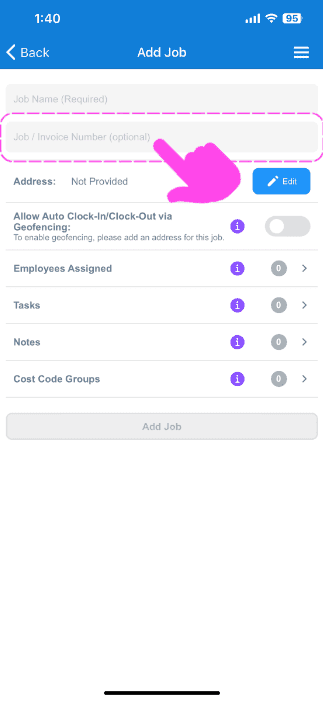
SINC mobile Add Job screen with a pink arrow highlighting the optional Job / Invoice Number field

Aggiungi un indirizzo per il lavoro. È importante se desideri utilizzare il geofencing per la registrazione automatica dell’entrata e dell’uscita dal lavoro.
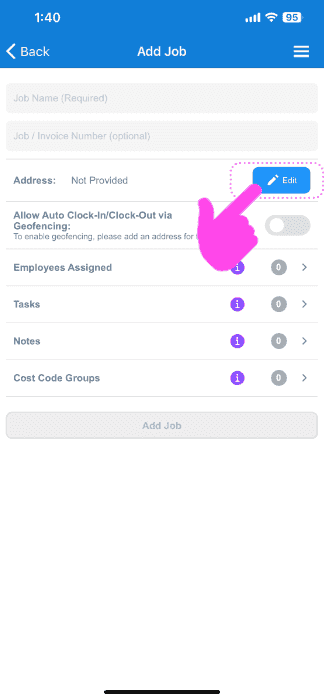
Mobile Add Job screen with the Address field's Edit button circled and a pink arrow pointing to it

Assegna dipendenti o team a questo lavoro (è necessario attivare la funzionalità di assegnazione dei dipendenti ai lavori)
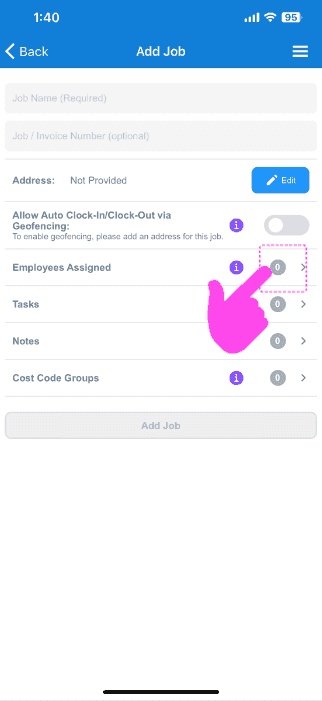
SINC mobile Add Job screen with a pink hand pointing to the Employees Assigned row

Aggiungi tutte le attività o i gruppi di attività che desideri associare a questo lavoro
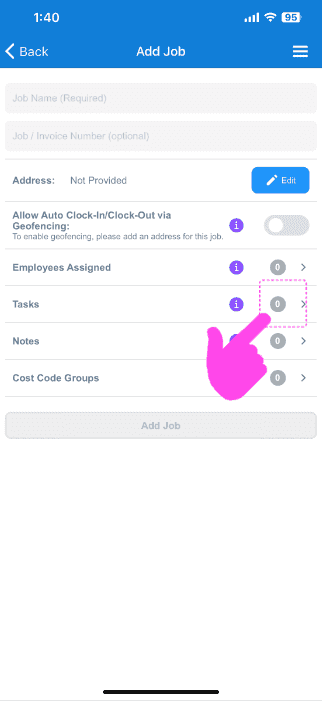
Add Job screen with a pink arrow pointing to the Tasks row in the job menu

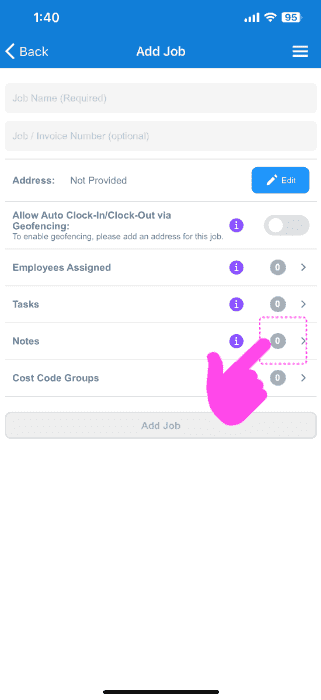
Inserisci eventuali note importanti

Mobile Add Job screen with a pink arrow pointing to the Notes row

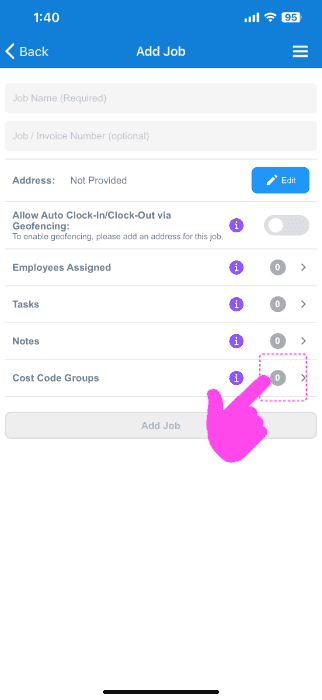
Qui

SINC mobile Add Job screen with a pink hand pointing to the Cost Code Groups option

Questa risposta ti è stata utile?