Lavori: creazione di attività e gruppi di attività

Sam Dolbel
Sam Dolbel
Feb 24th, 2023

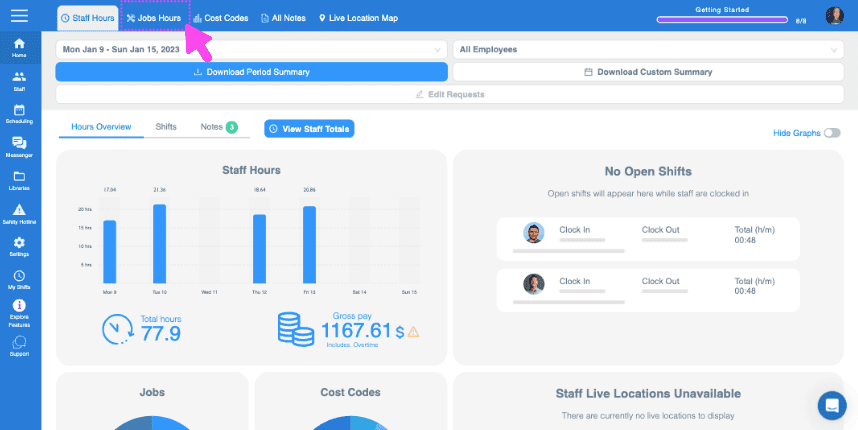
Fai clic su Home Orari di lavoro

SINC web Staff Hours dashboard with the Jobs Hours tab highlighted in pink at the top

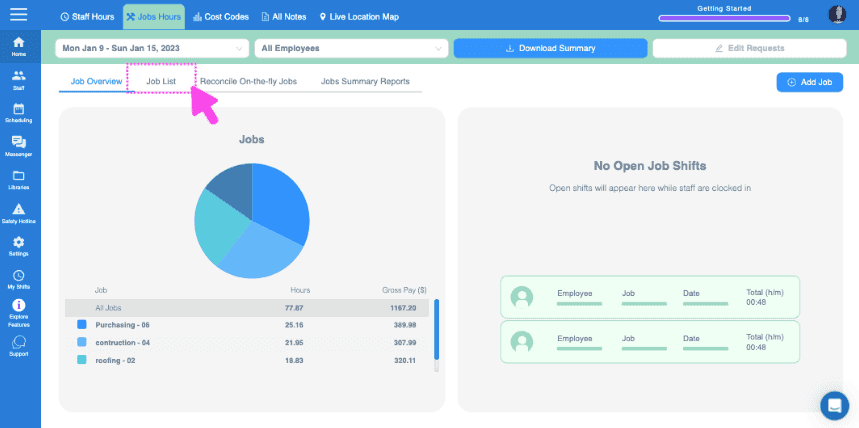
Clicca su Elenco lavori

Web Jobs Hours dashboard with a pie chart of job hours and the Job List tab highlighted at the top

Fai clic su Il lavoro a cui vuoi aggiungere attività
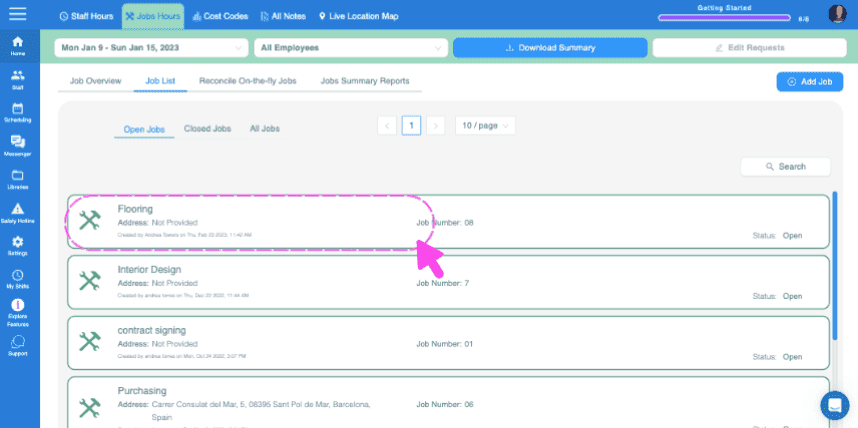
SINC web Jobs List screen with a pink dashed box and arrow highlighting the Flooring job entry

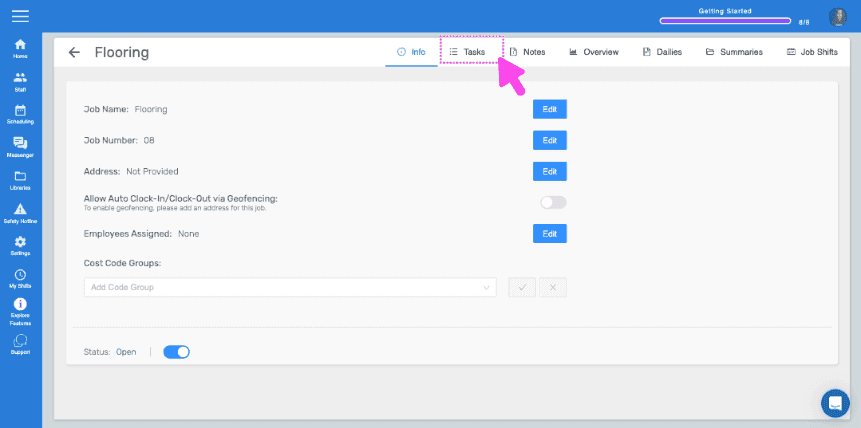
Clicca su Attività

Job detail Info screen with the Tasks tab highlighted by a pink arrow

Per inserire un’attività una tantum, inserisci il nome dell’attività e fai clic su Aggiungi attività
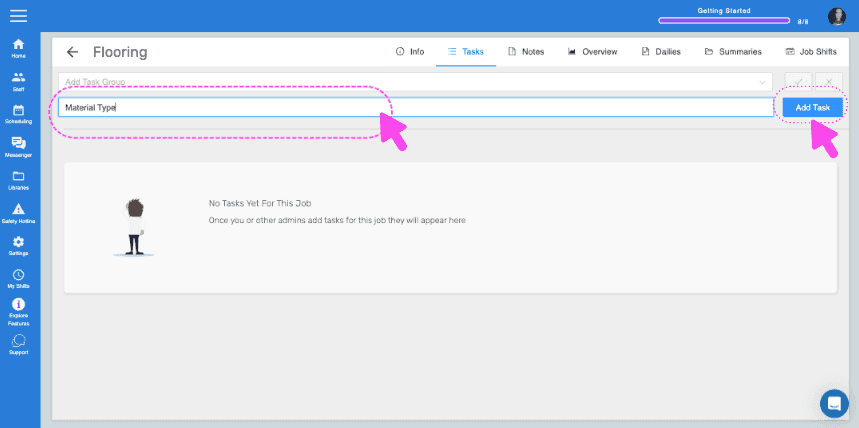
SINC web Job Tasks screen with the task name field and Add Task button highlighted by pink arrows

Inserisci una descrizione, se lo desideri, e fai clic su OK
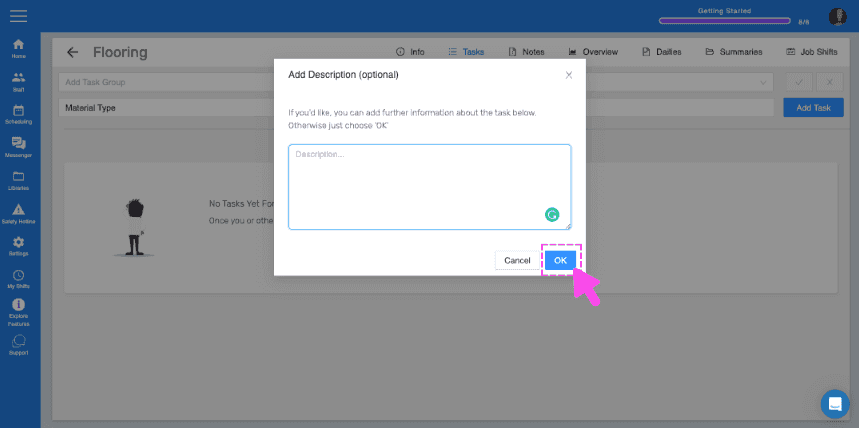
SINC web Tasks screen showing an Add Description popup with the OK button highlighted in pink

Se hai gruppi di attività che vuoi utilizzare facilmente per più lavori, puoi farlo creando dei gruppi di attività. Per creare un gruppo di attività, fai clic su Librerie
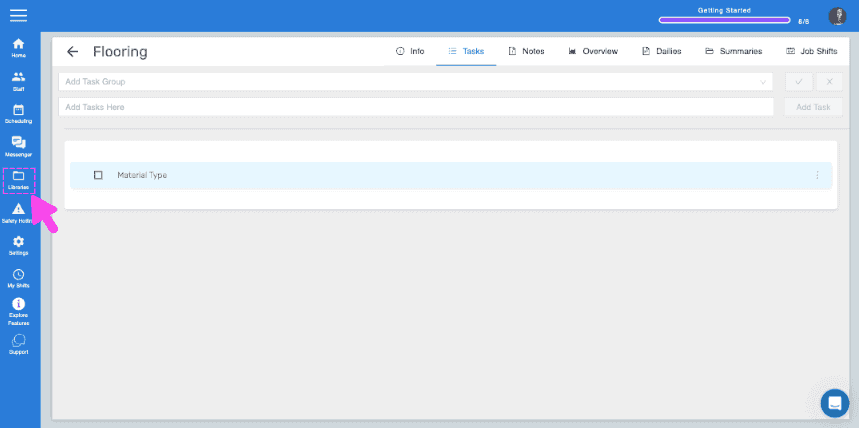
SINC web Flooring job Tasks tab with a pink arrow pointing to the Libraries icon in the sidebar

Fai clic su Aggiungi gruppo di attività
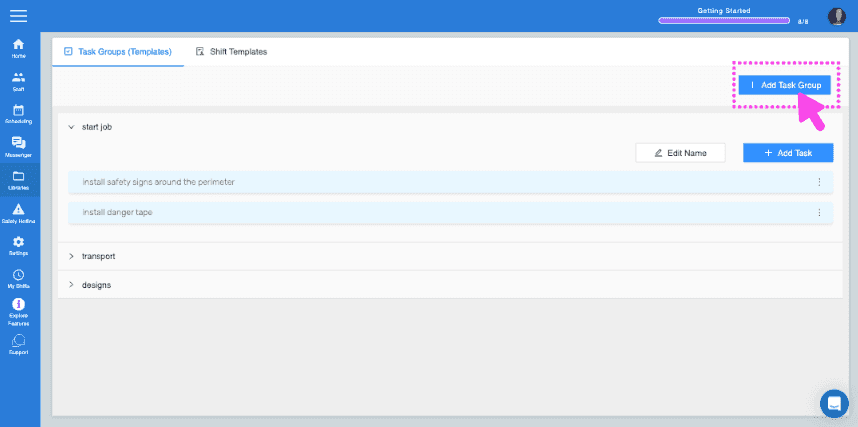
SINC web Task Groups screen with the Add Task Group button highlighted in the top right

Inserisci il nome del gruppo di attività e aggiungi la tua prima attività al gruppo
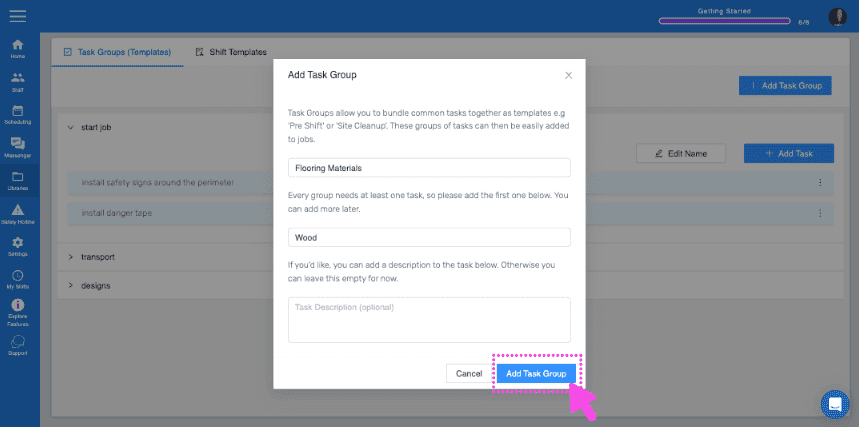
Add Task Group popup showing group name "Flooring Materials" and first task "Wood" with the Add Task Group button highlighted

Per aggiungere altre attività al gruppo, fai clic sul nome del gruppo di attività
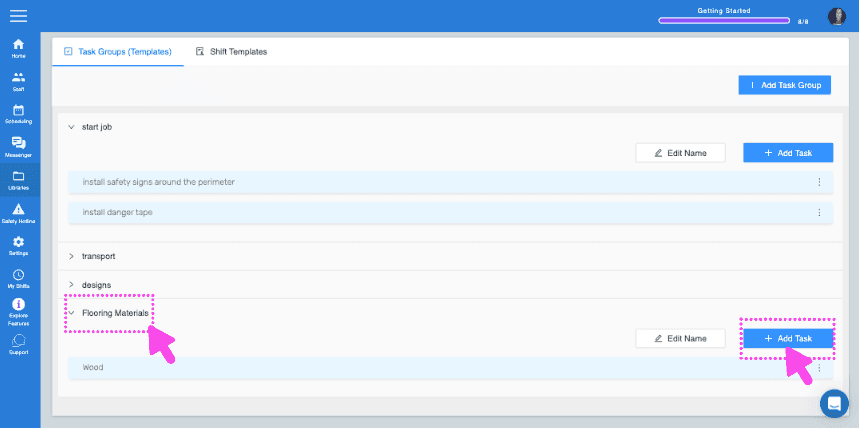
SINC web Task Groups screen with pink arrows pointing to a task group name and the Add Task button

Clicca su Aggiungi attività Inserisci i dettagli dell’attività
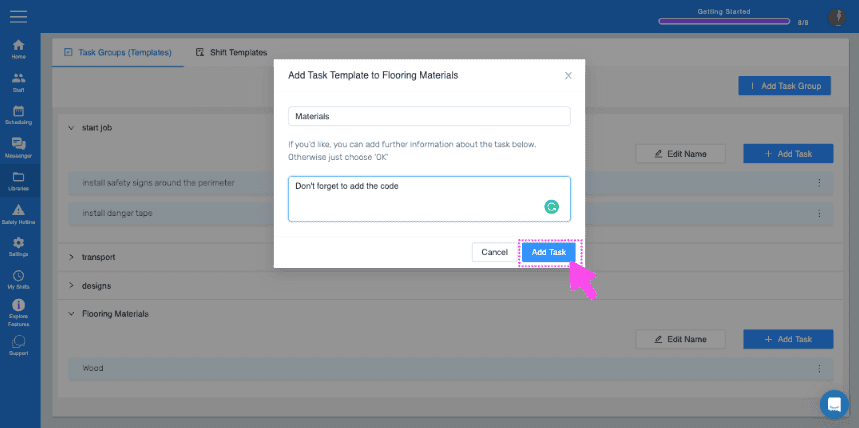
Web Add Task Template dialog with a task description field and the Add Task button highlighted by a pink arrow

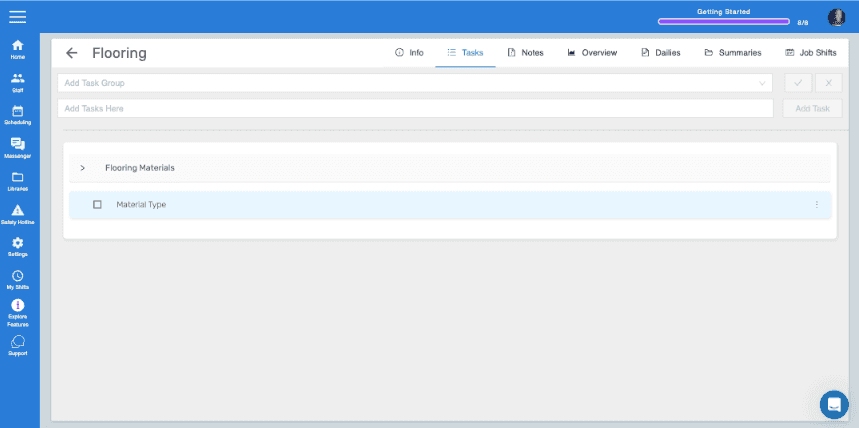
Ora, per aggiungere il gruppo di attività al tuo lavoro, torna alla sezione Attività del lavoro a cui desideri aggiungerlo. Seleziona il gruppo di attività dal menu a discesa, quindi fai clic sulla spunta blu .
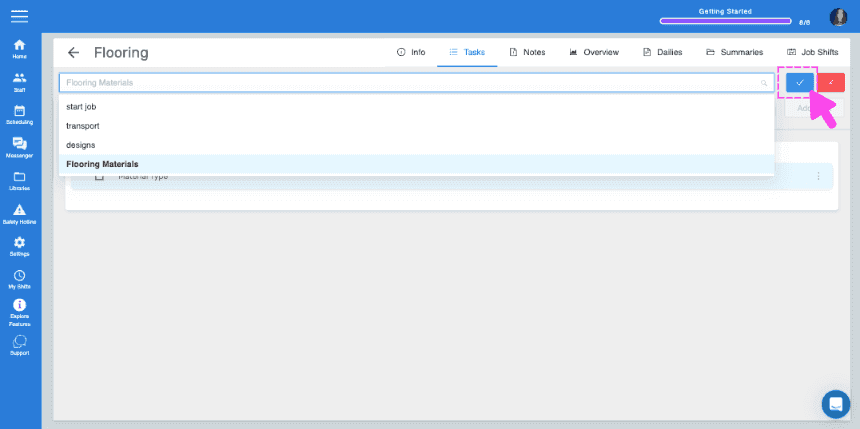
SINC web job Tasks panel with a task group dropdown open and a pink arrow pointing to the blue checkmark confirm button
Job Tasks tab showing the Flooring Materials task group with a Material Type task listed

Questa risposta ti è stata utile?