Lavori: modifica turno di lavoro

In questa guida vedremo come modificare il turno di lavoro in qualità di amministratore.

SINC Support Team
SINC Support Team
Feb 27th, 2023

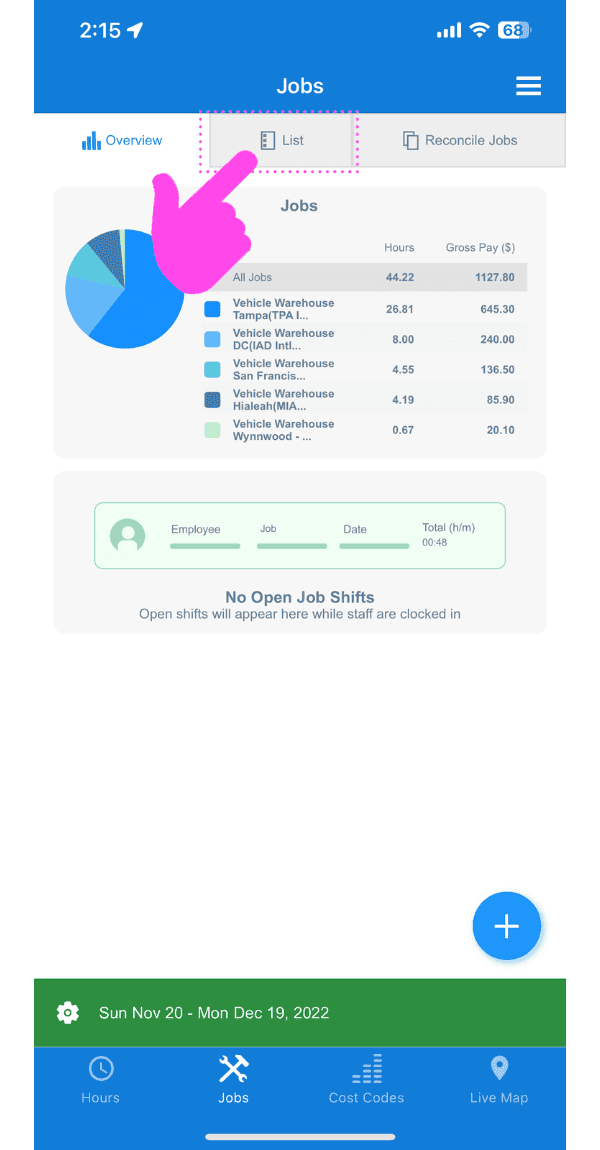
Da mobile: in Panoramica tocca Lavori
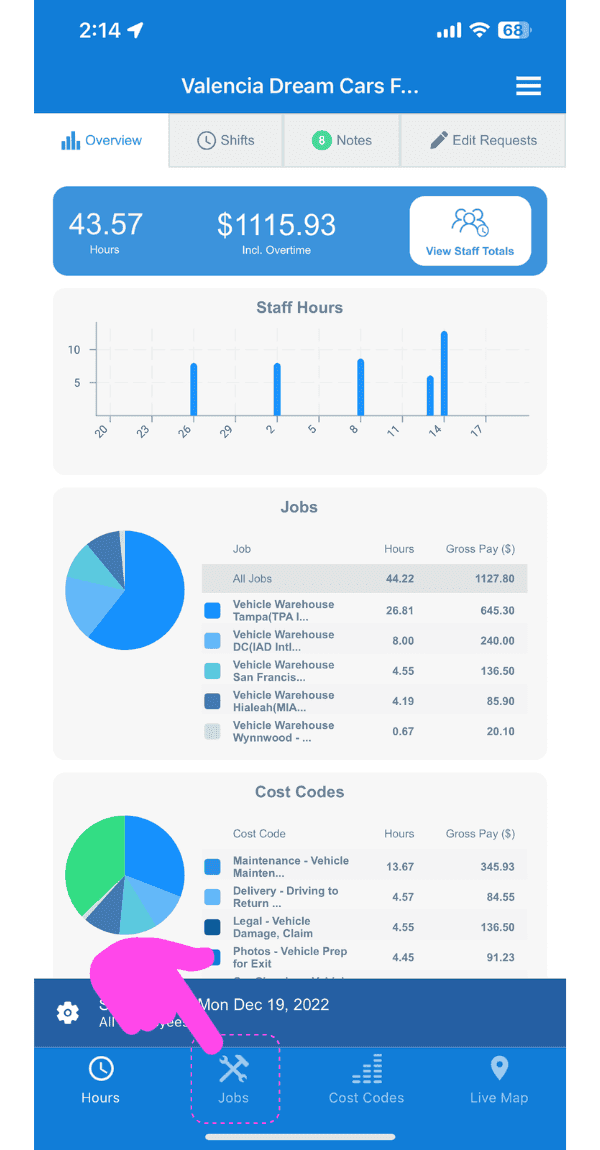
Web dashboard Overview screen with a pink arrow pointing to the Jobs tab in the sidebar

Tocca Elenco

SINC web Jobs screen with a pink arrow pointing to the List tab above the jobs pie chart

Tocca Il lavoro che contiene il turno da modificare
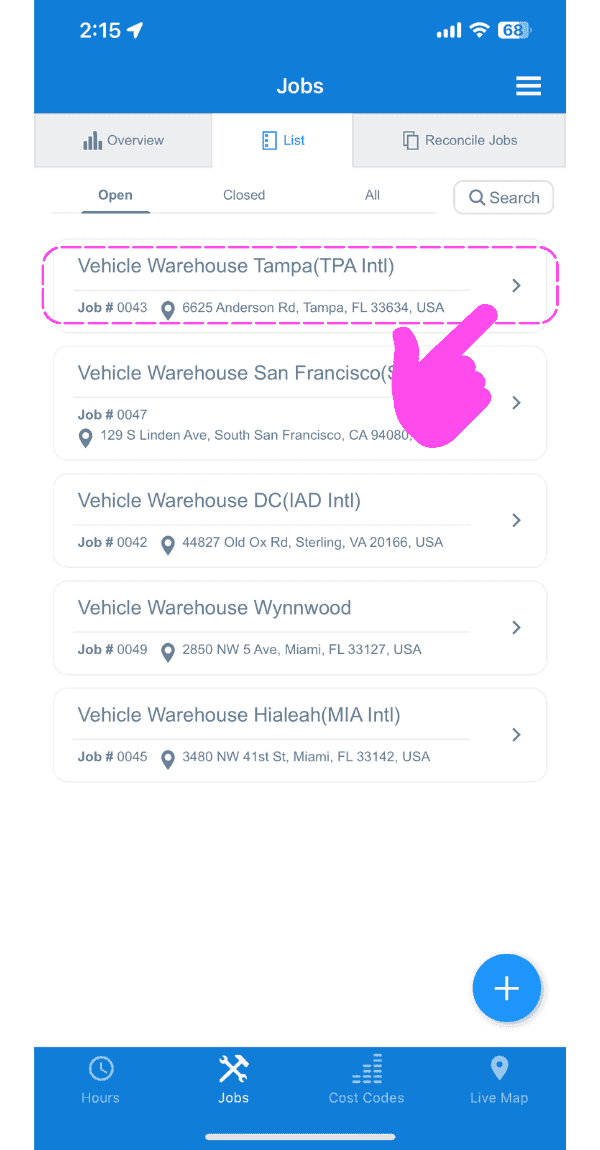
SINC mobile Jobs list with a pink hand pointing to a highlighted job entry to edit its shift

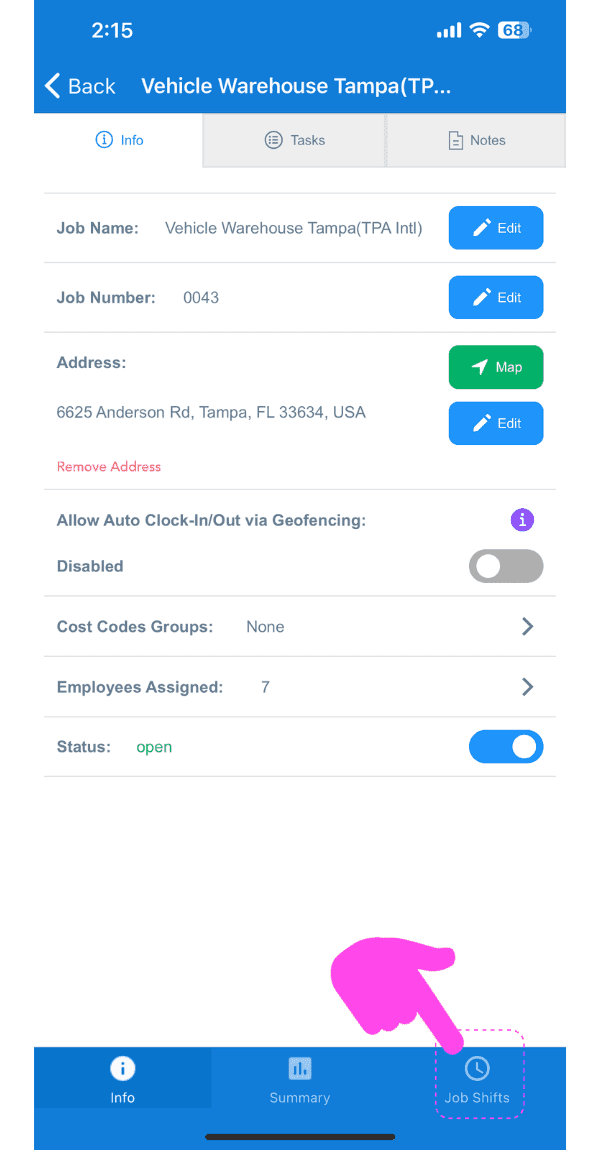
Tocca Turni di lavoro

Job Info screen for Vehicle Warehouse Tampa with the Job Shifts tab at the bottom highlighted by a pink arrow

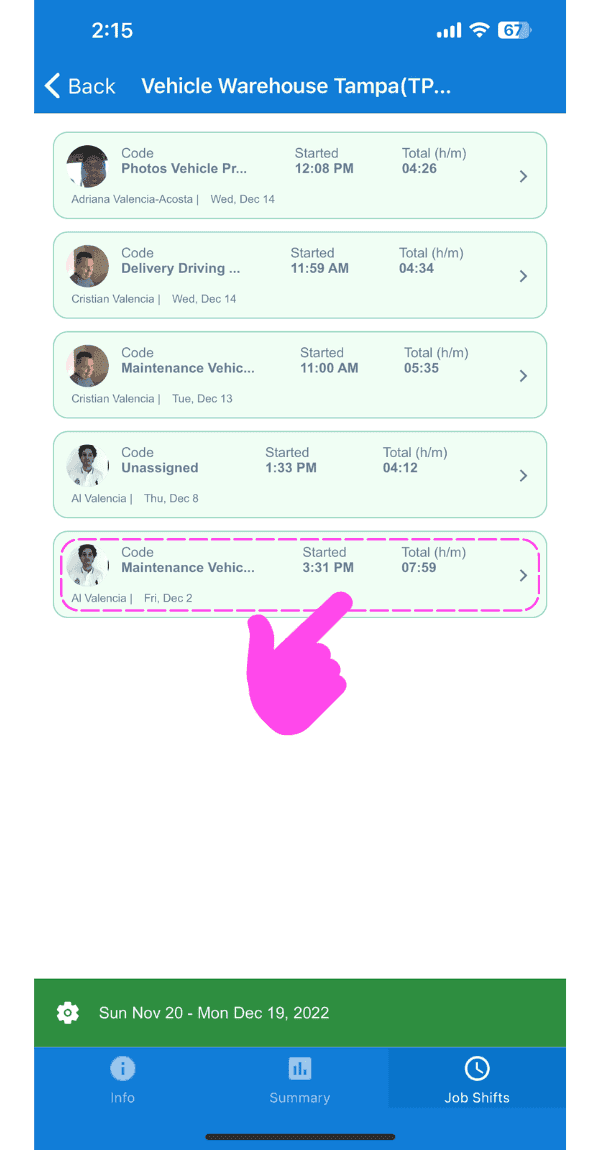
Tocca il turno che vuoi modificare

SINC mobile Job Shifts list with a pink arrow pointing to a highlighted shift entry to edit

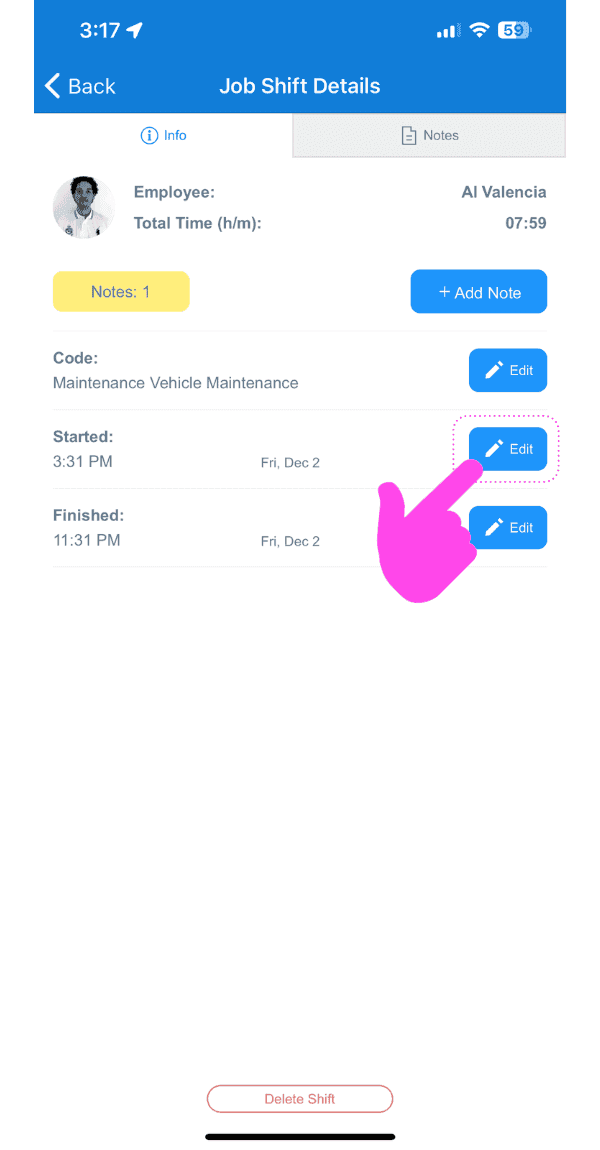
Tocca Modifica

Job Shift Details screen with a pink arrow pointing to the Edit button next to the shift's Started time

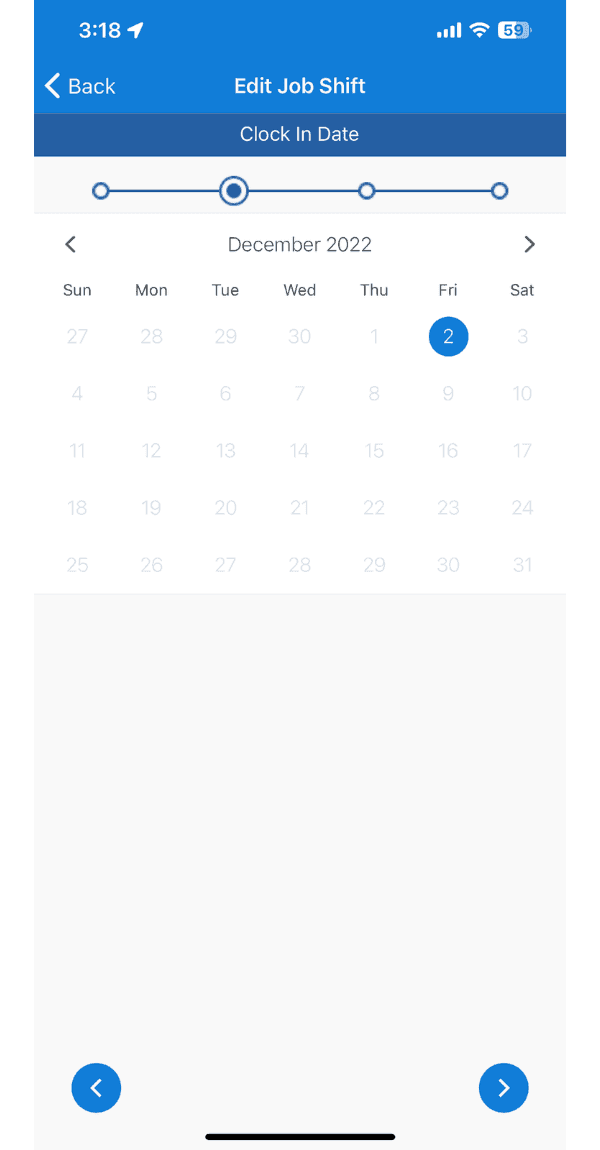
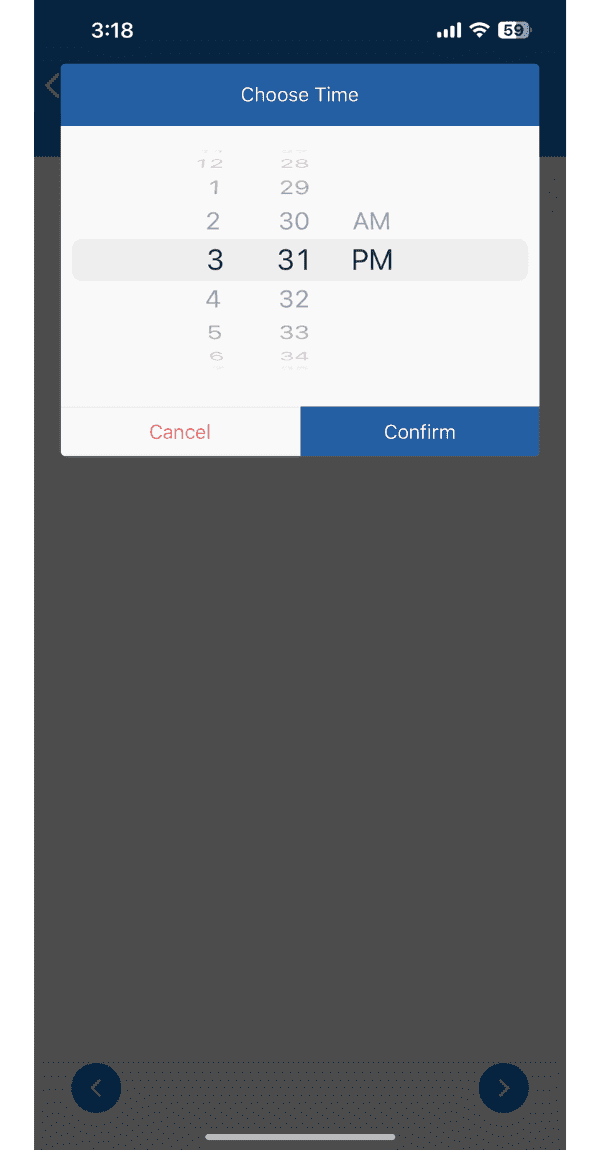
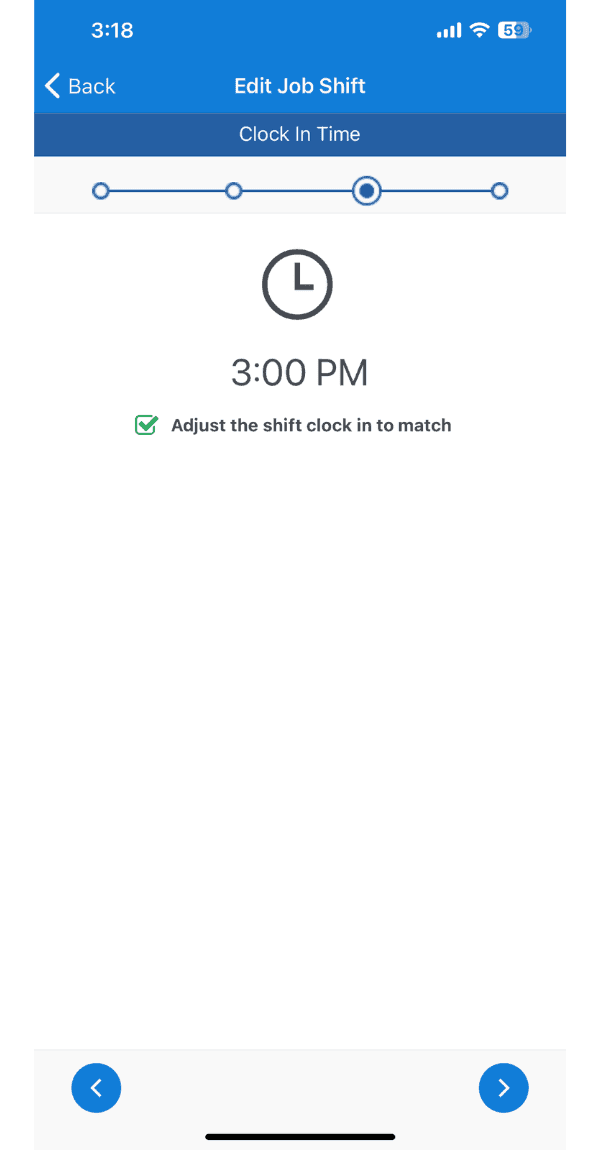
Segui la procedura guidata per modificare il turno
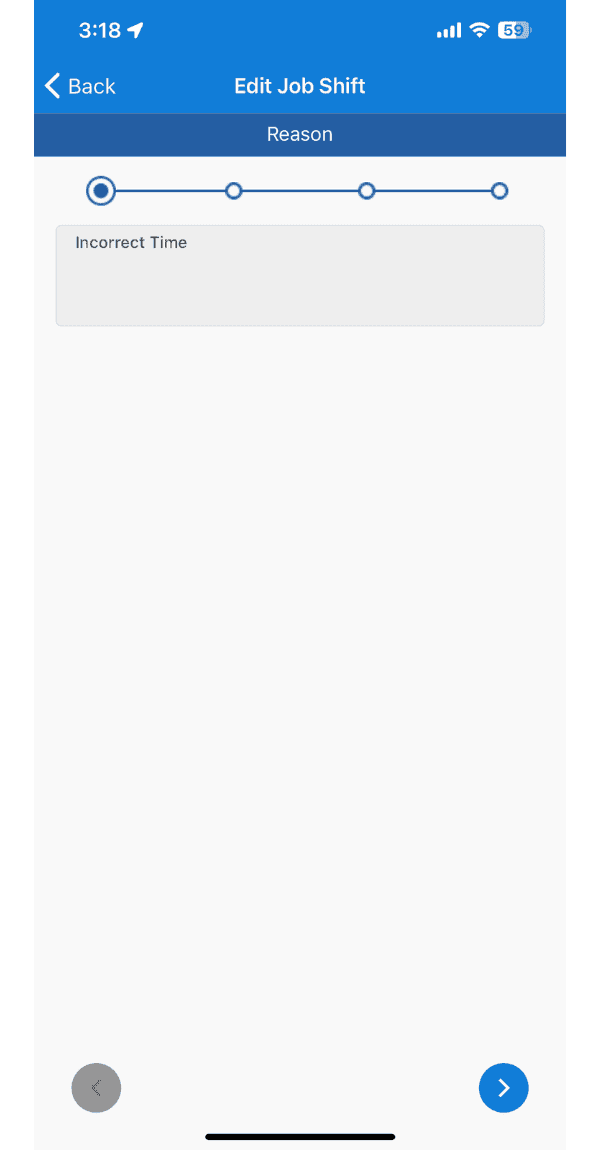
SINC mobile Edit Job Shift wizard showing the Reason step with Incorrect Time selected
Mobile Edit Job Shift screen showing the Clock In Date calendar step with December 2 selected
SINC mobile Choose Time wheel picker for setting a new clock time, with Cancel and Confirm buttons
Edit Job Shift wizard showing the Clock In Time step set to 3:00 PM

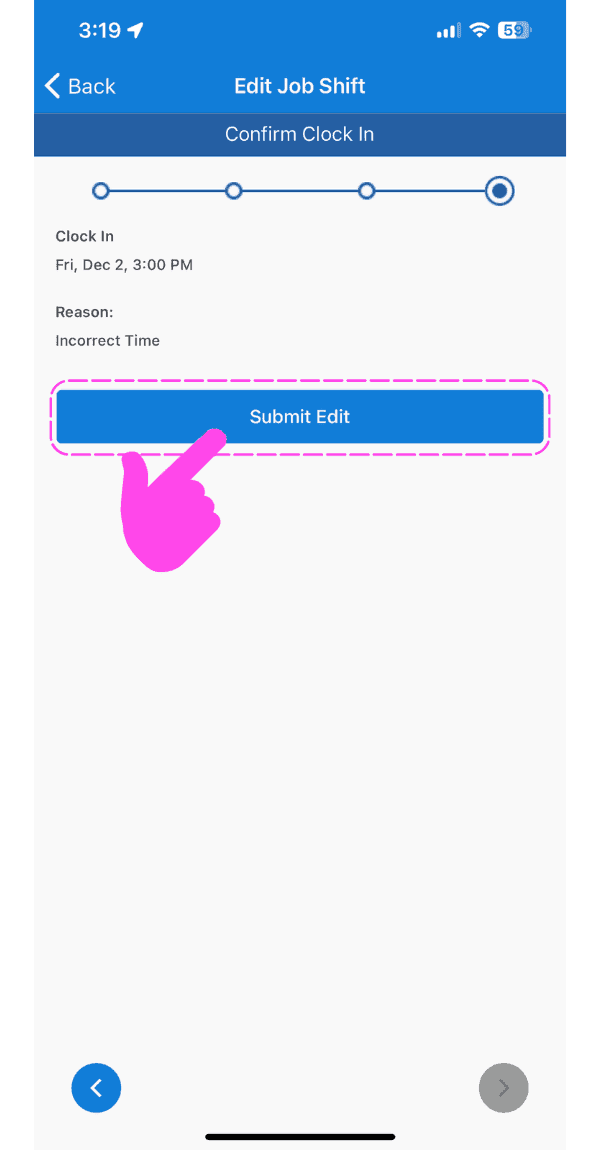
Tocca Invia modifica

Mobile Edit Job Shift confirmation screen with the Submit Edit button circled in pink

Per modificare il codice di costo di un turno di lavoro esistente: tocca Modifica accanto al codice di costo attuale
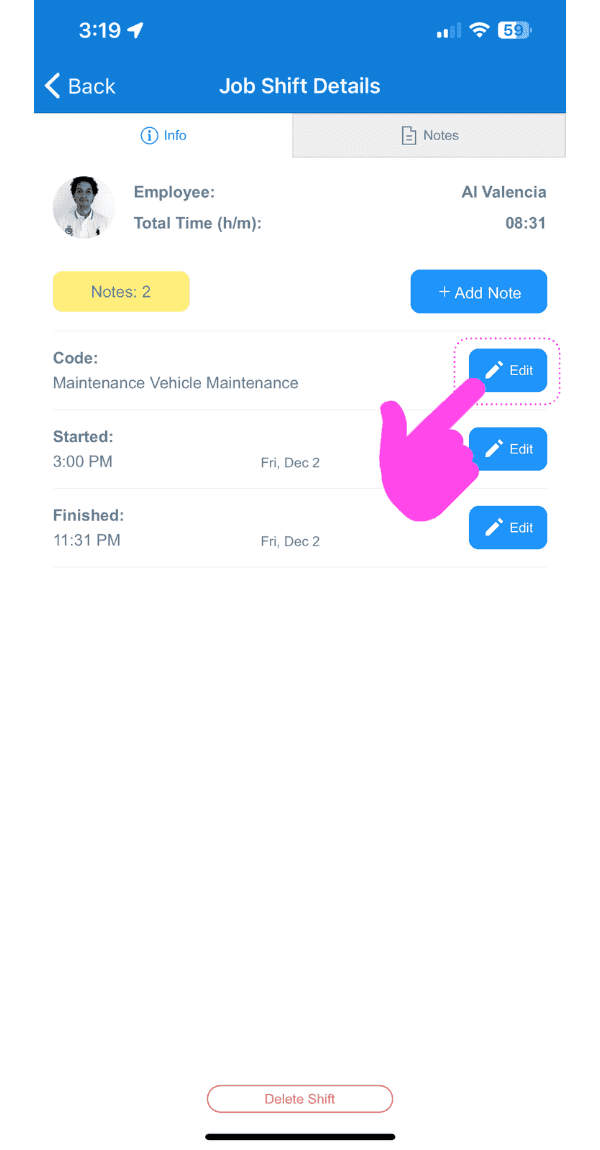
SINC mobile Job Shift Details screen with a pink arrow pointing to the Edit button next to the cost code

Seleziona il codice di costo desiderato
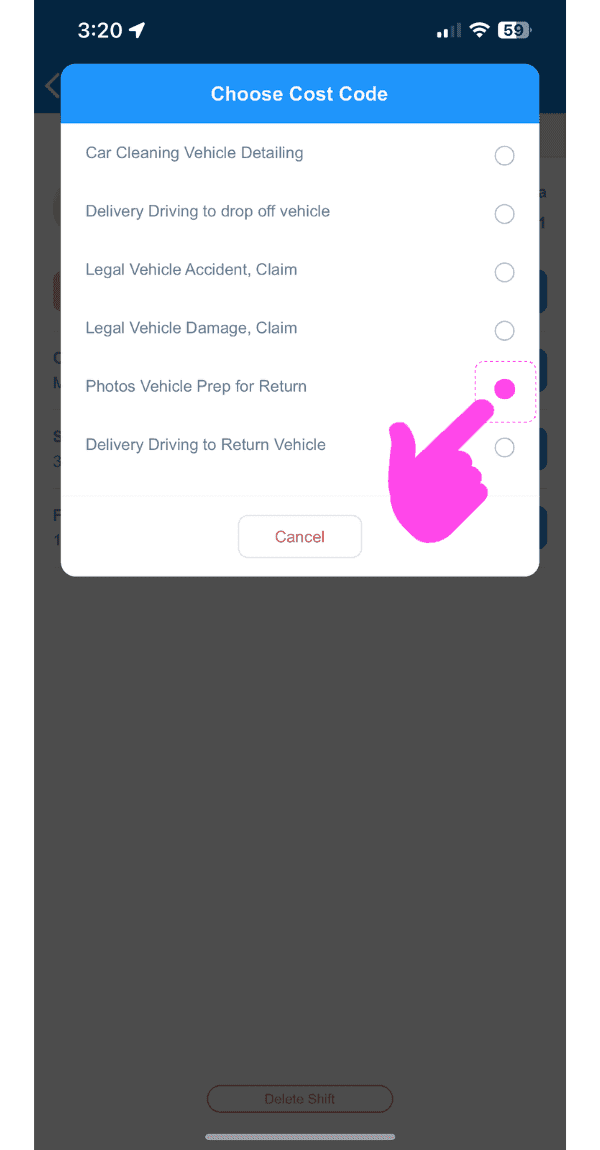
SINC mobile Choose Cost Code list with the 'Photos Vehicle Prep for Return' option circled in pink

Sul Web: fai clic su Home Ore di lavoro
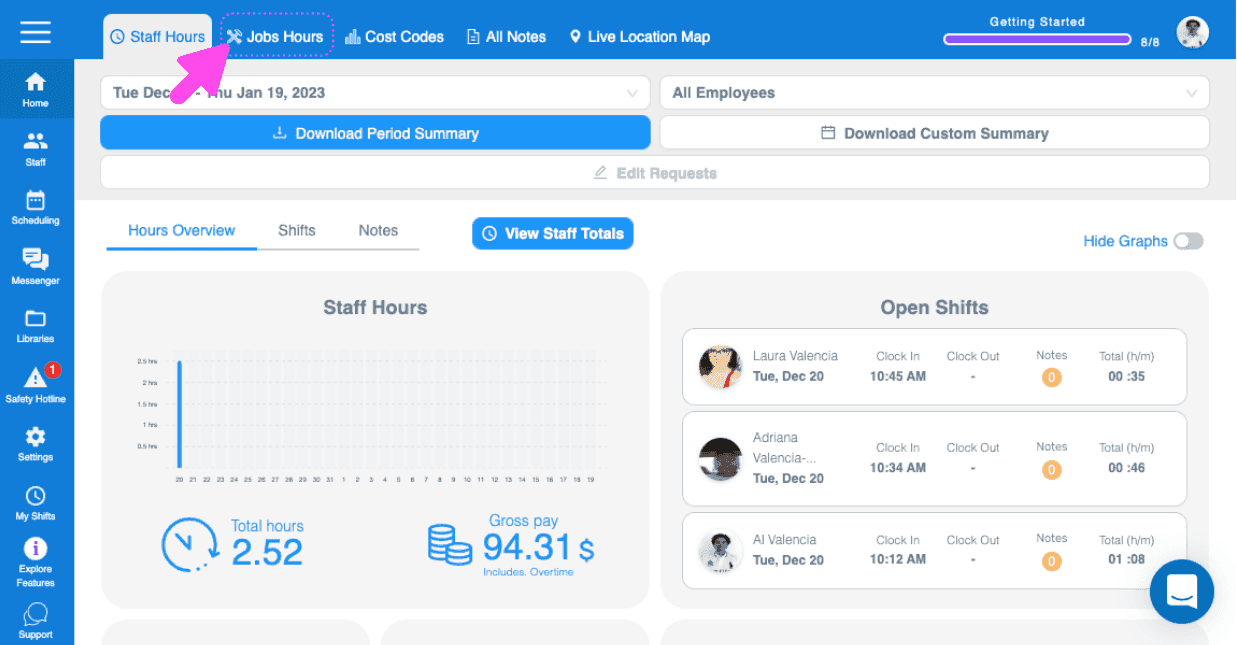
Web Jobs Hours dashboard showing an open shifts list with a pink arrow pointing to the Jobs Hours tab

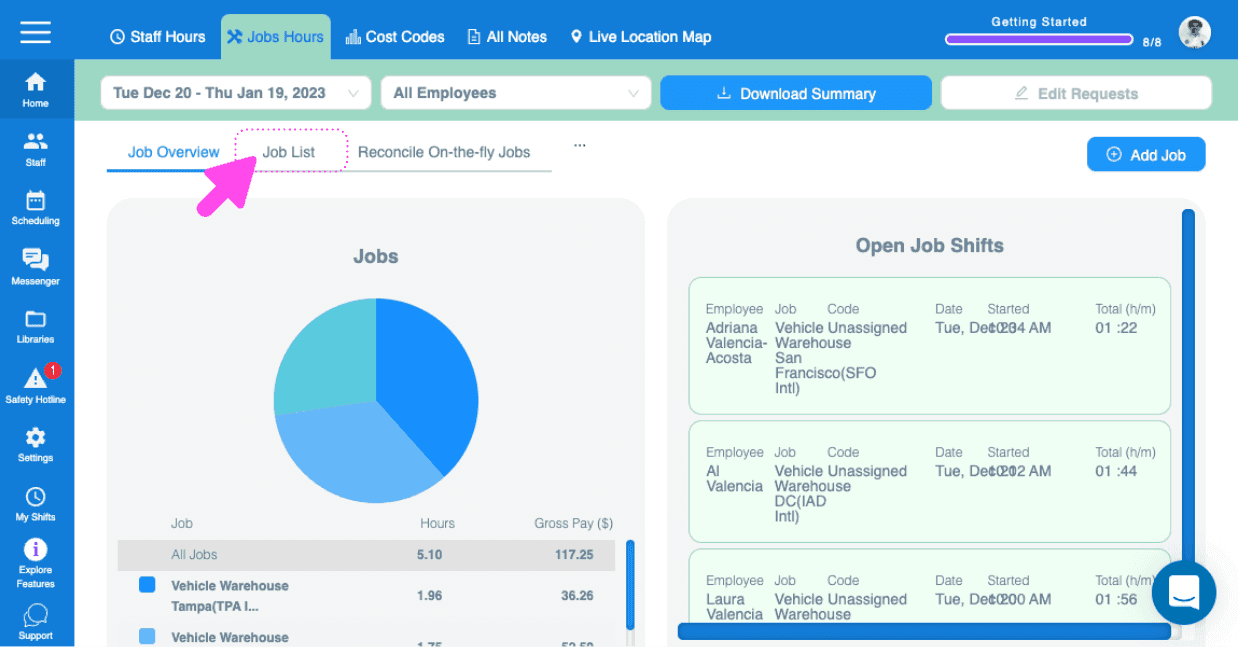
Fai clic su Elenco lavori

SINC web Jobs Hours page with a pink arrow pointing to the Job List tab above a jobs pie chart

Fai clic su Il lavoro contenente il turno da modificare
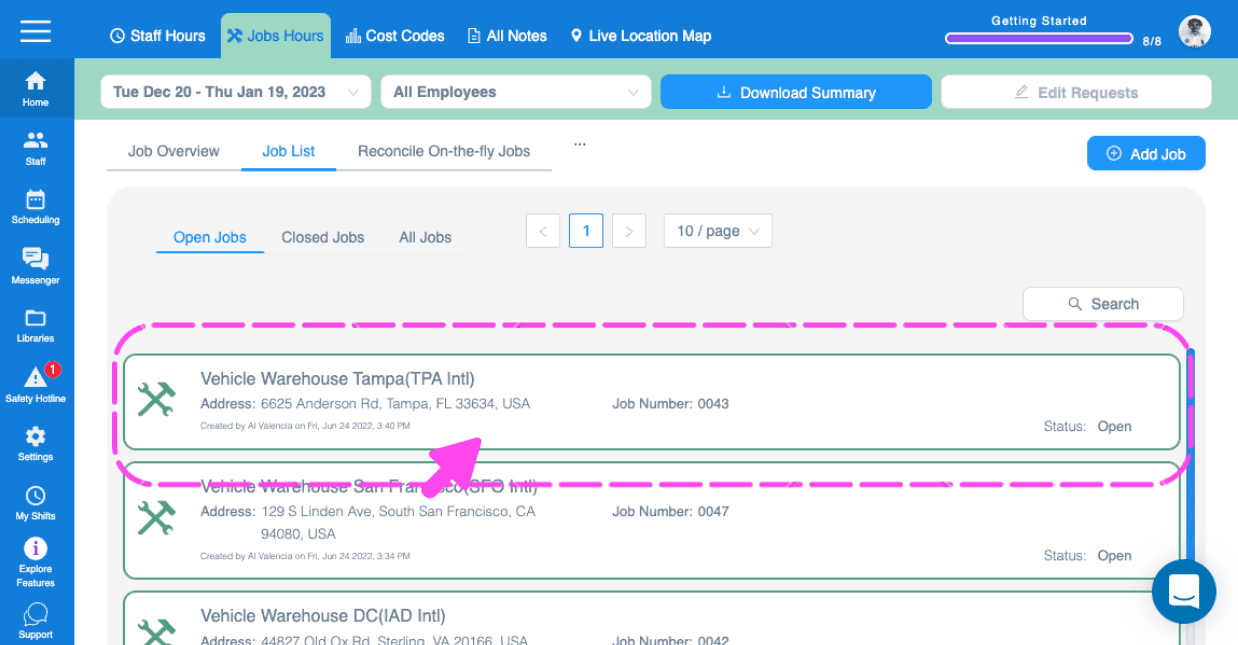
Web dashboard Job List with a pink arrow highlighting a job entry to open

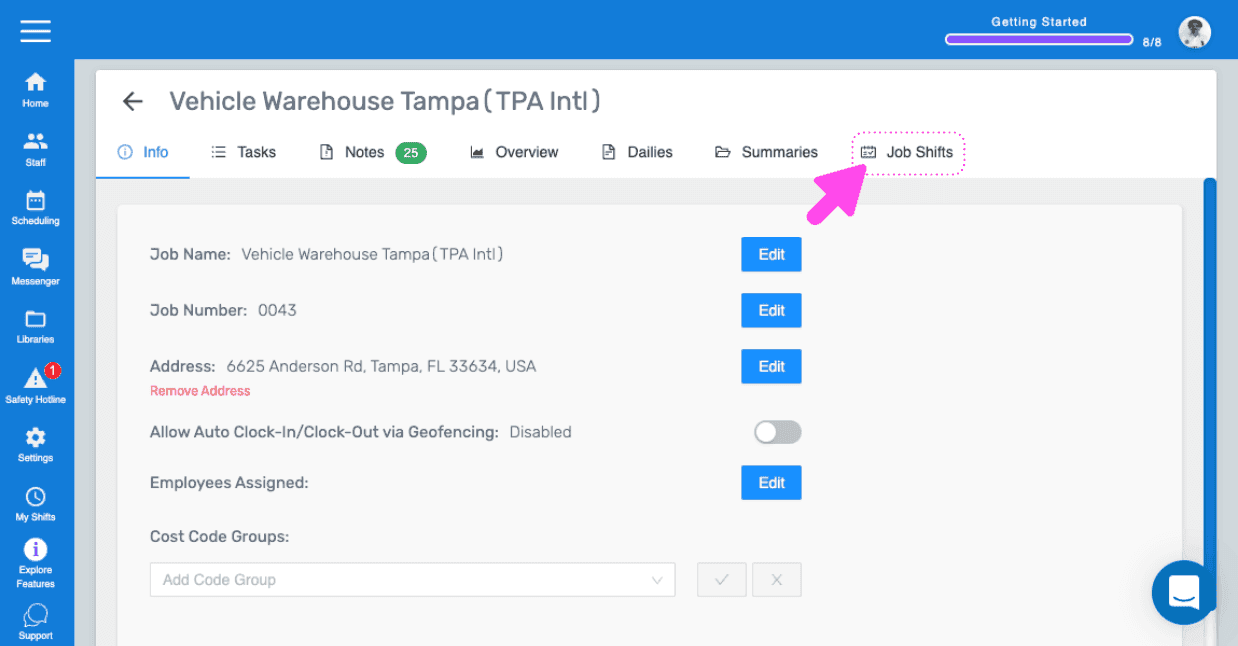
Fai clic su Turni di lavoro

SINC web Job Info screen with a pink arrow pointing to the Job Shifts tab

Fai clic su Il turno di lavoro che vuoi modificare
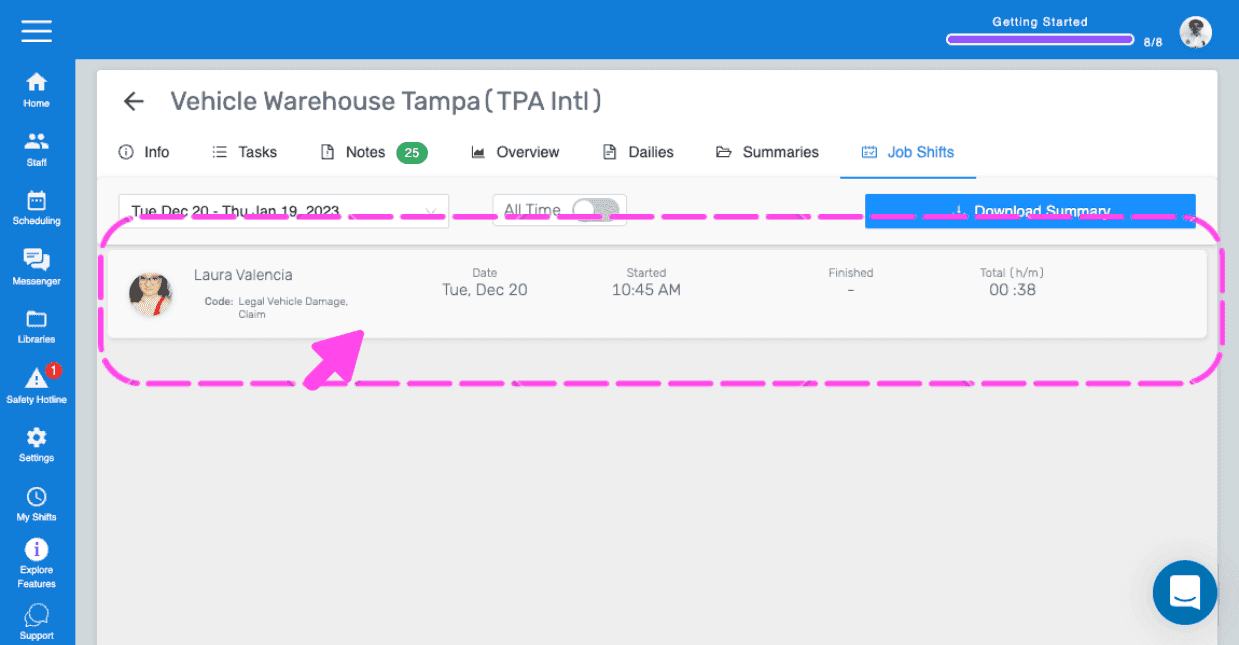
SINC mobile Job Shifts tab with a pink arrow pointing to a highlighted employee shift entry

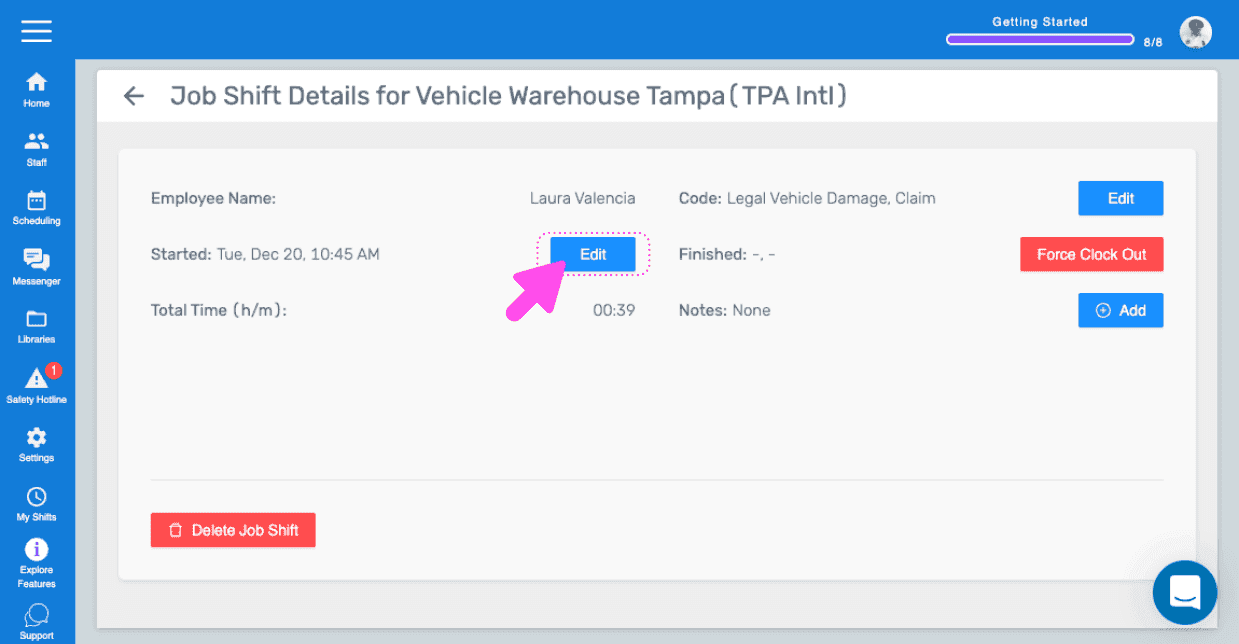
Fai clic su Modifica

Job Shift Details screen with the Edit button next to the Started time highlighted by a pink arrow

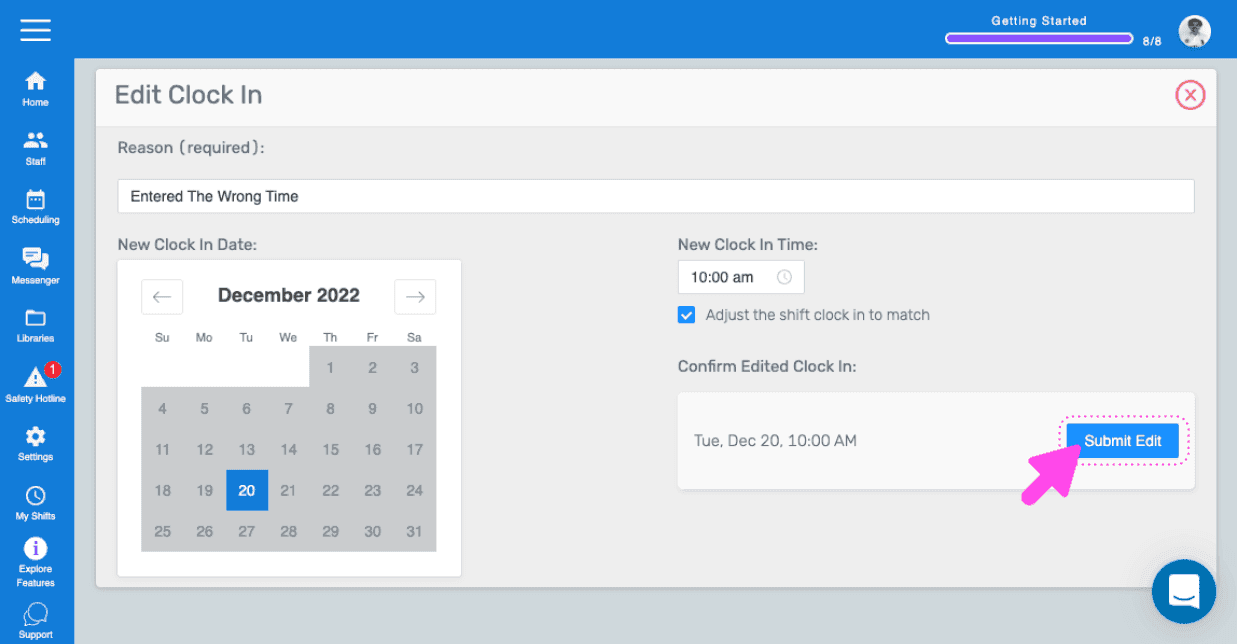
Fai clic su Invia modifica

SINC web Edit Clock In form with date and time fields and the Submit Edit button highlighted

Per modificare il codice di costo di un turno di lavoro esistente: fai clic su Modifica
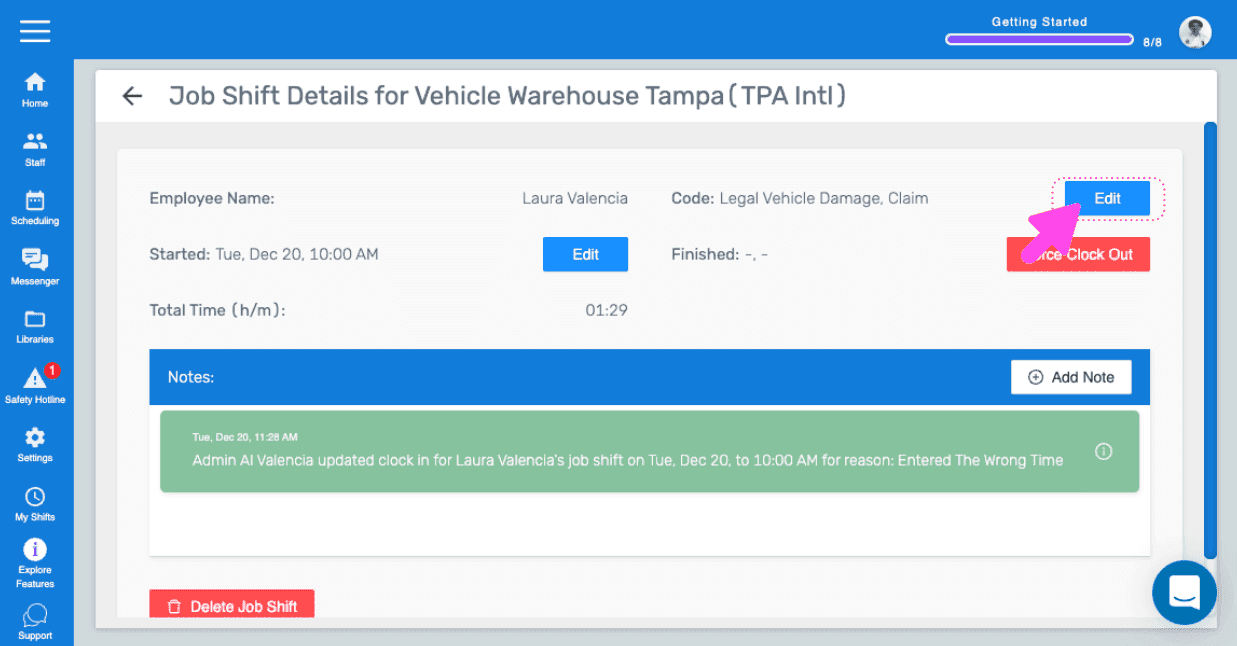
SINC web dashboard Job Shift Details screen with a pink arrow pointing to the Edit button near the Force Clock Out control

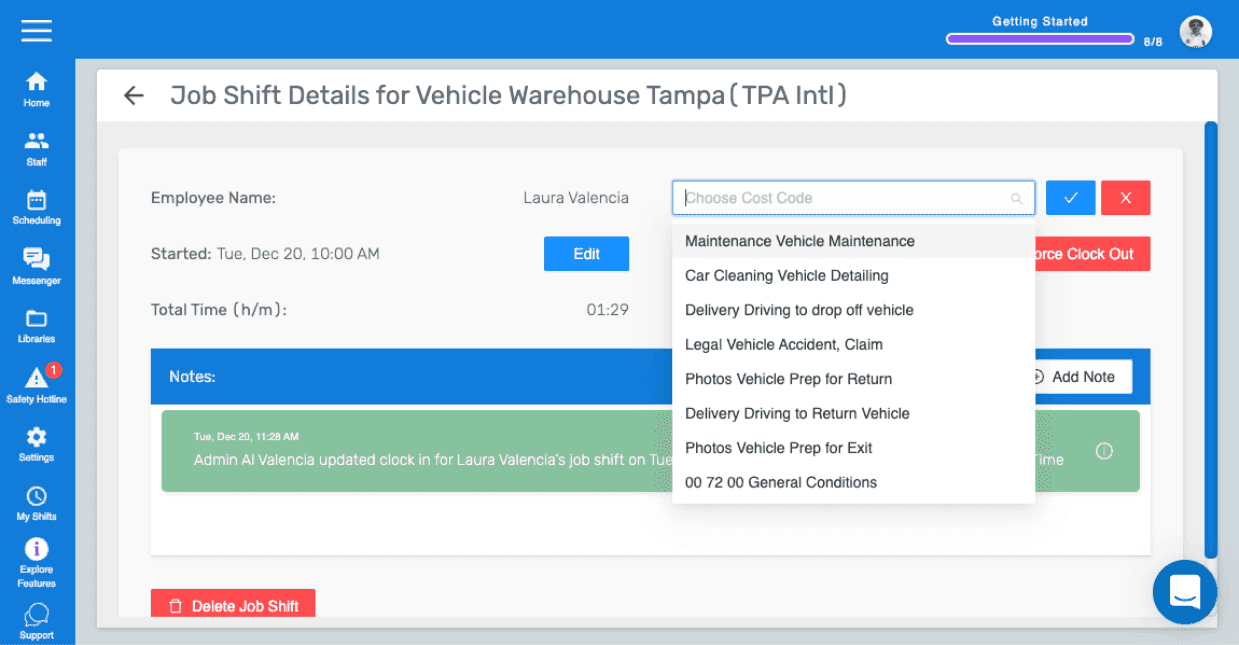
Seleziona il nuovo codice di costo

SINC web Job Shift Details panel with the Choose Cost Code dropdown open and options listed

Questa risposta ti è stata utile?