Lavoro: come iniziare

Prima di iniziare a monitorare i tuoi lavori in SINC, devi modificare alcune impostazioni. Questa guida ti mostra come fare.

Sam Dolbel
Sam Dolbel
Feb 23rd, 2023

Sul Web: dalla schermata principale, clicca su Impostazioni.
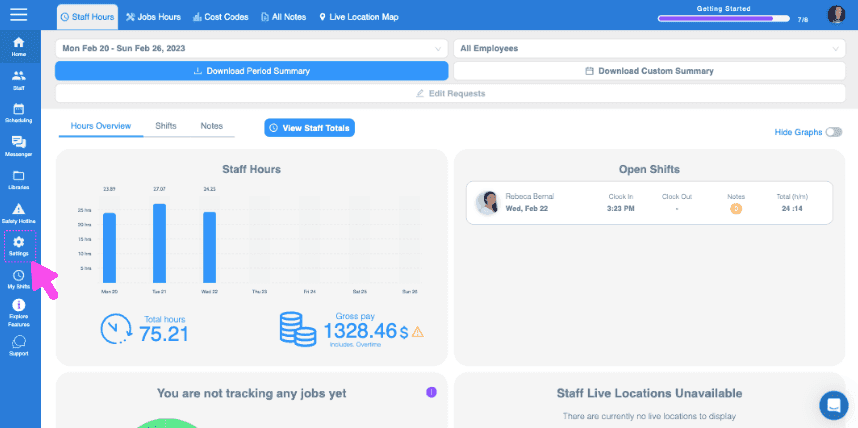
SINC web dashboard Staff Hours overview with a pink arrow pointing to the Jobs Hours tab in the top menu

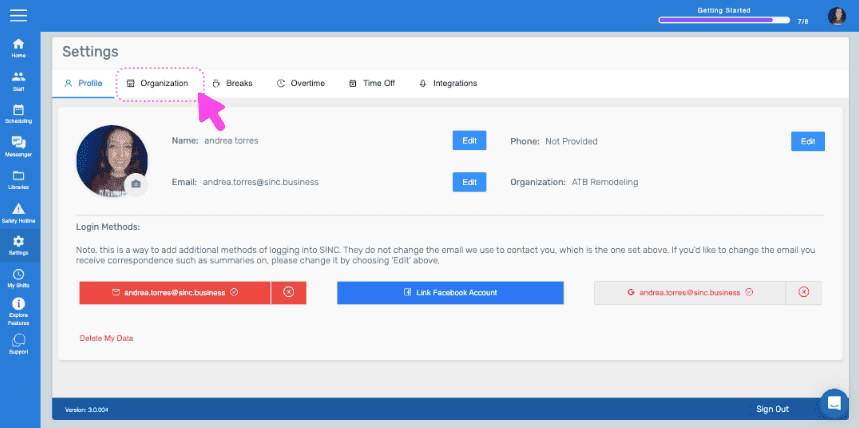
Fai clic su Organizzazione.

SINC web Settings screen with a pink arrow pointing to the Organization tab
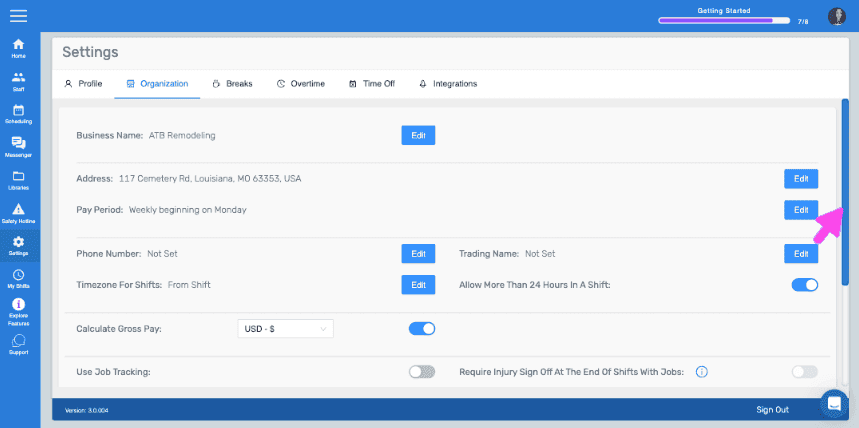
Web Settings Organization tab with a pink arrow pointing to the Edit button next to Pay Period

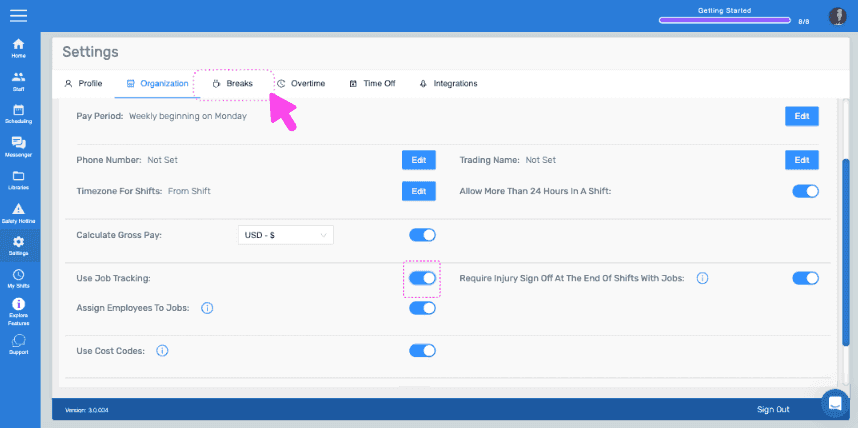
Attiva Usa il monitoraggio dei lavori.
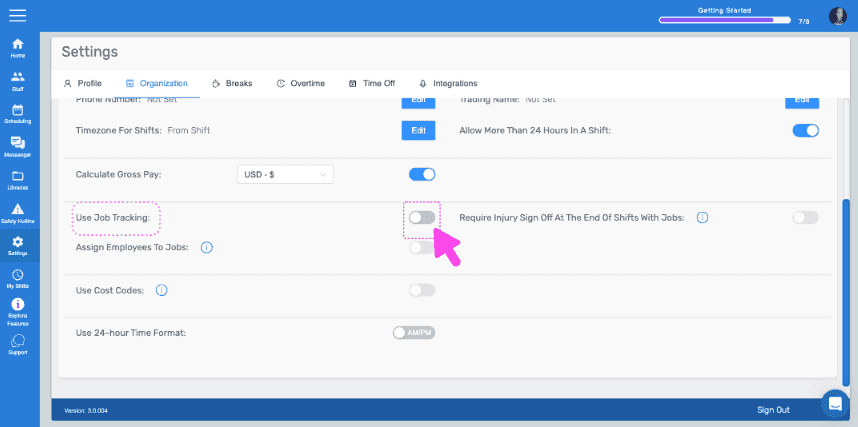
SINC web Settings Organization tab with a pink arrow pointing to the Use Job Tracking toggle switch

Quindi fai clic su Interruzioni.

SINC web Settings page with a pink arrow pointing to the Breaks tab

Fai clic su Modifica (accanto al tipo di pausa).
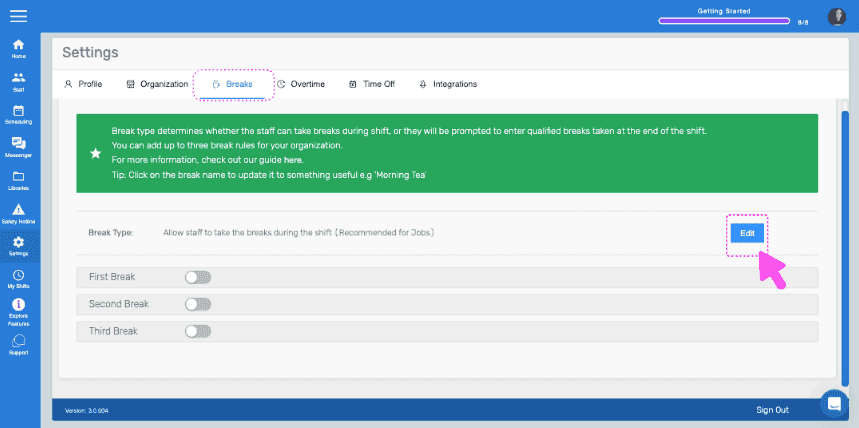
Settings Breaks tab showing break type toggles with the Edit button highlighted next to Break Type

Seleziona l’opzione «Consenti al personale di fare pause durante il turno» e conferma la modifica.
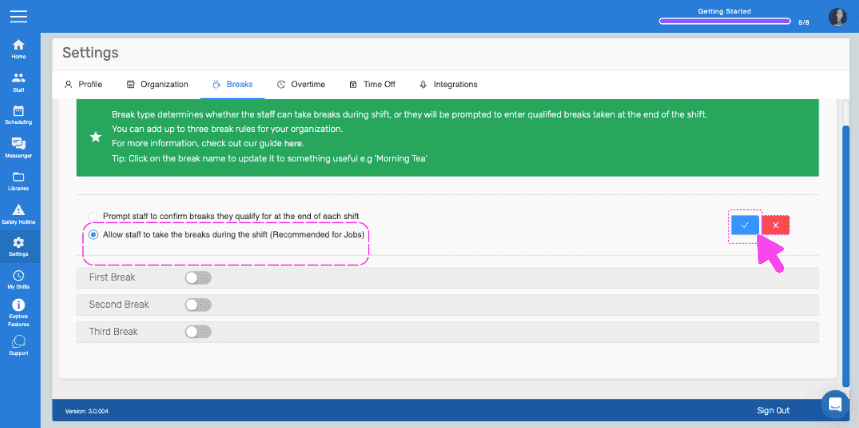
SINC web Settings Breaks tab with the 'Allow staff to take breaks during shift' option outlined in pink and an arrow pointing to the confirm button

Su dispositivo mobile: dal menu, tocca Impostazioni.
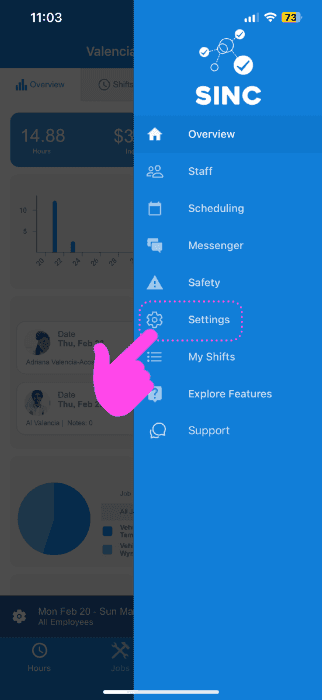
SINC mobile app menu with a pink arrow pointing to the Settings icon

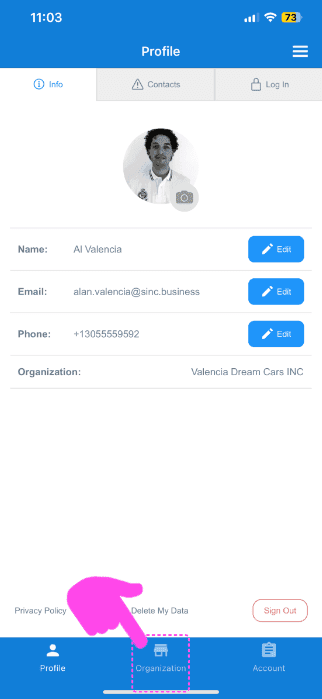
Tocca Organizzazione.

SINC mobile Profile screen with a pink arrow pointing to the Organization tab in the bottom navigation bar

Attiva l’opzione Usa il monitoraggio dei lavori.
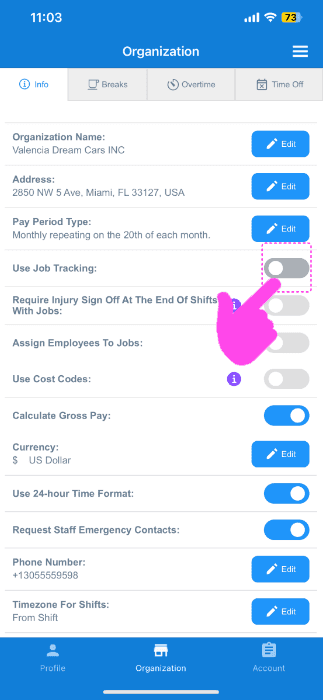
SINC mobile Organization info screen with a pink hand pointing to the Use Job Tracking toggle switch

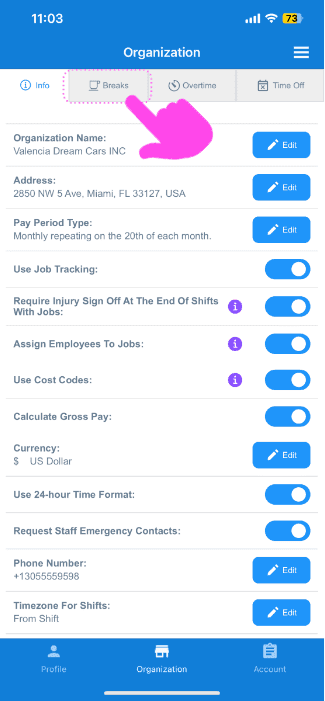
Seleziona interruzioni.

Organization settings screen with the Breaks tab highlighted by a pink arrow next to Info, Overtime, and Time Off

Seleziona Modifica (accanto al tipo di interruzione).
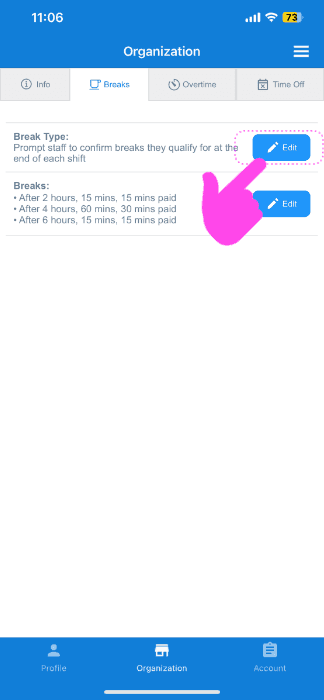
SINC app Organization Breaks tab with a pink arrow pointing to the Edit button next to break types

Tocca l’opzione «Consenti al personale di fare pause durante il turno».
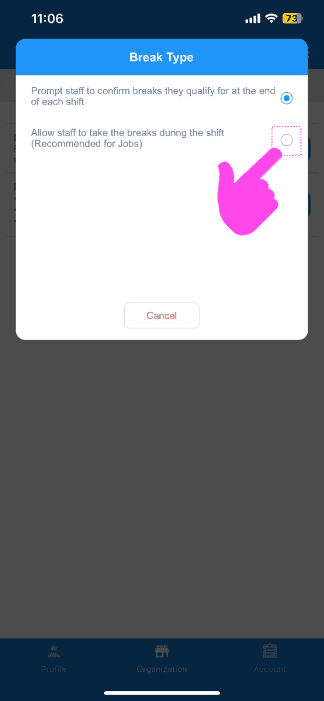
Break Type popup with a pink arrow pointing to the "Allow staff to take breaks during the shift" radio option

Ora sei pronto a creare il tuo primo job! La prossima guida ti mostra come fare.

Questa risposta ti è stata utile?