Come aggiornare il tuo abbonamento Google tramite l’app SINC per Android

SINC Support Team
SINC Support Team
Sep 1st, 2022

Tocca Menu Impostazioni
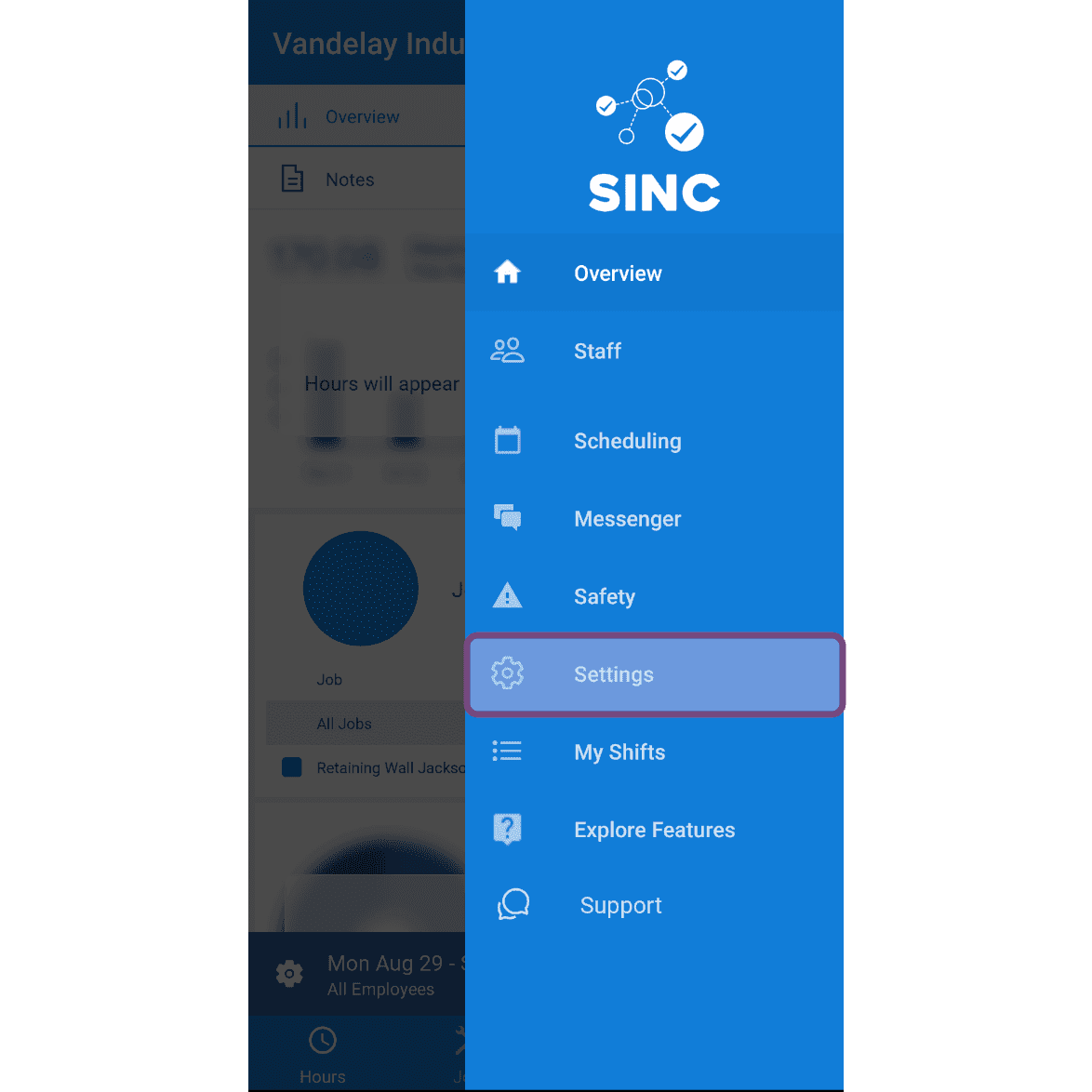
SINC mobile side menu with the Settings option highlighted in a pink box

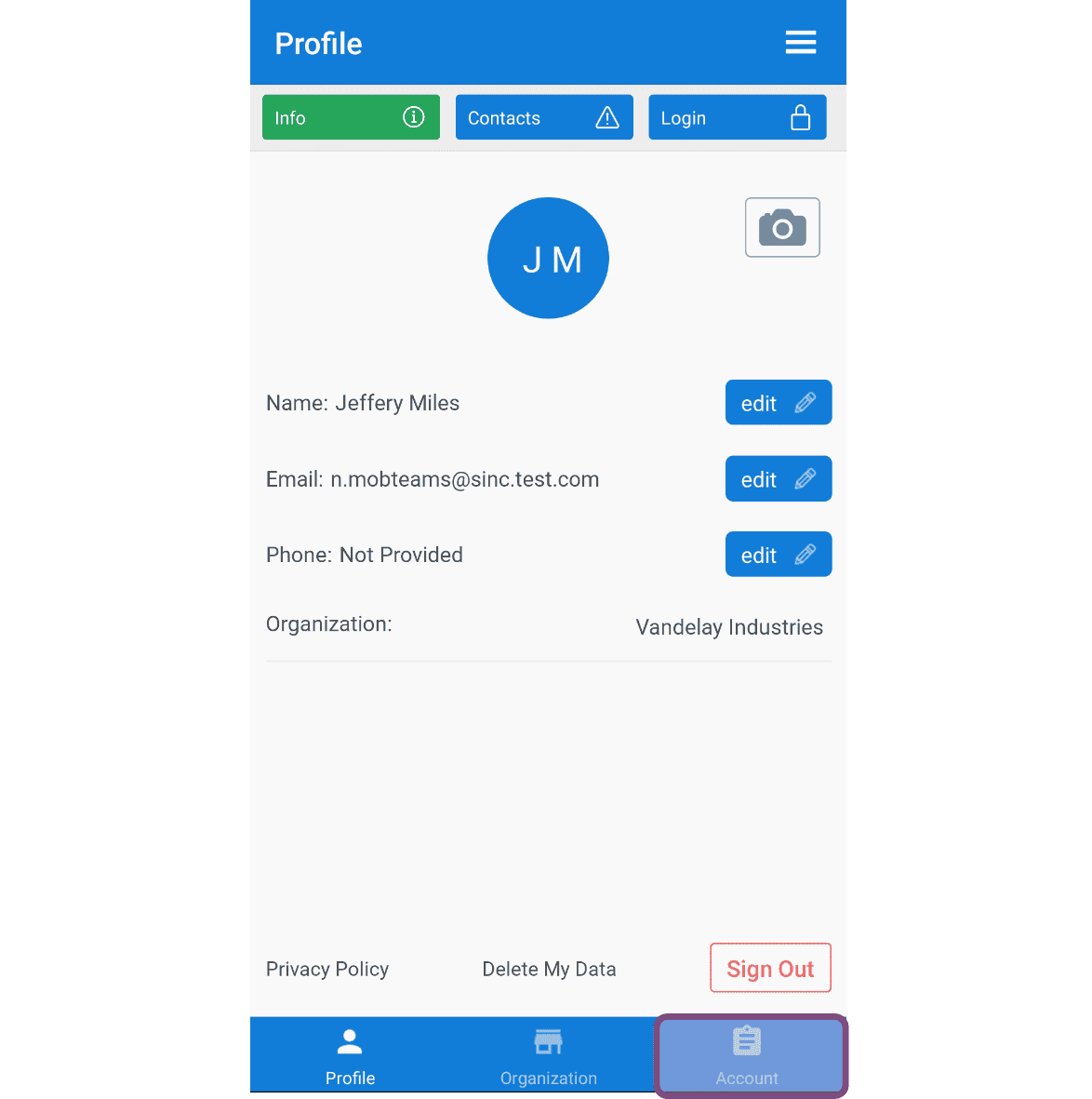
Tocca Account

Mobile app Profile screen with the Account tab highlighted, showing name, email, and phone fields

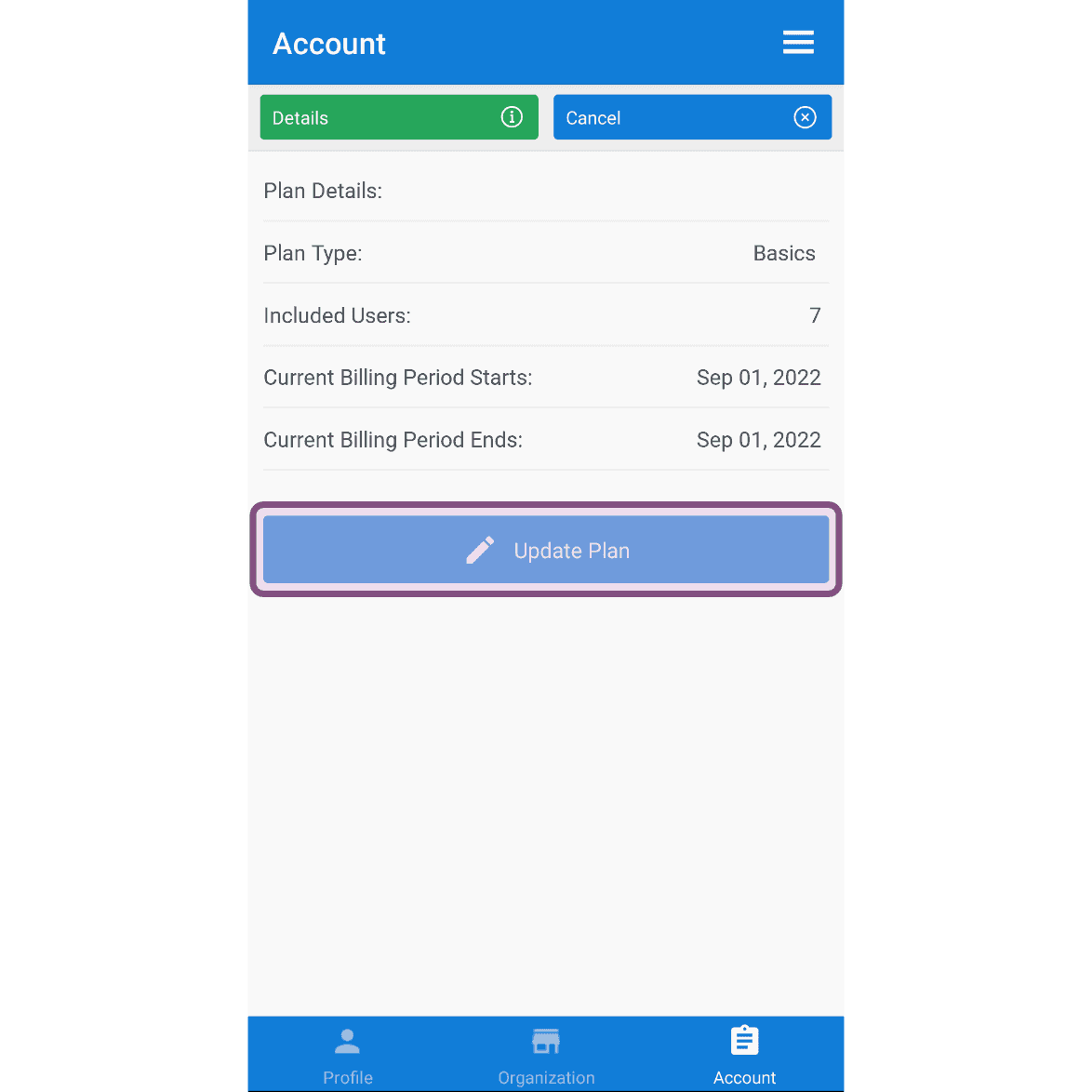
Tocca Aggiorna piano

SINC mobile Account screen showing plan details with the Update Plan button highlighted

Tocca Dettagli sotto il piano più adatto alla tua attività
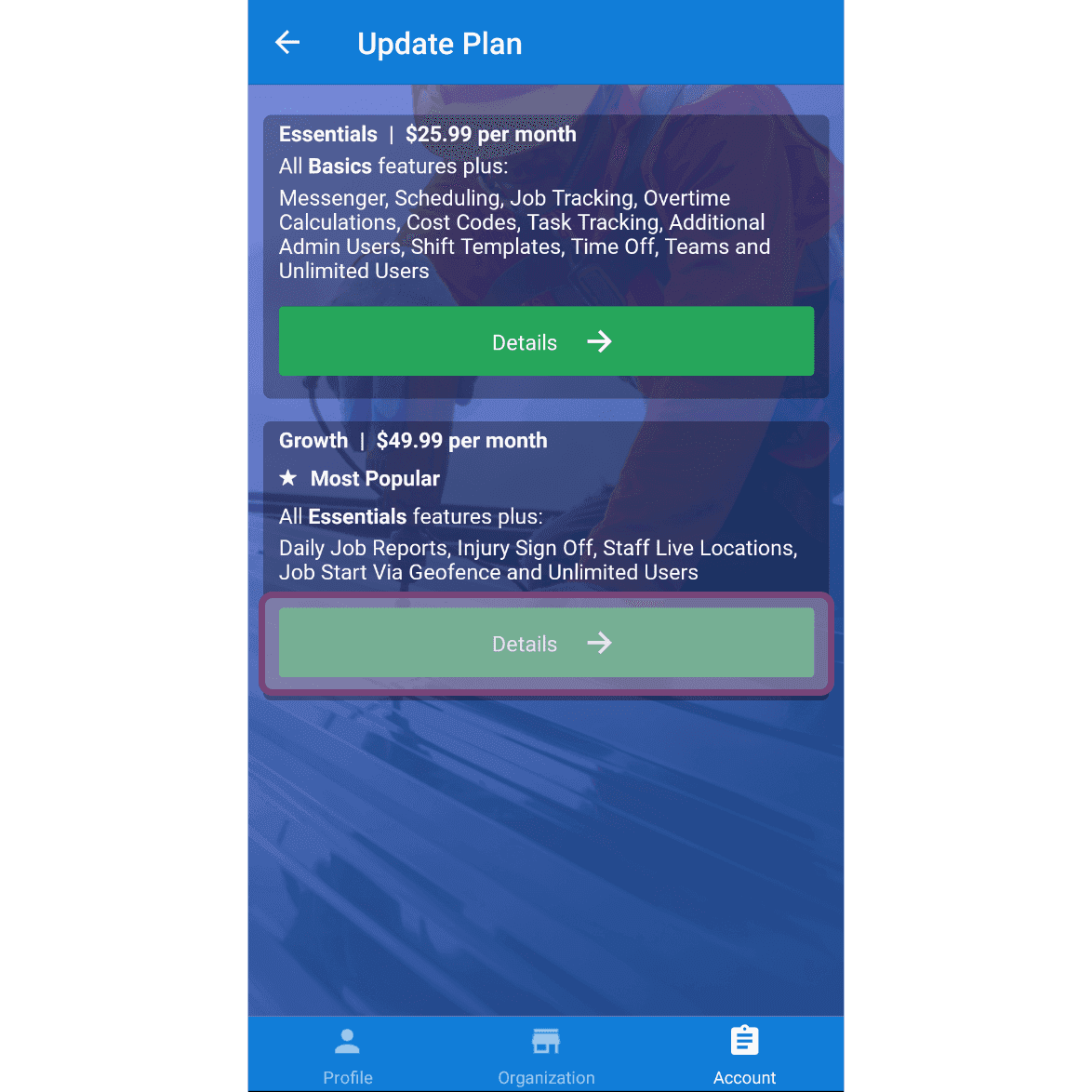
Update Plan screen with the Details button highlighted under the Growth $49.99 per month plan

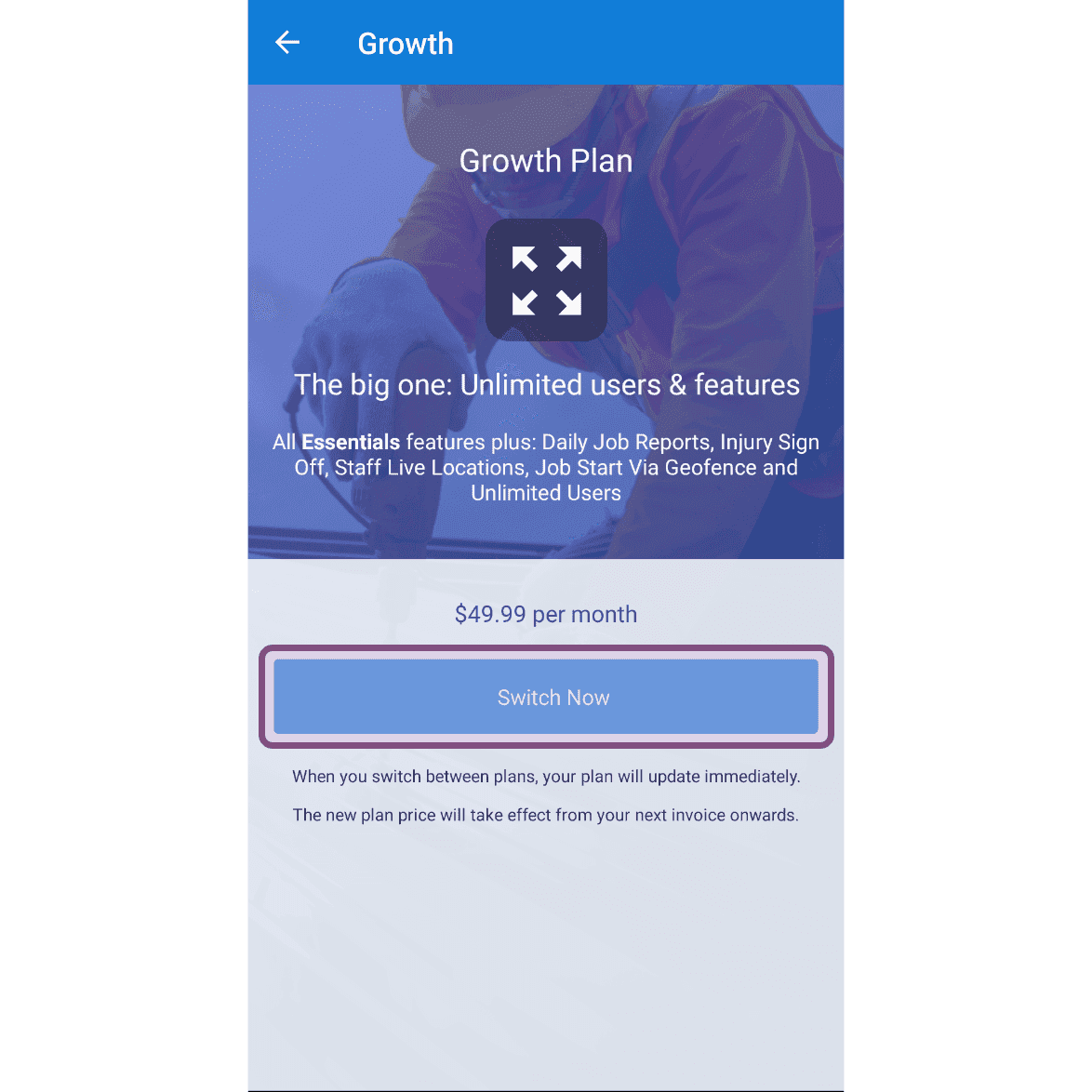
Tocca Passa ora

SINC mobile Growth Plan upgrade screen with the Switch Now button highlighted

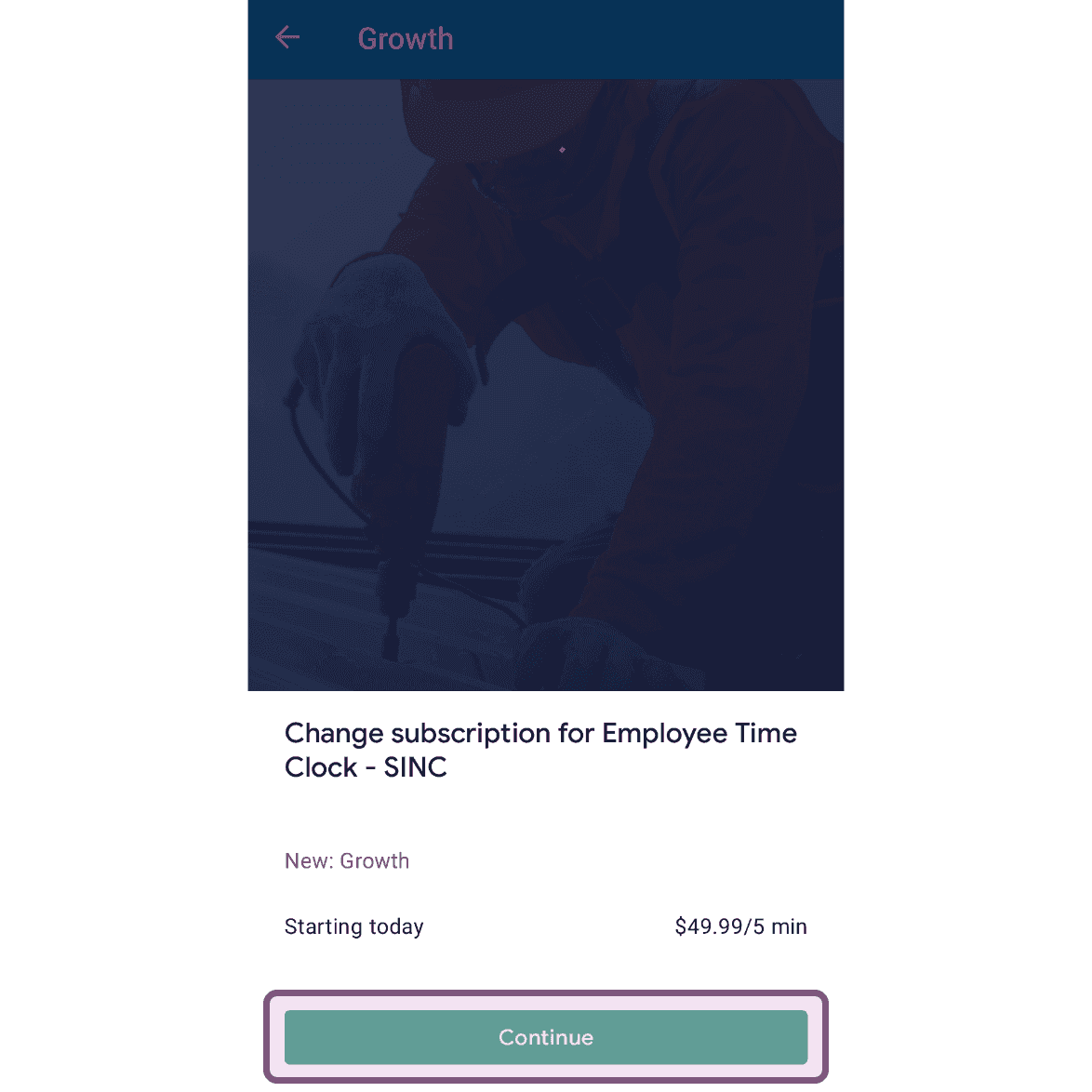
Tocca Continua

Mobile subscription change screen for the Growth plan with the Continue button outlined in pink

Questa risposta ti è stata utile?