Come creare un team

In questo tutorial ti mostreremo come creare un team

SINC Support Team
SINC Support Team
Mar 1st, 2023

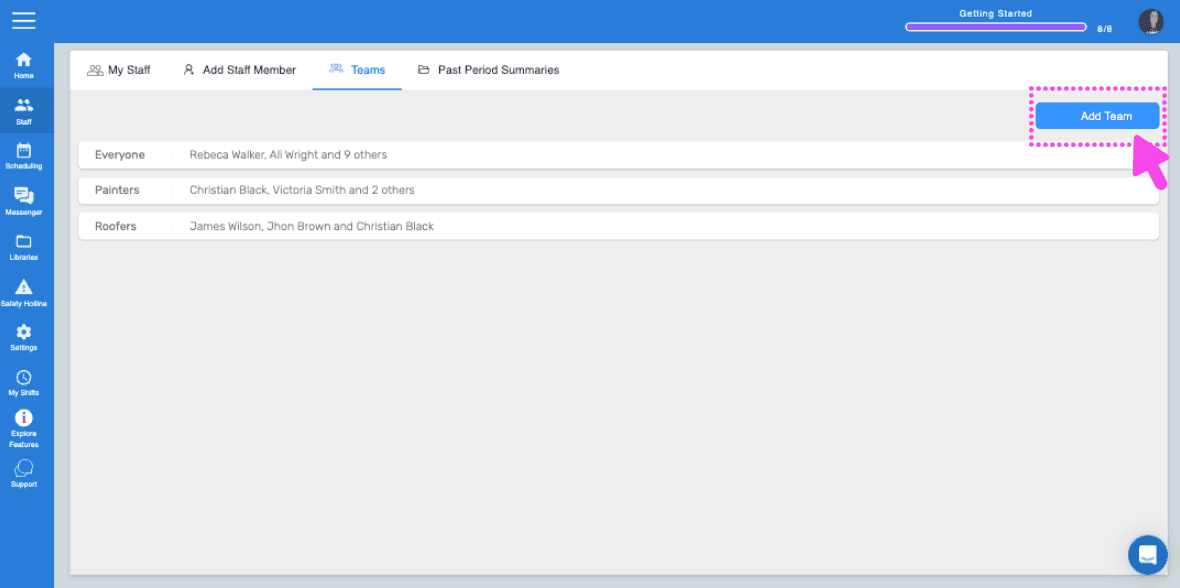
Sul Web: fai clic su Menu Staff Team.
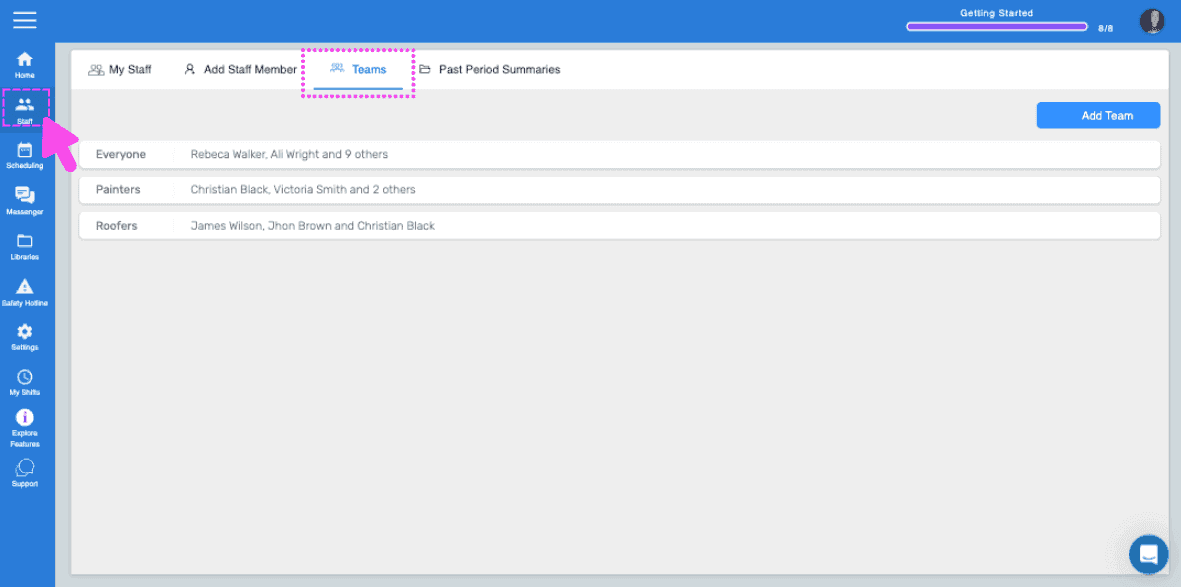
SINC web Staff screen with the Teams tab highlighted by a pink arrow showing a list of teams

Fai clic su Aggiungi team.

SINC web Teams tab with the Add Team button highlighted in the top right

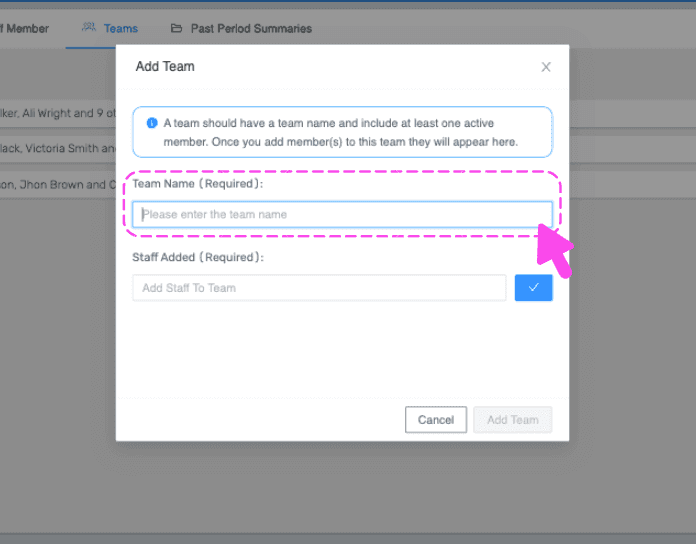
Inserisci un nome per il team

Add Team popup with a pink arrow pointing to the empty required Team Name field

Seleziona dal menu a tendina i dipendenti da aggiungere a questo team, quindi fai clic su Conferma.
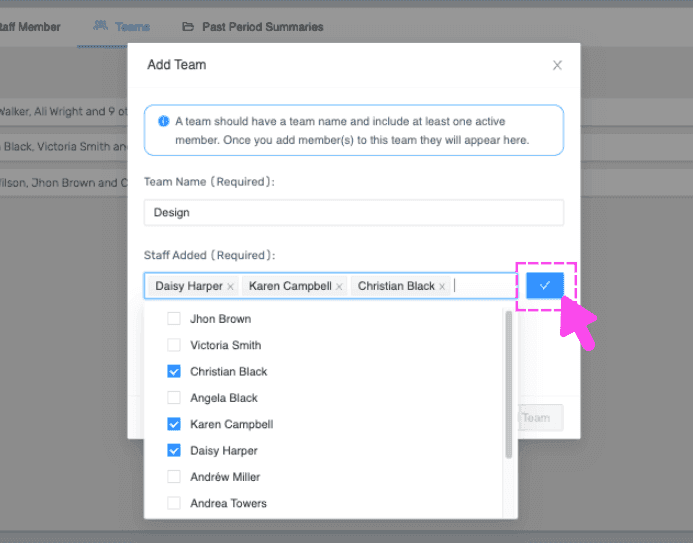
SINC web Add Team modal with a team name, selected staff checkboxes, and the confirm checkmark button highlighted

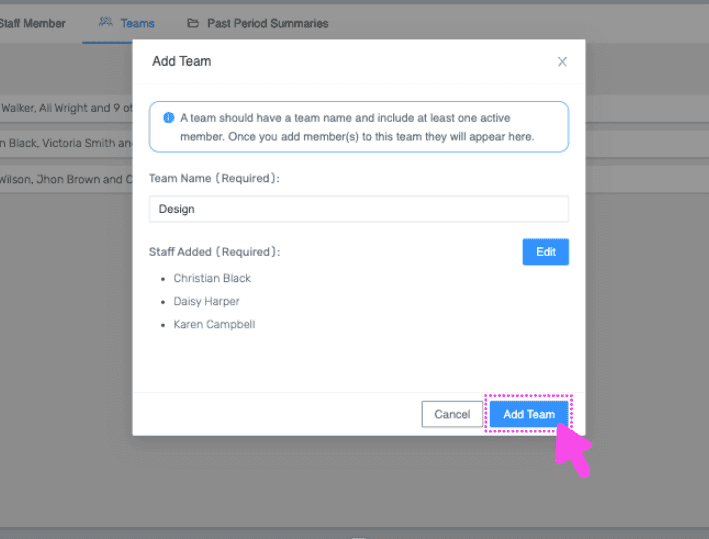
Fai clic su Aggiungi team.

Web Add Team dialog with Team Name field filled in and the Add Team button outlined in pink

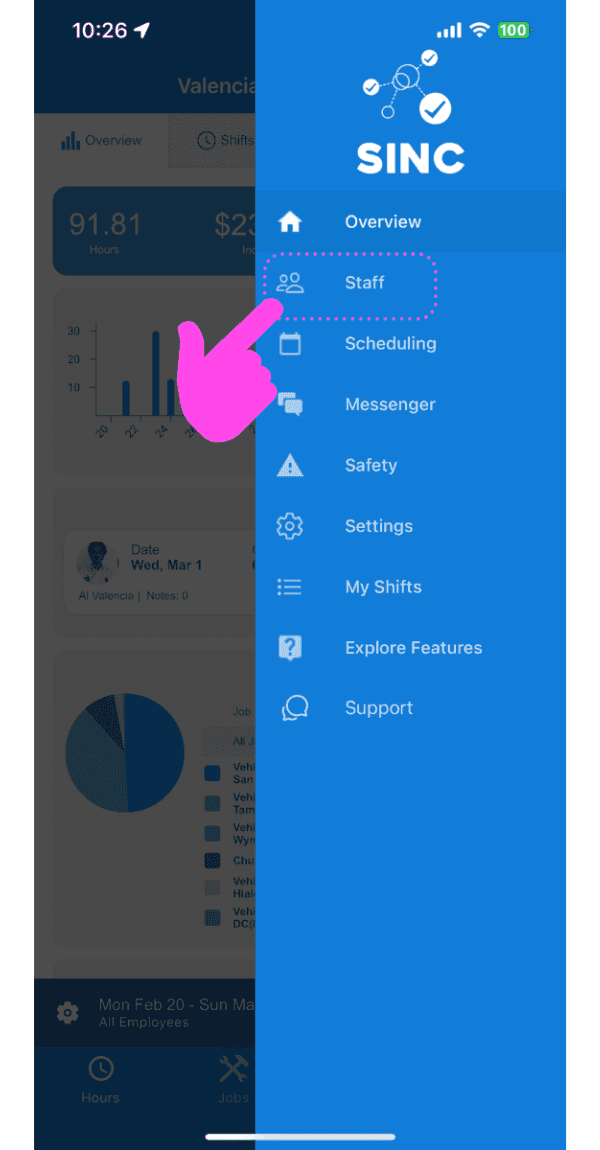
Da mobile: tocca Staff.

SINC mobile navigation menu with a pink hand pointing to the Staff option

Tocca Team.

Teams list screen with a pink arrow pointing to the Add Team button in the bottom navigation

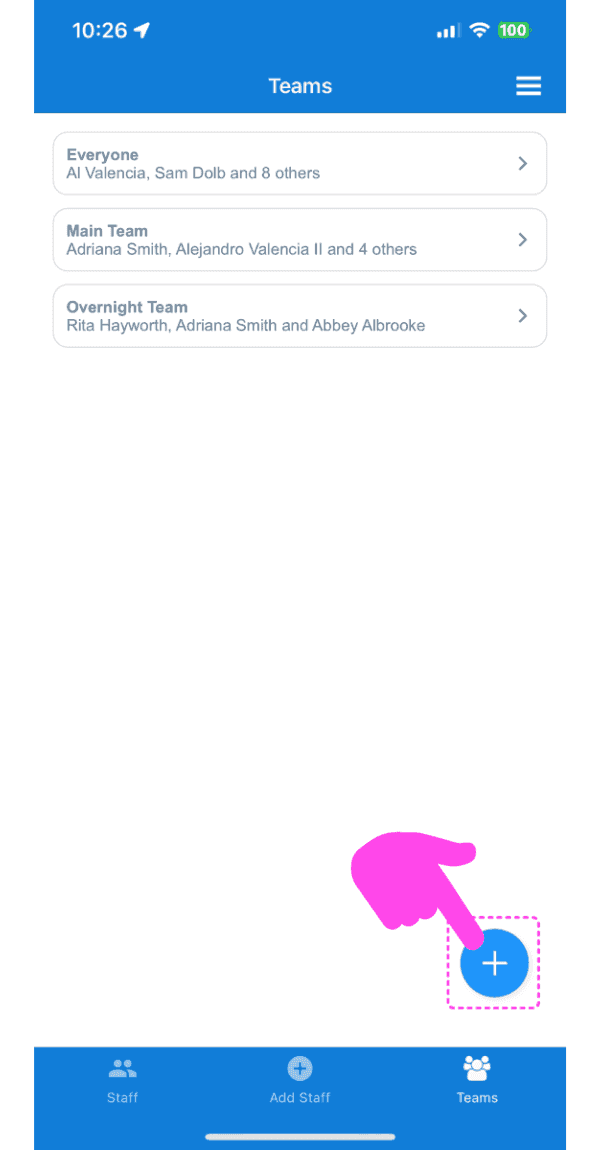
Tocca il pulsante più (+) in basso a destra dello schermo.
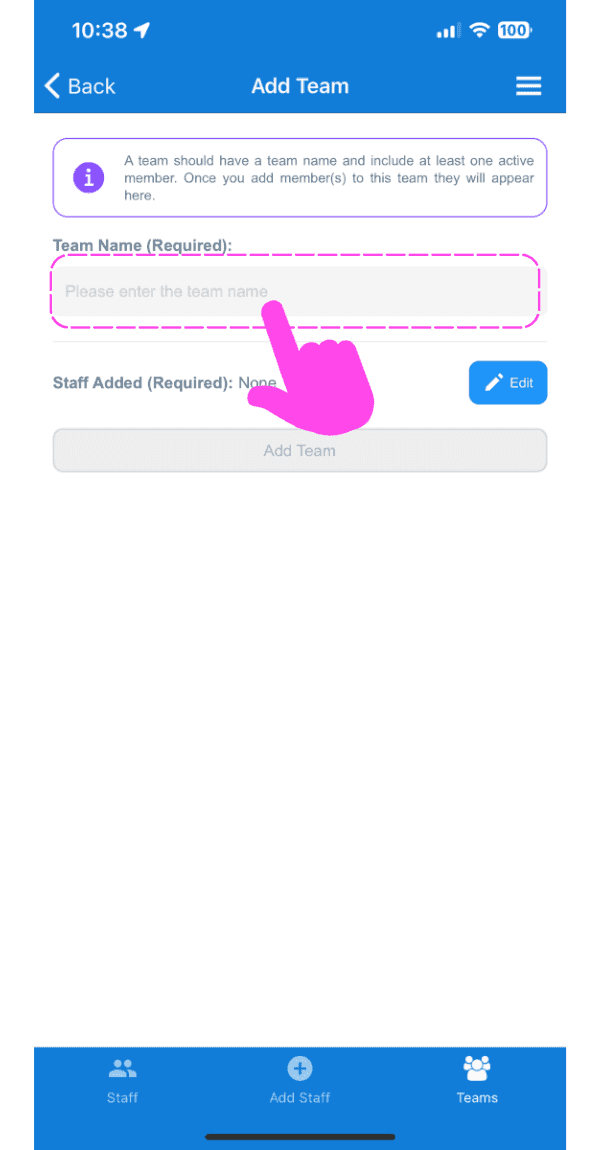
Mobile Add Team screen with a pink arrow pointing to the empty Team Name field

Inserisci il nome che vuoi dare al team
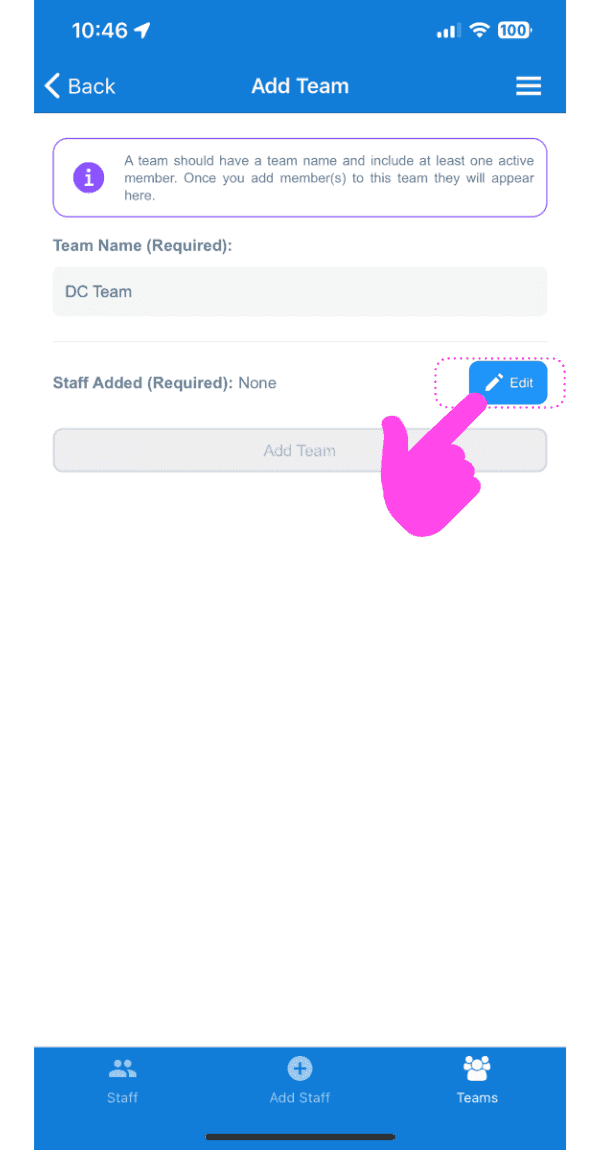
SINC mobile Add Team screen with a pink hand pointing to the Edit button next to Staff Added

Tocca il pulsante Modifica accanto a Staff aggiunto (obbligatorio).
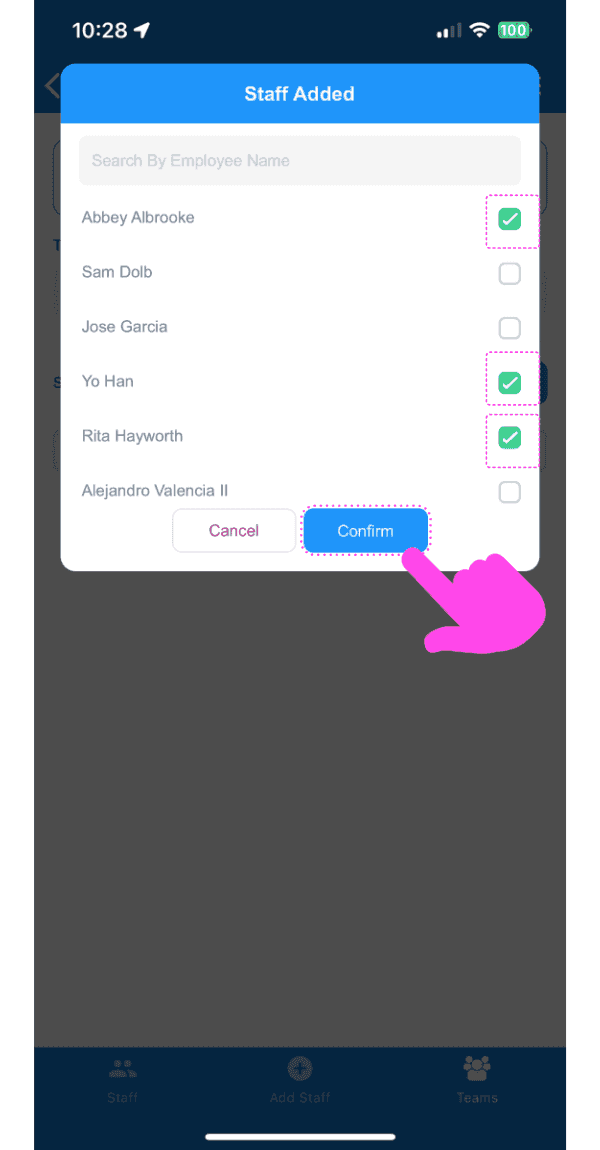
SINC mobile Staff Added dialog with employee checkboxes selected and a pink arrow pointing to the Confirm button

Seleziona dal menu a tendina i dipendenti da aggiungere a questo team, quindi tocca Conferma.
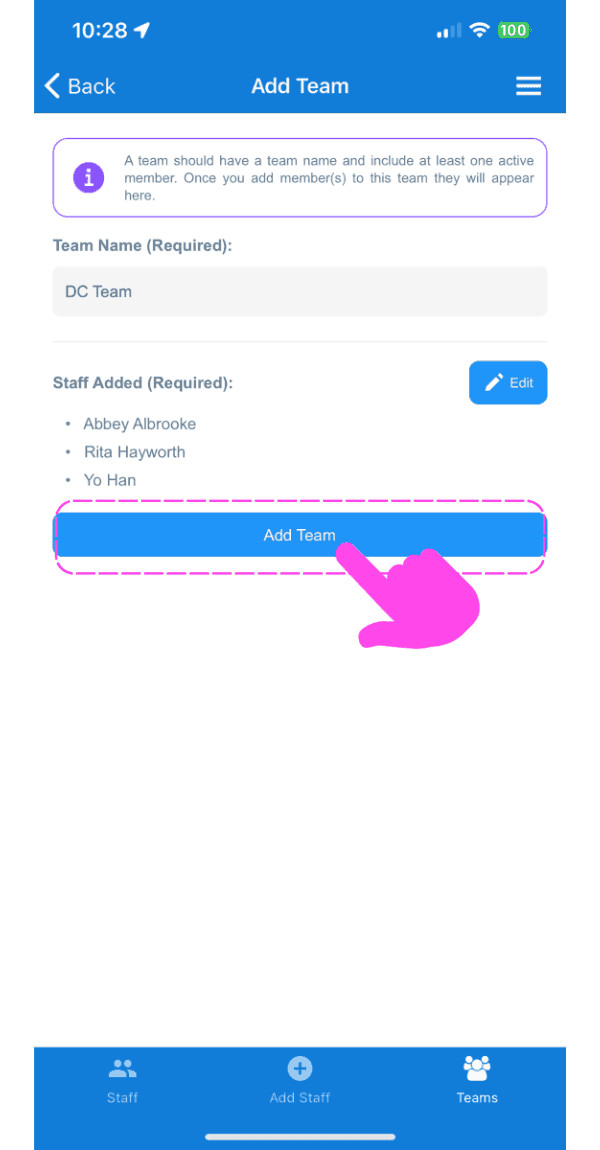
Add Team form showing team name and staff added list with a pink arrow pointing to the Add Team button

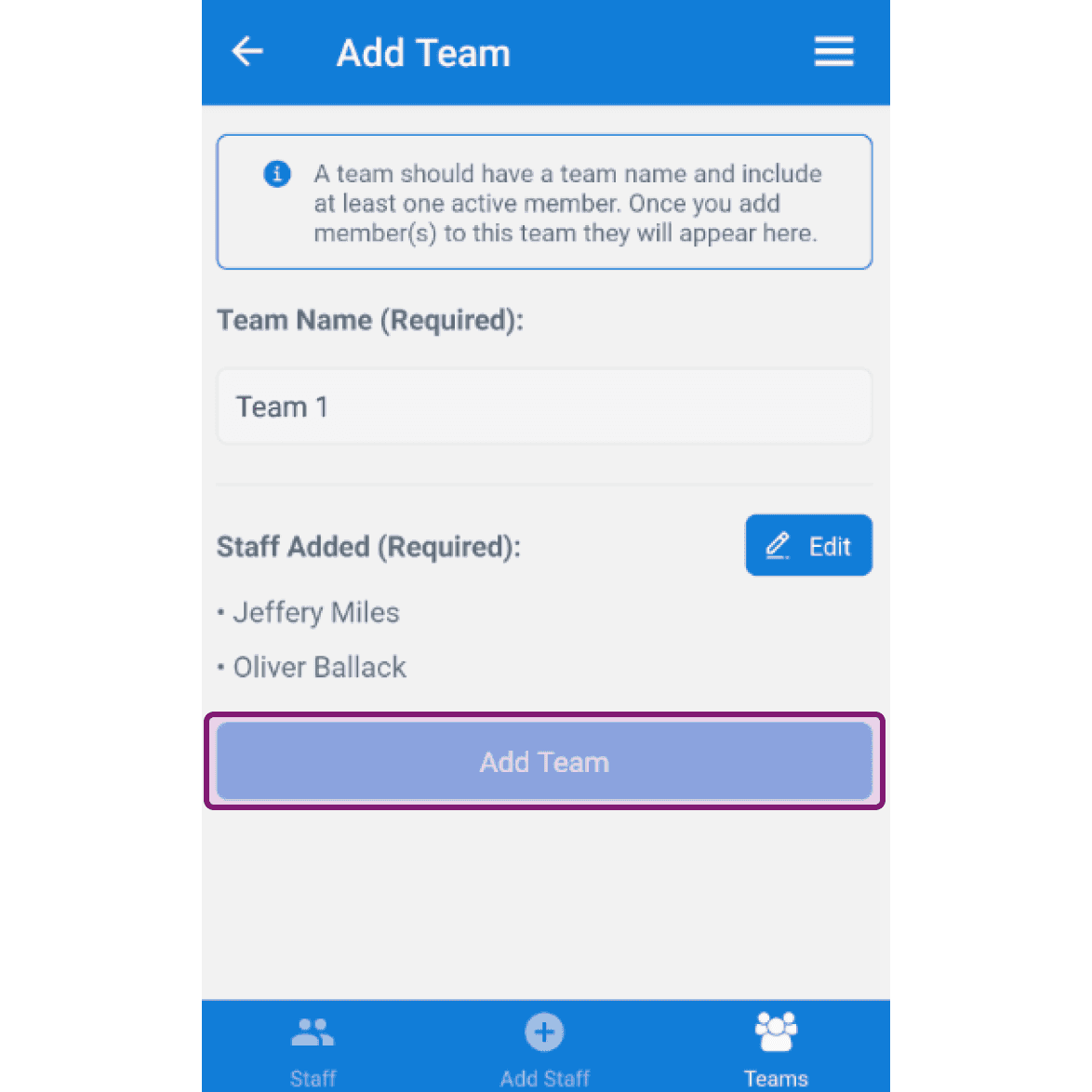
Tocca Aggiungi team.

SINC mobile app Add Team screen with the Add Team button outlined in purple after entering a team name and staff

Questa risposta ti è stata utile?