Come attivare le notifiche di timbratura all’ingresso

Se vuoi ricevere una notifica quando un dipendente timbra l’ingresso o l’uscita dal lavoro, questo tutorial ti mostrerà come fare.

Sam Dolbel
Sam Dolbel
Mar 1st, 2023

Tocca Menu Personale
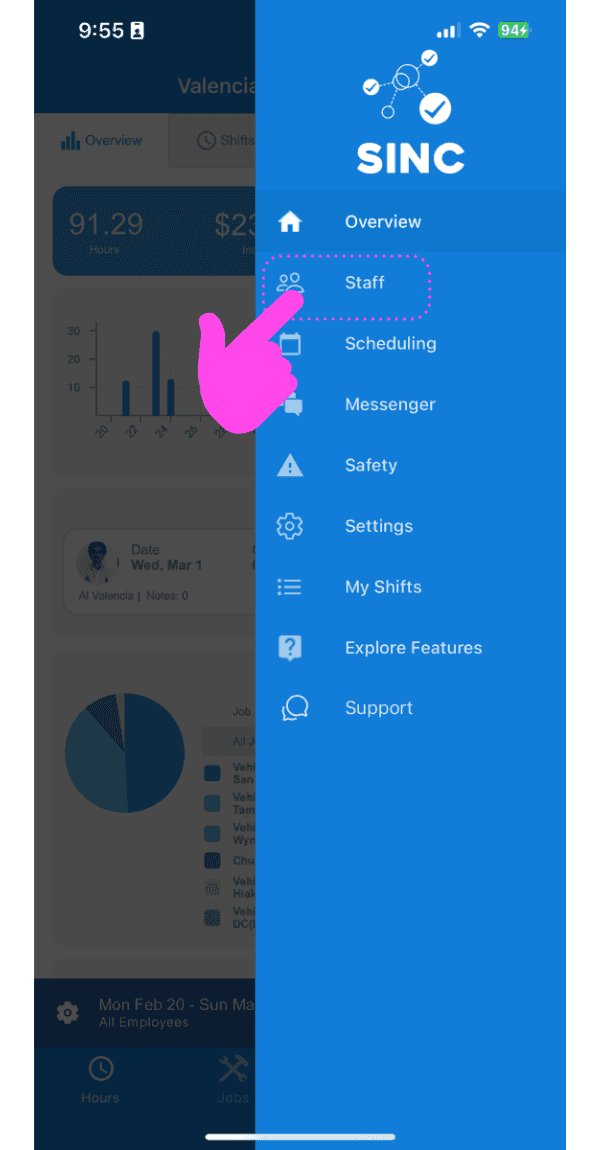
SINC mobile app side menu with a pink hand pointing to the Staff menu item

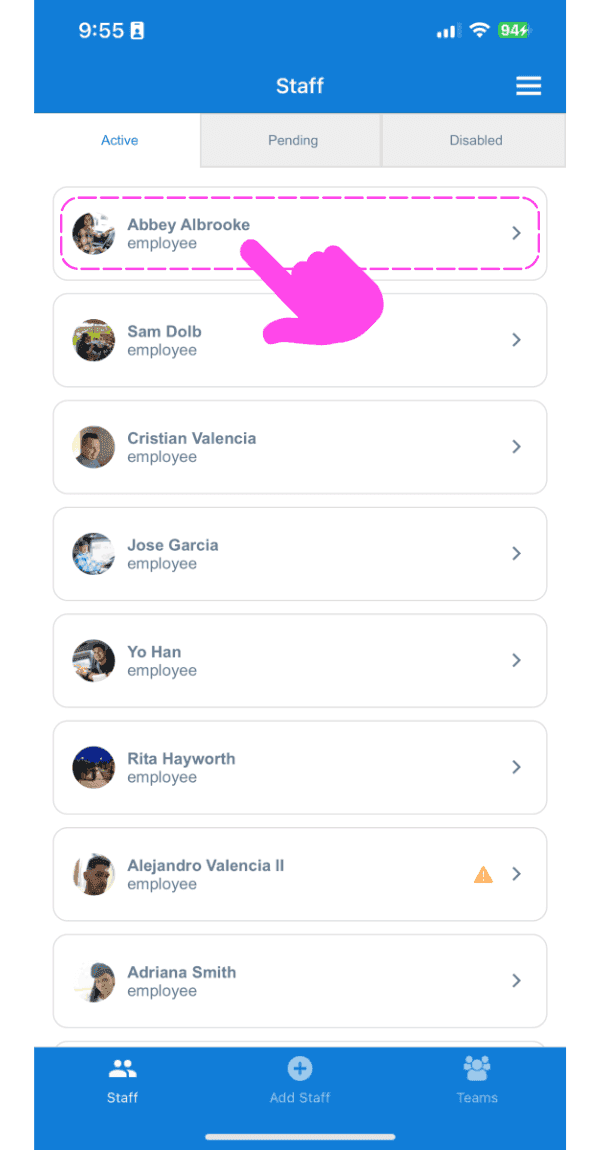
Tocca Nome del membro dello staff

Staff list screen with a pink arrow pointing to an employee's name

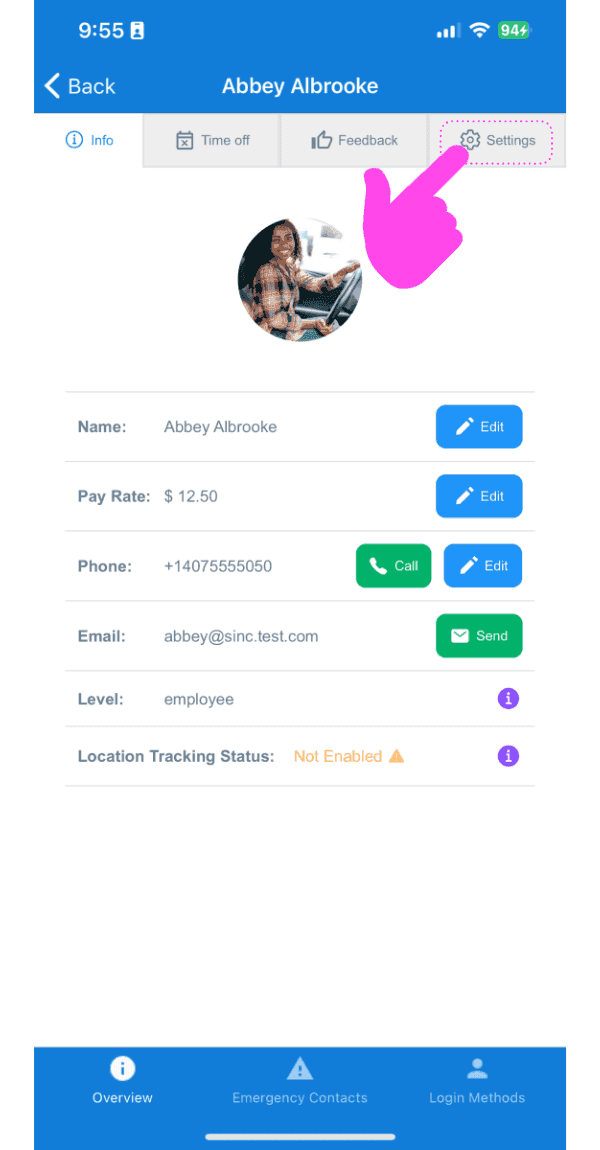
Tocca Impostazioni

Staff member Info screen showing profile photo and contact fields, with a pink arrow pointing to the Settings tab

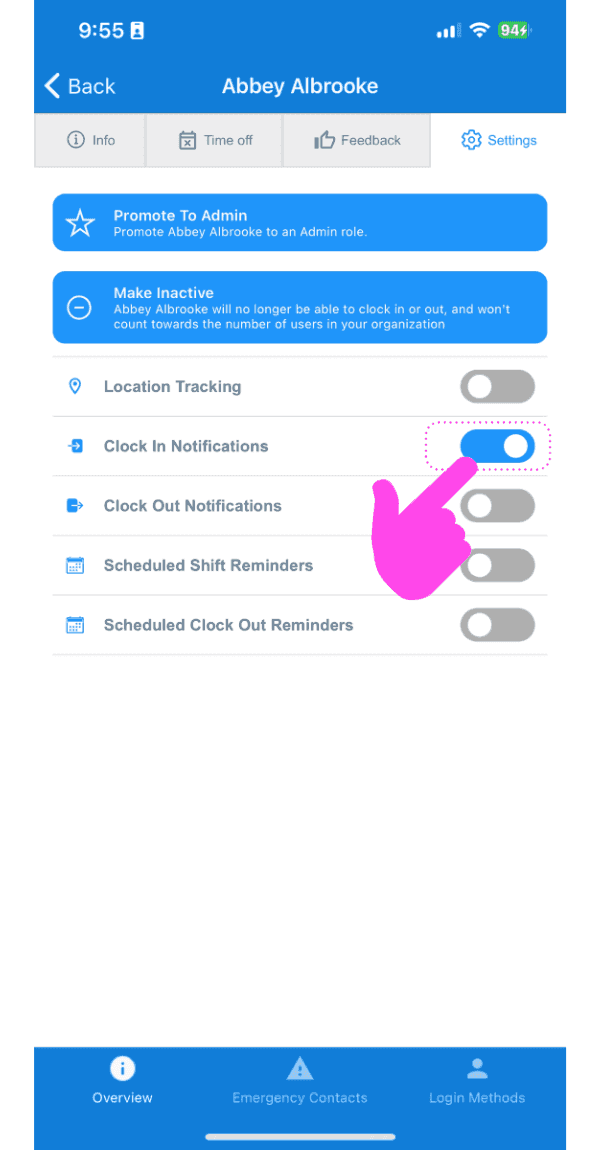
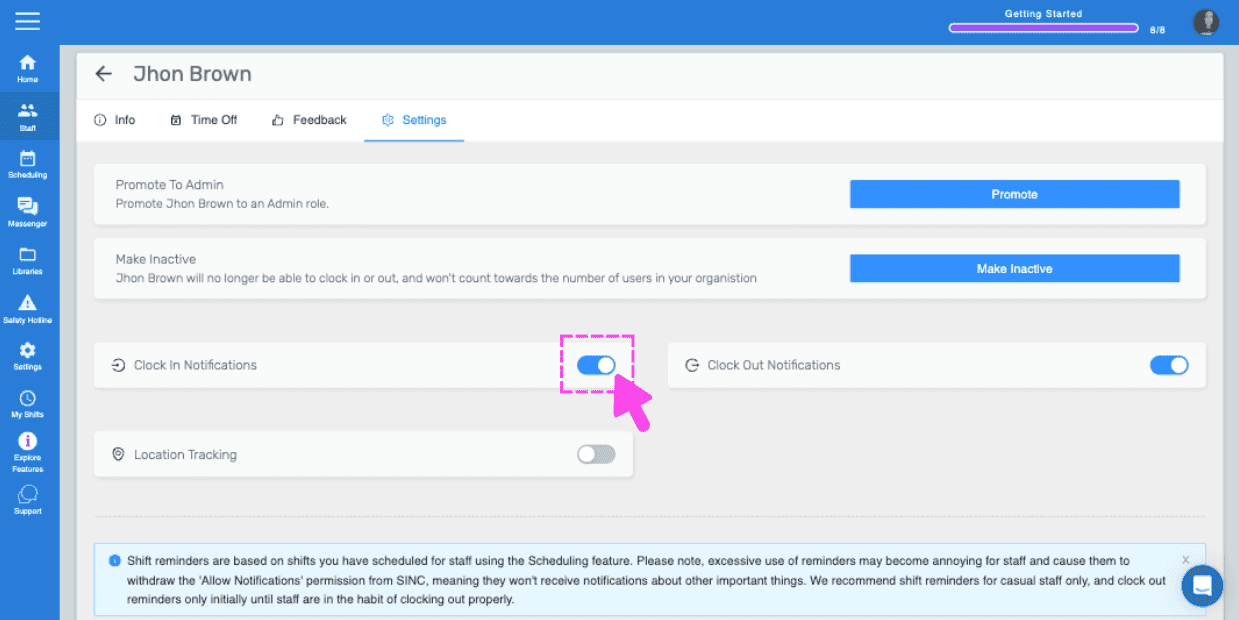
Tocca Notifiche di timbratura

SINC mobile staff Settings screen with a pink hand pointing to the Clock In Notifications toggle

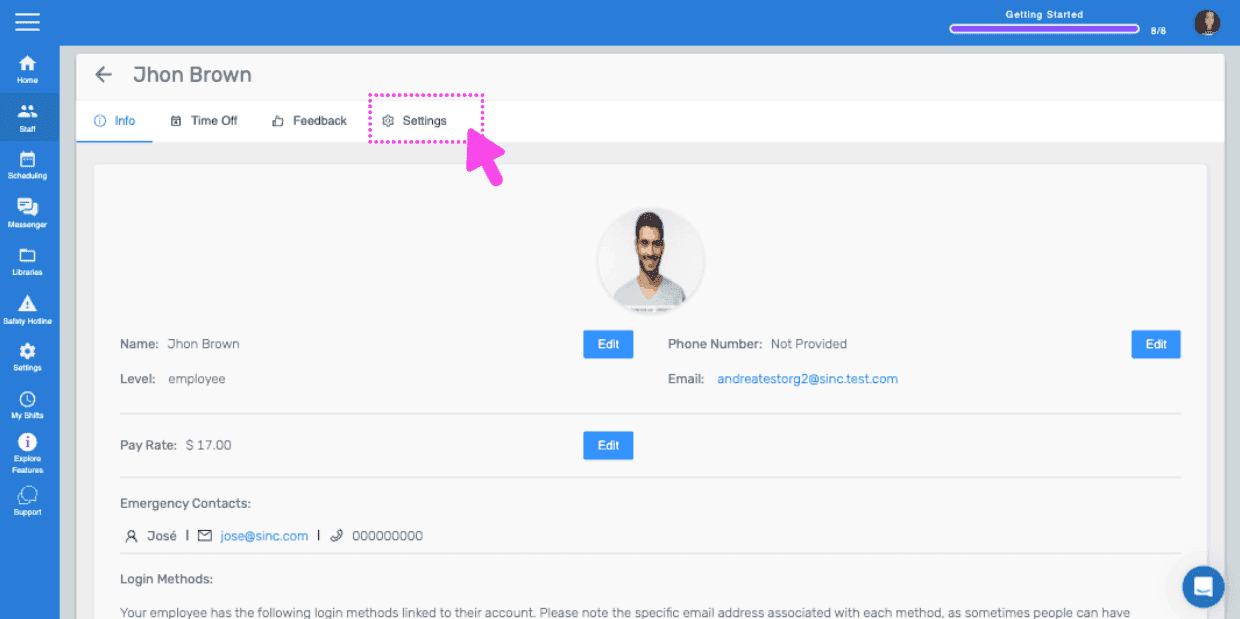
Se utilizzi la versione web, apparirà così:
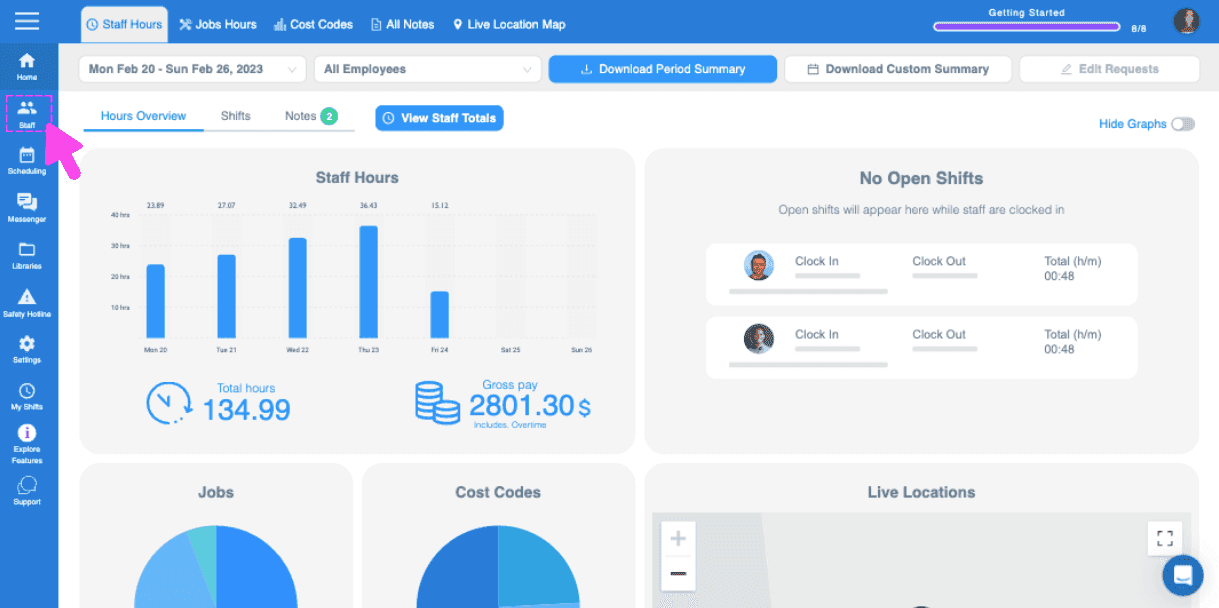
Web dashboard Hours Overview screen with a pink arrow pointing to the sidebar menu icon
SINC web staff profile screen with the Settings tab highlighted in pink
Staff settings screen for an employee with a pink arrow pointing to the Clock In Notifications toggle switch

Questa risposta ti è stata utile?