Come rendere inattivo un amministratore

Sam Dolbel
Sam Dolbel
Feb 28th, 2023

Quando un membro dello staff con autorizzazioni di amministratore lascia la tua organizzazione, non devi eliminarlo: ti basta disattivarlo. In questa guida ti mostriamo i passaggi da seguire. Tocca Staff
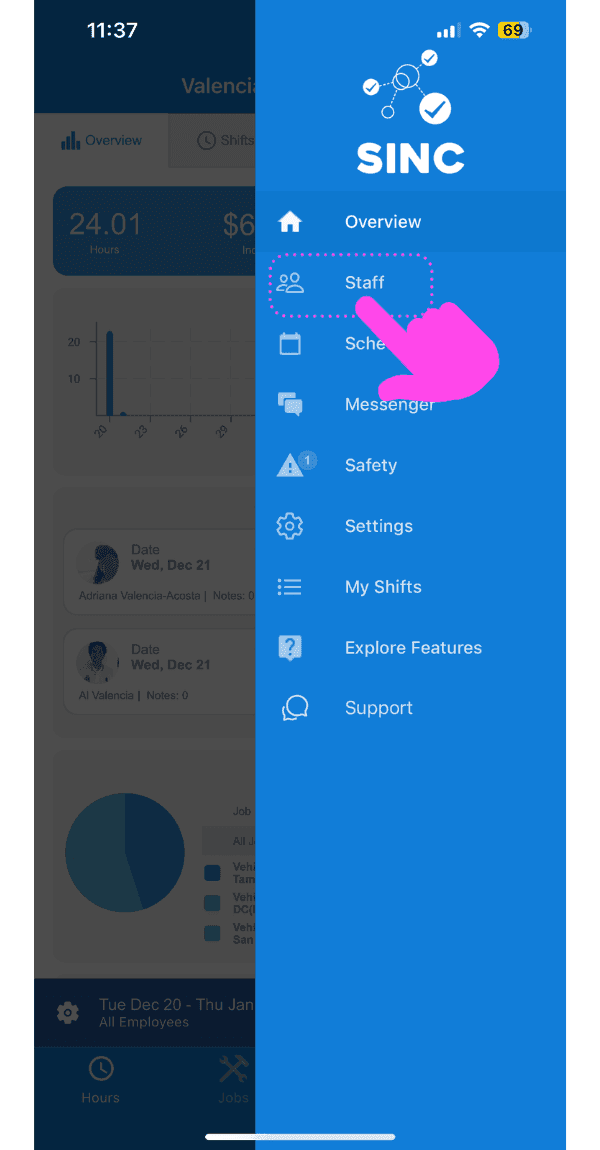
SINC mobile app side menu with a pink arrow pointing to the Staff menu item

Tocca il nome del membro dello staff amministrativo
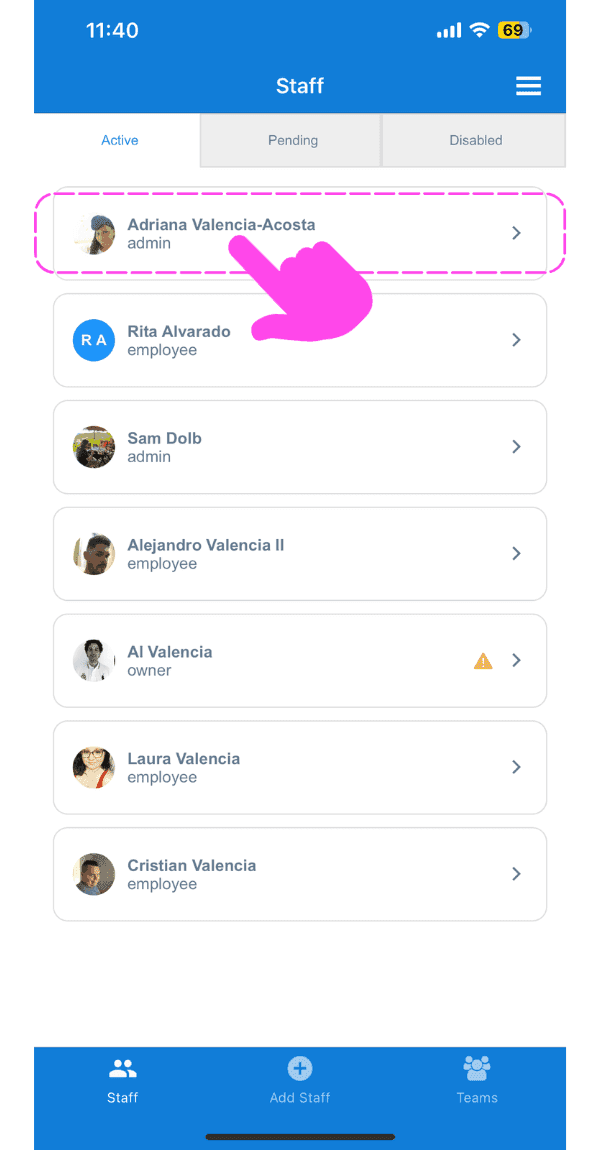
SINC mobile Staff screen with a pink hand pointing to an admin staff member's name

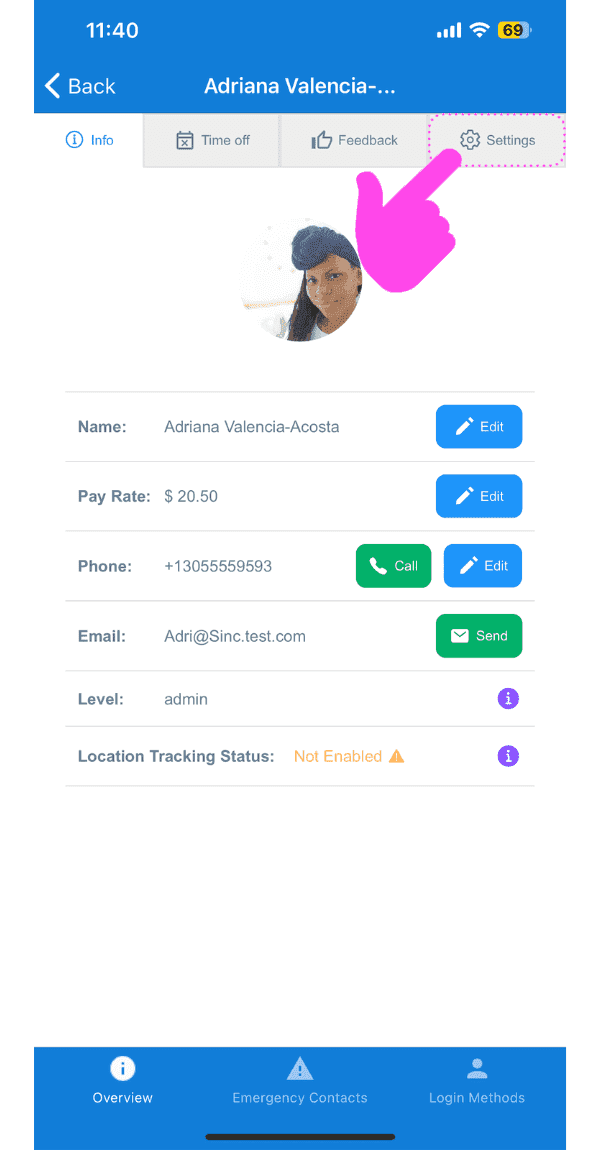
Tocca Impostazioni

SINC mobile staff profile screen with a pink arrow pointing to the Settings tab

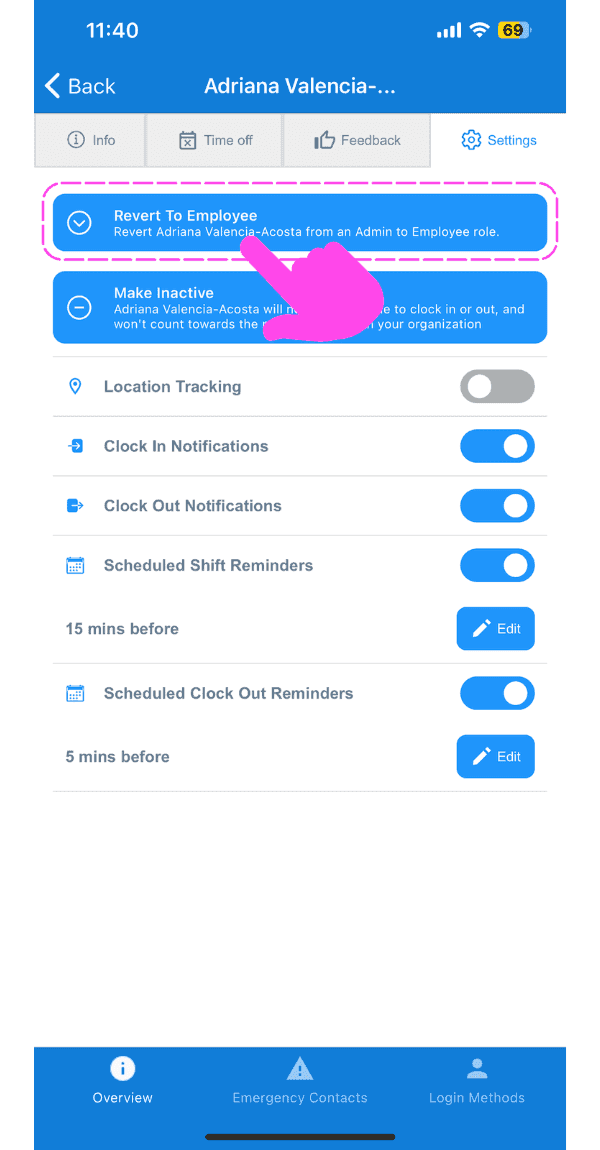
Tocca Torna al ruolo di dipendente

Staff member Settings tab with a pink arrow pointing to the Revert To Employee button

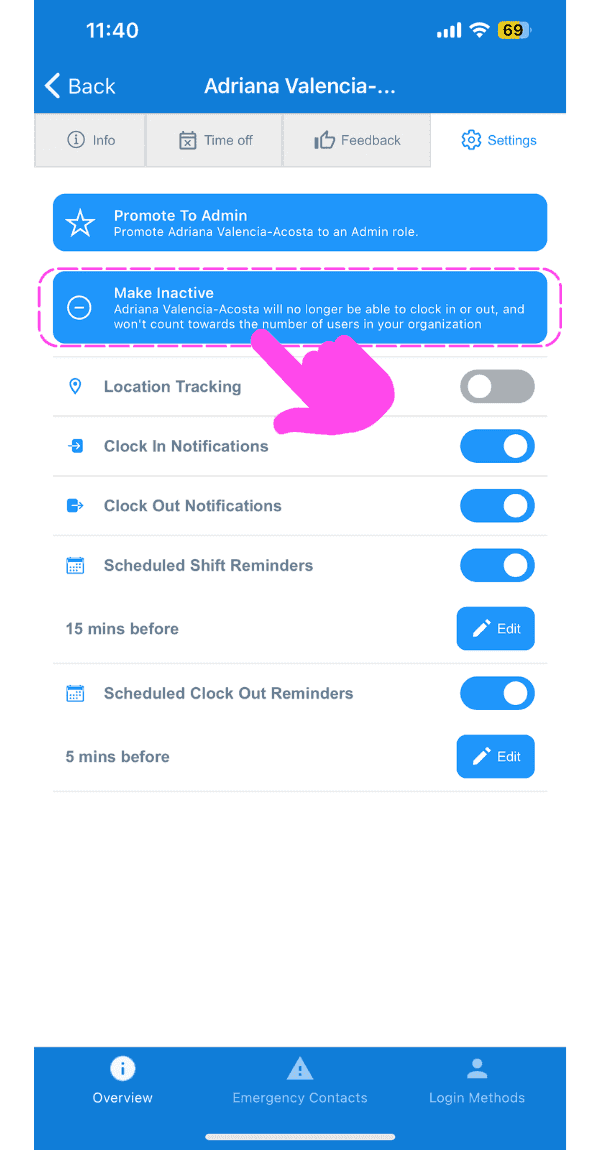
Tocca Disattiva

SINC mobile app staff settings screen with the Make Inactive banner highlighted and a pink arrow pointing to notification toggles below it

Tocca Conferma (versione web) Fai clic su Sì
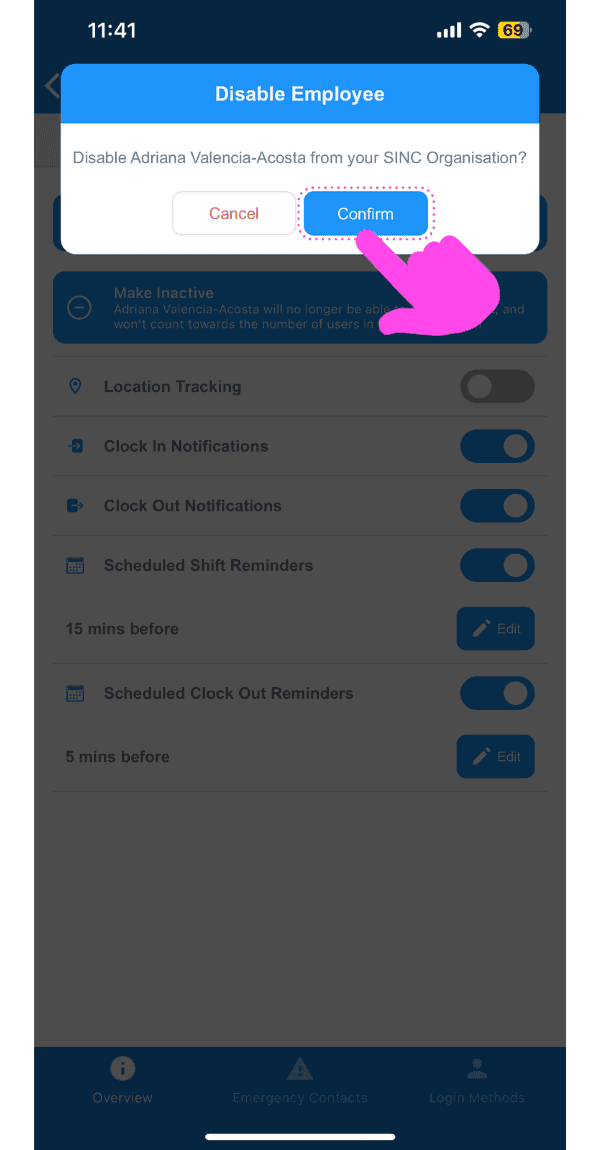
Disable Employee confirmation popup with the Confirm button highlighted by a pink arrow

Questa risposta ti è stata utile?