Come promuovere un dipendente al ruolo di amministratore

In questa guida illustreremo la procedura per promuovere un dipendente al ruolo di amministratore.

Sam Dolbel
Sam Dolbel
Mar 27th, 2023

Per aggiungere un nuovo amministratore, devi prima invitarlo come dipendente standard. Fatto ciò: tocca Menu Personale
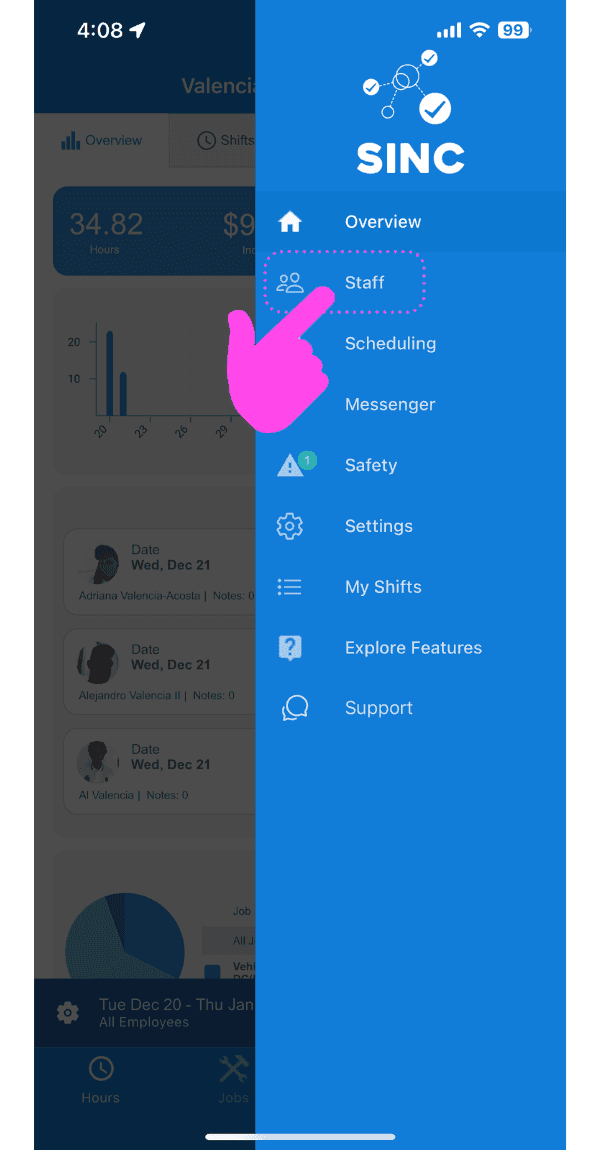
SINC mobile side menu with a pink arrow pointing to the Staff option

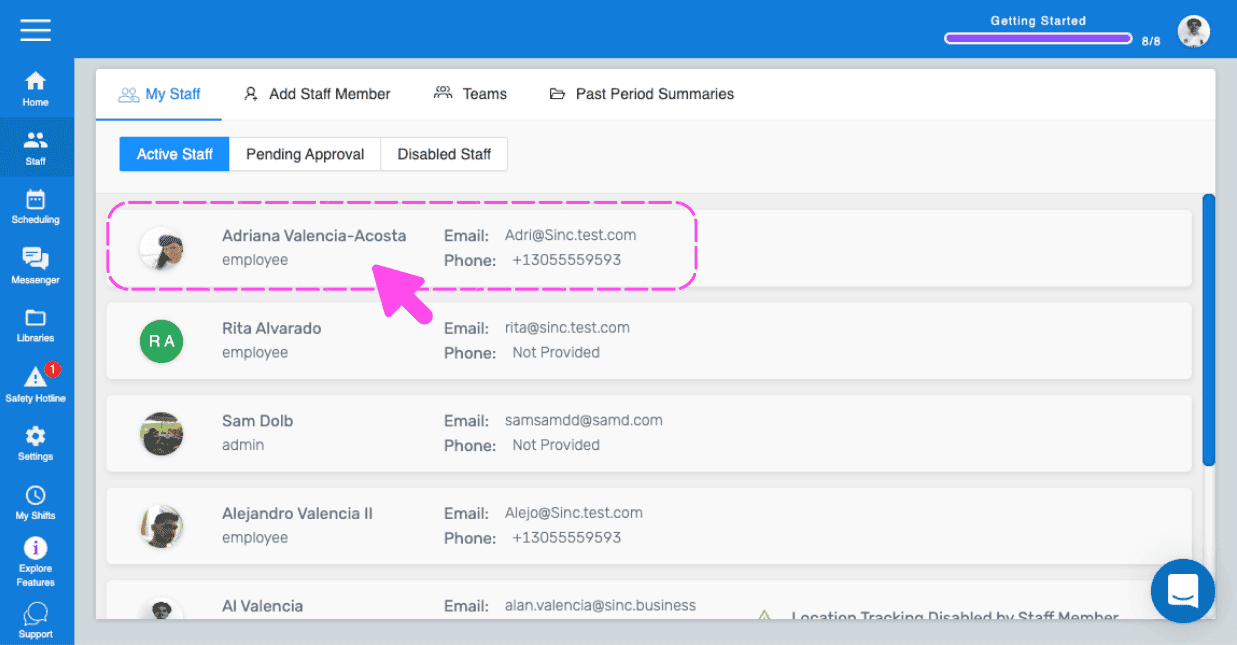
Tocca il nome del membro dello staff che vuoi promuovere ad amministratore
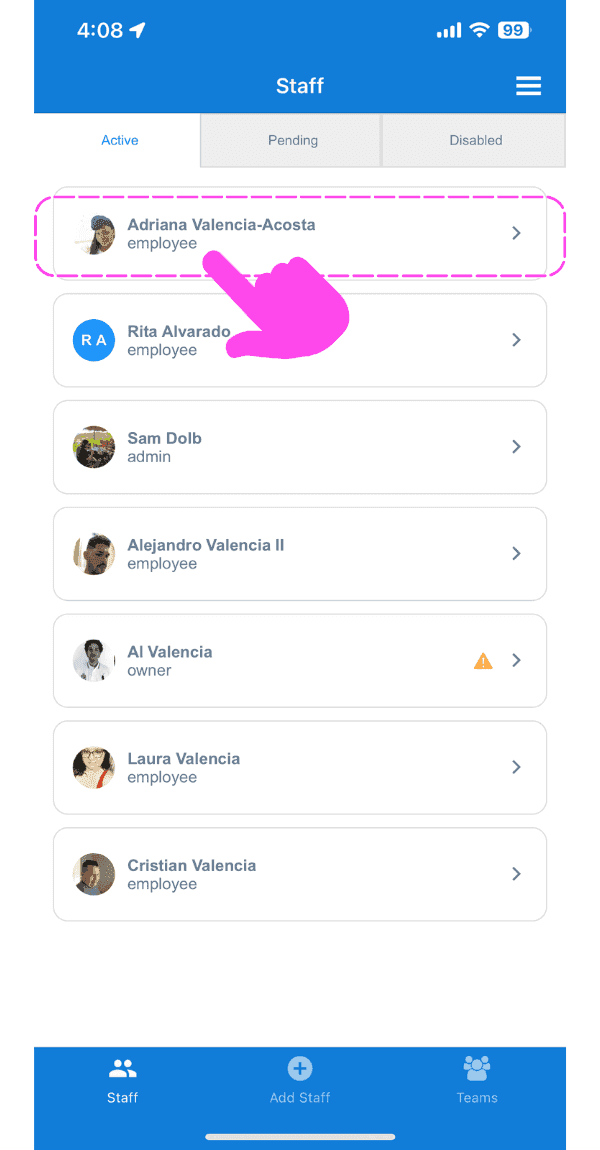
Staff list screen with a pink hand pointing to an employee's name highlighted in a dashed box at the top

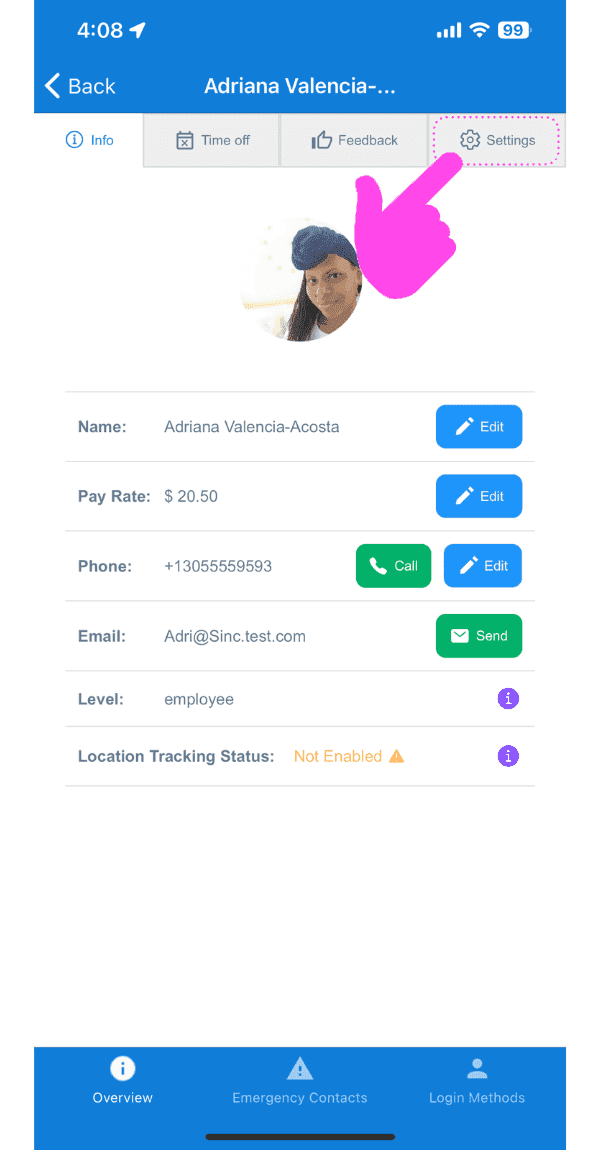
Tocca Impostazioni

SINC mobile staff profile screen with a pink arrow pointing to the Settings tab

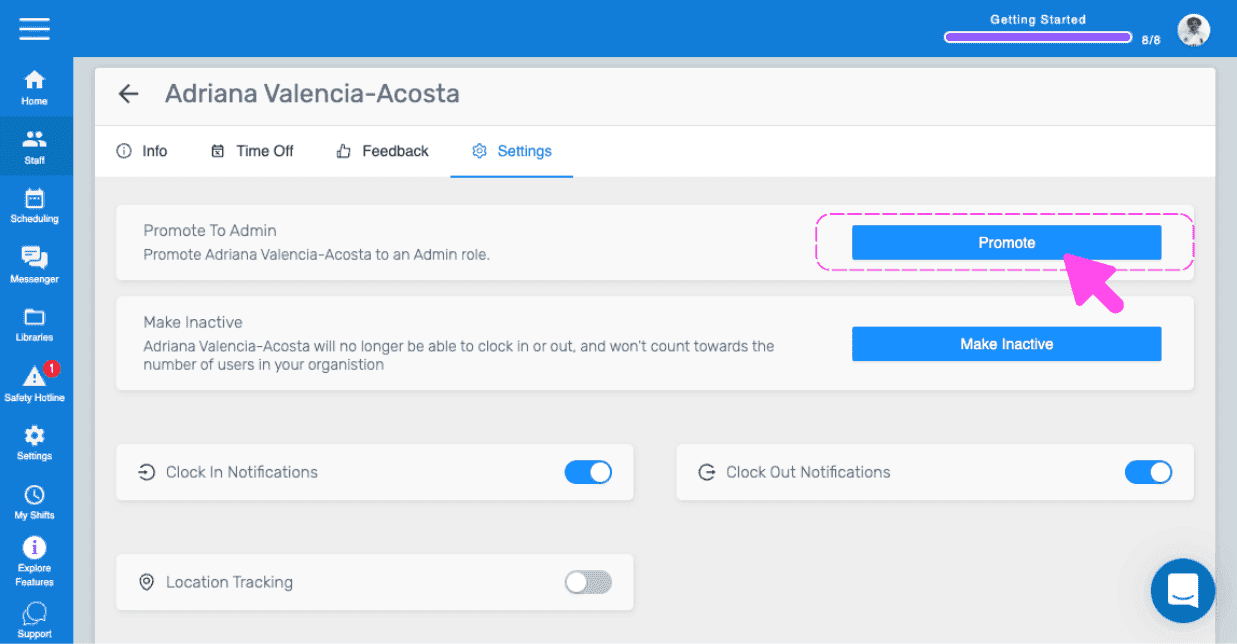
Tocca Promuovi ad amministratore (versione web) Clicca su Promuovi
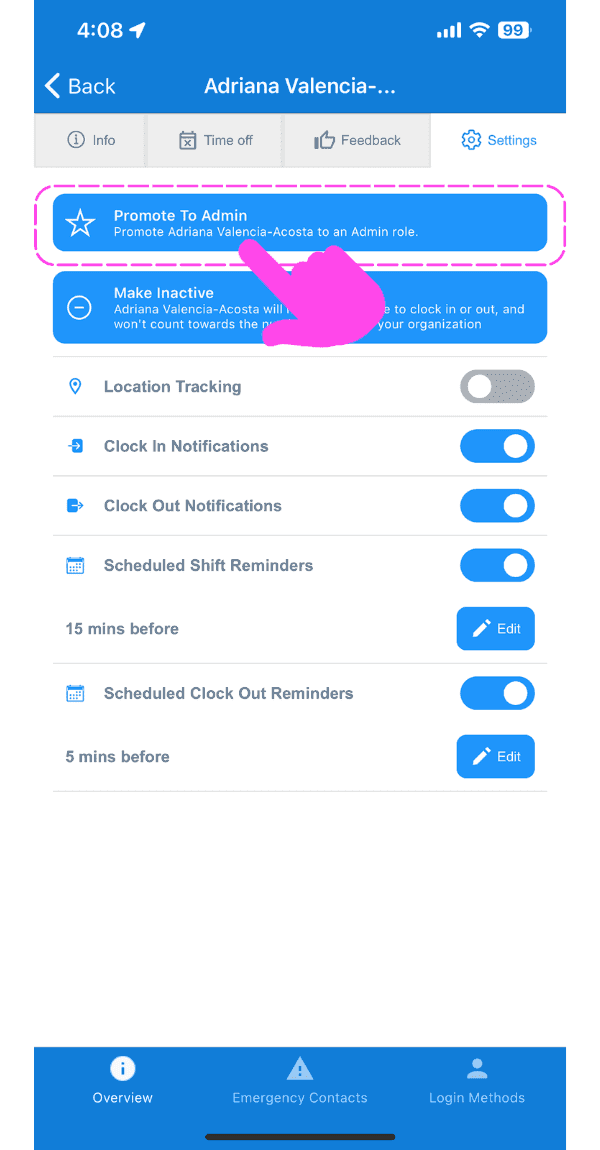
Mobile staff Settings tab with the Promote To Admin button outlined in pink and an arrow pointing to it

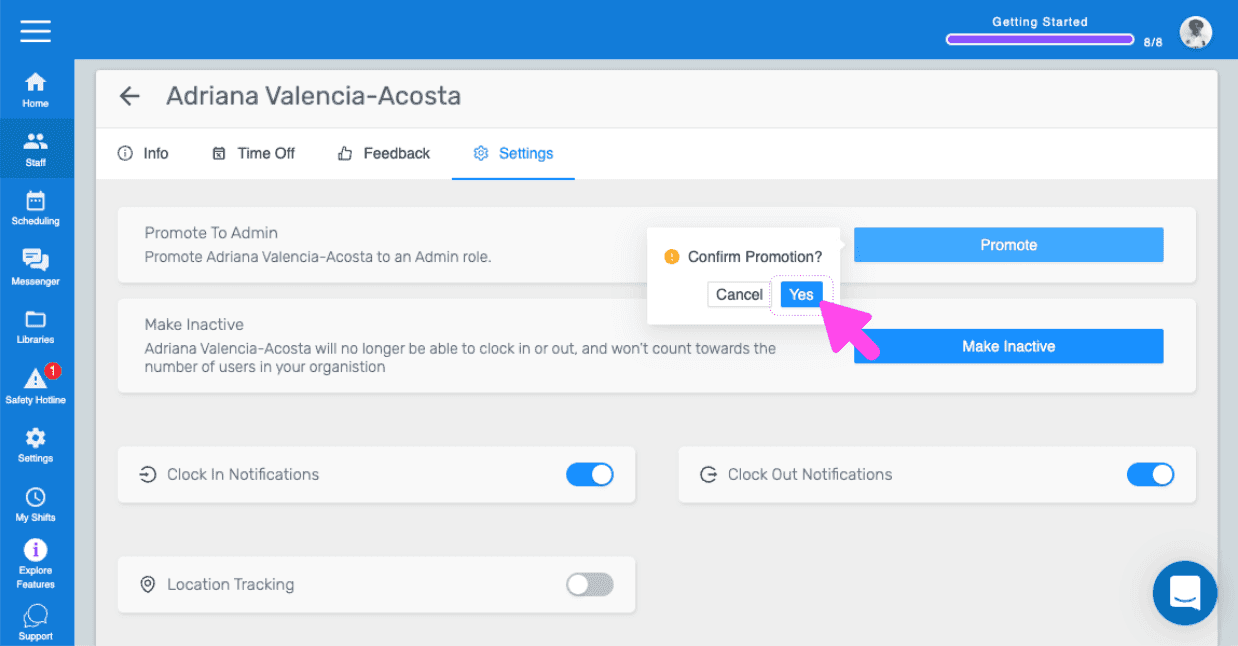
Se utilizzi la versione web, apparirà così:
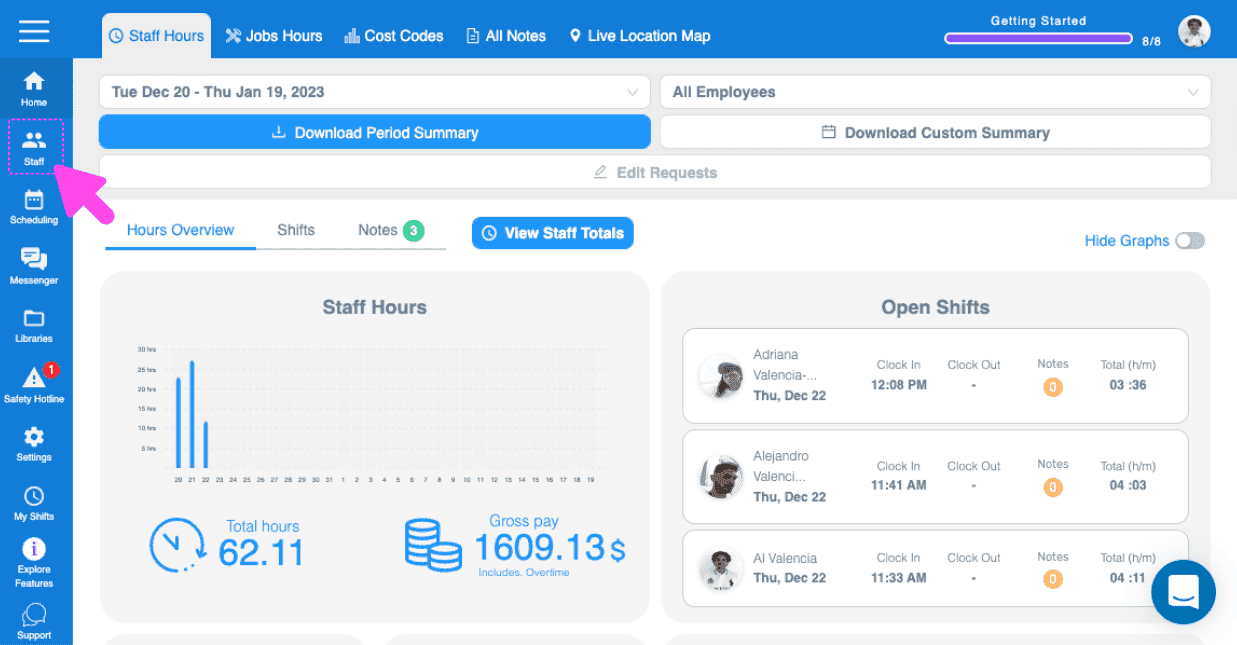
SINC web Staff Hours dashboard with a pink arrow pointing to the Staff icon in the left sidebar
Active Staff list with an employee's row highlighted showing their email and phone number
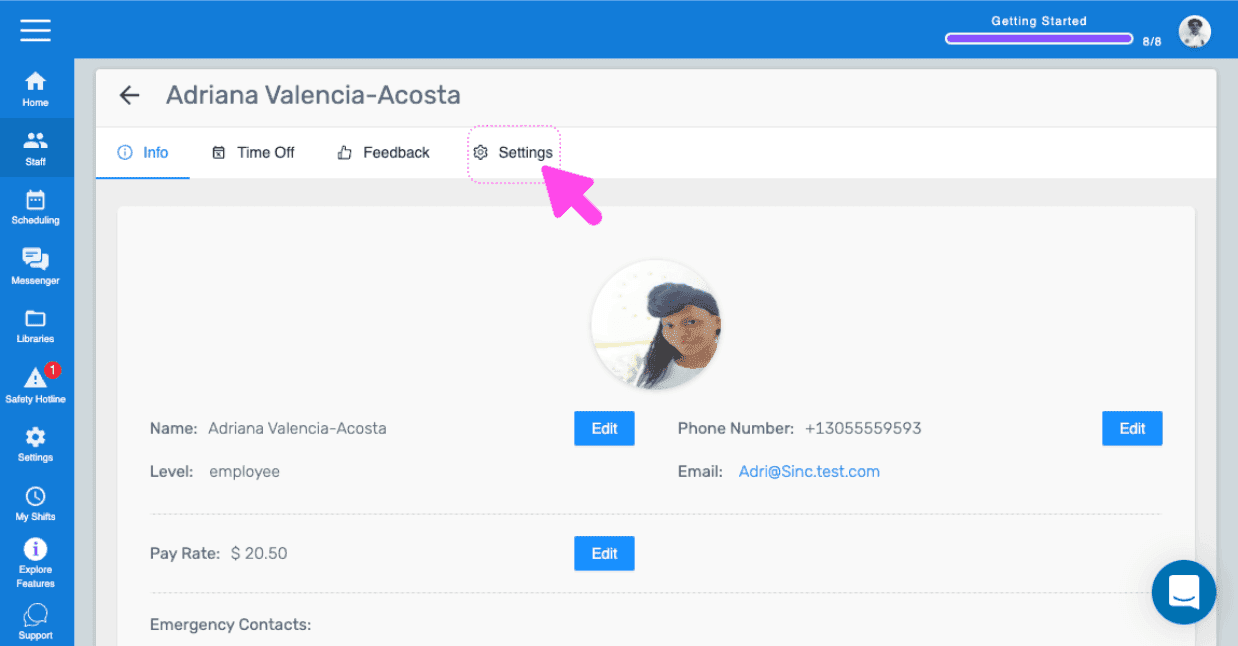
Web staff profile screen with a pink arrow pointing to the Settings tab
SINC web staff Settings tab with a pink arrow pointing to the Promote button under Promote To Admin
SINC web staff Settings tab showing a Confirm Promotion popup with a pink arrow pointing to the Yes button

Questa risposta ti è stata utile?