Richiesta di inserimento di un’assenza

In questa guida ti mostreremo come richiedere l’inserimento di un’assenza in qualità di dipendente.

SINC Support Team
SINC Support Team
Jul 14th, 2022

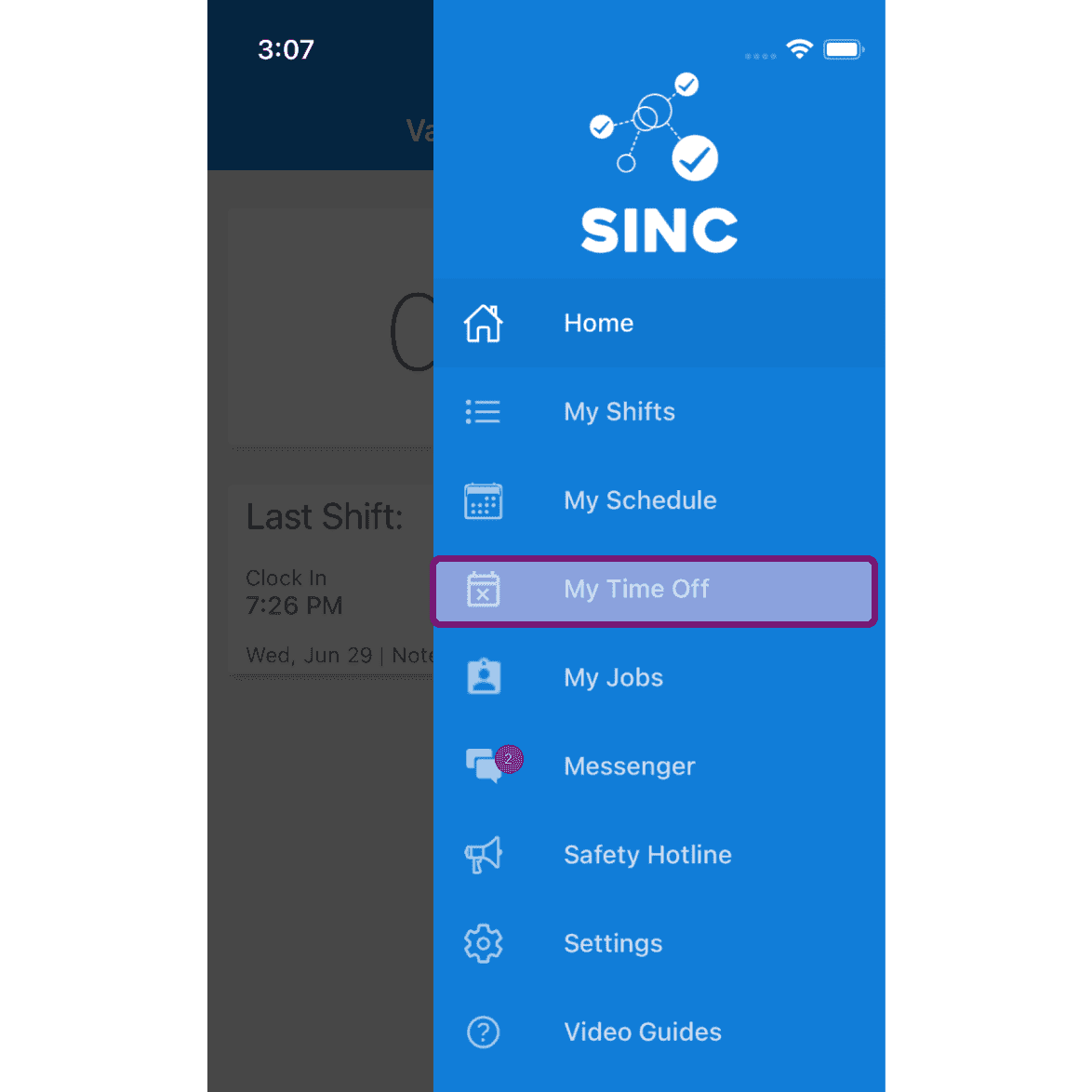
Su mobile: tocca Menu Le mie assenze

SINC mobile app side menu with the My Time Off menu item outlined in pink

Tocca il pulsante «Richiedi permesso»
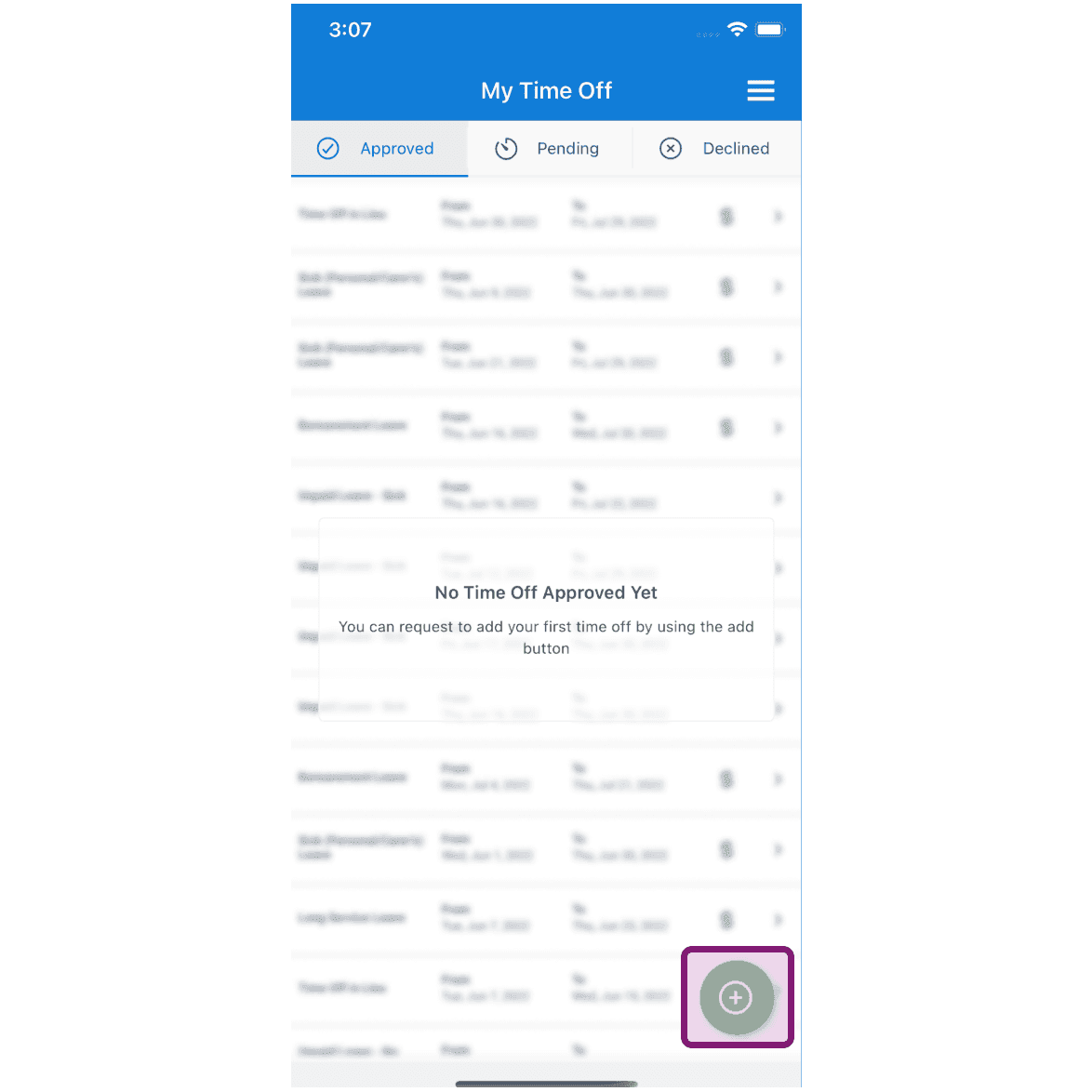
My Time Off screen, Approved tab, with the add (+) button outlined in purple

Tocca Categoria di assenza per selezionarla
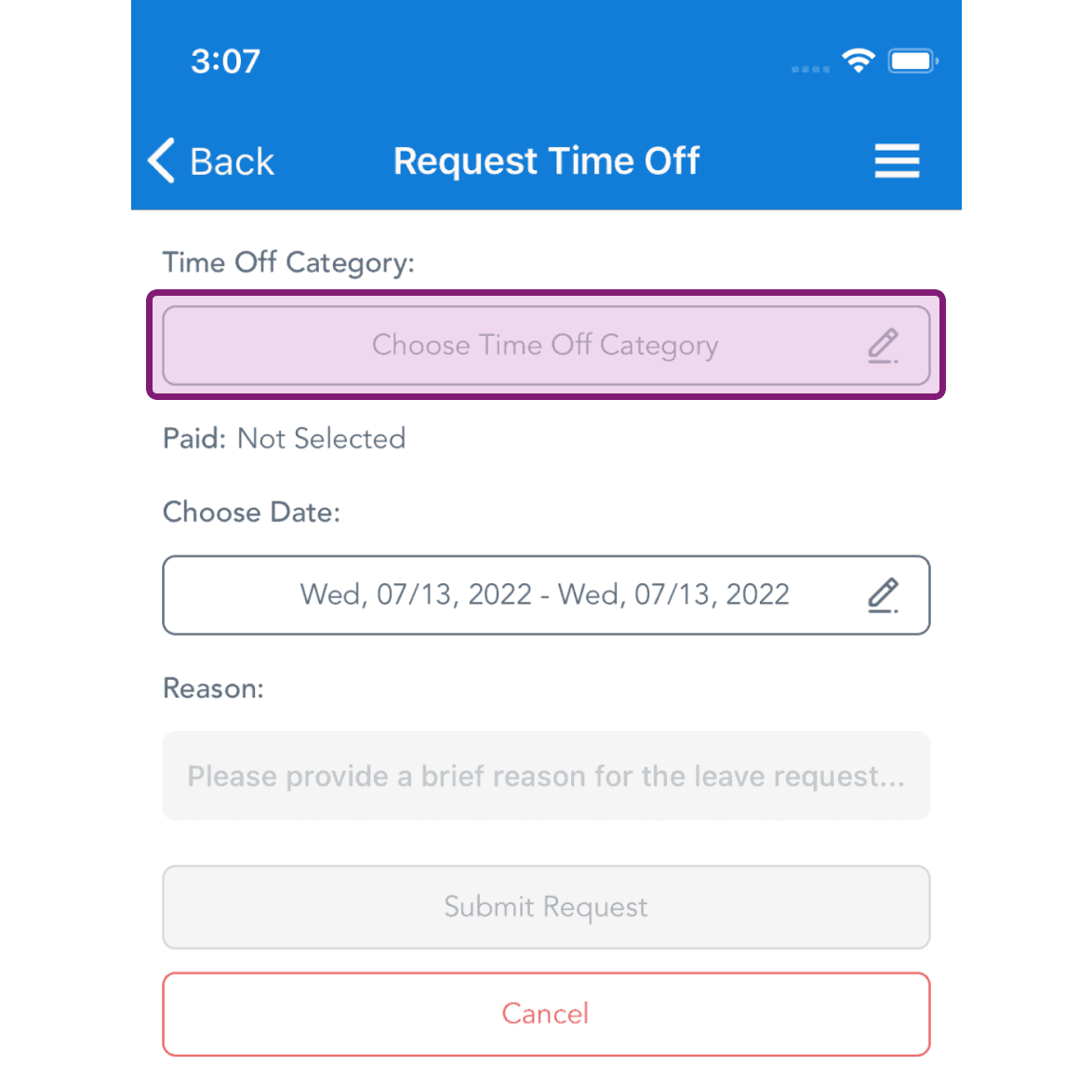
Request Time Off screen with the Choose Time Off Category field highlighted in a purple box

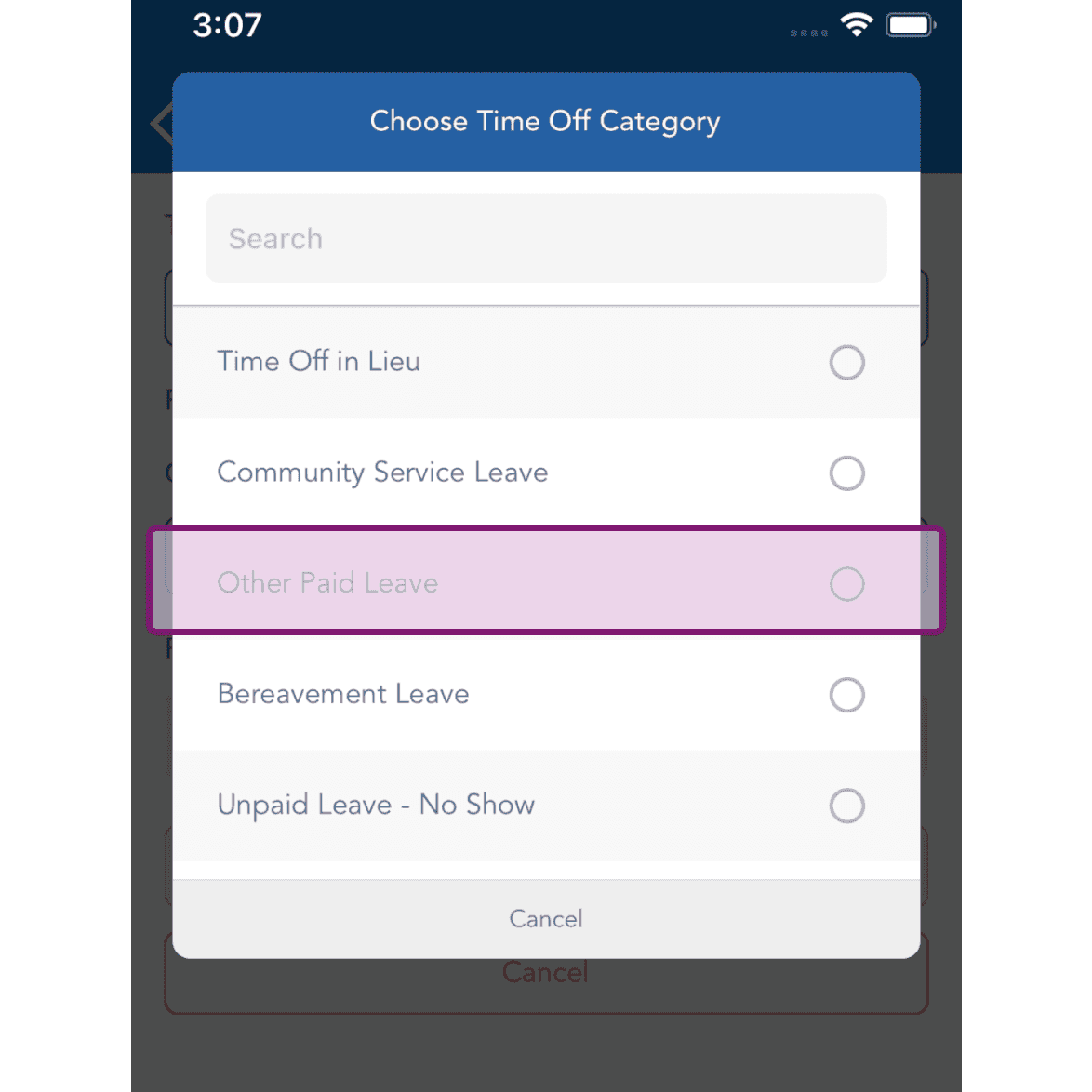
Seleziona la categoria di assenza.

SINC mobile Choose Time Off Category list with the Other Paid Leave option highlighted

Tocca Scegli una data per selezionarla
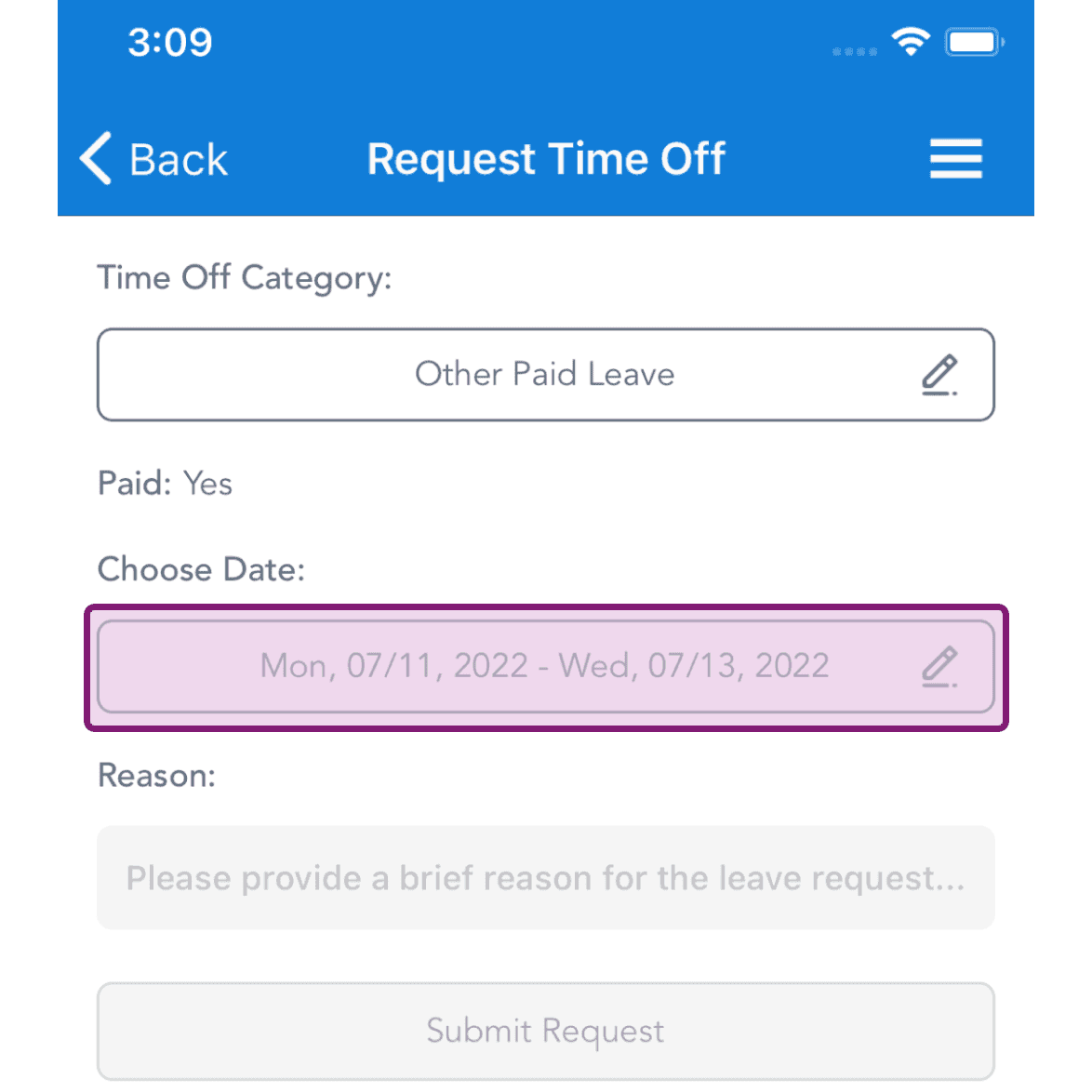
Request Time Off screen with the Choose Date field outlined in pink showing a selected date range

Seleziona le date di assenza e tocca Conferma
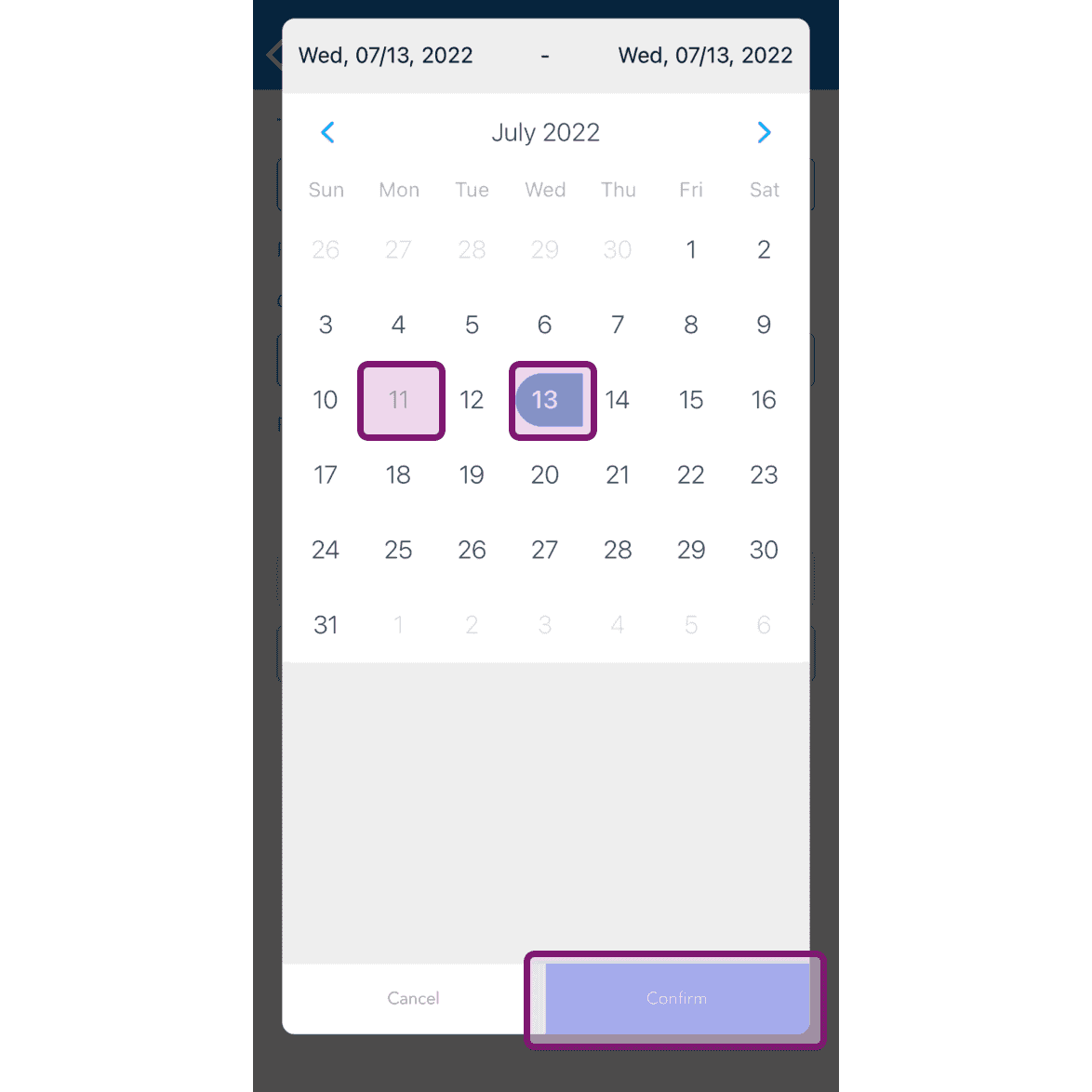
SINC mobile date range calendar with two dates selected and the Confirm button outlined in pink

Inserisci il motivo della richiesta di assenza e tocca il pulsante «Invia richiesta»
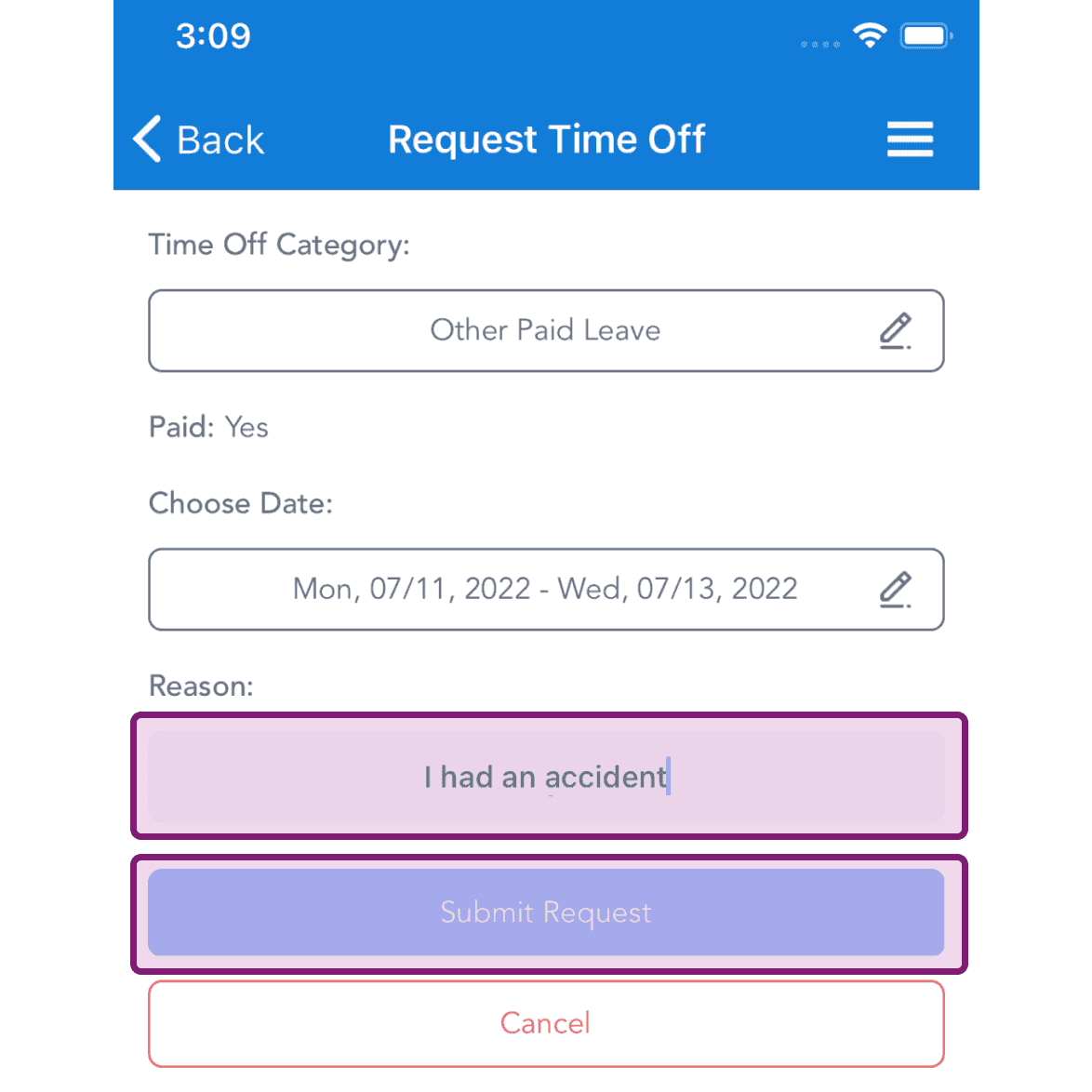
Request Time Off screen with the Reason text field and Submit Request button highlighted in pink

Sul web: clicca su Menu Le mie assenze
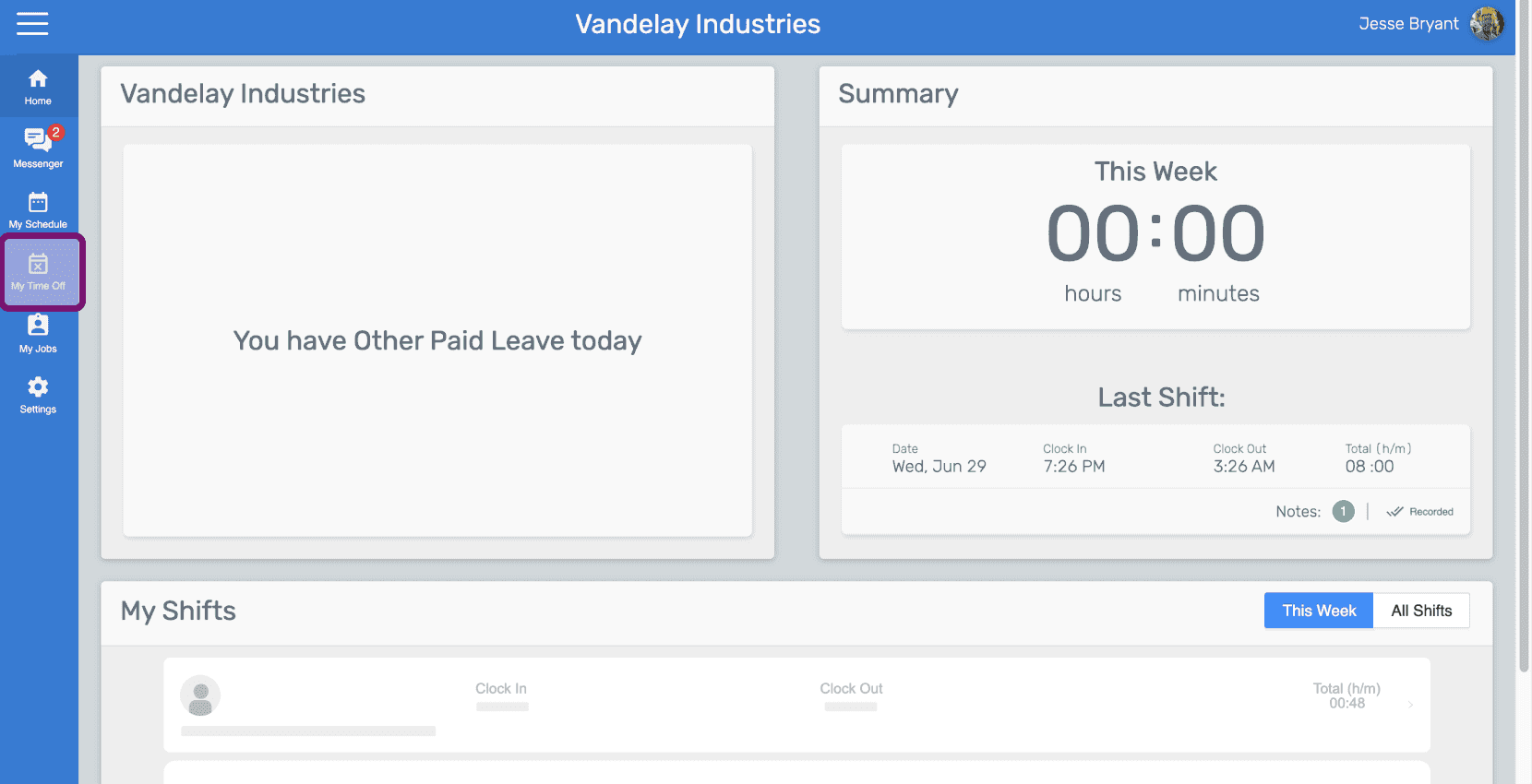
SINC web employee dashboard with the My Time Off icon highlighted in the left sidebar

Fai clic sul pulsante 'Richiedi un'assenza'
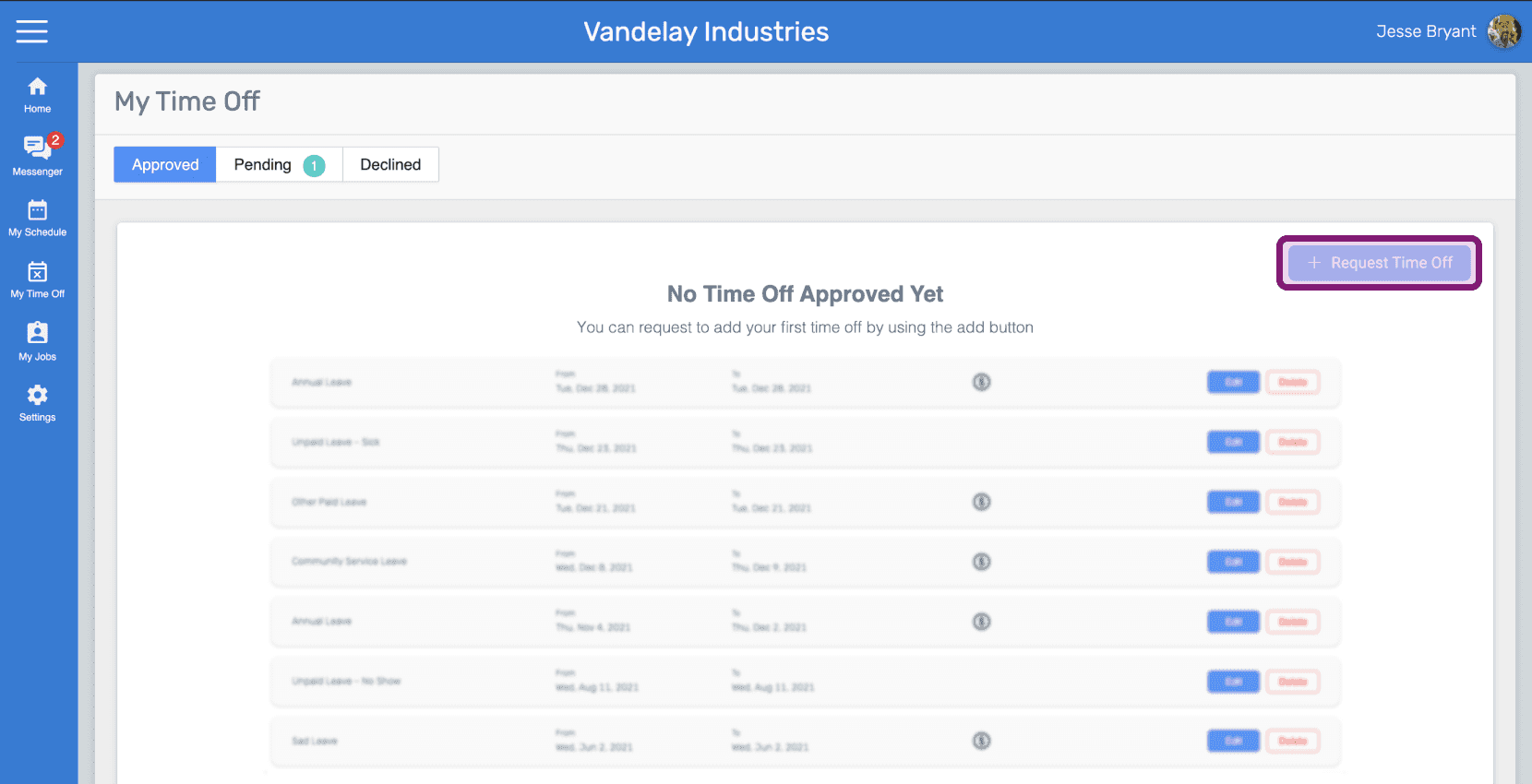
Web My Time Off page listing leave requests with the Request Time Off button outlined in pink

Clicca su Categoria di assenza per selezionarla
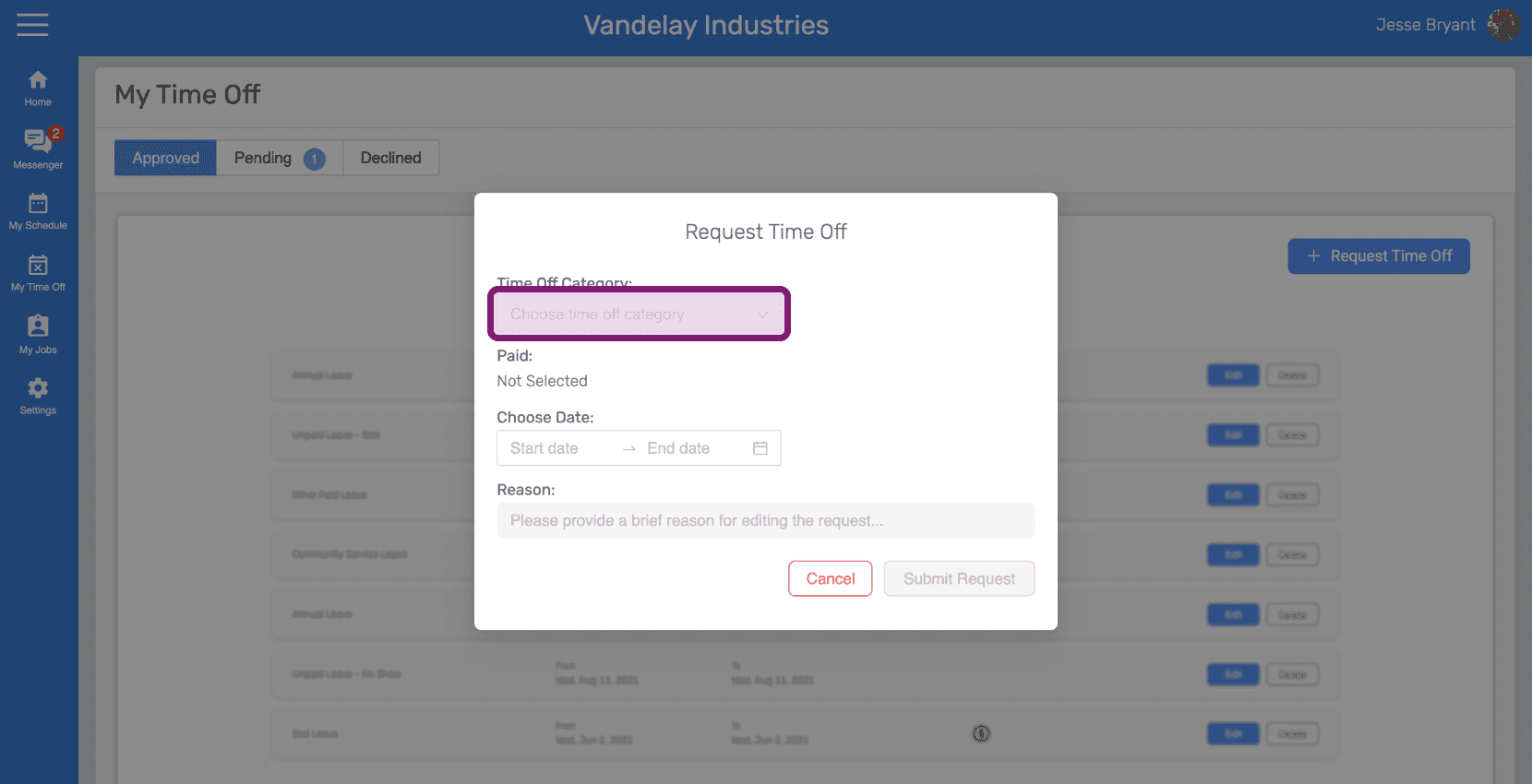
SINC web Request Time Off dialog with the Time Off Category field circled

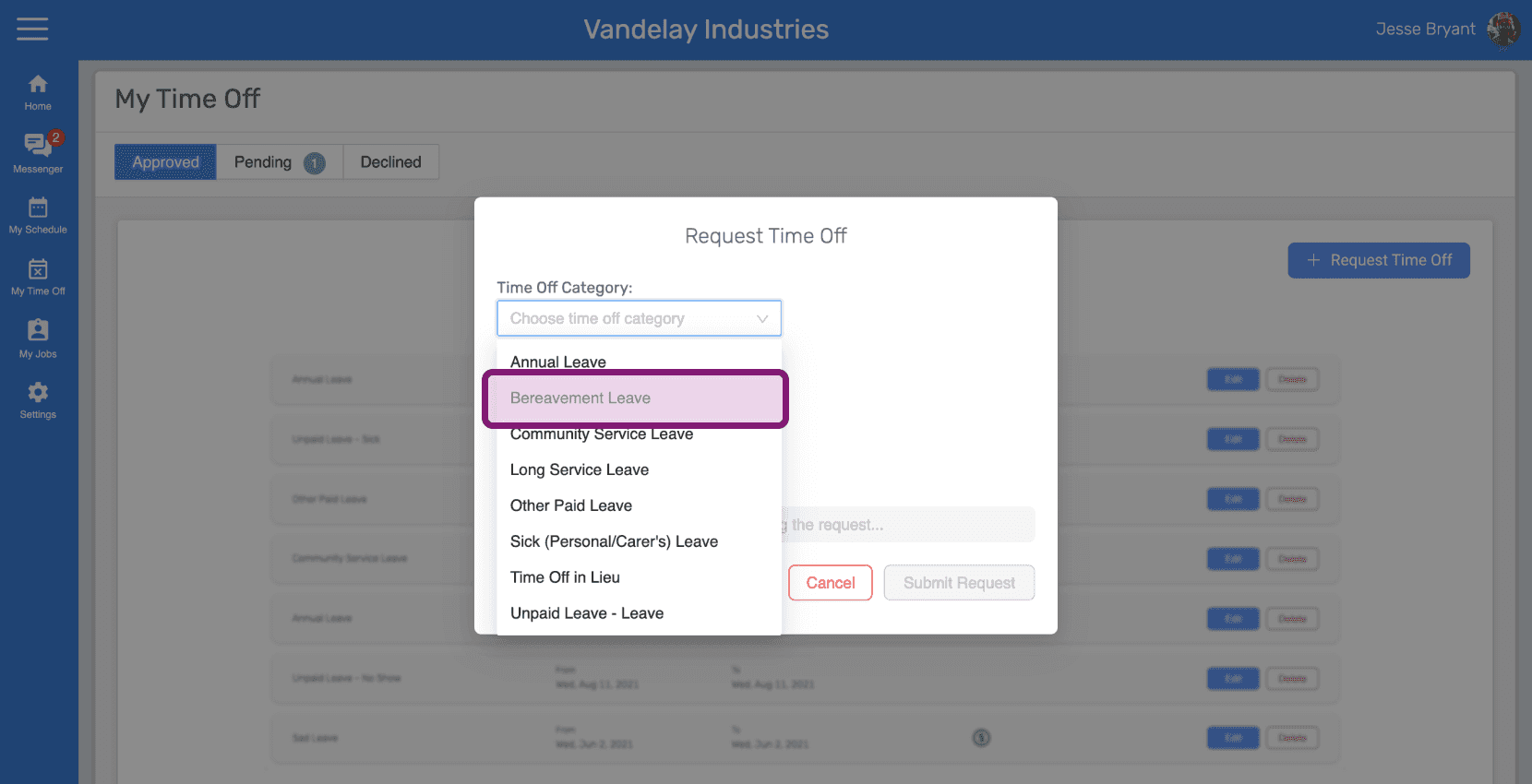
Seleziona la categoria di assenza.

Request Time Off popup with the Time Off Category dropdown open showing Bereavement Leave

Fai clic su Scegli una data per selezionarla
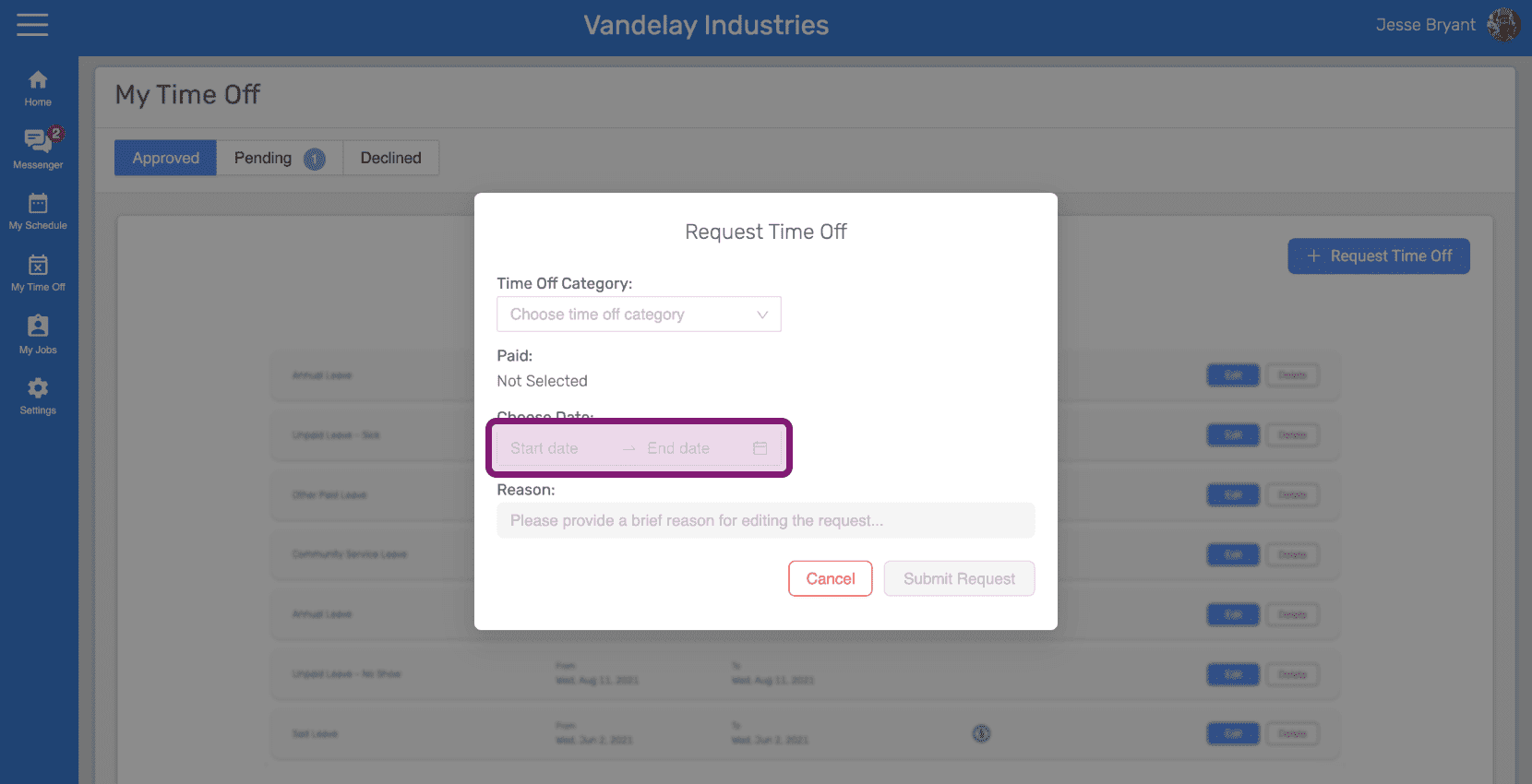
Web Request Time Off popup with the Choose Dates field outlined in pink

Seleziona le date del periodo di ferie.
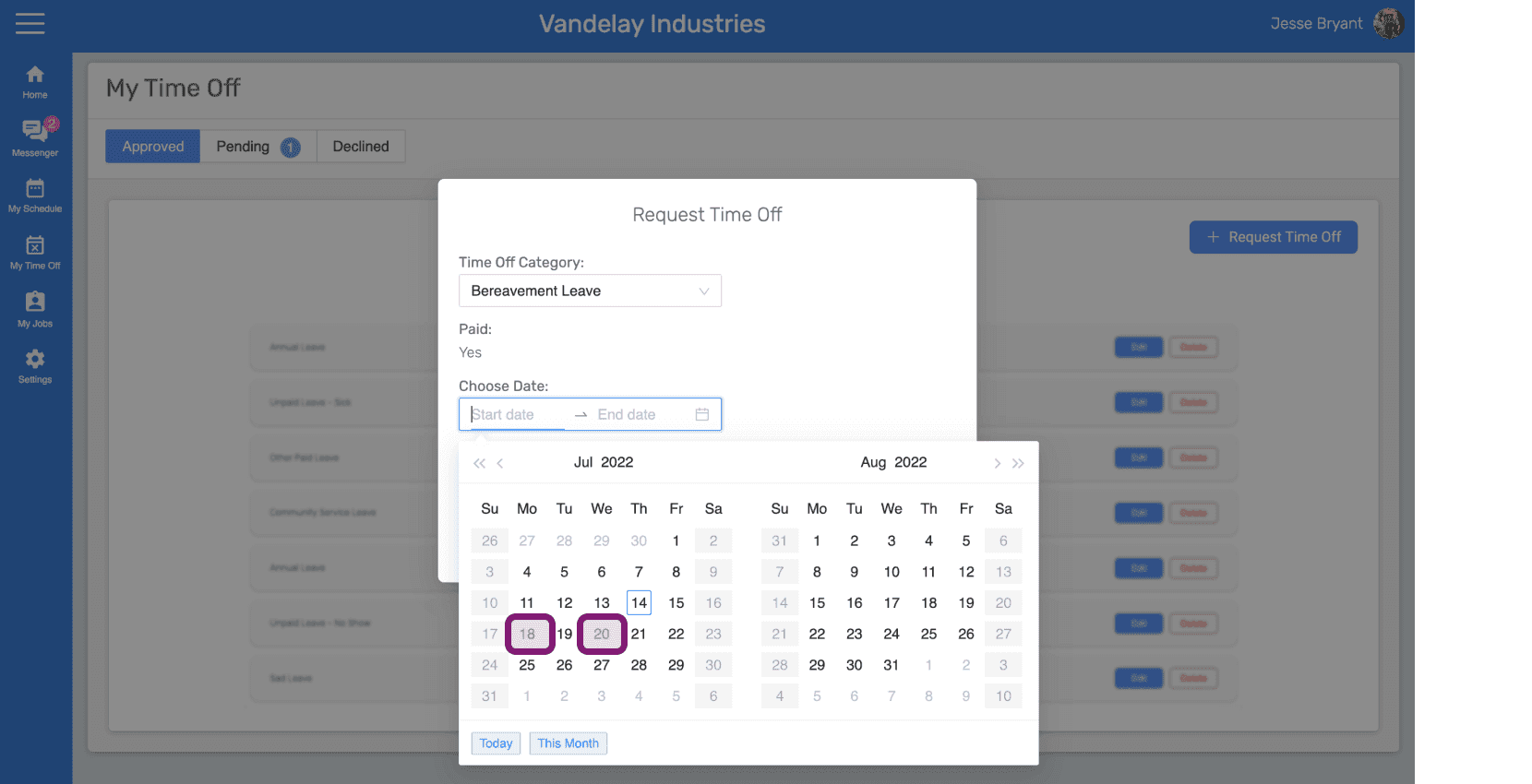
SINC web Request Time Off popup with a date range outlined on the calendar

Inserisci il motivo della richiesta di permesso e fai clic sul pulsante «Invia richiesta»
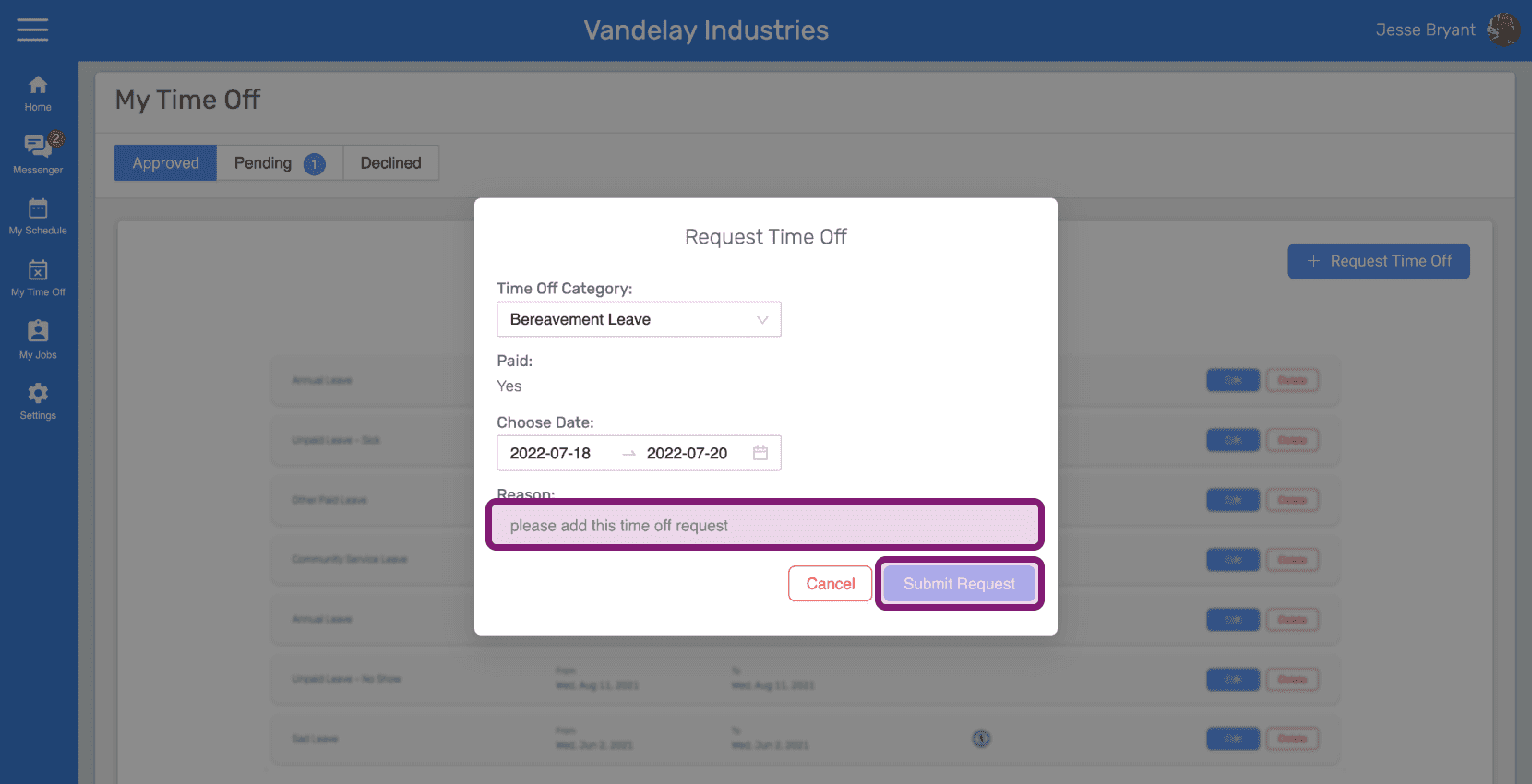
SINC web Request Time Off dialog with the Reason field and Submit Request button outlined in pink

Questa risposta ti è stata utile?