Richiesta di cancellazione di un’assenza

In questa guida ti mostreremo come richiedere l’eliminazione di un’assenza in qualità di dipendente.

SINC Support Team
SINC Support Team
Jul 14th, 2022

Su mobile: tocca Menu Le mie assenze
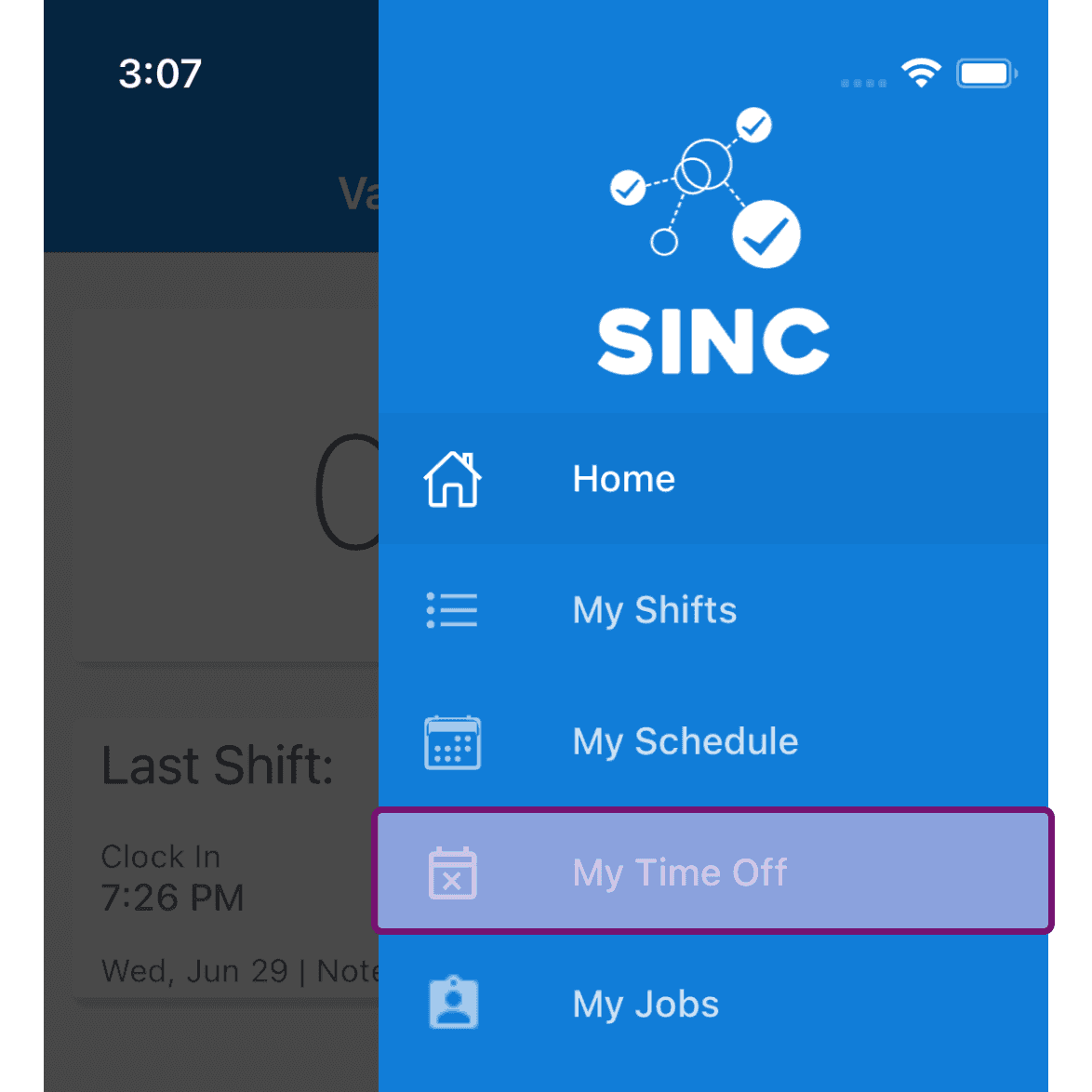
SINC mobile navigation menu with the My Time Off option circled in pink

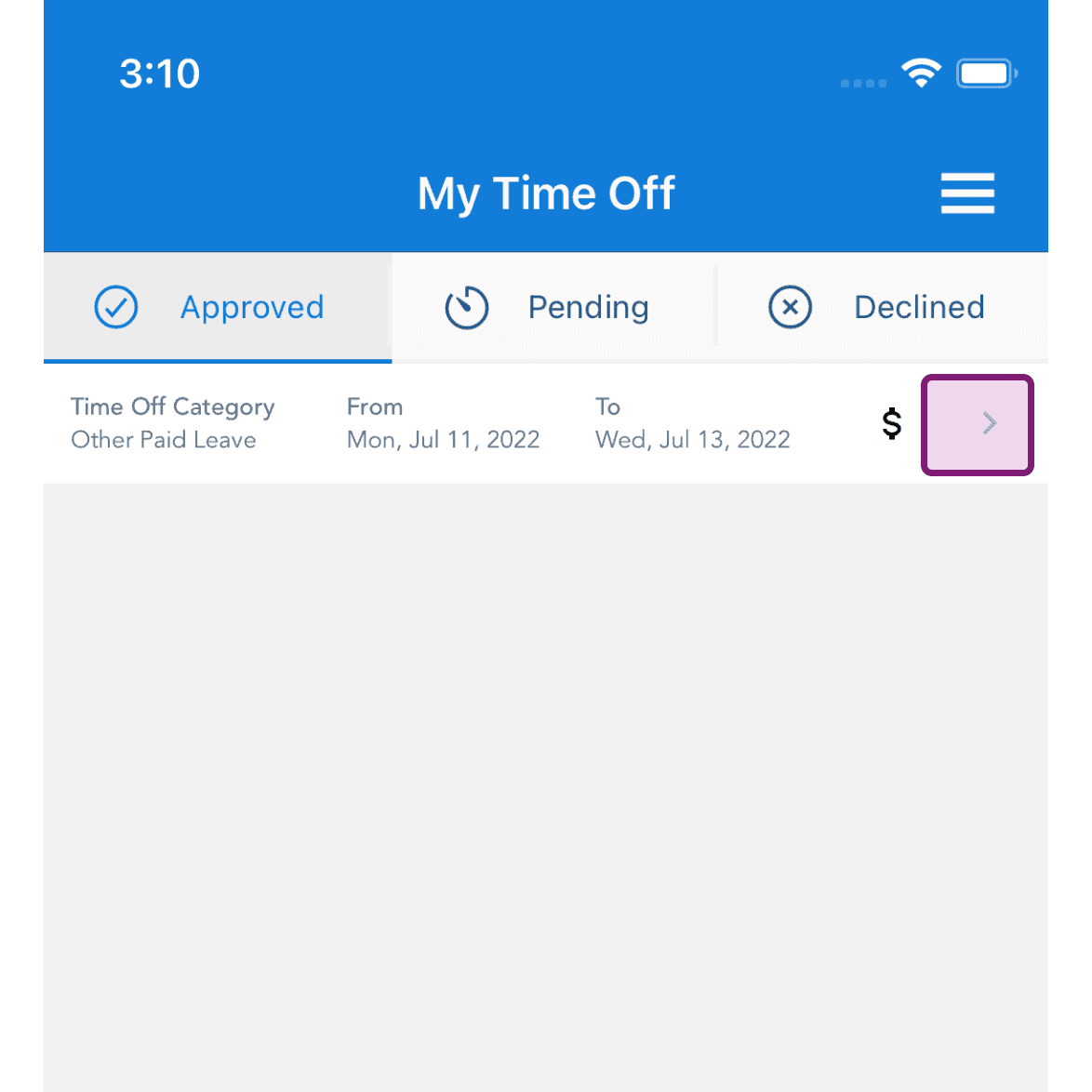
Tocca Permessi nella domanda

My Time Off screen Approved tab with an Other Paid Leave entry's arrow highlighted

Tocca il pulsante con l’icona «Elimina»
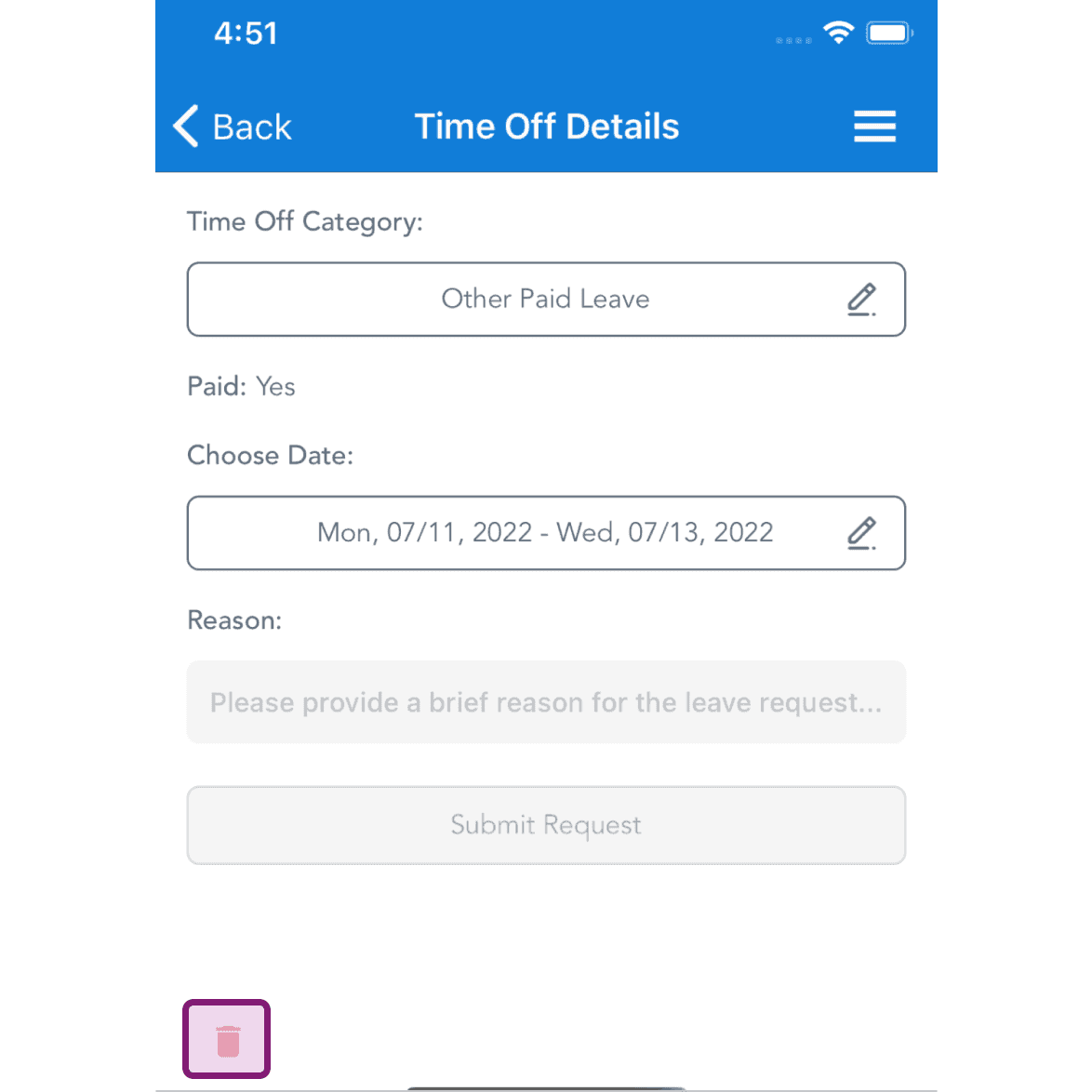
Mobile Time Off Details screen with the delete trash icon outlined in purple at the bottom

Inserisci il motivo e tocca il pulsante Conferma
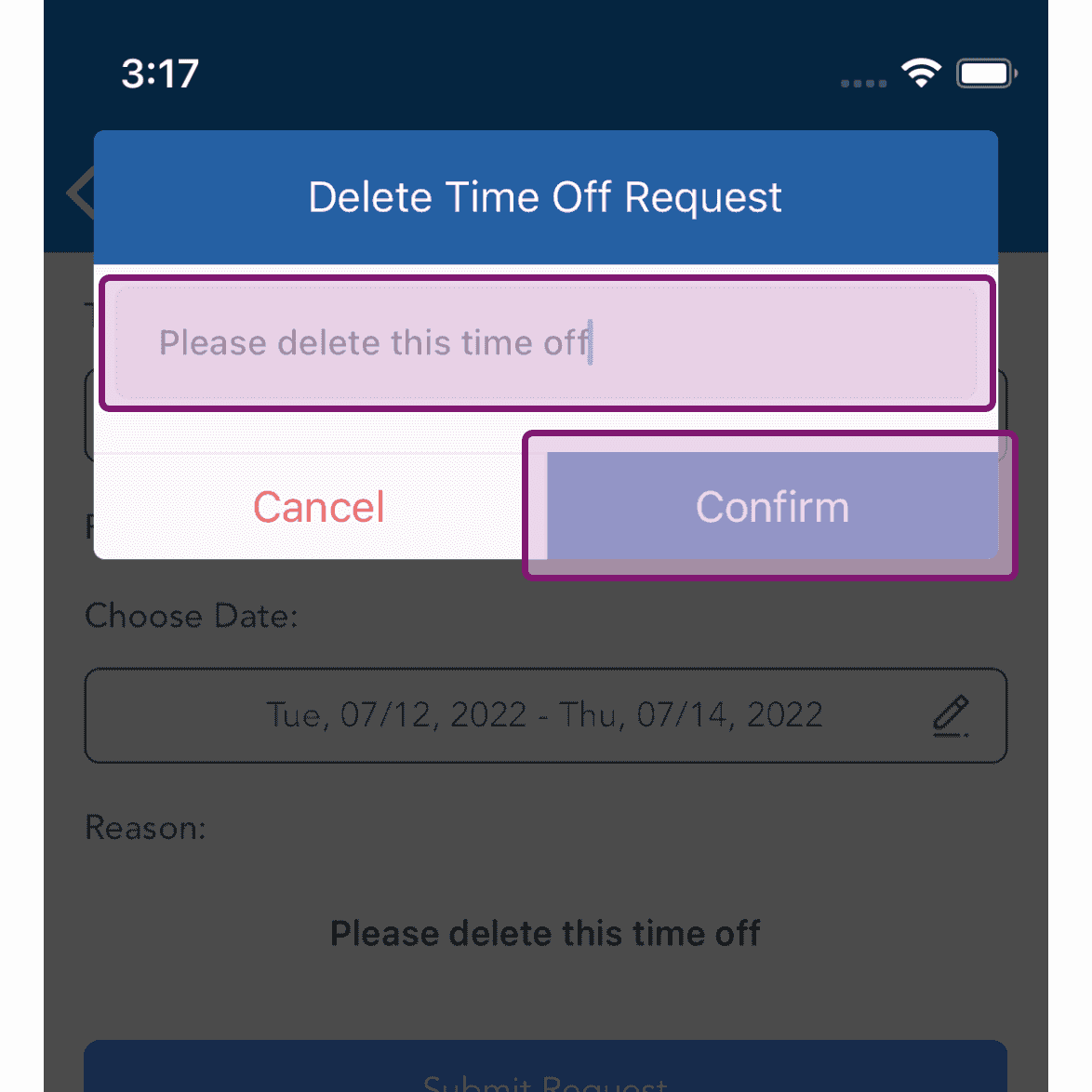
SINC mobile Delete Time Off Request popup with the reason field and Confirm button outlined

Sul web: clicca su Menu Le mie assenze
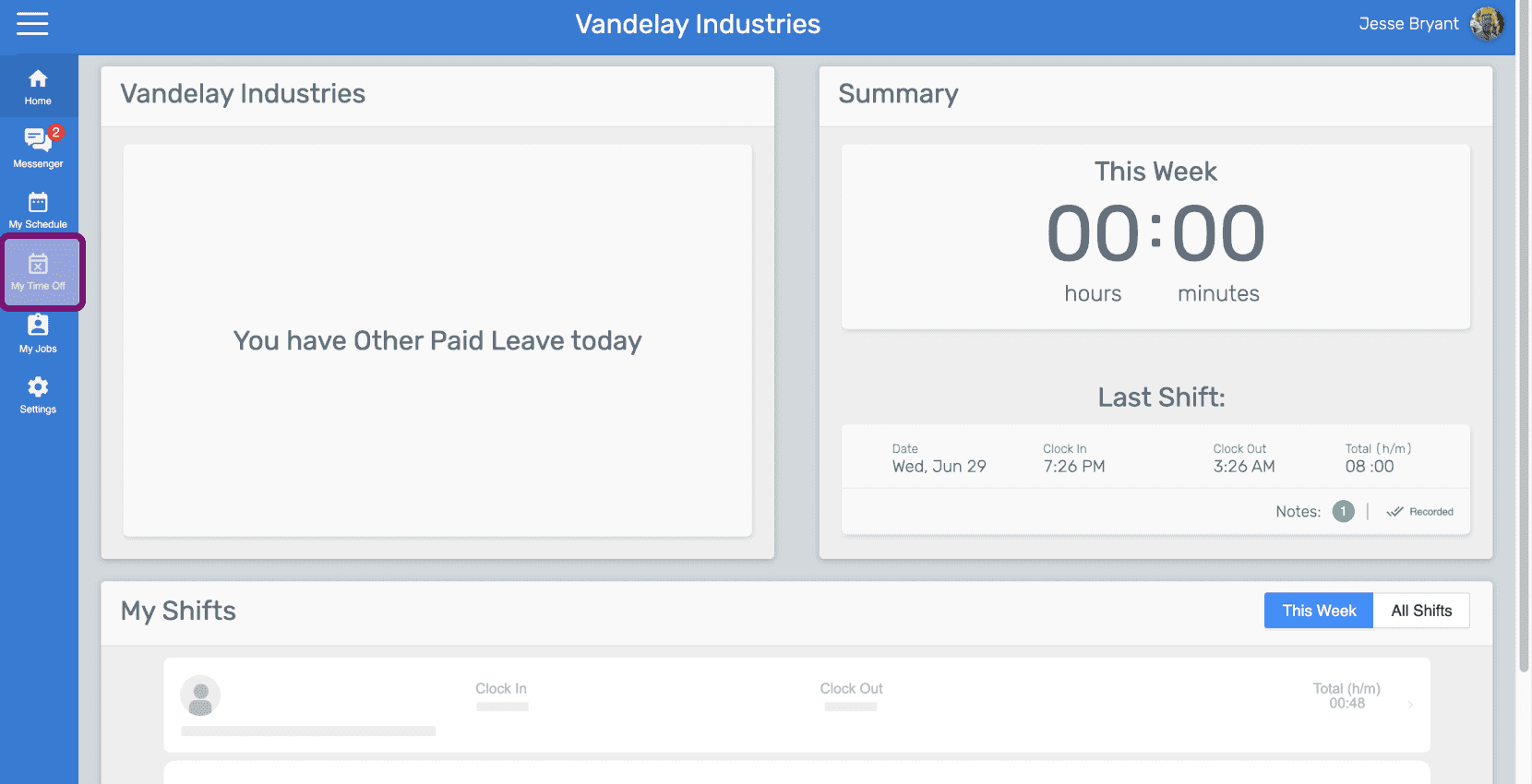
SINC web employee dashboard with the My Time Off icon outlined in purple in the side menu

Fai clic sul pulsante Elimina relativo all’assenza in questione
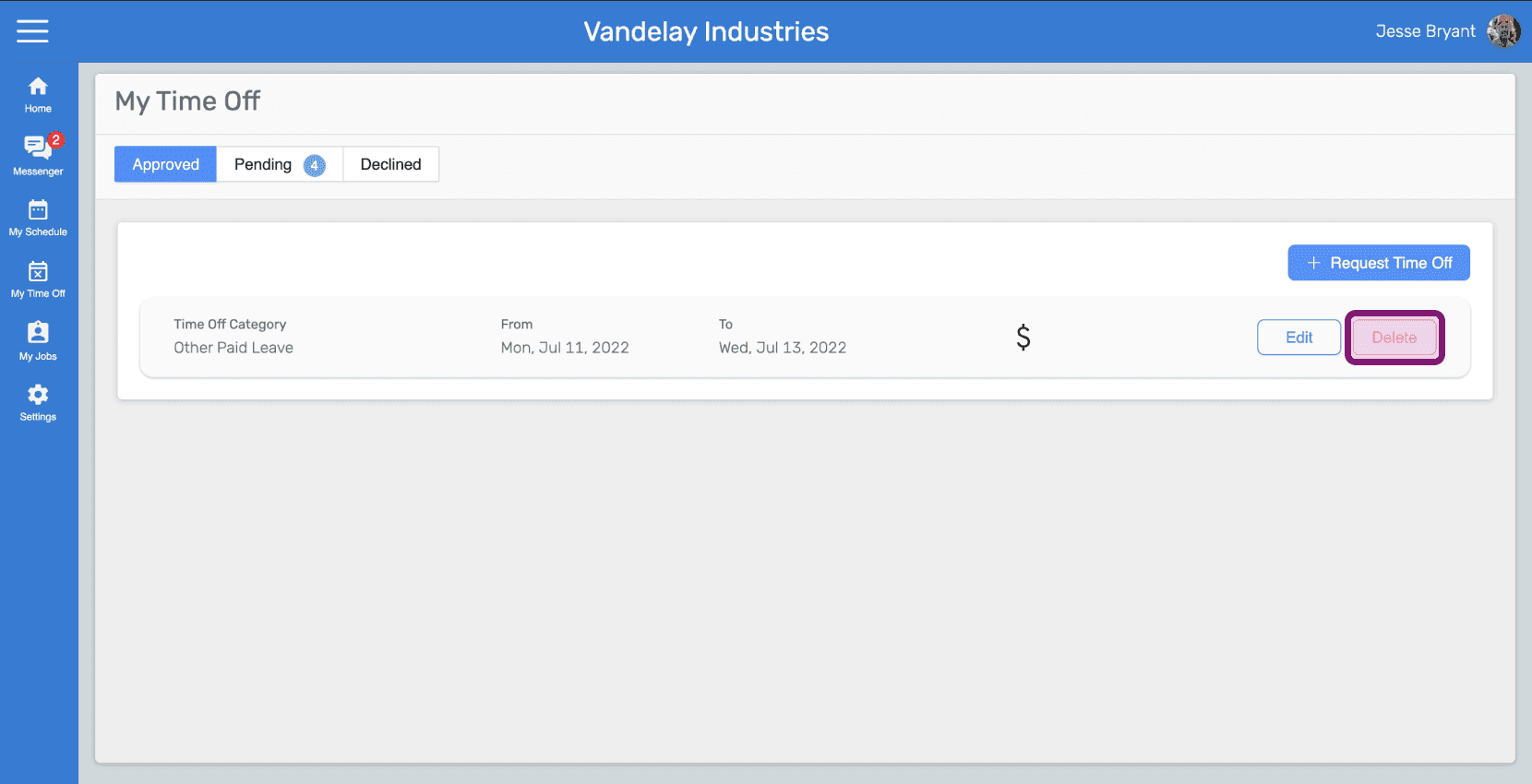
My Time Off Approved tab listing a time off entry with the Delete button outlined

Inserisci il motivo e fai clic sul pulsante Richiedi eliminazione
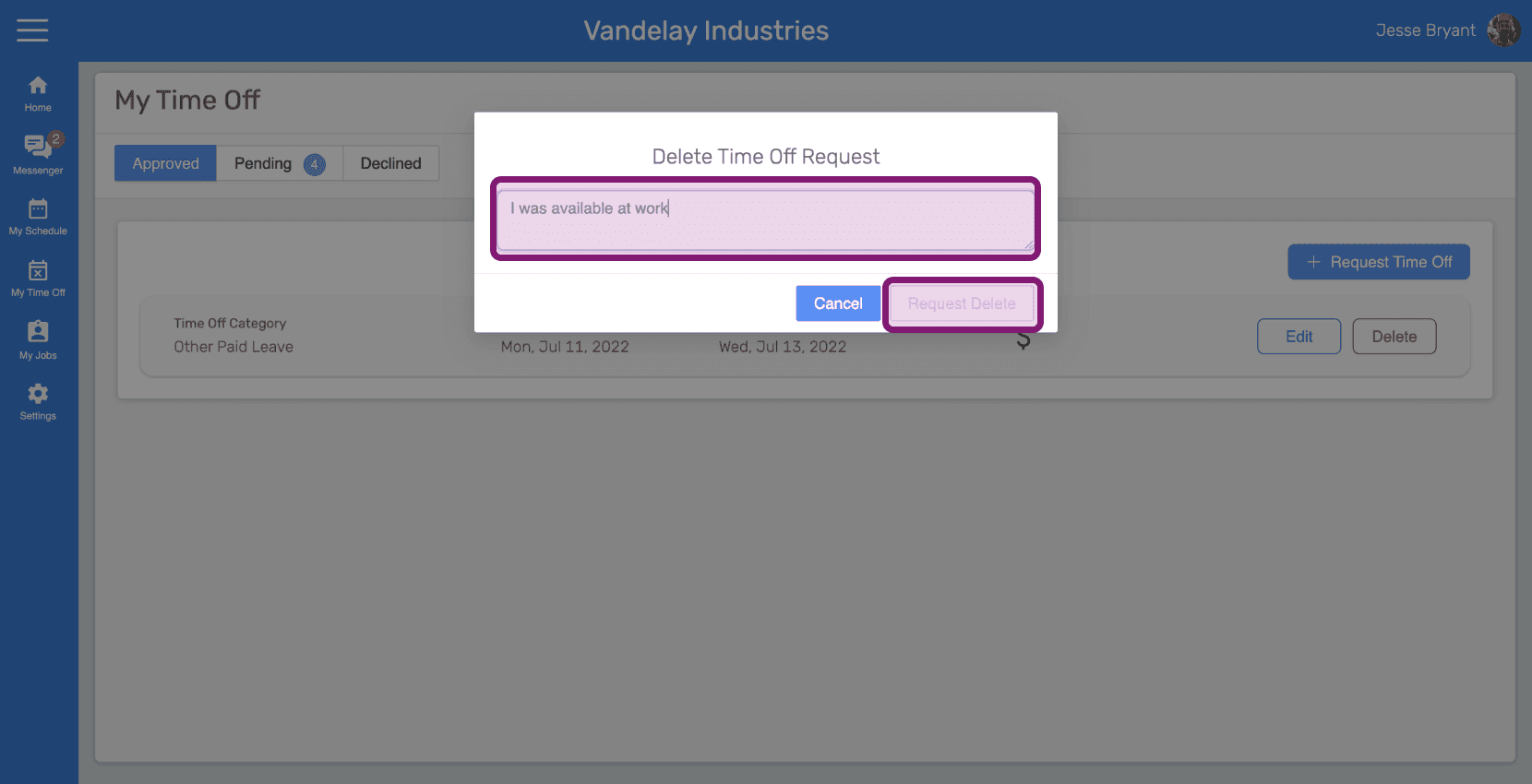
SINC web Delete Time Off Request popup with the reason text field outlined in pink next to the Request Delete button

Questa risposta ti è stata utile?