Registrazione di entrata e uscita per gli amministratori

In questa guida vedremo come timbrare l’entrata e l’uscita dai tuoi turni in qualità di amministratore.

Sam Dolbel
Sam Dolbel
Mar 3rd, 2023

Tocca I miei turni
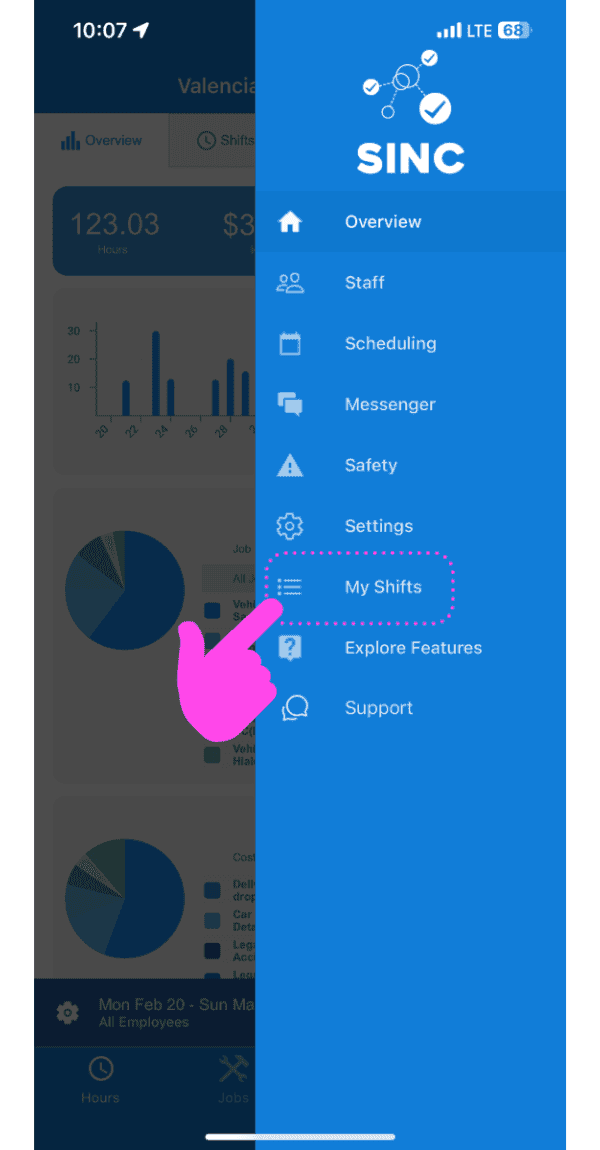
SINC mobile app side menu with a pink arrow pointing to the My Shifts menu item

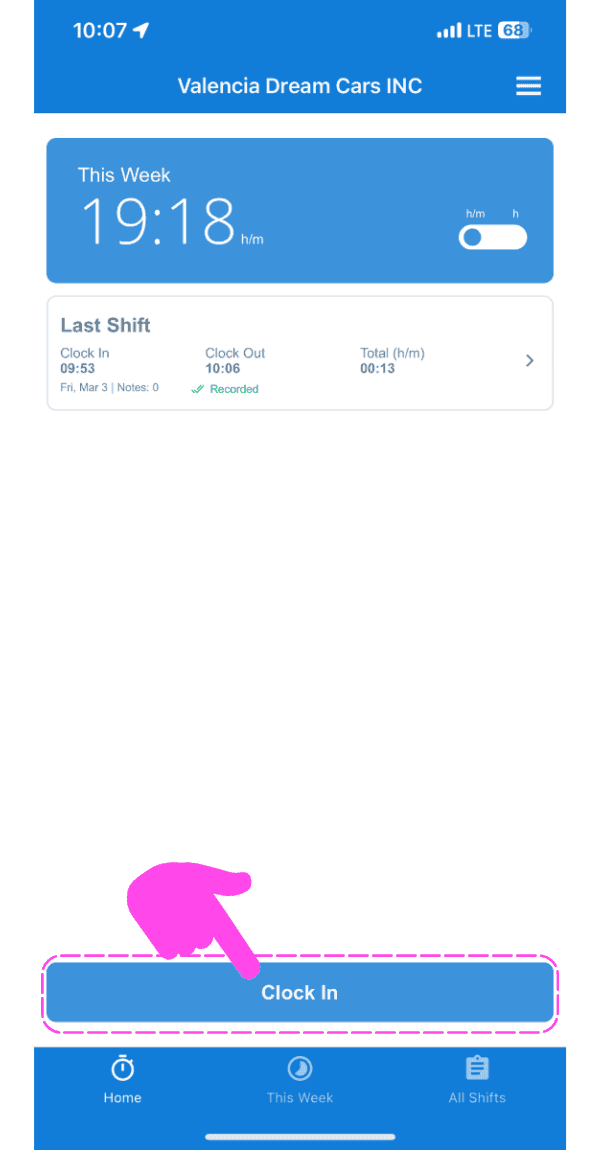
Tocca Entrata

SINC mobile app home screen with a pink hand pointing to the Clock In button

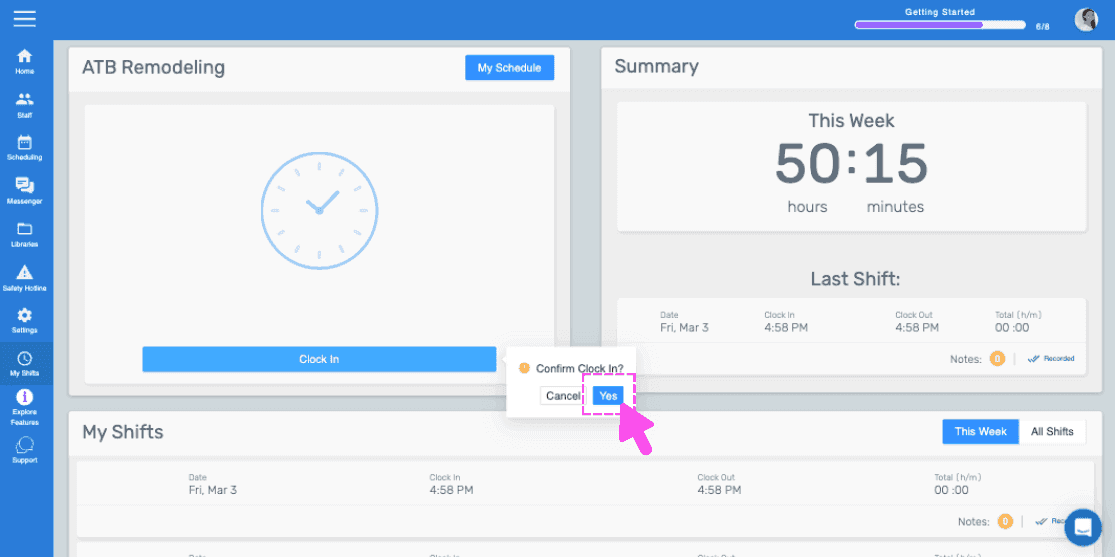
Scorri verso destra per timbrare l’ingresso (versione web) Fai clic su Sì
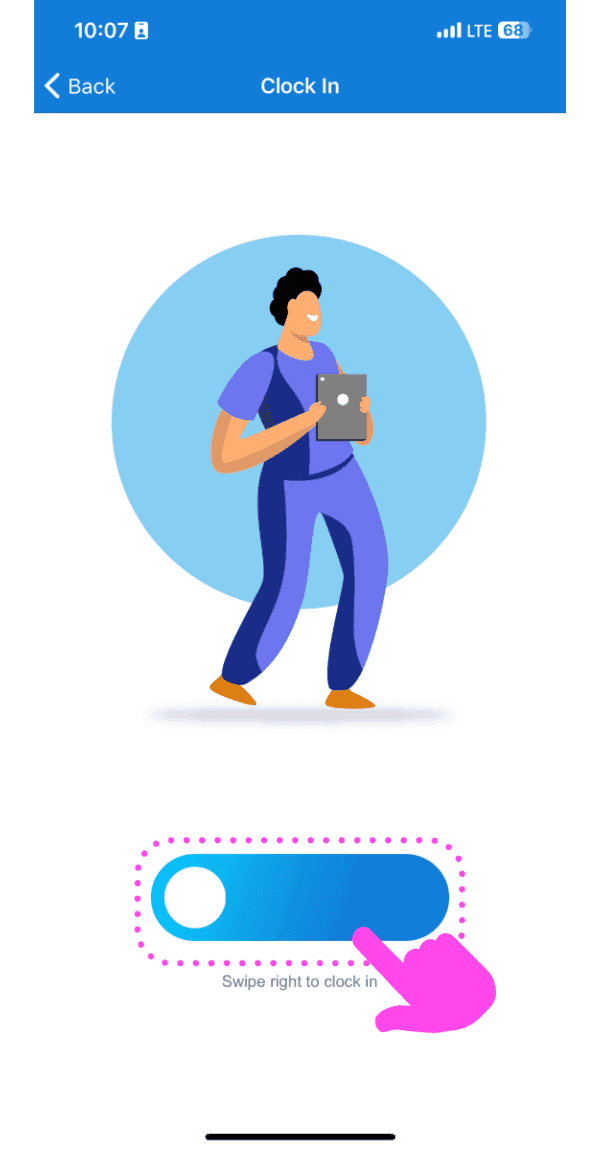
Illustrated Clock In screen with a pink arrow showing how to swipe the slider right

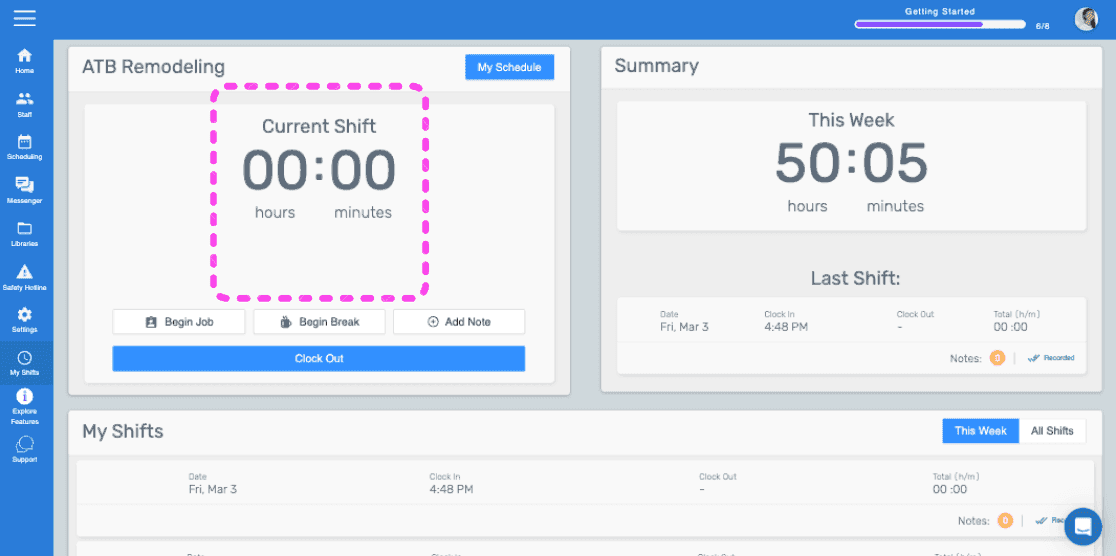
Questa schermata indica che hai appena iniziato il turno.
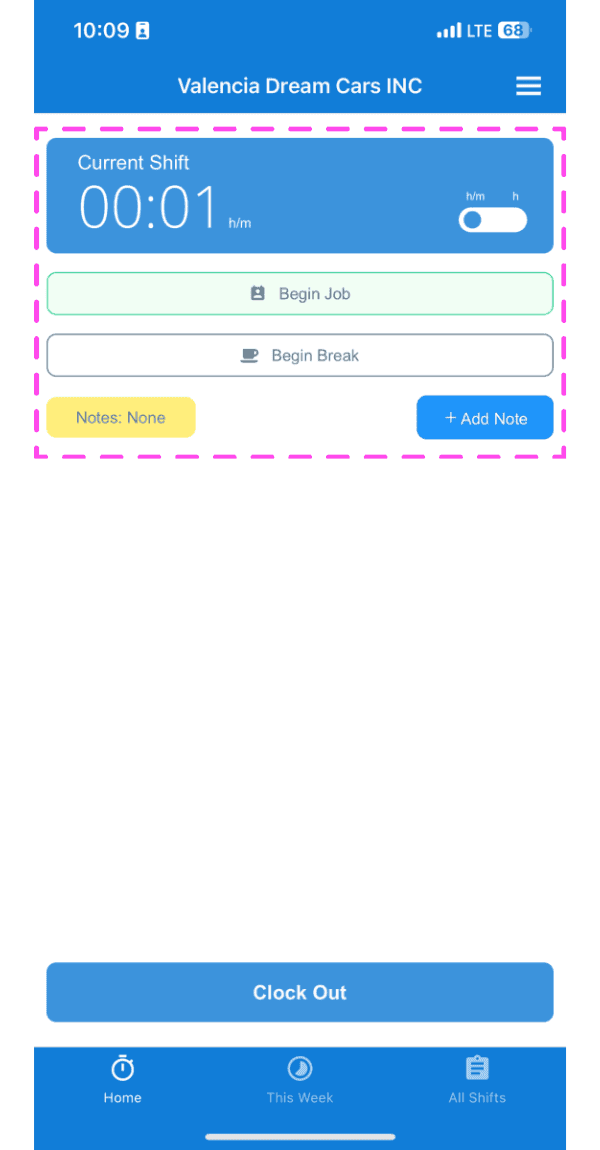
SINC mobile Current Shift screen highlighted showing clocked-in timer with Begin Job and Begin Break buttons

Se utilizzi la versione web, apparirà così:
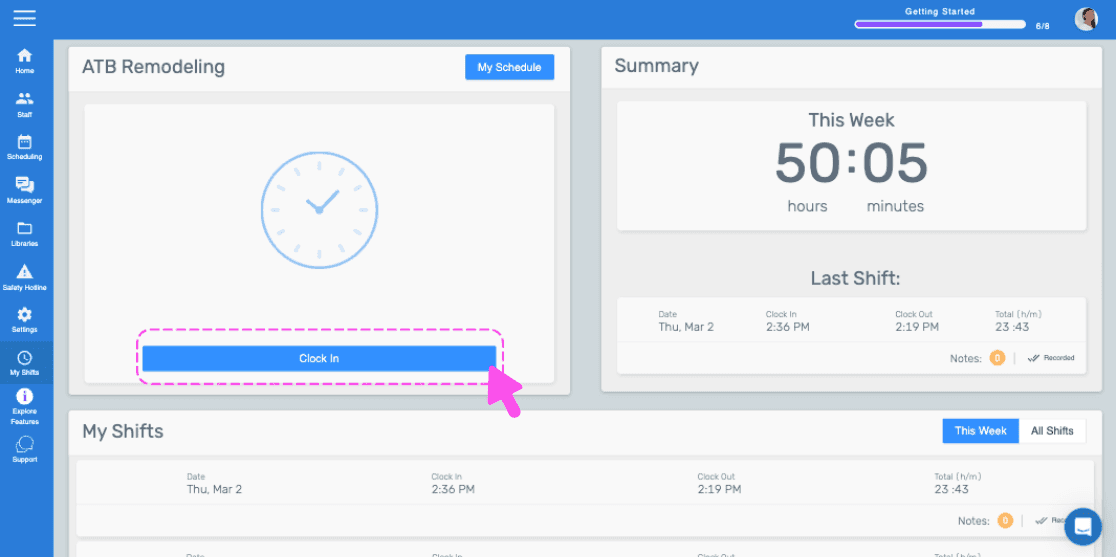
SINC web dashboard with a pink arrow pointing to the Clock In button
Web dashboard clock-in confirmation popup with the Yes button highlighted by a pink arrow
SINC web admin dashboard with the Current Shift timer box outlined in pink

Questa risposta ti è stata utile?