
Esportazione di riepiloghi con date personalizzate

In questa guida descriveremo come esportare i riepiloghi relativi a periodi diversi da quelli delle paghe.

SINC Support Team
SINC Support Team
Mar 7th, 2023

Quando generi un report riepilogativo personalizzato, riceverai via e-mail un foglio di calcolo Excel contenente un riepilogo completo del periodo personalizzato. Il file Excel contiene diverse schede. Un riepilogo del totale delle ore lavorate
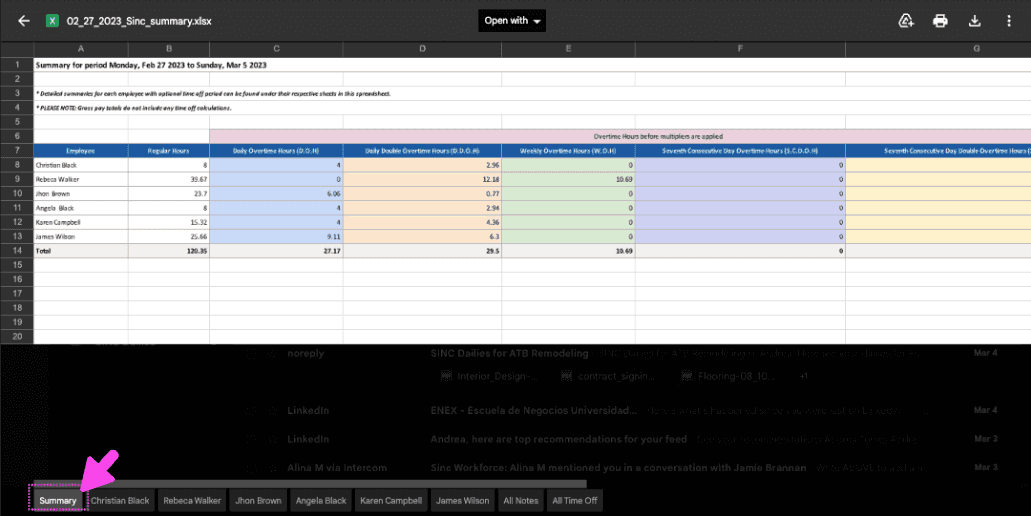
Exported SINC custom summary spreadsheet with a pink arrow pointing to the Summary tab at the bottom

Una scheda dedicata a ciascun dipendente, con i dati relativi ai suoi turni
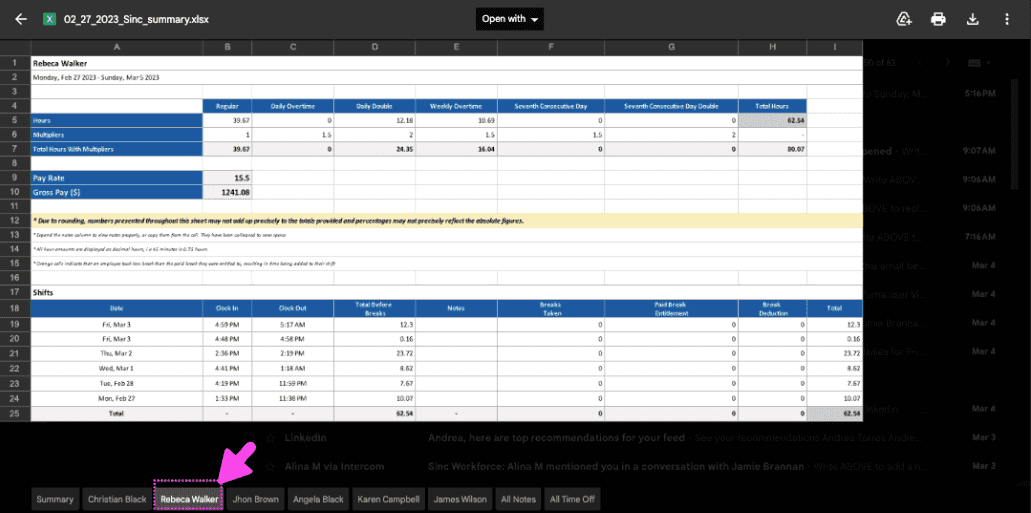
Exported SINC pay period summary spreadsheet with a pink arrow pointing to an employee's individual tab at the bottom

E una scheda Note con tutte le note del periodo personalizzato
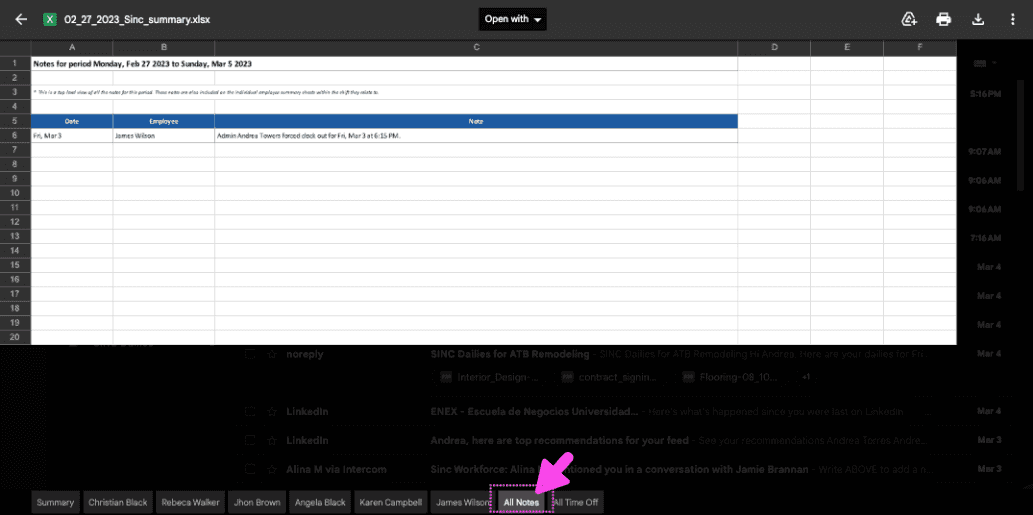
Exported Excel summary spreadsheet with a pink arrow pointing to the All Notes tab at the bottom

Sul Web: vai su Menu Home e fai clic su Scarica riepilogo personalizzato.
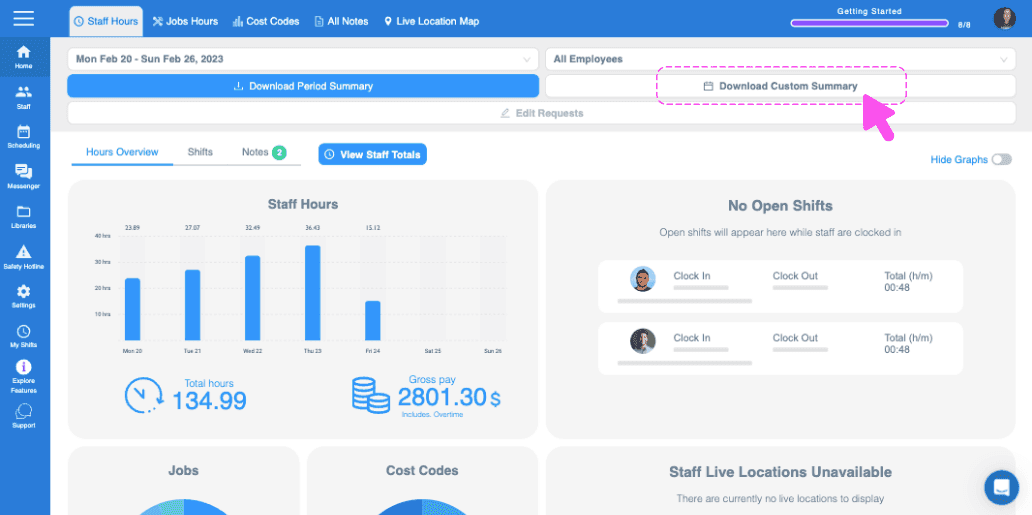
SINC web dashboard with a pink arrow pointing to the Download Custom Summary button

Vai al mese desiderato facendo clic sul pulsante freccia sinistro o destro.
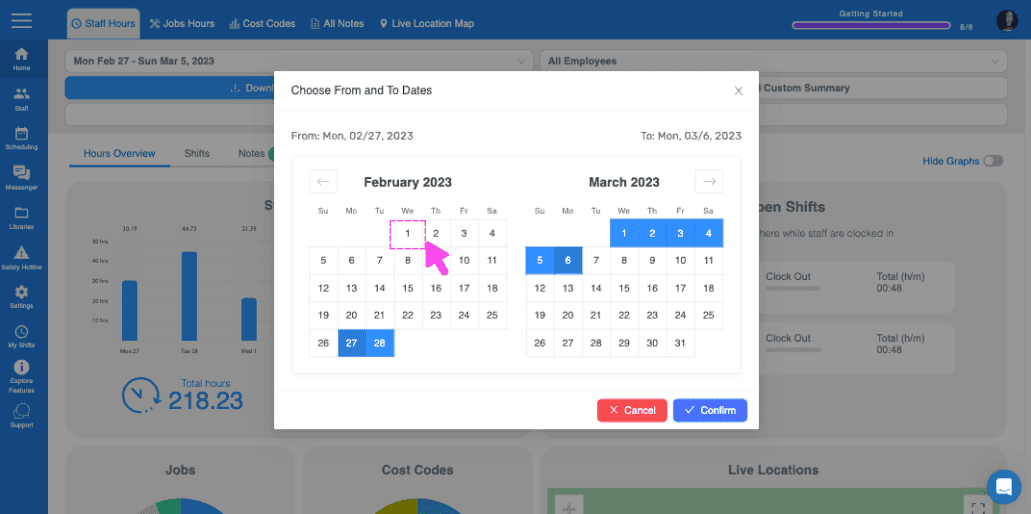
Choose From and To Dates popup with a pink arrow pointing to a calendar date

Seleziona le date facendo clic sui rispettivi giorni di inizio e fine.
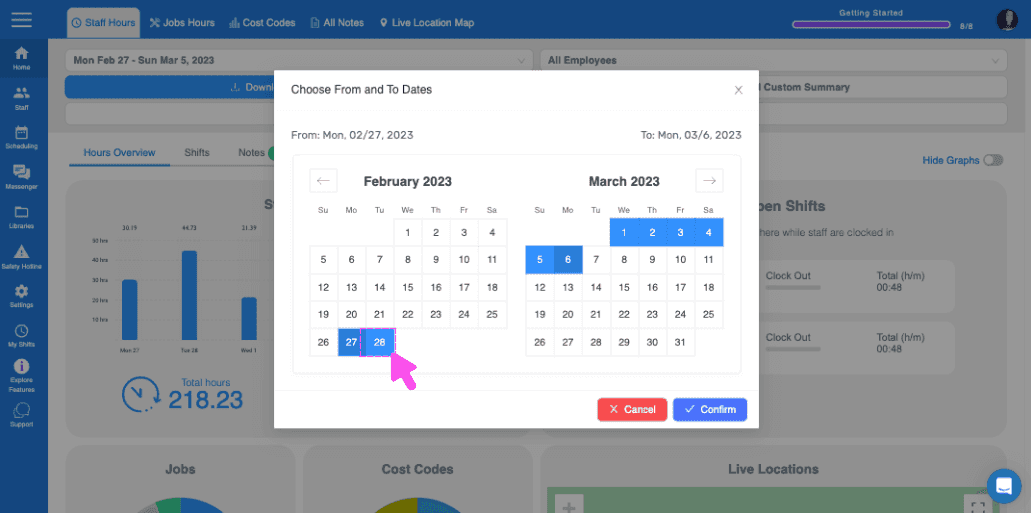
Choose From and To Dates calendar popup with a selected date range and Confirm button

Dopo aver selezionato le date, clicca su Conferma.
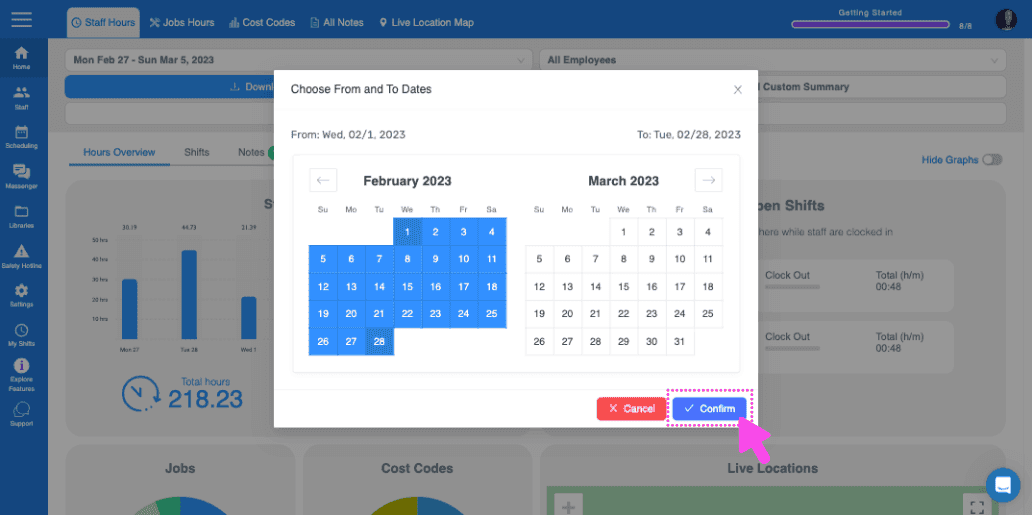
SINC web date range picker with a pink arrow pointing to the Confirm button

Su mobile: vai a Menu Panoramica Orari (scheda in basso) e tocca l’icona a forma di ingranaggio.
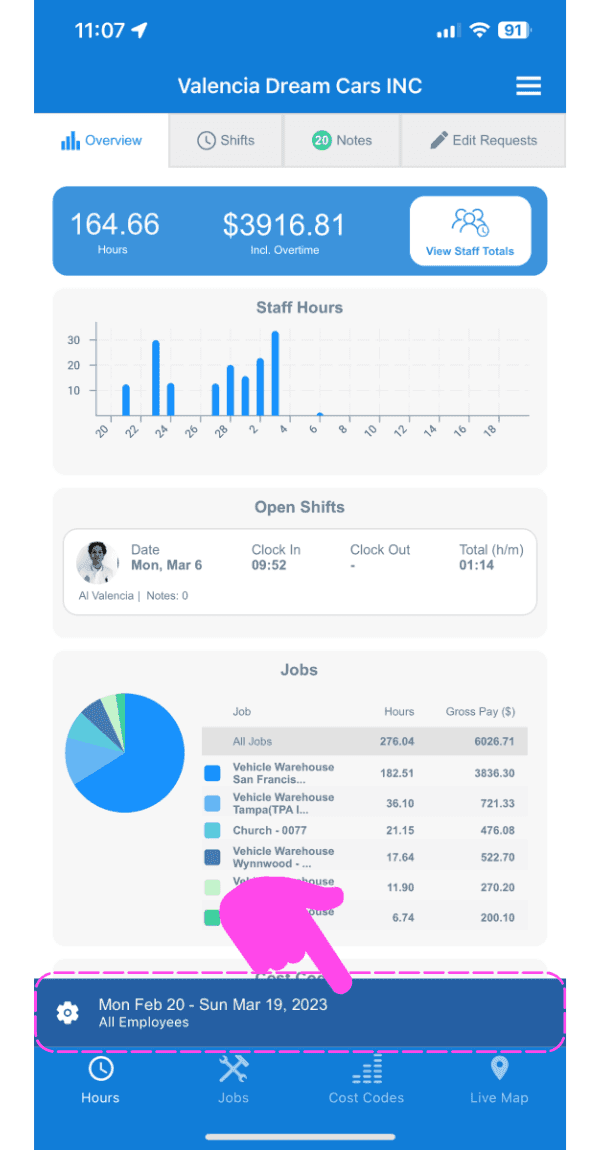
Web dashboard Overview screen with a pink arrow pointing to the date range and gear icon at the bottom left

Tocca Scarica riepilogo personalizzato.
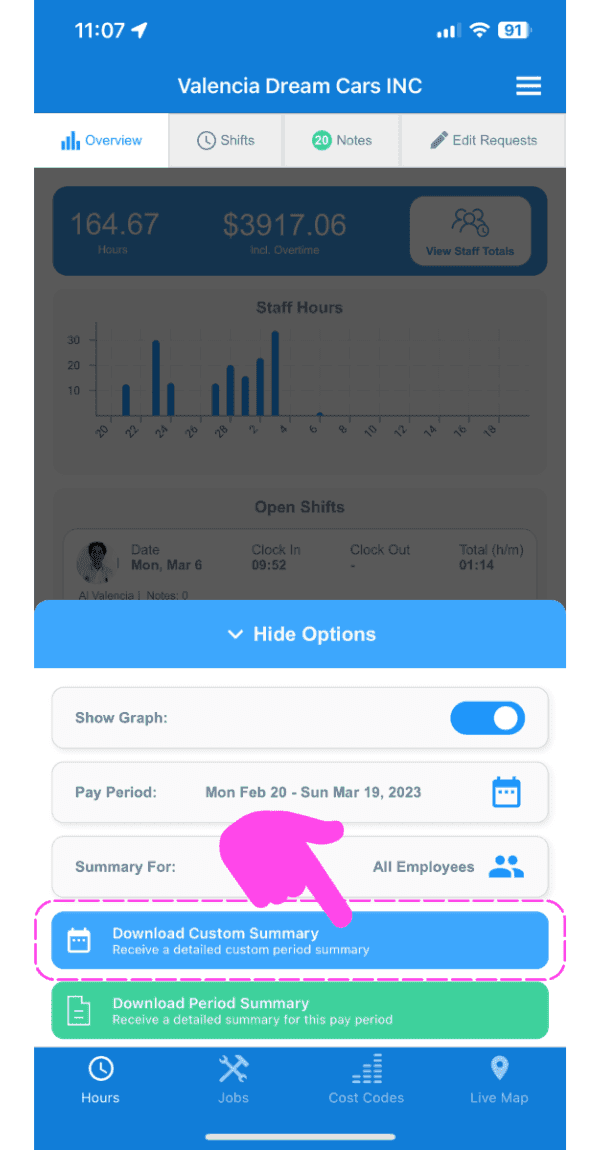
SINC mobile Overview screen with a pink arrow pointing to the Download Custom Summary button

Vai al mese desiderato toccando il pulsante con la freccia a sinistra o a destra.
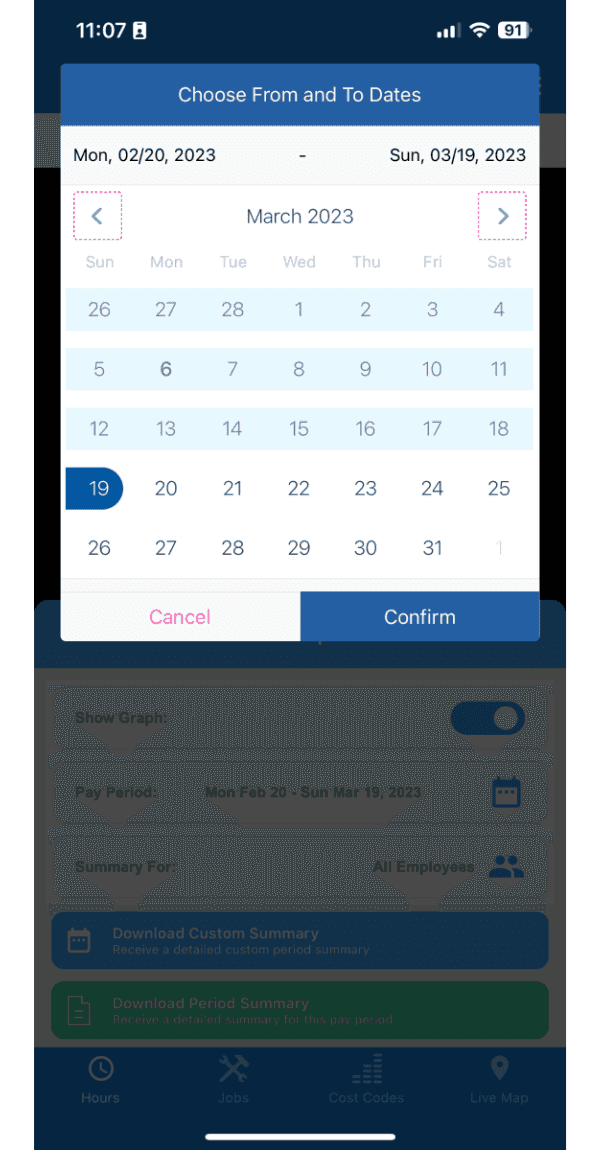
Choose From and To Dates calendar picker showing March 2023 with navigation arrows and a Confirm button

Seleziona le date toccando i rispettivi giorni di inizio e fine.
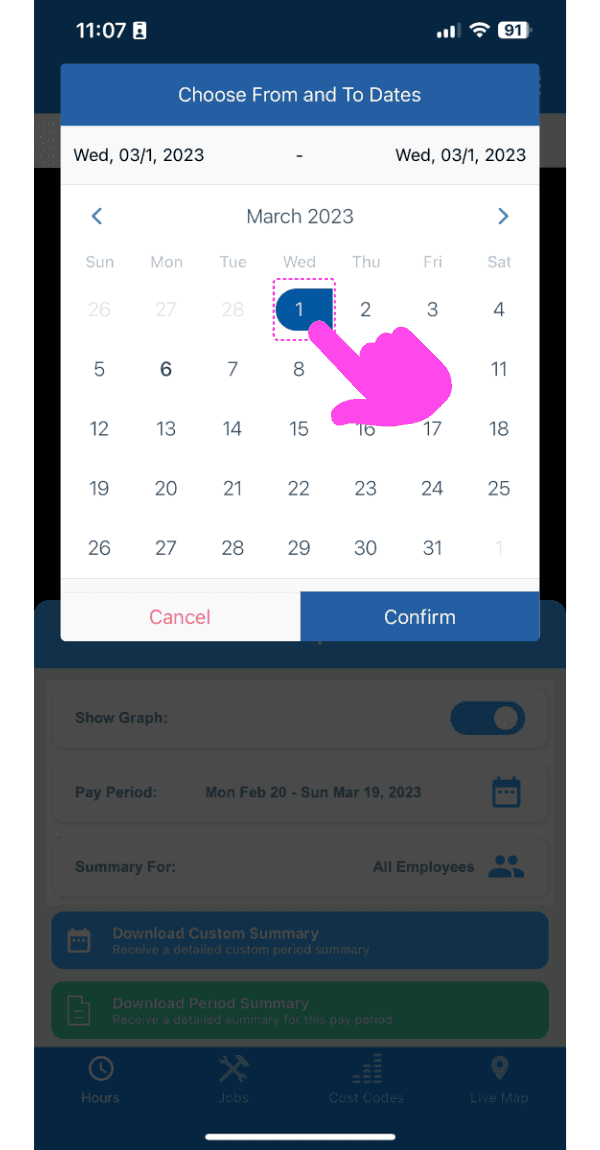
SINC mobile Choose From and To Dates calendar with a pink arrow pointing to the selected date

Dopo aver selezionato le date, tocca Conferma.
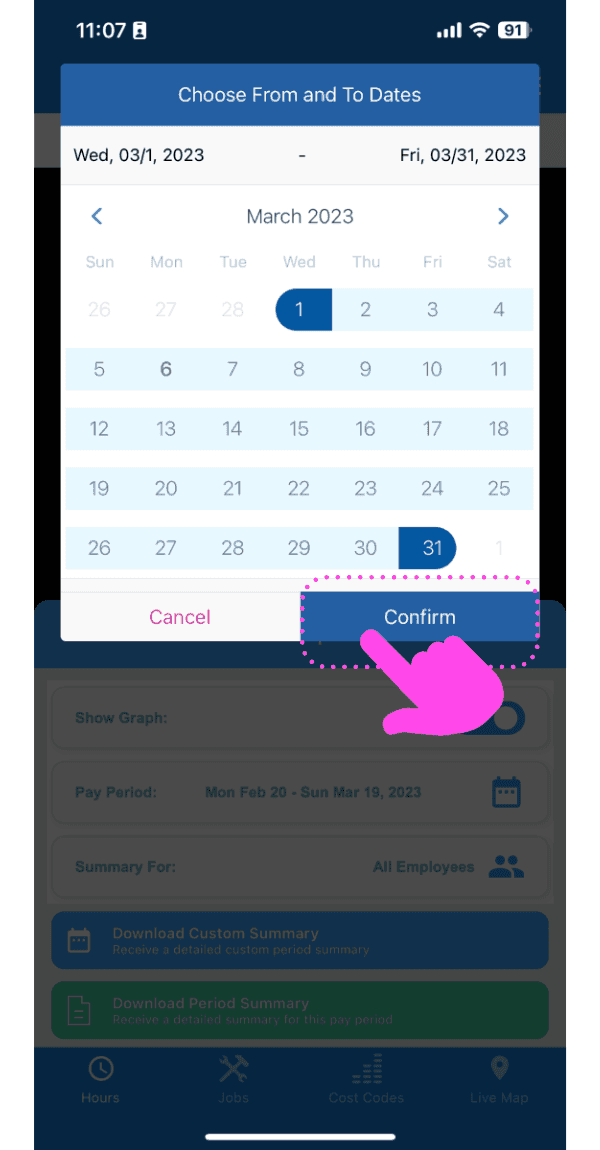
Mobile custom date range picker with selected dates and the Confirm button outlined in pink

Questa risposta ti è stata utile?