
Comment modifier le profil d’un membre du personnel
Ce guide explique comment modifier le profil d’un membre du personnel en tant qu’administrateur.

Notez que les modifications apportées par un administrateur au profil d’un membre du personnel sont prioritaires par rapport à celles effectuées par le membre du personnel lui-même. Sur mobile : appuyez sur Menu Personnel
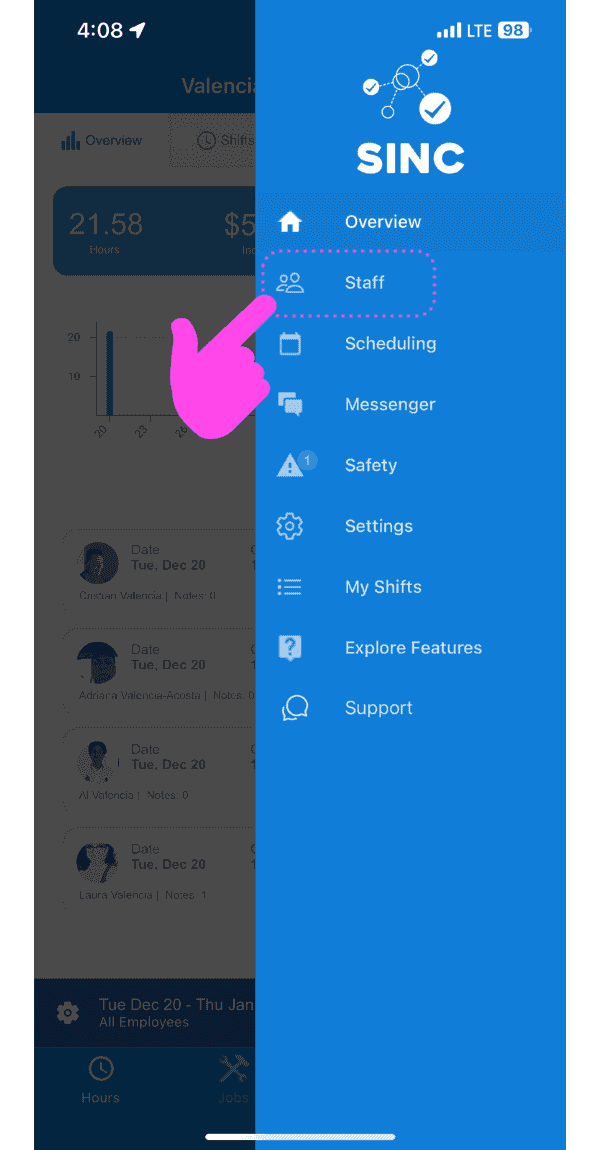
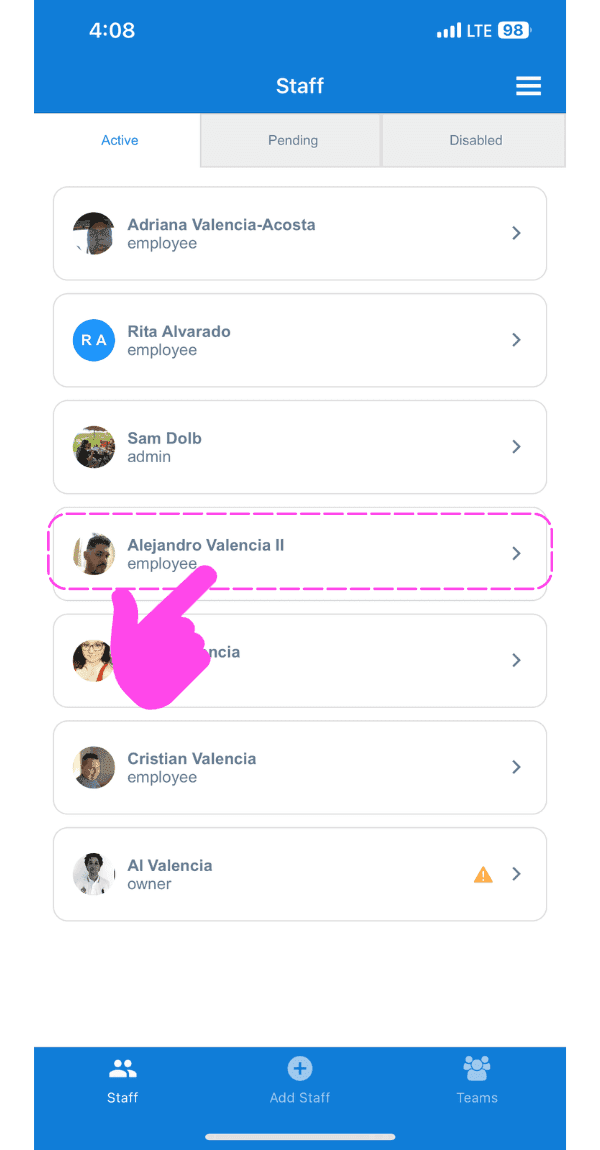
Appuyez sur la flèche à côté du membre du personnel dont le profil doit être modifié
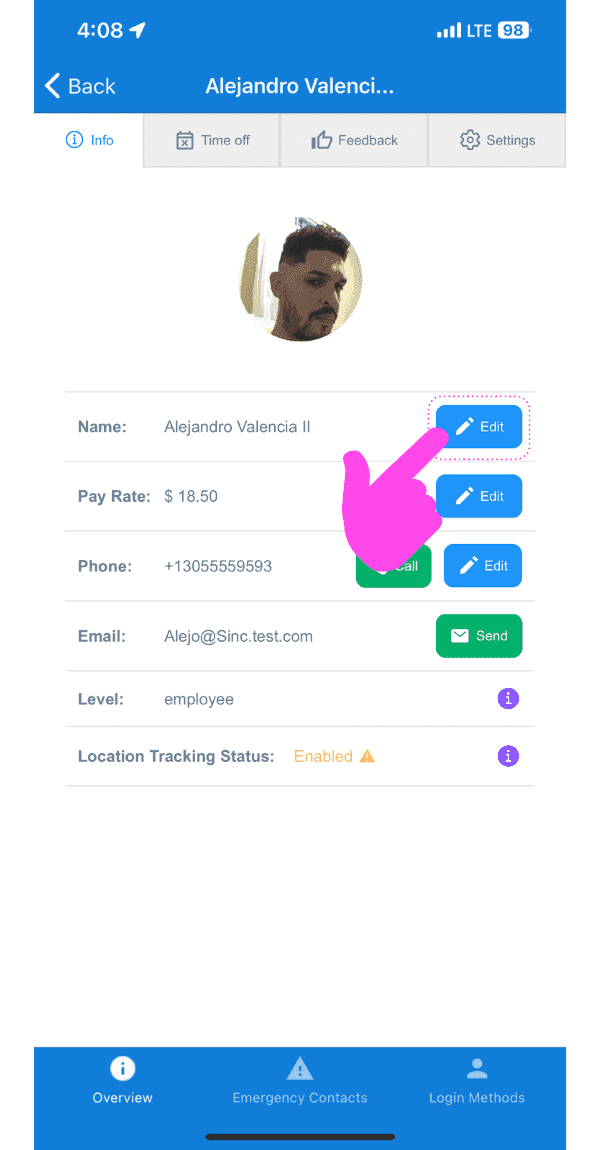
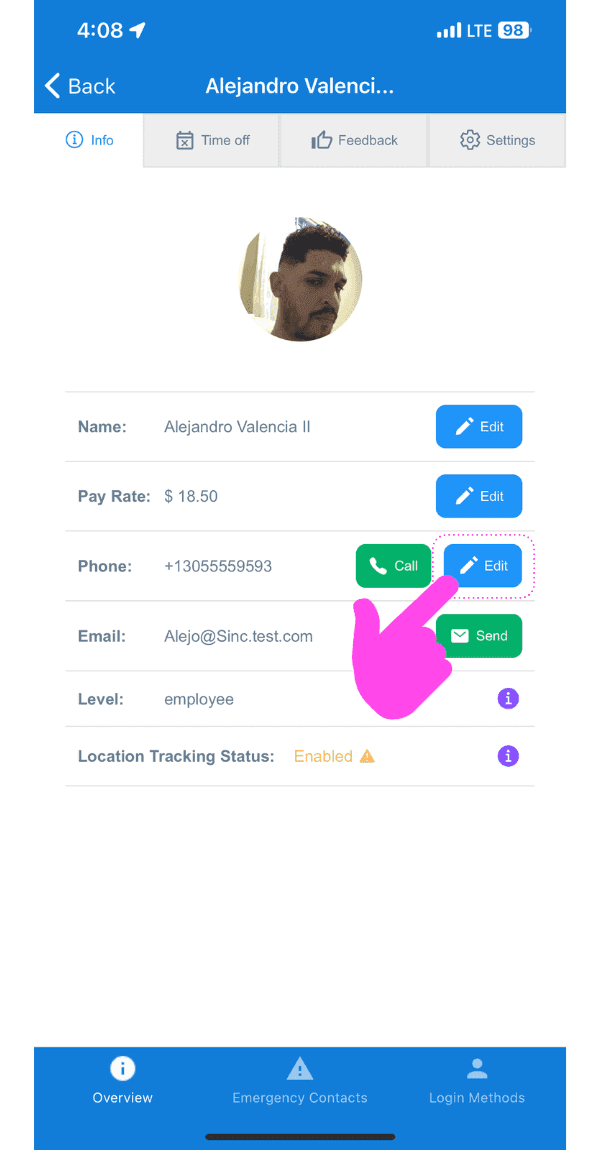
Pour modifier le nom : appuyez sur Modifier (à côté de Nom)
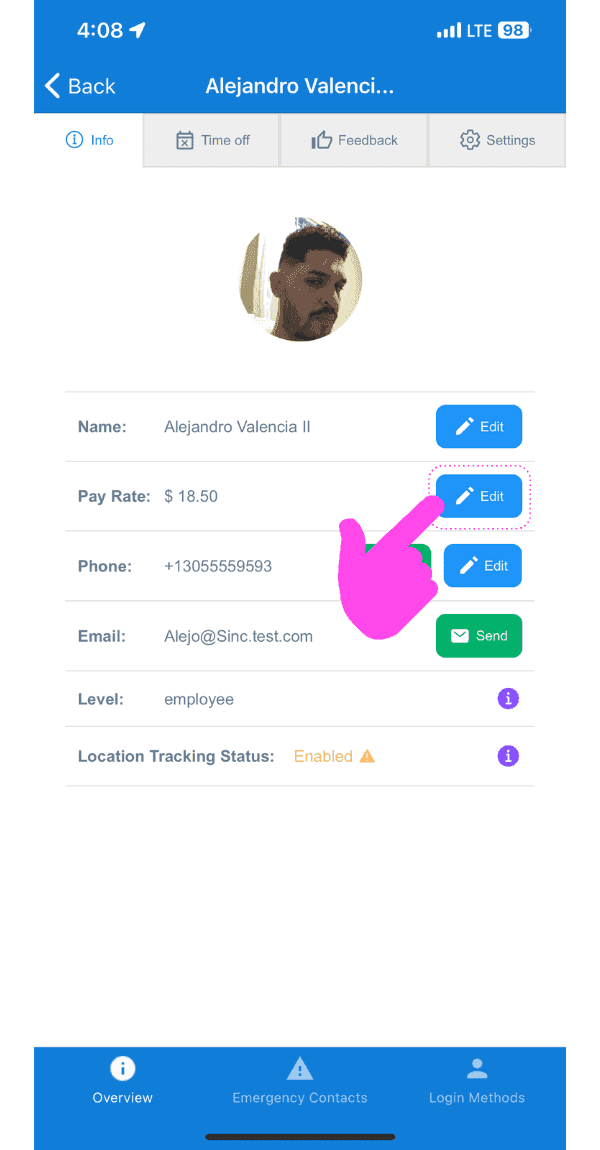
Pour modifier le taux de rémunération : appuyez sur Modifier (à côté de Taux de rémunération)
Pour modifier le numéro de téléphone : appuyez sur Modifier (à côté de l’icône Téléphone)
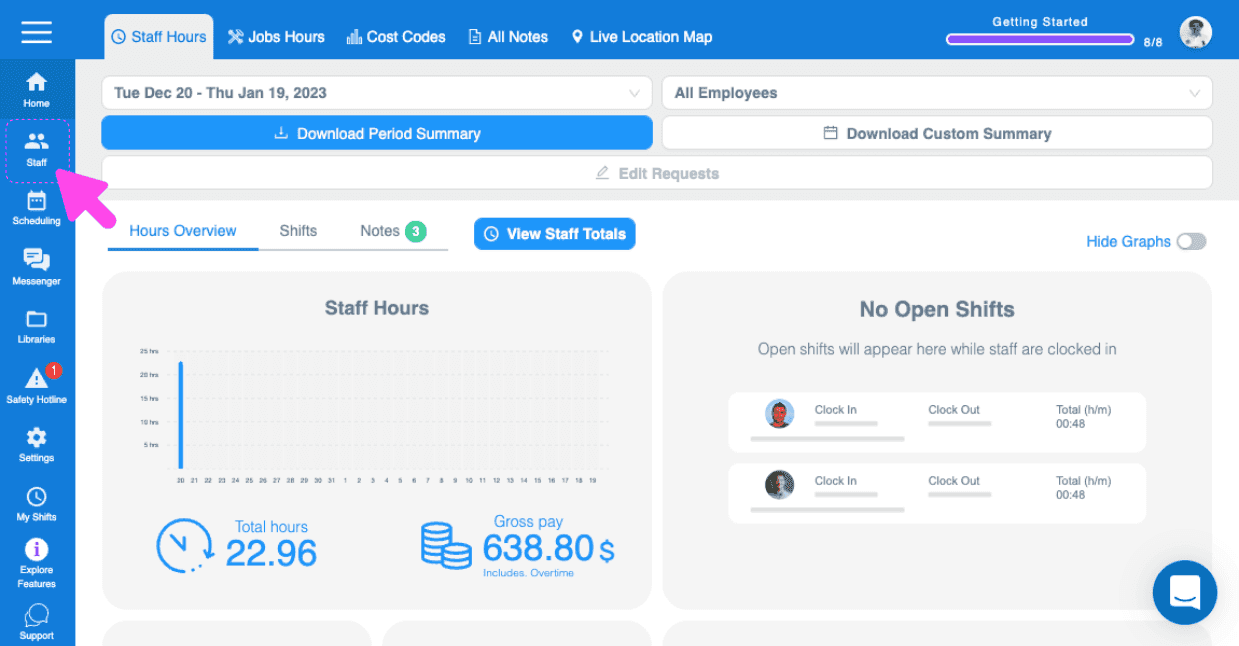
Sur le Web : accédez à Menu Équipe
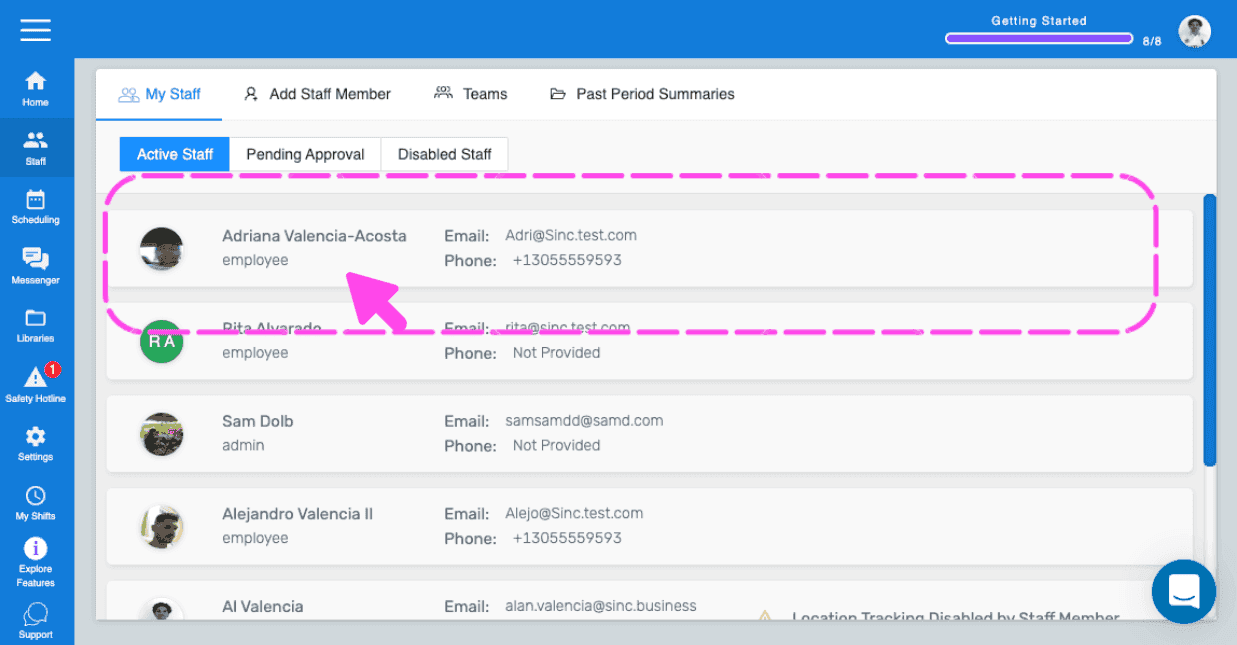
Cliquez sur le membre du personnel dont vous souhaitez modifier le profil
Pour modifier le nom : cliquez sur Modifier (à côté de Nom)
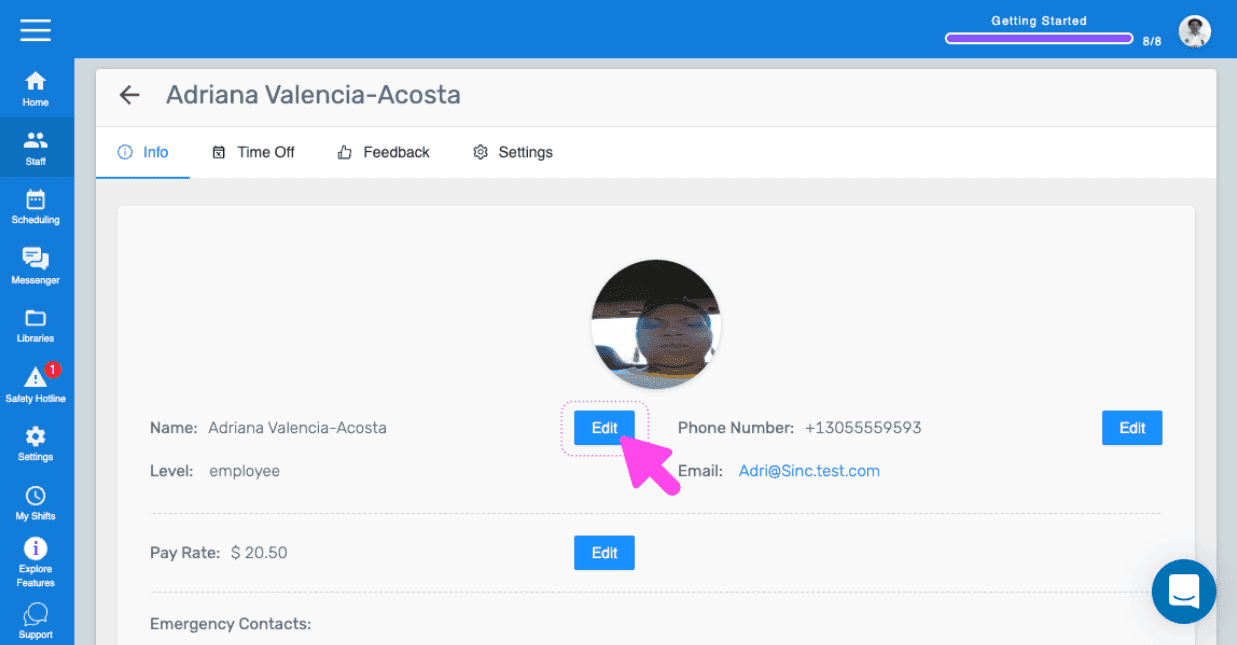
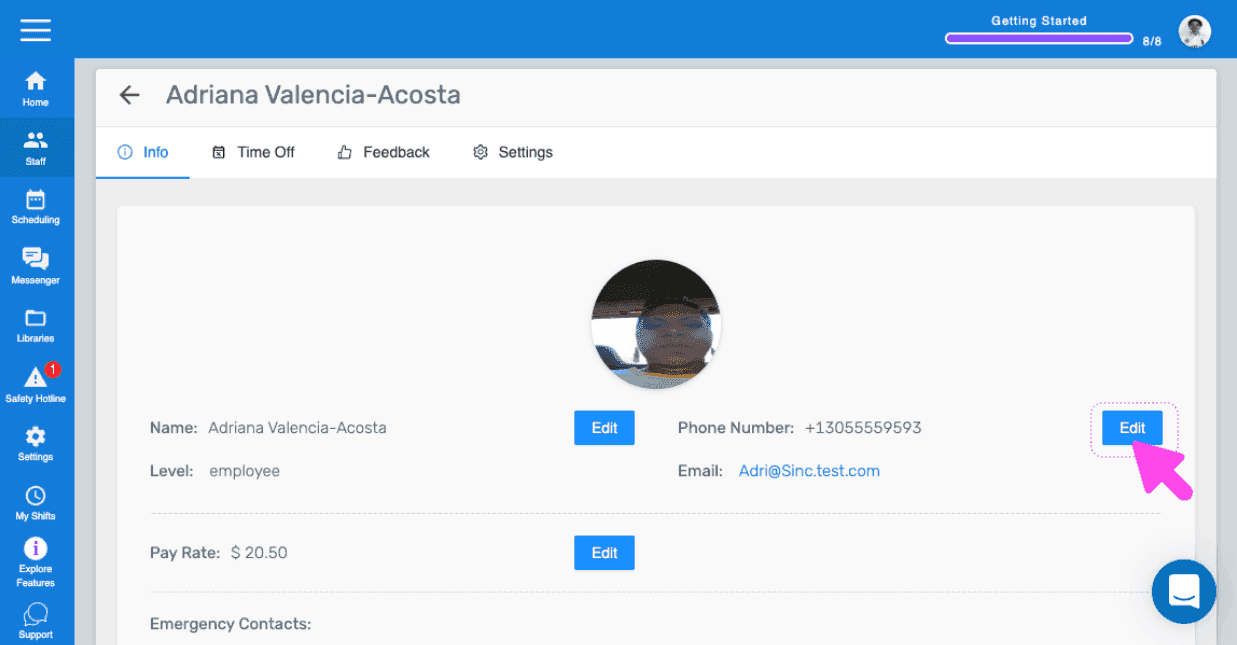
Pour modifier le numéro de téléphone : appuyez sur Modifier (à côté de Numéro de téléphone)
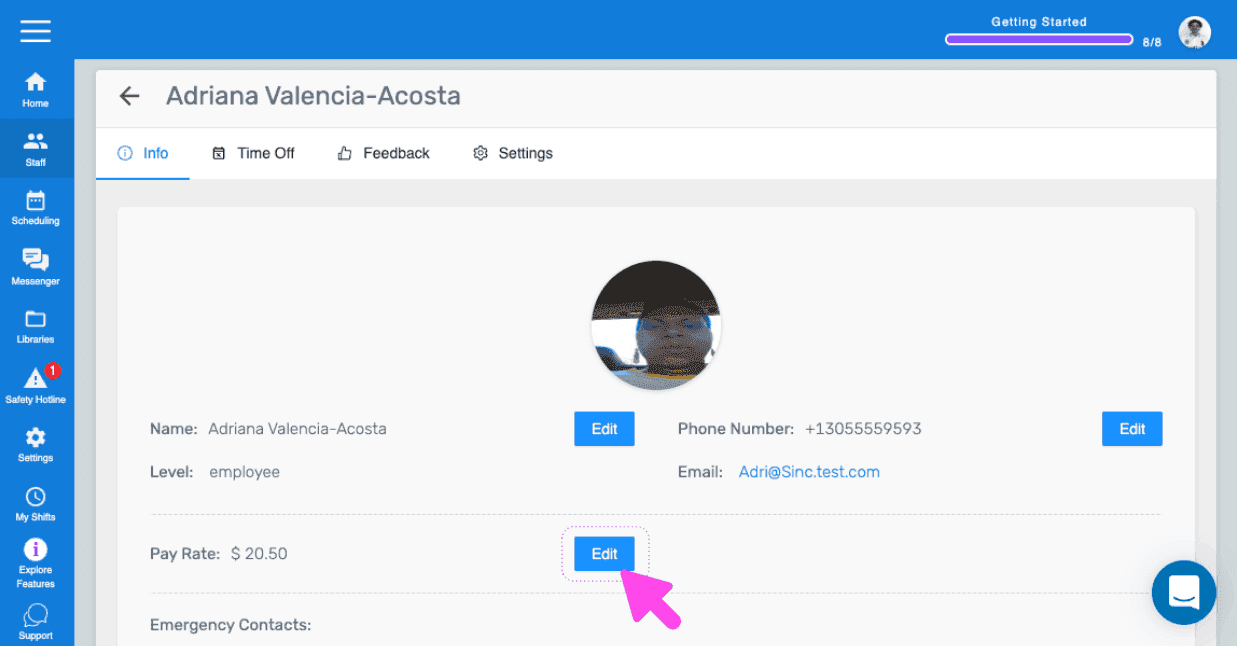
Pour modifier le taux de rémunération : appuyez sur Modifier (à côté de Taux de rémunération)
Cela a-t-il répondu à votre question ?