Comment désactiver un administrateur

Sam Dolbel
Sam Dolbel
Feb 28th, 2023

Lorsqu’un membre du personnel disposant de droits d’administrateur quitte votre organisation, il ne faut pas le supprimer : il suffit de le désactiver. Dans ce guide, nous vous expliquons les étapes à suivre. Appuyez sur Personnel
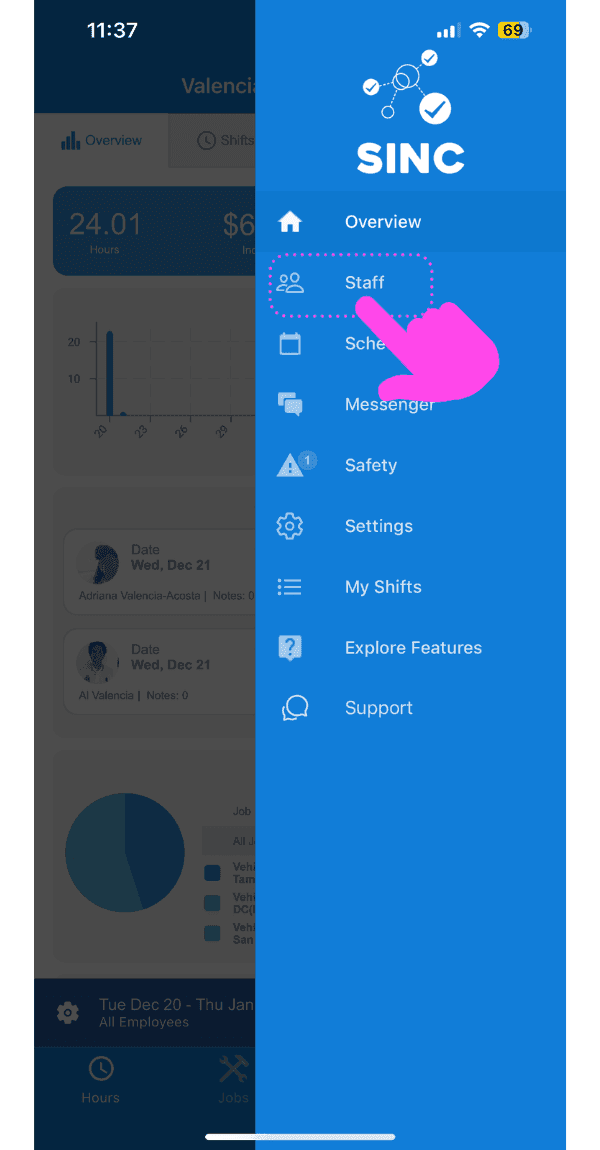
SINC mobile app side menu with a pink arrow pointing to the Staff menu item

Appuyez sur le nom du membre du personnel administratif
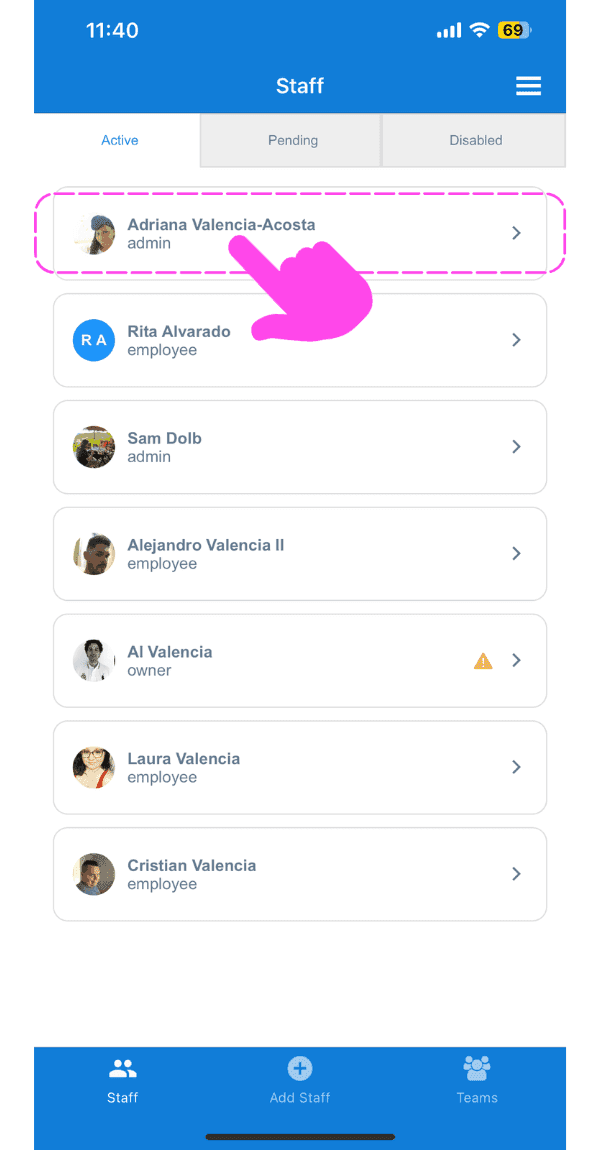
SINC mobile Staff screen with a pink hand pointing to an admin staff member's name

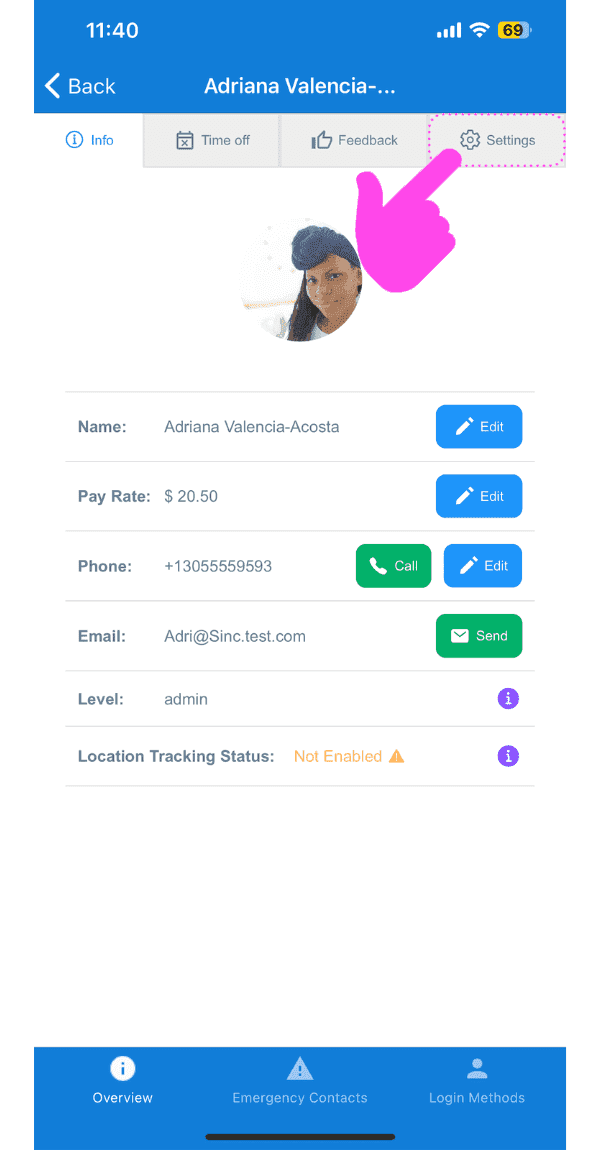
Appuyez sur Paramètres

SINC mobile staff profile screen with a pink arrow pointing to the Settings tab

Appuyez sur Revenir au statut d’employé
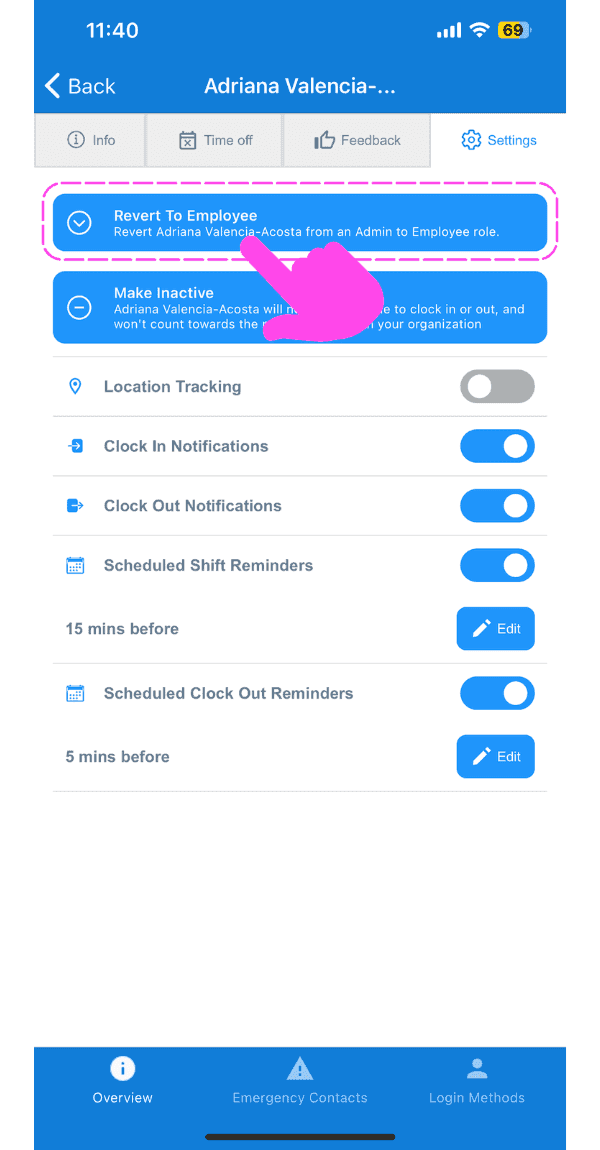
Staff member Settings tab with a pink arrow pointing to the Revert To Employee button

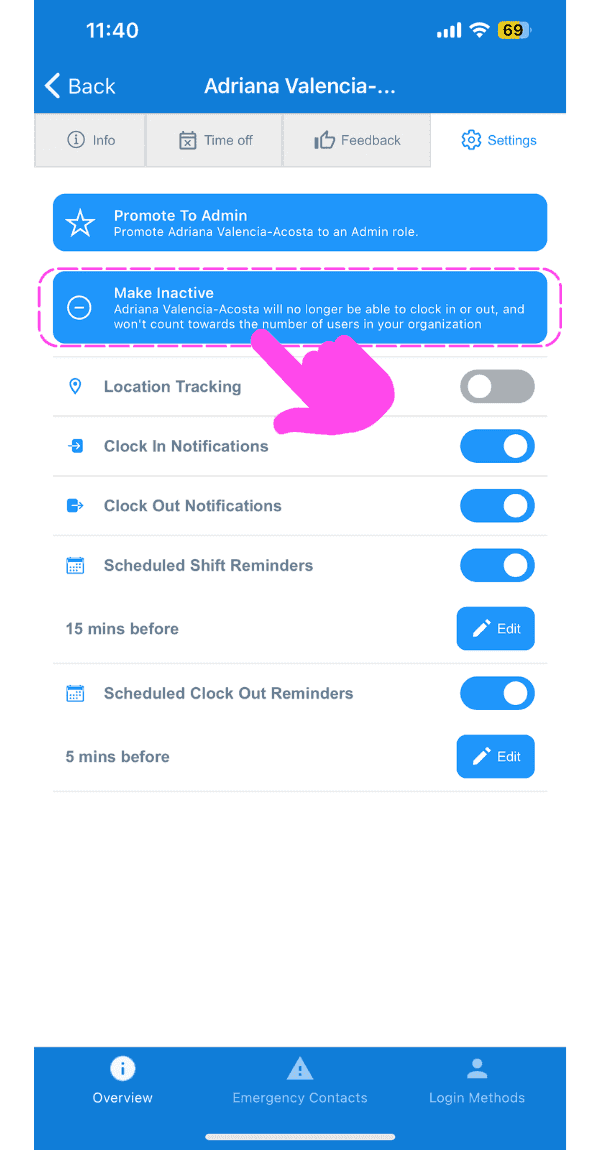
Appuyez sur Désactiver

SINC mobile app staff settings screen with the Make Inactive banner highlighted and a pink arrow pointing to notification toggles below it

Appuyez sur Confirmer (version Web) Cliquez sur Oui
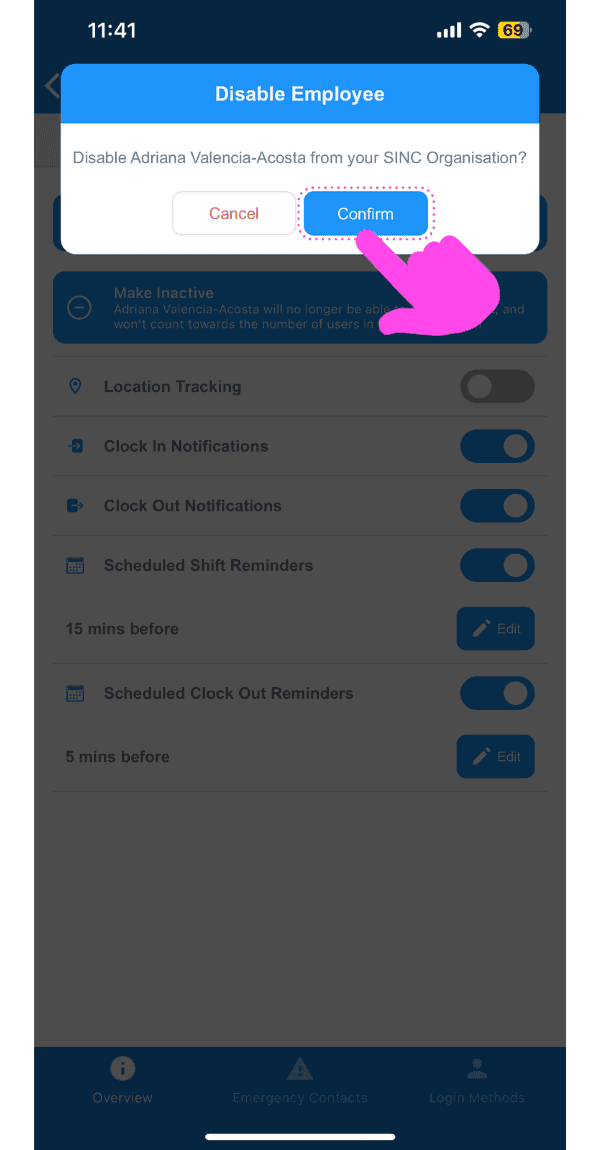
Disable Employee confirmation popup with the Confirm button highlighted by a pink arrow

Cela a-t-il répondu à votre question ?