Comment promouvoir un employé au poste d’administrateur

Dans ce guide, nous vous expliquerons comment promouvoir un employé au rôle d’administrateur.

Sam Dolbel
Sam Dolbel
Mar 27th, 2023

Pour ajouter un nouvel administrateur, vous devez d’abord l’inviter en tant qu’employé standard. Une fois cette étape effectuée : appuyez sur Menu Personnel
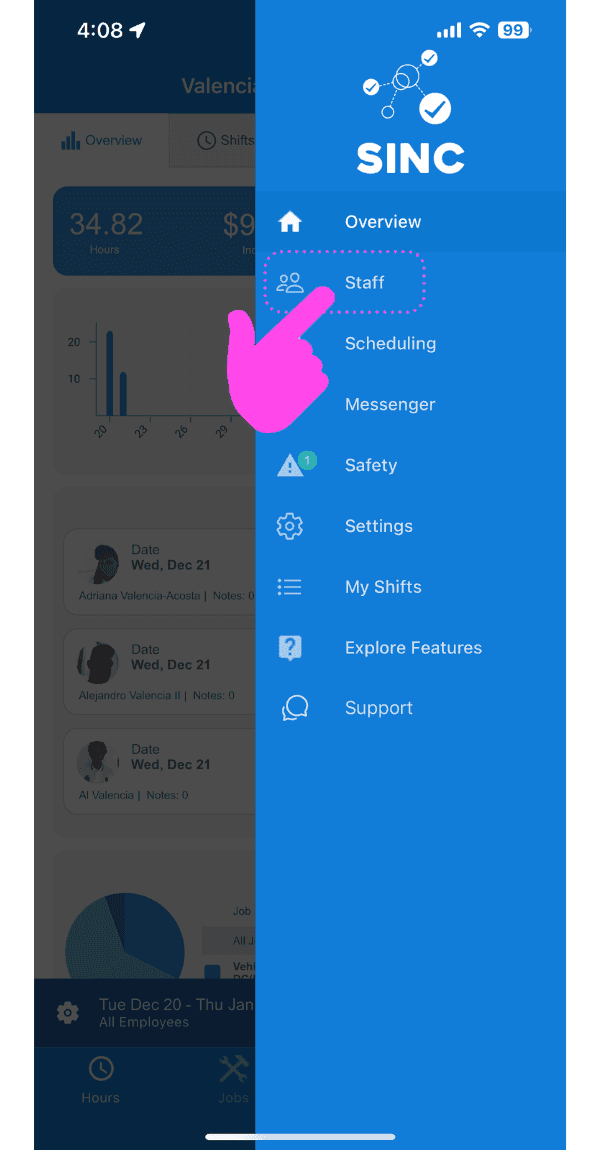
SINC mobile side menu with a pink arrow pointing to the Staff option

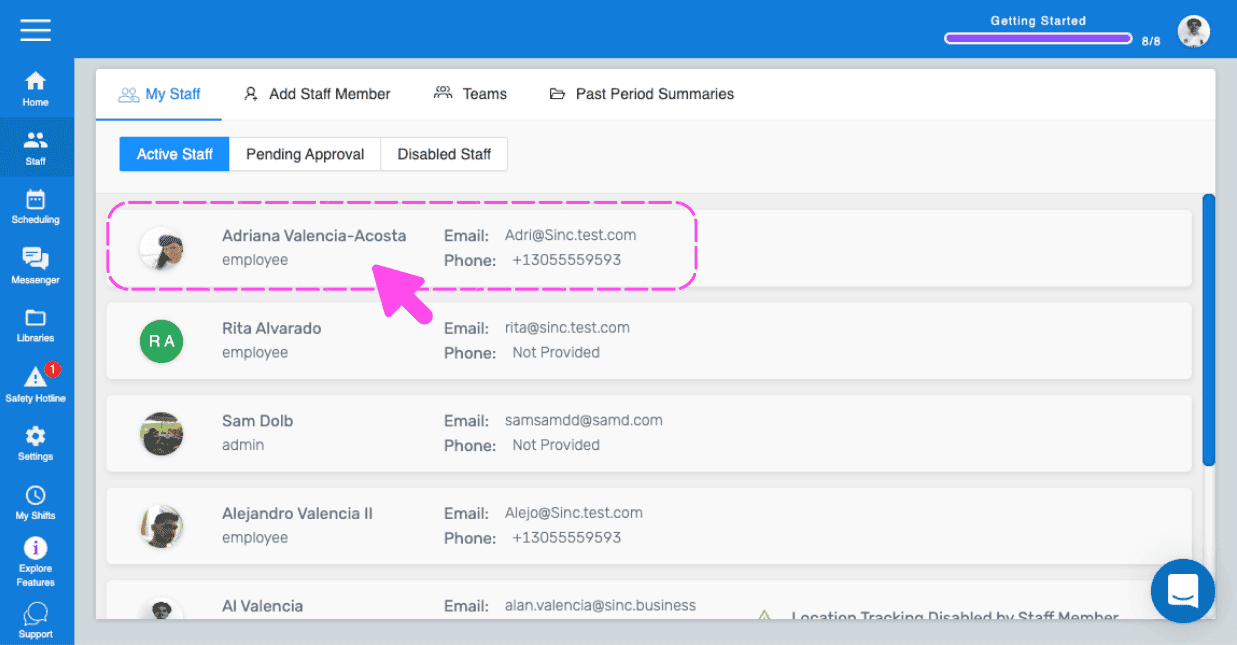
Appuyez sur le nom du membre du personnel que vous souhaitez promouvoir au rang d’administrateur
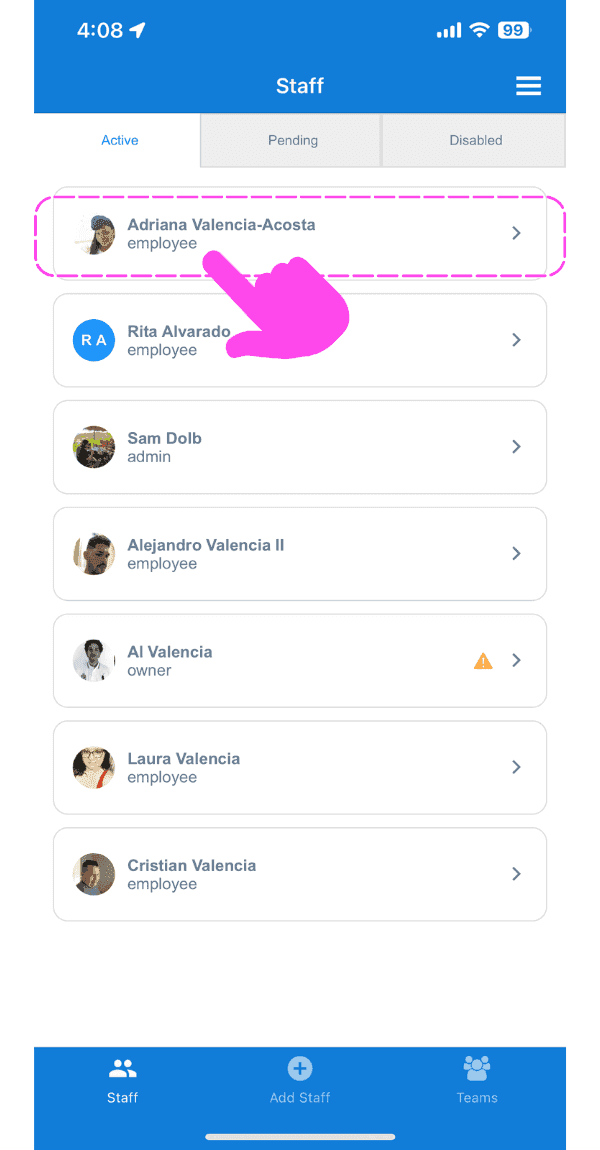
Staff list screen with a pink hand pointing to an employee's name highlighted in a dashed box at the top

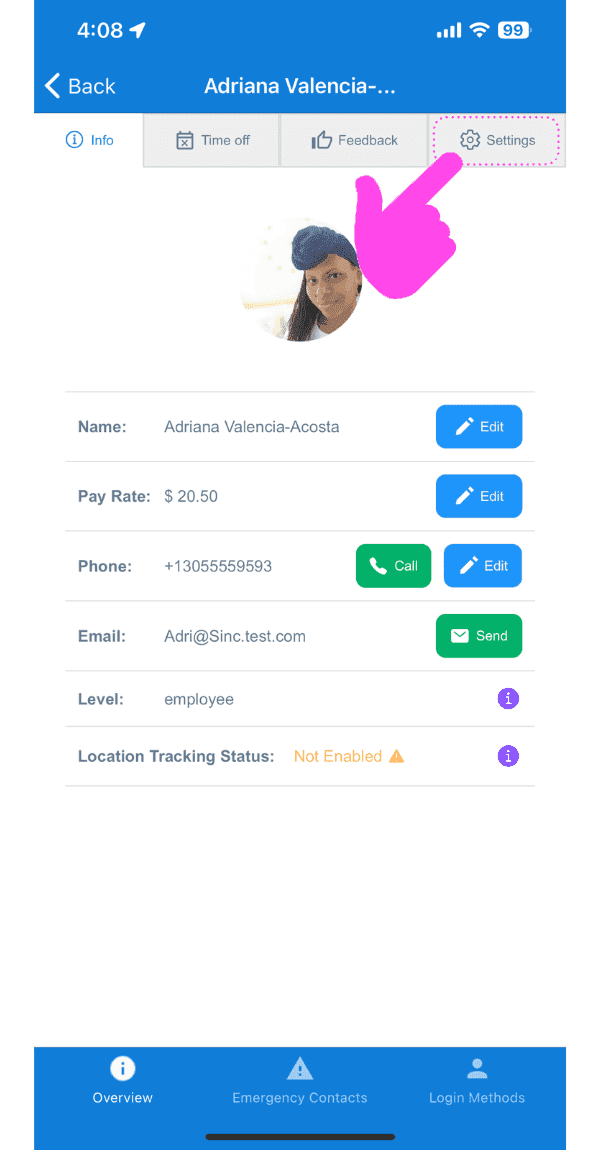
Appuyez sur Paramètres

SINC mobile staff profile screen with a pink arrow pointing to the Settings tab

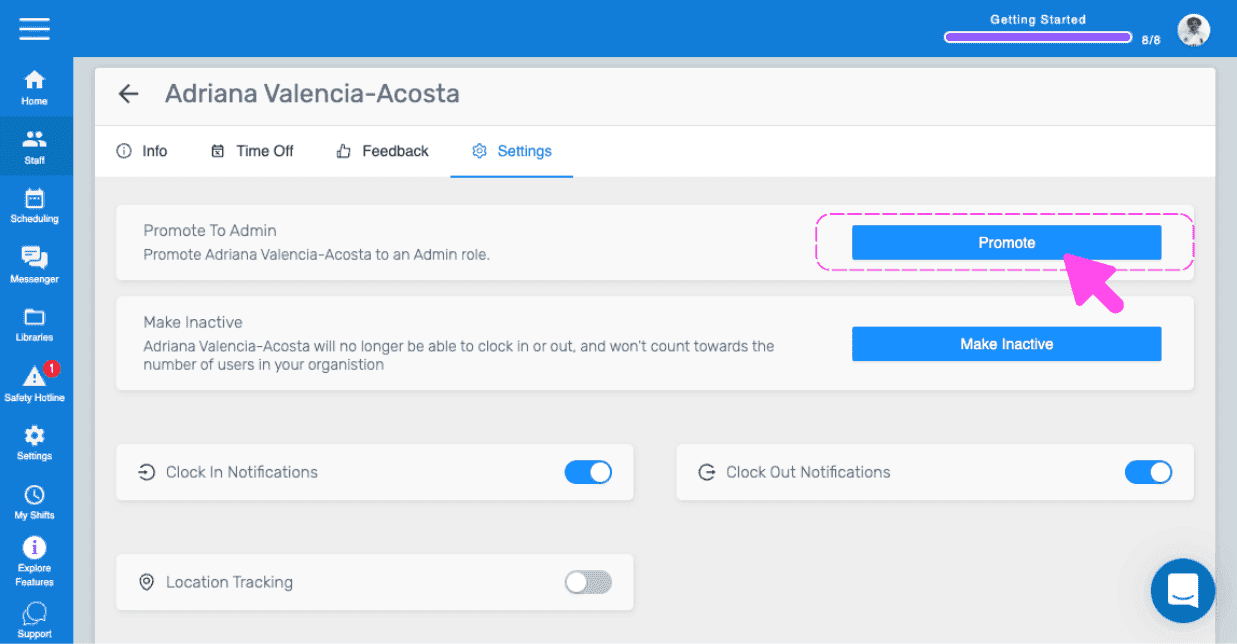
Appuyez sur Promouvoir comme administrateur (version web) Cliquez sur Promouvoir
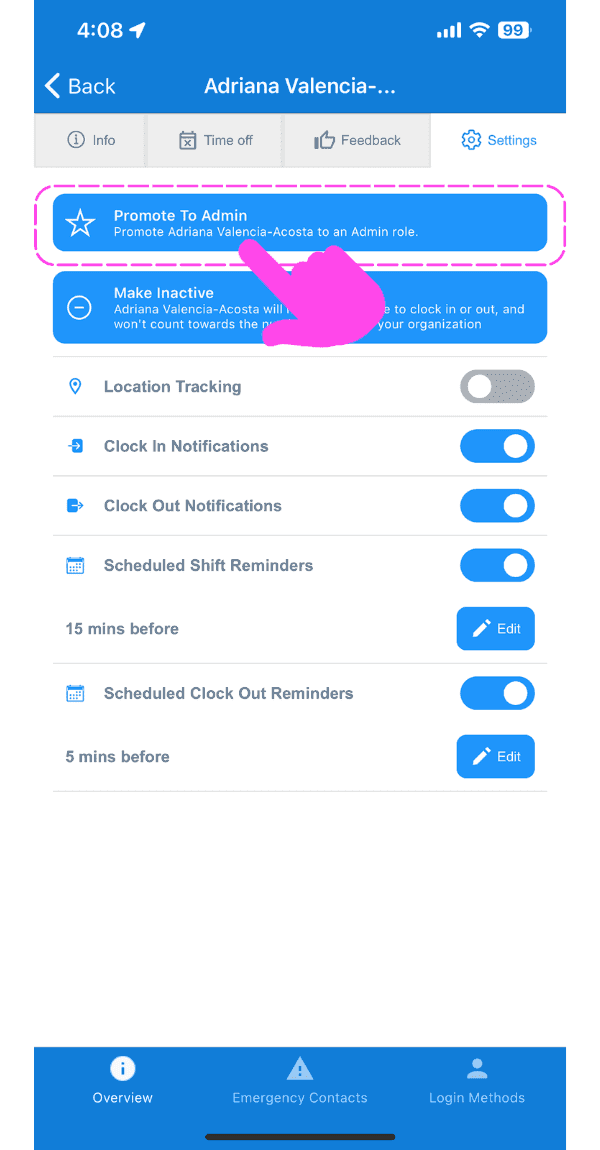
Mobile staff Settings tab with the Promote To Admin button outlined in pink and an arrow pointing to it

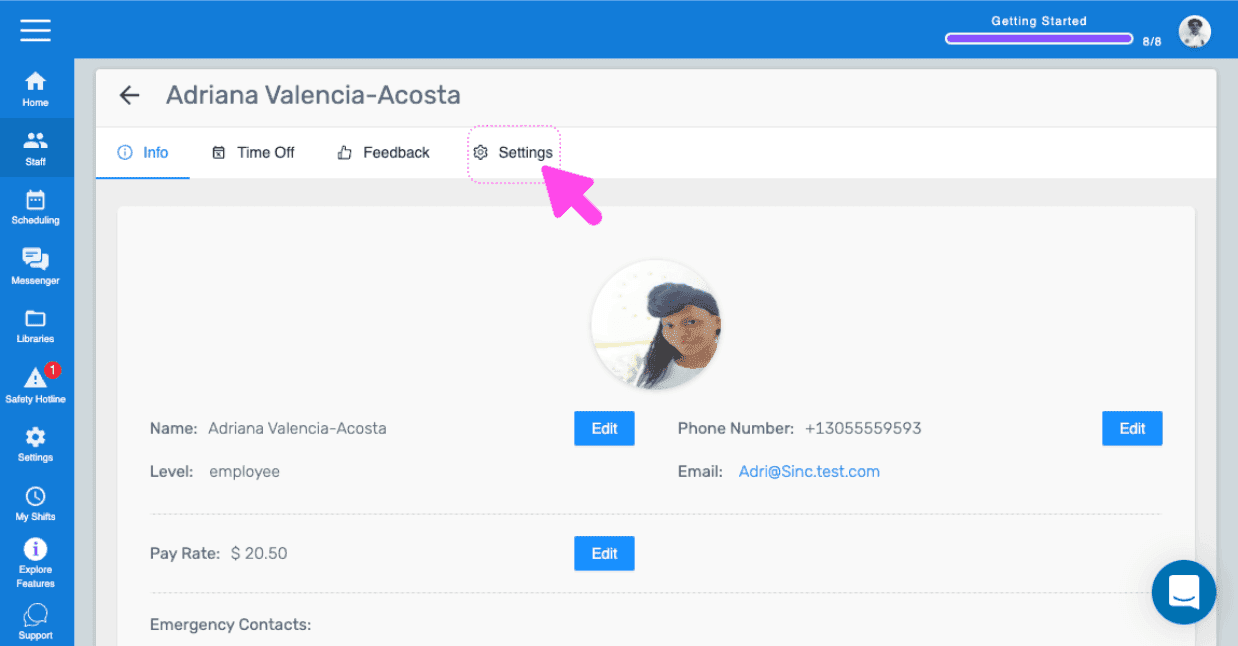
Si vous utilisez la version web, voici à quoi elle ressemblera :
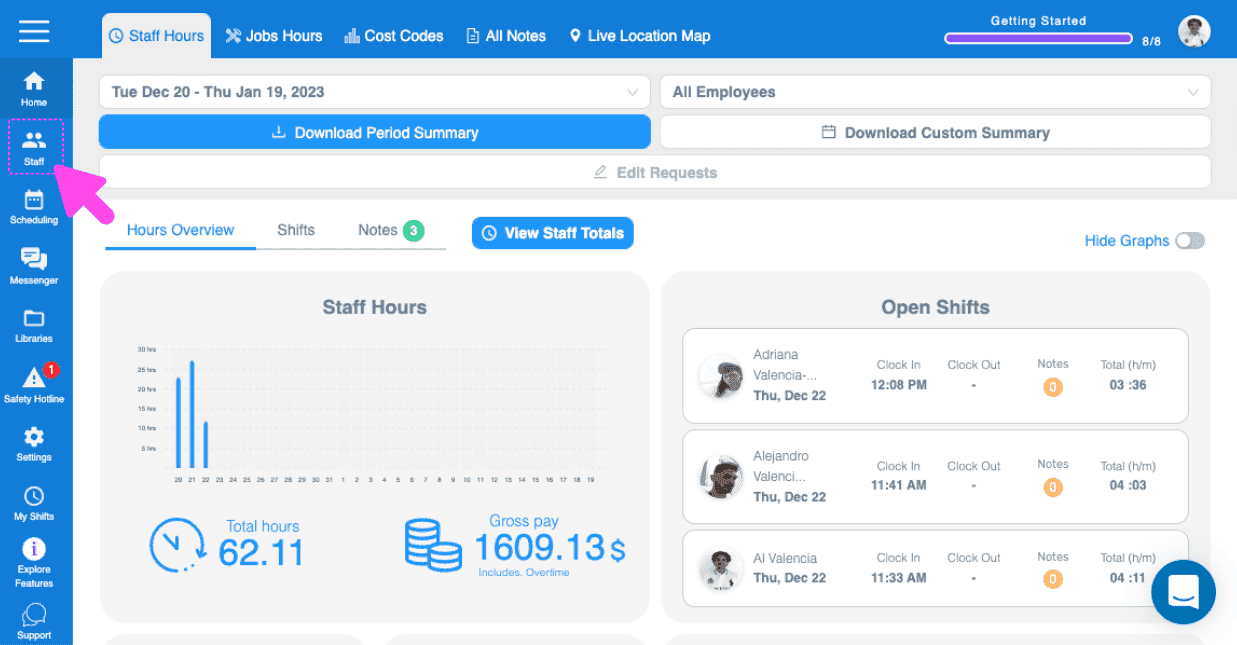
SINC web Staff Hours dashboard with a pink arrow pointing to the Staff icon in the left sidebar
Active Staff list with an employee's row highlighted showing their email and phone number
Web staff profile screen with a pink arrow pointing to the Settings tab
SINC web staff Settings tab with a pink arrow pointing to the Promote button under Promote To Admin
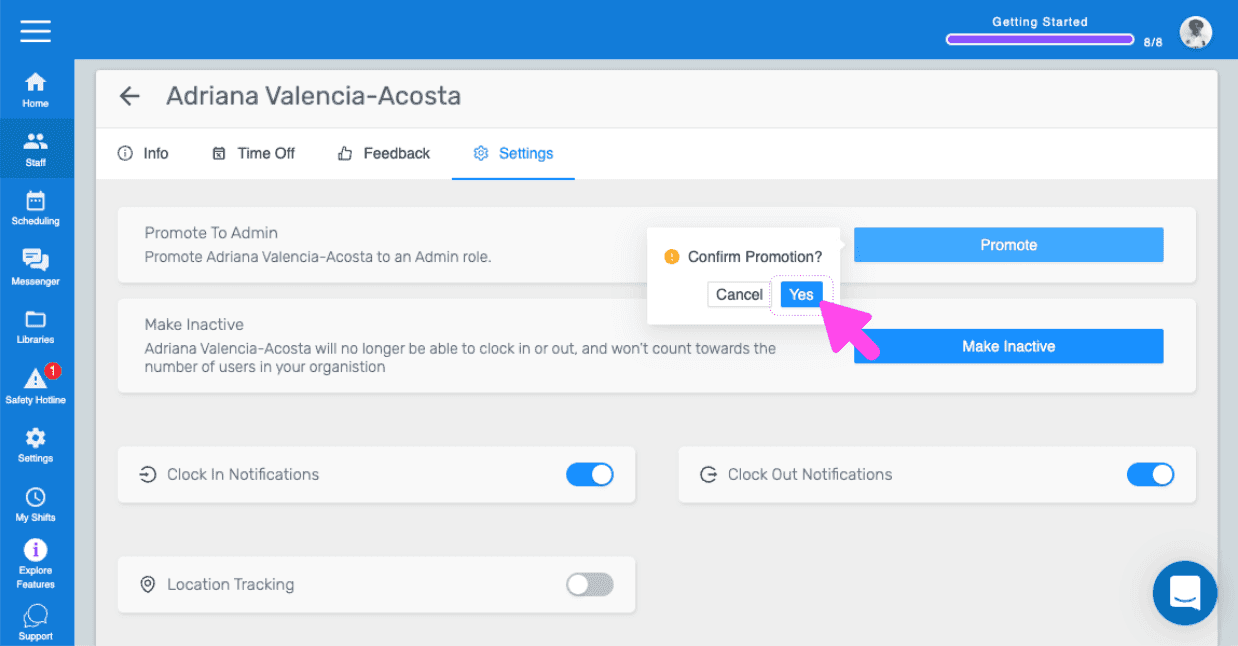
SINC web staff Settings tab showing a Confirm Promotion popup with a pink arrow pointing to the Yes button

Cela a-t-il répondu à votre question ?